







In This Article (8 sections)
InstaMAT and InstaLOD Native Linux Support Explained
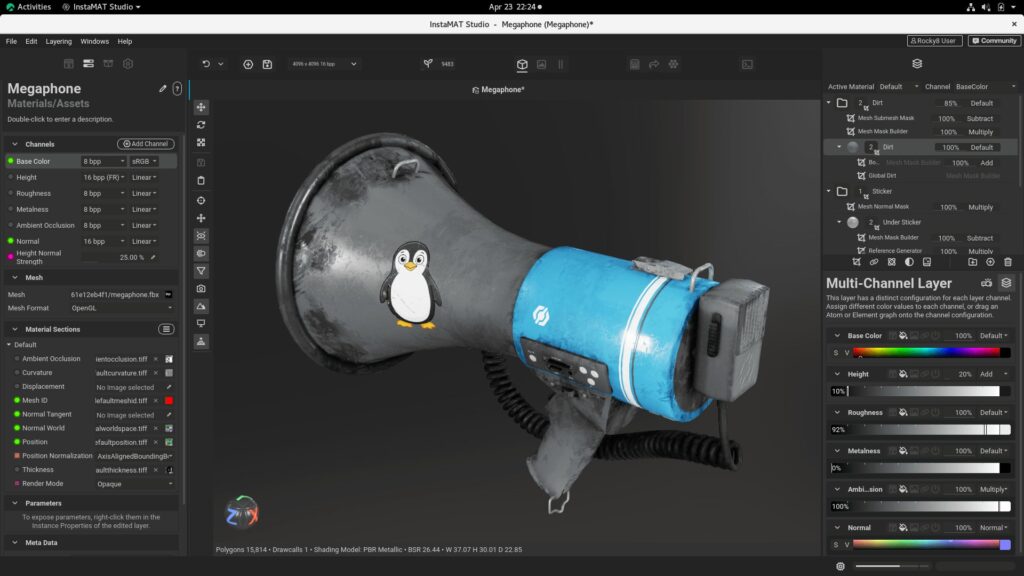
InstaMAT and InstaLOD native Linux support refers to full, non-emulated compatibility with Linux operating systems. Instead of relying on compatibility layers such as Wine or running inside virtual machines, both applications are compiled and optimized directly for Linux environments. This allows 3D artists, technical directors, and game studios to use InstaMAT for procedural material creation and InstaLOD for mesh optimization with better stability, lower overhead, and tighter integration into Linux-first production pipelines.
Native support is particularly important for studios that already use Linux across VFX, animation, game development, render farms, and internal automation systems. Direct access to GPU drivers, multithreading, memory management, shell scripting, and rendering infrastructure can make production workflows more predictable and easier to scale. It also reduces dependence on proprietary operating system environments and allows tools such as Blender, Houdini, Unreal Engine, Unity, version-control systems, and custom in-house software to operate within the same broader pipeline.
The Linux version of InstaMAT is intended to maintain broad feature parity with its Windows counterpart while introducing Linux-specific optimizations. Typical requirements described in the supplied material include a 64-bit Linux distribution, a modern multi-core Intel or AMD processor, NVIDIA or AMD professional graphics hardware, a Vulkan-compatible graphics stack, and at least 16 GB of RAM, with 32 GB or more recommended for heavier production workloads. Supported or commonly used distributions include Ubuntu LTS, Fedora Workstation, Rocky Linux, and CentOS Stream, with Ubuntu LTS described as the most common choice because of its balance between stability and driver compatibility.
There are still differences between Linux and Windows workflows. Linux is described as being more pipeline-oriented and particularly well suited to command-line processing, scripting, automation, and backend systems, while Windows may offer broader plug-and-play ecosystem support and remain convenient for front-end creative workflows. GPU behavior can also vary depending on driver configuration and hardware. In mixed studio environments, this means Windows may continue to handle some artist-facing tasks while Linux takes on more automated or large-scale processing.

Installing and Optimizing InstaMAT and InstaLOD on Linux
Installing InstaMAT on Linux typically begins with downloading the official Linux package, extracting it to a location such as /opt/instamat, installing required dependencies, configuring GPU drivers and Vulkan libraries, setting executable permissions, and launching the application through a terminal or desktop shortcut. Some environments may also require Qt components or other supporting libraries. Studios with centralized infrastructure may deploy InstaMAT through internal package-management systems or containerized environments rather than installing it manually on individual workstations.
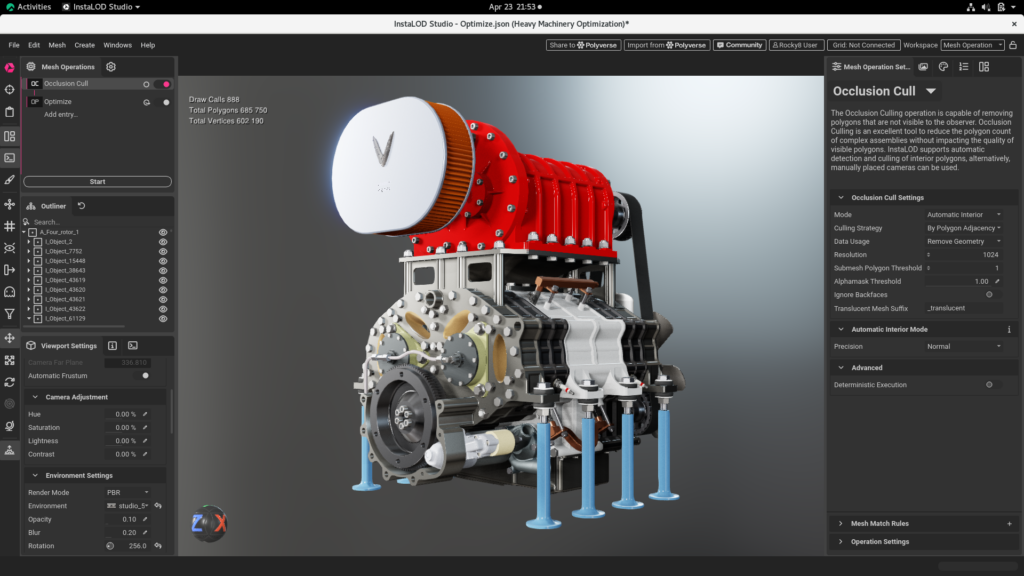
InstaLOD follows a similar process but places greater emphasis on command-line and automated use. A typical installation involves obtaining the Linux build, installing required runtime libraries such as glibc and GPU compute dependencies, configuring environment variables for CLI execution, validating GPU compute support, and running test mesh-optimization jobs to confirm that the environment is working correctly. In enterprise environments, InstaLOD can be deployed as a headless processing service for automated pipelines and server-side optimization.
Most installation problems are described as being related to drivers, graphics APIs, permissions, or missing dependencies rather than the core applications themselves. Common problems include:
- Missing NVIDIA or AMD drivers
- Vulkan runtime or Mesa configuration errors
- Executable permission problems
- Conflicting or missing library dependencies
- Incomplete GPU compute support
These issues can usually be addressed by installing the correct proprietary or supported drivers, updating Vulkan or Mesa components, resolving dependencies through the system package manager, and setting executable permissions with tools such as chmod +x.
Hardware configuration also has a major effect on performance. The supplied material recommends modern NVIDIA RTX or AMD Radeon Pro GPUs, recent stable drivers, Vulkan-based rendering where applicable, sufficient VRAM for texture-heavy workflows, and multi-threaded CPUs for procedural generation and geometry processing. Proper configuration can reduce processing times substantially, particularly in workloads involving large texture sets, high-poly assets, or automated batch operations.
InstaLOD Performance, InstaMAT Workflow Integration and Linux Pipeline Advantages
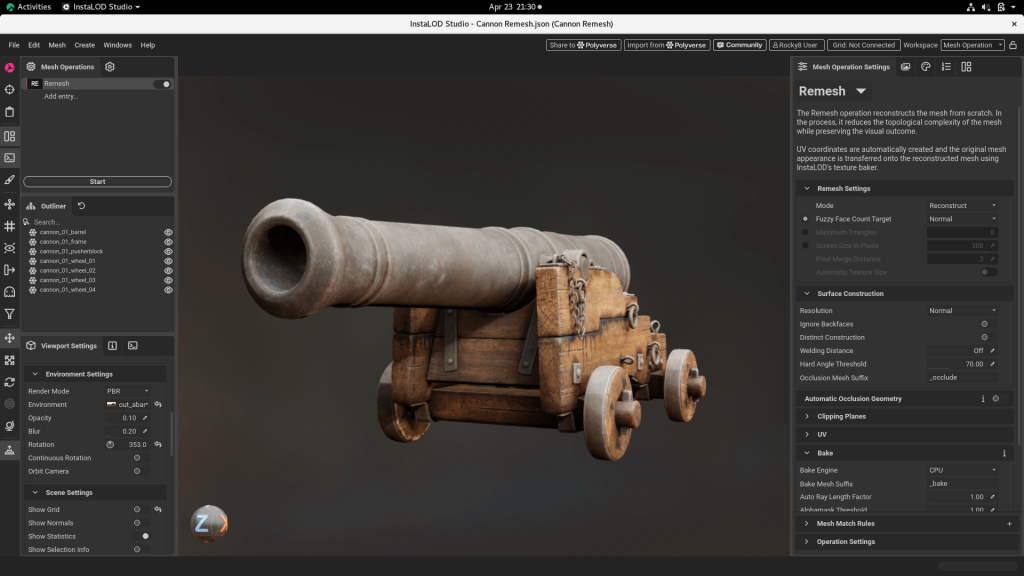
InstaLOD’s Linux version is particularly focused on high-throughput mesh processing, batch automation, and scalable asset optimization. Native Linux support can improve mesh decimation, LOD generation, parallel geometry processing, and command-line execution by reducing compatibility-layer overhead and taking advantage of Linux threading and memory management. The supplied material highlights faster processing of high-poly models, better scalability across multi-node systems, lower automation latency, and more efficient batch processing as key advantages.
These characteristics make InstaLOD especially useful for open-world game development, large cinematic productions, and pipelines where thousands of assets need to be optimized automatically. Instead of relying on artists to process meshes manually, studios can integrate InstaLOD into build systems, render farms, or dedicated compute servers and run optimization jobs without a graphical interface.
InstaMAT benefits from similar pipeline integration. Linux-first environments can use CLI automation for procedural material generation, connect outputs to asset version-control systems such as Perforce or Git LFS, and feed generated content into Unreal Engine or Unity-based workflows. Procedural texture creation can also run in server-side environments, making it possible to generate or update large numbers of materials automatically as source assets change.
The supplied material also describes Linux as offering advantages in long-duration processing, multi-GPU scaling, and reduced system overhead. Production benchmarks are said to show roughly 10 to 25 percent faster batch processing for some InstaLOD workloads, lower memory overhead in large texture-generation tasks, and greater stability during extended processing sessions. These gains are workload-dependent, however, and Windows can remain competitive in GUI-heavy single-user workflows where hardware and driver tuning differ.
The wider production benefit is not limited to raw speed. Native Linux support can improve automation, pipeline consistency, cloud scalability, interoperability between tools, and control over the production environment. For technical artists and pipeline engineers, fewer compatibility layers can mean fewer failure points, more predictable deployments, and easier integration with existing studio infrastructure.
Future Linux Development for InstaMAT and InstaLOD
The long-term direction described in the supplied material is toward deeper Linux optimization rather than simple platform parity. Future development is expected to focus on broader GPU acceleration, improved multi-GPU scaling, stronger headless automation, deeper real-time engine integration, more advanced procedural generation, and wider Linux distribution certification.
For InstaMAT, this could mean stronger server-side generation workflows and more scalable procedural content systems that can be integrated directly into automated asset pipelines. For InstaLOD, future improvements are expected to emphasize high-volume geometry processing, render-farm deployment, multi-node scalability, and more efficient use of compute resources.
Real-time engine integration is also expected to become more important. Deeper compatibility with Unreal Engine and similar tools would allow studios to connect material generation, mesh optimization, and asset validation more directly with game-development workflows. This could reduce the number of manual steps between asset creation and final engine deployment.
Broader distro certification and enterprise support would also make adoption easier for large studios that require standardized, predictable environments. While Ubuntu LTS is currently described as the most common choice, expanded support for distributions such as Fedora, Rocky Linux, and CentOS Stream could make deployment more flexible across different infrastructure strategies.
Overall, native Linux support significantly strengthens both InstaMAT and InstaLOD as production tools for studios that rely on automation, scalability, and centralized infrastructure. InstaMAT benefits from tighter integration with procedural material pipelines, while InstaLOD gains from Linux’s strengths in headless processing, batch automation, and large-scale asset optimization. The future roadmap points toward even deeper Linux-first workflows rather than Linux being treated simply as an alternative platform.
Frequently Asked Questions (FAQs)
- What is InstaMAT used for?
InstaMAT is designed for procedural material creation, texture authoring, and advanced 3D asset generation. It allows artists and technical teams to build materials through repeatable procedural systems rather than creating every texture manually. In production environments, these workflows can also be automated and connected to larger asset pipelines. - What does InstaLOD do?
InstaLOD focuses on optimizing 3D geometry for production use. It can reduce polygon counts, generate levels of detail, and process large numbers of meshes for games, visualization, and cinematic pipelines. Its automation capabilities are particularly useful when studios need to optimize many assets without handling each model individually. - Is InstaMAT fully supported on Linux?
Yes, according to the supplied material, InstaMAT has native Linux support intended to provide broad feature parity with the Windows version. Because it runs directly on Linux rather than through Wine or a virtual machine, it can integrate more naturally with Linux GPU drivers, automation tools, and studio production environments. - Does InstaLOD run faster on Linux?
It can in certain workloads, particularly large batch-processing and automated geometry jobs. The supplied material describes Linux as benefiting from lower system overhead, efficient multithreading, and stronger scalability for headless processing. However, the performance advantage depends on the workload, hardware, drivers, and system configuration, so Linux will not necessarily be faster in every situation. - Do I need a GPU for InstaMAT on Linux?
A modern GPU is strongly recommended for good performance, especially when working with large textures, procedural materials, or GPU-accelerated rendering tasks. The supplied material recommends NVIDIA RTX or AMD Radeon Pro hardware together with recent drivers and a Vulkan-compatible graphics environment. More VRAM is particularly useful for demanding production projects. - Can InstaLOD be used in automation pipelines?
Yes. InstaLOD is described as supporting command-line automation, making it suitable for render farms, build systems, headless servers, and other backend environments. Studios can use these capabilities to process large batches of meshes automatically instead of requiring an artist to optimize every asset manually. - Which Linux distro is best for InstaMAT?
Ubuntu LTS is described in the supplied material as the most widely recommended option because it provides a good balance of stability, driver compatibility, and widespread studio adoption. Fedora Workstation, Rocky Linux, and CentOS Stream are also mentioned as suitable options depending on a studio’s infrastructure and support requirements. - Are InstaMAT and InstaLOD difficult to install on Linux?
The installation process is described as relatively straightforward, but the Linux environment needs to be configured correctly. Most problems are associated with missing GPU drivers, Vulkan libraries, executable permissions, or dependency conflicts rather than the applications themselves. Properly setting up those components before deployment can prevent most common installation issues. - Can InstaMAT replace Substance-like workflows?
In many procedural material workflows, InstaMAT can provide similar or complementary capabilities, particularly for procedural texture creation and automated asset generation. Whether it can replace an existing Substance-based workflow depends on how a studio has structured its tools, integrations, asset formats, and production pipeline. It may therefore serve as a replacement in some environments and as an additional tool in others. - Is Linux support important for game studios?
Yes, particularly for studios that already rely on Linux for servers, render farms, automation, VFX, or large-scale content processing. Native support allows InstaMAT and InstaLOD to integrate directly with shell scripting, version control, headless processing, and other pipeline tools. This can improve scalability, reduce compatibility-layer overhead, and make automated asset production more predictable.
Conclusion
Native Linux support for InstaMAT and InstaLOD represents a major advancement for technical artists and studios operating in Linux-based production environments. By removing compatibility layers and optimizing directly for Linux systems, both tools achieve higher performance, stronger pipeline integration, and improved scalability for modern 3D asset production workflows.
Sources and Citations
- InstaMAT, Official Product Website: Provides manufacturer information about procedural material generation, 3D texturing, node-based workflows, automated asset processing, Linux compatibility, Blender and Maya integrations, and production pipeline tools.
https://instamaterial.com/ - InstaMAT, Official Documentation: Provides technical guidance on InstaMAT Studio, procedural materials, asset texturing, Element Graphs, workflow automation, integration options and production pipeline configuration.
https://docs.instamat.io/ - InstaMAT, Node Reference and Library Documentation: Documents material processing nodes, procedural texture generation, ambient occlusion calculations, mesh baking, reusable graphs and scalable asset automation.
https://node.docs.instamat.io/latest/index.html - InstaMAT Documentation, Canvas and Node-Based Workflows: Explains the Canvas interface, Element Graphs, Atom Graphs, mesh processing, procedural geometry, reusable functions and automated material workflows.
https://docs.instamat.io/Products/InstaMAT_Studio/Canvas - InstaLOD, Official Documentation: Provides primary technical information about mesh optimization, polygon reduction, automatic LOD generation, remeshing, UV processing, texture baking, SDK integration and automated 3D asset pipelines.
https://docs.instalod.io/ - InstaLOD, Official Knowledge Base: Explains scene rules, automated mesh processing, render pipeline bottlenecks, remeshing workflows, asset optimization strategies and production integration troubleshooting.
https://docs.instalod.io/KnowledgeBase - InstaLOD, Official GitHub Documentation Repository: Provides publicly available technical documentation for the InstaLOD SDK, command-line processing, Autodesk Maya, Autodesk 3ds Max, Unity and Unreal Engine integrations.
https://github.com/InstaLOD/Documentation - InstaLOD, Official Release History and Linux Integration: Documents the May 2026 introduction of native Linux support for InstaLOD and InstaMAT, Blender and Maya integration previews, GPU baking limitations, Python compatibility and subsequent pipeline improvements.
https://docs.instalod.io/en/Products/ReleaseList - InstaLOD, Official Command-Line SDK Documentation: Provides technical reference material for automated mesh processing, batch optimization, command-line execution and integration with custom asset production pipelines.
https://github.com/InstaLOD/Documentation/blob/master/SDK2_Cmd_Documentation.md - Khronos Group, glTF 2.0 Specification: Establishes the industry-standard format for efficient 3D asset transmission, including meshes, textures, materials, animations, scene structures, binary storage and cross-platform interoperability.
https://registry.khronos.org/glTF/specs/2.0/glTF-2.0.html - Khronos Group, glTF Runtime 3D Asset Delivery: Explains how glTF reduces asset sizes and runtime processing costs while supporting interoperable content workflows between modeling software, real-time engines and web applications.
https://www.khronos.org/gltf/ - Khronos Group, Blender glTF Import and Export Documentation: Provides technical guidance for exchanging meshes, PBR materials, textures, animations and scene data between Blender and compatible real-time 3D engines.
https://github.com/KhronosGroup/glTF-Blender-IO/blob/main/docs/blender_docs/scene_gltf2.rst - Epic Games, Unreal Engine Static Mesh Documentation: Explains 3D asset importing, mesh processing, UV channels, material assignments, collision geometry, level-of-detail management and optimization for real-time rendering.
https://dev.epicgames.com/documentation/unreal-engine/static-meshes - Epic Games, Unreal Engine Automatic LOD Generation: Documents polygon reduction using quadratic mesh simplification, automatic LOD groups, triangle budgets and distance-based mesh optimization for improving rendering performance.
https://dev.epicgames.com/documentation/unreal-engine/static-mesh-automatic-lod-generation-in-unreal-engine - Khronos Group, Vulkan Graphics API Documentation: Provides technical references for cross-platform graphics development, GPU resource management, rendering pipelines, synchronization and Linux-compatible graphics applications.
https://docs.vulkan.org/ - InstaLOD, Unity Integration Documentation: Provides technical guidance on integrating mesh optimization and LOD generation into Unity projects, supporting asset preparation and real-time rendering performance improvements.
https://github.com/InstaLOD/Documentation/blob/master/SDK2_Unity_Documentation.md - InstaLOD, Unreal Engine Integration Documentation: Documents the use of InstaLOD’s optimization technology within Unreal Engine workflows, including mesh processing, automated asset preparation and production integration.
https://github.com/InstaLOD/Documentation/blob/master/SDK2_UE4_Documentation.md
Recommendations
- Darkest Dungeon Creator Won’t Replace Late Narrator with AI Despite His Permission: Full Explanation & Industry Reaction
- The Fast & the Furious Returns to Theaters in 2026: 25Th Anniversary Re-Release, Dates, Tickets, and What Fans Need to Know
- Clockwork Revolution Gameplay Trailer Breakdown: Steampunk Heist RPG Time-Bending Features Explained
- Xbox Delays Fable Again to February 2027 Amid GTA 6 Pressure: What it Means for Release Plans, Competition, and the Future of Xbox Exclusives
- Persona 5 Royal Confidant Guide: Death, Tae Takemi Full Rank Guide, Unlock Requirements, Best Choices & Rewards Explained
- Cozy Game Restoration: Release Date, Demo, Gameplay, Steam Deck Support, and Everything We Know
- Devil May Cry 5 Best Sales Year Since Launch Proves Its Staying Power
- Jurassic World Evolution 3 Titanosaurus Trailer Breakdown & Details
- Marvel’s Wolverine Funko Pops release next April (Oct 15)
- Sabi Raises $50 Million for Brain-Reading EEG Cap That Turns Thoughts Into AI Prompts



































































































