







In This Article (7 sections)
Steam Machine vs PS5 Specs, Performance, Graphics, and Storage
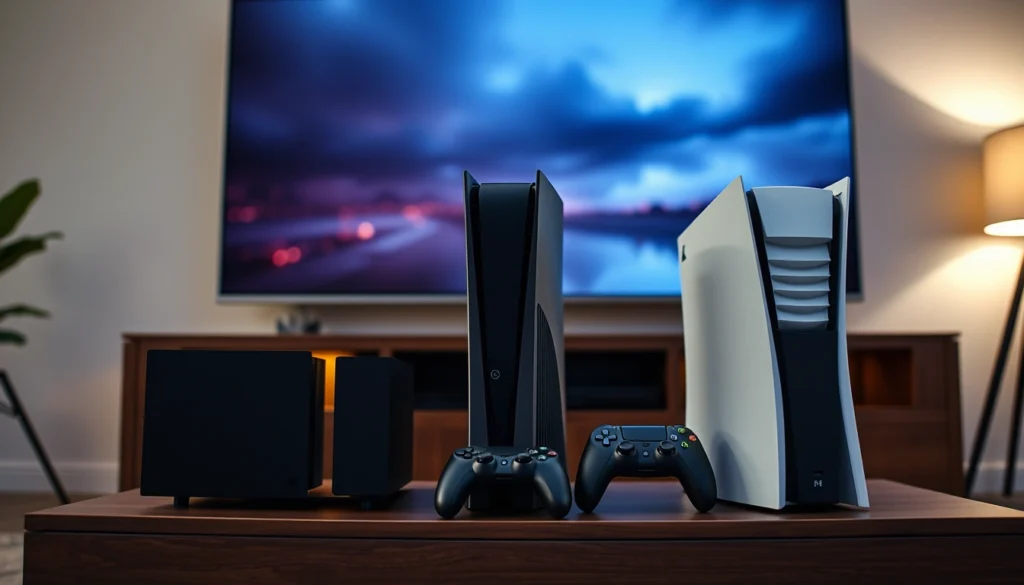
The Steam Machine and PS5 take very different approaches to living room gaming. The Steam Machine is essentially a compact gaming PC designed to offer a more console like experience through SteamOS, Steam, Proton, and Valve’s compatibility system. Existing Steam games appear when users sign in, with compatibility information helping identify titles that work well on the hardware.
That gives the Steam Machine access to an enormous PC library, but individual games can still vary because of launchers, anti cheat systems, controller support, graphics settings, and Proton compatibility. The PS5 is a more traditional closed console with fixed hardware, standardized software, PlayStation Store integration, and physical disc support on models with a drive. Games are designed specifically for the platform, making installation and performance more predictable for players who do not want to manage PC style settings.
The hardware comparison is more complicated than simply looking at which architecture is newer. The Steam Machine uses a six core, twelve thread Zen 4 class CPU, an RDNA 3 class GPU with 28 compute units and 8GB of GDDR6 VRAM, plus 16GB of DDR5 system memory. Storage options include 512GB and 2TB configurations, with microSD expansion also available.
The standard PS5 uses an eight core, sixteen thread Zen 2 CPU running at up to 3.5GHz, an RDNA 2 based GPU with 36 compute units and hardware ray tracing acceleration, and 16GB of unified GDDR6 memory with 448GB/s bandwidth. Sony lists the PS5 GPU at 10.3 teraflops. The Steam Machine benefits from a newer CPU architecture, while the PS5 benefits from more CPU cores, a unified memory design, and years of developer optimization around one fixed hardware target.
Real game performance reflects those differences. The Steam Machine is well suited to 1080p, 1440p, and reconstructed 4K gaming, particularly in esports titles, older PC games, indie releases, and titles already well optimized for SteamOS. Demanding modern games may require lower presets, reduced resolution, or upscaling to maintain higher frame rates. Its 8GB of VRAM can also limit high resolution textures and demanding graphical settings in some AAA games. The PS5 generally gives players more predictable quality and performance modes, with developers choosing settings that balance resolution, visual effects, ray tracing, and frame rate. Neither system should be treated as a guaranteed native 4K 60 FPS machine across every game.
Graphics features also depend heavily on software implementation. The PS5 supports hardware ray tracing, HDR10, and 4K output, while the Steam Machine uses RDNA 3 class graphics and can take advantage of PC upscaling technologies such as AMD FSR. Steam Machine owners have greater control over graphics presets, resolution, frame limits, and reconstruction settings, but getting the best result may require manual adjustment. PS5 users generally receive a smaller number of carefully tuned modes selected by developers. The PS5 Pro raises Sony’s graphics ceiling further through stronger performance, improved ray tracing, and PlayStation Spectral Super Resolution, or PSSR, which uses AI based reconstruction to improve effective resolution in supported games.
Storage follows the same flexibility versus simplicity divide. The Steam Machine comes in 512GB and 2TB configurations and supports microSD expansion, fitting naturally with PC style storage management. Current PS5 configurations include 825GB on the Digital Edition, 1TB on the standard model, and 2TB on PS5 Pro. Sony also supports PCIe Gen4 x4 NVMe M.2 SSD expansion from 250GB to 8TB, with around 5,500MB/s or faster sequential read speed recommended. USB extended storage can hold compatible content, although PS5 games generally need to be moved back to internal or M.2 storage before being played. Steam Machine storage offers more PC style flexibility, while PS5 provides a highly standardized M.2 upgrade route.

Steam Machine vs PS5 Price, Games, Controllers, Online Play, and Compatibility
Price gives the PS5 one of its clearest advantages. Reported Steam Machine pricing in 2026 places the 512GB version at $1,049 and the 2TB model at $1,349, while adding a Steam Controller bundle costs extra. Sony’s April 2026 U.S. pricing lists the PS5 Digital Edition at $599.99, the standard PS5 at $649.99, and the PS5 Pro at $899.99. That means even the entry Steam Machine costs more than the PS5 Pro. From a hardware purchase perspective, the standard PS5 offers substantially better entry value. The Steam Machine becomes more attractive financially for players who already own a large Steam library and can continue using games they purchased years ago rather than rebuilding their collection on another storefront.
The games library is the Steam Machine’s strongest advantage. Steam covers AAA releases, indie games, strategy, simulation, management, survival, older PC classics, early access titles, and many genres that have traditionally had weaker console representation. Existing Steam libraries carry over automatically after login, and Valve’s verification system helps indicate whether games are suited to Steam Machine use.
However, not every Steam title behaves like a native console release. Some still require third party launchers, manual controller layouts, Proton adjustments, keyboard input, or developer support for anti cheat systems. The PS5 library is smaller than the full Steam catalog but considerably more standardized, with major PlayStation releases, physical retail support, and console focused titles such as Marvel’s Wolverine, Saros, Marathon, and Marvel Tōkon: Fighting Souls among Sony’s notable 2026 offerings.
Backward compatibility also reflects each platform’s heritage. The Steam Machine effectively inherits years of PC library continuity through Steam, allowing older titles to remain accessible where SteamOS and Proton support them. Some games may need fixes, community layouts, resolution changes, or alternate Proton versions, while unsupported anti cheat or launchers can still cause problems. PS5 offers a more straightforward backward compatibility system for PS4 software, with more than 4,000 PS4 games playable on PS5. Disc based PS4 games work on PS5 models with a disc drive, while the Digital Edition cannot use physical discs. PS5 does not support PS3 discs.
Controllers offer another sharp contrast. Valve’s new Steam Controller is designed around flexibility, advanced haptics, gyro controls, custom layouts, and PC games that benefit from mouse like input. It is especially useful for strategy titles, shooters, management games, older PC releases, and games whose original controls were not designed around conventional console pads. Sony’s DualSense prioritizes consistent integration through haptic feedback and adaptive triggers. Supported PS5 games can simulate resistance, tension, recoil, textures, weather, and other physical sensations because developers know every standard PS5 owner has access to the same controller design. The Steam Controller is more configurable, while the DualSense provides deeper standardized integration.
Online gaming favors the Steam Machine for players who want to avoid a platform wide multiplayer subscription. Steam Friends and Chat, voice communication, Remote Play Together, and basic multiplayer access do not require an equivalent to PlayStation Plus, although individual games can still have their own accounts or subscription requirements. PS5 online multiplayer is primarily tied to PlayStation Plus, which also includes monthly games, cloud storage, Share Play, discounts, and additional catalogs depending on the selected tier. PlayStation Plus Extra adds the Game Catalog, while Premium adds the Classics Catalog, trials, and cloud streaming options. The better choice ultimately depends heavily on where friends already play and whether the games involved support cross play.
Digital ownership also differs. Steam purchases are digital licenses attached to a Steam account, but Valve offers a widely used refund policy that generally allows requests within two weeks of purchase and with less than two hours of playtime, subject to its terms. Steam is also particularly strong for sales, bundles, older titles, indie visibility, and using the same library across several devices. PS5 buyers can choose between fully digital purchasing and physical media if they own a model with a disc drive. Physical PS5 and compatible PS4 discs can be collected, lent, resold, or purchased used, giving the standard PS5 an advantage for buyers who still value physical games.
Steam Machine vs PS5 Verdict: Which One Should You Buy in 2026?
The Steam Machine is the better choice for players who already live inside the Steam ecosystem. A PC gamer with hundreds of Steam purchases can turn it into a living room extension of an existing library, continue using the same account, achievements, friends list, and purchases, and take advantage of Steam sales without buying games again. It also provides deeper graphics settings, broader genre coverage, flexible controls, PC style storage options, and basic online multiplayer without a required platform subscription. For players who enjoy adjusting settings, experimenting with compatibility, playing strategy or simulation games, using mods where supported, and maintaining one library across a desktop, handheld, and television, the Steam Machine offers advantages the PS5 cannot fully reproduce.
The PS5 is the easier recommendation for most traditional console buyers. It costs significantly less, includes a DualSense controller, provides standardized game support, supports physical media on the standard model, and requires far less knowledge of compatibility layers or graphics configuration. Games generally offer a small number of developer tuned performance and quality modes rather than dozens of settings, and PS4 backward compatibility is straightforward. For families, casual players, students purchasing one main gaming system, or anyone who simply wants to install a game and start playing, PS5 offers the more predictable experience.
The PS5 Pro deserves separate consideration because Steam Machine pricing places Valve’s system directly into premium console territory. At $899.99 in the United States, the PS5 Pro still costs less than the reported $1,049 entry Steam Machine while offering stronger PlayStation graphics through higher performance targets, improved ray tracing, and PSSR in compatible games. It does not provide Steam’s enormous PC library or the same degree of openness, but buyers mainly interested in premium 4K television gaming may find the PS5 Pro more convincing than the Steam Machine.
The choice can therefore be summarized by the type of player:
- Choose Steam Machine if you already own a large Steam library, prefer PC gaming flexibility, want deeper graphics and controller customization, and value Steam account continuity.
- Choose PS5 if you want the strongest mainstream value, PlayStation games, physical disc support, straightforward compatibility, and a simple living room console experience.
- Choose PS5 Pro if you want the highest performance PlayStation option and prioritize premium console graphics over Steam library access.
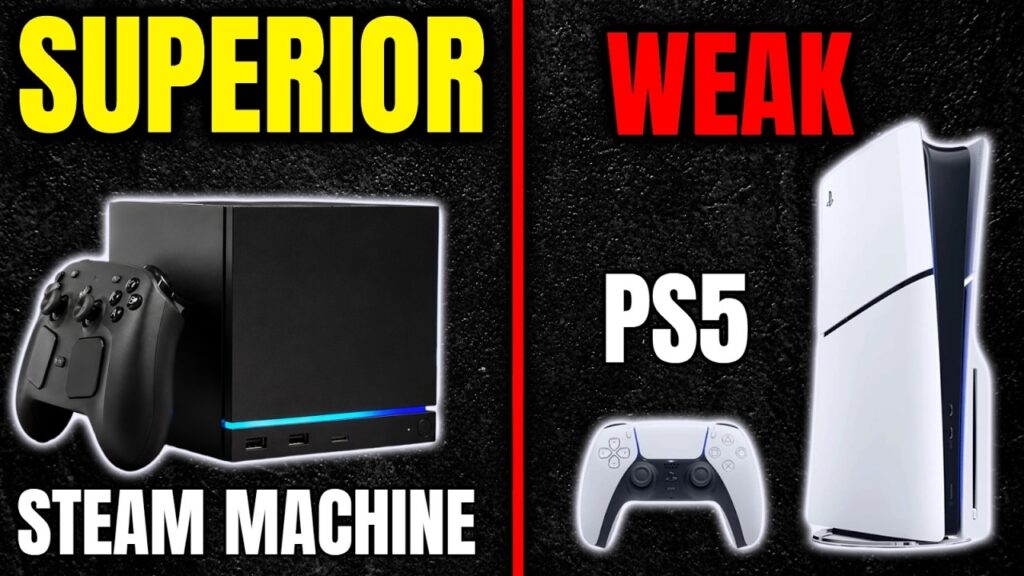
There is no universal winner in raw capability because the systems are designed around different priorities. Steam Machine offers the larger and more flexible ecosystem, but its higher price and PC style compatibility considerations make it a more specialized purchase. PS5 sacrifices some openness for consistency, lower entry cost, and developer optimization. For most buyers starting from scratch, PS5 is the safer value. For established Steam users who want their PC library in the living room, Steam Machine has the stronger long term appeal.
Frequently Asked Question (FAQs)
- Which is better in 2026, Steam Machine or PS5?
The PS5 is better for most mainstream console buyers because it costs less, is easier to set up, and offers a mature PlayStation ecosystem with predictable game support. The Steam Machine makes more sense for players who already own a large Steam library, prefer PC gaming flexibility, or want a living room system that carries their existing Steam purchases onto the television. - Is the Steam Machine more powerful than the PS5?
Not in every area. The Steam Machine uses newer AMD technology in some parts of its hardware, including a Zen 4 class CPU and RDNA 3 class graphics, while the PS5 uses an eight core Zen 2 CPU, RDNA 2 graphics, and unified memory designed around a fixed console target. Actual performance depends on the game, graphics settings, developer optimization, resolution, and whether technologies such as upscaling are being used. - Can the Steam Machine play all Steam games?
No. The Steam Machine can access your Steam library, but that does not mean every PC game will work perfectly through SteamOS. Valve’s compatibility system identifies games as verified, playable, unsupported, or untested, while problems can still occur with third party launchers, unsupported anti cheat systems, controller input, or games that depend heavily on Windows specific features. - Does the PS5 play PS4 games?
Yes. Sony says the PS5 is compatible with the overwhelming majority of PS4 games, with more than 4,000 titles playable on the newer console. Digital PS4 games can be accessed through the same PlayStation account, while physical PS4 discs require a PS5 model with a disc drive because the PS5 Digital Edition cannot read discs. - Is the Steam Machine good for 4K gaming?
Yes, but expectations should be realistic. Less demanding games and well optimized titles can look excellent at 4K, while modern AAA games may rely on lower internal resolutions, reduced settings, or technologies such as FSR upscaling to maintain smooth performance. It is better viewed as a strong 1080p and 1440p system with upscaled 4K capability rather than a guaranteed native 4K 60 FPS machine for every game. - Is the PS5 cheaper than the Steam Machine?
Yes, based on the cited 2026 pricing. Sony listed the PS5 Digital Edition at $599.99, the standard PS5 at $649.99, and the PS5 Pro at $899.99 in the United States. Reported Steam Machine prices start at $1,049 for the 512GB model and rise to $1,349 for the 2TB version, making even the entry Steam Machine more expensive than the PS5 Pro. - Which console has better exclusives?
The PS5 has the stronger traditional exclusive lineup because PlayStation continues to rely on major Sony published and console focused games as an important part of its platform identity. The Steam Machine has a much larger overall library through Steam, including indie games, strategy titles, older PC releases, and early access games, but its main advantage is breadth and flexibility rather than a concentrated lineup of platform exclusives. - Do you need a subscription for online gaming on Steam Machine?
Steam does not require a general subscription just to use basic online multiplayer and Steam social features. Some individual games can still require separate publisher accounts, subscriptions, or paid services, but there is no direct equivalent to the PlayStation Plus requirement for many PS5 multiplayer games. PlayStation Plus also includes additional benefits such as monthly games, cloud storage, discounts, and larger game catalogs depending on the selected tier. - Should I buy PS5 Pro instead of Steam Machine?
PS5 Pro is worth considering if your priority is premium PlayStation performance, stronger graphics in supported games, improved ray tracing, and AI enhanced resolution through PSSR. The Steam Machine is more attractive if you already have a large Steam library, want greater control over graphics settings, or prefer a more open PC style ecosystem. Since the reported Steam Machine starting price is higher than the PS5 Pro price, the comparison becomes especially important for buyers focused mainly on graphical performance. - Which system is best for casual gamers?
The PS5 is usually the better option for casual gamers because it is more affordable, easier to understand, and designed around a straightforward console experience. Games generally work with the included controller and offer simple performance options without requiring much configuration. The Steam Machine is more suitable for casual players who already use Steam or have someone comfortable dealing with occasional PC style settings, compatibility checks, and launcher issues.

Conclusion
Steam Machine vs PS5: Which Gaming Console Should You Buy in 2026? comes down to whether you want a Steam centered living room PC or a traditional console. The Steam Machine is exciting because it brings Steam libraries, PC flexibility, SteamOS, Proton compatibility, and broader storefront freedom into the living room. It is a strong choice for existing Steam users, PC gamers, and players who value open ecosystems more than low upfront cost.
The PS5 remains the better purchase for most people. It costs less, includes a mature controller experience, supports a strong PlayStation library, plays the overwhelming majority of PS4 games, offers physical discs on the standard model, and requires far less troubleshooting. The PS5 Pro complicates the comparison even more because it costs less than the reported entry Steam Machine price while offering premium PlayStation performance features such as PSSR and enhanced graphics in supported games.
The best buying advice is direct. Choose Steam Machine if your gaming life already revolves around Steam. Choose PS5 if you want the best all around console for the average player. Choose PS5 Pro if your budget allows and you want the most advanced PlayStation experience. In 2026, Valve’s Steam Machine is the more flexible device, but Sony’s PS5 is the easier and better value console for most buyers.
Sources and Citation
- Steam Hardware & Software Survey
- Useful for Steam hardware positioning and the broader Steam hardware/software ecosystem. The current page is the August 2026 survey. (Steam Store)
Steam Hardware & Software Survey — August 2026 - Steam Remote Play — official
Supports claims about streaming Steam games to TVs, other PCs, mobile devices, Remote Play Together, and multiplayer sharing. (Steam Store)
Steam Remote Play - Steam Controller — official Steam page
Useful for the controller’s dual trackpads, HD haptics, dual-stage triggers, configurable controls, wireless operation, and Steam library compatibility. (Steam Store)
Steam Controller — Steam - Steam refunds — official Steam Support
Use this for the standard Steam refund policy and refund process. (Steam Support)
Steam Support — How To Request A Refund - Steam client / Friends & Chat / Steam Input documentation
Steam’s client update archive is useful for documenting Friends & Chat, Big Picture Mode, Steam Input, controller configuration, and compatibility-related functionality. (Steam Store)
Steam Client Updates - Steam Machine pricing — The Verge
Useful for Valve’s explanation of pricing, the lack of hardware subsidization, and its open-ecosystem positioning. (The Verge)
The Verge — Valve explains Steam Machine pricing - Steam Machine performance/review — PC Gamer
Useful as independent review coverage for real-world performance, 1080p/1440p/4K expectations, SteamOS, and pricing. (PC Gamer)
PC Gamer — Steam Machine review (2026)
Recommended
- EA Sports College Football 27 Removes Microtransactions After Player Backlash
- Duskfade: Release Date, Gameplay, Demo, Platforms, Story, and Everything We Know
- Crunchyroll Plans Get a Massive Price Drop for Ani-May 2026: Full Details on $1.99 Subscription Deal, Mega Fan Discounts, and Limited-Time Anime Streaming Offers
- The Incredibles Director Brad Bird Teases His New Movie, Ray Gunn
- Naruto To Receive First Official Trading Card Game in Over a Decade
- The PS Plus Games Catalog Is Getting Space Marine 2 and Persona 5 Royal: Full March 2026 Lineup and Release Date
- Call of Duty: Modern Warfare 4 Campaign Early Access Guide
- SpaceXAI and Cursor Launch Their First Frontier AI Model to Challenge Industry Leaders
- Halo Studios is “Actively Developing” Halo 2 and Halo 3 Remakes, It’s Claimed (What We Know)



































































































