








Howler 2026.5 is a late-series update to the Howler 2026 line that expands the tool beyond its long-running “digital painting + animation + video processing” identity into a more pipeline-oriented content creation package for environments—especially stylised, low-poly worlds.
The headline addition is Fractal Garden: a browser-based, procedural 3D landscape generator built for creating low-poly terrain, applying biome rules, scattering vegetation, and exporting complete scenes to widely used interchange formats (OBJ, GLB, DAE, USDZ).
Howler 2026.5 Release Notes and New Features
Howler’s 2026 release cycle is attributed to developer Dan Ritchie and continues the product’s tradition of pairing natural media painting and animation features with “unexpected” toolsets, including 3D landscape capabilities.
Within the 2026 line, the core “Howler 2026” feature set is described as adding an AI-based image editor (inpainting, colourising, upscaling), a “Confetti” tool for organic particle effects, and new audio recording and four-track audio editing tools.
Shortly before 2026.5, a 2026.3 update (reported as released 21 January 2026) introduced “Matrix RichText” (document-level rich text inside the app) and added a built-in video transcoding tool inside Howler’s Batch Browser, intended to reduce the need to move to other applications for common conversions.
The 2026.5 update (reported as released 24 March 2026) pivots by adding a set of web-based tools released alongside the desktop software—positioning Howler less as a single desktop app and more as a bundle that includes browser-delivered creation tools.
Howler 2026.5 Web-based Tools Built on Google Gemini
A key release-note point for Howler 2026.5 is that the new web-based tools were developed using Google’s Gemini platform and are described as being available to Howler users via the Gemini website.
In the same reporting, this approach is characterised as a way to “roll out more left-field new toolsets” quickly via the web while keeping the main desktop app focused on Howler’s established painting/animation/video workflows.

Howler 2026.5 Web 3D Modeler Tool Features
Among the Gemini-linked web tools, a browser-based 3D modelling app is noted as part of the 2026.5 toolset. It is described as supporting basic Sub-D surface modelling, with “some support” for UVs and PBR materials.
The same report frames these web apps (to date) as “all 3D tools,” with Fractal Garden singled out as the largest and most significant of the new browser-based additions.
What is Fractal Garden in Howler 2026.5
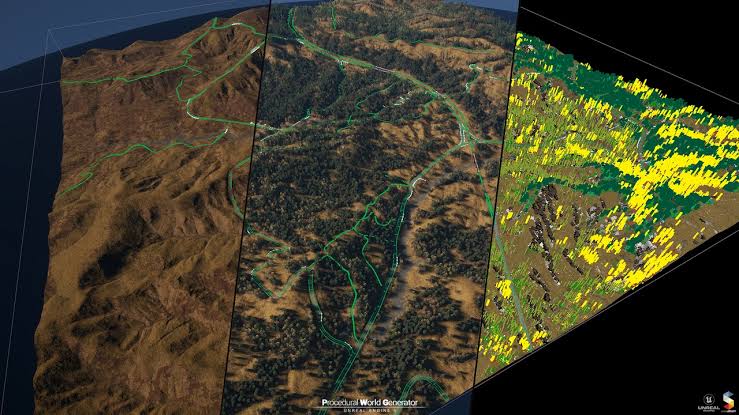
Fractal Garden is presented as the flagship web app in Howler 2026.5: a complete 3D landscape generator that creates procedural terrain and then populates it with instanced rocks and vegetation via a brush-based workflow.
A developer post describing Fractal Garden emphasises that it is browser-based and procedural to an extreme: it states there are “no stored assets, no prebuilt models, no texture libraries,” with terrain features, plants, and ground cover synthesised on the GPU at render time.
That same description states the tool runs fully client-side after loading and “scales directly with the user’s hardware,” which is an important framing for performance expectations: output quality and interactivity are meant to benefit from stronger GPUs/CPUs rather than relying primarily on server-side rendering.
Fractal Garden is also positioned as an export-oriented generator intended to move terrains and vegetation into downstream tools (“DCC tools and game engines”), supported by multiple export formats and workflow controls designed for exploration and capture.
Fractal Garden 3D Landscape Generator Overview
At the system level, Fractal Garden’s terrain is described as being driven by deterministic seeds—implying repeatable outputs when reusing the same seed and rule configuration.
It is also described as having a biome and rule system: 11 biomes defined through layered procedural rules referencing real-world attributes such as slope, altitude, soil type, and moisture.
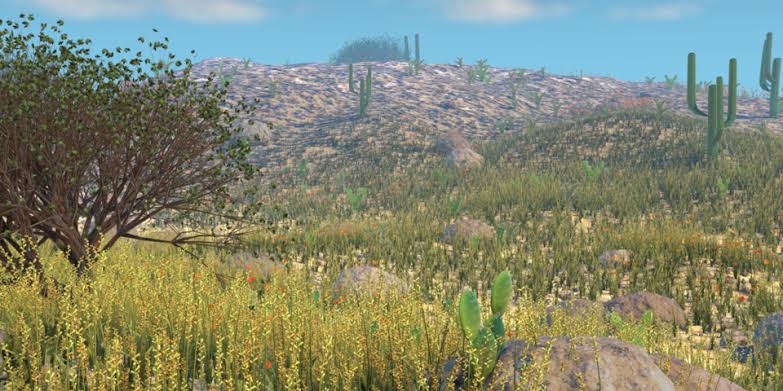
For “world dressing,” Fractal Garden is described as using GPU-instanced vegetation and ground cover with a brush-driven placement workflow, enabling rapid, localised control over where trees, flowers, rocks, and biome-specific assets appear.
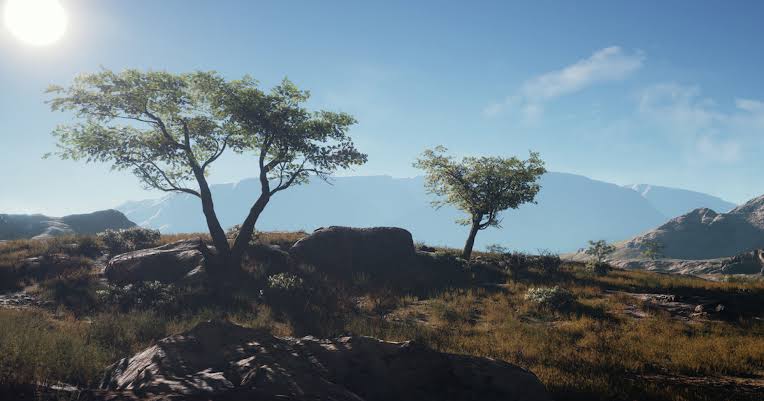
Visually, output is described as stylised low-poly geometry but implemented with a full physically based rendering pipeline and environment features including clouds and surface water.

How to Generate Low-poly Terrain with Fractal Garden
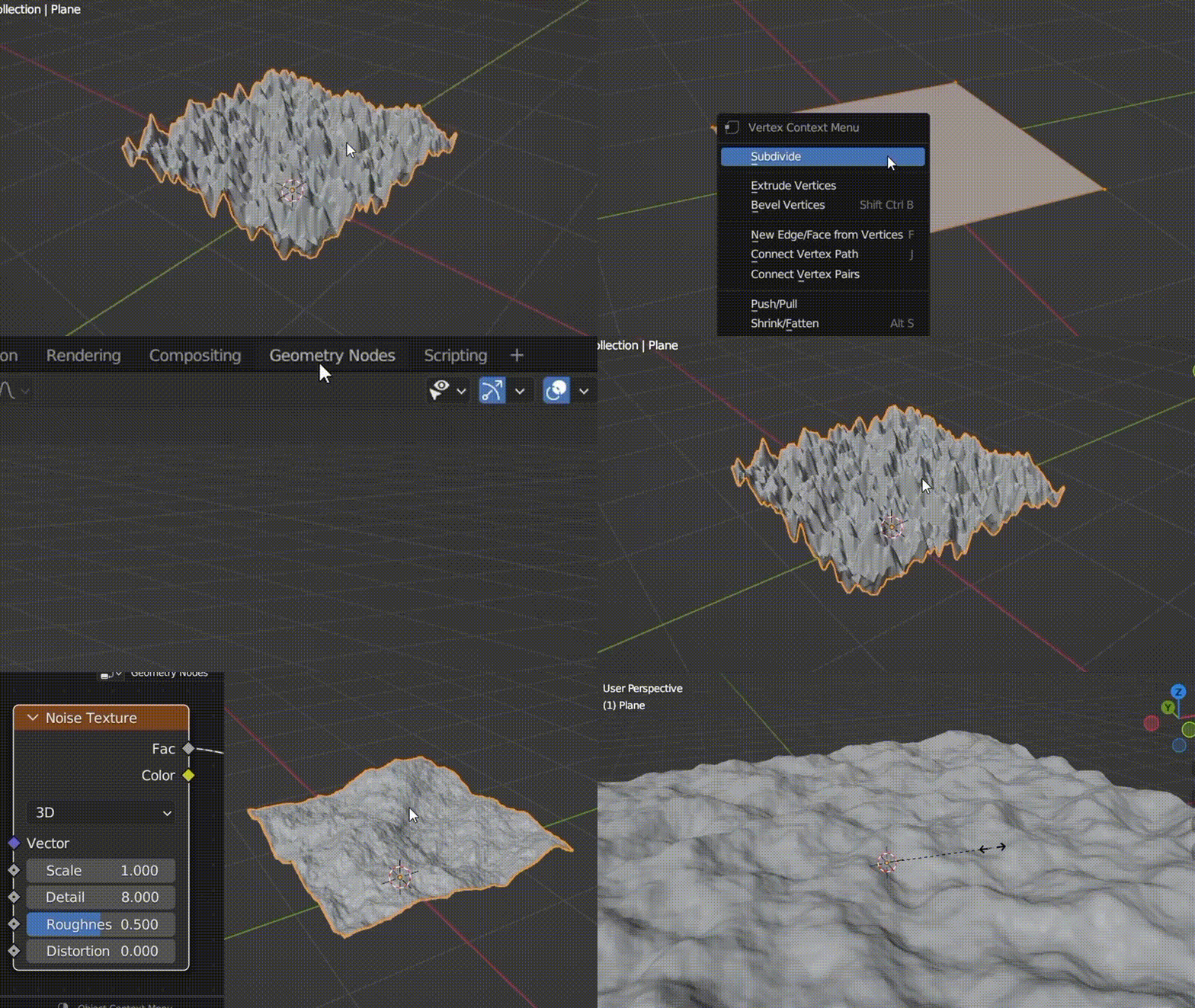
The most defensible “how to” description—without inventing interface specifics—is to treat Fractal Garden as a deterministic, rule-driven terrain generator with three practical phases: terrain creation (seed + rules), biome assignment (rule layers), and population (instanced scatter via brush).
Terrain generation is described as seed-driven and procedural, which supports an iterative approach where creators test multiple seeds to explore overall landmass structure and then settle on a reproducible configuration suitable for a scene, level blockout, or concept environment.
Once a base terrain exists, the biome system can be used to drive surface appearance and distribution logic for plants and ground cover. In practical procedural-environment terms, this means the “look” of a landscape is not only a material choice but also a map of rules tied to terrain shape.
After biome logic is established, Fractal Garden’s brush workflow (described as “Hero Brush” instance painting with navigation controls) supports targeted placement—useful for composing focal points, framing vistas, or preparing game-ready zones like paths, clearings, or “hero” landmarks that procedural scatter alone often cannot art-direct tightly.
Procedural Terrain biomes in Fractal Garden (Slope, Altitude, Moisture)
Fractal Garden’s biome system is described as including 11 biomes defined by layered rules using parameters explicitly described as “slope, altitude, soil type, moisture, etc.”
This design matters because it embeds environment logic into the generation pipeline: slope and altitude can be used to separate ridgelines from valleys, and moisture/soil-type rules can control the kinds of ground cover or vegetation that appear under different terrain conditions—at least at the rule-definition level described.
A developer description also notes that deterministic seeds “ensure reproducible worlds,” which is especially relevant when biomes are procedural: reproducibility enables consistent iteration, team review, and export updates without losing a previously approved layout.
Finally, biomes are described as including unique geometry sets, typically including multiple (often 3–4) ground-cover plant types per biome, which suggests that “biome choice” can influence not only terrain colouring but also the actual instanced asset families present in a region.
Fractal Garden Vegetation Brush Workflow for Rocks and Plants
Fractal Garden is described as supporting “GPU-instanced vegetation and ground cover,” a key performance technique for scattering large numbers of repeated objects (like grass clumps or small rocks) efficiently.
Placement is described as brush-based: a report summarises that generated terrain “can then be populated with instanced rocks and vegetation using a brush-based workflow.”
A developer post further describes a specific interaction model: “Hero Brush for instance painting (trees, flowers, biome assets, etc.)” alongside navigation modes (“Airplane mode” flight controls and standard WASD movement).
In addition to placement, Fractal Garden’s workflow description includes built-in WebM recording for flyover captures, which frames the tool not only as a mesh generator but also as a previsualisation and presentation tool for environment concepts.
Fractal Garden Tree, Flower, and Grass Assets List
Two separate published descriptions provide overlapping (but not identical) counts for the included vegetation types, which strongly suggests the asset/type set may evolve between builds or that the counts are being reported at different points in the release cycle:
- A report describing the “current release” lists 12 types of tree, 12 flowers, and 5 types of grass.
- A developer post lists 11 algorithmic tree types, 12 flower types, and 4 grass types, alongside “rocks, pebbles, and surface scatter.”
- Separately from tree/flower/grass counts, biome design is described as including “its own unique geometry set” and typically several ground-cover plant types per biome, implying that the usable vegetation set is not just a global list but also biome-dependent.
Fractal Garden PBR mMaterials and Stylized Environment Look
Fractal Garden’s visual identity is explicitly characterised as stylised geometry paired with physically based shading: one report notes that while the geometry is stylised, it uses a “full PBR pipeline.”
A developer post expands on what “full PBR pipeline” means in Fractal Garden’s implementation, listing real-time lighting, shadows, ambient occlusion, and atmospheric scattering.
That same description also mentions post/optics features (depth of field and level adjustments), aligning the tool’s output with “ready to present” environment renders suitable for concept work and quick visual prototypes.
This combination—low-poly geometry with PBR shading—tends to land well for modern stylised games because it supports deliberate shape language while still leveraging physically consistent light response for readability, mood, and time-of-day variation (within whatever lighting controls Fractal Garden exposes).
Fractal Garden Clouds and Water Features Explained
Cloud support is explicitly listed in multiple places: a report states that Fractal Garden environments “support clouds,” and a developer post lists “cloud rendering” as part of the core system.
Water is also explicitly supported. One report references “surface water,” while the developer post describes waves and shoreline interaction (without requiring external assets).
Together, clouds and water position Fractal Garden as more than a static heightfield exporter: these are scene-level environment features that can materially affect the perceived “completeness” of an exported world, particularly for flyover videos, mood studies, and rapid prototyping of outdoor levels.

Exporting Fractal Garden Landscapes to Blender (OBJ, GLB, DAE, USDZ)
Fractal Garden is described as exporting landscapes to other DCC software in OBJ, GLB, Collada (DAE), and USDZ formats.
A developer post also adds implementation detail relevant to export scale: it states that DAE and USDZ exports use view-frustum culling to reduce polygon counts and keep exported scenes lightweight.
In practical Blender workflows (especially for environment work), GLB is often the most straightforward interchange format when the goal is to preserve a PBR-like shading intent in a compact package, while OBJ is generally the “lowest common denominator” for static geometry exchange. Fractal Garden supporting both is therefore significant for pipeline flexibility.
DAE (Collada) is more nuanced in 2026-era Blender pipelines. Blender 5.0 release notes explicitly state that Collada (.dae) support has been removed, so Collada-based interchange may require either an older Blender version or add-ons depending on the pipeline.
USDZ also requires care. USDZ is a packaged variant of USD; one Blender Q&A describes importing USDZ by renaming it to a zipped USD archive, extracting, and importing as USD—an approach that may be useful when Fractal Garden’s USDZ export is the preferred path for a USD-based pipeline.
Best File Formats for Exporting Fractal Garden Terrain to Game Engines
Fractal Garden exports OBJ, DAE, GLB, and USDZ. Choosing “best” depends on the target engine’s native import path and the degree to which materials, hierarchy, and scene packaging need to be preserved.
For Unity, official documentation states that Unity uses FBX as its internal importing chain, recommends FBX where possible, and lists supported standard formats including .fbx, .dae (Collada), .dxf, and .obj. Since Fractal Garden does not list FBX export, DAE and OBJ become the most directly “native” choices for Unity’s default pipeline.
If GLB/glTF is preferred in Unity (commonly for PBR-centric interchange), Unity provides an official glTF importer package (glTFast) that imports .gltf/.glb into Unity prefabs via a ScriptedImporter workflow—making GLB a viable route where that package is acceptable in production.
For Godot, official documentation explicitly recommends glTF 2.0 and states that Godot supports both .gltf and .glb formats. It also notes that DAE is supported (as an older format) and that OBJ is supported but “pretty limited,” explicitly listing limitations including lack of PBR materials and other key features. This makes GLB the generally strongest match for Godot when available, with OBJ best reserved for simple static geometry needs.
For Unreal Engine, official Epic documentation pages are indexed describing glTF import, and Epic community/forum discussion describes an official glTF importer plugin accessible via the plugin list. This supports GLB use for Unreal pipelines where the glTF importer is enabled and appropriate for the project’s material expectations.
For USDZ specifically, Unreal is commonly discussed as supporting USD-family formats via a USD importer workflow; one widely referenced summary notes Unreal Engine support for (.usd, .usda, .usdc, .usdz) while also describing the importer as beta-class in that context. This positions USDZ as potentially useful for USD-centric pipelines in Unreal, but typically with more pipeline validation required than a straightforward OBJ import.
Howler 2026.5 Pricing, Licensing, and Patreon Access
Howler 2026 is described as Windows-only software with an MSRP of $56.99, while also being frequently discounted; one report states it was available for $24.99 at the time of posting.
Access to the new web-based tools (including Fractal Garden) is described as being included for buyers of Howler; alternatively, access can be obtained separately by backing Patreon support for the developer.
A developer post positions Fractal Garden as “included for all Howler users” and indicates it is not being sold separately at the moment, framing Patreon support as a mechanism to fund ongoing independent development of both Howler and Fractal Garden.
Howler 2026.5 System Requirements and Supported Operating Systems
Howler 2026 is reported as available for Windows only.
While a fully detailed, version-specific “Howler 2026.5 system requirements” sheet is not presented in the same reporting, the project’s own download page lists several concrete technical requirements and expectations (published in the context of the official download offering): optimal use at 1080p or higher with 100% scaling, .NET Framework 4 required for certain plug-in features, a CPU supporting AVX2 extensions, and Shader Model 6 required for GPU functions.
Fractal Garden’s execution model has direct system implications: it is described as running fully client-side in the browser and synthesising terrain and vegetation on the GPU at render time, explicitly stating that performance scales with the user’s hardware. That makes modern GPU capability a practical requirement for comfortable interactive use, even beyond the desktop app’s baseline needs.
Frequently Asked Questions (FAQs)
- Does Howler 2026.5 include Fractal Garden, or is it a separate product?
Fractal Garden is described as included for Howler users, and Howler buyers are reported to get access to the web-based tools. A separate access route is also described via backing the developer on Patreon. - Is Fractal Garden a desktop terrain generator inside Howler, or a browser tool?
Fractal Garden is repeatedly described as browser-based, including being listed as a “browser-based tool for generating low-poly 3D landscapes.” - Does Fractal Garden rely on pre-made asset packs or texture libraries?
A developer description states there are “no stored assets, no prebuilt models, no texture libraries,” and that features are synthesised procedurally on the GPU at render time. - How many biomes are available in Fractal Garden?
Both a report and a developer description reference 11 biomes, defined by layered procedural rules (including slope, altitude, soil type, moisture). - How are biomes defined in Fractal Garden?
Biomes are described as being defined by layered rules using parameters such as slope, altitude, soil type, and moisture, with deterministic seeds enabling reproducibility. - What vegetation and scatter does Fractal Garden include?
Published descriptions list approximately a dozen types each of trees and flowers and several grass types, plus rocks/pebbles/surface scatter. The exact counts differ between sources (tree types 11–12; grass types 4–5), suggesting evolution across builds. - Does Fractal Garden support physically based rendering, or is it a flat-shaded low-poly look?
Fractal Garden output is described as stylised geometry using a full PBR pipeline. A developer description elaborates with real-time lighting, shadows, ambient occlusion, and atmospheric scattering. - Does Fractal Garden include clouds and water, or are those post effects added elsewhere?
Cloud rendering is explicitly listed, and environments are described as supporting clouds and surface water. Wave and shoreline interaction are also described. - What export formats does Fractal Garden support?
Fractal Garden is described as exporting landscapes in OBJ, GLB, DAE (Collada), and USDZ formats. - Which export format is most compatible with game engines?
For Unity’s default pipeline, OBJ and DAE align with Unity’s own list of supported standard formats; GLB becomes viable when adopting a glTF importer such as Unity’s glTFast package. Godot explicitly recommends glTF 2.0 (GLB/GLTF) and describes OBJ as limited (including no PBR materials), making GLB the strongest match where possible.
Conclusion
Howler 2026.5 extends the Howler 2026 ecosystem with a notable shift: web-delivered 3D tools built using Google Gemini, led by Fractal Garden—a browser-based procedural, low-poly landscape generator that combines deterministic terrain, biome rules, instanced vegetation painting, PBR lighting, and export to multiple interchange formats (OBJ, GLB, DAE, USDZ). For environment artists and indie developers, the defining value proposition is rapid world generation with a clear path to downstream DCC and engine pipelines through exports and reproducible procedural setups.
Sources and Citations
- https://www.cgchannel.com/2026/03/howler-2026-is-out/
March 2026 coverage of Howler 2026.5 update and Fractal Garden - https://www.pdhowler.com/WhatsNew.htm
Official PDHowler “What’s New” page for Howler 2026 features - https://www.cgchannel.com/2026/03/howler-2026-is-out/
Fractal Garden procedural system, biomes, workflow, and export formats - https://docs.unity3d.com/Packages/com.unity.cloud.gltfast%405.2/manual/index.html
Unity Documentation – glTFast importer and glTF 2.0 support - https://docs.unity.com/asset-transformer-sdk/2026.1/manual/io/export-files
Unity Documentation – Model format compatibility and export pipeline considerations - https://docs.godotengine.org/en/4.5/tutorials/assets_pipeline/importing_3d_scenes/available_formats.html
Godot Documentation – glTF 2.0 recommendation and OBJ limitations - https://docs.godotengine.org/en/3.4/tutorials/assets_pipeline/importing_scenes.html
Godot Documentation – glTF 2.0 as recommended 3D scene format
Recommended
- A Saudi Arabian Company Purchased 5% of Capcom: EGDC Stake Explained
- Best Render Farm: Guide to Top Cloud Rendering Solutions for 3D Artists & Game Developers
- Your Guide to Making 3D Models for 3D Printing
- Diverse and Attractive Video Game Characters: Exploring Stellar Blade, Hades, and More
- PAYDAY: Aces High Release Date, Gameplay, Platforms, and Everything We Know About the New VR Co-Op Heist Game
- How to Export Metahuman to Maya and Back: Complete Workflow for Unreal Engine and Autodesk Maya
- Cyberpunk Orion: Everything We Know About CD Projekt Red’s Next Cyberpunk Adventure
- AI in Game Development (2026): Wins, Losses, and How to Use AI for Critique & Feedback
- The Steam Deck Is Out of Stock – What Does It Mean? (US, Canada & Asia Shortage Explained)
- How to Create Professional Textures and Materials with Blender and Substance Painter



























































































