









3ds Max 2027 is a feature-and-workflow-focused release that centres on cleaner bevel generation for post-Boolean geometry, a new advanced noise modifier for procedural surface variation, and a new volumetric Field Helper designed to improve Volume Select-based selection workflows. Autodesk also refreshed viewport grid/background behaviour, introduced an in-product AI help experience as a tech preview, and shipped broad “foundation” updates (including .NET Core 10, Qt 6.8, and C++20), plus updates across modifiers, colour management, USD/Substance plug-ins, and the removal of DirectX 9 support.

3ds Max 2027 Release Date and Where to Download
Industry reporting places the public release of 3ds Max 2027 on 25 March 2026.
Autodesk’s “What’s New in 3ds Max 2027” documentation states that the 3ds Max 2027 Update can be accessed from an Autodesk Account, indicating that account-based distribution remains the primary official download channel for entitled users.
What’s New in 3ds Max 2027 (Full Feature Overview)
Autodesk’s official “What’s New” overview highlights these headline additions and changes:
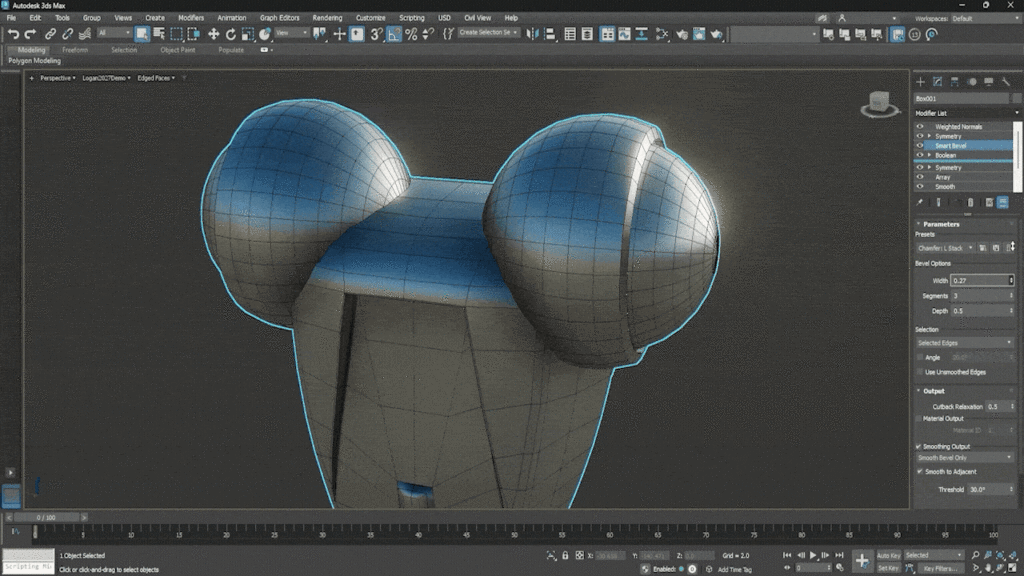
- Smart Bevel for post-Boolean intersections and cleaner bevels.
- Extrude modifier: Custom direction, enabling spline extrusion using orientation/direction rather than only local Z.
- Spline Chamfer modifier updates, including fixed radius for consistent circular corners.
- Noise Plus, a new advanced noise modifier with new fractal types, tiling controls, and improved animation behaviour.
- Autodesk Assistant (Tech Preview), an AI-powered, in-product support experience that references official product documentation.
- Field Helper, a volumetric helper designed to improve precision selections and “driving selections”, especially with Volume Select.
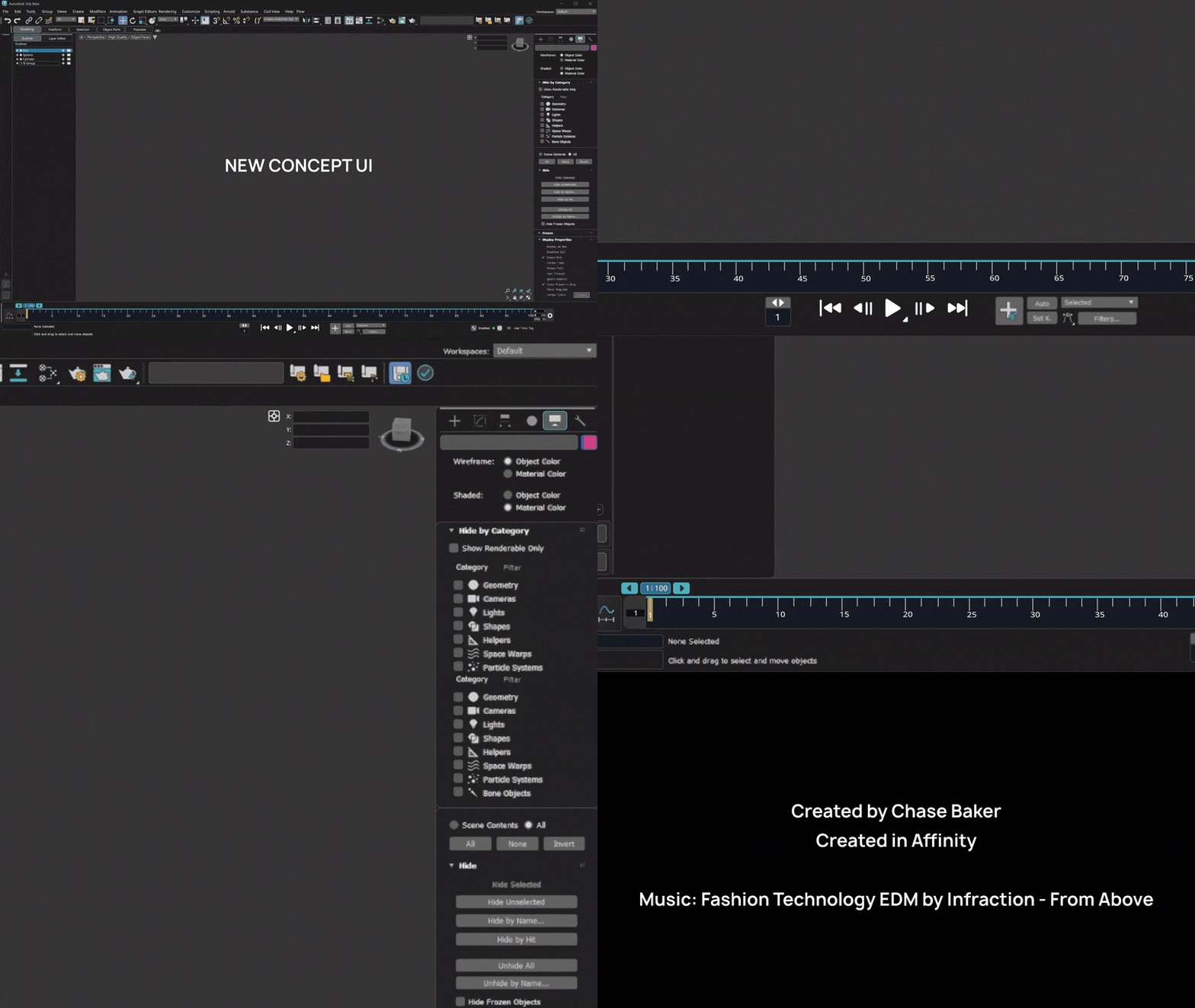
- Viewport grid and display improvements, including a refreshed background and redesigned grid controls.
- Arnold for 3ds Max 5.9.0 plug-in shipping with the release, with updates since 3ds Max 2026.3.
Autodesk’s same page also explicitly points readers to the 3ds Max 2027 Release Notes for “technical details including what’s fixed”, signalling that bug-fix and known-issue granularity sits there (even when feature highlights are summarised on the “What’s New” page).
3ds Max 2027 Smart Bevel Tool Explained (vs Chamfer)
Autodesk positions Smart Bevel as a bevel workflow that is especially useful after Boolean operations, where topology can be complex and chamfering can produce inconsistent or collapsed results. The official Smart Bevel guide contrasts “traditional chamfer” outcomes (edge intersections, collapsed corners, uneven widths, and broken topology on tight angles) with Smart Bevel’s built-in limiting features and control set.
According to Autodesk’s Smart Bevel usage guide, Smart Bevel addresses common chamfer failure modes through:
- Precise width control, including the ability to work in world units.
- Controlled segment distribution to manage bevel subdivision and shading behaviour.
- Depth shaping controls to tune the bevel profile.
- Built-in limiting that helps prevent collapse and intersections on complex meshes.
Autodesk’s “What’s New” summary aligns with this framing, describing Smart Bevel as intended for post-Boolean intersections and “cleaner and more intricate bevels”.

Noise Plus Modifier in 3ds Max 2027 (How It Works and Use Cases)
Autodesk describes Noise Plus as an advanced replacement/companion to the legacy Noise modifier, designed to provide “many new features and functionality not possible with the legacy Noise modifier”. It generates random surface variation using Simplex-based noise, supports additional fractal types and controls, and includes built-in tiling for seamless repeatable patterns.
Mechanically, Autodesk states that Noise Plus can:
- Deform vertices (or apply displacement along normals) from a configurable noise pattern.
- Evaluate noise in object or world space (and also relative to a reference object), changing whether noise “sticks” to an object or behaves like a world-space field.
- Animate over time using Phase, and Autodesk notes a key behavioural detail: Simplex noise enables Phase to loop seamlessly (same result at 0 and 360), which Autodesk explicitly says is not supported in the legacy Noise modifier.
- Invert results, adjust seed for repeatable randomness, and use fractal settings to refine complexity.
Practical use cases implied by Autodesk’s documentation include procedural detail for static modelling (surface break-up, organic irregularity) and animation-friendly deformation (moving/evolving noise via Phase), as well as tiled patterns for repeating surfaces.
3ds Max 2027 Modifier Updates and Modeling Workflow Improvements
Beyond Smart Bevel and Noise Plus, Autodesk lists a set of modifier and modelling workflow changes that function as “release-note style” workflow refinements:
- Extrude modifier: Custom direction for splines, enabling extrusion by orientation/direction rather than only local Z.
- Spline Chamfer modifier updates enabling fixed radius for consistent circular corners.
- Boolean modifier updates, where Autodesk states improved recursive welding produces cleaner geometry by reducing internal faces and removing redundant edges/vertices, reducing manual clean-up for new Booleans.
- Noise (legacy) modifier updates, including moving to a modern Qt interface, supporting Paramblock2 user-defined defaults, and changing animated Phase interpolation to linear for predictability.
- Array modifier updates, including surface distribution with Z-growth and improved spline distribution spacing controls.
- Attribute Transfer modifier improvements, with Autodesk stating operations now run significantly faster, benefiting texture painting, vertex colour workflows, and mesh-to-mesh data migration.
- Flow Retopology relocation to Tools > Flow Retopology.
- Retopology performance update (faster ReForm processing and improved quad-target goal support, per Autodesk).
- Volume Select soft selection performance improvements on poly-based objects.
- Map to Bitmap generation speed-ups (procedural-to-bitmap conversion and bitmap resizing).
- Shell Material performance update reducing unnecessary evaluation when viewport material hasn’t changed.
Taken together, these changes position 3ds Max 2027 as a “less time cleaning, more time modelling” update: better post-Boolean bevels and Boolean mesh quality, faster attribute transfer, and several targeted performance wins in common modifier-driven workflows.
Field Helper in 3ds Max 2027 for Volume Select workflows
Autodesk documents the Field Helper as a volumetric tool that can be built from procedural primitives (Cube/Sphere/Cylinder/Torus) or from a watertight mesh that gets voxelised into a volume. In practice, this creates an “area of influence” that can be tuned via Size, Falloff, and interpolation modes (Linear/Cubic/SmoothStep), and can output scalar (Float/Normalised Float) or vector (Point3) data.
For selection workflows specifically, Autodesk states that Volume Select supports Field Helper objects as effectors, with a direct setup process: apply Volume Select, assign the Field Helper as the selection object, then adjust Field parameters to control selection behaviour, with field values determining weighting. Autodesk also notes a behavioural caveat: when using Volume Select with a Field Helper, traditional soft selection is not supported; instead, Field Helper Falloff provides boundary transitions similar to soft selection.
Autodesk’s “What’s New” summary reinforces the intention: Field Helper enables more precise component selections and supports “driving selections”, which aligns with modifier-stack proceduralism and data-driven modelling approaches in 3ds Max.
3ds Max 2027 Viewport Changes (Background and Grid Updates)
Autodesk describes a refreshed viewport grid and background system aimed at a “cleaner, more focused environment” and resolving “usability issues with grids” reported by users.
The documented viewport changes include:
- A default solid-colour viewport background (instead of a gradient) to reduce distraction, with customisation retained via Viewport Configuration.
- Coloured viewport axes to improve orientation recognition and reduce alignment mistakes.
- More predictable grid behaviour: in non-adaptive grid mode, the grid stays fixed while zooming/moving, and the adaptive grid toggle/options were refined for predictability.
- Redesigned grid colour controls (positive/negative axes, major lines, minor lines), removal of older “grid intensity mode” in favour of standard UI colour controls, clarified grid terminology, and the ability to save grid/background preferences as defaults—plus the ability to restore factory defaults.
These viewport changes matter in daily modelling because grid readability and stable spatial reference points directly affect precision tasks—especially in ArchViz and hard-surface work where alignment and scale are critical.
3ds Max 2027 Core Technology Updates (.NET Core 10, Qt 6.8, C++20, RealDWG, ATF)
Autodesk states that 3ds Max 2027 ships with “foundation updates” to .NET Core 10, Qt 6.8, C++20, RealDWG, and ATF (Autodesk Translation Framework), and that these updates are intended to improve stability, performance, and compatibility with modern systems and file formats.
Two of these components are explicitly definable as Autodesk technologies used for file and data translation:
- RealDWG: Autodesk Platform Services describes RealDWG as a software library that allows C++ and .NET developers to read and write DWG and DXF files created with AutoCAD.
- ATF (Autodesk Translation Framework): Autodesk’s 3ds Max 2016 product documentation describes ATF as simplifying data exchange of both Autodesk and third-party file formats (including SolidWorks), reducing the need for native-format dependencies for import.
Autodesk also lists related platform-level changes in 3ds Max 2027 that often accompany “foundation” updates, including:
- Updated OpenColorIO library version (OCIO v2.5.1) and new ability to sample “scene space” colours (Sample Scene Color) in supported windows like viewports and Rendered Frame Window.
- Updated USD for 3ds Max and Substance plug-ins: USD for 3ds Max v0.14.0 (focus on stability/production readiness), and Substance 3.0.6 (engine version 9.0.0).
- Removal of DirectX 9 support, which Autodesk frames as alignment with modern graphics standards and current driver/hardware compatibility.
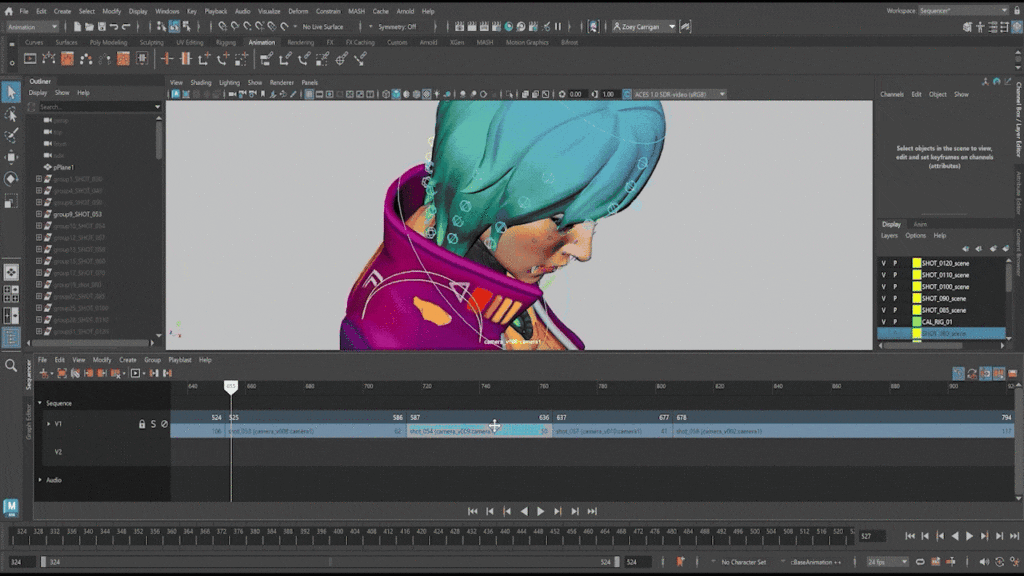
Autodesk Assistant in 3ds Max 2027 (AI support tool tech preview)
Autodesk documents Autodesk Assistant (Tech Preview) as an AI-powered tool embedded in 3ds Max 2027 for finding information about features and workflows “directly within the product.” Autodesk states that the assistant provides guidance based on questions about 3ds Max functionality (for example, cameras, three-point lighting, applying materials, modifier stack usage, exporting to USD).
A key technical detail in Autodesk’s description is that the assistant references Autodesk product documentation to provide contextual answers, positioning it as a guidance layer over official docs rather than an autonomous scene-editing feature.
3ds Max 2027 System Requirements (CPU, GPU, RAM, OS)
Autodesk’s published system requirements for 3ds Max 2027 include:
- OS: Microsoft Windows 11.
- CPU: 64‑bit Intel or AMD multi-core processor with SSE4.2 instruction set.
- RAM: 4 GB minimum.
- GPU: Autodesk’s requirement notes point to the 3ds Max Certified Hardware guidance for graphics hardware.
Because Autodesk is explicitly removing DirectX 9 support in 2027, older workflows dependent on DirectX 9 materials/elements should be treated as deprecated and reviewed during migration.
How to Upgrade From 3ds Max 2026 to 3ds Max 2027 Safely
A safe 2026→2027 upgrade is best treated as a controlled pipeline change: validate platform requirements first, then validate toolchain compatibility, then migrate user settings carefully.
Platform prerequisites start with the OS requirement: Autodesk lists Windows 11 as the operating system in the 2027 system requirements, so Windows 10-based workstations need an OS upgrade before 2027 can be deployed reliably.
Autodesk’s own help indicates the distribution path: access the 2027 update via Autodesk Account.
User settings migration should be approached cautiously. Autodesk’s support guidance (as surfaced in Autodesk support article snippets) indicates there is no official tool for migrating settings and it is not recommended, warning that older menus/toolbars can overwrite UI settings.
Operationally, it is important to understand where local user profile data lives so that troubleshooting and rollback are possible. For example, an ImaginIT support article describes a common reset method: closing 3ds Max and renaming/moving the local “ENU” user profile folder under AppData for a given version, after which 3ds Max recreates defaults on next launch.
Given that 3ds Max 2027 also includes major “foundation updates” (.NET Core 10, Qt 6.8, C++20), plus the removal of DirectX 9 support, upgrade validation should include: opening representative production scenes, verifying viewport/grid preferences, verifying materials/colour management, and confirming that key modelling stacks (especially Boolean→Smart Bevel workflows) behave as expected.
3ds Max 2027 Plugin Compatibility (V-Ray, Corona, Redshift, Arnold)
Compatibility in 3ds Max pipelines is typically dictated by whether each plug-in vendor has shipped a build targeting the host version. The most defensible approach is to treat vendor compatibility matrices as the source of truth for production.
For the render stack named in this section:
- Arnold (MAXtoA): Autodesk’s “What’s New” page indicates 3ds Max 2027 includes an Arnold for 3ds Max 5.9.0 plug-in, with updates listed since 3ds Max 2026.3 (including lightweight USD instancing and hair scattering mode improvements, among others).
Autodesk’s Arnold release notes show MAXtoA 5.9.1.0 (25 March 2026) as a feature release using Arnold 7.5.1.0, explicitly listing system requirements that include 3ds Max 2025, 2026, and 2027. - Redshift: Maxon publishes a Redshift compatibility chart; the chart content visible in the latest published table lists compatibility for 3DS Max versions 2018 through 2026 (with 2027 not shown in the compatibility list there).
- Corona: Chaos documents Corona system requirements including “Autodesk 3ds Max version 2016 or newer” and “64-bit Microsoft Windows 10 or newer,” which establishes minimum platform baselines but does not, by itself, guarantee day-one host-version certification for 2027.
- V-Ray: Chaos’s published support guidance explains host-version support in principle (for example, V-Ray 6 for 3ds Max supporting a given 3ds Max release plus prior releases, and a note that new 3ds Max releases during an active major V-Ray period will also be supported). However, this guidance is policy-level rather than a direct statement of “3ds Max 2027 supported by build X.”
The most robust operational conclusion is that production deployment should be gated on explicit vendor listings for the specific plug-in build and host version, especially in multi-renderer environments.
3ds Max 2027 for ArchViz: Modeling and Selection Improvements
For architectural visualisation, modelling and selection speed/precision are usually more impactful than entirely new paradigms. 3ds Max 2027’s modelling additions map directly to typical ArchViz pain points:
- Smart Bevel is explicitly framed as improving bevel quality on post-Boolean geometry, which is common in architectural detail modelling (cut-outs, trims, panel intersections) that often require clean chamfers to avoid shading artefacts.
- Boolean modifier improvements (recursive welding producing cleaner geometry) reduce the manual cleanup overhead that frequently follows CAD-derived or Boolean-heavy modelling.
- Field Helper + Volume Select provides volumetric, falloff-controlled selections that can be driven by primitives or “watertight” meshes, supporting non-destructive selection masks for modifier stacks and targeted deformation/detailing.
- Viewport grid/background updates aim to improve visual clarity and grid predictability, supporting precision layout tasks (especially when snapping/alignment and consistent grid references are central).
In short, the ArchViz value proposition is cleaner post-Boolean modelling (Smart Bevel + improved Boolean outputs), faster data-transfer/cleanup workflows (Attribute Transfer improvements), and improved selection tooling (Field Helper + Volume Select).

3ds Max 2027 for Game Assets: Faster Bevels, Procedural Noise, and Clean Topology
For game-asset production, the priorities are typically: controllable edge definition, predictable topology, and procedural detail that can be baked into normal/displacement maps or used non-destructively during lookdev.
3ds Max 2027’s modelling updates align with these needs:
- Smart Bevel is explicitly designed to produce cleaner bevels on complex geometry and includes limiting features aimed at avoiding collapsed or intersecting results—common failure cases that complicate baking and introduce shading issues.
- Noise Plus provides Simplex-based procedural variation with object/world/reference coordinate controls, tiling support, and animation via Phase, providing a more production-oriented route to consistent, repeatable procedural deformation—useful both for modelling variation and for generating bake-friendly high-frequency detail on high poly meshes.
- Improved Boolean recursive welding reduces internal faces and redundant topology in new Booleans, which can lower cleanup time before retopology or bake stages.
- Retopology performance improvements and Flow Retopology relocation signal ongoing focus on making quad-target and reform workflows easier to access and faster to run.
These changes collectively support “clean topology” goals by reducing the frequency and severity of geometry artefacts that downstream steps (retopology, UVs, baking, and engine shading) otherwise amplify.
Frequently Asked Questions (FAQs)
- Does 3ds Max 2027 require Windows 11?
Yes—Autodesk’s published system requirements list Windows 11 as the operating system for 3ds Max 2027. - What CPU instruction set is required for 3ds Max 2027?
Autodesk’s system requirements specify an Intel or AMD 64‑bit multi-core CPU with SSE4.2. - Is Smart Bevel intended specifically for Boolean-heavy meshes?
Autodesk’s “What’s New” description explicitly mentions Smart Bevel for post-Boolean intersections, and the Smart Bevel guide frames its benefits around preventing topology issues common in complex bevel scenarios. - How is Noise Plus different from the legacy Noise modifier?
Autodesk states Noise Plus provides features “not possible” in the legacy modifier, uses Simplex-based noise, supports expanded controls (including tiling), and explicitly notes seamless Phase looping (0 = 360) is not supported in the legacy modifier. - Can Noise Plus be used in both object space and world space?
Yes—Autodesk documents Object XYZ and World XYZ evaluation modes (and a Reference mode), with distinct behaviour for whether noise stays bound to an object or behaves like a world field. - What is the Field Helper designed to do in selection workflows?
Autodesk describes it as a volumetric field (primitive-based or voxelised from a watertight mesh) and states that Volume Select supports Field Helper objects as effectors, where field values determine selection weighting. - What exactly changed in the viewport for 2027?
Autodesk documents a solid-colour default background, coloured axes, fixed non-adaptive grid behaviour, redesigned grid colour controls/terminology, and saved defaults/restoration options. - What “foundation updates” are included in 3ds Max 2027?
Autodesk lists updates to .NET Core 10, Qt 6.8, C++20, RealDWG, and ATF as part of foundation updates, intended to improve stability, performance, and compatibility. - What is RealDWG in the context of Autodesk tooling?
Autodesk Platform Services describes RealDWG as a developer toolkit/library enabling C++ and .NET developers to read and write AutoCAD DWG and DXF files. - Has DirectX 9 support changed in 3ds Max 2027?
Yes—Autodesk states that DirectX 9 support has been removed in 3ds Max 2027.

Conclusion
3ds Max 2027 is defined by modelling and workflow polish: Smart Bevel improves post-Boolean bevel cleanliness, Noise Plus expands procedural deformation with modern controls and production-friendly behaviours, and Field Helper modernises volumetric selection workflows with Volume Select. These features sit alongside viewport grid/background changes, a documentation-grounded Autodesk Assistant tech preview, and extensive under-the-hood and ecosystem updates (foundation technology refresh, OCIO update, USD/Substance updates, and DirectX 9 removal).
Sources and Citations
- 1. Autodesk Official Documentation and Feature Overviews
- The primary hub for all new features, including the Field Helper and updated modifiers:
- What’s New in 3ds Max 2027:https://help.autodesk.com/view/3DSMAX/2027/ENU/?guid=GUID-What-is-New-in-3ds-Max-2027
- Introducing Autodesk Assistant (Tech Preview):https://help.autodesk.com/view/3DSMAX/2027/ENU/?guid=GUID-Autodesk-Assistant
- Viewport Improvements and Grid Display:https://help.autodesk.com/view/3DSMAX/2027/ENU/?guid=GUID-Viewport-Display
- Smart Bevel Guide:https://help.autodesk.com/view/3DSMAX/2027/ENU/?guid=GUID-Smart-Bevel
- Noise Plus and Volume Select Modifiers:https://help.autodesk.com/view/3DSMAX/2027/ENU/?guid=GUID-Geometry-Modifiers
- 2. System Requirements for 3ds Max 2027
- Detailed hardware and OS compatibility (Windows 10/11) can be found here:
- System Requirements for 3ds Max 2027:https://www.autodesk.com/support/technical/article/caas/sfdcarticles/sfdcarticles/System-requirements-for-Autodesk-3ds-Max-2027.html
- 3. Autodesk Platform Services (RealDWG) and ATF Context
- Information regarding the underlying translation frameworks for CAD data:
- RealDWG Developer Center:https://www.autodesk.com/developer-network/platform-technologies/realdwg
- Autodesk Translation Framework (ATF) Documentation:https://help.autodesk.com/view/3DSMAX/2027/ENU/?guid=GUID-033190C6-9324-4B6A-B66A-91E30E85D453
- 4. Arnold for 3ds Max (MAXtoA)
- Release notes confirming support for the 2027 version:
- Arnold for 3ds Max Release Notes:https://help.autodesk.com/view/ARNOL/ENU/?guid=arnold_for_3ds_max_am_release_notes_html
- 5. Third-Party Vendor Compatibility
- Major render engine status for the 2027 release:
- Maxon Redshift Requirements:https://www.maxon.net/en/requirements/redshift-requirements
- Chaos (V-Ray) System Requirements:https://docs.chaos.com/display/VMAX/System+Requirements
- Chaos Corona Support Guidance:https://docs.chaos.com/display/CR3DMAX/System+Requirements
- 6. Industry Release Reporting
- Coverage of the 2027 features and industry impact:
- CG Channel (3ds Max Tag):https://www.cgchannel.com/tag/3ds-max/
- 7. Upgrade and Troubleshooting (ENU Profile Reset)
- Guidance on handling profile corruption or migration issues:
- IMAGINiT Technologies – Resetting 3ds Max User Settings:https://www.imaginit.com/support/knowledge-base/ (Search for “3ds Max ENU Reset”)
- Autodesk Support – Resetting 3ds Max to Default:https://www.autodesk.com/support/technical/article/caas/sfdcarticles/sfdcarticles/Resetting-3ds-Max-user-setup-back-to-default.html
Recommended
- Love Death and Robots Season 4: Release Date, Episodes, Animation Studios, and Everything We Know So Far
- The View Keeper Add-on: Tips for Seamless Camera Switching in Blender
- Wonder Dynamics: VFX with AI-Powered Wonder Studio
- SAG-AFTRA Do Not Work Order Against Capcom Explained: Mega Man: Dual Override and the Signatory Process
- Riot Details New Legends, Mechanics, and More For Riftbound’s Third Set, Unleashed: Release Dates, Ambush, XP, Hunt, and Baron Nashor Ultimate Rare
- How to Get the Best Hair Highlights for Realistic Rendering
- How do I create a handheld camera effect in Blender?
- How do I animate a zoom effect with the Blender camera?
- How to Make Stylized Anime Hair Naturally in Blender
- How to Create a Metahuman of Yourself: Turn Your Likeness Into a Digital Character in Unreal Engine 5



























































































