








In This Article (15 sections)
Beeble SwitchX 3.0’S Workflow and MiniMax H3 Foundation
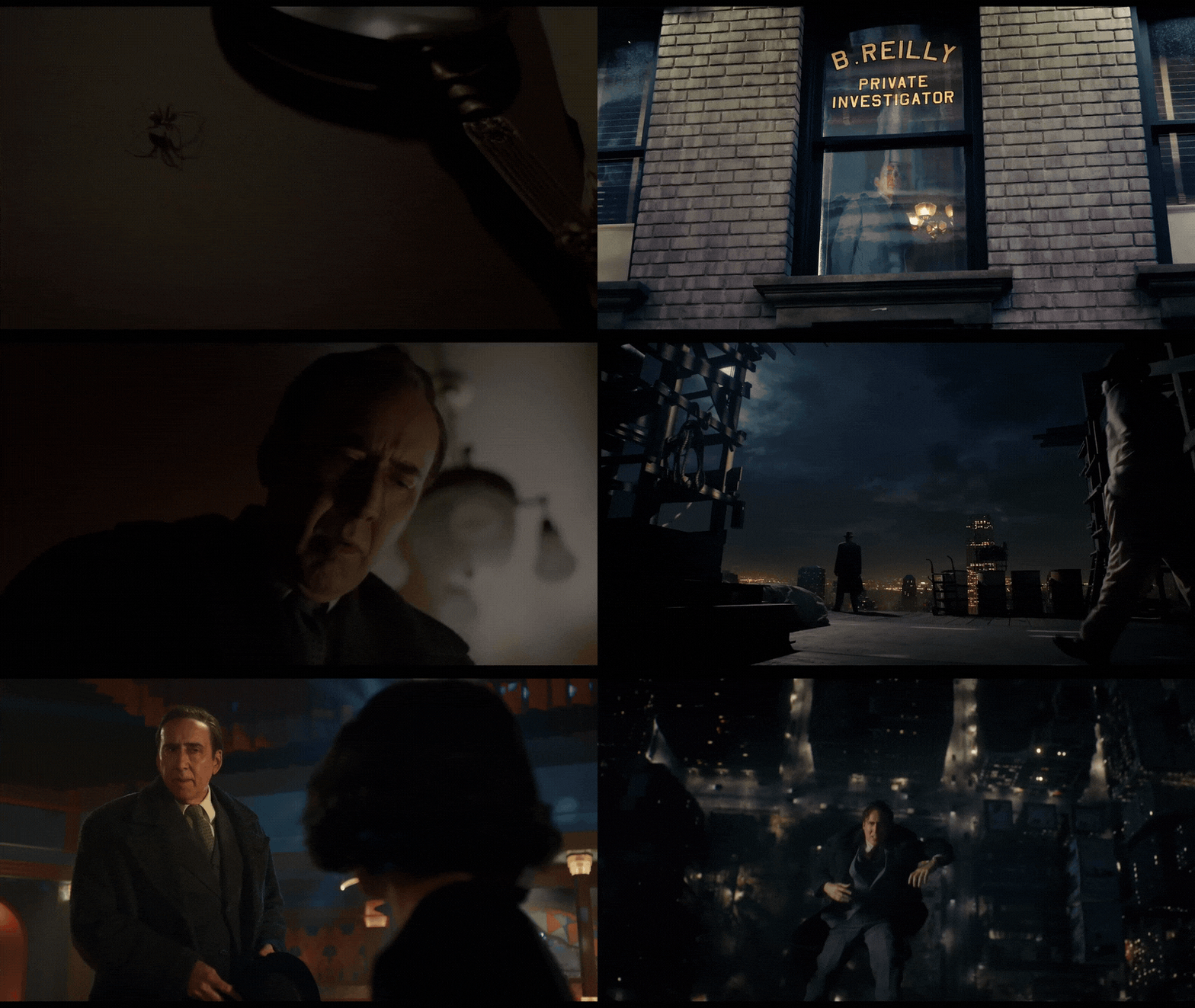
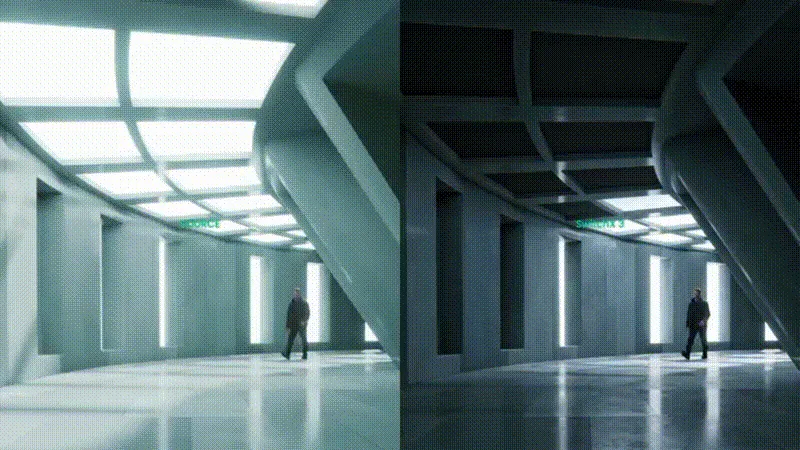
Beeble SwitchX 3.0 expands the company’s AI video transformation workflow with additional visual references, more active backgrounds, improved camera tracking, and stronger control over scene events through text prompts. Beeble published its research announcement on November 10, 2026, followed by its product update on November 11. The tool combines existing footage with a mask, visual references, and written instructions to guide changes to a scene. Beeble positions it for filmmakers, visual effects artists, and creators who want to modify environments and lighting while keeping the recorded performance recognizable and aligned. The workflow builds on the actor’s gestures, camera framing, and timing already established during filming. Its practical value depends on how coherently those elements carry through the transformed shot.
MiniMax introduced H3 as a general purpose model that understands combinations of text, images, video, and audio. Its published design emphasizes relationships between these inputs, including instructions explaining how reference material should influence a generated result. Beeble says it rebuilt that foundation for production video transformation using its own dataset and architecture. The company also describes a finishing stage that revisits the original footage for detail at resolutions up to 4K. However, MiniMax’s broader capabilities do not establish that SwitchX offers every input, output, or control supported by the foundation model. Production planning should follow the specifications of the selected SwitchX version.
Beeble calls the preservation mechanism Source Locked Rendering. Its product description assigns white areas of an alpha mask to the recorded material that should retain its shape, motion, and expression, while black areas identify regions to generate. The protected subject can still be relit or restyled. Preserving a performance therefore means retaining its recorded structure and movement while allowing its appearance to respond to the new scene. A warm glow across an actor’s face can be an intended change even when the facial expression remains consistent.
Masking Options, Preparation, and Format Limits
The masking options provide different starting points. Auto isolates the main subject, Select lets users identify particular elements, Fill preserves the composition and geometry across the frame while changing its treatment, and Upload accepts an externally prepared alpha matte. Beeble’s masking guidance describes protecting a face and hands while transforming other regions. For a straightforward environment replacement, the retained area might include the performer, clothing, and a handheld object. The choice should follow what the production needs to preserve, because a detailed prompt cannot compensate for identifying the wrong material as replaceable.
Mask preparation deserves attention before experimenting with more elaborate references. Inspect loose hair, fingers, transparent objects, and the gaps between an arm and the body. A hand that enters the frame late should receive the same scrutiny as the face visible at the start. If the performer holds a product that must stay recognizable, check whether the entire object remains included throughout its movement. Reviewing those boundaries separately makes it easier to identify whether a problem originates in the selection or in the generated environment.
Input compatibility also affects preparation. Beeble lists native support for ProRes 422 Proxy, LT, standard 422, and HQ MOV files up to 4.5 GB. Its product FAQ excludes ProRes 4444 with embedded alpha and exports with a variable frame rate. ProRes clips must be trimmed before uploading because that format cannot be trimmed inside the app. An editor should therefore prepare the intended shot range and a suitable source file before starting, particularly when the material comes from a much longer camera recording.
Production Example, Evaluation, and Cloud Delivery
For example, a commercial filmed in a plain interior may already contain the desired delivery and expression but need a railway carriage or futuristic workspace as its setting. A transformation workflow allows the team to explore those environments around the selected take. A location photograph can communicate surfaces and architecture, a storyboard can guide the sequence, and written instructions can explain how those references relate to one another. These are illustrative workflow suggestions rather than independently tested results. Evaluation should extend beyond a convincing opening frame to include the actor’s turns, overlapping objects, and changes in camera position. Reference preparation, masking, shot duration, output format, and rendering costs also affect whether the workflow suits the production.
SwitchX is delivered through Beeble’s cloud app, including its standalone interface and Canvas, and is separate from the local Beeble Studio product. Canvas allows processing tools to be connected into a reusable sequence, with branches for alternative treatments. That organization can be useful when the same approved performance needs several environments: retain the selected source and mask, then compare variations built around them. Keep the source, reference set, prompt, and model version together so that later revisions have a clear starting point.

SwitchX 3.0 vs 2.0: Camera Tracking, Shot Length, and Output
SwitchX 3.0 increases the reference image allowance from one to four, supports more substantial movement within generated environments, and improves interpretation of scene instructions. Camera tracking is integrated into version 3.0 without an On/Off option. Version 2.0 remains selectable and retains that control. The newer version supports a maximum of 360 frames, compared with 480 frames in version 2.0. At 24 frames per second, those limits correspond to 15 seconds and 20 seconds, respectively. Both versions support 2160p output and 10 bit MOV exports, subject to plan requirements.
The frame limit is more useful than a single advertised duration when planning an edit. At 30 frames per second, 360 frames cover 12 seconds; at the supported maximum of 60 frames per second, they cover six seconds. Version 3.0 therefore has a 25 percent smaller frame allowance than version 2.0. Extra material before and after the intended cut also occupies that allowance. A shot that fits exactly within the limit leaves no additional frames for extending the edit, so include those requirements when selecting the source range.
Version selection should follow the needs of the shot. A short sequence requiring several visual references may benefit from the newer workflow, while a longer uninterrupted take may fit version 2.0 more comfortably. For an existing project, compare both versions using the same source clip and creative objective. Review the subject’s continuity, the movement of background geometry, and the amount of corrective work required afterward. Comparing unrelated demonstration clips makes it harder to identify which differences matter to the production, so the decision should be based on representative footage and the intended result.
Tracking Quality, Export Specs, and Credit Costs
Tracking should be judged through the relationship between foreground and background. During a sideways camera move, nearby scenery normally shifts more noticeably than distant scenery. During an orbit, newly revealed surfaces should remain connected to the same environment. These are useful review criteria for Beeble’s integrated tracking claim. Pay particular attention to doorways, floor contact, and straight architectural lines, where drifting geometry is easier to notice. A convincing camera response also needs to remain consistent when the actor briefly blocks a background feature and reveals it again.
Beeble’s export documentation specifies that the source aspect ratio and frame rate are retained. The available resolution tiers are 720p, 1080p, and 2160p, with 2160p generation and 10 bit MOV downloads requiring a Professional or Team plan. This matters when a campaign needs both horizontal and vertical versions. Prepare the intended framing for each deliverable and inspect it independently, since preserving the source aspect ratio does not itself create a second composition. The published 4K option describes an output capability, while the success of a transformed shot still depends on its motion and integration.
The November update keeps the credit pricing of version 2.0, but the detailed billing unit deserves attention. Beeble’s credit policy charges for each started block of 30 frames: six credits at 720p, 20 at 1080p, and 80 at 2160p. A complete 360 frame generation therefore uses 72, 240, or 960 credits, respectively. These are calculations from the published rates. At 24 frames per second, that clip lasts 15 seconds, so a rate expressed per second at 30 frames per second should not be applied unchanged.
Finish Workflow and Final Export Checks
Beeble recommends exploring at 720p and using Finish on a selected result. It describes Finish as rendering again from the original footage to recover detail. Finishing has its own charge: a 360 frame 720p generation followed by a 2160p Finish totals 1,032 credits for those two operations. Additional attempts and preparation tools increase the total. This makes approval before finishing a practical budget decision.
Resolution should be approved after the scene itself works. Review whether the chosen result preserves the intended gesture, places objects correctly, and maintains the same visual treatment from beginning to end. If those decisions are unsettled, generating a larger version primarily produces more pixels to inspect. Once the creative result is approved, check the final export in the editing application, including its opening and closing frames, color appearance, and alignment with the existing cut.
Using Four Reference Images, Storyboards, and Location Plans
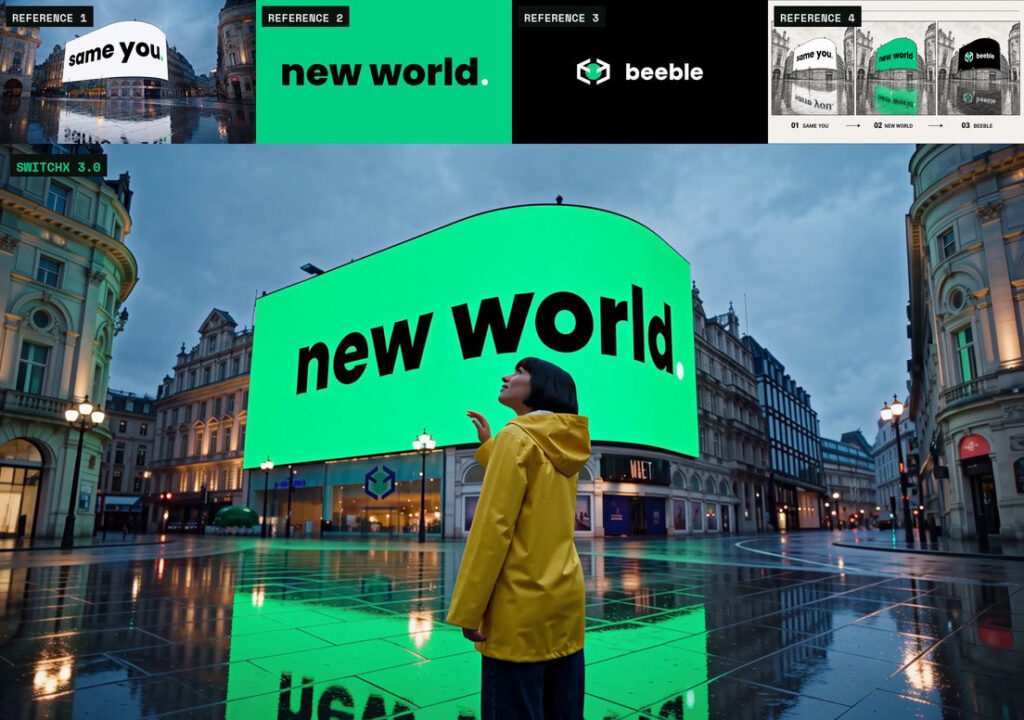
In the Reference Images area, users can add up to four images and address them in the prompt as @Image1 through @Image4. References can be selected by typing @ or choosing a reference chip. Assigning each image a distinct purpose can make the brief clearer: one might establish the location, another a product, a third the lighting treatment, and a fourth the order of events. This arrangement is an organizational suggestion, not a mandatory template. An illustrative prompt could read: “Use @Image1 for the station architecture, place the product from @Image2 beside the platform entrance, follow the evening lighting in @Image3, and use @Image4 to guide the order of the background action.”
Before generating, check that the references support a consistent scene. Conflicting horizon heights, daylight directions, or architectural styles can make the intended result ambiguous. Each additional image should contribute useful information rather than simply occupy an available slot. A straightforward background replacement may need only one strong reference, while a more complex shot could require another space revealed later or a specific object that must appear. The brief should explain those contributions explicitly, since a collection of attractive images does not necessarily establish how they should influence the result.
A useful way to allocate the four slots is to identify the information the source cannot supply. An orbiting shot might need another view of the same room more urgently than a separate color palette. A close view of a branded object may matter more than a second atmospheric landscape. For a location change halfway through a shot, a later view can help communicate what should become visible. The reference set should answer the production’s unresolved visual questions while leaving the recorded performance as the basis for the action.
Guide Frames, Storyboards, and Action Prompts
Preparing a finished reference frame can also clarify the intended relationship between the subject and the environment. A rough composite can establish the performer’s scale, the floor beneath them, and the direction of the strongest light. It need not be polished advertising artwork to serve that purpose. The useful question is whether the image makes the shot easier to understand. If an important prop occupies only a tiny corner, a dedicated reference may communicate its appearance more effectively than adding another wide view.
Beeble’s demonstrations show how references can organize both time and space. One example uses location imagery, graphic cards, and a storyboard to guide a billboard sequence. Another combines a floor plan with images of a kitchen, corridor, and rooftop to guide a continuous journey through connected spaces. A storyboard should make the order of events clear, particularly when a background screen needs to display specific content in sequence. Keep panels focused on the intended change, because unrelated alterations to the actor’s appearance or camera angle can introduce ambiguity.
Text can then describe the relationship between those images and the movement already present in the clip. For example, an illustrative instruction could ask for the station setting from @Image1, a train passing behind the performer after they turn, and the lighting treatment from @Image3 throughout. A brief like this identifies a place, an action, and a cue. It also gives reviewers something concrete to assess: whether the event happens in the intended area and supports the performer’s movement without obscuring the important moment.
Evaluating Timing, Spatial Logic, and Revisions
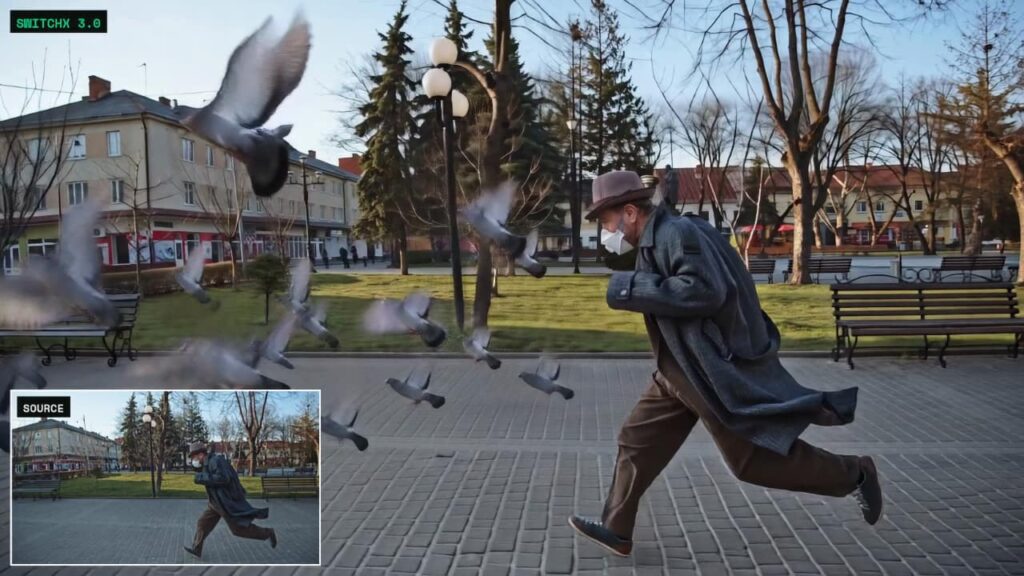
Beeble illustrates improved prompt control with birds taking flight as someone passes and ceiling lights illuminating in sequence as a person approaches. These examples show the kind of event relationships the company is targeting. For editorial planning, an instruction tied to a visible action can be easier to evaluate than a vague request for excitement. If a transition must land on an exact frame, review the output against that requirement and complete the timing in the edit where necessary. Natural language guidance should not be mistaken for a documented keyframe timeline.
For a connected location, check whether the supplied spaces plausibly belong together. Door placement, travel direction, and changes in elevation should support the route implied by the source movement. A location plan can help explain how the camera or performer passes between areas. Its role here is creative guidance, so it should not be treated as proof that the output reproduces measured dimensions or exact architectural geometry. Projects requiring a precisely surveyed environment need separate verification against their spatial requirements.
Reference management becomes especially useful across revisions. Record which image supplies architecture, which establishes light, and which describes an object or sequence. When a result misses the brief, revise the relevant instruction or reference before replacing the entire set. For a billboard shot, inspect the displayed artwork throughout the motion, including perspective, visibility, and the order of changes. If precise lettering or branding needs further work, the generated environment can still provide the surrounding shot while the final graphic is handled as a separate compositing element.
Creating Dynamic Backgrounds with Crowds, Traffic, Fire, and Snow
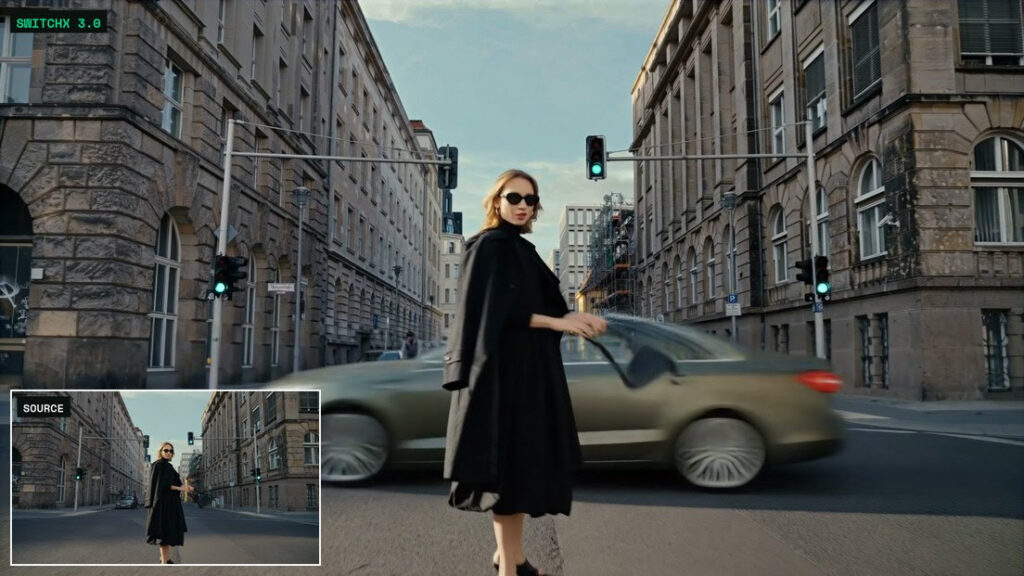
Beeble’s examples of more active backgrounds include passing traffic, walking crowds, moving fire, and falling snow. Generated activity introduces another layer of timing alongside the recorded performance. A pedestrian crossing at the wrong moment can distract from dialogue even when the individual frames look convincing. An interview may call for slow, unobtrusive movement, while an action sequence may need a clearly timed reaction. The brief should explain how environmental activity supports the main event, with instructions tailored to the effect:
- Crowds: Specify placement and travel direction. A request for sparse pedestrians moving behind the performer while keeping the foreground clear communicates the intended relationship more precisely than a general request for a busy city.
- Traffic: Describe a plausible road layout and a readable sense of speed so that vehicle movement fits the environment.
- Fire: Establish an apparent source and consider how the effect should relate to nearby surfaces and the surrounding lighting.
- Snow: Define its relationship with wind, visibility, and scene scale so that the movement remains consistent across the shot.
Beeble also demonstrates workflows that combine several preparation and integration steps. Its driving plate tutorial isolates the vehicle and subjects, combines foreground and background elements, establishes a lighting reference, and uses SwitchX to integrate their appearance. The crowd tutorial generates crowd footage with a video model, isolates the filmed subject, and uses SwitchX to help match the composite’s appearance. The fire tutorial combines detailed masking, generated prompts, integration, and relighting around an unlit torch. These are broader Canvas workflows, so they should not be treated as evidence that every effect requires only one generation.
Review the complete clip before concentrating on isolated frames. Check whether motion remains consistent, objects retain believable proportions, and background activity supports the scene. For fire, examine nearby surfaces as carefully as the flames, since a bright effect can look disconnected when the surrounding environment does not respond plausibly. For snow, inspect movement across the entire frame and around the subject’s silhouette. More activity does not automatically improve realism, and the most convincing result is the one whose activity fits the performance and setting.
Background action benefits from a simple hierarchy. Decide which event carries the story, which movement supplies atmosphere, and which areas should remain visually quiet. For example, a vehicle arriving behind an actor can be the main environmental event while distant pedestrians provide slower motion. Give the arrival room to read before introducing another large change. This approach also makes evaluation more specific: a result can succeed at creating an attractive city yet still need revision because the important vehicle appears too early or draws attention away from the performance.
Occlusion, Scene-Specific Checks, and Review
Occlusion, meaning one object passing in front of another, is another useful planning consideration. A crowd kept behind the performer is a different compositing problem from people crossing the foreground. Similarly, falling snow may need to appear both near the camera and behind the subject to convey depth. Establish those relationships in the intended shot design and inspect the boundaries during playback. If an effect must overlap protected source material in a particular way, a separate compositing pass may offer the necessary control over where that overlap occurs.
Driving scenes require attention beyond the landscape visible through a window. Look at the direction of passing objects, their apparent speed, and the relationship between nearby roadside features and the distant horizon. Reflections and changing illumination should also make sense beside the new exterior. A moving street can feel disconnected if the vehicle’s interior suggests a different environment. For fire, the equivalent check is whether nearby illumination changes plausibly with the flames. For snow, examine whether foreground flakes and distant weather suggest a consistent scale and direction.
A practical review should include playback at the intended speed and closer inspection of difficult transitions. Check the moments when a hand crosses the face, the camera changes direction, an object enters the frame, or a bright effect begins. Keep comparison notes tied to those moments so that a revision addresses a specific problem. Once the clip is placed back into the sequence, assess whether its contrast, movement, and background activity fit the neighboring shots. A successful isolated demonstration still needs to work within the finished edit.
SwitchX 3.0 gives filmmakers more ways to describe the world around an existing performance. Four references, moving backgrounds, and stronger event guidance make the preparation of that world more flexible. The most useful production approach combines those controls with a deliberate mask, a shot length that fits the frame allowance, and a review of the complete sequence before the final render.nd a restrained effect can serve the performance more effectively than an elaborate result that competes with the story.
Frequently Asked Questions (FAQs)
- What is the main purpose of Beeble SwitchX 3.0?
Beeble SwitchX 3.0 transforms existing footage by changing elements such as the environment and lighting while keeping the selected source performance recognizable. It uses the recorded shot as its foundation, guided by a mask, reference images, and text instructions. Before generating, identify which gestures, expressions, and movements need to remain faithful to the original take. Then describe how the surrounding scene should change. Evaluate the complete clip, since a convincing opening frame does not establish that the performance remains consistent throughout. - How many reference images can SwitchX 3.0 use?
SwitchX 3.0 accepts up to four reference images. You can identify them in the prompt as @Image1 through @Image4 to explain how each should influence the result. For example, separate images could establish the location, show a product, define the lighting, and guide the order of background events. Assigning each reference a specific purpose helps communicate the intended transformation. Images that repeat the same information add little direction, so prioritize references that contribute distinct, relevant details. - Are all four reference slots required?
No, four images are optional. The allowance is an upper limit, so a straightforward background replacement may need only one clear reference. Add more images when they explain something the first cannot, such as another space revealed later or an object that must appear. Check that the selected references agree on details such as lighting direction, perspective, and architectural style. The goal is to communicate the shot clearly without introducing unnecessary or conflicting instructions. - Can SwitchX 3.0 create moving backgrounds?
Yes. Beeble advertises moving environmental elements, including traffic, crowds, fire, and snow. Those elements need to fit the timing and scale of the recorded performance. An interview might call for restrained background motion, while an action shot may need an event to happen at a particular moment. Review the full clip for consistent movement, believable proportions, and activity that supports the subject without distracting from the main performance. - Does preserving the performance mean the image remains visually unchanged?
No. Relighting and environmental changes can alter how the actor and surrounding scene appear. Preserving the performance means assessing whether the expression, silhouette, and movement remain faithful while those visual changes occur. Compare the source and transformed footage throughout the shot, paying attention to turns, overlapping objects, and camera movement. This helps distinguish an intended change in appearance from an unwanted alteration to the recorded performance. - Does SwitchX 3.0 support 20-second shots?
At 24 fps, SwitchX 3.0’s 360-frame limit allows a maximum of 15 seconds. A 20-second clip at that frame rate contains 480 frames. That fits the documented limit for version 2.0, which remains selectable. Because the restriction is expressed in frames, the corresponding duration depends on the clip’s frame rate. Check both the frame count and frame rate before choosing a version for a longer uninterrupted take. - Can camera tracking be turned off?
Camera tracking is integrated into SwitchX 3.0 and cannot be switched off through an On/Off control. Version 2.0 retains the option to ignore source camera motion. That difference matters when the intended transformation requires a different relationship with the recorded camera movement. If the choice affects the shot, compare the same source clip and creative objective in both versions. Inspect how the background geometry moves and whether it remains coherent with the subject throughout the sequence. - Is 10-bit output automatically HDR?
No. A 10-bit file describes the precision available for representing image values, not whether the result is SDR or HDR. HDR delivery also depends on how those values are interpreted within the chosen color workflow. Check the output’s color handling and the requirements of the intended delivery format. Confirm those properties in the finished file instead of treating its bit-depth label alone as proof of HDR compatibility. - Can SwitchX run locally in Beeble Studio?
No. SwitchX runs in the cloud, and purchasing Beeble Studio does not add local SwitchX processing. Keep that distinction in mind when deciding where each part of a production workflow will run. Preparing source footage or references locally does not move the transformation itself onto the workstation. Projects that require entirely offline processing must account for this limitation when selecting their tools. - Is a 4K finishing pass included in the preview’s credit charge?
The published policy lists Finish as a charged operation, so the preview’s credit charge should not be treated as the complete cost of a finished shot. Budget for the previews used to develop the result and the 4K finishing pass if that is your intended output. If you expect to test several variations, include those previews in the estimate. Check the applicable charges before committing to the workflow. This provides a clearer picture of the cost of completing the shot than considering a single preview alone.
Conclusion
Beeble SwitchX 3.0 gives filmmakers greater control over the environments surrounding a recorded performance, with multiple references helping communicate locations, objects, and sequences that a single image may not explain clearly. Turning that flexibility into a usable shot starts with a defined creative objective and references that support the same visual direction. The mask should be checked throughout the take, while background motion needs to remain coherent with the performer and camera movement.
Version selection also deserves attention, since version 3.0’s expanded creative controls come with a shorter frame limit than version 2.0. Reviewing the complete shot before committing to final output helps establish whether the transformation serves the intended edit. The update’s practical value rests on that finished result: a convincing performance, a coherent environment, and a shot that meets the production’s needs within its rendering budget.
Sources and Citations
- Beeble, November 10, 2026: Beeble’s official SwitchX 3.0 research announcement says the model is built on MiniMax H3, rebuilt with Beeble’s own dataset and architecture for production video-to-video work. It introduces up to four reference images, more dynamic backgrounds, tighter camera tracking, stronger prompt control, Source-Locked Rendering, and finishing up to 4K. Beeble
Beeble: Introducing SwitchX 3.0 - Beeble, November 11, 2026: The product update confirms that SwitchX 3.0 is available in the Beeble app and Canvas. It highlights four-reference support, moving traffic and crowds, fire and snow, camera-locked environments, improved prompt interpretation, output up to 4K, and says the new version uses the same credit price as SwitchX 2.0. Beeble
Beeble: SwitchX 3.0 Update - MiniMax, July 31, 2026: MiniMax’s official H3 announcement describes H3 as a general-purpose multimodal generation model capable of understanding unified context across text, images, video, and audio. It supports complex natural-language relationships between references, native stereo sound, video generation up to 15 seconds, and output up to 2K. MiniMax
MiniMax: Introducing H3 - Beeble Documentation, SwitchX 3.0: The official documentation confirms that SwitchX 3.0 is cloud-only, uses Source-Locked Rendering and alpha masks, accepts up to four reference images, supports dynamic backgrounds such as traffic, crowds, fire and snow, integrates camera tracking, and provides stronger prompt control. Beeble Documentation
Beeble Documentation: SwitchX 3.0 - Beeble Documentation, SwitchX 2.0: Beeble confirms that version 2.0 remains selectable and supports up to 480 frames plus a Camera Tracking On/Off control. This makes it useful for comparison with SwitchX 3.0, whose documented maximum is 360 frames and whose tracking behavior is integrated. Beeble Documentation
Beeble Documentation: SwitchX 2.0 - Beeble, September 9, 2026: Beeble’s research index identifies SwitchX 2.0 as its earlier production video-to-video release with 4K, 10-bit output, up to 20-second shots, camera tracking, and improved handling of fast motion. Beeble
Beeble: SwitchX 2.0 Research - Beeble, SwitchX Feature Overview: Beeble’s SwitchX materials describe the underlying workflow as modifying backgrounds, lighting, props, and other scene elements while preserving the original subject and performance through source-guided processing. Beeble
Beeble: SwitchX Feature Overview - Beeble Documentation, Background Remover: The Background Remover documentation explains AI-based alpha extraction, model choices including MatAnyone 2 and CorridorKey 2.0, preview-frame evaluation, and support for video, image sequences, and still images. It is also explicitly cloud-only. Beeble Documentation
Beeble Documentation: Background Remover - Beeble Documentation, Driving Plate VFX with Canvas: This tutorial outlines a five-step workflow combining subject isolation, foreground/background compositing, reference-image generation, SwitchX color/reflection integration, and final assembly for a driving plate shot. Beeble Documentation
Beeble: Driving Plate VFX with Canvas - Beeble Documentation, Crowd VFX with Canvas: Beeble’s crowd tutorial shows how to generate an active crowd with external video models, isolate and composite the filmed subject, and use SwitchX to match color and tone with the generated environment. Beeble Documentation
Beeble: Crowd VFX with Canvas - Beeble Documentation, Realistic Fire VFX with Canvas: The fire tutorial covers prompt generation, detailed masks, SwitchX compositing, relighting, subject preservation, and color matching across shots. Beeble Documentation
Beeble: Realistic Fire VFX with Canvas - Beeble Documentation, Camera Track with Canvas: Beeble documents a four-step workflow involving reference preparation, subject masking, SwitchX background replacement with camera tracking and relighting, and final sequence assembly in Canvas. Beeble Documentation
Beeble: Camera Track with Canvas - Beeble Documentation, Day to Night Relighting with SwitchX: The tutorial confirms that SwitchX can use the source footage directly to transform a scene from day to night while preserving identity, details, and the recorded performance. Beeble Documentation
Beeble: Day to Night Relighting with SwitchX - Beeble Documentation, Canvas: Canvas is Beeble’s node-graph workflow editor for combining SwitchX, Image Generator, Video Generator, Video Matte, compositing, batch tools, and final exports. The documentation confirms branching creative variations, iterator nodes for batch processing, repeatable references, and integrated AI tools. Beeble Documentation
Beeble Documentation: Canvas - Beeble, Canvas Feature Overview: Beeble describes Canvas as a node-based compositor where users can create reusable graphs, compare variations, and batch-process workflows without rebuilding the pipeline for every shot. Beeble
Beeble: Canvas Feature Overview - Beeble Documentation, Beeble vs Beeble Studio: The official comparison confirms that SwitchX is exclusive to the cloud Beeble app and is not available in Beeble Studio. It also states that SwitchX 3.0 supports up to 360 frames, while 2.0 supports up to 480, and distinguishes cloud processing from Studio’s local GPU workflow. Beeble Documentation
Beeble Documentation: Beeble vs Beeble Studio - Beeble, Reframe Feature Overview: Reframe is a separate Beeble feature for expanding footage into new aspect ratios while preserving the original shot. It supports custom framing, reference-image guidance, up to 20-second clips, and output up to 4K with 10-bit color. Beeble
Beeble: Reframe Feature Overview - Beeble, Cloud Pricing: Beeble’s current cloud pricing lists Creator and Professional plans, monthly credit allowances, Canvas access, SwitchX and other VFX tools, and 4K/10-bit SwitchX output on the Professional tier. Beeble
Beeble Cloud Pricing - Beeble Documentation, Credit Policy: The credit policy confirms that SwitchX 3.0 is charged in 30-frame blocks, at 6 credits for 720p, 20 credits for 1080p, and 80 credits for 2160p. It also lists Finish as a separate charged operation, using the same 1080p and 2160p rates, which supports distinguishing preview-generation costs from final finishing costs. Beeble Documentation
Beeble Documentation: Credit Policy
Recommendations
- Subnautica 2 Early Access Roadmap: Co-Op Updates, Sprinting, and More
- Virtua Fighter 6 Leak Explained
- Best Gaming Headsets for 2026: Top Wireless, Wired, PC, PS5, and Xbox Picks
- Take-Two CEO Comments on Roblox and GTA Explained
- All characters and color variations in Mario Tennis Fever: Full roster, unlocks, and alternate colors
- Assassin’s Creed Black Flag Remake
- How to Make a 3D VTuber Avatar: The Complete Guide for Beginners and Content Creators
- Farm to Table Grow Your Own Food & Make Fine Dishes in Cozy Restaurant Simulator: Complete Gameplay Guide
- Don’t Fret Hits All the Right Notes for a Frightening Survival-Horror Experience
- Assassin’s Creed Black Flag Resynced Post-Game Support Teased Ahead of GTA 6



































































































