








In This Article (8 sections)
PFTrack Studio 26.11 Release and Offline License Borrowing
PFTrack Studio 26.11.05 was released on November 5, 2026, according to the official PFTrack Development Record. The complete build number identifies the release behind the shorter PFTrack Studio 26.11 name. Its main addition is license borrowing, which lets an approved computer reserve a floating license for up to 14 days of offline use. The release also includes a GPU undistortion correction, changes to scene-export Python functions, and minor interface fixes.
PFTrack Enterprise 26.11.03 was an earlier release containing the same GPU correction and scene-export API change, making edition-specific build numbers important when checking which fixes are installed. Deployment records should therefore identify both the edition and complete version instead of using a general description such as “PFTrack 26.” Studio retains its full node set, command-line processing, and pipeline automation support, with borrowing adding deployment flexibility to the existing tracking workflow.
A new workstation must first complete ordinary Studio authorization using an authorization code obtained from the Studio account and entered into PFTrack. Authorized computers then appear in the account’s computer list. The account owner can open the intended computer’s information popup and select Allow this computer to borrow licences. Authorizing the computer and granting borrowing permission are separate administrative steps.
The owner already manages license allocation, account security, and authorized use, so borrowing extends that role without requiring each artist to create a separate purchasing account. Preparation should use the actual workstation intended for the assignment, particularly when several computers have similar names. Confirming its identity before handover helps avoid granting permission to an office machine while leaving the traveling computer unprepared.
Borrowing begins in an online, licensed PFTrack session, and the borrowing control is hidden in Demo Mode. The artist selects Borrow Licence in the toolbar, chooses a duration, and reviews the displayed ending date and time. Confirmation requires acknowledging that the reserved seat will be unavailable to colleagues and cannot be returned early if the computer becomes inaccessible through loss or damage. After confirming the reservation, the artist can disconnect and use the license on that computer for the approved period. Permission to borrow does not mean a machine needs an offline reservation for every assignment, so the actual booking should correspond to the production schedule.
Perpetual and rent-to-buy licenses support borrowing for up to 14 days. A time-limited license cannot be borrowed beyond its own expiration, so the available period may be shorter than that maximum. For example, an entitlement with three days remaining provides an outer borrowing limit of three days even if the planned assignment lasts a week. Borrowing does not create additional paid license time.
Separately, an already running floating-license session can continue for up to 24 hours after an unexpected loss of connection. That allowance should be distinguished from a planned borrowing reservation, which must be arranged while connected and cannot be extended offline. Teams should plan around the displayed expiry timestamp, including work late on the final day and the time required to reach the next reliable connection.

Offline Production Planning, License Pool Management, and Returns
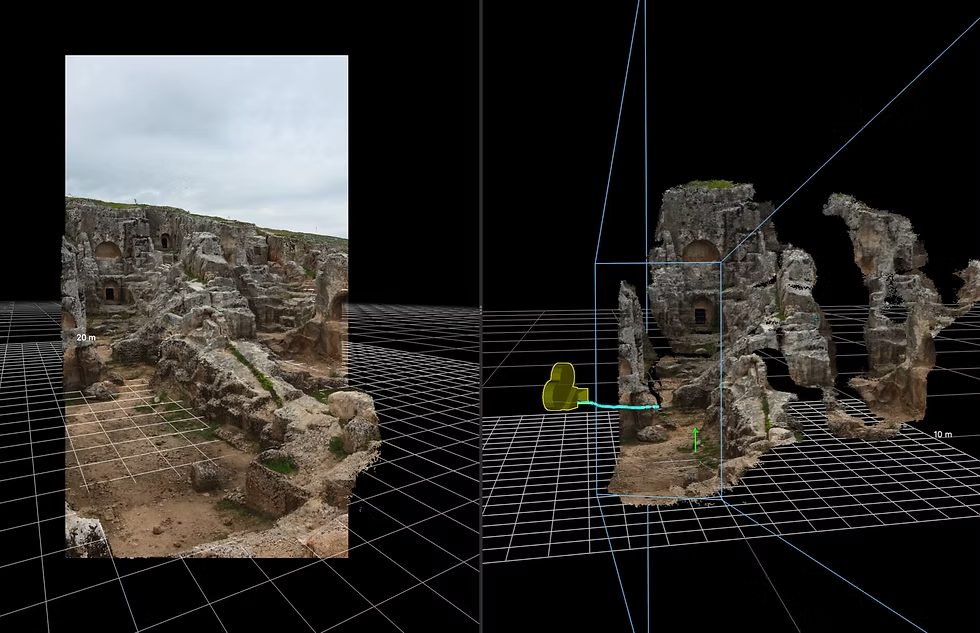
Offline access allows a matchmove artist to prepare work at the studio and continue examining footage close to the time it is captured on location. A preliminary tracking assessment can help identify whether a shot needs additional reference, clearer camera information, or closer review before the location is dismantled. Supervisors can also arrange access for temporary workstations used during production reviews. PFTrack’s Scene Export node supports cameras, trackers, point clouds, geometry, moving objects, undistorted background clips, and ST-Maps, although availability varies by export format. Before departure, a representative clip should be taken through the intended process of opening media, performing tracking work, saving the project, and producing an example deliverable for the downstream application.
A borrowed license provides application access, but the production package also needs accessible footage, reference material, scripts, and output storage. Network paths deserve attention when the computer will leave its normal working environment. A project might open successfully while its image sequence still points to a studio server that will be unavailable on location. Testing the project after disconnecting during preparation can expose that dependency while there is time to correct it. A clear local folder structure and sufficient storage should also accommodate additional footage and generated outputs if the assignment changes during production.
The borrowing period should cover the entire disconnected assignment, including travel and a reasonable return margin. A six-day shoot with travel on either side may require access beyond the six shooting days, particularly if preparation or processing continues during the journey. Transport changes, weather, production overruns, and limited access to accommodation networks can affect the first practical opportunity to reconnect. The reservation should therefore reflect the expected working schedule rather than only the artist’s arrival and departure dates at the location. When an assignment exceeds the available borrowing period, a planned connection opportunity becomes part of the production schedule and should be identified before a delivery deadline approaches.
Every borrowed license remains reserved for its assigned computer and unavailable to other machines until it returns. For example, a studio with five licenses and two computers booked for offline shoots has three licenses left for the connected team before accounting for other active use.
This matters when departments share a small pool and location work overlaps with an urgent delivery at the main facility. A shared schedule can track borrowing periods and expected seat availability rather than only noting when artists are away from the office. An idle workstation or an artist who finishes early may still hold a reservation needed elsewhere. Capacity planning should therefore compare actual overlap between offline assignments and connected demand instead of relying on total employee headcount.
An internal handover record can identify the computer, responsible artist, project, assignment dates, and expected return. This is a suggested organizational practice rather than an additional PFTrack requirement. While a computer holds a borrowed license, its deauthorization is blocked. If that computer is lost, stolen, or destroyed, neither the studio nor The Pixel Farm can release the reservation early, and the license returns at the borrowing deadline. Choosing a duration is therefore a resource decision that balances the traveling artist’s needs against the effect of an unavailable seat on the rest of the team.
After reconnecting, an artist can select Return Licence to release the offline reservation back to the pool while continuing work online without interruption. Continued online work still requires licensed access through the normal floating arrangement. Returning the reservation should be included in equipment handover because physically returning the computer does not mean its original borrowing period has ended.
The toolbar displays the deadline and provides amber and red warnings as expiry approaches. If the reservation expires while the computer remains offline, PFTrack displays an expiry message and closes when the user selects Close. Reconnecting and restarting restores the online licensing workflow. Returning the license promptly when offline access is no longer required gives the account owner a clearer view of available capacity without waiting for the original deadline.
GPU Undistortion Fixes and Scene Export Python Changes
The release corrects an issue that prevented GPU use for undistortion on some AMD and NVIDIA platforms. This is a compatibility fix affecting certain configurations, and the release notes do not provide a universal performance percentage or a comprehensive list of affected graphics cards. PFTrack’s application preferences include a GPU option for undistorting clips with imported ST-Maps. The documentation states that suitable hardware may improve performance for this operation.
A representative comparison should use the same source media, ST-Map, output settings, and workstation configuration so that the effect of the update can be assessed consistently. Visual checks should accompany timing measurements to confirm the expected dimensions, framing, and distortion treatment. Teams that previously avoided GPU undistortion because of a reproducible problem should retest that case and record the driver version and installed PFTrack build. This is relevant when undistortion is repeated across many shots during preparation or delivery.
The PySceneExportNode export-naming functions change from getName and setName to getExportName and setExportName to avoid a conflict with the general node name. Existing scripts that used the earlier functions to name export entries need updating. The API defines getExportName() as returning the current export’s name and setExportName(string) as assigning it. The class inherits from PyNode and also provides functions for selecting the current export.
This distinction matters because a Scene Export node can contain several entries, potentially preparing different delivery formats with separate naming requirements. Script maintenance should examine the purpose of each call, since renaming an export entry and changing a node’s general identity are different operations. A useful test creates multiple exports, assigns distinct names, switches between the entries, and checks the resulting destinations. This exercises the naming behavior more thoroughly than a script run against a node containing only one default export. Studios should complete that validation before relying on updated automation for a time-sensitive delivery.
Edition Differences, Network Requirements, and Upgrade Options
PFTrack Solo is licensed to an individual account, operates on one computer at a time, and continues to require a persistent internet connection. Studio provides an organizational floating pool with temporary borrowing, so its offline feature should not be assumed to apply to Solo. Enterprise supports fully offline and air-gapped deployment through a local PFBucket Server.
The current edition comparison lists the complete node set across all three editions while distinguishing their deployment arrangements, licensing, and selected production capabilities. An independent artist using a connected personal workstation has different requirements from someone whose computer must remain disconnected during a location assignment. Production teams may also value shared allocation when several artists use licensed workstations at different times. Edition selection should therefore consider connectivity, collaboration, automation, and procurement together, because a similar creative toolset or a perpetual purchase does not establish identical offline behavior.
Restricted networks require a distinction between temporary disconnection and permanent isolation. Some workstations can connect during preparation but must remain disconnected during production, while others cannot contact external licensing infrastructure at any stage. Studio borrowing may suit the first arrangement when the computer can complete its connected setup and reconnect within the available period, whereas permanently isolated facilities have a different requirement served by Enterprise’s local licensing infrastructure. IT and production staff should agree on the actual deployment policy, including whether equipment may move between connected and isolated environments. Borrowing does not determine how production footage is transferred or stored, so those arrangements must remain part of the studio’s own workflow and be tested alongside the software setup.
PFTrack Studio 26.11.05 is distributed through the Studio account. Windows installations require Windows 10 or later. macOS support covers version 13 or later on Apple Silicon. Linux installations use Rocky Linux or similar RHEL-compatible systems, with OpenSSL libraries required for communication with The Pixel Farm’s servers. Drivers must support OpenGL and OpenCL 1.2 or later. The documented minimum hardware requirements are:
- Processor: Four CPU cores.
- System memory: 8GB.
- Graphics memory: 4GB.
- Display resolution: 1920 × 1080.
- Installation space: 2GB.
These installation requirements should be considered separately from the storage and processing demands of individual projects. High-resolution footage and generated media can require substantially more working space than the application itself. The Studio EULA states that software updates and maintenance releases are included for the life of the license. Existing customers should obtain the appropriate Studio installer through their account and confirm their entitlement status. Before deployment, the intended workstation, representative footage, custom export scripts, and borrowing procedure should be tested separately because successful licensing preparation does not establish that delivery automation is ready. Completing those checks before travel leaves time to resolve problems while normal support and network access remain available.

Frequently Asked Questions (FAQs)
- What is the main feature in PFTrack Studio 26.11?
The main addition is license borrowing for PFTrack Studio’s floating licenses. It allows an approved computer to reserve a seat for up to 14 days of disconnected work. The reservation must be arranged through an online, licensed session before the computer disconnects. While the license is borrowed, that seat is unavailable to other computers in the organization. This supports location shoots, production travel, and temporary work behind restricted networks without requiring a separate tracking workflow. - When was PFTrack Studio 26.11.05 released?
PFTrack Studio 26.11.05 was released on November 5, 2026, according to the official PFTrack Development Record. That complete build number corresponds to the shorter PFTrack Studio 26.11 name. The release introduces Studio license borrowing. It also includes a GPU undistortion correction, scene-export Python API changes, and minor interface fixes. Recording the full build number and edition helps teams confirm which features and corrections are installed on a workstation. - Can every borrowed license run offline for 14 days?
Fourteen days is the maximum borrowing period, but the underlying license must remain valid throughout the reservation. A license cannot be borrowed beyond its own expiration date. For example, an entitlement with three days remaining provides a borrowing window of no more than three days. PFTrack displays the exact ending date and time before the reservation is confirmed. Borrowing cannot be extended while offline, so assignments must fit that window or include a planned opportunity to reconnect. - Who controls borrowing permission?
The Studio account owner decides which authorized computers may borrow licenses. A workstation must first complete ordinary authorization using a code from the Studio account. The owner then opens that computer’s information popup and enables Allow this computer to borrow licences. Ordinary authorization and borrowing permission are separate steps, so an authorized machine is not automatically ready for offline reservations. The application’s borrowing control also requires an online, licensed session and is hidden in Demo Mode. - Can another artist use the same borrowed seat?
A borrowed seat is unavailable to other computers while its reservation remains active. An artist working on another workstation therefore needs a different available license from the studio’s pool. For example, two offline reservations in a five-license pool leave three licenses for the connected team before accounting for other active use. The borrowing computer continues to hold its seat even when it is idle. Capacity planning should therefore track the reservation period rather than only the hours during which the artist is working. - Does borrowing work with rent-to-buy licenses?
Yes. PFTrack Studio supports borrowing with rent-to-buy licenses as well as perpetual licenses. The reservation remains subject to the 14-day maximum and cannot extend beyond the underlying entitlement’s expiration date. PFTrack shows the permitted ending date and time before the artist confirms the reservation. That deadline should cover the intended disconnected assignment because the borrowing period cannot be extended while the computer remains offline. - Can a license be returned before its deadline?
Yes, a borrowed license can be returned early once the borrowing computer reconnects. Select Return Licence in PFTrack to release the offline reservation back to the studio’s pool. The artist can continue working online, although that work still requires access through the normal floating-license arrangement. Returning early requires access to the computer holding the reservation. If the machine is lost, stolen, or destroyed, neither the studio nor The Pixel Farm can release the reservation early, and the seat returns at its borrowing deadline. - Does PFTrack Solo receive Studio’s borrowing feature?
No. PFTrack Solo remains licensed to an individual account, operates on one computer at a time, and requires a persistent internet connection. Studio’s borrowing feature belongs to its organizational floating-license system. Although the editions share the complete node set, their licensing and deployment arrangements differ. Artists planning disconnected work should therefore assess the edition’s connectivity requirements rather than assuming that similar creative tools provide the same offline access. - Which edition supports permanently isolated facilities?
PFTrack Enterprise supports fully offline and air-gapped deployment. It uses a local PFBucket Server to manage licensing within that infrastructure. This addresses facilities whose workstations cannot contact external licensing services as part of normal operation. Studio borrowing serves temporary disconnected assignments and requires connected preparation before a reservation begins. IT and production teams should choose the deployment arrangement according to the actual network policy, including whether workstations can connect during setup or between assignments. - What should pipeline developers review before updating?
Review scripts that use PySceneExportNode to name export entries. Export-specific calls previously using getName and setName need to move to getExportName() and setExportName(string). These methods work with the current export entry’s name, which is separate from the node’s general identity. Check each call’s purpose before editing so that node-naming operations are not confused with export-naming operations. Validation should include multiple export entries, distinct names, switching between entries, and checking the resulting destinations before production deployment.
Conclusion
PFTrack Studio 26.11 gives production teams more flexibility to move between connected studio work and temporary offline assignments while retaining a shared license pool. The GPU undistortion correction and scene-export API changes also make workstation and automation testing an important part of the upgrade.
Before deployment, teams should match the borrowing period to the full production schedule and confirm that the traveling computer can access its project dependencies without the studio network. Export scripts should be validated before they are needed for delivery. The borrowing deadline must also be considered alongside the license capacity required by colleagues who remain at the facility. Returning reservations promptly when offline access is no longer needed restores normal floating allocation and makes the pool easier to manage. With these checks built into preparation and handover, the update can make location work more predictable for both the traveling artist and the wider team.
Sources and Citations
- The Pixel Farm, November 5, 2026: Official announcement confirming PFTrack Studio 26.11.05 and introducing floating-license borrowing for up to 14 days of offline use on a single computer. The Pixel Farm Ltd.
The Pixel Farm announcement - PFTrack, November 5, 2026: Release overview explaining borrowing duration, account-owner controls, offline operation, early returns, rent-to-buy support, and supported desktop platforms. PFTrack
PFTrack Studio 26.11.05 release overview - PFTrack, Development Record: Confirms the November 5, 2026 release date and documents Studio borrowing, the PySceneExportNode API change, GPU undistortion correction, and minor UI fixes. PFTrack
PFTrack Development Record - PFTrack Documentation, Changelog: Lists edition-specific updates for Studio 26.11.05 and Enterprise 26.11.03, including the GPU undistortion fix and Scene Export API changes. pftrack.thepixelfarm.co.uk
PFTrack Changelog - PFTrack Documentation, Borrowing a Studio License: Explains the complete borrowing workflow, including account-owner permission, the 14-day maximum, expiry behavior, early returns, rent-to-buy restrictions, lost computers, and offline limitations. pftrack.thepixelfarm.co.uk
Borrowing a Studio License - PFTrack Documentation, Studio Licensing: Describes Studio account setup, workstation authorization, entitlement management, borrowing permissions, and account-owner control. pftrack.thepixelfarm.co.uk
PFTrack Studio Licensing - PFTrack, Studio Edition: Describes Studio’s floating organizational licensing, full PFTrack toolset, Python API and CLI pipeline support, and the distinction between Studio and permanent Enterprise offline deployment. PFTrack
PFTrack Studio Edition - PFTrack Documentation, Studio Account and Sales Terms Agreement: Defines the Studio Account, Account Owner, borrowed licenses, account-management responsibilities, and organizational license allocation. pftrack.thepixelfarm.co.uk
Studio Account and Sales Terms Agreement - PFTrack, Enterprise Edition: Explains fully offline and air-gapped operation through a local PFBucket Server and distinguishes Enterprise deployment from Studio’s temporary borrowing system. PFTrack
PFTrack Enterprise Edition - PFTrack, Solo Edition: Provides current PFTrack Solo purchasing and licensing information for individual users, including weekly, monthly, and perpetual options. PFTrack
PFTrack Solo Edition - PFTrack Documentation, Solo Licensing: Confirms that PFTrack Solo is licensed online, operates on one computer at a time, and requires a persistent internet connection to The Pixel Farm’s servers. pftrack.thepixelfarm.co.uk
PFTrack Solo Licensing - PFTrack Documentation, Scene Export: Explains Scene Export support for cameras, trackers, point clouds, geometry, moving objects, undistorted clips, and ST-Maps, along with multiple export entries and format-dependent capabilities. pftrack.thepixelfarm.co.uk
PFTrack Scene Export documentation - PFTrack Documentation, Application Preferences: Documents GPU acceleration for undistorting clips with imported ST-Maps and notes that suitable GPU hardware can improve performance. pftrack.thepixelfarm.co.uk
PFTrack Application Preferences - PFTrack Documentation, Scene Export Node API: Defines
getExportName()andsetExportName(string)along with the other PySceneExportNode functions for controlling multiple Scene Export entries through Python. pftrack.thepixelfarm.co.uk
PFTrack Scene Export Node API - PFTrack Documentation, Getting Started: Lists supported operating systems and minimum hardware requirements, including Windows 10+, macOS 13+, RHEL-compatible Linux, 8 GB RAM, 4 GB graphics memory, and OpenGL/OpenCL support. pftrack.thepixelfarm.co.uk
PFTrack Getting Started - PFTrack Documentation, Studio End User Licence Agreement: Defines Studio’s floating-license terms, borrowed-license rights, perpetual and rent-to-buy licensing, and confirms that software updates and maintenance releases are included for the life of the license. pftrack.thepixelfarm.co.uk
PFTrack Studio EULA
Recommendations
- Subnautica 2 Early Access Roadmap: Co-Op Updates, Sprinting, and More
- Virtua Fighter 6 Leak Explained
- Best Gaming Headsets for 2026: Top Wireless, Wired, PC, PS5, and Xbox Picks
- Take-Two CEO Comments on Roblox and GTA Explained
- All characters and color variations in Mario Tennis Fever: Full roster, unlocks, and alternate colors
- Assassin’s Creed Black Flag Remake
- How to Make a 3D VTuber Avatar: The Complete Guide for Beginners and Content Creators
- Farm to Table Grow Your Own Food & Make Fine Dishes in Cozy Restaurant Simulator: Complete Gameplay Guide
- Don’t Fret Hits All the Right Notes for a Frightening Survival-Horror Experience
- Assassin’s Creed Black Flag Resynced Post-Game Support Teased Ahead of GTA 6