











In This Article (9 sections)
Big Walk Beginner Guide: What to Know Before You Start
These 11 beginner’s tips to help you trek along in Big Walk can make the difference between a group that spends its opening hours constantly losing tools and friends and one that quickly understands what House House’s unusual cooperative adventure is asking players to do. Big Walk launched on August 4, 2026, as a cooperative multiplayer game built around exploration, communication, puzzles, and the unpredictable situations that happen when a group of friends tries to navigate a large island together. It is available on Windows, Mac, PlayStation 5, and Nintendo Switch 2, with crossplay connecting players across supported systems.
The most important thing to understand before starting Big Walk is that cooperation is not an optional convenience. It is the structure around which virtually the entire experience is built. The game supports between two and 12 players, and House House describes it as an adventure about teamwork and talking rather than a conventional puzzle game where every challenge can be solved individually. Although a player can technically enter a world alone and wander around, meaningful progression requires other people. There is also no automatic online matchmaking, since Big Walk is intended to be a longer cooperative journey undertaken with an organized group rather than a succession of strangers.
Communication itself is deliberately part of the challenge. Voices fade as players move apart, environmental barriers can interfere with communication, and important tools must be physically carried around the island. Players can point, wave, use walkie talkies, fire signals, write messages, and improvise their own ways of staying in contact. As a result, knowing how to communicate, navigate, distribute equipment, and organize your group is at least as valuable as knowing the solution to an individual puzzle.
The opening area functions as a tutorial, introducing movement, object interaction, communication, and several concepts that reappear later. Early progression involves completing four introductory puzzles, preparing a key, and eventually lowering the bridge that gives your group much greater freedom to explore the island. Once that happens, several colored towers and dozens of points of interest become possible destinations. GameSpot recommends treating the towers as longer term objectives and starting with the Red Tower, which is conveniently situated near the early game area and provides an especially useful reward.
Beginners should resist the urge to treat Big Walk like a traditional adventure driven by objective markers. The game deliberately provides room for wandering, getting lost, noticing strange structures, and discovering how apparently unrelated objects fit together. PC Gamer noted that even the transition from the tutorial into the wider island occurs without the enormous objective arrow commonly found in other games.
Exploration itself is part of learning how the world communicates with you, so your first major habit should be simple: explore with purpose without trying to optimize every minute. Pick a visible landmark, travel there together, investigate what you find, and remember important locations. Big Walk becomes easier as your group develops a shared mental map of the island, while communication and organization help prevent tools and teammates from becoming lost along the way.
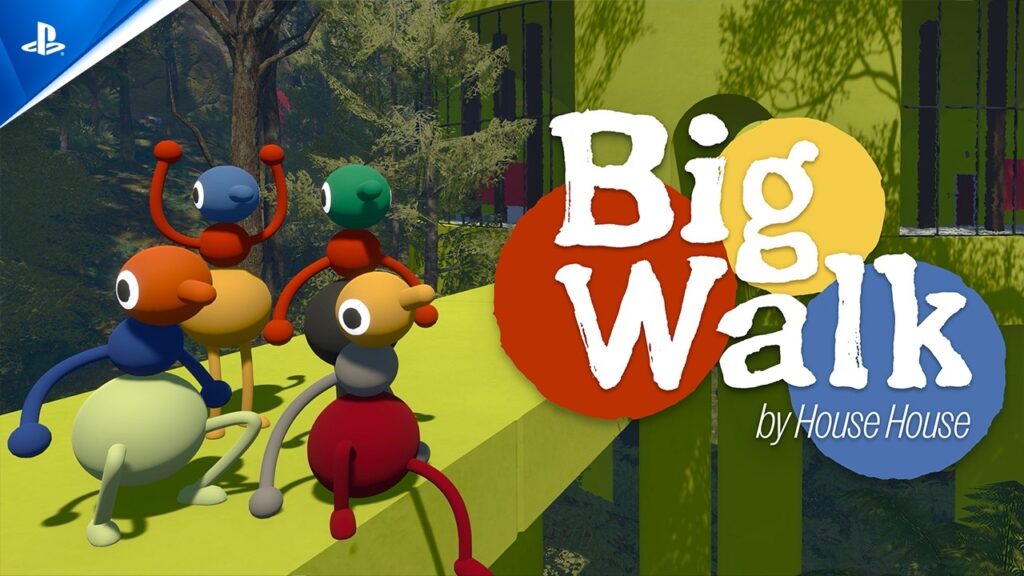
How to Use Proximity Chat and Stay Together in Big Walk
Proximity communication is one of Big Walk’s defining mechanics. House House’s voice system changes according to where players are positioned. Voices become quieter with distance, can echo through enclosed spaces, become muffled through barriers, and sound different when transmitted through devices such as walkie talkies.
These restrictions are intentionally designed as part of the gameplay rather than simply as audio effects. Big Walk also supports in game text communication, which follows many of the same restrictions. Messages can become unreadable over long distances or across barriers that would also block speech, and text interacts with communication equipment such as walkie talkies. This means players who cannot or prefer not to use a microphone can still experience the communication mechanics rather than bypassing them.
The practical lesson is to communicate important information before separating. If you are standing together at a tower and somebody wants to inspect a structure in the distance, agree on the destination and a meeting location while everyone can still hear clearly. Staying together becomes surprisingly difficult once the group reaches open terrain, where one person might spot an interesting building while another climbs a hill or wanders toward a puzzle. Before leaving a landmark, decide where you are going, and when somebody wants to investigate something else, announce it while everyone is still nearby. If the group deliberately splits, establish an obvious rally point such as a colored tower, station, major structure, or another unmistakable landmark.
Players should avoid using Discord or another unrestricted external voice call during normal play if they want the intended experience. House House explains that unlimited external communication removes situations in which players are supposed to improvise after losing contact, while PC Gamer similarly found that puzzles and accidental adventures become less interesting when everyone can communicate globally at all times. Following release, House House also addressed complaints about excessively quiet microphones with an early patch that improved how quieter microphone setups were brought toward the intended voice level while preserving the limited distance at which speech can be heard. The proximity range itself remains an intentional part of the design.
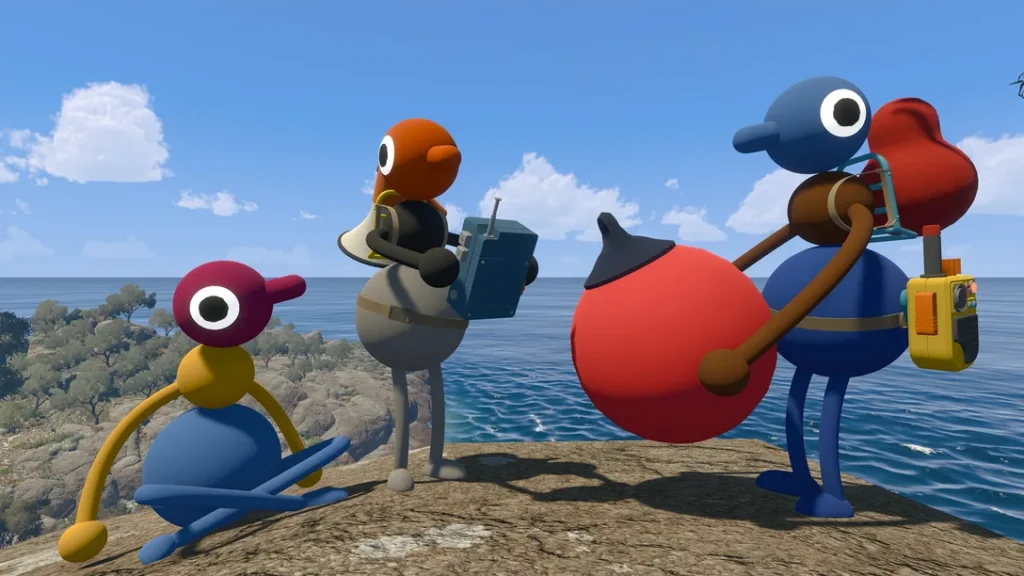
Losing somebody does not mean the session has gone wrong. Big Walk contains numerous communication tools because separation is expected. Walkie talkies can restore long distance voice communication, tower radio equipment can interact with players carrying radios, flares provide conspicuous visual signals, and binoculars can help locate distant teammates or landmarks. Players can also improvise with lights, written signs, and other visible signals.
The map and compass become particularly valuable once the group starts using cardinal directions, since saying you are north of the Red Tower is far more useful than saying you are near some rocks. A shared vocabulary of recognizable landmarks gradually makes navigation easier, and occasional separation, dropped equipment, darkness, and communication failures are all part of the cooperative experience rather than conventional failure states.
Walkie talkies are especially useful once players begin handling puzzles that require them to travel to different locations or remain separated while coordinating actions. Several can be found around the island, with documented early examples including a yellow frame below the Red Tower overlooking the ravine, an area near the red tunnel in that ravine, and another yellow frame on the mountainside toward the island’s central area. The important lesson is knowing when to carry one. If the entire group is traveling together, ordinary proximity chat is usually enough, but communication equipment becomes much more valuable when players split up.
Walkie talkies also interact with the island’s larger communication infrastructure. Radio stations at towers can communicate with players carrying them, while transmitter and receiver stations appear at important locations around the island. This allows one person to remain at a fixed communication point while teammates explore elsewhere. However, a walkie talkie takes up carrying capacity that could otherwise hold a puzzle object, navigation tool, or collectible, so beginners should usually distribute communication equipment across the group rather than making everyone carry identical gear.
Best Navigation, Storage, and Tools for Beginners in Big Walk
One of the most useful early objectives is unlocking access to the map. The portable map and compass are associated with the Map Room near the starting area, but the room is not open from the beginning. Progressing the Red Tower is the key. After completing enough puzzles to place five reward objects into the Red Tower, the Map Room opens near the starting hub. Inside, players can find a large map along with portable navigation equipment, including a foldable map and compass. This is a major reason the Red Tower is such a strong first target, since unlocking reliable navigation early makes much of the later exploration easier.
The portable map works best when combined with recognizable landmarks and the compass. Rather than simply checking where a structure appears on the map, determine which cardinal direction you need to travel and use terrain features to confirm your route. Navigation becomes even more important later because some puzzles explicitly use geographic information, including one documented puzzle that displays coordinates that can be interpreted using the map.
Another navigation device provides more precise positional information. Even if you are not immediately pursuing those puzzles, understanding how the island’s map works prepares the group for discoveries that depend on location rather than obvious paths. Navigation equipment should complement communication rather than replace it, so whoever is navigating should regularly tell the rest of the group where they are heading.
Inventory space is intentionally restrictive at the beginning of Big Walk because characters normally carry objects in their hands, forcing players to decide which equipment is worth bringing. Backpacks and waist or hip bags improve this situation and can be found inside distinctive blue structures scattered around the island. A backpack provides an additional storage position, while a waist or hip bag adds another carrying option and is particularly useful for smaller equipment such as radios. With the right combination, players can carry considerably more useful gear than they could by relying only on their hands.
There is an important catch: characters cannot freely manage everything attached to their own bodies. Another player may be needed to equip or retrieve items stored on your back or waist. Although inconvenient at first, this encourages the group to treat its inventory as a shared resource instead of having everyone operate independently. Before leaving a location, check what everyone is carrying and distribute equipment according to the responsibilities players are likely to have.
Beginners also do not need to carry every interesting tool they discover. The most useful equipment depends on what the group plans to do next. Walkie talkies are a high priority whenever separation is possible, while the portable map and compass are useful for long distance exploration. Binoculars let players inspect distant structures before committing to a lengthy journey, laser pointers provide a quick way to indicate distant objects to nearby teammates, and lanterns and directional lighting tools become particularly valuable after sunset. Flares offer another communication option and can help teammates identify where activity is happening, while whiteboards, writable signs, tower radio stations, lights, and other tools provide alternative ways to communicate when ordinary speech is unavailable.
The best inventory is therefore a balanced one. A four person beginner group does not need four maps, four binoculars, and four identical navigation setups. One player can handle navigation, another can carry communication equipment, another can reserve space for puzzle objects, and another can bring lighting or scouting equipment. Equipment should also change according to the situation because preparing for a distant expedition is different from attempting a puzzle near the starting area. Treat storage space as a shared resource and periodically consider whether the equipment you have been carrying is still useful.
How to Solve Puzzles and Communicate With Your Team in Big Walk
Big Walk’s puzzles vary considerably, but communication is the common mechanism connecting many of them. Some require players to activate objects simultaneously, while others involve sequences, timed movement, object transportation, or exchanging information that different teammates can see or hear. Puzzle components and concepts also reappear in increasingly complicated forms, meaning the communication skills learned early remain useful later. The best beginner strategy is observation before action. When your team reaches a new puzzle, examine the entire structure and identify buttons, symbols, openings, barriers, movable items, unusual colors, sightlines, and anything else that appears intentionally positioned. Many solutions are simpler than they initially appear, and seemingly minor environmental details can matter.
Next, establish what each person can perceive. One teammate may see information another cannot, or one player might have access to a button while somebody else can see the result. Avoid having everyone shout theories at once. Assign one person to describe what they see, another to test an interaction, and the rest to observe the result.
If a theory fails, reset and change one variable instead of randomly pressing everything. You also do not need to immediately search for puzzle solutions unless you genuinely want to remove the discovery element. Big Walk often makes the process of misunderstanding one another more memorable than the answer, particularly when soundproof barriers or other obstacles turn communication itself into part of the puzzle.
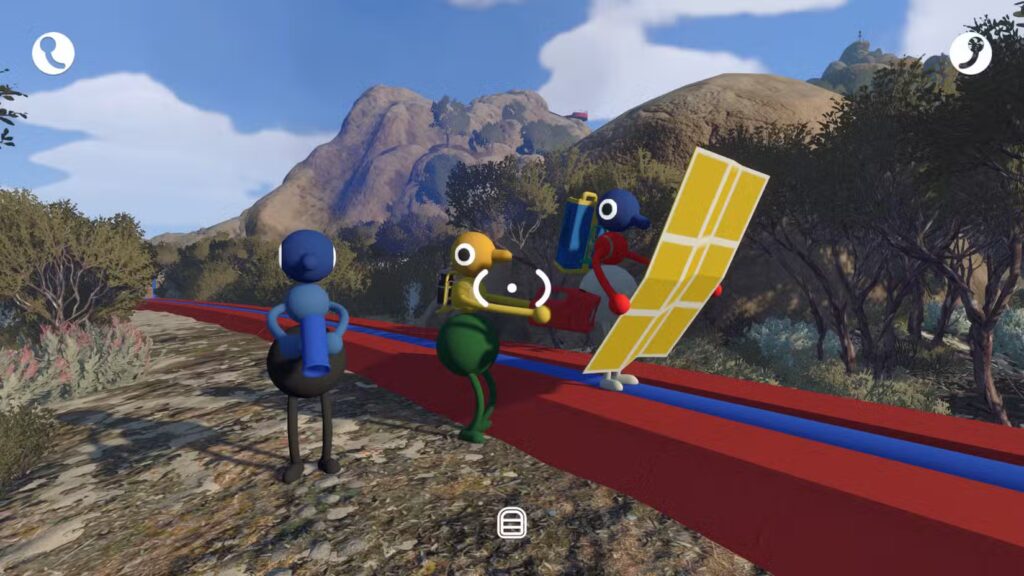
Gestures are especially important because Big Walk gives characters expressive arms as a genuine form of nonverbal communication. Pointing, waving, and other movements allow players to exchange basic information whenever speaking is unavailable. If you are standing on a hill and see a structure worth investigating, point toward it before moving. Waving can attract attention, while repeated or exaggerated arm movements can gradually develop whatever meanings your group assigns to them. There is no need to establish a sophisticated sign language because part of the experience is allowing these meanings to develop naturally.
Beginners can still make communication easier by establishing a few obvious conventions:
- Pointing: Look in that direction.
- Large repeated waves: Pay attention.
- Raising an item: Something relevant has been found.
Beyond these basics, your group can develop its own visual vocabulary. Laser pointers and flashlights can complement body gestures when distance makes arm movements difficult to see, while binoculars may help teammates read distant signals or written messages. The more effectively your group learns to communicate visually, the less helpless you will feel when a puzzle removes normal voice contact.
Best Group Setup, Hosting, Crossplay, and Exploration Tips in Big Walk
Big Walk supports a minimum of two and a maximum of 12 players, with smaller groups providing a more focused cooperative experience and groups approaching the 12 player limit becoming increasingly chaotic. When the host begins a session, the world can be configured for two players, three players, or four or more players, and some challenges adapt to the selected setting.
This choice should be treated more like the minimum number of players expected to participate consistently rather than the maximum number allowed into the session. For complete beginners, three or four players is an especially practical starting point. Although this is not an official requirement, it provides enough people to divide navigation, communication, puzzle interaction, and equipment responsibilities without creating the confusion associated with a very large group.
Two players can still experience the complete cooperative concept and may find communication easier because every action involves only one partner. Larger groups have their own advantages because more people can explore, carry equipment, and notice clues, but they also create more conversations, more opportunities for someone to wander away, and greater competition for everyone’s attention. If your group wants the full 12 player chaos, there is nothing wrong with starting that way, but organization becomes another part of the challenge. For a first session focused on learning the mechanics efficiently, a small or medium sized party is easier to manage.
Hosting is another important consideration because Big Walk uses a host centered save structure. Progress is saved automatically by the host, who effectively becomes the keeper of the group’s world and progression. To continue the same journey later, the same host needs to start the saved game again, and when the host closes the session, the remaining connected players are disconnected. Choose the host carefully, preferably selecting someone who expects to participate in most sessions. If the least available member becomes the host, everyone else could eventually be ready to continue while the saved world remains tied to someone who cannot play.
The Lost and Found area near where sessions begin can help preserve equipment between sessions. Objects being carried when the previous session ends can appear there when the group returns, including bags and items stored on them. Objects that were not preserved this way generally remain recoverable from their original spawn locations. Before the host ends a session, take a moment to organize and pick up unusual equipment you want available quickly next time rather than leaving everything scattered across the island. Hosted sessions can be joined through friend lists or Join Codes, and hosts can also use passwords when they want tighter control over who enters.
Crossplay allows players on PC, Mac, PlayStation 5, and Nintendo Switch 2 to participate together. Friends using the same service may find active sessions through the game’s menus, while groups playing across different platforms can use the host’s Join Code. Players also need compatible game versions. A Big Walk version number contains three components, and the first two must match for players to connect successfully, so checking versions is worthwhile if someone suddenly cannot join after an update.
Crossplay does not change the host save system, meaning players can join from different supported platforms while the host remains responsible for the world’s saved progression. There is also no public matchmaking system designed to fill empty spaces with strangers, so players are expected to organize their own groups. For beginners, a simple routine is to choose the long term host first, start the session, privately share the Join Code, confirm everyone has joined, and then begin meaningful progression.
Once your group begins exploring, avoid assuming that the obvious path is the only worthwhile route. The colored towers provide useful large scale goals after the introductory sequence, but the areas between them contain puzzles, equipment, communication devices, transportation systems, unusual structures, and other discoveries.
Use elevation whenever possible, since towers, hills, platforms, and transportation routes can provide a clearer view of the island. The train and ski lift are useful for movement but can also reveal landmarks that are difficult to notice while walking at ground level. Binoculars are particularly useful for scouting because you can inspect a distant area from a high point before committing the entire group to a long journey, then compare what you see with the portable map.
Pay attention to repeated visual language as you explore. Colored structures, unusual frames, towers, communication equipment, and recognizable architectural shapes can gradually become informal map markers. It is also worth revisiting areas after unlocking new equipment because some discoveries make more sense once you possess additional navigation or communication tools. Coordinate based puzzles are one example, since numbers discovered early may become meaningful only after obtaining the portable map or a later GPS style device. Above all, investigate things that look deliberately strange. Big Walk rewards curiosity, and a structure does not need an objective marker hanging over it to be relevant.
Frequently Asked Questions[FAQ]
- Do you need to complete every puzzle to finish Big Walk?
No. You do not have to solve every optional puzzle or discover every secret to reach the ending. However, you will still need to complete almost all of the major puzzle progression because it unlocks the important systems and areas required to finish the game. Optional puzzles remain worthwhile for players who want additional exploration, rewards, or a more complete experience. for groups that want to explore everything the island offers. - Can you play Big Walk alone?
Big Walk does not have a proper single player campaign. You can enter the world alone and explore the island, experiment with mechanics, or learn the controls, but meaningful progression is designed around cooperative multiplayer. Most puzzles and objectives require teamwork, so at least two players are needed to experience the game as intended. - How many players can play Big Walk together?
Big Walk supports between two and 12 players in the same session. When creating a world, the host can choose challenge settings designed for two player, three player, or four plus player groups. These settings adjust certain puzzle requirements but do not act as a hard limit on how many players can join the session. - What is the best number of players for beginners in Big Walk?
House House does not specify an official ideal party size. Smaller groups are generally easier to coordinate, while sessions with close to 12 players can become much more chaotic because of the communication focused gameplay. For most new players, a group of three or four offers a good balance by allowing responsibilities to be shared without making teamwork difficult. - Does Big Walk have crossplay?
Yes. Big Walk supports crossplay across all of its supported platforms, including Windows, Mac, PlayStation 5, and Nintendo Switch 2. Friends can join the same game regardless of platform by using the host’s Join Code, making it easy for mixed platform groups to play together. - How does saving work in Big Walk?
Progress is saved automatically by the host rather than by each individual player. The host’s world stores the group’s overall progression, so that same person must load the save when everyone wants to continue. If the host leaves or ends the session, the other players are disconnected and must rejoin when the host starts the world again. - Should you use Discord while playing Big Walk?
You can use Discord or another voice app if you want, but it changes how the game is meant to be experienced. Big Walk is designed around its built in voice and text communication, where distance and obstacles affect how players communicate. Using an external call removes much of that intended challenge and puzzle solving experience. - Where do you get the map and compass in Big Walk?
The portable map and compass are found inside the Map Room near the starting hub. To unlock the room, you must progress through the Red Tower by collecting enough puzzle rewards to fill its five reward slots. Once the room opens, you can use the large map for planning and pick up the portable map and compass for navigation while exploring the island. - Where can beginners find backpacks and hip bags in Big Walk?
Backpacks and hip or waist bags are commonly found inside the distinctive blue structures scattered across the island. These storage items let you carry more equipment during exploration, although some interactions, such as attaching a backpack or retrieving an item from another player’s storage, may require help from a teammate. - What happens if you lose an item in Big Walk?
Losing an item does not usually mean it is gone forever. Many objects eventually return to their original locations, making them possible to recover later. In addition, items that players are carrying when the session ends can appear at the Lost and Found near the starting area when the world is loaded again. This system also helps preserve backpacks, belts, and the items stored inside them when they are being carried at the end of a session.

Conclusion
Big Walk is easiest to understand when you stop treating communication problems as inconveniences and start treating them as gameplay. Proximity voice chat, walkie-talkies, gestures, backpacks, maps, compass navigation, limited inventory space, host-based saving, and adaptive multiplayer challenges all push players toward the same idea: your friends are part of your toolkit.
The strongest first-session strategy is to learn those systems gradually. Stay relatively close during the opening puzzles, begin developing recognizable signals, investigate useful equipment, work toward the Red Tower, unlock better navigation options, and only then become more adventurous about splitting into scouting groups.
Do not worry when somebody gets lost, drops the binoculars, misunderstands a gesture, or leads everybody toward the wrong mountain. Big Walk deliberately leaves room for those situations. PC Gamer found that the cooperative failures were often as enjoyable as the solutions because there are no traditional enemies or severe fail states constantly punishing experimentation.
For players searching for 11 beginner’s tips to help you trek along in Big Walk, the central lesson is therefore simple: communicate before separating, prepare before exploring, share your equipment, and allow the island to surprise you. Learning how your particular group works together is ultimately more important than memorizing every puzzle solution.
Sources and Citation
- House House’s official Big Walk Frequently Asked QuestionsThis is the primary source for multiplayer structure. House House confirms that Big Walk supports 2 to 12 players, with the host selecting a 2-player, 3-player, or 4+ version of the world and some challenges adapting accordingly. The setting affects challenge configuration rather than imposing a hard player cap. Big Walk
Citation: House House: Big Walk Frequently Asked Questions - House House FAQ: hosting, saving, Join Codes, and passwordsThe official FAQ states that the host owns the save and all campaign progress, with progress saving automatically. The same host generally needs to start future sessions to continue that world. Friends can join through their platform friends list or via a unique Join Code, and hosts can add or change a session password to control access. Big Walk
Citation: House House: Big Walk Multiplayer and Hosting FAQ - House House FAQ: accessibility and communication restrictionsHouse House documents challenge skipping, full control rebinding, crosshair options, Hold/Toggle settings, adjustable FOV on PC and Mac, and Motion Reduction overlays. It also confirms that text chat follows the same deliberate distance and obstruction restrictions as voice chat. The developers explicitly discourage external voice services because communication limitations form part of the puzzle design. Big Walk
Citation: House House: Big Walk Accessibility and In-Game Chat FAQ - House House’s official Big Walk press kitThe press kit describes Big Walk as a cooperative online “walker-talker” set in a wide-open world filled with challenges, puzzles, and discoveries. It documents proximity voice chat, gestures, walkie-talkies, laser pointers, binoculars, megaphones, flares, flexible 2-to-12-player support, cross-platform play, and its handcrafted start-to-finish cooperative adventure structure. Big Walk
Citation: House House: Big Walk Press Kit - Official Big Walk Steam listingSteam corroborates the August 4, 2026 release, House House as developer, Panic as publisher, online co-op, cross-platform multiplayer, proximity voice behavior, tools and toys, gestures, the 2-to-12-player range, and the handcrafted cooperative campaign. It also provides the current Windows and macOS requirements. Steam Store
Citation: Steam: Big Walk - GameSpot’s “8 Big Walk Tips You Should Know Before You Play,” August 4, 2026Mark Delaney’s guide recommends prioritizing the Red Tower, explaining that completing five nearby puzzle rewards unlocks an especially useful progression reward. It also identifies the distinctive blue structures containing backpacks or belts and explains that these increase carrying capacity. The guide discusses the Lost and Found system for items left behind between sessions, along with broader navigation, communication, transport, and puzzle-solving advice. GameSpot
Citation: GameSpot: 8 Big Walk Tips You Should Know Before You Play - PC Gamer’s Big Walk reviewPC Gamer’s review highlights how restrictive carrying capacity, proximity-based communication, gestures, darkness, and puzzle separation force players to cooperate rather than solve everything independently. It also emphasizes that the group gradually develops its own shared shorthand and communication habits as the campaign progresses. PC Gamer
Citation: PC Gamer: Big Walk Review - PC Gamer’s broader Big Walk feature coverageTyler Wilde’s feature describes Big Walk as supporting up to 12 players, while noting that three or four players may be a particularly practical group size. It also explains how proximity chat and environmental barriers can completely remove spoken communication, forcing groups to rely on gestures and other methods. PC Gamer
Citation: PC Gamer: Big Walk Is a New Co-Op Puzzle Game Classic - PC Gamer on why external Discord-style voice chat undermines the designChristopher Livingston argues from firsthand play that unrestricted external voice chat bypasses one of Big Walk’s central mechanics. His coverage describes proximity range, soundproof separation, gestures, coordinated puzzle roles, and how puzzles dynamically scale with different group sizes. This supports explaining why the article recommends using the game’s communication systems rather than a persistent outside voice channel. PC Gamer
Citation: PC Gamer: Communication Is the Biggest Puzzle Piece in Big Walk - PC Gamer’s 4166 and 1899 number-puzzle guideThis guide confirms that the numbers 4166 and 1899 are coordinates. It explains that players initially cannot solve the puzzle, should return after completing five puzzles and the Red Tower, and can then use either the newly unlocked map or the later coordinate-reading device. Completing five Red Tower rewards opens the Map Room, which contains a large map plus a portable map and compass. The guide also explains how the later GPS-style device can be attached to another player’s backpack and used collaboratively. PC Gamer
Citation: PC Gamer: Big Walk Number Puzzle 4166 and 1899 Guide - PC Gamer’s post-launch voice-volume coverage, August 7, 2026PC Gamer reports that House House released an update making quiet voices louder overall after complaints from players with quieter microphone setups. Importantly, the update did not expand proximity-chat range, because House House considered limited hearing distance an intentional part of the game’s design. PC Gamer
Citation: PC Gamer: Big Walk Patch Addresses Voice Volume Complaints - GamesRadar’s Big Walk crossplay guideGamesRadar confirms crossplay between supported systems and explains the practical joining process. Same-platform friends can appear automatically through the platform friends list, while people playing across different systems can connect through the host’s Join Code. It also reiterates that Big Walk does not use couch co-op as its intended communication design relies on physically separated players. GamesRadar+
Citation: GamesRadar: Does Big Walk Have Crossplay? - Screen Hype’s Big Walk item-reference guidesScreen Hype’s guide collection includes dedicated references for all items, backpacks and hip bags, maps and compasses, radios, tower progression, and other exploration equipment. Its backpack guide explains that blue structures around the island contain backpacks and hip bags, while its map guide details the Map Room and portable navigation equipment. Steam Community
Citation: Screen Hype: All Items and How to Use Them in Big Walk
Citation: Screen Hype: Where to Get a Backpack or Bag in Big Walk
Citation: Screen Hype: Where to Find a Map and Compass in Big Walk - GAMES.GG’s Big Walk tools guideGAMES.GG documents the restrictive inventory system, noting that players normally carry one item at a time. A waist bag adds a slot for smaller objects, while a backpack adds a full additional item slot. The guide also covers walkie-talkies, flares, navigation equipment, binoculars, maps, communication gear, and the practical value of distributing different equipment among teammates rather than having everyone carry the same tools. GAMES.GG
Citation: GAMES.GG: Big Walk Guide – All Tools and How to Use Them
Recommendations
- Echoes of Aincrad Crafting Guide: Recipes, Materials and Unlock Requirements
- Did Christopher Nolan’s Depiction of the Gods Pay Off in The Odyssey?
- Castlevania: Belmont’s Curse Runs at Only 30 FPS on Nintendo Switch
- EA Sports College Football 27 Preview: Defense Wins Championships
- Jurassic World Evolution 2 Complete Edition Comes to Nintendo Switch 2 on July 30, 2026
- Unity-Based Tool for JRPG Game Development: RetroGig’s Retro JRPG Template for SNES/PSX-Style RPG Systems
- Keanu Reeves & China Miéville BRZRKR: Light Draws Breath — Release Date, Story, Creative Team & Variant Covers
- CD Projekt Raises Profit Goals with Witcher 4, 5, and 6 Coming: 5 Billion PLN Target Explained
- Creepshow Official Announcement Trailer Reveals a New Anthology Horror Game Experience
- GTA 6 Leans Into Vice City’s Influencer Hustle Where Looks Matter



































































































