






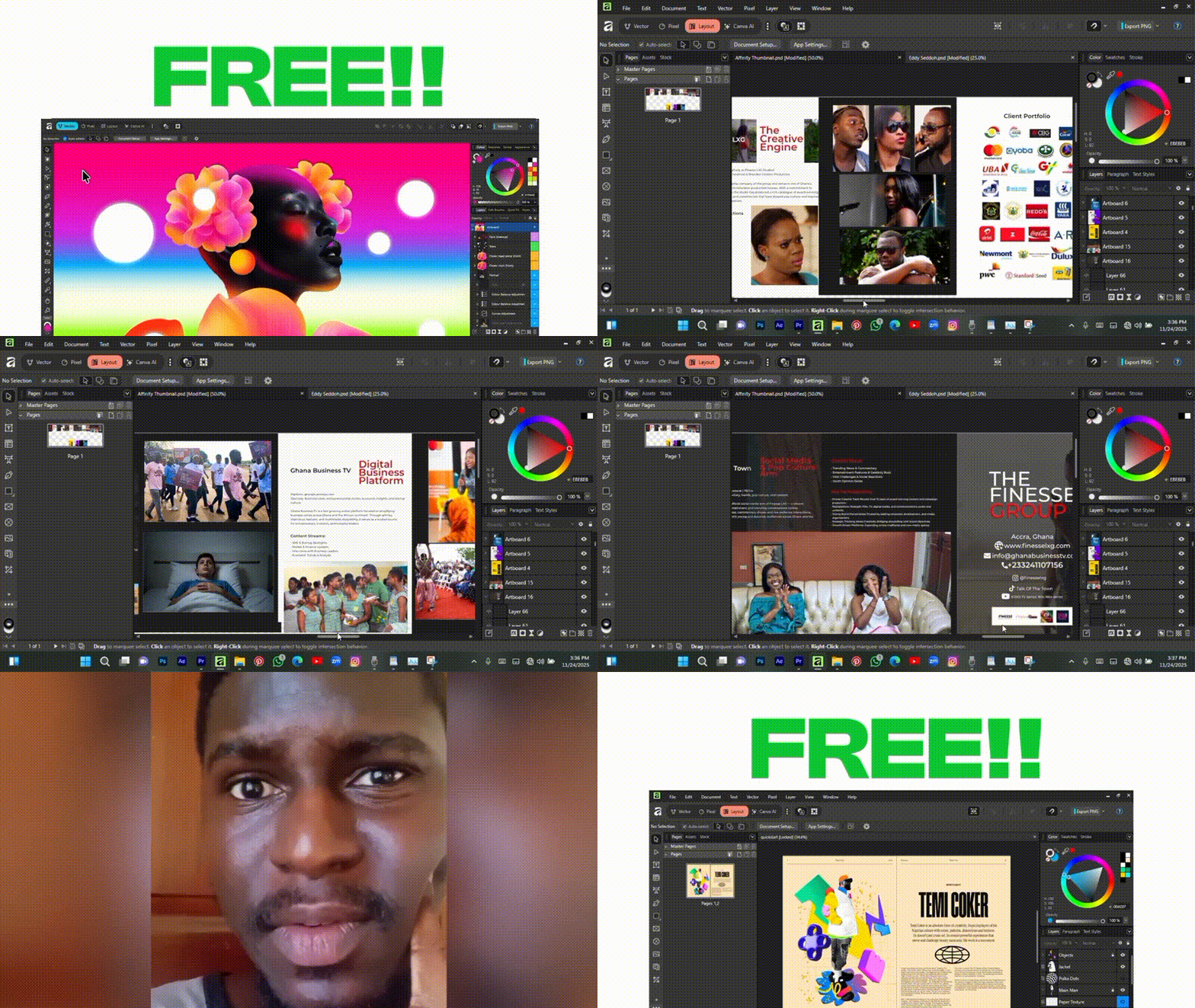
Canva has rolled out the first major update to its Affinity by Canva design software in March 2026, marking version 3.1 of the application. Affinity by Canva, which unifies professional photo editing, vector illustration, and page layout tools, was launched as a completely free app in late 2025. This latest update brings a host of new features, improvements, and bug fixes that both beginners and seasoned designers will appreciate.
In this comprehensive guide, we’ll explore what’s new in Affinity 3.1, how it changes the design workflow, whether it remains free, how it stacks up against Adobe’s tools, and much more. Read on for a deep dive into Canva’s Affinity 3.1 update, including answers to frequently asked questions and an outlook on the future of Affinity under Canva’s wing.
Canva Affinity March 2026 update: what’s new in version 3.1
The March 2026 update (version 3.1) is the first major release since Affinity became free. It introduces features across the Vector, Pixel, and Layout studios to improve compositing, retouching, and vector workflows. Key updates include:
- Live Tone Blend Group: Automatically matches the color and tone of layered objects to a background for realistic compositing.
- Tone Brush Tool: A non-destructive brush for dodge and burn adjustments that creates effects on separate layers.
- Convert Selection to Curves: Turns pixel marquee selections or masks into editable vector paths.
- New Light UI Theme and Accent Colors: Adds a light mode interface and customizable accent colors for active elements.
- RAW Develop Presets & Tone Curves: Provides tone curve presets like Natural and High Contrast for RAW image processing.
- Object Captions for Layouts: Adds linked, auto-numbering figure captions that can pull metadata from images.
- Right-Click Brush Settings: Allows on-canvas adjustment of brush parameters to speed up painting workflows.
- New Glitch Effects: Includes updated filters such as Data Block glitch effects.
- User Interface and Workflow Tweaks: Features customizable document tabs, non-destructive toggle for filters, and SVG as the default clipboard format for copied objects.
- Stability and Performance Fixes: Addresses crash scenarios related to PDF exports, page duplication, and large data merges on Windows and macOS.
What changed in Canva’s first major Affinity software update
The update introduces interface flexibility by adding a light UI option and customizable accent colors. Branding has shifted, with splash screens now labeled “Affinity March ’26,” suggesting a date-based naming convention.
Workflow integration has been strengthened, allowing users to convert pixel selections directly into vector curves. The release reinforces Canva’s commitment to a free model, providing all new 3.1 features at no cost, unlike the previous paid upgrade model under Serif. Additionally, the Home Screen is now fully customizable and accessible via the File menu.

Is Affinity by Canva still free after the latest update
Affinity remains “free, forever” with the 3.1 update. There are no changes to the pricing structure for the core application or its professional tools.
While the base software is free, specific AI-powered features (like Generative Fill or Background Removal) require a Canva Pro or premium account login to access. These cloud-based AI tools are optional; all traditional design, editing, and layout tools remain free and fully functional offline.
New features in Affinity 3.1 explained for beginners and professionals
- Live Tone Blend Group: Simplifies realistic compositing by harmonizing foreground and background lighting automatically.
- Tone Brush: Offers intuitive exposure and color painting. It uses modes like Dodge, Burn, Blend, and Inverse Blend while maintaining non-destructive adjustment layers.
- Convert Pixel Selection to Vector Curve: Bridges the gap between pixel and vector work, allowing users to create precise vector masks or shapes from selections without manual pen tool tracing.
- Light vs Dark UI & Accent Colors: Improves user comfort and reduces eye strain by allowing the interface to be tailored to the work environment.
- Object Captions and Metadata Integration: Automates figure labeling for documents, which is useful for both school reports and professional publication layouts.
- Brush Usage Improvements: The right-click context menu keeps the user’s focus on the canvas, increasing speed for illustrators and retouchers.
- Miscellaneous Fixes: Improved path brush previews and SVG clipboard defaults ensure sharper graphics when pasting into other applications.
Canva Affinity update bug fixes and performance improvements
The 3.1 update addresses several stability and functionality issues:
- Stability Fixes: Resolved crashes related to PDF exports, master page additions, and data merges with large CSV files.
- Workflow and Functionality Fixes: Fixed path brush transparency previews, linked image glitches, and gradient resizing issues.
- Cross-platform Consistency: Addressed specific bugs unique to macOS and Windows to ensure a uniform experience.
- Performance: The software remains optimized for GPU hardware acceleration, maintaining fast pan/zoom and real-time edits. Specific slowdowns during data merge tasks were also addressed.
Does the new Affinity update include AI tools and Canva integrations
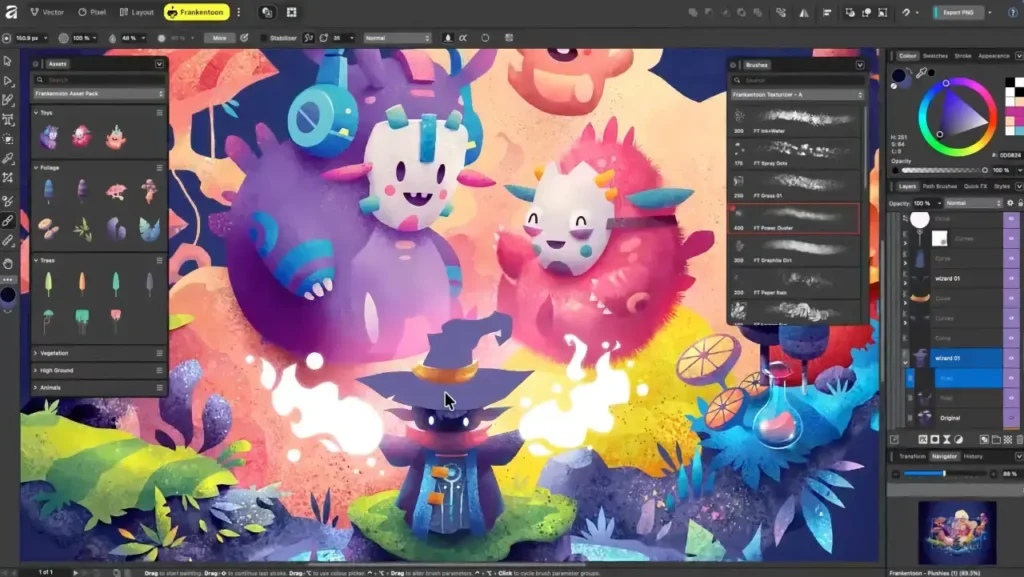
Affinity 3.1 continues to offer the AI tools introduced at launch rather than adding new ones. These tools are accessible via the Canva AI Studio and require a premium account:
- Generative Fill: Creates new content based on selections.
- Magic Edit/Expand: Extends image borders or edits parts of an image via prompts.
- Background Removal: One-click isolation of subjects.
- AI Portrait Retouching: Automates skin smoothing and lighting adjustments.
The update maintains privacy safeguards regarding user data and AI training. Integration features allow users to export Affinity designs directly to the Canva web platform for cloud collaboration, asset sharing, and printing services.
How Canva’s free Affinity software compares to Adobe after the update
- Features and Tools: Affinity 3.1 closes the gap with Adobe by adding features comparable to Photoshop’s adjustment layers and InDesign’s captioning. Its “all-in-one” studio approach allows for smoother transitions between pixel and vector work compared to Adobe’s separate app model.
- Price: Affinity is free, providing a significant financial advantage over Adobe’s monthly subscription model.
- Integration and Ecosystem: While Adobe has a broader suite (including video and 3D), Affinity integrates with the Canva ecosystem for templates and cloud collaboration. Affinity supports opening PSD, AI, and IDML files, though it cannot save natively in Adobe formats.
- Performance and User Experience: Affinity is generally more lightweight and faster on older hardware. The unified app structure reduces the need for “app-switching.”
- Adoption and Community: Adobe remains the industry standard, but the free availability of Affinity 3.1 is expected to increase adoption among freelancers, students, and small businesses, putting competitive pressure on Adobe’s market dominance.
Why Canva made Affinity free and what the update means for users
Canva made Affinity free to further its mission of empowering everyone to design by removing the cost barriers associated with professional-grade software. This strategic move aims to:
- Expand Canva’s user base by attracting professional designers and power users who previously viewed Canva as a basic tool.
- Disrupt Adobe’s subscription-based dominance by offering a high-end alternative without recurring fees.
- Utilize a “freemium” model where the professional software is free, but users may optionally pay for Canva Pro AI or enterprise features.
- Build long-term user loyalty and a “halo effect” where Affinity users also engage with other Canva services like printing or web editing.
For users, the 3.1 update signifies that the free model is sustainable and that Canva is committed to active development. The transition has preserved the original Serif development team while providing them with more resources to implement user-requested features like light mode and advanced layout tools.
Affinity Pixel, Vector, and Layout tools: what’s improved in 2026
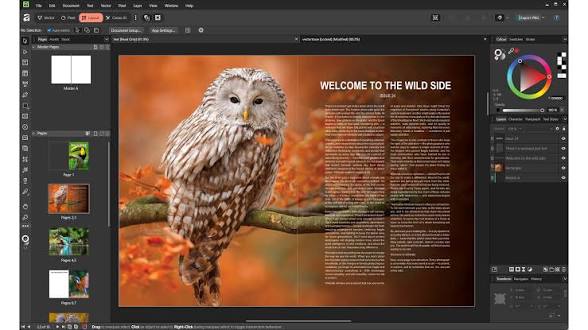
The 3.1 update enhances the unified “three-in-one” studio experience with specific improvements in each persona:
- Pixel (Photo Editing): Introduces the Tone Brush for non-destructive adjustments, Live Tone Blend Groups for seamless compositing, and a right-click menu for brush settings. The Develop persona now supports more camera models and offers tone curve presets.
- Vector (Illustration): Features the “Convert Selection to Curves” tool to bridge raster and vector workflows. The Pen tool includes new efficiencies like sharp-corner toggles and “rubber band” previews. Stroke, swatch handling, and SVG export defaults have also been improved.
- Layout (Publishing): Adds Object Captions that support auto-numbering and metadata integration. Stability fixes have improved the handling of footnotes, endnotes, and master pages in large documents.
- Integration and Customization: Users can now create and share custom Studio presets that mix tools from all three personas. The interface is more flexible, allowing for specific workspace arrangements that can be saved and swapped.
Can you use Affinity without Canva Pro after the update
Affinity remains a fully functional, professional-grade desktop application that does not require a paid subscription.
- Free Features: All core design, photo editing, and layout tools are free with no watermarks or restricted exports.
- Canva Pro Requirements: A paid subscription is only necessary for cloud-based “Canva AI” features (such as Generative Fill) and premium stock content.
- Offline Capability: The software runs locally and is fully usable offline, except for features that rely on Canva’s servers.
- Account Setup: While a free Canva account is required for activation, there is no obligation to upgrade to a paid tier.
Is Affinity 3.1 worth using in 2026 for professional design work
Affinity 3.1 is a production-ready tool suitable for various professional contexts:
- Technical Standards: It supports 16-bit color, CMYK, spot colors, and print-ready PDF/X output.
- Freelance and Small Studios: It eliminates software licensing costs while providing nearly all functionality found in industry-standard competitors.
- Performance: The engine is optimized for high-resolution images and complex vector artwork, often outperforming other software on moderate hardware.
- Broad Adoption: It is increasingly used in agencies, government, and media for everything from branding to multi-page publication layouts.
- Career Value: As its popularity grows, proficiency in Affinity is becoming a recognized professional skill alongside traditional Adobe tools.

Canva vs Adobe Creative Cloud: impact of the free Affinity update
The availability of a free, high-end Affinity suite is shifting the industry landscape in several ways:
- Market Democratization: It challenges the subscription model and forces Adobe to compete on value and innovation rather than market capture.
- Feature Competition: Both platforms are racing to integrate AI and refine core tools, which benefits the end-user through more frequent and powerful updates.
- Industry Standards: As more designers use Affinity, its file formats and workflows are becoming more widely accepted by printers and employers.
- Ecosystem Rivalry: Adobe maintains an advantage in specialized areas like 3D and video editing, while Canva offers a more cohesive transition from casual web design to professional creation.
- User Empowerment: The competition provides creators with more choices and fewer financial constraints, regardless of whether they choose to stay with Adobe or move to the Canva/Affinity ecosystem.
Future of Affinity under Canva: updates, roadmap, and expectations
Canva is committed to providing regular, free updates for Affinity, moving away from major paid version leaps to a model of continuous improvement. The 3.1 update, branded as “Affinity March ’26,” suggests a semi-annual release pattern. Future updates are expected to focus on the following areas:
- Upcoming Features: Development is expected to address community requests such as mesh warp/distort tools for vectors, advanced prepress features, perspective grids, and enhanced table tools in the Layout persona.
- Deeper Canva Integration: Roadmap goals include the ability to seamlessly open and edit Canva designs within Affinity and vice versa, creating a unified workflow between the two platforms.
- AI Enhancements: More AI-driven tools like intelligent design suggestions, layout generators, and vector tracing are expected. Some AI features may eventually run locally on-device to benefit free users.
- Collaborative and Cloud Features: Canva may introduce real-time collaboration, cloud saving, and versioning, allowing multiple users to work on the same Affinity project.
- Mobile Platforms: A unified Affinity app for iPad is a priority for 2026. While a full web version is ambitious, some Affinity technology may be integrated into Canva’s web interface for advanced editing.
- Expanding Toolset: There is potential for Affinity to expand into adjacent domains such as UX/UI design (competing with Figma), simple animation, or 3D/AR integration.
- Brand and Identity: Affinity will remain a distinct professional brand under the leadership of CEO Ash Hewson, supported by Canva’s resources.
- Long-term Strategy: Canva aims to increase adoption in education and enterprise sectors. A marketplace for Affinity-specific templates, brushes, and assets may also be developed to support the “free forever” core software model.

Frequently Asked Questions (FAQs)
- What is Affinity by Canva?
It is a professional-grade design application that integrates photo editing, vector graphic design, and page layout into a single free software. Acquired from Serif by Canva, it serves as a high-end alternative to Adobe’s creative suite. - Is Affinity by Canva a replacement for Affinity Photo, Designer, and Publisher?
Yes. It replaces the separate apps with one unified application containing three “studios” (Pixel, Vector, and Layout). It is fully compatible with files created in previous versions of the Affinity suite. - Is Affinity by Canva really free? What’s the catch?
It is completely free for the full professional experience. The only “catch” is that certain optional cloud-based AI tools and premium stock content require a paid Canva Pro subscription. Core functionality remains free forever. - Do I need an internet connection to use Affinity by Canva?
Only for initial download, activation, and using cloud-specific features like Canva AI or direct export to Canva. All core design and editing work is performed locally on your computer and works offline. - Can Affinity open or export Adobe files like Photoshop PSD, Illustrator AI, or InDesign files?
Affinity offers strong compatibility. It can open and export layered PSD files, import AI files (via PDF compatibility), and import InDesign IDML files. While it cannot save natively in .ai or .indd formats, it uses standard interchange formats like PDF, SVG, and EPS. - Is Affinity by Canva available on iPad or other mobile devices?
An iPad version is currently in development for release in 2026. There are no current plans for a full Android or iPhone version, though Canva’s standard mobile app remains available. - How is Affinity different from Canva’s online design tool?
Canva’s web tool is template-driven and designed for quick, collaborative, and simple graphics. Affinity is a deep, professional desktop application for custom, high-precision design work, offering full control over vectors, layers, and CMYK print management. - What is PixelHair and how can 3D artists benefit from it?
PixelHair is an independent collection of 3D hair assets created by Yelzkizi for Blender and Unreal Engine. It allows artists to apply professional-quality hair grooms to characters without modeling individual strands from scratch. - What is The View Keeper add-on in Blender?
It is a Blender plugin by Yelzkizi that streamlines camera management. It allows users to store unlimited views in a single camera, switch between them with one click, apply unique render settings per view, and perform batch rendering. - Will future Affinity updates also be free?
Yes. Canva has pledged that all future feature updates and improvements to the Affinity app will remain free for all users.
Conclusion
The release of Affinity 3.1 demonstrates that professional-grade creative tools can be accessible without financial barriers. This update introduced significant enhancements like Live Tone Blend Groups and Tone Brush adjustments while maintaining a “free for everyone” model. For designers, this means access to cutting-edge tools that foster creative freedom, efficiency, and flexibility.
Affinity is shifting the industry’s competitive balance by offering a viable, high-performance alternative to subscription-based models. Canva’s stewardship suggests a future where the distinction between casual and professional design software blurs, providing a continuum of tools for every skill level. By listening to user feedback and rapidly deploying updates, Canva has positioned Affinity as a cornerstone of the modern design landscape, promising a future of continuous innovation and democratized creativity.

Sources and Citations
- Canva Newsroom — “Introducing the all-new Affinity: Professional design, now free for everyone”
https://www.canva.com/newsroom/news/all-new-affinity/ - Affinity / Canva integrations — official Canva AI Studio and Export to Canva details
https://www.affinity.studio/canva-integrations - CG Channel — “Canva releases first major update to its free Affinity software”
https://www.cgchannel.com/2026/03/canva-releases-first-major-update-to-its-free-affinity-software/ - Scrapbook Campus — “Affinity 3.1 Update: Useful New Features Explained”
https://scrapbookcampus.com/2026/03/affinity-3-1-new-features/ - Scrapbook Campus — Affinity 3.1 improvements, path brush fixes, document tab info, and bug reporting guidance
https://scrapbookcampus.com/2026/03/affinity-3-1-new-features/ - Reddit — “Affinity March 2026 Release Notes”
https://www.reddit.com/r/Affinity/comments/1rv3ieh/affinity_march_2026_release_notes/ - TechRadar — “Affinity says its new Adobe-rivaling creative app is ‘free forever’ – here’s how that really works”
https://www.techradar.com/computing/affinity-says-its-new-adobe-rivaling-creative-app-is-free-forever-heres-how-that-really-works - Beyond Photo Tips — “2025 Affinity System Requirements v3”
https://www.beyondphototips.com/affinity-system-requirements-3-0/ - Jitendra.co Blog — “Affinity Offers Free Canva Access For Pro Design Tools”
https://www.jitendra.co/free-canva - Superhive — “The View Keeper” camera-management add-on page
https://superhivemarket.com/products/the-view-keeper - Blender Artists — “Pixelhair for blender”
https://blenderartists.org/t/pixelhair-for-blender/1473269 - LinkedIn — Jacob Cass post on Affinity going free under Canva
https://www.linkedin.com/posts/jacobcass_adobe-affinity-activity-7391000206764462080-K7s8 - LinkedIn — Samuel Gregory post referenced in that discussion
https://www.linkedin.com/posts/samgregorydigital_adobe-should-be-very-very-worried-the-activity-7392493560098439168-QiG1 - Facebook group post matching the quoted integrated-workflow excerpt
https://www.facebook.com/groups/212002755509134/posts/34743455288603773/ - Yelzkizi.org — geometry-nodes hair article with the PixelHair future-plans mention
https://yelzkizi.org/blender-roll-hair-curves-geometry-node/ - Canva Newsroom — Affinity iPad availability and future vision (same source page as the launch announcement)
https://www.canva.com/newsroom/news/all-new-affinity/ - CG Channel — free-updates commitment / March 2026 Affinity update page
https://www.cgchannel.com/2026/03/canva-releases-first-major-update-to-its-free-affinity-software/ - TechRadar — no-paywall-except-AI context (same article)
https://www.techradar.com/computing/affinity-says-its-new-adobe-rivaling-creative-app-is-free-forever-heres-how-that-really-works - Canva Newsroom — “no catch, no gotchas” / full-tools-open-to-all context (same launch article)
https://www.canva.com/newsroom/news/all-new-affinity/ - Reddit — UI accent color and March 2026 release-note details (same Reddit thread)
https://www.reddit.com/r/Affinity/comments/1rv3ieh/affinity_march_2026_release_notes/ - Scrapbook Campus — user-feedback-driven changes, including Light UI (same article)
https://scrapbookcampus.com/2026/03/affinity-3-1-new-features/
Recommended
- Netflix On Why It Gave Up On Buying Warner Bros: The Real Reasons the Deal Collapsed
- Marvel’s Wolverine Preorders Still Waiting on Insomniac’s Next Gameplay Reveal as PS5 Release Approaches
- Is Arcane 3D Animated? Unveiling the Secrets Behind Its Revolutionary Style
- Optimizing Blender Animations with Multiple Cameras Using The View Keeper
- How do I create a circular camera animation in Blender?
- What Is the Purpose of the Camera View in Blender?
- Secrets to Blender Photorealism: How to Make Your Renders Look Real
- How to Create Realistic Hair Clumping in Blender: A Step-by-Step Guide
- Musgrave Texture Removed in Blender 4.1 – Workarounds and Alternatives
- How to Make Hair in Blender























































































