









In This Article (9 sections)
Epic Games Store on IPhone in Japan: What it Means and How to Install It
The launch of the Epic Games Store on iPhone devices in Japan marks a major shift in mobile app distribution. For the first time, eligible iOS users in Japan can access an alternative app marketplace outside Apple’s traditional App Store ecosystem. This development follows growing regulatory pressure and evolving legislation aimed at increasing competition in mobile software distribution, giving users more choice in how they discover, download, and manage apps on their devices.
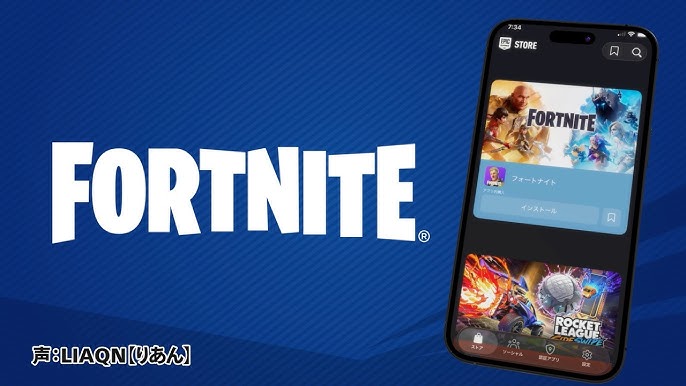
For users, the change means they no longer have to rely only on Apple’s App Store to access certain games and content. Eligible iPhone owners in Japan can install Epic’s marketplace directly and use Epic’s own platform to access supported titles. One of the biggest highlights is the return of flagship titles like Fortnite to iPhone users in Japan, giving players a new way to access Epic’s games on iOS after years of disputes between Epic and Apple.
The debut also has important implications for developers. By distributing apps through an alternative marketplace, developers may be able to avoid some of Apple’s traditional App Store commission structures and gain more control over pricing, updates, promotions, and customer relationships. This could encourage stronger competition among app stores and potentially lead to more flexible options for consumers. The launch is therefore more than the arrival of another app store on iPhone. It reflects a broader change in how mobile platforms are regulated, how developers distribute apps, and how much control users have over their devices.
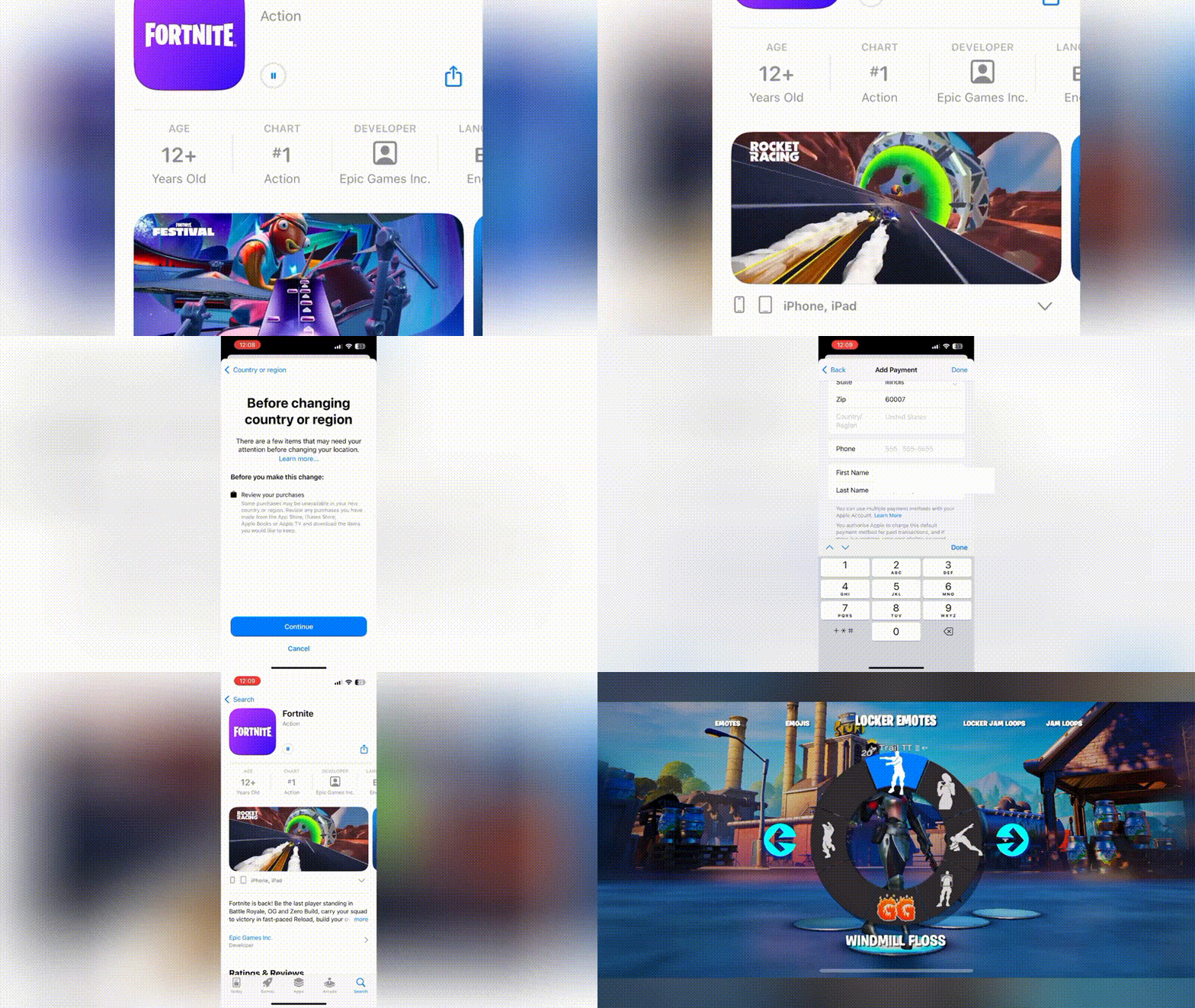
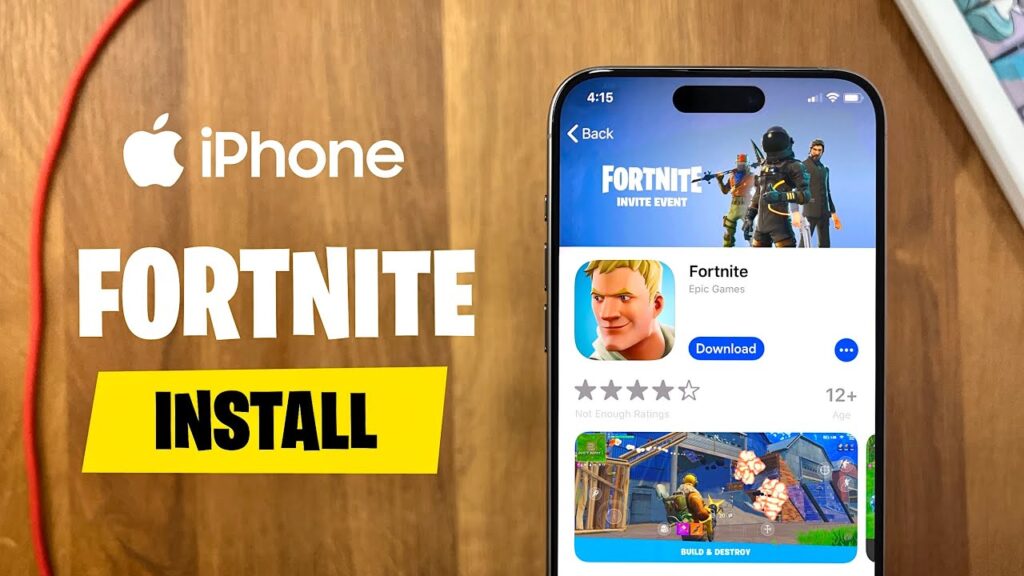
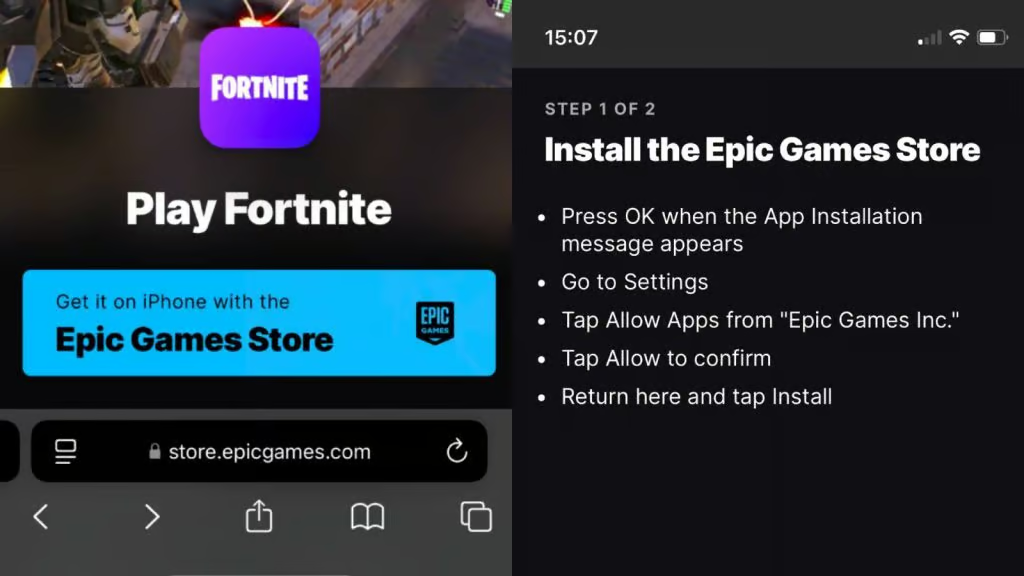
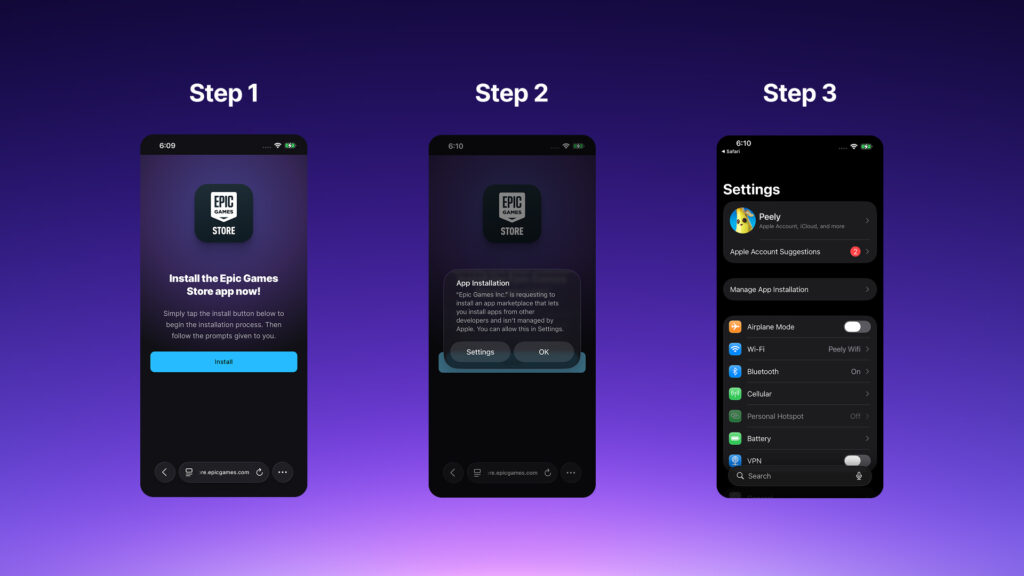
Downloading the Epic Games Store on iPhone in Japan works differently from installing a standard app through Apple’s App Store. Users should not search for it inside the App Store. Instead, they need to visit Epic’s official website through Safari or another supported browser. From there, Epic provides the installation instructions and guides users through the setup process. Because this is an alternative app marketplace, Apple requires additional confirmation steps before the store can be installed.
Users may need to confirm that their device is compatible, that their Apple account or device region is eligible, and that they understand they are installing software from outside Apple’s own App Store. These checks are part of Apple’s controlled approach to allowing third-party app marketplaces while still maintaining security warnings and system-level protections. It is also important to download the Epic Games Store only from Epic’s official website. Since alternative installation methods can create opportunities for fake links or scam pages, users should avoid unofficial sources, ads, or third-party download mirrors.
To install the Epic Games Store on iOS devices in Japan, users must follow a multi-step process:
- Visit Epic Games’ official website using Safari or another supported browser.
- Find the official Epic Games Store download page for iOS.
- Begin the installation process from Epic’s site.
- Download the Epic Games Store installation profile or marketplace setup prompt.
- Open iPhone settings when prompted.
- Allow installations from Epic Games.
- Confirm Apple’s security and permission prompts.
- Return to the installation page if needed.
- Complete the setup and launch the Epic Games Store.
- Sign in with an Epic Games account to access available games and content.
Apple requires several confirmation screens to make sure users understand that they are installing an app marketplace outside of the App Store. This makes the process more involved than a standard App Store download, where users typically only tap “Get” and confirm with Face ID, Touch ID, or a password. The extra steps may feel inconvenient, but they are part of Apple’s security framework for alternative app marketplaces. Once the Epic Games Store is installed, users should be able to browse supported titles, install available games, and receive updates through Epic’s platform rather than through Apple’s App Store.
Epic Games Store on IPhone in Japan: Fortnite, Rocket League Sideswipe, and System Requirements
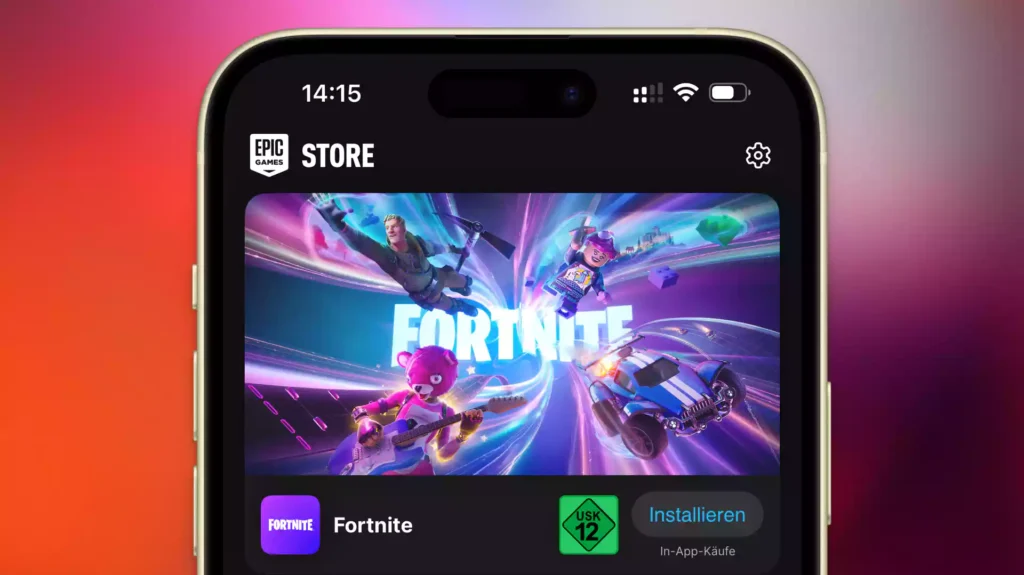
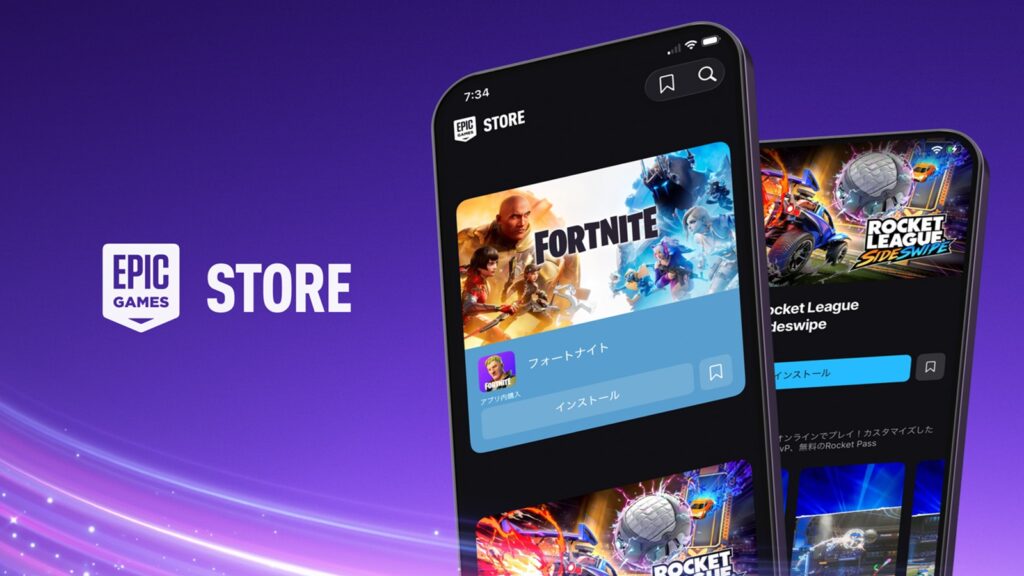
Installing Fortnite on iPhone in Japan through the Epic Games Store is straightforward once the store is already available on the device. Users need to open the Epic Games Store, search for or select Fortnite, and begin the download directly from the store interface. After installation, players can sign in with their Epic Games account to access saved progress, skins, Battle Pass items, friends list, and other account-linked content.
Because Fortnite supports cross-progression, progress made on iPhone can continue across other supported platforms, including PlayStation, Xbox, Nintendo Switch, PC, and Android. This makes the iPhone version useful not only for new players in Japan, but also for existing Fortnite users who want to continue playing on mobile without losing account progress. Cross-platform play also remains supported, so iPhone users in Japan can still join matches with friends on other devices.
Gameplay on iPhone is optimized for mobile controls, using touch-based inputs and adjustable settings. Players can customize control layouts, sensitivity, graphics quality, and frame rate options depending on their device. Performance will vary based on the iPhone model, available storage, battery health, and internet connection. Since Fortnite is an online multiplayer game, a strong and stable internet connection is especially important. Wi-Fi is generally recommended for smoother gameplay, lower latency, and fewer interruptions.
Rocket League Sideswipe is also available on iPhone in Japan through the Epic Games Store. The game brings the core idea of Rocket League to mobile by combining cars, soccer-style gameplay, and fast-paced matches in a format designed specifically for smartphones. Unlike the full console and PC version of Rocket League, Sideswipe uses a simplified side-view perspective and shorter matches, making it easier to play in short sessions while still preserving the competitive and skill-based nature of the original game.
Touch controls are built into the experience, allowing players to jump, boost, flip, and shoot with mobile-friendly inputs. This makes Rocket League Sideswipe suitable for both casual and competitive players. Quick matches make it easy to play on the go, while ranked modes provide a more serious challenge for players who want to improve over time. Its availability through the Epic Games Store also supports Epic’s broader mobile strategy by using recognizable titles like Fortnite and Rocket League Sideswipe to attract existing fans to its iPhone storefront while encouraging new users to explore its mobile gaming ecosystem.
The Epic Games Store on iPhone requires iOS 17.6 or later. Users should make sure their device is updated before attempting to install the store or download games from it. Newer iPhone models are more likely to deliver the best experience, especially for demanding games like Fortnite, while older models that support iOS 17.6 may still run the store but could experience lower performance.
Minimum requirements typically include:
- iOS 17.6 or higher
- A compatible iPhone model
- Stable internet connection
- Adequate storage space for the Epic Games Store and installed games
- Updated security settings that allow supported third-party installations
- An Epic Games account for login, purchases, and progress syncing
Storage space is an important factor because games like Fortnite can require several gigabytes of free space, especially after updates. Users should also keep extra space available for patches, new seasons, and additional content. Older iPhone models may experience longer loading times, lower graphics quality, frame rate drops, or reduced battery life during gameplay. For the best results, users should keep iOS updated, maintain a strong Wi-Fi connection, close unnecessary background apps, and make sure the device has enough free storage before installing or launching games.
Epic Games Store on IPhone in Japan: IPad Support, Regulation, and Launch Catalog Limits
At launch, the Epic Games Store in Japan is primarily focused on iPhone devices, so iPad users should not assume full support yet. Although iPadOS is closely related to iOS, compatibility may vary depending on the device model, software version, and Apple’s regional rules for alternative app marketplaces. Even if some installation steps appear similar, the store experience may not work properly or may not be officially supported on iPadOS.
Epic has suggested that broader device support could arrive in the future, including a possible expansion to iPadOS. However, no confirmed iPad release date or detailed rollout plan has been announced. For now, the safest assumption is that the Japanese launch should be treated as an iPhone-first rollout, with iPad compatibility remaining uncertain until Epic provides a clearer update.
The launch is closely tied to Japan’s Mobile Software Competition Act, a regulatory framework designed to promote fairer competition within mobile app ecosystems. Its main goal is to reduce the control that major platform holders, such as Apple, have over app distribution, payments, and marketplace access. For iPhone users, the law matters because it pushes Apple to allow alternative app stores and distribution methods under certain conditions, creating a legal path for companies like Epic Games to offer their own app marketplace outside the traditional Apple App Store.
The law does not mean every alternative marketplace can launch instantly or without restrictions. Companies still need to meet technical, security, and compliance requirements before operating on iPhone devices in Japan. Even so, the act significantly changes the competitive environment by opening the door to alternative app distribution and giving users more choice over how they access apps and games.
At launch, the Epic Games Store in Japan only includes Epic-published titles, which means users should expect a smaller catalog rather than a full marketplace with games and apps from many outside developers. This limited rollout gives Epic more control during the early stage, allowing the company to test the store experience, monitor performance, and address compliance or technical issues before expanding more widely.
There are several practical reasons for starting with Epic’s own titles. Epic needs to make sure its store meets Japan’s legal requirements, Apple’s technical conditions, and its own safety and quality standards. Adding third-party developers also requires onboarding systems, developer tools, payment support, content review processes, and customer support infrastructure. Over time, Epic is expected to add third-party apps and games once the marketplace is more stable and the regulatory situation becomes clearer.
Apple Fees, Epic’s Ongoing Dispute, and Safety Prompts for Third-Party App Stores in Japan
Apple’s approach to third-party app stores in Japan still includes significant platform-level fees, even as alternative marketplaces become possible under the country’s changing mobile software rules. One of the most important charges is Apple’s “Core Technology Fee,” which applies to third-party app stores operating within its ecosystem. Unlike the traditional App Store commission model, this fee is tied to installations and use of Apple’s underlying platform technology, meaning alternative marketplaces may still face costs even if they are not paying Apple the usual commission on every transaction.
For companies like Epic, this fee structure creates both an opportunity and a challenge. Direct distribution through the Epic Games Store may allow developers and marketplace operators to avoid some of Apple’s standard App Store commission rules, giving them more control over pricing, payments, promotions, and customer relationships. However, the Core Technology Fee introduces a separate financial burden that depends on download volume, user activity, and how Apple applies the fee system. As a result, developers must carefully calculate whether the savings from bypassing Apple’s traditional commission outweigh the cost of Apple’s platform-related fees.
This fee model remains part of the broader Epic vs Apple dispute. Epic has repeatedly argued that Apple’s policies remain too restrictive, particularly around fees, payment options, and the ability for third-party stores to compete fairly on iOS. In Japan, regulatory pressure has encouraged Apple to open parts of its ecosystem, but Epic has suggested that Apple’s implementation may not fully match the spirit of those changes. The concern is that even when Apple technically allows alternative app stores, it may still impose enough conditions, warnings, and fees to make meaningful competition difficult.
The situation in Japan mirrors Epic’s broader battles with Apple in the United States, the European Union, and other regions. While each market has different rules, the central issue remains the same: how much control Apple should have over app distribution on iPhones. Japan’s outcome could influence how third-party app stores operate in the country and may also shape regulatory discussions elsewhere. If Apple’s fee structure is seen as too burdensome, regulators and developers may continue questioning whether alternative app marketplaces can truly compete on fair terms.
Users installing the Epic Games Store on iPhone in Japan should also expect multiple safety prompts during the setup process. These warnings are designed to make users aware that they are installing software from outside Apple’s traditional App Store environment. The process may include confirmations for installing a third-party marketplace, trusting the developer, granting permissions, and acknowledging security-related notices. Apple presents these prompts as user protection measures, helping people understand that apps from alternative stores may not go through the same review process as apps distributed directly through the App Store.
Critics argue that the number and wording of these prompts could discourage users from completing installation. If the process feels complicated, intimidating, or overly cautious, some users may abandon it before finishing. For Epic and other third-party marketplaces, these safety screens are therefore not just a technical step. They could directly affect adoption, user trust, and the overall success of alternative app distribution on iOS in Japan.
Epic Games Store in Japan: Revenue Share, Regulatory Differences, and Upcoming Games
Epic Games is maintaining its standard 12% revenue share model for developers on the Epic Games Store in Japan. Under this structure, developers keep 88% of their revenue, while Epic takes a 12% commission for distribution through its platform. This is significantly lower than Apple’s traditional 30% commission, which has long been a major point of criticism from app and game developers. For studios with high development, marketing, and live-service costs, the difference between a 12% and 30% platform fee can meaningfully affect profit margins.
The reduced commission is one of Epic’s strongest selling points as it expands its iPhone marketplace presence in Japan. It positions the Epic Games Store as a more developer-friendly alternative for publishers looking to reach mobile users while retaining more control over their earnings. For developers, the appeal is not only the lower commission rate, but also the possibility of more flexibility around pricing, promotions, updates, and customer relationships compared with distribution through Apple’s traditional App Store model.
Japan’s approach to alternative app marketplaces differs from the European Union’s Digital Markets Act. The EU’s DMA places strict obligations on large “gatekeeper” companies, requiring them to allow alternative app stores, third-party payment systems, and greater interoperability. Japan’s framework is moving in a similar direction, but it focuses more on encouraging competition than enforcing one rigid set of platform rules. This gives regulators and businesses more room to adapt implementation over time rather than copying the EU model directly.
Both Japan and the EU are trying to reduce the dominance of major platform holders like Apple and Google, but the user experience may differ between the two markets. App installation, payment options, developer requirements, store availability, and compliance processes may not look exactly the same in Japan as they do in the EU. That distinction matters because Epic’s Japanese rollout will be shaped by local rules, Apple’s regional implementation, and the practical requirements of running an alternative marketplace on iPhone.
Epic has also confirmed plans to expand its mobile catalog in Japan, with Fall Guys expected to be one of the major upcoming titles. The game’s popularity and accessible multiplayer format make it a strong fit for mobile audiences. More games from Epic’s own lineup could follow, alongside titles from third-party developers, but the rollout is likely to happen gradually rather than all at once.
That slower expansion strategy gives Epic time to balance game availability with technical stability, platform rules, payment systems, and regional compliance requirements. Starting with recognizable titles can help build trust with players and developers while the store matures. Over time, Epic can use that foundation to grow the Epic Games Store on iPhone in Japan into a more stable alternative to traditional mobile app distribution.
Frequently Asked Questions (FAQs)
- Is the Epic Games Store available worldwide on iPhone?
No, the Epic Games Store on iPhone is currently limited to Japan because its availability depends on regional regulatory conditions. The Japanese launch is tied to changes in mobile software competition rules that allow alternative app marketplaces under certain conditions. Users outside supported regions should not assume they can install or use the iPhone version unless Epic officially expands availability. - Can I download Fortnite from the App Store in Japan?
No, Fortnite is not downloaded through Apple’s App Store in Japan. iPhone users need to install the Epic Games Store first, then download Fortnite from Epic’s own marketplace. This gives Japanese players a new way to access Fortnite on iOS after years of disputes between Epic and Apple. - Is installing the Epic Games Store safe?
Yes, but users should install it only through Epic Games’ official website and follow the official setup instructions. Apple provides multiple warnings during installation because the store is being installed from outside the traditional App Store environment. These prompts are meant to make users aware of the permissions and security differences involved with third-party app marketplaces. - Does the Epic Games Store support third-party games?
Not at launch. The Epic Games Store in Japan initially focuses on Epic-published titles rather than a wide catalog of third-party apps and games. Expansion is expected later, but Epic will likely add outside developers gradually as it builds the required onboarding systems, payment support, content review processes, customer support tools, and compliance infrastructure. - What iOS version is required?
The Epic Games Store on iPhone requires iOS 17.6 or later. Users should update their device before trying to install the store or download supported games. They should also make sure they have enough free storage, a stable internet connection, and a compatible iPhone model before beginning the installation process. - Are there extra fees for users?
No direct fees are charged to users simply for installing the Epic Games Store. However, developers and marketplace operators may still face platform-related charges, including Apple’s Core Technology Fee and other costs tied to operating alternative app marketplaces. For users, the main costs would come from optional purchases, in-game content, or paid apps if those become available. - Can I use my existing Epic account?
Yes, existing Epic Games accounts are supported. Players can sign in with their current account to access linked content where supported, including progress, friends lists, skins, purchases, and account-based features. This is especially useful for Fortnite players who already use the same Epic account across console, PC, Android, or other platforms. - Is cross-play available?
Yes, cross-play is available for supported games such as Fortnite. This means iPhone users in Japan can play with friends on other platforms, including PlayStation, Xbox, Nintendo Switch, PC, and Android. Cross-progression is also supported where available, so account progress can carry across devices. - Will the store come to iPad?
iPad support has not been confirmed yet. The Japanese launch is primarily focused on iPhone devices, and users should not assume that the Epic Games Store will work properly on iPadOS. Epic has suggested that broader device support could arrive later, but no confirmed iPad release date or detailed rollout plan has been announced. - Why is installation more complicated than App Store apps?
Installation is more complicated because Apple requires multiple security confirmations for third-party app marketplaces. Users may need to approve the marketplace, allow installations from Epic Games, confirm security prompts, and return to the installation page during setup. These extra steps are part of Apple’s controlled framework for allowing apps from outside the App Store while still warning users about the change in distribution method.
Conclusion
The arrival of the Epic Games Store on iPhone devices in Japan represents a pivotal moment in mobile app distribution. Driven by regulatory change and ongoing industry disputes, this launch introduces new opportunities for developers and players alike. While challenges remain, particularly around fees, user experience, and platform restrictions, the shift toward alternative marketplaces signals a broader transformation in how mobile ecosystems operate globally.— ×2
Sources and Citations
- Epic Games official announcements
https://www.epicgames.com - Apple developer and policy documentation
https://developer.apple.com - Japan Mobile Software Competition Act coverage
https://www.japan.go.jp - Fortnite official game page
https://www.fortnite.com - Rocket League Sideswipe official page
https://www.rocketleague.com
Recommended
- Smiling Friends Ends After Season 3: Why the Adult Swim Hit Is Ending and What Comes Next
- Donald Glover Is Playing Yoshi in The Super Mario Galaxy Movie: Cast, Trailer, Release Date, and Everything Confirmed
- Call of Duty 2026 Xbox Game Pass Rumor: Will Microsoft Skip a Day-One Release?
- Scooby-Doo: Netflix Reveals Full Title Scooby-Doo: Origins and First Look at the Live-Action Cast
- Nintendo Share Price Jumps 15% After Pokémon Pokopia Success Boosts Switch 2 Momentum
- One Of The Best Stardew Valley-Likes Ever Is 100% Free On Steam, But Only Until April 13
- New Poppy Playtime Figures From McFarlane Toys Revealed: Huggy Wuggy (Ruined), Killy Willy, Kissy Missy & The Doctor
- First Look at Diablo IV: Lord of Hatred Prequel “The Lost Horadrim”, Story, Characters, Skovos Isles & Expansion Setup
- How to Make a 3D VTuber Avatar: The Complete Guide for Beginners and Content Creators
- How to Animate Metahuman in Unreal Engine 5: The Ultimate Step-by-Step Guide to Bringing Digital Characters to Life



































































































