






In This Article (7 sections)
Elon Musk Promotes a Grok AI Music Video Demonstration
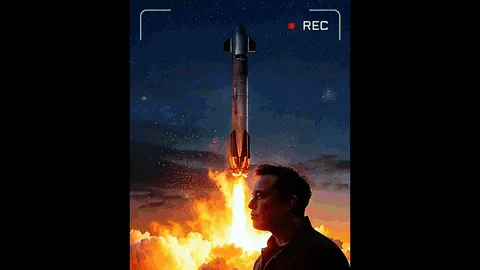
Elon Musk promoted a Grok AI music video demonstration that suggested how artificial intelligence could simplify creative production. The creator described combining Suno, Midjourney, and Opus through an automated workflow, which Musk shared with the message, “Make music videos easily with Grok @Bot.” VOZMI described the showcased example as a teaser lasting approximately 20 seconds and credited its production to a bot called Claudia.
Musk’s endorsement encouraged use of the workflow, but it did not establish that a single Grok model generated an entire song and accompanying video in one uninterrupted operation. The underlying prompt sequence and degree of human assistance had not been independently verified, and the available material did not disclose the complete production process, number of attempts, selection of preferred outputs, or editing before publication. It also did not establish a maximum video duration or consistent completion on the first attempt.
A short teaser and a video accompanying an entire song involve different requirements. A teaser can combine a brief musical passage, a limited selection of images, and rapid transitions, while a complete music video requires sustained visual direction and coordination across a longer sequence. Producing the former does not establish reliable performance on the latter. The demonstration illustrates the potential value of coordinating specialized applications for music creation, visual generation, and final assembly, but broader claims about fully autonomous production would require reproducible instructions, additional examples, documented limitations, and clearer disclosure of human involvement.
A single prompt can describe a complete music video project, but automatic completion depends on the available tools, account permissions, bot configuration, production budget, and complexity of the requested result. Grok Bot’s official documentation describes persistent AI teammates operating through a cloud computer equipped with a browser, filesystem, and terminal.
This environment allows an agent to retain working context, interact with applications and websites, and manage files, supporting workflows involving several services. Grok Bot can coordinate tasks across supported applications, while Grok Imagine generates audiovisual clips from text, images, and other supported references. An editing or assembly process then turns individual assets into a continuous video. These functions may appear together within an interface, but that does not establish a guaranteed music video feature or access to every required application for every account.
The phrase “one pass” can describe two different processes:
- Audiovisual generation within a model: xAI’s Grok Imagine Video 1.5 announcement describes sound effects, ambience, and dialogue being generated together with video, with improved synchronization. This concerns an individual audiovisual clip.
- Completion of a project from one brief: A user may submit one instruction that triggers soundtrack analysis, visual planning, image generation, moving shots, timeline assembly, and export. The workflow can involve multiple models, intermediate files, and internal retries without requiring additional user instructions.
Neither meaning automatically guarantees a complete video spanning an entire song, exact synchronization with singing, or an edit ready for use. The number of visible prompts does not reveal how many operations occurred behind the scenes, and accurate attribution requires identifying which service produced the soundtrack, which generated the visuals, and which assembled the sequence.
For an illustrative project involving an original electronic song about a city at dawn, an agent could identify the requested mood and running time, prepare a visual treatment, divide the song into sections, assign visual themes, and request suitable images or clips before organizing the selected material for assembly. This is a possible workflow rather than a verified reconstruction of the demonstration Musk promoted, which did not include a complete execution log or documented number of generation steps.
Much of the practical value may lie between generation stages. Files need meaningful names, selected shots must match the planned sequence, and the soundtrack must remain aligned with the visual timeline. Automating these tasks could reduce manual coordination, although a failed download, expired session, rejected prompt, or unavailable service can interrupt the process. A reliable workflow needs to recognize such problems, preserve completed work, and continue without unnecessarily regenerating every asset. Retaining source files, shot lists, and information about generated assets also allows creators to inspect decisions, replace unsuitable material, and revise individual sections. An organized project becomes particularly useful when a longer sequence contains many separate generations and a correction affects only a small part of the production.
Assessing the capability requires attention to both inputs and outputs. A general concept, approved lyrics, an existing recording, and a detailed storyboard provide different starting points, just as a single clip, short montage, and complete music video demonstrate different results. Production reliability means covering the intended duration, preserving the selected soundtrack, maintaining acceptable continuity, and delivering a usable export for review or another production environment. Efficiency should be measured through production time, expenditure, revisions, computational effort, and usable material, since one prompt may still generate dozens of assets.

Suno and Grok Imagine: Audio, Video Limits, Pricing and Availability
Suno’s involvement in the promoted demonstration shows how a specialized music application can contribute to a coordinated production workflow. The creator identified Suno alongside Midjourney and Opus, but that description does not establish a formal partnership between Suno and Grok, a universal integration, or identical access across Grok Bot accounts. Suno’s own materials describe music creation and editing, work with uploaded or recorded audio, and exports for other production environments.
An agent can use those capabilities only where its configuration, permissions, and available integration support them. Within a music video project, Suno can provide musical material while other tools handle imagery, motion, and assembly. Approving a master recording before substantial visual work gives the production a fixed reference for shot durations, transitions, and musical sections, allowing visuals to be revised without rebuilding the project around a different soundtrack.
Commercial use depends on the terms associated with the music service and account involved. Suno’s paid subscription guidance discusses commercial use rights while distinguishing them from guaranteed copyright protection, and its free plan guidance limits generated songs to personal, noncommercial use. A Grok subscription does not override those conditions, and permission to use a song commercially does not automatically establish copyright protection for the generated composition. The production record should retain the soundtrack’s origin, applicable account arrangement, licensing status, and approved recording alongside the visual assets. Keeping the approved recording stable also matters creatively, since regenerating a song may change its arrangement, length, or timing and force adjustments to an existing edit.
Grok Imagine contributes audiovisual generation. Its documentation describes video outputs with audio by default, while the official generation guide identifies lip synced speech capabilities for Video 1.5 and Video 1.5 Lite and a supported option for silent video. Generated sound can provide effects, environmental ambience, or dialogue corresponding with visible action, but its usefulness depends on the intended soundtrack. A performer walking through a station while an approved song plays continuously may require only silent visuals, since additional generated audio could compete with the recording. Another video might deliberately place environmental sounds between musical sections to build atmosphere. Both approaches require decisions about the placement of sound and its relationship with the music.
Synchronization also refers to several distinct tasks:
- Sound effects and visible action: Matching an impact or movement with an appropriate sound.
- Editing to a musical beat: Placing a cut or visual change at a chosen moment in the soundtrack.
- Matching prerecorded vocals: Aligning a performer’s mouth movements with the exact phonemes of an existing vocal recording.
These tasks should be evaluated separately. A model may synchronize generated speech convincingly within a short clip without supporting precise performance of an existing song. Producing sound effects alongside video also does not establish that multiple clips can be assembled with exact musical timing throughout. The documented speech features of Video 1.5 and Video 1.5 Lite therefore do not guarantee synchronization with prerecorded singing, which would require explicit product support and testing against the intended recording. A fixed soundtrack can simplify visual timing, while projects incorporating dialogue or ambience may use audiovisual generation more extensively. Either approach still requires review of how the components work together.
Grok Imagine’s documented specifications apply to individual operations rather than the total duration of an assembled music video. Generation from text or images, generation using references, editing, and extension have different restrictions. The documentation describes clips lasting up to 15 seconds, with native 1080p output for supported Video 1.5 generation from text or images. Video 1.5 Lite produces 1080p output by upscaling from 720p, while generation using references has separate restrictions. A three minute song lasts 180 seconds, so covering that duration with nonoverlapping clips of 15 seconds would require at least 12 segments. An edit using shorter shots and faster transitions would require more, with additional attempts potentially needed when material fails to match the intended visual direction.
The documented extension feature accepts an existing clip and generates a continuation lasting between two and ten seconds, with output capped at 720p. This can lengthen footage, but it does not provide unlimited continuation at the highest generation resolution. A video exported at 1080p may therefore contain clips originally generated or extended at lower resolutions, and consistent export dimensions do not establish native 1080p detail in every shot. Planning the deliverable requires attention to duration, aspect ratio, source quality, export quality, and editable materials. Resolution alone does not determine suitability: a detailed clip may have the wrong subject, movement, or style, while lower resolution footage may suit a particular creative treatment.
There is no verified universal price for the complete automated workflow Musk promoted. Costs depend on the agent configuration, participating services, selected model, generated duration, and number of revisions. Published Grok Imagine API pricing provides a reference for individual video output, but it does not cover every element of music creation, planning, editing, and final assembly. At the time covered by the research, the listed Video 1.5 output rates produced the following calculations:
| Video resolution | Published output rate | Cost for 10 seconds | Cost for 180 seconds |
|---|---|---|---|
| 480p | $0.08 per second | $0.80 | $14.40 |
| 720p | $0.14 per second | $1.40 | $25.20 |
| 1080p | $0.25 per second | $2.50 | $45.00 |
These figures represent API output charges rather than quotations for completed music videos. Generating 180 seconds of 1080p footage at $0.25 per second would cost $45 in output charges alone, before applicable input costs and expenses associated with other tools. A workflow combining Grok Bot with external music and visual services may incur different charges from direct Grok Imagine use, so neither a subscription price nor a generation rate should automatically be treated as the total production cost.
Actual expenditure also depends on how much generated material is retained. Rejected attempts and alternative shots still contribute to the cost, while music generation, image creation, planning, and editing can add further expenses. The relevant measure is the cost of obtaining an acceptable finished production, including revisions and assembly.
Consumer access and API billing are separate considerations. The official Grok Imagine Video 1.5 announcement describes availability through the Imagine API and identifies a Fast version accessible through Grok’s web and mobile experiences. This does not establish identical features, limits, or entitlements across accounts and subscriptions, particularly when a workflow depends on different interfaces and services. Automation may reduce manual effort while continuing to incur charges whenever additional assets are generated. One initial prompt can simplify the visible interaction without reducing the underlying production work, making the services used, footage generated, material retained, revisions, and final assembly relevant to the overall assessment.
Creating AI Music Videos With Grok: Prompts, Editing and Creative Limitations
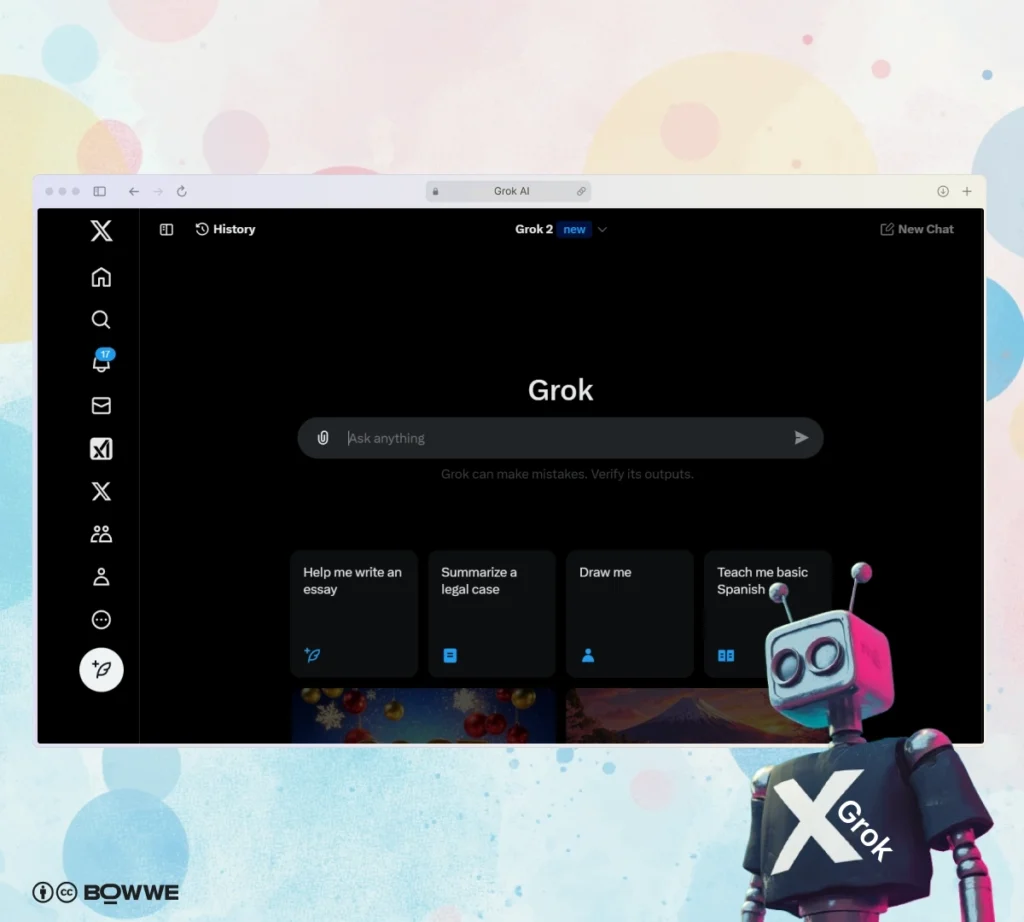
Creating an AI music video begins with a clear brief defining the intended result. A promotional teaser, visualizer, and video accompanying an entire song require different amounts of footage and approaches to pacing. Establishing the duration, aspect ratio, audience, and visual mood provides a reference for the soundtrack, generated clips, and final edit. Where Grok Bot is available and configured to access the necessary applications, it can coordinate parts of the process. Official documentation also describes initiating tasks by tagging @bot on X, subject to account connection and regional availability. This provides a way to access the agent, but the available applications and permissions still determine which parts of the brief it can carry out.
A practical production sequence includes the following stages:
- Define the deliverable: Establish whether the project is a teaser, visualizer, or complete music video, together with its duration, aspect ratio, audience, and mood.
- Approve the soundtrack: Select an existing recording or finalize the generated song before substantial visual production begins.
- Prepare the visual treatment: Describe the setting, main subject, recurring imagery, and emotional development, including how an abstract sequence should progress alongside the music.
- Plan individual shots: Divide the sequence according to the music and available generation limits.
- Generate early samples: Check the intended subject, style, and movement before committing resources to the full sequence.
- Coordinate available tools: Use Grok Bot where its configuration and permissions support the required applications.
- Assemble the footage: Arrange selected clips against the approved soundtrack.
- Review the complete video: Check timing, continuity, framing, audio levels, transitions, and the ending.
- Preserve production materials: Retain the final export and available editable assets for later corrections.
Working shot by shot in Grok Imagine allows problems to be identified before they affect an entire production. Early samples can reveal whether the requested appearance, movement, and visual style are being reproduced satisfactorily, allowing adjustments before the remaining footage is generated. This also helps distinguish an issue with one clip from a problem in the broader treatment, avoiding unnecessary changes to material that already fits the brief. Music and video prompts require different information: a music service needs direction about composition, structure, instrumentation, and performance, while a video generator needs descriptions of subjects, actions, movement, setting, lighting, and framing. Keeping these requirements distinct makes each task easier to evaluate while allowing both to support the same creative idea.
For example, a music brief could describe an original electronic pop track about leaving a familiar city, with reflective verses, an uplifting chorus, restrained percussion, and gradually increasing energy. The corresponding visual brief could follow a traveler through an empty city before sunrise, maintaining consistent clothing and appearance as cool street illumination changes to warm morning light. These are illustrative creative directions rather than documented commands that guarantee particular Grok behavior.
Individual shot requests also benefit from a manageable scope. A slow camera movement past a rain covered window provides a focused task, while combining a crowded concert, several costume changes, aerial photography, and a major narrative revelation within one short clip introduces competing requirements. Identifying the subject, one principal action, mood, and framing makes the result easier to assess and mismatches easier to diagnose.
Lyrics should remain a separate creative asset when exact wording matters. Approved original lyrics can be supplied to the relevant music service, and the resulting performance can be evaluated independently. Visual prompts can then support the song’s meaning or mood without relying on the system to infer every narrative connection, particularly when the imagery does more than reproduce the words literally. Recurring characters require similar attention.
Descriptions of clothing, appearance, and identifying details can communicate the intended identity across shots, while supported reference controls may provide additional guidance. The results still need inspection for changes in facial features, clothes, props, settings, and actions. Whether those changes are acceptable depends on the treatment: a surreal video may deliberately use transformations, while a narrative performance may depend on stable characters and environments.
Pacing requires more than enough footage to fill the soundtrack. Attractive individual shots can produce a repetitive sequence if they lack contrast, changes in emphasis, or development alongside the music. The edit needs to establish a relationship between imagery and time, with variation that supports the song’s structure and intended progression. Performance accuracy deserves separate review when generated visuals show singers or musicians, since mismatched mouth movements, drumming, or guitar playing may draw attention. Realistic imagery and appealing framing do not establish that a performance is synchronized correctly. Where accurate musical representation forms part of the brief, these details must be checked alongside continuity, pacing, and visual quality.
Editing tools can correct some problems within their documented limits. Grok’s video editing operation uses the grok-imagine-video model, accepts source clips up to 8.7 seconds, preserves the source duration, and limits output resolution to 720p. This is a constrained operation for individual clips, distinct from assembling or revising a complete music video. Improving one shot may also require changes to neighboring transitions or overall pacing, so a successful local correction still needs assessment within the full sequence.
Final review should begin with the complete video playing with sound, followed by closer inspection of problematic shots, with particular attention to the opening, transitions, ending, audio levels, and whether generated sounds complement the approved recording. Automation can accelerate experimentation and coordination, but selecting suitable material and bringing it into a coherent sequence still requires creative judgment.

Frequently Asked Questions (FAQs)
- Did Elon Musk demonstrate a complete song-length music video generated in one pass?
No. Elon Musk publicly promoted a creator’s Grok Bot music video project, but the available evidence does not confirm that a single Grok model generated an entire song-length video in one uninterrupted operation. The showcased example was described as an approximately 20-second teaser produced through a workflow involving several AI tools. Although the demonstration highlights the potential for automating creative production, it does not establish how many generation steps, retries, or human adjustments were involved. A short promotional montage and a fully completed music video are different achievements, and claims about reliable full-length generation would require additional demonstrations and technical evidence. - Can one prompt initiate an entire music video project?
Yes. A single prompt can describe an entire music video project, including its theme, visual style, soundtrack, duration, and intended final result. When an AI agent has access to the necessary applications, it may coordinate several production stages, such as generating images, creating video clips, organizing files, and assembling footage. However, one initial instruction does not mean the project is completed through one model generation. The system may perform numerous operations behind the scenes, and successful completion depends on available tools, account permissions, production costs, and the complexity of the request. The result may also require review or additional adjustments. - Is Grok Bot the same product as Grok Imagine?
No. Grok Bot and Grok Imagine serve different purposes within an AI-assisted creative workflow. Grok Bot functions as an agent environment capable of carrying out tasks through supported applications and services, while Grok Imagine provides tools for generating images and audiovisual clips. In a music video project, Grok Bot could potentially coordinate music creation, visual generation, and editing activities, while Grok Imagine produces some of the visual material. The two capabilities can contribute to the same project, but they should not be treated as interchangeable. A video made through Grok Bot may also involve external services, so the Grok name alone does not identify which system produced each component. - Why was Suno mentioned in the demonstration?
Suno was mentioned because the creator whose project Musk promoted described a music video production workflow involving Suno, Midjourney, and Opus. Within that workflow, Suno’s role relates to creating or preparing the musical content, while other tools can contribute visual assets and production processes. Using a dedicated music service allows the soundtrack to be developed separately before visual material is arranged around it. However, Suno’s inclusion in the demonstration does not establish a formal partnership with Grok or confirm that every Grok Bot user automatically receives access to Suno. Available features and permissions depend on the services and account configurations involved. - Does synchronized audio mean perfect singing lip-sync?
No. Grok Imagine’s documented audiovisual capabilities include generating video with audio and supporting lip-synced speech in certain models, but these features do not guarantee perfect synchronization with every prerecorded song. Matching a generated character’s speech to audio is different from accurately reproducing the timing and mouth movements associated with an existing vocal performance. Singing may involve sustained notes, changing pronunciation, and musical phrasing that require more specific synchronization. A generated clip can therefore contain convincing audiovisual effects without matching every syllable of a supplied recording. Exact singing synchronization would need to be evaluated against the actual soundtrack and finished footage. - How long can a Grok Imagine clip be?
The reviewed Grok Imagine documentation describes video generation supporting clips of up to 15 seconds, although specific limits depend on the model and operation being used. Video extension has separate restrictions, with documented continuations lasting between two and ten seconds. These limits apply to individual clips rather than the total length of a completed music video. For example, a three-minute song contains 180 seconds of audio and would require at least 12 nonoverlapping 15-second clips to cover its full duration. A faster editing style would require additional shots, while unsuitable generations could increase the number of attempts needed. - Can Grok produce 1080p music video footage?
Yes. Grok Imagine Video 1.5 supports native 1080p output for certain text-to-video and image-to-video generation modes. However, not every model or operation provides the same resolution. Video 1.5 Lite produces 1080p output through upscaling from 720p, while documented video extension and editing operations have their own resolution restrictions. This means a completed music video exported at 1080p may contain clips originally generated at lower resolutions. The final export dimensions therefore do not guarantee identical source quality throughout the production. Creators need to consider both the resolution of individual clips and the quality of the assembled video. - Is the complete Grok music video workflow free?
The available evidence does not establish a universally free workflow for producing complete music videos through Grok Bot. The total cost depends on which AI services are involved, the user’s account permissions, the selected models, and the amount of content generated. Some tools may require subscriptions, credits, or API payments, while revisions and rejected generations can increase expenses. For example, the reviewed Grok Imagine Video 1.5 API pricing listed separate output charges based on resolution and generated duration. Those charges do not automatically include music creation, external image generation, or editing services. Access to Grok alone therefore does not establish that every component of an automated production is available without additional payment. - Can Suno music be used in monetized videos?
Yes, Suno’s published guidance allows qualifying music generated under eligible paid subscriptions to be used commercially, including in monetized content. However, songs created under its free plan are generally limited to personal, noncommercial use. Commercial use permission is also different from guaranteed copyright protection, and the applicable account terms must be considered alongside any rights associated with uploaded lyrics, recordings, or other supplied material. Using Grok Bot to coordinate production does not change the licensing conditions attached to the soundtrack. Creators intending to monetize a finished music video therefore need to establish that they have the appropriate rights to the music and other materials included. - Does one-prompt creation remove the need for editing?
Not necessarily. One-prompt creation may reduce the manual work involved in coordinating a music video, but it does not guarantee that the finished result will meet every creative or technical requirement. Generated clips may contain inconsistencies in character appearance, clothing, movement, framing, or visual continuity. The assembled video may also require adjustments to pacing, transitions, sound levels, and synchronization with the soundtrack. Even when an AI agent completes the initial production automatically, reviewing the full video remains important for identifying problems. A workflow that preserves individual clips, source files, and editable production materials is particularly useful because corrections can be made without rebuilding the entire project.lows targeted corrections without rebuilding the entire project.
Conclusion:
Musk’s endorsement highlights the growing importance of agents that coordinate creative tools. The practical advance is the possibility of delegating a production objective and receiving an assembled audiovisual result.
The evidence supports a narrower claim than the strongest headlines suggest. A music video workflow involving several services is different from a single model producing a full song and its visuals in one native generation. A short teaser also leaves major questions about sustained continuity, revision costs, and full-length reliability unanswered.
Grok Imagine’s documented audiovisual capabilities give creators useful building blocks. Grok Bot provides a potential way to coordinate those blocks with other applications. The value of the combination will be determined by reproducible outcomes: whether it can deliver the requested duration, preserve the soundtrack, maintain the intended style, and make revisions manageable.
sources and citation
- Source: Grok Bot documentation — Describes Grok Bot’s persistent cloud computer, browser, filesystem, terminal, and ability to perform multi-step work across apps. This establishes its general automation capabilities, but does not independently verify every action in a particular music-production project.
Citation: xAI, “Grok Bot.” Official documentation - Source: Grok Imagine Video API overview — Explains video generation, editing, and extension, including the models’ clip-duration limits and workflow differences. The generation guide also describes submitting requests and polling for completed clips.
Citation: xAI, “Video Overview: Grok Imagine Video API.” Official documentation
Additional citation: xAI, “Video Generation: Grok API Capabilities.” Official generation guide - Source: Grok Imagine Video 1.5 announcement — Supports the discussion of audiovisual generation, improved motion and audio, and product availability. The official API pricing page provides the per-second rates used for illustrative cost calculations; actual costs depend on the model and resolution selected.
Citation: xAI, “Grok Imagine Video 1.5,” June 16, 2026. Official announcement
Additional citation: xAI, “API Pricing — Imagine API.” Official pricing documentation - Source: Suno’s paid-subscription rights guidance — Explains commercial-use rights for songs made and downloaded while subscribed. Suno’s free-plan guidance distinguishes personal, non-commercial use from monetized distribution. These terms should be considered separately from Grok access and video-generation charges.
Citation: Suno, “What rights do I have with a paid subscription?” Suno Help Center
Additional citation: Suno, “What rights do I have with the free plan?” Suno Help Center
Additional citation: Suno, “Can I distribute my songs to Spotify, etc?” Suno Help Center
Recommendations
- The New Guitar Hero–Err, Stage Tour–Reveals Its First Songs (Full Tracklist so Far)
- How Baki-Dou: The Invincible Samurai Will Continue in a “Very Scary” Part 2 – Musashi Miyamoto’s Dark Evolution Explained
- Gamescom 2026 Booth Thefts: CD Projekt RED Offers Help to Mimic’s Ryan Laley
- Bethesda Opens Ask Bethesda (Almost) Anything Discord Q&A for 40th Anniversary
- How do I parent a camera to an object in Blender?
- Complete Disney Dreamlight Valley Recipe List
- Lara Croft and Tomb Raider Celebrate 30 Years in October 2026
- Pokémon Go stop removed from Epstein island following outrage: why the Little Saint James “Sun Dial” PokéStop was deleted
- The Christophers Review (2026): Cast, Plot, Ending Explained & Why Steven Soderbergh’s Art Drama Is a Must-Watch
- One Of The Best Stardew Valley-Likes Ever Is 100% Free On Steam—But Only Until April 13



































































































