






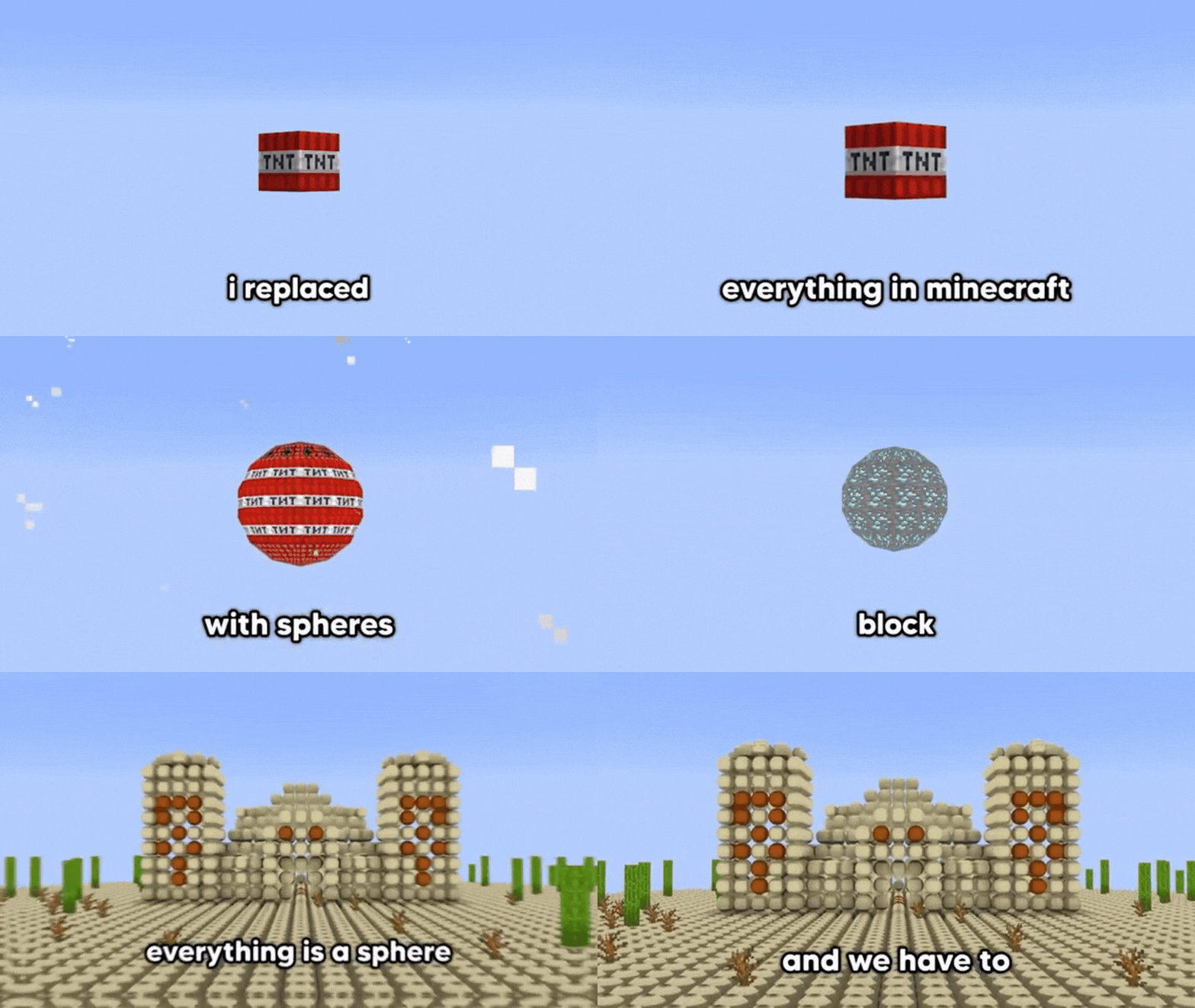
Minecraft players can now enjoy a Katamari Damacy-style experience in their worlds. The KatamariIO mod (by creator TACOWASA059) turns your player into a rolling giant sphere that magnetically collects blocks, allowing you to absorb terrain as you move. In this mod, colliding blocks stick to the sphere’s surface instead of breaking normally. As you roll through dirt, grass, sand and more, the sphere grows ever larger – exactly like the Katamari balls in the classic game. This fresh gameplay twist has gone viral in the Minecraft community, as players literally roll up landscapes into massive balls.
What Is KatamariIO in Minecraft
KatamariIO replaces the player with a rolling sphere that picks up blocks like a magnet. KatamariIO is a Minecraft Java Edition mod (Forge-based) that transforms the player into a rolling orb that “magnetizes” nearby blocks. When the mod is active, any block your sphere collides with will attach to the sphere’s surface instead of simply breaking.
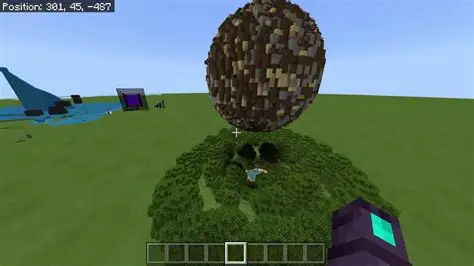
The result is a continuously growing ball of blocks that can eventually become enormous. For example, screenshots from the mod show a vast dirt-and-grass sphere rolling across the terrain, picking up debris in its wake. The mod was created by Japanese developer TACOWASA059 and is freely available online. In effect, KatamariIO turns Minecraft into a sandbox version of Katamari Damacy – a quirky, addictive chase to see how big your ball can get.
How the KatamariIO Minecraft Mod Works
KatamariIO uses Minecraft Forge to hook into the game. Technically, it replaces the player model with a spherical entity and intercepts collision events with blocks. When enabled, the mod adds custom player data and commands. For instance, it creates new NBT tags (like SPM_Size and SPM_AttachedBlocks) to track the current radius of the sphere and which blocks are stuck to it. The mod also provides commands such as /katamari size <value>, /katamari restitution <value>, /katamari ball, and /katamari resetBlocks for players to control the sphere’s properties.
In gameplay terms, you typically activate the sphere mode with /katamari ball. The player’s hitbox expands and they roll like a ball. As you move, any block you collide with sticks to you. The /katamari resetBlocks command can be used if you want to clear the attached blocks and start fresh. Behind the scenes, the mod’s code keeps adding collected blocks to the sphere and increasing its collision radius. This combination of added physics (bouncing, rolling) and block-attachment rules is what makes the giant sphere work.

How the Giant Sphere Absorbs Blocks in Minecraft
In KatamariIO, absorption happens via collision. Any time the sphere hits a block in the world, the block is essentially removed and then pasted onto the sphere’s surface.
Gameplay screenshots show terrain chunks neatly adhering to the growing Katamari ball. For example, after rolling across a hillside, all the collided blocks become part of the sphere and the ball noticeably grows in size. The player can accumulate dirt, stone, and even sand all at once. Because of this, the sphere can eventually become very large relative to the world. In practice, you simply drive the ball into the ground and walls; KatamariIO’s logic makes any hit blocks latch onto your sphere. (This mechanic is very reminiscent of Katamari Damacy, where everything on the map is fair game to roll up.)
Because the mod changes how collisions work, it’s important to note that very large spheres can slow down the game. In fact, the mod’s author warns that “the larger the ball, the heavier the game runs”. Essentially, the more blocks attached, the more the client has to render and simulate, which can impact performance. But as a game feature, the process of absorbing blocks feels surprisingly smooth – you continue to roll normally, and each touched block seamlessly becomes part of your Katamari.
Why KatamariIO Feels Like Katamari Damacy in Minecraft
KatamariIO is literally a Minecraft version of Katamari Damacy. The essence of Katamari is captured: you start small, rolling up tiny objects, and eventually absorb massive structures. As one article explains, in Katamari Damacy “a Katamari is a ball that one rolls over objects to absorb these objects. The more objects the Katamari absorbs, the bigger it gets”. KatamariIO mirrors this perfectly. Every block you collect increases the ball’s size and lets you pick up even bigger blocks, just as in the original game.
Players have noted the striking similarity. The visuals and gameplay (including even playful details like using the player’s head as the ball’s texture) invoke Katamari’s odd charm. One news outlet described KatamariIO as a mod where the player rolls around “in the spirit of Katamari” and can “magnetize” many types of blocks. Reviewers say it feels fresh and addictive: as you accumulate more blocks, the novel gameplay feels like “gameplay not normally found in Minecraft”. In short, if you enjoy the whimsical premise of Katamari Damacy, KatamariIO delivers that sense of oddball fun within Minecraft’s sandbox.

Who Created the KatamariIO Minecraft Mod
The KatamariIO mod was developed by TACOWASA059, a Minecraft modder active on GitHub. The Japanese KatamariIO introduction explicitly credits “TACOWASA059” as the creator. The mod is open-source and hosted on GitHub, where TACOWASA059 has also released related projects (for example, the “SphericalPlayer” mod). In other words, KatamariIO is the work of a single developer (TACOWASA059) who published it freely for the community.
Where To Download the KatamariIO Minecraft Mod
KatamariIO is freely available online. The primary download link is on its official GitHub repository, where the latest build can be obtained. (The repository’s release page contains the compiled mod JAR.) Additionally, reports mention the mod was “published in open access”, meaning the author made it publicly downloadable. The developer’s GitHub page holds the current release (along with source code), and community mod sites may also mirror the file. As of early 2026, the mod is not on CurseForge; the easiest way to get it is by grabbing the JAR from GitHub.

How To Install KatamariIO for Minecraft
Installing KatamariIO is straightforward if you’ve used Forge mods before. First, install Minecraft Forge for the supported version (KatamariIO currently supports Minecraft 1.20.1). Once Forge is set up, place the downloaded KatamariIO.jar file into your Minecraft mods/ folder. For example, drop it into C:\Users\<name>\AppData\Roaming\.minecraft\mods if you’re on Windows. Then launch Minecraft with the Forge profile. If installation succeeds, your character will immediately be encased in the sphere on login. (If not, double-check that you’re using the correct Minecraft/Forge version.) In short: get Forge and KatamariIO jar, put KatamariIO in mods, and run the game.
Is KatamariIO Available for Minecraft Java Edition
Yes — KatamariIO is a Minecraft Java Edition mod. It is built for the Java edition’s Forge mod loader (the install instructions mention Forge explicitly). In fact, KatamariIO currently targets Java versions like 1.20.1 and even has support for newer snapshots (the developer updated it for 1.21.1 in early 2026). It is not a Bedrock Edition add-on; it only works with the Java version of Minecraft. (Since it requires Forge and custom NBT data, it cannot run on consoles or Bedrock.)
Best Minecraft Mods Like KatamariIO
If you enjoy the KatamariIO concept, a couple of other mods offer similar creativity or physics fun. For example, the SphericalPlayer mod (also by TACOWASA059) lets players transform into a sphere. While SphericalPlayer doesn’t collect blocks like KatamariIO, it shares the novelty of spherical movement in Minecraft. Another interesting mod is the Physics Mod by Kingbdogz/haubna, which adds realistic physics so blocks and mobs respond dynamically. Though it’s more about gravity and falling blocks than rolling up the world, Physics Mod provides a fun destruction effect. For sheer chaos, fans also recommend the “Destroying MC” mod, which triggers huge destruction events (nukes, black holes, etc.). While not Katamari-themed, it’s another way to wreak havoc on Minecraft’s sandbox.
Can the Giant Sphere Destroy Builds in Minecraft
Yes. As the KatamariIO sphere rolls through your world, it will break through structures by absorbing their blocks. Any build in the sphere’s path will have its blocks removed and added to the ball. This can effectively “destroy” houses, walls, or natural terrain if you roll over them. In fact, the mod’s guide warns that very large balls can slow down or crash the game. So if you’re worried about wrecking a carefully built base, be cautious: once you roll the sphere into it, your builds will vanish onto the sphere. (You can always use /katamari resetBlocks to clear the sphere and start over, but any destroyed blocks will not automatically return to the ground.)

Why Minecraft Sandbox Gameplay Fits KatamariIO So Well
Minecraft’s open sandbox nature is perfect for KatamariIO’s experiments. The game already lets players place and break blocks freely, so a mod that massively rearranges terrain fits right in. In fact, the KatamariIO introduction notes that this mod creates “gameplay not normally found in Minecraft”. Because Minecraft has no fixed rules about exploration or building, adding a rolling destruction mechanic feels surprisingly natural. You can set up custom worlds or creative maps to play KatamariIO without consequences – or unleash it in survival for fun. In summary, Minecraft’s freedom and physics make it an ideal canvas for a Katamari-style mod, and KatamariIO leverages that sandbox power in a highly creative way.
KatamariIO Minecraft Mod Gameplay Features Explained
KatamariIO’s core features revolve around the rolling ball mechanic and its supporting commands.
Key gameplay features include: toggling Katamari mode (turning the player into a sphere) with /katamari ball; dynamically resizing the sphere (/katamari size adjusts its collision radius); and configuring its bounciness (/katamari restitution controls how “bouncy” the ball is). The mod also tracks how many blocks are attached to the sphere (you can see this data in debug, or reset them with /katamari resetBlocks). Importantly, absorbing blocks is automatic – you just roll into them and they stick to the sphere. There are no special items needed; all interaction is handled through these commands and physics.
Overall, KatamariIO packs a deceptively simple but powerful feature set: new physics, new commands, and a giant ball that grows as you absorb the world around you.

Minecraft Physics Mods and Destruction Mods To Try
For players who want more beyond KatamariIO, there are several notable physics and destruction mods:
- Physics Mod (by haubna): Adds realistic physics to blocks and mobs – for example, blocks will fall and crumble under gravity. It has over 15 million downloads on CurseForge, showing its popularity.
- SphericalPlayer: While not exactly absorbing blocks, this mod simply changes your player to a sphere, allowing you to roll around easily. It’s essentially a more minimal version of Katamari mode.
- Destroying MC (by SpacePotato): A dramatic destruction mod that triggers events like nukes, black holes, and planet crashes. Though focused on spectacle rather than rolling, it’s fun for testing your PC’s limits.
- Kataminey Damacraft (legacy Katamari mod): An older mod that attempted a similar idea in past Minecraft versions. (It’s hard to find now, but fans often mention it when discussing KatamariIO.)
Each of these mods transforms the way blocks behave in Minecraft, whether through enhanced physics or high-powered destruction, and they can complement the Katamari experience by letting you experiment with the game’s physics in creative ways.
Is KatamariIO One of the Most Creative Minecraft Mods of 2026
Many players would say yes – KatamariIO has been widely praised for its creativity and novelty. It quickly “went viral” in modding circles because it does something truly unconventional in Minecraft. While “most creative” is subjective, KatamariIO certainly stands out among 2026 mods. It combines nostalgia for a classic game with Minecraft’s block mechanics in a way few mods have. Media coverage and community feedback highlight its unique gameplay – turning Minecraft worlds into literal balls of blocks – which cements its reputation as a creative standout.

Frequently Asked Questions (FAQs)
- What exactly is KatamariIO?
KatamariIO is a Minecraft Java mod that replaces your player with a rolling sphere that picks up blocks upon collision. It mimics Katamari Damacy’s gameplay by growing as it absorbs nearby blocks. - Which Minecraft versions does KatamariIO support?
As of early 2026, KatamariIO officially supports Minecraft 1.20.1 on Forge. (The developer also released a 1.21.1 build.) It requires the Java Edition with the matching Forge version; it will not run on Bedrock or older game versions. - Where can I download KatamariIO?
The mod is available for free. You can download it from the developer’s GitHub page (check the latest release files). The mod author has posted it “in open access”, meaning anyone can get the JAR file. (Note: it isn’t listed on CurseForge, so the GitHub is the best source.) - How do I install KatamariIO?
Install Minecraft Forge (for 1.20.1), then put theKatamariIO.jarfile into themods/folder of your Minecraft directory. Launch Minecraft with the Forge profile, and the mod should load. When installed correctly, you will see that your player character is immediately transformed into the Katamari sphere. - What commands does KatamariIO add?
The mod adds a few/katamaricommands. For example,/katamari balltoggles the rolling ball mode,/katamari resetBlocksclears all attached blocks from the sphere,/katamari size <number>sets the ball’s collision size, and/katamari restitution <value>adjusts how bouncy it is. - Does KatamariIO work in the Nether or other dimensions?
Yes. Reports confirm the block-collecting mechanic works in any dimension. For example, players have noted that you can still “magnetize” blocks even in the Nether. In practice, wherever you roll the sphere (Overworld, Nether, End, etc.), it will collect most normal blocks it touches. - Can KatamariIO pick up mobs or entities?
No, KatamariIO only attaches blocks, not mobs or items. If the sphere runs into mobs or players, it behaves like a normal player collision. Only blocks get absorbed onto the sphere. - Is there a way to stop being a sphere or revert changes?
You can use the/katamari ballcommand again to toggle off the Katamari mode and return to normal play. If you have collected blocks and want to drop them all, use/katamari resetBlocks. This resets the sphere back to its original size by removing attached blocks. - Will using KatamariIO crash or lag my game?
Potentially. The mod author warns that an extremely large Katamari ball can cause performance issues. The bigger the sphere and the more blocks attached, the heavier the load on your client. In rare cases, a huge Katamari could cause a slowdown or crash. It’s recommended to save your game and be cautious when rolling up very large structures. - Is KatamariIO still being updated?
At least as of April 2026, yes. The creator published recent builds (including for 1.21.1). The GitHub repository shows active development in early 2026. You can check the project’s latest commits or releases for updates. (Even if it were not updated further, the existing version should keep working on supported Minecraft releases.)
Conclusion
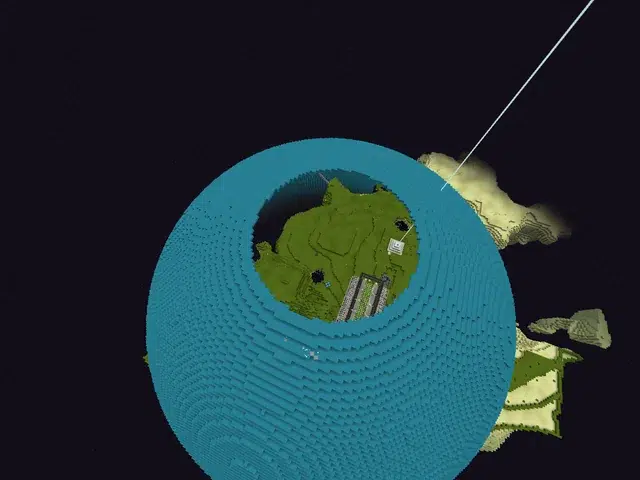
The KatamariIO mod brings a wildly creative twist to Minecraft’s blocky universe. By blending Katamari Damacy’s roll-and-grow mechanics with Minecraft’s sandbox, it gives players a fun new way to interact with the world. You can literally roll through your Minecraft world as a giant dirt ball, turning builds into raw materials and reshaping the landscape. Whether you’re curious about novel gameplay or just want to break stuff in an amusing way, KatamariIO offers a fresh, addictive experience. It’s easy to install (just drop it into Forge) and free to try. Many players consider it one of the most inventive mods of 2026, demonstrating that even in a long-lived game like Minecraft, modders can still introduce surprising new fun.
Sources and Citation
- TACOWASA059 (mod author) – KatamariIO GitHub repository
- https://github.com/TACOWASA059/KatamariIO
- Maikuranikki blog – “KatamariIO mod introduction”
- https://maikuranikki.com/katamari-io/
- IXBT Games – “Modder turns Minecraft into Katamari…”
- https://ixbt.games/news/2023/07/26/modder-turns-minecraft-into-katamari-damacy-clone.html
- Physics Mod – CurseForge page
- https://www.curseforge.com/minecraft/mc-mods/physics-mod
- SphericalPlayer – CurseForge page
- https://www.curseforge.com/minecraft/mc-mods/spherical-player
- Destroying MC – Modrinth page
- https://modrinth.com/mod/destroying-mc
- Hofstra Chronicle – “’Katamari’ Is Balls Of Fun”
- https://www.thehofstrachronicle.com/7161/arts-and-entertainment/katamari-is-balls-of-fun/
Recommended
- KPop Demon Hunters Wins Two Oscars for Best Animated Feature & Best Original Song – Full Breakdown, Winners, and Global Impact
- How to Add Texture to a 3D Model in Blender: A Step-by-Step Guide to Creating Stunning Materials
- Sony May Be Drastically Shifting Its PC Strategy – Report: What It Means for PlayStation PC Ports
- Trish from Devil May Cry – Complete Character Guide
- Advanced Camera Switching Techniques with The View Keeper in Blender
- What Is the Purpose of the Camera View in Blender?
- Konami Is Getting Its Own Picross Game Featuring Classic Pixel Art: Everything We Know About Picross S Konami Antiques Edition
- The Best Nioh 3 Skills for Samurai and Ninja: Must-Have Unlocks, Combos, and Builds (2026 Guide)
- A Quiet Place: Part III Cast Update: Jack O’Connell Joins as Emily Blunt and Cillian Murphy Return
- Venom Animated Movie From Final Destination: What Fans Mean, Rumors Explained, and What Could Actually Happen























































































