






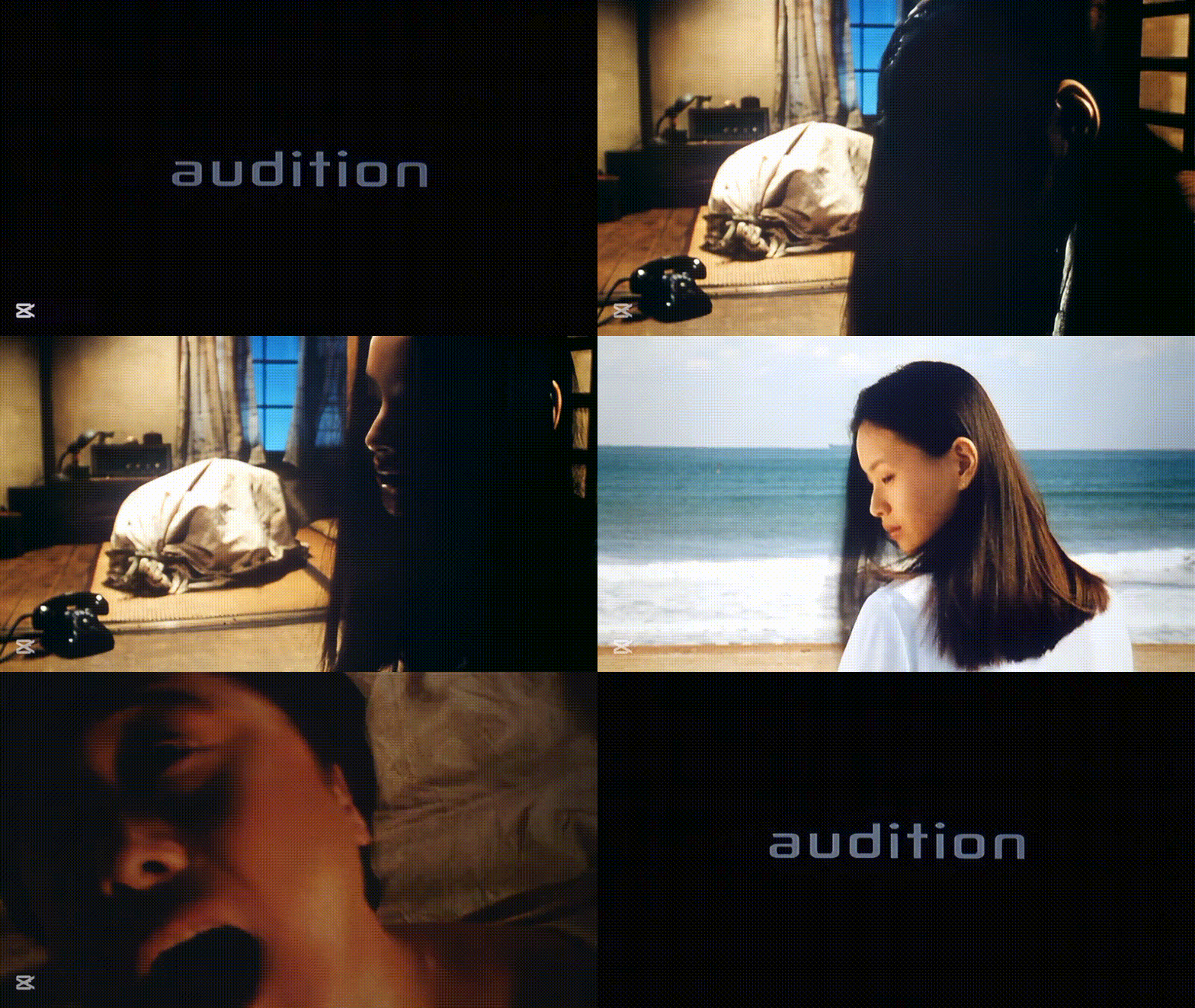



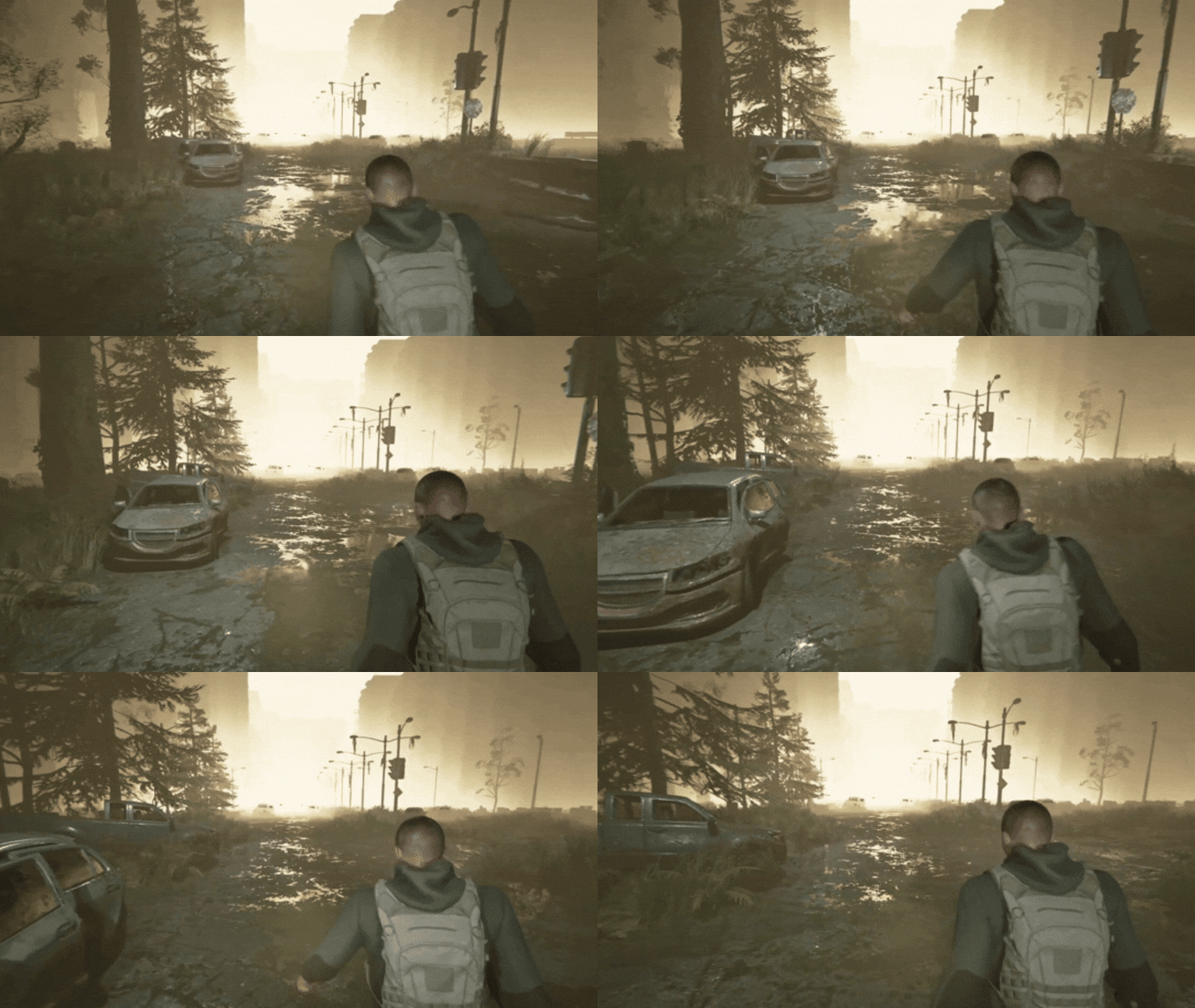
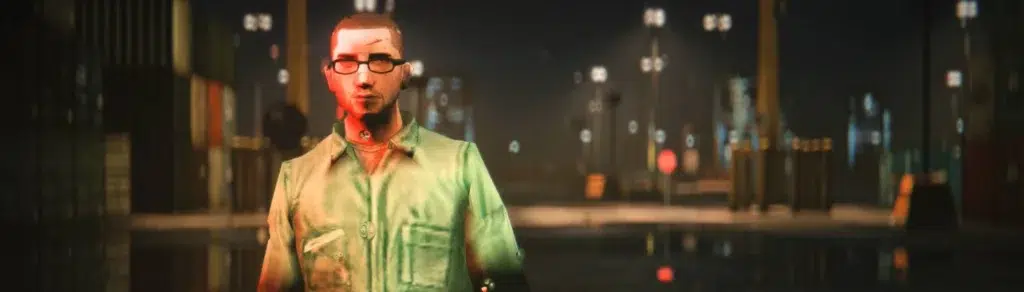
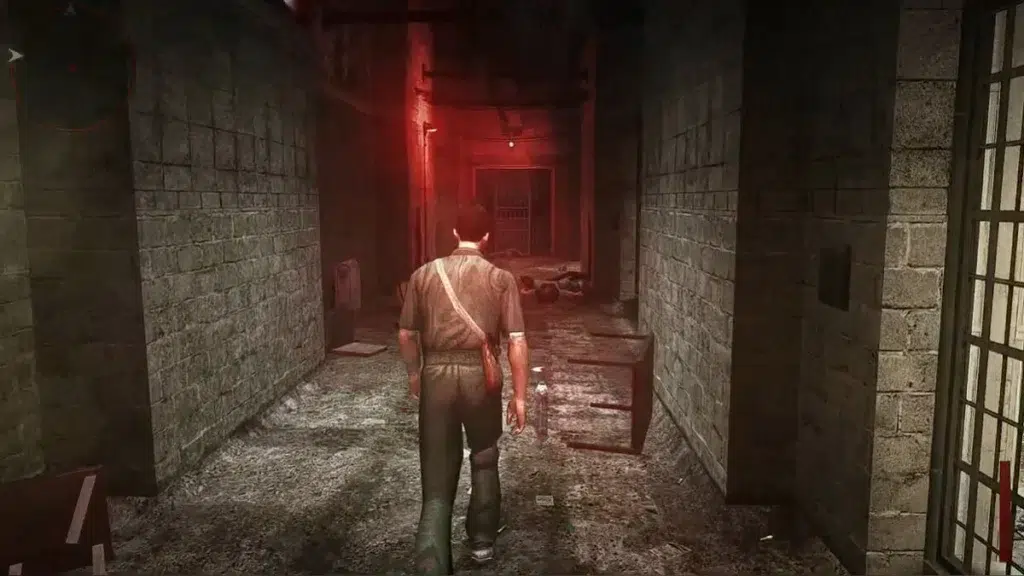
Manhunt 2 Remake Mod 2026 is a community-driven “visual remaster” concept for Rockstar’s 2007 stealth-horror title, aiming to modernize lighting, color grading, sharpness, and texture presentation while staying on the original RenderWare-based game (not a full engine rewrite).
This research-style guide documents the current 2026 ecosystem around the “Unreal Graphics Ultimate Visuals” branding, the most reliable install paths, and the add-on mods that consistently improve visuals, controls, widescreen behavior, and emulator presentation—without breaking stability.

Manhunt 2 Remake Mod 2026 overview (Unreal Graphics Ultimate Visuals)
“Manhunt 2 Remake Mod 2026 (Unreal Graphics Ultimate Visuals)” is used publicly as a modpack/project label in 2026 uploads and posts (including a dedicated “INSTALL” video entry and separate level-release posts).
What can be verified from the project’s public footprint:
- It is presented as a visual overhaul and content expansion track (new/updated level releases are posted under the same banner).
- It is distributed through creator channels (examples include Patreon attachment-based posts and video-led install guidance).
What the name does not prove on its own:
- The title “Unreal Graphics” is branding, not proof that Manhunt 2 has been ported to Unreal Engine. The underlying game’s engine is documented as RenderWare.
Manhunt 2 Remake Mod 2026 supported versions (PC, PS2, PSP, emulators)
Manhunt 2 was released across multiple platforms (including PlayStation 2, PlayStation Portable, Wii, and Microsoft Windows).
In practice, “Manhunt 2 Remake Mod 2026” style setups break down like this:
- PC (Windows): The primary modding platform for camera fixes, framerate unlocks, first-person mode, and widescreen/FOV tooling (e.g., PluginMH2, Absolute Camera).
- PS2 (original hardware or emulation): Typically used for “authentic baseline” visuals and certain asset comparisons; most “Remake Mod 2026” workflows focus on PC or PSP emulation rather than patching PS2 images directly.
- PSP (original hardware / Adrenaline / Vita): Supports plugin-style patches (including censorship reversal) and benefits strongly from HD texture replacement in PPSSPP.
- Emulators:
- PPSSPP: Supported by dedicated Manhunt 2 plugins and texture packs, with minimum version requirements depending on the specific pack/plugin.

Manhunt 2 Remake Mod 2026 download and install guide
This section focuses on repeatable, low-error installation patterns. Follow the included README/instructions of each archive first; then apply the steps below as a safe baseline.
PC baseline (recommended for most “Manhunt 2 Remake Mod 2026” builds)
- Start from a clean, legally obtained game install and confirm the game boots once before modding.
- Back up your entire game folder (so you can roll back without reinstalling).
- Choose a loader strategy (ASI/mod plugins):
- Many Manhunt 2 gameplay/engine tweaks ship as plugins and expect an ASI loader. PluginMH2 installs by extracting its ZIP to the game root.
- Ultimate ASI Loader is commonly installed by placing its DLL in the game directory (often as
dinput8.dll, with supported alternative names if needed).
- Install core stability/control mods first (then visuals):
- PluginMH2 (60 FPS unlock + optional first-person mode + fixes).
- Absolute Camera (mouse look/camera movement fix).
- Widescreen/FOV solution (trainer/tool or plugin approach).
- Install the “Unreal Graphics Ultimate Visuals / Remake Mod 2026” pack last:
- Use the creator’s install walkthrough(s) where available and keep the modpack isolated to one “known-good” folder backup stage.
PSP / PPSSPP baseline (best for texture + plugin modernization)
- Censorship Removal Patch (PSP/PPSSPP): follow the plugin’s platform-specific install method (PRX +
game.txton PSP/Adrenaline; or merge the providedPSPfolder soPLUGINSends up alongsideSAVEDATA/SYSTEMin PPSSPP). - PPSSPP HD Texture Pack: install via PPSSPP by opening the ZIP “as if it were a game” and letting PPSSPP complete installation; the pack documentation also lists a PPSSPP minimum version.
Manhunt 2 Remake Mod 2026 PC requirements and performance tips
Because Manhunt 2 is an older PC title, performance constraints in 2026 modded builds usually come from high resolutions, post-processing (ReShade-like), texture replacement, and compatibility layers, not raw polygon throughput. A stable “Manhunt 2 Remake Mod 2026” setup is mainly about avoiding conflicts and keeping frametime consistent.
Practical performance wins that are consistently supported by current tooling/mod descriptions:
- Unlock and stabilize framerate using PluginMH2, then tune options in its INI (it explicitly provides a 60 FPS patch and additional toggles, including FOV controls).
- Fix camera/mouse behavior early (Absolute Camera + modern input improvements) to avoid the “feels bad at high FPS” problem.
- Use “modernization” fixes when available (for example, MH2Modern documents raw mouse input, frame pacing improvements, fullscreen handling fixes, and modern DPI/timer behavior—issues that can masquerade as “performance problems”).
- Treat large texture packs as VRAM-dependent: if you see stutter when turning the camera, reduce texture pack scope or disable the heaviest optional replacements first (common best practice for PPSSPP texture workflows as well).
Manhunt 2 Unreal Graphics mod vs Reshade presets: what changes visually
A reliable way to think about “Unreal Graphics Ultimate Visuals” vs a typical ReShade preset is where the change happens in the pipeline:
ReShade preset-style mods (post-processing layer)
- ReShade-style presets primarily adjust lighting perception, sharpness, contrast, ambient shading, and color grading—without replacing game assets. A representative example is a Manhunt 2 Nexus preset that describes improved lighting, sharpening, and ambient enhancements.
“Unreal Graphics Ultimate Visuals / Remake Mod 2026” style modpacks (stacked approach)
- The 2026 “Remake Mod” branding is presented alongside install guidance and level releases, suggesting a broader “modpack” approach rather than a single shader preset.
- In practice, these modpacks often combine:
- Post-processing (ReShade-like)
- Asset swaps or texture improvements (where available)
- Engine-side fixes and camera/control improvements (via plugins)
Key research takeaway: if a build only installs a preset that injects post-processing, it can look cleaner and moodier—but it won’t truly “remake” textures, geometry, animation, or level content. For deeper changes, the build must include plugins/asset work in addition to post-processing.
Manhunt 2 widescreen fix and FOV tweaks for 16:9 and ultrawide
Manhunt 2 has known widescreen/ultrawide issues (stretching, cutscene FOV behavior), and modern solutions usually fall into two categories: real-time fix tools/trainers, or plugin-driven FOV control.
- A dedicated widescreen + FOV tweak tool is documented as correcting stretching and cutscene FOV reduction affecting 16:9 and especially 21:9+ resolutions, with real-time FOV adjustment.
- PluginMH2 explicitly supports changing field of view (FOV) via configuration.
Best-practice workflow:
- Apply your widescreen/FOV solution first.
- Confirm cutscenes and HUD behavior at your target aspect ratio.
- Only then finalize post-processing presets (so you aren’t “fixing” a stretched image with sharpening/contrast).
PluginMH2 60 FPS patch for Manhunt 2 (plus first person mode and fixes)
PluginMH2 is one of the most foundational Manhunt 2 PC mods because it bundles multiple engine-level improvements:
- 60 FPS Patch (removes the 30 FPS cap)
- First Person Mode (toggleable in INI; includes guidance on camera behavior and keys)
- Additional toggles like decals fixes, camera shake disable, restored critters, skip legal screen, and FOV adjustments
Installation (as documented):
- Extract
PluginMH2.zipto the Manhunt 2 root folder, then configure options in its INI.
Absolute Camera mod for Manhunt 2 (mouse look and camera movement fix)
Absolute Camera is a targeted PC fix focused on correcting Manhunt 2’s mouse look/camera movement behavior:
- It explicitly aims to “completely fix” the mouse look and camera movement issues in the PC version.
Why it matters in 2026 “Remake Mod” stacks:
- Higher framerates and modern displays make input flaws more obvious; a visual overhaul without camera control fixes often feels worse than vanilla.

Manhunt 2 Extended Executions mod with static camera (beta executions restored)
Extended Executions (static camera / beta execution restoration) is a long-running content mod that:
- Restores beta executions for the PC version and provides variants of levels with different configurations, including static camera-oriented versions.
Important 2026 context:
- There is also a newer “remake/remaster” effort of the concept (“Extended Executions: Re-Delivered”) described as adding content from a PSP prototype and fixing oversights.
Practical guidance:
- Treat execution/content mods as higher risk for conflicts than camera/FPS fixes, and install them after your core plugin/camera stack is stable.
Manhunt 2 censorship removal patch (PSP and PPSSPP plugin install)
For PSP-era censorship changes, ermaccer’s Censorship Removal Patch (PSP) documents both scope and constraints:
- It aims to reverse what was changed (not necessarily restore missing content from other platforms).
- Supported game IDs are explicitly listed: ULUS10280 and ULES00756.
- PPSSPP minimum version requirements are also specified in the patch documentation.
Installation highlights (documented):
- PSP/Adrenaline: PRX placement + add an entry to
game.txt(example line format is provided by the author). - PPSSPP: merge the provided
PSPfolder so thatPLUGINSsits next toSAVEDATA/SYSTEMin the PPSSPP memory stick structure.
PPSSPP Manhunt 2 HD texture pack (how to install and what it improves)
A dedicated PPSSPP texture pack for Manhunt 2 documents clear, testable improvements:
- Enhances textures by doubling resolution and reducing dithering, with textures ported from PS2/PC sources.
Installation (documented approach):
- Ensure PPSSPP meets the pack’s minimum version and that the game has been run at least once.
- Download the ZIP from the latest release.
- Open the ZIP in PPSSPP “as if it were a game” and wait for installation to complete.
Manhunt 2 remastered graphics mod KTMXHancer (is it worth it in 2026?)
KTMXHancer is presented as a “remastered graphics mod” distributed via creator channels, with installation notes that suggest a launcher/setup workflow and (if needed) manual TexMod use for certain cases.
A research-based 2026 assessment:
- Worth it if you want a curated “one-click-ish” visual bundle and you are comfortable with a more experimental install path.
- Not worth it if your priority is maximum stability across other plugins (camera/FPS/widescreen), because launcher-style or injector-style stacks can add conflict surface area.
Manhunt 2 mod compatibility: ASI loader, d3d9.dll, and injector conflicts
Most Manhunt 2 PC mod conflicts in 2026 come down to one rule: you can’t stack multiple “hooking” DLLs into the same slot without a loader strategy.
Compatibility facts that are explicitly documented:
- Ultimate ASI Loader installs by placing the DLL in the game directory (commonly
dinput8.dll), and it can be renamed to other supported proxy names if needed. - Some Manhunt 2 plugins/mods instruct using Ultimate ASI Loader by extracting
dinput8.dlland renaming it tod3d9.dll. - PluginMH2’s GitHub release notes indicate Ultimate ASI Loader integration in its release line, intended to simplify installation.
Practical compatibility guidelines:
- Pick one primary loader/proxy route (e.g., ASI loader as
dinput8.dllord3d9.dll) and ensure other mods that need injection don’t overwrite that file. - Install engine/control plugins first (ASI-based), then add post-processing (ReShade-style) last, because ReShade commonly occupies similar proxy DLL positions in DirectX games.
Is Manhunt 2 Remake Mod 2026 safe to install? trusted sources and virus checks
A safe install approach for Manhunt 2 Remake Mod 2026 is about source selection and verifying what you download—because modding ecosystems often use executable hooks, DLL proxies, and tools that trigger false positives.
Trust signals supported by the ecosystem:
- Prefer mods distributed through well-known mod platforms and maintainer repos (e.g., Nexus Mods listings for Manhunt 2 mods, ModDB for long-running content mods, and GitHub releases for actively maintained plugins/texture packs).
- Be aware that some tools (especially trainer-style utilities) may trigger antivirus warnings; at least one widescreen/FOV tool page explicitly notes that trainers with Cheat Engine components may be flagged.
Low-risk safety checklist:
- Download only from the author’s official post/repo page when possible.
- Verify that the archive contains expected file types (INI/ASI/DLL/PRX and clear folder structure) and includes a README or documentation trail.
- Scan archives with a reputable antivirus and compare checksums if the author provides them.
- Avoid repacks that remove attribution or lack documentation—especially for large “modpack” archives.

Manhunt 2 Remake Mod 2026 updates and new level releases (Awakening, Ghost)
Public 2026 posts and uploads show an active release cadence around the “Manhunt 2 Remake Mod 2026” label:
- An “INSTALL” tutorial entry was added on 27 February 2026 (as a public video listing).
- “Awakening Level Release” posts/videos appear in March 2026 (creator post and YouTube title footprint).
- “Ghost Level Release” appears shortly after as a separate release entry.
Research implication: the “Remake Mod 2026” branding is functioning as a living project umbrella that includes both visual presentation and new/updated level content releases, so keeping a clean backup and tracking versioned installs is critical when applying updates.
Frequently Asked Questions (FAQs)
- Is Manhunt 2 Remake Mod 2026 an official remake?
No. It is a community modpack/project label used in public uploads and creator posts. - Does “Unreal Graphics Ultimate Visuals” mean Manhunt 2 runs on Unreal Engine?
Not by itself. The original game is documented as using RenderWare, and the “Unreal Graphics” naming is best treated as branding unless a project explicitly documents an engine port. - What’s the single best “must-have” mod for PC?
PluginMH2 is the most broadly useful foundation because it provides a 60 FPS patch and multiple fixes/toggles, including FOV options. - What fixes mouse input/camera feel the most?
Absolute Camera targets the PC version’s mouse look/camera movement problems directly. - Can I play in first person on PC?
Yes, via PluginMH2, which documents enabling first-person mode through the INI and in-game toggling behavior. - Is there a reliable ultrawide fix?
There are dedicated widescreen/FOV tweak tools documented to correct stretching and cutscene FOV behavior, and PluginMH2 can also adjust FOV. - Which PSP versions are supported for the censorship removal plugin?
Only ULUS10280 and ULES00756 are explicitly supported by the patch documentation. - How do I install the PPSSPP HD texture pack correctly?
Use PPSSPP’s documented approach: open the texture pack ZIP in PPSSPP “as if it were a game” and let installation complete, and ensure the required PPSSPP version. - Why do mods conflict around d3d9.dll?
Because multiple mods can try to hook the game through the same proxy DLL slot. Using a loader strategy (Ultimate ASI Loader) and avoiding overwriting the proxy file is key. - Are antivirus warnings always a sign of malware?
Not always. Some trainer-style tools can trigger false positives (noted explicitly by at least one widescreen/FOV tool page), which is why source trust and verification matter.

conclusion
Manhunt 2 Remake Mod 2026 is best understood as a 2026 community “remaster stack” anchored by the “Unreal Graphics Ultimate Visuals” label: a blend of visual presentation upgrades and ongoing content drops (including the Awakening and Ghost level releases).
For a stable, high-impact build in 2026:
- Start with PluginMH2 (FPS + fixes + optional first person), then add Absolute Camera, then apply a widescreen/FOV solution, and only then layer visual presets/modpacks.
- On PSP emulation, pair the censorship plugin with a documented PPSSPP HD texture pack for the cleanest “modernized” presentation.
- Treat DLL proxy conflicts and installer/launcher-style modpacks as the main risk vectors—and keep backups at each working stage.
sources and citation
- Manhunt 2 platform / engine documentation (RenderWare; platforms list) https://en.wikipedia.org/wiki/Manhunt_2
- RenderWare engine background https://en.wikipedia.org/wiki/RenderWare
- “MANHUNT 2 REMAKE MOD 2026 ‘Unreal Graphics Ultimate Visuals’ ‘INSTALL’” public listing https://www.youtube.com/watch?v=TKciyJ8l-mA
- “Manhunt 2 Remake Mod 2026 – Awakening Level Release” public footprint https://www.youtube.com/post/Ugkx4SJrEsYqdiYJt9V_CDsCJLPZEX31YZZr
- “Manhunt 2 Remake Mod 2026 – Ghost Level Release” public video footprint https://www.youtube.com/watch?v=Z7HYUG10LMs
- PluginMH2 documentation https://ermaccer.github.io/posts/pluginmh2/
- PluginMH2 GitHub page https://github.com/ermaccer/Manhunt2.PluginMH2/
- PluginMH2 releases page https://github.com/ermaccer/Manhunt2.PluginMH2/releases
- Absolute Camera mod listing / description https://www.nexusmods.com/manhunt2/mods/1
- Extended Executions / static camera / beta execution restoration https://www.moddb.com/mods/manhunt-2-pc-extended-executions-with-static-camer
- Censorship Removal Patch (PSP) documentation https://ermaccer.github.io/posts/mh2censorshippatch/
- Censorship Removal Patch GitHub page https://github.com/ermaccer/Manhunt2.CensorshipPatch/
- PPSSPP Manhunt 2 Texture Pack documentation https://github.com/santiago046/ppsspp-mh2-texture-pack
- PPSSPP texture-pack install guide https://forums.ppsspp.org/showthread.php?tid=28785
- Widescreen / FOV tweaks tool documentation https://www.dixmor-hospital.com/mods/view/manhunt-2-widescreen-and-field-of-view-tweaks
- PCGamingWiki Manhunt 2 page https://www.pcgamingwiki.com/wiki/Manhunt_2
- Ultimate ASI Loader installation guidance https://github.com/ThirteenAG/Ultimate-ASI-Loader
- KTMXHancer creator post / install notes https://www.patreon.com/posts/manhunt-2-mod-106198838
- MH2Modern mod description https://www.nexusmods.com/manhunt2/mods/52
- MH2Modern description tab https://www.nexusmods.com/manhunt2/mods/52?tab=description
- MH2Modern creator summary / feature notes https://www.reddit.com/r/ManhuntGames/comments/1s7xqai/i_made_a_mod_for_manhunt_2_that_focuses_on/
Recommended
- Top Ways to Make 3D Characters: Blender, FaceGen, Metahuman, and CC3 Compared
- How to Create a Metahuman from a Photo: The Ultimate Guide to Digital Character Creation
- In 2025, Vietnam Residents Spent $825 Million on Mobile Games: Key Market Trends and 2026 Outlook
- Mastering Hair Creation in Blender: A Step-by-Step Guide
- Where to Stream Every LEGO Movie Online in 2026 (Updated Streaming Guide by Country)
- Metahuman and NVIDIA Omniverse Audio2Face : Create Real-Time Facial Animation for Unreal Engine 5
- Assassin’s Creed Shadows Winter Roadmap Includes Major Update 1.1.8, A Parkour Challenge, And Switch 2 Claws of Awaji DLC
- The second-best year in CD PROJEKT’s history — key takeaways from the 2025 annual report
- How do I simulate a drone camera in Blender?
- Blender Shrinkwrap Hair Curves Geometry Nodes Preset: Complete Guide




















































































