





In This Article (7 sections)
How to Play Custom Songs in the Ocarina of Time Remake on Nintendo Switch 2
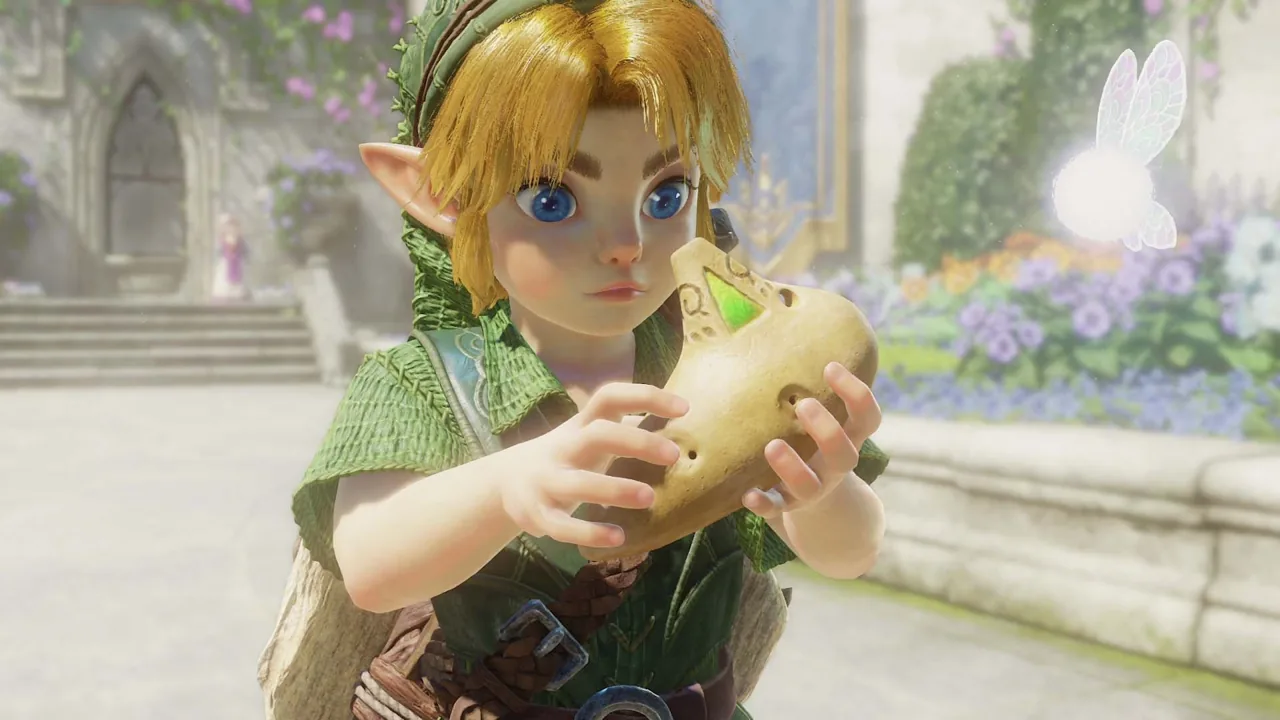
Ocarina of Time remake players are using Link’s musical instrument to perform songs from Linkin Park, Titanic, Final Fantasy X, and several other games, films, and popular culture references. Within days of the Nintendo Switch 2 remake’s November 5, 2026 launch, fans began sharing performances ranging from the opening riff of “In the End” to familiar Japanese supermarket jingles. Some creators published controller instructions alongside their videos, while others used humorous titles such as “Macarena of Time” and “Concerning Hylians” to identify their arrangements. The performances demonstrate how the remake’s ocarina controls allow players to recreate recognizable melodies beyond the songs required for Link’s adventure.
The instrument offers five main notes, with additional controls that modify their pitch to reach notes between them. Nintendo has also introduced microphone recognition for melodies Link learns during the story, allowing players to perform certain songs through humming, whistling, singing, or an instrument. These features serve different purposes. Controller inputs allow players to experiment with custom melodies and recreate fan covers, while microphone recognition is designed around songs already learned during gameplay. Understanding that distinction is important when following online tutorials, particularly those requiring specific button combinations and pitch adjustments.
Players can begin experimenting once Link obtains an ocarina. Nintendo estimates that reaching the first instrument takes approximately one to two hours of gameplay, with the first learnable song becoming available afterward. Press left on the D pad to bring out the ocarina, then use the notes displayed on the performance screen. For a custom arrangement, start with a short, recognizable section rather than attempting an entire song. An opening riff, chorus hook, or repeating jingle is easier to translate into controller inputs and provides a clear reference when comparing the performance with the original recording.
The most important elements to identify are pitch movement and rhythm. Listen for where the melody rises, falls, repeats, or pauses, then determine which notes are brief and which should be sustained. A complete song may contain percussion, bass, harmony, and several instruments, but Link’s ocarina is most effective when reproducing the main melody. For a piano arrangement, concentrate on the musical line listeners would recognize or hum rather than trying to include every accompanying note. This approach is particularly useful for the opening of Linkin Park’s “In the End,” where the melody remains recognizable as a sequence of individual notes.
When part of a melody falls outside the instrument’s comfortable range, players can transpose the phrase by moving its starting pitch higher or lower while preserving the relationships between notes. If a phrase begins too high and later reaches an awkward pitch, starting lower may make the entire arrangement easier to perform. Shortening a passage or simplifying a difficult jump can also help. Writing down the controller sequence, including repeated presses, held notes, and pauses, provides a consistent reference for practicing the same arrangement. These adjustments allow players to preserve a recognizable melody even when the original composition uses a wider range or more complex accompaniment.
The main ocarina buttons in the Switch 2 layout used by fan tutorials are L, R, A, Y, and X, arranged from lowest to highest pitch. Their corresponding notes are D, F, A, B, and the next D above. The two D notes are separated by an octave, although community charts sometimes assign different octave numbers. Using lower D and higher D avoids confusion when comparing guides. Nintendo provides two playing layouts through the Swap Ocarina Playing Controls option, so players should confirm their selected configuration if the notes displayed on screen differ from a tutorial.
The basic controls and pitch modifiers work as follows:
- L: Plays the lower D note.
- R: Plays F.
- A: Plays A.
- Y: Plays B.
- X: Plays the higher D note.
- D pad Up: Raises the selected note by one semitone.
- D pad Down: Lowers the selected note by one semitone.
- Left stick fully Up: Raises the selected note by one whole tone.
- Left stick fully Down: Lowers the selected note by one whole tone.
- ZL: Opens the songbook containing melodies Link has already learned.
For example, pressing L produces the lower D, while holding Up on the D pad and pressing L produces D sharp. Moving the left stick fully upward while pressing L produces E. Some pitches can be reached using different combinations, making it possible to select whichever input is easier during a particular melody. F sharp, for instance, can be produced by raising R with the D pad or lowering A through the appropriate downward modifiers. The most convenient combination often depends on which note comes next and how quickly the player needs to change hand positions.
Nintendo also includes a Practice Mode accessed through the minus button while using the ocarina. This mode displays a score and indicates whether the microphone recognizes the pitch and duration of the performed notes. To configure microphone input, open the plus menu, navigate to System and Options, and set Ocarina Mic Input to Humming or Instruments. Nintendo recommends the console’s built in microphone and staying within approximately 2.4 metres when playing in TV or tabletop mode. If a headset is connected, players should check which microphone the system is using.
Microphone input is intended for melodies Link has already learned, rather than unrestricted recognition of every custom song. Players wanting to reproduce a pop song or film theme should use the controller note system. The remake also provides separate ways to create and preserve music. Scarecrow’s Song allows players to establish a custom melody with a specific gameplay purpose, while Zelda Notes in the Nintendo Switch app supports composing scores and sharing them through QR codes. Freestyle covers, Scarecrow’s Song, and Zelda Notes are therefore related but distinct musical activities.
Ocarina of Time Remake Linkin Park, Titanic, and Japanese Supermarket Song Covers
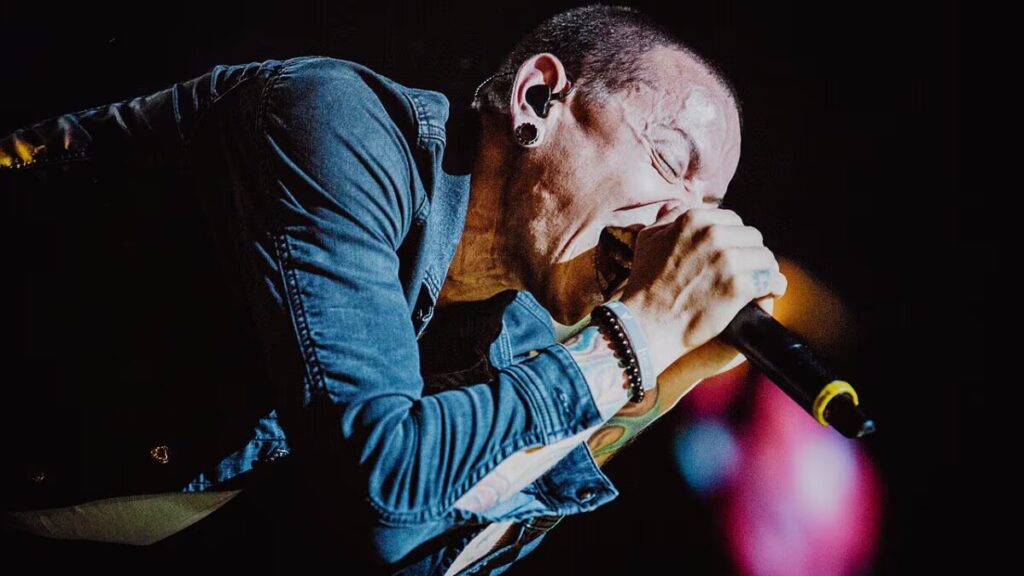
One of the most recognizable performances shared after the remake’s release was Linkin Park’s “In the End.” Steven, posting as @StevenxTCG, recreated the song’s opening piano figure and later published the controller sequence after viewers requested instructions. His arrangement demonstrates how a short melody can remain recognizable when transferred from piano to Link’s ocarina. It also provides a useful introduction to using a semitone modifier during a repeated musical phrase.
Steven’s documented controller sequence is:
- Press L.
- Press A twice.
- Press R.
- Hold Up on the D pad and press L four separate times.
- Release the D pad and press R.
- Repeat the complete phrase three times.
- After the third repetition, finish with a sustained L.
The four modified L notes are particularly important. Players must keep the D pad direction held while pressing L four separate times rather than holding the note continuously. Those repeated attacks provide the rhythm that makes the original riff recognizable. It also helps to practice the transition from the final modified L back to R because releasing the D pad changes the pitch used for the end of the phrase. Once the button sequence becomes familiar, players can concentrate on matching Steven’s timing. The final sustained L should last longer than the individual repeated notes, providing a clear conclusion to the arrangement.
Another widely shared performance adapted the main theme from Titanic. VideoArtGame posted a November 7 clip titled “The Legend of Zelda: Ocarina of Titanic,” which appeared in IGN’s roundup of fan performances. The familiar vocal version of the film’s love theme is “My Heart Will Go On,” performed by Céline Dion, with music by James Horner and lyrics by Will Jennings. The film soundtrack contains several musical cues, so identifying the specific theme is useful when learning the melody independently.
A solo ocarina suits the Titanic theme because its recognizable melody relies heavily on sustained notes and deliberate phrasing. Players attempting the arrangement should listen carefully to how long each note lasts and where the performer leaves space between musical phrases. Begin by practicing one section slowly, concentrating on pitch accuracy before adjusting the timing. Once the notes are comfortable, introduce longer holds and the small pauses that give the melody its emotional character. A comfortable transposition can preserve the tune even when matching the original recording’s exact pitch proves difficult.
Japanese retail music also became a popular subject for early fan performances. Two examples featured in the launch period were the Yobikomi kun promotional device melody and “Miracle Shopping,” the theme associated with Japan’s Don Quijote discount stores. Although both are recognizable retail tunes, they originate from different sources. Yobikomi kun is a device used to attract attention to merchandise displays through recorded announcements and background music, while “Miracle Shopping” is a branded song associated with a particular retailer. The humor comes from hearing familiar shopping music performed by Link in Hyrule.
Gunma Denki manufactures Yobikomi kun and identifies its familiar built in melody as track “No. 4.” The company provides an audio sample that can serve as a reference when learning the tune. A Switch 2 performance appeared on November 6 from @accelerando_xx, using the Japanese caption 呼び込みリンクくん, which incorporates Link into the device’s name. The arrangement recreates the recognizable repeating pattern through the ocarina, turning a sound associated with Japanese retail displays into a playful Zelda performance.
The best way to approach the Yobikomi kun melody is to listen through a complete loop before choosing where the phrase begins. Because the tune repeats, its starting point may not be immediately obvious. Once a starting note has been selected, players can tap the rhythm while listening to the original recording, then work out the pitches using the Switch 2 controls. Repetition makes timing particularly important because small differences between successive loops become noticeable. A recognizable performance depends on preserving both the notes and their spacing.
Don Quijote’s “Miracle Shopping” provides a different challenge because it is associated with a sung melody rather than simply a repeating instrumental pattern. The retailer identifies Maimi Tanaka as the singer on its official page concerning an English version vocal audition. A fan performance appeared on November 8 from @_2KADA with the caption ドン・キホーテ ハイラル店, imagining a Don Quijote location in Hyrule. The arrangement recreates the song’s recognizable hook without the lyrics that ordinarily help identify it.
When adapting “Miracle Shopping,” players should listen for the strongest accents in the vocal line. Those accents help preserve the song’s identity when the melody is transferred to an instrument with a relatively consistent tone. Compared with Yobikomi kun, the performance benefits from concentrating on phrasing and emphasis rather than treating every note as part of an identical repeating pattern. Players searching for the original fan videos can use the creators’ handles alongside Japanese terms such as 時のオカリナ, which identifies Ocarina of Time, or ハイラル店, the Hyrule store caption.
The popularity of these performances demonstrates how the remake’s musical controls encourage experimentation beyond Zelda’s own soundtrack. Linkin Park’s piano riff, the emotional Titanic theme, and Japanese retail jingles use different musical structures, yet each can be reduced to a recognizable line of notes. Their differences also provide useful practice opportunities. The Linkin Park arrangement develops pitch modifier control, Titanic emphasizes sustained notes and phrasing, and the supermarket covers reward accurate repetition and rhythm. Together, they show how players can use one instrument to recreate music associated with entirely different forms of entertainment.
More Ocarina of Time Remake Fan Covers, N64 Controls, and Song Tutorials
The launch period also produced humorous arrangements of familiar dance music. Chefspin, posting as @chef_spin, shared “Macarena of Time” on November 8 in response to Steven’s Linkin Park performance. The title combines the name of the popular dance song with Ocarina of Time, continuing the playful approach established by other performers. Unlike a slow film theme, a dance melody depends strongly on consistent rhythmic movement. Without percussion, the ocarina player must communicate that rhythm through the beginning of each note and the gaps between groups.
Players attempting a similar arrangement should first identify the main hook and practice it against a steady beat. Once the pitches are mapped, repeat the phrase twice at the same speed and check whether the second pass begins at the expected moment. Missing a short pause can make a repeating dance melody feel rushed. The widely circulated “Macarena of Time” recording was a performance clip rather than a complete written tutorial, so matching Chefspin’s specific version requires listening to the original arrangement and translating its notes through a community chart.
Another notable performance came from Koppe, posting as @KOPPE_lunix, who shared “To Zanarkand” from Final Fantasy X on November 8. IGN also identified a separate post containing guidance from the creator. Square Enix lists the original soundtrack composition as “Zanarkand” in English and ザナルカンドにて in Japanese. The publisher’s collections include both the original soundtrack and a Piano Collections arrangement, giving players different versions to use as listening references.
“To Zanarkand” benefits from careful phrasing because its main melody develops gradually over piano accompaniment. Players should isolate the lead line, learn the opening in short groups, and sustain the notes where each phrase settles. If a pitch is not among the ocarina’s five main notes, the appropriate D pad or stick modifier can be used. Humming along with the arrangement can help distinguish essential melody notes from accompanying piano figures. The creator’s performance provides a reference for timing, while the additional guidance helps translate that melody into controller inputs.
IGN also identified Dragon Ball Z among the sources of music adapted by players, although its report did not establish the title or a verified controller sequence for a specific cover. This distinction matters because the franchise contains numerous opening themes, ending songs, and background compositions. Searching for a particular remake performance is easier when using both the series name and a Switch 2 or remake identifier. Players preparing their own anime arrangement should concentrate on a recognizable chorus or opening motif, separating the main melody from busy accompaniment before attempting more complex passages.
Film and television inspired covers included “Concerning Hylians,” posted on November 7 by @MGylseth. The title refers to Howard Shore’s “Concerning Hobbits” from The Lord of the Rings: The Fellowship of the Ring. The arrangement brings the familiar melody into Zelda’s world through both its title and the sound of Link’s instrument. The original composition works well as a solo performance because its lead melody remains recognizable without the full orchestral accompaniment.
When practicing “Concerning Hylians,” players should pay attention to the shorter notes leading into each phrase and the longer notes where the melody settles. Giving every pitch equal emphasis can make the arrangement sound less natural. A useful approach is to learn the pitches slowly, then adjust the duration and weight of each note. The creator’s title is also a useful search term because general searches for “Concerning Hobbits ocarina” can return performances using physical instruments with entirely different fingerings.
Music from Death Stranding also appeared in the fan roundup. Jaymire, posting as @set71374, shared a rendition of “BB’s Theme” on November 8. The performance contrasts with faster retail jingles because the melody allows more time for sustained notes and pauses. Players learning this type of arrangement should continue counting through silent sections rather than treating every gap as an opportunity to stop following the beat. Listening once for note duration and again for pitch can make it easier to reproduce the performance consistently.
Another Nintendo related example was “Starlit Journey” from Kirby Air Riders, performed by @Gohongi_04 on November 7. The creator used the Japanese caption エアライダー, while Nintendo identifies “Starlit Journey” as the main theme of Kirby Air Riders. Official arrangements include “Starlit Journey: Ballad” and “Starlit Journey: Free,” meaning players may encounter different versions of the same composition. Anyone attempting to reproduce the circulated Zelda performance should begin with the creator’s clip rather than assuming that every official arrangement uses identical timing or phrasing.
The reported fan performances cover several musical styles and creators:
- Linkin Park, “In the End”: @StevenxTCG, featuring a documented controller tutorial.
- Titanic, “My Heart Will Go On”: VideoArtGame, posted November 7.
- Yobikomi kun retail melody: @accelerando_xx, posted November 6.
- Don Quijote, “Miracle Shopping”: @_2KADA, posted November 8.
- Macarena of Time: @chef_spin, posted November 8.
- Final Fantasy X, “To Zanarkand”: @KOPPE_lunix, posted November 8.
- The Lord of the Rings, “Concerning Hobbits”: @MGylseth, posted November 7.
- Death Stranding, “BB’s Theme”: @set71374, posted November 8.
- Kirby Air Riders, “Starlit Journey”: @Gohongi_04, posted November 7.
- Dragon Ball Z: Additional fan adaptations identified in coverage without a verified individual track sequence.
The Switch 2 remake also changes the controller inputs used for ocarina performances compared with the original Nintendo 64 game. In 1998, players used the A button and four yellow C buttons to play the five regular notes. The modern layout used by these fan tutorials assigns those notes to L, R, Y, X, and A. The original A corresponds to L on Switch 2, while C Down becomes R, C Left becomes Y, C Up becomes X, and C Right becomes A. This distinction is important because the A button appears in both versions but represents a different pitch.
Zelda’s Lullaby illustrates the conversion. Its original C Left, C Up, C Right sequence becomes Y, X, A on the modern layout, then repeats. Players can therefore follow older guides by translating the original note positions into the corresponding Switch 2 buttons. For arrangements using pitch modifiers, identify the intended musical note first and then find the modern input that produces it. The Nintendo 64 version also supported pitch adjustments through shoulder controls and the analog stick, meaning custom ocarina performances have existed since the original game. The remake continues that flexibility with a revised controller layout and additional microphone recognition.
Most of the performances discussed in the launch roundup were posted on X. Searching for a creator’s handle alongside the song title or fan caption is generally more reliable than looking for generic Zelda ocarina covers, which can include physical instrument recordings and videos from older releases. Some performers published tutorials after their original clips, including Steven’s “In the End” instructions and Koppe’s guidance for “To Zanarkand.” Where only a performance is available, players can use the recording for timing and a Switch 2 note chart to identify the required buttons.
The remake’s musical features provide several ways for players to experiment with recognizable songs. Controller inputs support freeform performances, pitch modifiers extend the available notes, microphone recognition offers another method for learned Zelda melodies, and Zelda Notes provides a separate way to create and share scores. Whether recreating a familiar film theme or a short supermarket jingle, the most effective approach is to identify a recognizable phrase, map its pitches, and practice its rhythm before attempting a longer arrangement. The variety of performances shared immediately after launch shows how a familiar gameplay instrument can become a creative tool for an entirely new generation of players.
Frequently Asked Questions (FAQs)
- Can you play custom songs in the Ocarina of Time remake?
Yes. Once Link obtains an ocarina, players can use the instrument’s note buttons to perform melodies outside the songs required by the story. The five main notes can be modified using the D pad and left stick, allowing access to additional pitches. This makes short arrangements of popular songs, film themes, and game soundtracks possible. Players can experiment freely without needing the game to recognize the melody as an official Zelda song. - What are the five ocarina buttons on Switch 2?
In the layout used by the fan tutorials, the five main buttons are L, R, A, Y, and X, arranged from lowest to highest pitch. They correspond to D, F, A, B, and a higher D. Players can also use directional modifiers to reach additional notes. Nintendo provides two playing layouts through the Swap Ocarina Playing Controls setting, so the selected configuration should be checked before following a written tutorial. - What does
UP+Lmean in the Linkin Park tutorial?
It means holding Up on the D pad while pressing L. This raises the lower D note by one semitone, producing D sharp. In Steven’s “In the End” arrangement, the modified L note is pressed four separate times during each repetition of the opening riff. Keep the D pad direction held while tapping L, then release it before continuing with the next unmodified note. - Can you hum a custom song into the Switch 2 microphone and have Link copy it?
Nintendo documents microphone recognition for songs Link has already learned during the adventure, rather than unrestricted recognition of custom melodies. Players can use humming, whistling, singing, or an instrument to perform supported Zelda songs. For freestyle covers such as Linkin Park’s “In the End” or the Titanic theme, the controller note buttons remain the appropriate method. - Do you need Nintendo’s physical ocarina to use microphone input?
No. The Nintendo Switch 2 built in microphone supports humming, whistling, singing, and playing a suitable instrument. After Link learns his first song, players can configure Ocarina Mic Input through the System and Options menu. Nintendo also provides a Practice Mode to help players check pitch and note duration. A separate physical ocarina is not required to use the microphone feature. - Is “My Heart Will Go On” part of the remake’s soundtrack?
No. The Titanic performance is a fan created cover rather than an official song included in the remake’s soundtrack. “My Heart Will Go On” is associated with the 1997 film Titanic and was performed by Céline Dion, with music composed by James Horner and lyrics written by Will Jennings. Players recreated its familiar melody using Link’s ocarina controls. - What is the Japanese supermarket tune heard in the Yobikomi-kun clip?
The tune comes from Yobikomi kun, a promotional device manufactured by Gunma Denki for use in Japanese retail environments. The device plays recorded announcements and background music to attract shoppers’ attention. Its manufacturer identifies the familiar melody as built in track “No. 4.” A Switch 2 player recreated the tune on Link’s ocarina and shared the performance shortly after the remake launched. - What is the Don Quijote store jingle called?
The Don Quijote store theme is called “Miracle Shopping.” The Japanese discount retailer identifies Maimi Tanaka as the singer on its official page concerning the song’s English version. A fan recreated the familiar melody in the Ocarina of Time remake and used a caption imagining a Don Quijote branch in Hyrule. The performance became one of the Japanese retail music examples shared during the game’s launch period. - Can you use an N64 ocarina guide for the Switch 2 remake?
Yes, but the original controller inputs must be translated into the remake’s layout. The Nintendo 64 A button corresponds to L on Switch 2, while C Down, C Left, C Up, and C Right correspond to R, Y, X, and A. Because the A button produces different notes in the two versions, copying an older button sequence without conversion can produce the wrong melody. Using a modern note chart helps identify the correct inputs. - Can you save or share an ocarina score?
Yes. Nintendo’s Zelda Notes feature in the Nintendo Switch app allows players to create music scores and share them through QR codes. This is separate from freely performing melodies inside the game. Ocarina of Time also includes Scarecrow’s Song, which allows players to create a custom tune used for a specific gameplay mechanic. Zelda Notes focuses on creating and sharing scores, while Scarecrow’s Song serves a particular purpose during Link’s adventure.
Conclusion
The Linkin Park cover provides a practical starting point for players experimenting with custom songs in the Ocarina of Time remake. Its creator shared the controller sequence, demonstrating how a single pitch modifier can expand the instrument beyond its five basic notes. Other performances show how the same controls accommodate different musical styles. The Titanic theme relies on sustained notes, “Macarena” depends on consistent rhythm, while the Yobikomi kun jingle requires accurate repetition to preserve its recognizable sound.
Together, these performances demonstrate the creative possibilities of Link’s ocarina on Nintendo Switch 2. Each arrangement requires a different approach to pitch, timing, and phrasing, even when players use the same instrument and controls. Fan recordings provide musical references, controller charts explain the available notes, and short melodies give players room to experiment. The result is a collection of creative performances that extends the remake’s musical experience beyond its original Zelda soundtrack.
Sources and Citations
- Nintendo, The Legend of Zelda 40th Anniversary Direct, September 8, 2026: Official announcement confirming the November 5, 2026 launch of The Legend of Zelda: Ocarina of Time for Nintendo Switch 2. Nintendo also detailed the remake’s ocarina functionality, including playing or humming learned melodies through the Switch 2 microphone and expanded ZELDA NOTES features. Nintendo
Nintendo – The Legend of Zelda 40th Anniversary Direct - Nintendo Support / Nintendo Ocarina Documentation: Nintendo’s official materials explain microphone-based ocarina input, learned-song recognition, controller-based play, and related ZELDA NOTES functionality. The anniversary announcement confirms that players can hum or play learned songs within range of the Nintendo Switch 2 microphone, while ZELDA NOTES includes a virtual ocarina and music-score features. Nintendo
Nintendo – Ocarina of Time Features and Ocarina Information - Nintendo, The Legend of Zelda: Ocarina of Time Launch Announcement, November 5, 2026: Official launch confirmation for the Nintendo Switch 2 remake. Nintendo’s launch materials establish the November 5 release and the remake’s place in the Zelda 40th anniversary campaign. My Nintendo
Nintendo – The Legend of Zelda: Ocarina of Time Now Available - IGN, Verity Townsend, November 11, 2026, “The Legend of Zelda: Ocarina of Time Remake Players Use In-Game Ocarina to Play Everything From Linkin Park, Titanic, and Japanese Supermarket Themes”: Primary reporting on the wave of fan performances following the remake’s launch. The report identifies Linkin Park’s “In the End,” Titanic music, Final Fantasy, Dragon Ball Z, The Lord of the Rings, “Macarena of Time,” and Japanese retail themes among the songs recreated by players. It also notes that @StevenxTCG published instructions for playing the Linkin Park arrangement. Yahoo Tech
IGN – Ocarina of Time Remake Players Play Linkin Park, Titanic and More - EnContextoSocial, November 11–12, 2026: Republishes and contextualizes the IGN reporting on the fan-created ocarina performances, including the Linkin Park arrangement, Titanic music, other game and film themes, and embedded references to the original social-media posts. EnContextoSocial.com
EnContextoSocial – Ocarina of Time Remake Fan Performances - TheMorningPulse.fyi, November 11, 2026: Coverage sourced to IGN documenting the same launch-week fan performances. It preserves Steven’s full “In the End” controller sequence, including the repeated
UP+Linputs and final held L note, and also references “Macarena of Time” and @KOPPE_lunix’s “To Zanarkand” performance. TheMorningPulse.fyi
TheMorningPulse.fyi – Ocarina of Time Fan Covers
Recommendations
- Subnautica 2 Early Access Roadmap: Co-Op Updates, Sprinting, and More
- Virtua Fighter 6 Leak Explained
- Best Gaming Headsets for 2026: Top Wireless, Wired, PC, PS5, and Xbox Picks
- Take-Two CEO Comments on Roblox and GTA Explained
- All characters and color variations in Mario Tennis Fever: Full roster, unlocks, and alternate colors
- Assassin’s Creed Black Flag Remake
- How to Make a 3D VTuber Avatar: The Complete Guide for Beginners and Content Creators
- Farm to Table Grow Your Own Food & Make Fine Dishes in Cozy Restaurant Simulator: Complete Gameplay Guide
- Don’t Fret Hits All the Right Notes for a Frightening Survival-Horror Experience
- Assassin’s Creed Black Flag Resynced Post-Game Support Teased Ahead of GTA 6