







In This Article (13 sections)
Introduction
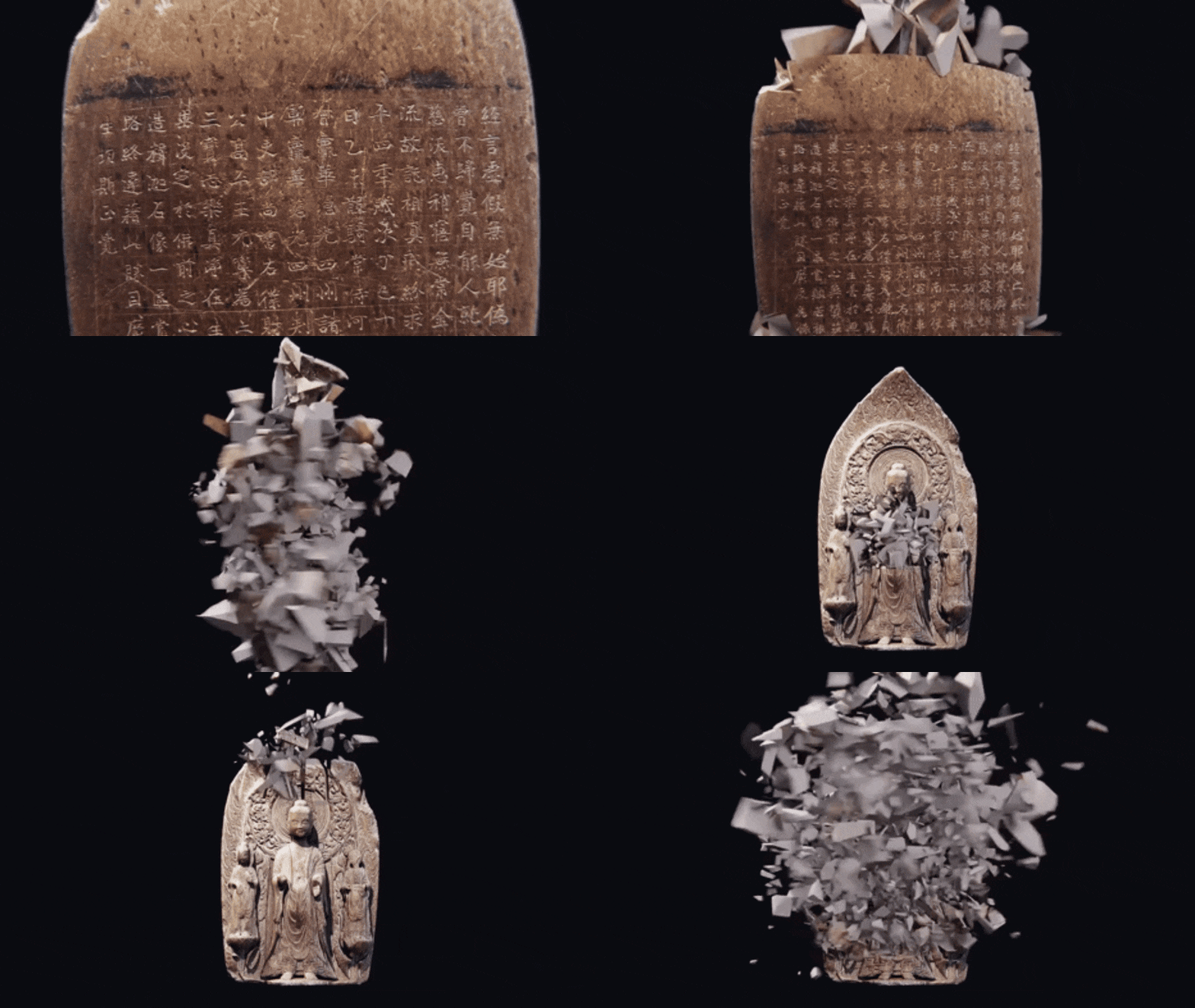
Procedural animation in 3D art and animation leverages algorithms, rules, or simulations to generate motion automatically, unlike traditional keyframing where poses are manually set. This approach enables animations to adapt to real-time inputs or random variations, producing dynamic, natural, and adaptable motion compared to pre-baked clips. For 3D artists, freelancers, and studios, it unlocks creative possibilities like characters adjusting footsteps on uneven terrain in games or motion graphics with algorithmically precise swarms. This guide explores procedural animation in Blender, focusing on tools like drivers, Geometry Nodes, and add-ons for complex automated motions, while comparing approaches in Unreal Engine, Unity, Godot, Maya, and Houdini, each with unique strengths.
It provides practical insights, examples, and tutorial pointers for beginners and advanced users, alongside real-world applications in games, film, and motion graphics. The guide explains the “how” and “why” of procedural animation, its time-saving benefits, ability to add realistic physics-based motion, and capacity for dynamic animations unachievable through manual keyframing, equipping readers to integrate it into their workflows. It starts by defining procedural animation and its powerful advantages.
What is Procedural Animation in 3D?
Procedural animation generates motion through code, rules, or algorithms, automating movement based on set parameters rather than manual keyframing. It ranges from simple math-driven motion (e.g., sine wave bobbing) to complex physics simulations like character ragdolls.
- Key Characteristics: Adaptive and variable, rule-based motion adjusts in real-time to environments or inputs, like procedural foot IK for uneven terrain, offering realistic, non-deterministic results unlike repetitive canned animations.
- History: Used for decades, from early particle systems (fire, water) to 1990s games with IK and physics, now prevalent in games, films (crowds, secondary motion), and motion graphics.
- Advantages: Saves time on repetitive/complex motions, generates variations automatically, supports real-time interactivity for games, and achieves organic effects difficult to hand-animate.
- Challenges: Requires technical skills (node networks/scripting), has a learning curve, can be unpredictable, and lacks artistic control for precise character acting, often blended with keyframing.
Procedural animation complements traditional methods, setting rules for the computer to create motion, explored next in various 3D software.

Procedural Animation in Blender: Tools & Techniques
Blender excels at procedural animation, offering tools like drivers, modifiers, and add-ons to create rule-based motion, supported by a vibrant community pushing complex techniques like procedural walk cycles.
Drivers and Expression Controllers
Blender’s drivers link one property to another via mathematical expressions, updating each frame without keyframes.
- Usage: Drive any animatable property (location, rotation, etc.) by right-clicking to “Add Driver,” using expressions like sin(frame/10) for oscillation or referencing other objects’ properties.
- Example: A wagon’s wheel rotation driven by its forward movement (e.g., deg2rad(self.location.x * 10)) ensures automatic spinning as the wagon moves, adapting to speed/path changes.
- Advanced: Scripted Expressions with Python enable conditional logic, randomness, or complex math, though intricate setups may suit node-based tools better.
F-Curve Modifiers (Noise, Cycles, etc.)
F-curve modifiers add procedural effects to animation curves, post-processing channels with functions.
- Noise Modifier: Adds randomness (e.g., camera shake via X rotation wobble), adjustable for strength/frequency, ideal for idle motions like breathing or flag waving.
- Other Modifiers: Cycles repeats sequences endlessly (e.g., one walk stride into a loop), Ping-Pong mirrors motion, automating repetitive tasks without extra keyframes.
- Ease of Use: Beginner-friendly, applied directly to curves without coding, perfect for quick procedural enhancements.
Geometry Nodes for Animation
Introduced in Blender 2.92, Geometry Nodes, primarily for modeling, support procedural animation via node-based visual programming.
- Applications: Animate object distributions (e.g., flower field rotations via Scene Time node) or motion graphics (wave patterns on grids using sine functions). Experimental walk cycles drive bones with workarounds.
- Example: Procedural smear/stretch effects use node setups to generate stretched geometry between frames, simulating motion blur or cartoon smears, reusable across objects.
- Features: Keyframe inputs or use drivers; Simulation nodes enable particle-like physics. Nodes randomize or transform geometry for complex, parametric motion like objects following a leader with delays.

Animation Nodes Add-on
Animation Nodes, a free plug-in, provides node-based animation scripting, predating Geometry Nodes.
- Capabilities: Animates complex scenes (e.g., 50 text objects in a spiral or music-driven motion) with nodes for loops, transforms, and randomness, excelling in motion graphics like text effects.
- Status: Requires installation, compatible up to Blender 3.x, offering features like looping missing in current Geometry Nodes.
- Tip: Start with tutorials for simple effects (e.g., object wave scaling) to see parameter-driven, real-time automation.
Physics Simulations and Other Procedural Tricks
Blender’s physics engines (rigid body, cloth, fluid, particles) generate motion via algorithms.
- Setup: Define initial conditions for simulations (e.g., rubble collisions), baking to keyframes if needed, for realistic film/game motion.
- Modifiers: Build modifier constructs objects over time; Wave creates ripples; procedural textures (e.g., Cloud-driven displacement) animate surfaces like seas.
- Python Scripting: Offers ultimate control, manipulating objects via scripts per frame, though complex and slower without nodal interfaces.
Blender Procedural Animation Example: Driving a Choreographed Scene
For a kinetic typography scene, combine Animation Nodes for letter paths, Noise Modifier for random wiggles, and drivers/Python for music-sync via sound-baked F-curves. Adjusting one parameter changes speed or randomness, creating a flexible, dynamic rig, showcasing Blender’s procedural efficiency.
Blender’s open-source nature and community resources (e.g., Blender Artists, tutorials) make it ideal for freelancers/studios automating tasks like walk cycles or mechanical motions, saving time for non-expert animators.

Unreal Engine: Dynamic Motion with Blueprints & Control Rig
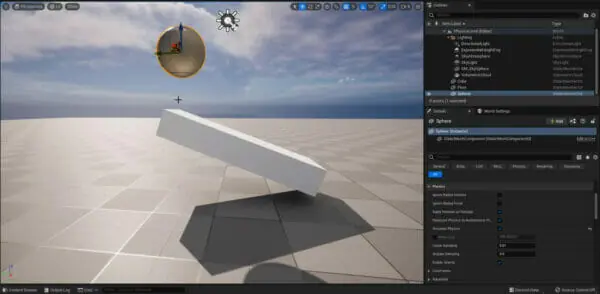
Unreal Engine, used for games and real-time 3D, leverages real-time computation for procedural animation via Animation Blueprints and Control Rig, blending player-driven physics with animation logic.
Animation Blueprints & IK
Animation Blueprints mix traditional clips with procedural modifiers in a node-based graph.
- Nodes: Include IK, Two-Bone IK, FABRIK, LookAt, and AnimDynamics for secondary motion (e.g., ponytail swings), adjusting poses per frame.
- Foot IK: Adjusts walking animations to plant feet on uneven terrain (slopes/stairs) via IK solvers, enhancing realism without pre-made animations.
- LookAt: Rotates heads/eyes to targets, overlaying on base motion. Physics Blend simulates cloth/jiggle on partial meshes.
- Blueprints Integration: General triggers animation logic (e.g., uphill movement raises knees), using Unreal’s visual scripting.
Control Rig for Procedural Rigging
Control Rig (enhanced in Unreal 5) builds runtime node-based rigs for procedural animation.
- Example: A six-legged robot turret walks via IK per leg, with staggered steps and springy body motion using math functions and Spring nodes, driven by movement parameters for adaptive gaits.
- Applications: Used for aiming (spine/arm adjustments), Dynamic IK (reaching nearby objects), or facial rigging, with baking options.
- Resources: Unreal’s Control Rig sample pack offers rigs to study, showcasing real-time adaptability.
Blueprint Scripting and Plugins
- Blueprints/C++: Script non-skeletal motion (e.g., doors opening on proximity) or complex logic, enhancing animation control.
- Plugins: Power IK simplifies full-body IK; past IKinema tech is integrated. Physics-driven tools like Physical Animation Component blend ragdoll effects for hit reactions.
- Euphoria Example: Blends physics/animation for unique outcomes, similar to Unreal’s dynamic physics integration.
Unreal Procedural Animation in Practice
- Games: Foot IK and Aim Offsets in Unreal 4/5 templates; titles like Fortnite use Control Rig for dynamic grips in cutscenes.
- Virtual Production: Control Rig enables on-set animation tweaks (e.g., arm adjustments) for live shots.
- Tips: Start with IK foot placement or Blueprint-driven object oscillation, exploring Unreal’s IK/Control Rig docs and Content Examples for practical setups.
Unreal’s real-time sandbox blends manual and automated animation, essential for interactive, polished game experiences.
Unity: Procedural Motion with C# and Animation Rigging
Unity supports procedural animation via C# scripting and the Animation Rigging package, evolving from script-heavy workflows to native rigging tools.
Animation Rigging Package
Available since Unity 2019.3+, Animation Rigging applies constraints at runtime or in editor/Timeline.
- Constraints: Two-Bone IK (limbs), Multi-Aim (head/torso aiming), Multi-Parent, Twist correction, and Damping for secondary motion (e.g., armor bounce via spring-like lag).
- Foot IK: Uses raycasts to target ground, adjusting leg bones for terrain adaptability with minimal scripting.
- Aiming: Multi-Aim tweaks spine/arms for precise weapon targeting, enhancing base animations.
- Secondary Motion: Damped Transform constraints add bounce to props, simplifying procedural effects.
- Non-Character Uses: Constraints animate cranes or pointing objects in cutscenes, previewable in edit mode.
- Resources: Unity’s GitHub/Package Manager examples and tutorials demonstrate setups like foot IK or squash-and-stretch.
C# Scripting for Procedural Animation
Scripts manipulate transforms/bones per frame for custom animation logic.
- Simple Example: A sine wave bobs objects (transform.position with Mathf.Sin(Time.time)).
- Bone Control: Use SetBoneLocalRotation or HumanPoseHandler for joints, or GameObject targets in LateUpdate for custom IK.
- Complex Logic: Scripts encode balance rules (e.g., foot placement based on center of mass), creating adaptive, non-repetitive motion via coroutines or animation curves.
- Visual Scripting: Bolt/Unity Visual Scripting offers limited node-based animation control, with most logic in C# or Rigging constraints.
Third-Party Tools
- Plugins: Final IK provides full-body IK and grounders; PuppetMaster creates Euphoria-like active ragdolls.
- Timeline Signals: Trigger scripts/events (e.g., ragdoll at specific frames) for procedural control.
- Cinemachine: Procedurally blends camera motions, extending animation principles to non-character elements.
Unity Use Cases
- Games/VR: IK for object pickups or VR avatar limb adjustments (e.g., elbow/shoulder matching hand controllers).
- Motion Graphics: Particle systems with scripts create crowd/flock animations; Timeline + Rigging adds procedural elements to cutscenes.
- Performance: Optimize with Animation C# Jobs for multi-core efficiency, avoiding slow bone adjustments via naive scripts.
Tips for Unity Developers
Experiment with a T-pose character, adding Two-Bone IK for arm waves and Multi-Aim for head nods via scripting/Rigging, learning transform/IK debugging. Unity’s toolset rivals Unreal’s, with workflow (code vs. nodes) as the key differentiator.

Godot: GDScript and Built-in Nodes for Procedural Animation
Godot Engine, an open-source 2D/3D game engine, supports procedural animation with a DIY approach, leveraging GDScript and nodes, enhanced by Godot 4’s improved 3D capabilities.
GDScript and the Scene Tree
GDScript, Godot’s Python-like scripting language, updates node properties each frame for procedural motion.
- Examples: Rotate objects via rotation.y += 1.0 * delta in _process(delta), or bounce with position.y = start_y + 5 * sin(2 * PI * time).
- Tweening/AnimationPlayer: Tween nodes interpolate values programmatically (e.g., move over 2 seconds with bounce easing); AnimationPlayer blends animations or triggers procedural events via function calls.
- Real-time Control: Use _physics_process or _process for dynamic adjustments, like foot placement via RayCast nodes adjusting bone transforms to ground height.
Inverse Kinematics (IK) in Godot
- Godot 3.x: Lacked 3D IK, requiring custom GDScript solvers or plugins.
- Godot 4’s SkeletonIK3D: A node using FABRIK to rotate bone chains, placing end effectors (e.g., feet) at targets (e.g., ground via raycasts), simplifying foot planting or hand reaching.
- Usage: Add SkeletonIK3D to a skeleton, set target nodes, chain length, and influence for blending, with continuous or one-time updates.
- Helpers: BoneAttachment nodes dynamically attach objects to bones, aiding procedural setups.
AnimationTree and Blending
- AnimationTree: Blends animations via parameters (e.g., upright to leaning poses based on turn speed) for algorithmic mixing, driven by code.
- AnimationPlayer: Uses call_method tracks to trigger procedural events during keyframed animations, syncing scripted motion with timelines.
Physics and Procedural Motion
- Physics System: RigidBody and joints simulate motion (e.g., ragdolls, swinging ropes), considered procedural when driven by forces.
- Godot 4 Enhancements: Unified 2D/3D physics improves synchronization for mixing physics with animation.
Use Cases in Godot
- Indie Games: Code-driven blinks, enemy facing via rotation, or arcing projectiles under gravity add procedural touches.
- Community Example: A pre-SkeletonIK spider walk used GDScript for leg positioning, now simplified with SkeletonIK.
- Motion Graphics: Less common, but used for UI floats or environmental animations (e.g., tree sway via code/shaders).
- 2D Animation: 2D IK controls skeletal sprites for procedural limb motion in cutout animation.
Godot Tips
Start with SkeletonIK documentation or a script like:
gdscript
extends Node3D
var amplitude = 2.0
var speed = 1.0
var base_y = 0.0
func _ready():
    base_y = global_position.y
func _process(delta):
    var new_y = base_y + amplitude * sin(OS.get_ticks_msec()/1000.0 * speed)
    global_position.y = new_y
This creates a bouncing object, expandable to trailing or noisy motion. Check Godot’s Asset Library for IK/procedural plugins.
Godot’s simplicity requires more scripting than Unity/Unreal, but SkeletonIK in Godot 4 eases character animation, making it viable for indie projects.

Maya: Node-Based Rigging, Expressions, and MASH for Procedural Animation
Maya, a film/game industry staple, uses its node-based architecture for procedural animation via connections, expressions, MASH, and dynamics, blending keyframing with automation.
Node Connections & Set Driven Key
- Node Connections: Link attributes (e.g., rotateY drives translateX) in Hypergraph/Node Editor for automatic updates, similar to Blender drivers.
- Set Driven Key (SDK): Define relationships (e.g., attribute A at X sets B to Y), interpolating B as A changes, used for facial rigs or complex motion triggers, considered procedural rigging.
Expressions for Animation
- Expression Editor: Uses MEL/Python to drive attributes each frame (e.g., pSphere1.tx = sin(time * 2) * 5 for oscillation or pCube2.rotateZ = pCube1.rotateZ * 1.5).
- Applications: Wheel rotation based on movement, noise-driven camera shake, or ponytail overlap via frame offsets.
- Features: Mix with keyframes, use noise/random functions, but avoid heavy computations for performance, often replaced by optimized nodes/constraints.
MASH (Motion Graphics)
- Overview: A procedural system for instanced objects, applying effects like Wave, Random, or Target nodes for non-destructive motion.
- Examples: Animate cubes in a wave, scatter logo pieces to reform, or make text fall like rain with gravity/collision nodes, ideal for motion graphics.
- Controls: Adjust via Attribute Editor or Node Editor, with falloff objects limiting effects spatially, driving deformations like blend shapes.
Physics and Dynamics in Maya
- Dynamics: Rigid bodies, nCloth, nHair, and fluids generate motion algorithmically (e.g., cloth flags), often cached or keyframed for export.
- Bifrost: A visual programming framework for custom simulations (e.g., fish schools, crowds), advanced for non-real-time animation.
Real-World Maya Applications
- Film: Auto-walking creature rigs or dragon wing flaps use SDK/expressions for previz; simulations handle VFX like destruction.
- Motion Graphics: MASH creates promos (e.g., shard logos) with adjustable randomness/timing, integrated with Maya’s rendering pipeline.
- Game Dev: Procedural rigs (e.g., run cycle generators) or HumanIK retargeting adjust animations algorithmically, though baked for export.
- Broadcast: MASH animates idents (e.g., radial shard spins), streamlining complex sequences.
Maya Expressions Example
For vehicle suspension, link body movement to wheel arm rotation via expressions or jiggle deformers, using utility nodes for behaviors like settling when stopped (e.g., car_body.ty = smoothstep(0,1, sin(time * 5)) * 0.2).
Maya’s flexibility allows procedural rigs controlled by sliders, blending artistic and technical workflows for complex film/TV productions.

Houdini: The King of Procedural Animation and Simulation
Houdini, built for procedural generation, uses node networks to create animations without direct keyframing, excelling in complex effects, simulations, and repetitive tasks for film and VFX.
CHOPs (Channel Operators)
Houdini’s CHOPs process motion channels, generating or modifying animations procedurally.
- Applications: Add noise to rotations for wobble, blend animation clips, or create audio-driven motion (e.g., syncing character dance to music).
- Examples: Use Noise CHOP for random variations on keyframed animations or Shift CHOP to offset pulses for sequential light blinks, adjusting speed in one place.
- Features: Nodes like lag, spring, or InverseKin CHOP handle delays, dynamics, or IK, enabling procedural rig controllers without coding, though VEX offers deeper control.
Procedural Motion in SOPs (Geometry Context)
SOPs animate geometry by manipulating parameters over time via expressions or simulations.
- Techniques: Scatter points with sin/cos oscillations for wave-like motion, copied to objects for fields of movement, or use Time Shift/Warp nodes for staggered variations.
- Example: A flag’s vertices oscillate via VEX for wind effects, avoiding full cloth simulation, driven by a single tweakable expression.
VEX and Expressions
Houdini’s VEX/HScript scripts motion logic in Wrangle nodes.
- Uses: Update particle positions in POP Wrangles or geometry in SOP Wrangles (e.g., noise-driven vertex motion for animation), or generate keyframes programmatically in CHOPs.
- Example: A VEX snippet creates a custom wave shape for channel animation, offering precise control over motion patterns.
Crowds and Agents
Houdini’s Crowd system blends clip animations (walk, run) with AI-driven behaviors and ragdoll physics for varied motion.
- Applications: Simulates thousands of agents (e.g., battle scenes) with procedural blending, using KineFX to treat skeletons as geometry for dynamic adjustments like foot placement.
Real-World Examples
- Film/TV: Procedural destruction (e.g., building collapses), particle effects (e.g., Avengers: Infinity War’s disintegration), or crowd simulations for battle scenes.
- Motion Graphics: Data-driven visuals or abstract animations (e.g., lines forming patterns) using SOPs and CHOPs for generative art.
- Games: Offline creation of destruction animations or sprite flipbooks (e.g., fire simulations) exported as Alembic for real-time use.
Key Strengths of Houdini
- Scalability: Handles thousands of objects efficiently via data flow.
- Iteration: Single parameter tweaks regenerate entire animations.
- Combination: Mixes keyframed and procedural elements (e.g., hero cycle with procedural ponytail).
- Visualization: Node graphs document the animation process clearly.
Houdini’s procedural power suits complex, scalable tasks, though its technical interface requires learning, offering unmatched flexibility for technical artists.
Comparing Procedural Animation Workflows Across Software
| Software | Procedural Animation Tools | Typical Use Cases | Strengths | Considerations |
|---|---|---|---|---|
| Blender | Drivers, F-Curve Modifiers, Geometry Nodes, Animation Nodes, Physics | Motion graphics, small studio projects, secondary motion | Free, flexible keyframe-procedural mix, growing Geometry Nodes | Advanced setups need add-ons/scripting; character Geometry Nodes evolving |
| Unreal Engine | Animation Blueprints, Control Rig, Blueprints/C++, Physics blending | Game characters (IK, aiming), real-time animations, virtual production | Real-time visualization, artist-friendly Blueprints, robust Control Rig | Steeper learning curve for complex rigs, performance monitoring needed |
| Unity | Animation Rigging, C# scripting, Timeline signals, Asset Store plugins | Indie/mobile games, VR IK, dynamic props | Easy scripting, strong IK tools, VR-friendly | Coding-heavy for some tasks, newer Rigging features need Unity 2020+ |
| Godot | GDScript, AnimationTree, SkeletonIK (Godot 4), Tween, Physics | Indie games, 2D/3D procedural animations | Lightweight, open-source, easy prototyping | Fewer 3D tools, relies on coding, smaller community |
| Maya | Node connections, Set Driven Keys, MEL/Python expressions, MASH, nDynamics, Bifrost | Film/TV VFX, motion graphics, automated rigs | Industry-proven, MASH for MoGraph, large community | Not real-time, high license cost, complex scenes need caching |
| Houdini | CHOPs, SOPs, VEX, POPs, RBD, Crowd system | Large-scale simulations, generative visuals, massive crowds | Unmatched flexibility, scalable, iterative | Steep learning curve, technical UI, heavy sims need caching |
Houdini excels in complex, large-scale tasks; Blender/Godot suit budget-conscious teams; Unity/Unreal focus on real-time games; Maya balances film/VFX with procedural tricks.
Frequently Asked Questions (FAQs)
- What is procedural animation in 3D, in simple terms?
It’s when a computer generates animation based on rules or algorithms, like a bouncing object via a sine wave or feet adjusting to terrain, instead of manual keyframing. It uses physics, math, or logic for adaptive, efficient motion. - How is procedural animation different from motion capture or keyframes?
Keyframes and motion capture involve human-crafted or recorded poses, while procedural animation uses algorithms to compute motion (e.g., physics-driven ragdolls). It enhances keyframed/mocap animations with dynamic adjustments. - Can procedural animation be combined with traditional animation?
Yes, commonly. Keyframed/mocap animations provide core motion, while procedural techniques add dynamic elements (e.g., IK for foot placement, noise for swagger), blending artistic control with realism. - Which software is best for procedural animation?
Depends on context: Houdini for complex VFX; Blender for cost-effective versatility; Unreal/Unity for real-time games; Maya for film pipelines with MASH; Godot for lightweight indie projects. - Do I need programming for procedural animation?
Not always. Node-based tools (Blender’s Geometry Nodes, Unreal’s Blueprints, Maya’s MASH) allow visual setups. Basic math knowledge helps, but scripting (e.g., GDScript, VEX) expands control for advanced tasks. - What are common use cases for procedural animation?
Games (foot IK, aiming, ragdolls), film/TV (crowds, destruction, particles), motion graphics (logos, data viz), natural phenomena (cloth, fluids), and repetitive task automation (e.g., varied bird flights). - How can a beginner get started with procedural animation?
Choose familiar software, follow tutorials (e.g., Blender’s Geometry Nodes, Unreal’s Control Rig), experiment with simple tasks (e.g., bouncing ball via expressions), learn basic math, and use community forums for solutions. - Does procedural animation reduce the need for animators?
No, it shifts their role. Animators design and guide procedural systems, focusing on creative aspects like performance, as procedural tools handle repetitive or complex tasks, requiring collaboration with technical artists. - Can you give an example of a real project using procedural animation?
Examples include GTA IV/V’s Euphoria for dynamic reactions, Lord of the Rings’ Massive for crowd battles, Spider-Verse’s procedural blur, Sprite Fright’s leaf animations, and Houdini’s destruction in Dark Knight Rises. - Which software is best for procedural animation overall, and how should the choice be made?
There is no single best tool because procedural animation needs differ by industry and project type. Houdini is widely considered the most powerful for procedural animation and simulation because its entire workflow is built around node networks that scale to large, complex effects, crowds, and destruction. Blender is strong for versatile procedural workflows because it combines drivers, modifiers, Geometry Nodes, and physics in a free ecosystem, making it practical for freelancers and small studios.

Conclusion
Procedural animation uses algorithms to create adaptive, efficient motion, reducing manual keyframing for repetitive or complex tasks. Each software offers unique tools:
- Blender: Drivers, Geometry Nodes, and add-ons for versatile, budget-friendly setups.
- Unreal: Animation Blueprints and Control Rig for real-time game animations.
- Unity: Animation Rigging and C# for indie/VR projects.
- Godot: GDScript and SkeletonIK for lightweight indie games.
- Maya: Expressions, MASH, and dynamics for film/VFX pipelines.
- Houdini: CHOPs, SOPs, and Crowds for unmatched procedural control.
Real-world uses include game IK, film crowds, and motion graphics, balancing automation with artistic direction. Actionable steps: Identify repetitive tasks for procedural solutions, integrate small procedural tricks, learn one tool at a time, use community resources, and think algorithmically to mimic real-world patterns. Procedural animation enhances efficiency and creativity, becoming essential for modern 3D projects while keeping artistic vision central.
Sources and Citations
- Procedural animation overview / definition
- Citation: “Procedural animation.” Wikipedia.
- Link: https://en.wikipedia.org/wiki/Procedural_animation
- Blender Drivers — official manual
- Citation: Blender Foundation. “Drivers.” Blender Manual.
- Link: https://docs.blender.org/manual/en/latest/animation/drivers/index.html
- Blender F-Curve Modifiers — Noise, Cycles, etc.
- Citation: Blender Foundation. “F-Curve Modifiers.” Blender Manual.
- Link: https://docs.blender.org/manual/en/latest/editors/graph_editor/fcurves/modifiers.html
- Blender Geometry Nodes — official manual
- Citation: Blender Foundation. “Geometry Nodes.” Blender Manual.
- Link: https://docs.blender.org/manual/en/latest/modeling/geometry_nodes/index.html
- Unreal Engine Control Rig — official docs
- Citation: Epic Games. “Control Rig.” Unreal Engine Documentation.
- Link: https://dev.epicgames.com/documentation/en-us/unreal-engine/control-rig-in-unreal-engine
- Unreal Engine Two Bone IK — official docs
- Citation: Epic Games. “Two Bone IK.” Unreal Engine Documentation.
- Link: https://dev.epicgames.com/documentation/en-us/unreal-engine/animation-blueprint-two-bone-ik-in-unreal-engine
- Unity Animation Rigging package — official docs
- Citation: Unity Technologies. “Animation Rigging.” Unity Package Documentation.
- Link: https://docs.unity3d.com/Packages/com.unity.animation.rigging@latest
- Godot SkeletonIK3D — official docs
- Citation: Godot Engine. “SkeletonIK3D.” Godot Engine Documentation.
- Link: https://docs.godotengine.org/en/stable/classes/class_skeletonik3d.html
- Maya MASH — official Autodesk help
- Citation: Autodesk. “MASH.” Maya Help / Motion Graphics Documentation.
- Link: https://help.autodesk.com/view/MAYAUL/2026/ENU/?query=MASH
- Houdini CHOP nodes — official SideFX docs
- Citation: SideFX. “CHOP Nodes.” Houdini Documentation.
- Link: https://www.sidefx.com/docs/houdini/nodes/chop/index.html
Recommendations
- Saving and Switching Blender Camera Angles with The View Keeper
- Thick as Thieves Release Date Confirmed: Jazzy Stealth-Action Heist Game Launches on PC May 20
- Peacock Has Canceled the Clueless Sequel Series: Why the Alicia Silverstone Revival Was Scrapped and What Happens Next
- The Christophers Review (2026): Cast, Plot, Ending Explained & Why Steven Soderbergh’s Art Drama Is a Must-Watch
- UModeler X is Now Free: What Changed, How to Download, and What You Get in the Free Version
- How Do I Set Up Multiple Cameras in Blender?
- The Legend of Zelda Amiibo Release Schedule for 2026 Explained
- Fortnite’s Solo Leveling Skins Reveal It’s Not the Crossover Many Expected — It’s Solo Leveling: ARISE
- Borderlands 4 Nintendo Switch 2 Release Update and Latest Developer Comments
- 2019’s Call of Duty: Modern Warfare Has More Steam Players Than Black Ops 7 and Warzone Combined Right Now



































































































