









Executive Summary
CD Projekt Red’s free PS5 Pro Cyberpunk 2077 patch (released April 8, 2026) dramatically boosts console graphics. It adds PlayStation Spectral Super Resolution (PSSR) – an AI upscaling engine – along with enhanced ray tracing (BVH8 support, better shadow caching) and three new graphics modes. Together, these improvements let Cyberpunk 2077 run at higher effective resolution (upscaling 1440p→4K) and frame rates (60fps default, up to 90fps on VRR displays). Kotaku even headlined the update as “A PS5 Pro Patch Is About To Cyberpunk 2077 To Another Level On Console The upgrade adds PSSR support and more”, capturing how these changes bring Night City’s visuals closer to CDPR’s original vision. The chart below summarizes how PS5 Pro surpasses the base PS5:
| Feature | Standard PS5 | PS5 Pro (New Patch) |
|---|---|---|
| Resolution (Internal) | ~1440p dynamic (upscaled via FSR2 to 4K) | 1440p (upscaled via PSSR to 4K) |
| Ray-Tracing | Quality Mode: standard RT (30fps) with limited reflections; Performance Mode: none | Ray Tracing Mode: 60fps with vehicle/transparent reflections and full RT shadows; Pro Mode: full RT (skylight, AO, emissive) at 30–40fps |
| AI Upscaling | No PSSR (uses FSR2) | PSSR – an AI-based upscaler available in all modes |
| Frame Rates | 30fps (Quality), 60fps (Performance) | 30/40fps (Ray Tracing Pro), 60fps (Ray Tracing), 90fps max (Performance on VRR) |
| VRR Support | Yes (up to 60fps) | Yes – enables smooth up to 90fps in Performance mode |
| Graphics Modes | 2 modes (Performance, Quality) | 3 modes: Performance (60/90fps), Ray Tracing (60fps), Ray Tracing Pro (30/40fps) |
The PS5 Pro patch is free and applies to the base game (no Phantom Liberty needed). It unleashes higher-fidelity visuals and frame rates on Pro hardware, making Cyberpunk 2077 on console look and run far better than before.

PS5 Pro Cyberpunk 2077 Patch Explained
On April 8, 2026, CDPR released a free update that adds a PlayStation 5 Pro–specific build of Cyberpunk 2077. This patch leverages the PS5 Pro’s extra power to improve both performance and visuals. Key features include PlayStation Spectral Super Resolution (PSSR) – an AI-driven upscaler – plus upgraded ray tracing and shading.
As the official notes explain, the update “adds support for PlayStation Spectral Super Resolution (PSSR)… [rendering] at a lower resolution, then uses PSSR to upscale it” for higher performance. It also implements BVH8 (8-way bounding volume hierarchy) for more efficient ray-traced lighting and optimized ray-traced object queries (to reduce flicker). In short, the patch makes Night City run at a lower internal resolution and then upscale sharply to 4K, while enabling richer lighting (all aided by the Pro’s beefier CPU/GPU).
This update introduces three graphics modes (detailed below) so players can choose the best balance of fidelity and frame rate. CDPR’s press release emphasizes that the update “takes full advantage of the console’s hardware to provide optimized performance, enhanced visual fidelity with upgraded PSSR, advanced ray tracing features, and more.”. In practice, that means smoother gameplay and neon-soaked visuals closer to the PC version’s quality. Kotaku notes the patch “will add ray tracing, support for PSSR AI upscaling, and additional graphics modes”, quoting CDPR on the BVH8 improvement that “brings the lighting even closer to our artistic vision”.
Cyberpunk 2077 PS5 Pro Update Release Date
The PS5 Pro patch was announced on April 7, 2026 and released April 8, 2026. CDPR confirms the free update went live on that date, alongside a trailer. Kotaku similarly reports the patch dropped “just 24 hours later on April 8,” matching the official sites. In summary, as of April 8, 2026 the Cyberpunk 2077 PS5 Pro enhancement update was publicly available (via a ~7–8 GB download on PS5 Pro consoles).
What PSSR Does in Cyberpunk 2077 on PS5 Pro
PSSR (PlayStation Spectral Super Resolution) is Sony’s new AI upscaling tech exclusive to PS5 Pro. In Cyberpunk 2077, enabling PSSR means the game internally renders at a lower resolution (roughly 1440p) and then uses machine learning to upscale each pixel to native 4K. This yields far sharper imagery with minimal performance cost.
As PlayStation’s blog puts it, PSSR “goes through each pixel, one by one, and upscales it using advanced artificial intelligence,” resulting in every detail of Night City coming to life. Digital Foundry’s analysis confirms PSSR roughly doubles the resolution – upscaling 1440p to 4K – making textures and lighting crisp. The end result is a noticeably higher effective resolution and finer detail on PS5 Pro: distant objects and textures look sharper, and previously blurry elements (like fine neon signs) gain definition. Notebookcheck noted that with PSSR enabled, the PS5 Pro’s visuals are “much sharper than on the lower-end PS5” thanks to the boosted resolution.

Cyberpunk 2077 PS5 Pro Graphics Modes Breakdown
The PS5 Pro patch adds three graphics modes (selectable in settings):
- Ray Tracing Mode (60 FPS) – This is the default mode. It uses 4K upscaling via PSSR and enables ray-traced reflections on vehicle paint, windows, and transparent objects, with all shadows rendered by ray tracing. The game targets a stable 60 FPS on 60Hz screens in this mode. It’s a balance between eye candy and smoothness, and CDPR recommends it for most players on PS5 Pro.
- Performance Mode (60/90 FPS) – This mode prioritizes frame rate. It drops most enhanced lighting (no extra ray effects beyond the baseline) and ramps internal resolution up to ~1440p PSSR 4K. On a standard display it targets 60 FPS, while on a VRR-capable display it can reach up to 90 FPS. The image is still PSSR-upscaled 4K, but with minimal ray tracing, giving the smoothest gameplay.
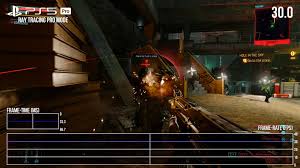
- Ray Tracing Pro Mode (30/40 FPS) – The most graphically intensive mode. It enables all ray tracing features: reflections, ambient occlusion, skylight (global illumination), and emissive lighting. It runs at 30 FPS on 60Hz displays, or 40 FPS on 120Hz/VRR displays. This yields the most dramatic lighting (brighter neon, deeper shadows, etc.) at the cost of frame rate.
All three modes benefit from PSSR upscaling (the latest version of PSSR is used in each). In practice, that means even the high-frame-rate Performance mode still outputs a crisp 4K image via upscaling. Gamersyde’s testing notes that every mode on PS5 Pro runs at a higher internal resolution than the base PS5 modes, thanks to PSSR. (For example, Performance Mode on PS5 Pro is set higher than the PS5’s equivalent.) The chart above and the discussion below compare these modes.
Ray Tracing Mode vs Performance Mode in Cyberpunk 2077 PS5 Pro
Ray Tracing Mode (60 FPS) offers enhanced visuals with minimal performance sacrifice. It enables ray-traced reflections on cars and glass and full ray-traced shadows, but sacrifices global illumination and some effects to maintain 60fps. Notebookcheck notes that Ray Tracing mode “sacrifices some perks like global illumination to aim for 60 fps” and still uses PSSR, yielding a smooth yet detailed image.
Performance Mode turns off these extra ray-trace effects entirely to boost frame rate. It runs at 60fps normally (90fps on VRR) by raising resolution and lowering lighting cost. According to the patch notes, Performance mode “ensures smooth gameplay, targeting 60 FPS on regular display, and up to 90 FPS on VRR-enabled displays”. Digital Foundry observed Performance mode routinely hitting 90fps on VRR monitors, with only the simplest lighting (no ray-traced ambient or skylight). In short, Ray Tracing mode is the visual sweet spot (good quality + 60fps), while Performance mode is for maximum smoothness.
Cyberpunk 2077 PS5 Pro 60 FPS and 90 FPS Support
Yes – the PS5 Pro patch enables both 60 FPS and 90 FPS targets. By default, Ray Tracing and Performance modes aim for 60 FPS (on 60Hz screens). But on a VRR-capable display, Performance Mode can hit 90 FPS. In practice, Notebookcheck measured many instances of 90fps when VRR was active in Performance mode. The official patch notes state “up to 90 FPS on VRR-enabled displays”. In contrast, Ray Tracing Mode is capped at 60 FPS (no 90), and Ray Tracing Pro Mode tops out at 30 or 40 FPS. Thus, for 90fps gameplay on PS5 Pro, you must use Performance Mode with a VRR display. All modes will use PSSR to maintain image quality at their target framerates.
How Cyberpunk 2077 Looks Better on PS5 Pro
With the PS5 Pro patch, Cyberpunk 2077 looks noticeably sharper and more vibrant. Thanks to PSSR, the game now outputs a full 4K-quality image (upscaled from 1440p). Outdoor scenes have more natural lighting and detail: Notebookcheck notes “daytime lighting in outdoor city areas looks more natural” after the update. At night, neon signs and other lights glow more authentically – DF highlights that billboards in Night City now have a more believable glow.
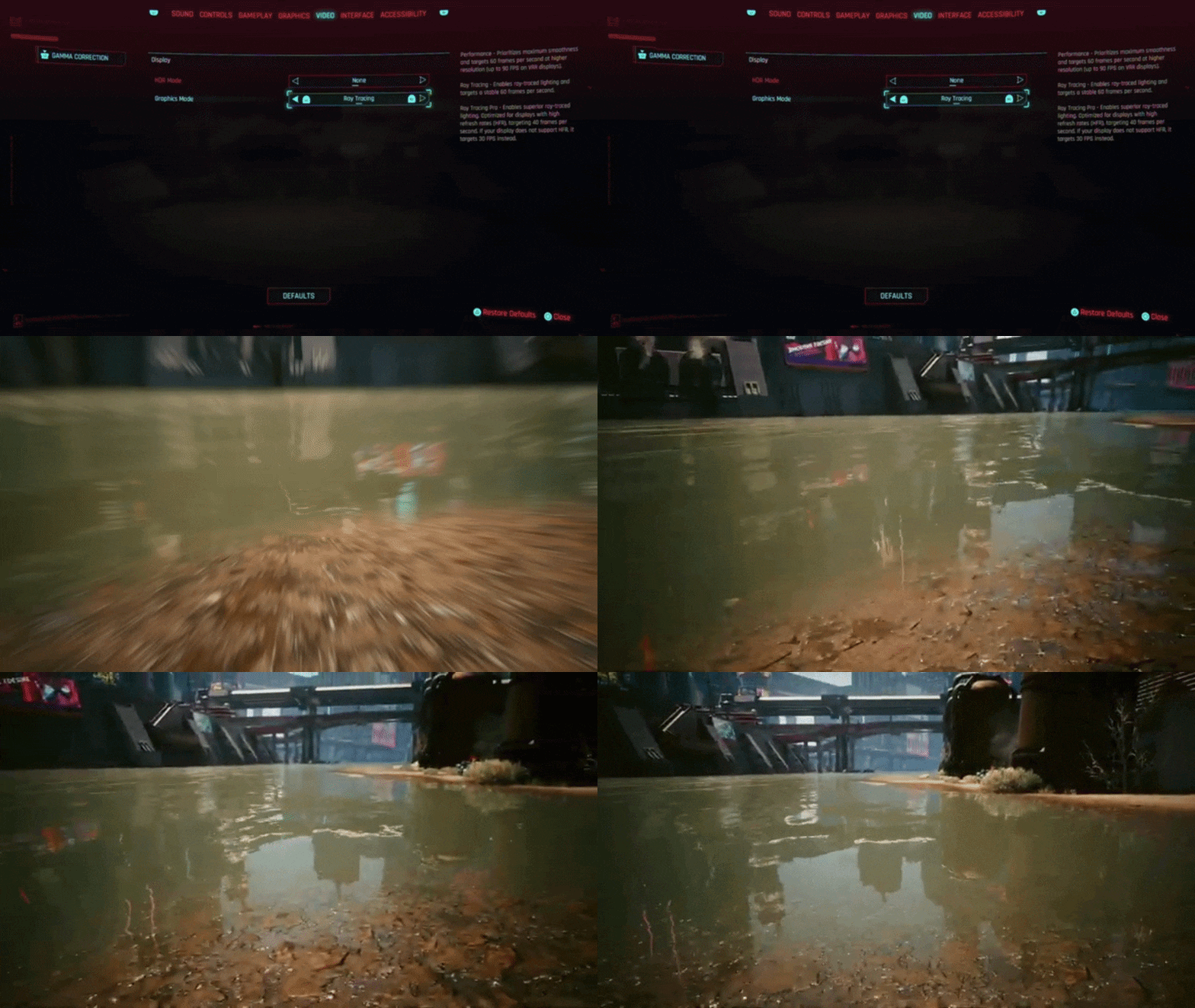
The extra ray tracing also adds realism: reflections on car bodies, glass, and puddles are fully ray-traced in Ray Tracing modes, making them more accurate than before. Gamersyde confirms that all modes on PS5 Pro render at a higher native resolution than the original PS5, leading to “very satisfying” image quality. In practice, skyboxes, textures, and distant details appear crisper, and fast motion remains smooth (especially in Performance mode). Overall, testers agree that the PS5 Pro patch “rivals” a high-end PC build in visuals at 30/40fps. In short, PS5 Pro owners see both higher resolution (4K upscaling) and more complete lighting, making Night City look far better than on a stock PS5.
Cyberpunk 2077 PS5 Pro Ray Tracing Improvements
Beyond new modes, the patch deepens the game’s ray tracing. CDPR explicitly optimized the ray-tracing pipeline: they “optimized ray-traced object queries and improved ray-tracing cache to reduce shadow popping”. They also added BVH8 support, an 8-way bounding volume hierarchy algorithm that lets the GPU handle complex light rays more efficiently. This enables ray-traced lighting, shadows, and reflections to be computed more reliably. In practical terms, shadows flicker less and the overall lighting quality rises. The patch also implements Sony’s Variable Rate Shading (VRS) for more efficient shading.
All together, these enhancements let the PS5 Pro push ray tracing features further: for example, CDPR notes that even skylight and emissive lighting are now ray-traced in Pro mode, whereas before those effects were mostly screen-space. The result is richer, more consistent ray-traced illumination on PS5 Pro.
However, some limitations remain: not every reflection is ray-traced (puddles and floors still use screen-space reflections in most modes), and base PS5-style pop-in of distant objects persists due to CPU bounds. Still, the patch brings the console lighting much closer to the game’s intended look. As Notebookcheck summarizes: “at a lower frame rate, the graphics rival those of a capable gaming PC”. This underscores that the PS5 Pro can now achieve effects previously exclusive to high-end PCs, thanks to the combined PSSR and advanced ray tracing.
Best Cyberpunk 2077 PS5 Pro Settings for Visual Quality
For best image quality on PS5 Pro, use the Ray Tracing Pro Mode with VRR if possible. This mode enables all enhancements (skylight, AO, emissive, full reflections) for maximum fidelity. On a 60Hz TV/monitor it will run at 30 FPS; on a 120Hz/VRR screen it runs at 40 FPS. In either case, it yields the richest visuals. With Ray Tracing Pro Mode active:
- Resolution: 4K (PSSR upscaling from 1440p).
- Frame Rate: 30fps (or 40fps with VRR).
- VRR: Optional (turn on VRR if supported – it will lock the mode to 40 FPS).
- Ray Tracing: All options on (skylight, shadows, reflections).
- VRS: Enabled by default (no menu toggle needed).
Because PSSR is always on in Pro modes, no resolution scaling toggle is needed. The key is sacrificing frame rate for fidelity. If you prefer slightly higher FPS (up to 40) and have VRR, enable VRR; otherwise you can turn VRR off for a solid 30fps target with identical quality. In testing, this mode produced the best-looking Cyberpunk seen on any console.

Visual Quality Settings (Table)
| Setting | Recommended Value |
|---|---|
| Graphics Mode | Ray Tracing Pro (full RT, 30/40 FPS) |
| Resolution | 4K (PSSR upscaling from 1440p) |
| VRR | On (if you have 120Hz TV – caps at 40 FPS) |
| Frame Rate Cap | 30 FPS (standard mode) or 40 FPS (with VRR) |
| Ray Tracing | All enabled (skylight, reflections, AO) |
Best Cyberpunk 2077 PS5 Pro Settings for Smooth Performance
To maximize frame rate on PS5 Pro, switch to Performance Mode. This mode deactivates most ray-traced lighting for the highest FPS. In Performance Mode:
- Graphics Mode: Performance (60 FPS standard, 90 FPS VRR).
- Frame Rate: 60 FPS on a normal screen, up to 90 FPS on a VRR display.
- VRR: On if you have a VRR display (to enable 90fps).
- Ray Tracing: Off (Performance mode does not use enhanced RT).
- PSSR: On by default (the game still upscales 1440p to 4K in this mode).
- Resolution: Automatically set by mode (highest possible to hit framerate target).
This yields the smoothest gameplay. Notebookcheck confirms Performance Mode achieved “90 fps in many instances” with VRR. Use a 120Hz/VRR TV to hit 90fps; on a 60Hz screen you will be locked at 60fps. Either way, the image quality remains very high (PSSR upscaling still applied) while sacrificing the extra lighting effects. In testing, this was the most fluid option: “When VRR is active … the site measured 90 fps in many instances,” they note.
Smooth Performance Settings (Table)
| Setting | Recommended Value |
|---|---|
| Graphics Mode | Performance (highest framerate) |
| Frame Rate Cap | 60 FPS (or 90 FPS with VRR on) |
| VRR | On (to enable up to 90 FPS) |
| Ray Tracing | Off |
| Resolution | 4K (PSSR upscaling from 1440p) |
Does Cyberpunk 2077 PS5 Pro Support VRR
Yes. The PS5 Pro update explicitly supports Variable Refresh Rate. In Performance Mode, VRR lets the game run as high as 90 FPS. Both the official notes and testing confirm that VRR-connected displays achieve 90 Hz output. Ray Tracing Mode (60 FPS) can also use VRR to keep the frame pacing smooth, but it remains capped at 60 FPS. Notebookcheck’s analysis saw “measured 90 fps in many instances” with VRR on. In short, any 120Hz/VRR TV will let you hit 90 FPS in the PS5 Pro patch’s Performance mode.

Cyberpunk 2077 PS5 Pro vs Standard PS5 Comparison
| Feature | Standard PS5 | PS5 Pro (with patch) |
|---|---|---|
| AI Upscaling | FidelityFX FSR2 (1440p→4K) | PSSR (AI upscaling 1440p→4K) |
| Graphics Modes | 2 modes: Performance (60fps, no RT), Quality (30fps, RT) | 3 modes (Perf, RT, RT Pro) |
| Ray-Tracing | Basic reflections/shadows in Quality; none in Performance | Enhanced RT (reflections on glass/paint) in RT; full RT (skylight/AO) in RT Pro |
| Resolution (target) | ~1440p (upscaled to 4K) | 1440p (upscaled to 4K via PSSR) |
| Frame Rates (VRR) | Max 60 FPS | 60 FPS (Perf/RT modes), 90 FPS (Perf mode on VRR) |
| VRR Support | Yes (up to 60Hz) | Yes – up to 90Hz with PS5 Pro patch |
Key differences: The PS5 Pro patch introduces PSSR upscaling (versus only FSR on base), adds a third “Ray Tracing Pro” mode with extra lighting, and raises the performance ceiling to 90 FPS on VRR. All modes on Pro use a higher internal resolution than their PS5 counterparts. In effect, PS5 Pro offers clearer visuals (thanks to AI upscaling) and the option for much higher frame rates, making the game both sharper and smoother.
Is the Cyberpunk 2077 PS5 Pro Patch Free
Yes. CD Projekt Red’s press release and patch notes emphasize this is a free update for all owners. The official release states: “Starting today, PS5 Pro owners can download the free update to Cyberpunk 2077…”. There’s no cost or DLC purchase required to get these enhancements; it’s simply a free patch. GameInformer similarly titles its story “A Free PS5 Pro Update For Cyberpunk 2077”.
Do You Need Phantom Liberty for the PS5 Pro Upgrade
No. The PS5 Pro patch applies to the base Cyberpunk 2077 game. CDPR describes it as a “free update for Cyberpunk 2077” with no mention of Phantom Liberty. It’s an enhancement to the base game’s engine. In fact, the press release specifically calls it an update to “its best-selling open-world role-playing game Cyberpunk 2077” without attaching any DLC requirement. Thus, you do not need to own Phantom Liberty – any PS5 owner with Cyberpunk 2077 (even the version on PS Plus) can download and apply the PS5 Pro patch. The improvements affect the core game regardless of DLC.
Why the Cyberpunk 2077 PS5 Pro Patch Matters for Console Players
This update is significant because it unlocks major graphical and performance improvements on console, years after the game’s launch. For PS5 Pro owners, it means finally seeing Night City in its intended graphical detail – complete with advanced ray tracing and higher resolution. As Notebookcheck notes, the patched game “rivals those of a capable gaming PC” in visual quality when frame rate is traded off. It also makes the game run more smoothly (up to 90fps) without major trade-offs, greatly improving gameplay responsiveness.
For the community, the patch demonstrates CDPR’s continued support: fans “have been begging for a PS5 Pro patch” and were rewarded after years. It extends the game’s longevity (especially since it’s free and available via PS Plus) and gives new players a fresh incentive to play. Technically, it also shows what the PS5 Pro can do – leveraging its extra GPU power for dynamic upscaling (PSSR) and more complete ray tracing. In short, the patch elevates the console experience of Cyberpunk 2077 to next-generation standards, making it one of the most impressive visual upgrades released for a PS5 game.
Frequently Asked Questions (FAQs)
- What does the PS5 Pro patch add to Cyberpunk 2077?
The patch adds a PS5 Pro–optimized version of the game. It introduces PSSR upscaling, more advanced ray tracing, and three new graphics modes (Performance, Ray Tracing, Ray Tracing Pro). Essentially, it boosts the game’s visual fidelity and frame-rate capabilities on PS5 Pro hardware. - When was the Cyberpunk 2077 PS5 Pro update released?
It launched on April 8, 2026. CDPR announced the update on April 7th and made it available the next day. - What is PSSR and how does it work?
PSSR stands for PlayStation Spectral Super Resolution. It’s an AI-driven upscaler exclusive to PS5 Pro. Cyberpunk 2077 renders frames at about 1440p internally and PSSR upscales each pixel to 4K. This yields much sharper visuals – as Digital Foundry notes, “PSSR upscales 1440p to 4K, with visuals much sharper than on the lower-end PS5”. - What new graphics modes are included in the PS5 Pro patch?
Three modes: Performance, Ray Tracing, and Ray Tracing Pro. Performance mode targets highest framerate (60/90 FPS), Ray Tracing mode (60 FPS) adds reflections on vehicles and full ray-traced shadows, and Ray Tracing Pro mode (30/40 FPS) enables all ray tracing (sky, AO, emissive lights). - How do Ray Tracing Mode and Performance Mode differ?
Ray Tracing Mode maintains a stable 60 FPS with some ray-traced effects (vehicle/paint reflections and shadows). Performance Mode, by contrast, drops most ray tracing to reach higher framerates. On VRR displays, Performance Mode can hit up to 90 FPS. In short, Ray Tracing Mode favors visuals (60fps with extra lighting), whereas Performance Mode favors smoothness (60–90fps with simpler lighting). - Does the PS5 Pro update enable 60 FPS and 90 FPS gameplay?
Yes. The default modes run at 60 FPS on standard displays. In Performance Mode, if you have a 120Hz/VRR display, the game can reach 90 FPS. Notebookcheck confirms it measured up to 90fps on VRR with Performance mode. (Without VRR, all modes are capped at 60 FPS or below.) - How much do the visuals improve on PS5 Pro?
Significantly. With PSSR upscaling and more complete ray tracing, textures and lighting are much sharper and more realistic. Daytime scenes look more natural, and neon signs glow authentically, according to analysis. Reflections on cars and windows appear where they didn’t before. Notebookcheck praised the results, saying the graphics “rival those of a capable gaming PC” at the lower frame rates. Overall, PS5 Pro’s output is crisper and more detailed than the standard PS5 version. - What ray tracing improvements come with the patch?
The patch optimizes and expands ray tracing. It includes BVH8 support and better ray-trace caching to reduce shadow popping. In practice, more ray-traced lights are active (including skylight and emissive lighting in Pro mode), and shadows flicker less. CDPR also enabled Variable Rate Shading (VRS) for efficiency. While not every effect is ray-traced (some reflective surfaces still use SSR), these upgrades make the PS5 Pro’s lighting much closer to the developers’ vision. - What settings should I use for the highest visual quality?
Use Ray Tracing Pro Mode. This mode enables all ray tracing features (full reflections, AO, skylight). On a 60Hz screen it locks at 30fps, on a 120Hz/VRR screen at 40fps. VRR can be left off if you prefer 30fps vs 40fps. The image will be in 4K thanks to PSSR. There are no extra toggles to set – simply pick Ray Tracing Pro for maximum fidelity. - What settings should I use for the smoothest gameplay?
Use Performance Mode with VRR (if available). This mode prioritizes framerate. On a VRR-capable monitor, it can run at 90 FPS. If you don’t have VRR, it will target 60 FPS. In Performance mode, most ray-tracing is disabled for maximum speed. The image still uses 4K upscaling (via PSSR), but gameplay will be as smooth as possible.
Conclusion
The PS5 Pro Cyberpunk 2077 patch is a substantial upgrade that both enriches the game’s visuals and boosts performance on Sony’s new hardware. By adding PSSR AI upscaling and deeper ray tracing, CDPR has effectively taken the console graphics “to another level”. Players get higher resolution (upscaled 4K), new lighting effects, and new framerate options (up to 90fps), all in a free update. These changes bring the console experience much closer to PC-level fidelity and reward both returning and new players. Ultimately, the PS5 Pro patch demonstrates CDPR’s commitment to improving Cyberpunk 2077 over the long term, and it makes Night City shine brighter on console than ever before.
Sources and Citations
All information above is drawn from official sources and reputable gaming media:
- CD PROJEKT RED – “PlayStation®5 Pro Update Is Live!”
https://www.cyberpunk.net/en/news/51938/playstation-r-5-pro-update-is-live - CD PROJEKT RED – press release
https://www.cdprojekt.com/en/media/news/cyberpunk-2077-receives-free-playstation5-pro-update/ - PlayStation Blog – Kuba Knapik
https://blog.playstation.com/2026/04/07/cyberpunk-2077-playstation-5-pro-enhancements-detailed/ - Kotaku – Ethan Gach
https://kotaku.com/cyberpunk-2077-ps5-pro-patch-60fps-ray-tracing-2000685483 - Game Informer – Charles Harte
https://gameinformer.com/2026/04/08/a-free-ps5-pro-update-for-cyberpunk-2077-is-available-now - Notebookcheck – Adam Corsetti
https://www.notebookcheck.net/Cyberpunk-2077-PS5-Pro-update-shines-in-performance-review-despite-ray-tracing-drawbacks.1268428.0.html - Gamersyde – Driftwood
https://www.gamersyde.com/news_cyberpunk_2077_updated_for_ps5_pro-24212_en.html
These sources provide the developer quotes, technical details (e.g. BVH8, VRS, frame rates, resolution), and benchmarks used to compile this report
Recommended
- How to Make Hair in Blender
- Interactive Materials in Unreal Engine: How to Create Dynamic and Responsive Surfaces in Real Time
- Top Wonder Dynamics Alternatives: Exploring AI-Powered VFX Platforms for Creators
- The Sims 4 Will Open an Official Marketplace to Let Content Creators Sell Mods: Release Date, “Moola” Currency, and Maker Program Explained
- CoD: Black Ops 7 And Warzone Season 2 Reloaded Release Date And Details (Start Time, New Maps, Weapons, Zombies, Warzone Updates)
- How Do I Add a Camera to My Blender Scene?
- Project Hail Mary Has Out of This World Start at the Box Office With $140 Million Opening Weekend
- How to Make a MetaHuman Talk: Ultimate Guide to Voice and Facial Animation
- Duskbloods is still coming this year, exclusive to Nintendo Switch 2 — 2026 release update + everything we know about The Duskbloods
- How do I toggle between camera views in Blender?


























































































