








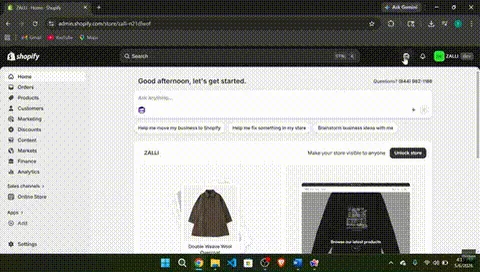
Shopify has introduced one of its most consequential storefront design changes in years. Shopify Canvas is a new visual workspace that allows merchants to build and redesign online stores alongside Sidekick AI, Shopify’s commerce focused artificial intelligence agent. Instead of limiting merchants to rearranging predefined theme sections, Canvas allows Sidekick to work with the underlying theme files while the merchant watches the resulting storefront render inside an interactive workspace. Shopify announced Canvas on October 1, 2026, and said it would roll out progressively over the following days. As of October 2, Shopify’s Help Center still labels the product as early access and says availability is limited to certain stores.
The important distinction is that Canvas is not simply an AI mockup generator. Shopify says merchants are looking at a rendering of the real code behind their theme, with working links, animations, responsive layouts, and store data rather than an isolated static concept. When Canvas opens, merchants can see store templates arranged together in a zoomed out workspace, pan across the store, zoom into an individual template, inspect specific blocks, and work with Sidekick through natural language requests. Sidekick can modify the theme code directly, while merchants can also select blocks, change settings, edit text, adjust global theme properties, and restore earlier versions.
Shopify has also simplified parts of its theme architecture so that the store’s structure, logic, and visual design are easier for Sidekick to interpret and modify. Sidekick validates the code it produces and uses screenshots of the resulting design as visual feedback before presenting its work to the merchant. This creates a feedback loop between conversation, code, and rendering. A merchant might ask Sidekick to make a homepage hero more editorial, reorganize a product page, or change a design pattern across the store. Sidekick modifies the theme, Canvas renders the result, and the merchant can continue refining it from there.
Canvas edits are not automatically made public simply because they appear inside the workspace. Shopify says changes are saved automatically, but customers do not see them until the merchant explicitly publishes them. That separation allows merchants to experiment with layouts and theme changes without immediately affecting the live storefront.
There are also significant launch restrictions. Canvas is desktop only, third party themes are not currently supported, app blocks and app embeds cannot be configured inside Canvas, and market specific theme customization is unavailable. Themes edited in Canvas also do not receive normal theme updates and cannot have their theme files downloaded. Those limitations are especially important for established Shopify stores and agencies, because they mean Canvas cannot yet replace every existing development or theme management workflow. Its current role is better understood as a new AI assisted visual theme building environment with direct access to supported theme files, rather than a complete substitute for every storefront development tool.

In This Article (8 sections)
How to Build and Edit a Shopify Store With Canvas and Sidekick AI
For an eligible store, Shopify’s documented workflow begins in the Shopify admin. Merchants go to Online Store, choose the option to create a new theme, and describe the brand and intended storefront in the Sidekick conversation. Sidekick then builds a theme from that description and opens the result in Canvas, with the generated theme added to the merchant’s theme library as an unpublished theme. From there, the process becomes iterative rather than depending on a single prompt. Merchants can make targeted requests about layout, typography, imagery, individual blocks, or the overall visual direction, while Canvas also supports direct editing so Sidekick is not the only way to make changes.
Merchants can select a block and adjust the settings Shopify exposes for that element, edit supported text directly in the preview, or open theme settings to change broader properties such as typography and colours. A selected image block, for example, can reveal an image picker, while additional settings can provide deeper control. Shopify notes that some older themes do not support direct preview text editing, in which case the merchant needs to change the appropriate block setting or ask Sidekick to make the edit instead.
For existing supported themes, Shopify provides a Duplicate in Canvas option. The resulting Canvas version is a separate theme rather than a synchronised branch of the original, meaning changes made to one version do not automatically appear in the other. Merchants therefore need to confirm that they are working with and publishing the intended theme.
Sidekick acts as the intelligence layer behind Canvas. Shopify describes it as a commerce focused AI agent, and Canvas expands Sidekick from administrative assistance and smaller code generation tasks into coordinated storefront design. Shopify says Sidekick had already made more than 25 million theme edits during the first half of 2026 before Canvas was introduced. Inside Canvas, Sidekick can work at different levels of scope. When no block is selected, the main Sidekick field can be used for broader theme changes. When a specific block is selected, Canvas provides a Sidekick field associated with that element so the merchant can make more focused requests.
Shopify also allows more than one Sidekick conversation to be open at the same time, meaning a merchant can begin another design request while one task is still being processed. Shopify says Sidekick maintains context from previous design decisions, with the goal of creating an ongoing design collaboration in which merchants can react to visible results instead of rebuilding each request from scratch.
The editing model is therefore flexible. Theme wide colour or typography changes can affect many blocks and templates simultaneously, while local edits can be made to a single selected element. When a desired change is not exposed through an existing setting, the merchant can select the relevant element, enter the request in the Work with Sidekick field, and let Sidekick attempt the modification. This gives Canvas both fine grained and broad control within the same workspace.
How Shopify Canvas Turns AI Prompts Into Real Store Code and Live Designs
Canvas connects natural language requests directly to editable Shopify theme files, which is what makes it substantially different from an AI image generator or static concept design service. Shopify says Sidekick can interpret theme structure and make coordinated changes across the templates and files involved in a storefront. It validates the generated code and examines screenshots of the rendered result, refining the work when necessary before presenting the completed change to the merchant.
Because Canvas renders those changes as they are applied, merchants can immediately judge whether an instruction produced the intended result. Shopify describes changes as appearing in Canvas in real time, allowing individual edits to be evaluated within the wider visual context of the whole store. The word “live” still needs qualification, however. Live rendering does not mean changes are automatically published to customers. Canvas saves edits automatically, but Shopify requires a separate Publish or Update and Publish action before those changes become visible on the live storefront.
Canvas combines this immediate visual feedback with automatic saving. There is no conventional Save button because edits are persisted as they are made. Merchants can move through a zoomed out overview of templates, pan using Canvas controls or the spacebar, zoom into individual pages, and enter full screen editing mode. Version history allows earlier versions of a theme to be inspected and restored, while manual changes can usually be undone or redone. Shopify warns, however, that when Sidekick makes a change, the ordinary undo history is cleared. Sidekick generated edits may therefore need to be reversed conversationally or by restoring an earlier theme version.
That distinction matters for production stores. Canvas makes experimentation easier, but merchants still need to use version history and staged publishing deliberately when Sidekick is making broad or complex changes. Shopify continues to place responsibility for testing and publishing on the merchant, even though Sidekick validates its code and visually checks the result.
One of Shopify’s strongest claims about Canvas is that the workspace is not showing a static approximation of the storefront. The company says merchants are viewing a rendering of the real code behind the theme, allowing them to assess working animations, interactivity, responsive behaviour, and other live page functions rather than simply looking at screenshots. TechCrunch reported the same distinction after Canvas was announced, noting that merchants can test interactive page behaviour and view results across different screen sizes while Sidekick modifies the store’s actual files.
This approach is intended to reduce the gap between AI generated concepts and an implementable ecommerce storefront. A static design can look attractive but still require developers to rebuild it inside Shopify before it becomes functional. Canvas instead keeps ideation, code generation, rendering, editing, and theme implementation inside the same workflow. Even with that tighter integration, merchant review remains essential because Sidekick can assist with code and visual validation, but the merchant is still responsible for testing the experience and deciding what customers ultimately see.

Shopify Canvas Workspace, Responsive Preview and Theme Editing
Shopify Canvas is designed around the idea that a storefront should be visible as a connected system rather than as a collection of isolated pages. Shopify says merchants can view all store templates together, move across the workspace, and zoom into specific areas when they need to inspect or edit individual components. The top bar provides access to theme status, global theme settings, template navigation, undo and redo controls, version history, and publishing, while a Jump to… field can move directly to a specific template instead of requiring manual navigation across the workspace.
Full screen mode changes the workflow further. Merchants can activate the inspector when they want to select editable blocks, or disable it when they want to move through the storefront more like a customer. With the inspector turned off, links can be followed and users can navigate through the store without accidentally selecting elements for editing. This combination of a broad overview and detailed inspection is central to the Canvas concept because store wide composition and individual component editing are handled inside the same environment.
Canvas can also preview templates with different underlying store resources. For templates connected to a product, collection, or page, merchants can select the URL path shown in the template header and choose another item to preview. Template variations can similarly be selected through the template name controls. This matters because a product template should not be judged using only one ideal product. Different names, images, descriptions, and product data can expose layout problems that might otherwise remain hidden.
Responsive testing is integrated into the same workflow. In full screen mode, Shopify provides standard Desktop, Tablet, and Mobile preview widths, while merchants can also select full width or drag the handles around the preview to test a custom size. Shopify specifically recommends reviewing changes at different widths before publishing, making responsive testing part of the primary design process rather than something left until the end.
Canvas does not replace the existing Shopify theme editor at launch. Shopify said in its October 1 announcement that the product was still early and was “not replacing the existing editor yet.” The traditional theme editor remains organized around theme sections, blocks, and settings, while Canvas adds a broader visual workspace and an AI coding agent that can modify theme files beyond the controls exposed in a settings panel. Shopify describes the older no code workflow as one where merchants rearranged predefined components, while deeper customization often required direct code editing or developer assistance.
The two systems can therefore coexist. When Shopify duplicates a supported existing theme into Canvas, the original remains in the theme library and can still be edited through the traditional theme editor. The Canvas version is a separate copy rather than a synchronized branch. Editing the Canvas version does not update the original, and editing the original in the standard editor does not update the Canvas copy. Themes that have already been edited in Canvas receive a Canvas badge, and selecting Edit theme for one of those versions reopens it in Canvas.
Canvas can create a new theme, duplicate a supported existing theme, or reopen one that was previously edited there. Shopify’s current compatibility requirements state that Shopify developed themes and custom themes are supported, while staff members also need the Online store > Themes > Edit code permission to access Canvas. For merchants, this means Canvas is an additional development path rather than an immediate mandatory migration away from the existing theme editor.
Shopify Canvas Launch Limitations and Third Party Theme Support
Canvas has a substantial list of early access limitations that merchants need to consider before relying on it for a production workflow. It is desktop only and requires a Shopify plan that includes theme customization. Stores moved to a plan without theme customization can still view Canvas themes, but they cannot edit or publish them.
Canvas also cannot directly translate theme content. Shopify instead directs merchants to Translate & Adapt for translation work. Themes edited in Canvas do not receive normal theme updates, and their theme files cannot currently be downloaded. Merchants also cannot manually add a new block to a template from Canvas. Shopify says they should ask Sidekick to create the block instead.
App blocks and app embeds cannot be added or configured inside Canvas, while market specific theme customization is also unavailable. Metaobject templates do not appear in the Jump to… interface. TechCrunch reported additional launch gaps involving extensions, translations, markets, and rollout workflows, while Shopify has indicated that capabilities are expected to expand over time.
Third party theme compatibility is one of the most important restrictions. Shopify’s current Help Center requirements state that Canvas works with themes developed by Shopify and with custom themes, but third party themes are not supported at launch. That means merchants using a commercial Theme Store theme should verify compatibility before assuming they can duplicate or edit their current production theme in Canvas.
Shopify has addressed the limitation directly with theme developers. In its Shopify Developer Community announcement, the company said Canvas does not yet have full backward compatibility with third party themes and emphasized that this reflects the product’s early stage rather than a permanent decision to exclude outside theme developers. Shopify says it is working toward broader compatibility before Canvas becomes the default editor.
For established merchants, agencies, and stores with complex theme setups, these restrictions are therefore just as important as the new capabilities. Canvas offers a broader visual design environment, responsive preview tools, Sidekick powered theme editing, and direct access to supported theme files, but it does not yet cover every workflow handled by the existing theme editor, commercial third party themes, apps, market specific customization, or traditional development pipelines.

Frequently Asked Questions[FAQs]
- What is Shopify Canvas?
Shopify Canvas is a visual storefront design workspace that lets eligible merchants create or modify Shopify themes while working with Sidekick, Shopify’s AI agent. Instead of showing pages only as separate editor panels, Canvas can display store templates together in a connected workspace, allowing merchants to zoom into individual areas and make changes while viewing the broader store structure. Sidekick can also modify the underlying theme files, with Canvas rendering those changes so merchants can review the result before publishing.
- Is Shopify Canvas available to everyone?
Not yet, based on Shopify’s documentation as of October 2, 2026. Shopify describes Canvas as an early access product and says it is currently limited to certain stores. Its launch announcement also states that access is rolling out progressively, which means some eligible merchants may receive Canvas before others rather than the feature becoming available to every Shopify store at the same time.
- Does Shopify Canvas publish Sidekick changes automatically?
No. Canvas automatically saves edits as they are made, but saved changes are not immediately visible to customers. Merchants still need to use the appropriate Publish or Update and Publish action before the edited theme becomes customer facing. This separation makes it possible to experiment with Sidekick changes, review them in Canvas, and restore an earlier version if necessary before updating the live storefront.
- Can Shopify Canvas create an entire theme from a prompt?
Yes. Eligible merchants can begin by creating a new theme and describing their brand, storefront, and desired visual direction to Sidekick. Sidekick can then generate a theme from that description and open it inside Canvas. The generated result is added to the merchant’s theme library as an unpublished theme, which means it can be reviewed, edited, and refined further before the merchant decides to make it live.
- Does Canvas replace the Shopify theme editor?
No. Shopify explicitly says Canvas does not replace the existing theme editor yet. The traditional editor and Canvas currently operate as separate workflows. Merchants can continue using the normal section and block based theme editor, while Canvas provides a broader visual workspace and AI assisted theme modification. For supported themes, Shopify can also create a separate Canvas copy while leaving the original theme available in the standard editor.
- Can Canvas work with third-party Shopify themes?
Not currently. Shopify says Canvas supports Shopify developed themes and custom themes, but third party themes are not supported at launch. This is particularly important for established stores using commercial themes because they should not assume their current production theme can immediately be opened and edited in Canvas. Shopify has described this as an early access limitation and says broader compatibility is being worked on.
- Can Canvas preview mobile versions of a Shopify store?
Yes. In full screen mode, Canvas provides Desktop, Tablet, and Mobile preview widths so merchants can see how a storefront responds across different screen sizes. It also supports custom resizing and a full width option. This makes responsive testing part of the design process, helping merchants identify layout problems that may only appear on narrower or wider screens before they publish the theme.
- Can Sidekick change something that is not available in theme settings?
Yes. Shopify specifically positions the Work with Sidekick field as a way to request changes that may not already exist as standard block or theme settings. A merchant can select an element and describe the desired modification in natural language, allowing Sidekick to work directly with the relevant theme files. This gives Canvas more flexibility than relying only on predefined controls, although merchants should still review the result before publishing.
- Does Shopify Canvas support app blocks?
Not currently. Canvas cannot add or configure app blocks or app embeds at launch. This can be a significant limitation for stores that rely heavily on theme app extensions, because those app based elements may still need to be managed through other Shopify tools or workflows. Merchants should therefore check how dependent their storefront is on app blocks before treating Canvas as a complete replacement for their existing editing process.
- Is Canvas showing a mockup or the real Shopify theme?
Shopify says Canvas renders the actual code behind the store rather than presenting only a static design mockup. That means merchants can review working links, animations, responsive behaviour, and other interactive elements while Sidekick modifies the theme files. The advantage is that the design being reviewed is tied directly to an implementable Shopify theme, reducing the gap between an AI generated concept and the storefront that customers will eventually use.

Conclusion
Shopify Canvas represents a major evolution of Shopify’s AI website-building strategy. Instead of using AI only to generate copy, images or isolated theme sections, Shopify has connected Sidekick to the storefront’s theme files and placed that coding agent inside an interactive visual workspace. Merchants can describe what they want, watch the store render as Sidekick implements changes, inspect individual blocks, test different products and screen widths, restore earlier versions and publish only when the result is ready.
The technology is nevertheless clearly in an early phase. As of October 2, 2026, Canvas remains early access, desktop-only and unavailable for third-party themes. It also lacks direct app-block configuration, market-specific customisation and several conventional theme-management capabilities.
The larger significance of Shopify Canvas lies in its model for AI-assisted ecommerce development. The merchant is no longer confined to choosing among predefined controls while the AI merely suggests content. Sidekick can increasingly operate as a coding and design collaborator working on the real storefront. If Shopify successfully extends theme, app and international-store compatibility, conversational store building could become a normal part of Shopify development rather than a specialised AI feature.
Sources and Citations
- Shopify Newsroom — “Introducing Canvas: Opening the aperture on online store design.” Published October 1, 2026, this is Shopify’s primary announcement for Canvas. It explains that Canvas lays out the entire online store as a visual workspace, lets merchants pan and zoom across pages, and works with Sidekick for direct AI-assisted editing. Shopify explicitly says Canvas renders the real code behind the store rather than a static preview, with working interactions and animations. It also confirms that Sidekick can work directly on theme files, validate its code, inspect screenshots of its changes and refine those changes before returning the result to the merchant. Shopify says Canvas began rolling out to merchants over the following days. Shopify
Citation: Shopify Newsroom: Introducing Canvas - Shopify Help Center — “Canvas.” Shopify’s main Help Center overview confirms that Canvas is currently in early access and available only to certain stores. It describes Canvas as a workspace for creating or editing an online-store theme, displaying store templates side by side and allowing merchants either to ask Sidekick for changes or edit blocks, settings and text themselves. Shopify also confirms that Canvas is currently available only on desktop devices. Shopify Help Center
Citation: Shopify Help Center: Canvas - Shopify Help Center — “Using and navigating Canvas.” This documentation explains Canvas’s template overview, where all store templates appear together in a zoomed-out workspace, as well as its full-screen editing mode. It documents product, collection and page previews, template variations, direct block inspection and responsive preview widths including Desktop, Tablet, Mobile, Full width and custom widths. It also explains the two Sidekick interaction contexts: a main field for theme-wide requests and a block-specific field when an individual block is selected. Shopify Help Center
Citation: Shopify Help Center: Using and Navigating Canvas - Shopify Help Center — “Creating and customizing themes in Canvas.” Shopify documents how merchants can create an entirely new theme with Sidekick, duplicate a supported theme into Canvas or reopen a previously edited Canvas theme. Changes are saved automatically, while publishing is a separate action that makes those saved changes visible to customers. The guide also explains direct block editing, editing text in the preview, theme-wide settings, publishing or updating a live theme, undo and redo behavior, and restoring earlier versions through Theme History. Shopify Help Center
Citation: Shopify Help Center: Creating and Customizing Themes in Canvas - Shopify Help Center — “Requirements and considerations for using Canvas.” This page documents the major early-access limitations. Canvas currently works with Shopify-developed themes and custom themes, but not third-party Shopify Theme Store themes. It is desktop-only and requires a plan that supports theme customization. Shopify also says Canvas currently does not support direct theme-content translation, app blocks or app embeds, market-specific theme customization, or several rollout workflows. Themes edited through Canvas also do not receive normal theme updates, and their theme files cannot currently be downloaded. Shopify Help Center
Citation: Shopify Help Center: Canvas Requirements and Considerations - Shopify Developer Community — “Introducing Canvas: a new way for merchants to design their online store with Sidekick.” Shopify’s developer-facing announcement clarifies that Canvas launches alongside the existing online-store editor rather than replacing it immediately. It says full backward compatibility with third-party themes is not yet available but that Shopify is working toward compatibility before Canvas becomes the default editor. The post also says the Theme Store remains important and that Shopify expects theme developers to continue playing a significant role as Canvas evolves. Shopify Developer Community Forums
Citation: Shopify Developer Community: Introducing Canvas - Shopify Developer Community — “Meet Canvas: a new way for merchants to design their online store with Sidekick.” Shopify’s app-extension guidance confirms additional launch limitations: Canvas does not yet support theme app extensions, app blocks or embeds, Rollouts, Markets or Translations. Shopify says these limitations reflect the product’s early stage rather than a decision to exclude apps permanently, and that theme-app-extension compatibility is expected before Canvas becomes the default editor. Shopify Developer Community Forums
Citation: Shopify Developer Community: Canvas and Theme App Extensions - Shopify Changelog — “Design a fully bespoke store with Canvas.” Shopify’s October 1 changelog entry gives a concise launch summary: Canvas places every page in a single interactive workspace, allows direct editing or Sidekick requests, renders changes in real time and previews the working store across products, collections and screen sizes. It also states that existing merchants can create a new Canvas theme or duplicate a Shopify or custom theme while leaving the original theme in the existing theme editor. The changelog reiterates the lack of third-party Theme Store theme support, Markets, Rollouts, translations and app blocks at launch. Shopify Changelog
Citation: Shopify Changelog: Design a Fully Bespoke Store With Canvas - TechCrunch — “Shopify debuts Canvas, a way to build online stores by chatting with AI.” Published October 1, 2026, Sarah Perez’s report independently confirms Canvas’s AI-assisted store-building approach and its real-code rendering model. TechCrunch reports that Sidekick edits the store while Canvas displays the result in real time, and that Sidekick can access the theme’s underlying files. The report also identifies important launch gaps, including third-party themes, app blocks and extensions, markets, translations, rollouts and theme updates, while noting that Shopify intends to expand support over time. TechCrunch
Citation: TechCrunch: Shopify Debuts Canvas
Recommendations
- Echoes of Aincrad Crafting Guide: Recipes, Materials and Unlock Requirements
- Did Christopher Nolan’s Depiction of the Gods Pay Off in The Odyssey?
- Castlevania: Belmont’s Curse Runs at Only 30 FPS on Nintendo Switch
- EA Sports College Football 27 Preview: Defense Wins Championships
- Jurassic World Evolution 2 Complete Edition Comes to Nintendo Switch 2 on July 30, 2026
- Unity-Based Tool for JRPG Game Development: RetroGig’s Retro JRPG Template for SNES/PSX-Style RPG Systems
- Keanu Reeves & China Miéville BRZRKR: Light Draws Breath — Release Date, Story, Creative Team & Variant Covers
- CD Projekt Raises Profit Goals with Witcher 4, 5, and 6 Coming: 5 Billion PLN Target Explained
- Creepshow Official Announcement Trailer Reveals a New Anthology Horror Game Experience
- GTA 6 Leans Into Vice City’s Influencer Hustle Where Looks Matter



































































































