



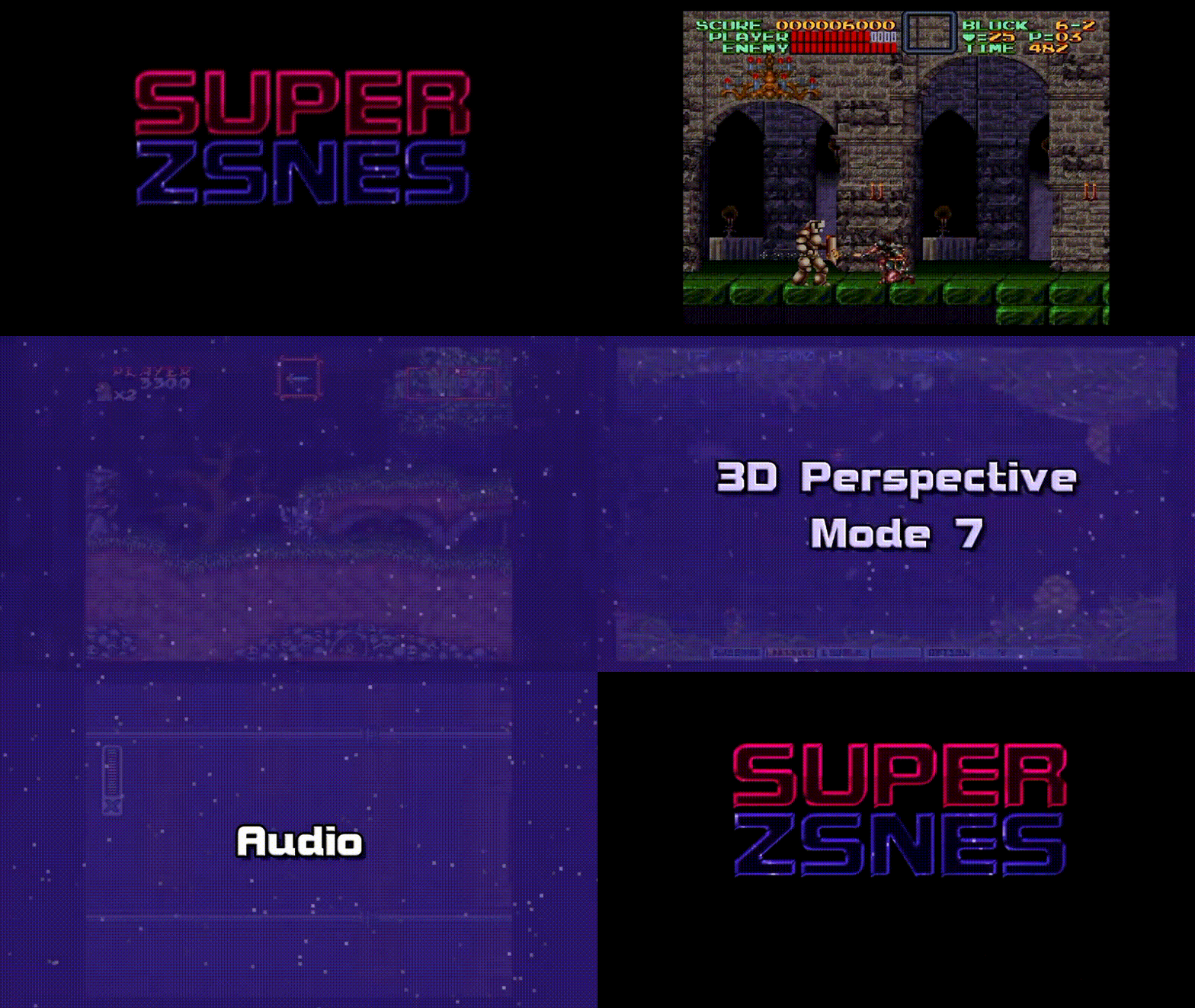
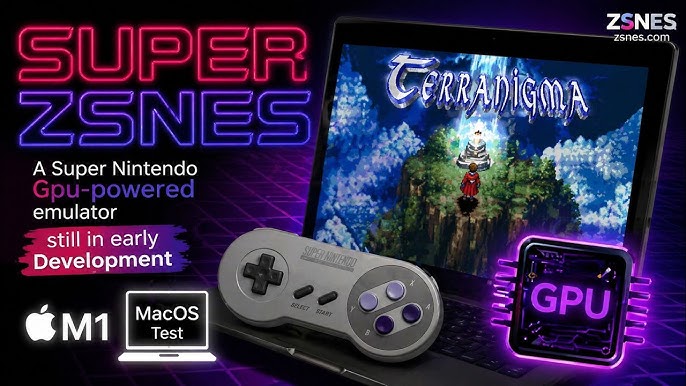
Super ZSNES is a revival of the 90s Nintendo emulator that shifts processing to the GPU, bringing a classic SNES emulation name back into the spotlight with a modern GPU-powered pipeline and optional per-game upgrades.
What is Super ZSNES and Why ZSNES is Back in 2026
Super ZSNES is a complete, from-scratch rebuild of the iconic ZSNES Super Nintendo emulator by the original developers, zsKnight and Demo. In 2026, the project returned with a new goal: preserve the approachable, nostalgic feel of ZSNES while rebuilding the internals for modern platforms and a new graphics approach that leans heavily on the GPU.
The timing matters because classic ZSNES had been dormant for nearly two decades, and the emulation landscape evolved dramatically in that gap. Super ZSNES positions itself not as “just another SNES emulator,” but as an emulator with a “GPU-powered PPU core” designed to enable features that are difficult or impractical in a traditional CPU-only renderer especially enhancements tied to specific games.— ×1
In practice, Super ZSNES combines three pillars: (1) a more accurate CPU and audio foundation than legacy ZSNES, (2) a GPU-driven rendering model that replaces a large chunk of classic PPU work with shaders, and (3) an enhancement layer (“Super Enhancement Engine”) that applies optional upgrades per supported title.
Super ZSNES vs Classic ZSNES Emulator: What’s New and What’s Different
Classic ZSNES earned its reputation in the DOS era with strong performance and a memorable UI, but it also became associated with the limitations of older emulation techniques and accuracy tradeoffs. Super ZSNES is explicitly framed as a rewrite that modernizes core accuracy while preserving the recognizable interface style (including the “falling snow” aesthetic) in a higher-definition, more usable form.
The biggest architectural difference is the new rendering strategy. Instead of treating the SNES PPU as a fully CPU-emulated pixel pipeline that outputs a final framebuffer, Super ZSNES offloads major PPU tasks to the GPU via shaders. This is a fundamental departure from how classic ZSNES and many conventional emulators approached graphics, and it’s the enabler for new “super enhancements” like hi-res Mode 7, texture/normal-map detail, and Mode 7 height-mapped “3D” in supported games.
Finally, Super ZSNES is openly positioned as “early build” software with a feature roadmap that includes additional special-chip support (e.g., DSP1, SuperFX), RetroAchievements, and netplay areas that were never part of the original ZSNES identity in the same way.— ×1
How Super ZSNES Shifts SNES Emulation Work from the CPU to the GPU
Traditional SNES emulation commonly models the console’s CPU, APU/audio, and PPU in software, then renders the final image by simulating PPU behavior (layers, priorities, blending, and per-pixel rules) on the CPU. Super ZSNES keeps CPU/audio emulation in software, but it deliberately moves a large portion of PPU-era image construction to GPU shaders: effectively turning the SNES’s “CRT-era pixel rules” into a shader-friendly pipeline.— ×1
This shift isn’t just about raw speed. The key promise is flexibility: once the renderer is shader-based, the same “PPU-like” steps that build the final picture can also be extended with enhancement passes, higher-resolution draw steps, replacement textures, normal maps, or depth/height effects, while still respecting the original game’s structure. That’s why the project describes the renderer as a “GPU-powered PPU core,” not merely a post-processing filter.— ×2
There is also a hard technical challenge: the SNES was built around CRT scanout assumptions, while modern GPUs are optimized around geometry and parallel fragment work. The Super ZSNES approach tackles that mismatch by mapping SNES rendering concepts (tile maps, palettes, blending rules, Mode 7 transforms) into shader operations that can be executed per pixel (or per fragment) efficiently.
Super ZSNES GPU Shaders Explained: Mode 7, Transparency, Color Math, and More
In the first public release discussed by Modern Vintage Gamer and reported by major outlets, Super ZSNES uses GPU shaders to handle core SNES picture-building tasks, including palette lookups, tile rendering, transparencies, Mode 7, color math, main/subscreen combinations, and mosaic effects.
Conceptually, this can be understood as a multi-stage shader pipeline:
- Tile and palette stage: SNES backgrounds and sprites are fundamentally tile-based, with palette-indexed pixel data. A shader-friendly approach treats tile maps and pattern data as textures/buffers and resolves final colors through palette lookup in the shader.
- Layer composition and priority: The SNES can stack multiple background layers plus sprites, then resolve which pixel “wins” based on priority rules. A GPU implementation can compute candidate pixels for each layer and select/compose them in shader logic, matching main/subscreen behavior.
- Transparency and color math: The SNES supports additive/subtractive blending behaviors and per-layer effects (“color math”). A shader can apply these operations as conditional blends once the correct source pixels are known.
- Mosaic and other pixel effects: Mosaic is essentially a controlled pixelation effect; on a GPU, it’s typically implemented by sampling a lower-frequency coordinate (quantizing UVs) and reusing that color for a block of fragments.
- Mode 7: Mode 7 applies an affine transform to a background layer to create rotation/scaling and pseudo-3D. Shaders are well-suited to this because the final color can be computed by transforming screen coordinates into Mode 7 texture space, then sampling the appropriate texel.
This is not “AI upscaling” or a generic CRT filter. The distinguishing claim is that the shader path replaces a large chunk of the original PPU emulation steps with GPU-driven equivalents, which then become the foundation for enhancement toggles.
Hi-Res Mode 7 in Super ZSNES: What “GPU-Powered PPU” Really Means
Mode 7 is one of the SNES’s most famous tricks: it transforms a background layer so it can be rotated and scaled, producing effects like the ground plane in F-Zero or Pilotwings. Super ZSNES highlights “hi-res Mode 7” as a flagship capability enabled by the GPU-powered PPU approach.
“GPU-powered PPU” here means Super ZSNES is not simply rendering the original low-resolution output and scaling it up. Instead, the renderer can generate the Mode 7 layer through a shader pipeline where sampling, filtering, and enhancement passes can happen at higher internal resolution before the final image is presented. This matters for Mode 7 because the effect is inherently about transforming a source texture across the screen; higher-resolution internal work can reduce visible stepping and make enhanced detail plausible when paired with per-game data.
Super ZSNES also describes its High Resolution enhancement as “not just an auto upscalar,” but something supported by “an internal drawing program” so higher-resolution details can be manually crafted to remain crisp. That statement implies a workflow where enhancement assets (for specific supported games) supply higher-detail elements that the engine can integrate into the GPU-driven render path, rather than relying on a one-size-fits-all scaler.

Super ZSNES Super Enhancement Engine: What it is and How it Works
The Super Enhancement Engine is the layer that turns Super ZSNES from a straightforward emulator into a hybrid of emulation plus optional, curated upgrades. The project frames it as the place where the developers “enhance the games one at a time,” with support “currently implemented” for seven popular games and expected to expand.
At a functional level, the engine is presented as a set of per-game toggles, including High Resolution, Texture/Normal Map, Overclock, Wide Screen (where available), Uncompressed Audio Replacement, and a 3D toggle for certain Mode 7 scenarios. Each enhancement can be disabled independently, which is important both for player preference and for preservation-minded users who want baseline behavior.
Legally and architecturally, the enhancement system is also designed to avoid bundling copyrighted ROM content. The official project notes that enhancement data contains no ROM or copyrighted data and explicitly tells users they must provide the ROMs and should not ask the developers for ROMs.
From a systems perspective, the reason the enhancement engine pairs so well with GPU rendering is that many of these upgrades are most naturally expressed as shader-time decisions: replacing a background sample, applying an alternate material-like response using a normal map, extending the view transform for widescreen in compatible titles, or converting Mode 7 tiles into height-mapped geometry-like shading.
Super ZSNES Widescreen Support: How it Works and When It’s Available
Super ZSNES treats widescreen as a selective, compatibility-driven feature rather than a universal stretch. Officially, it enables widescreen “whenever the game is internally coded to support partial or full widescreen,” and it labels the feature as “where available.”
That phrasing is important because many SNES games were authored with hard assumptions about a 4:3 viewport and limited off-screen logic. When a game already contains internal support for wider camera bounds or has unused rendering space that can be safely exposed, the emulator can expand what’s shown without inventing new gameplay logic. In contrast, forcing widescreen everywhere can reveal missing art, broken parallax assumptions, or gameplay exploits, so gating widescreen by title is a quality and correctness choice.— ×1
The roadmap also mentions “Custom Widescreen support for Patches,” suggesting future support for patch-driven widescreen behavior beyond titles with built-in compatibility.
Overclocking in Super ZSNES: Reducing Slowdown in Lag-Prone SNES Games
Slowdown is a real part of the SNES experience in certain effects-heavy scenes, sometimes due to intentional design limits, sometimes as a side effect of pushing the hardware. Super ZSNES includes an Overclock enhancement described as: “Select games often filled with slowdown are overclocked.”— ×1
In emulator terms, “overclocking” generally means allowing the emulated CPU (and/or related timing budgets) to complete more work per frame, reducing the frame-rate drops caused by CPU saturation. Because timing is central to compatibility, a careful implementation typically keeps core synchronization stable while expanding instruction budget or adjusting cycle limits in controlled ways. The fact that Super ZSNES ties this to select supported games (rather than a blanket switch) aligns with a conservative approach: per-title tuning can reduce slowdown while minimizing unintended side effects like broken music timing, physics changes, or desynced scripted events.
Texture and Normal Map Enhancements in Super ZSNES
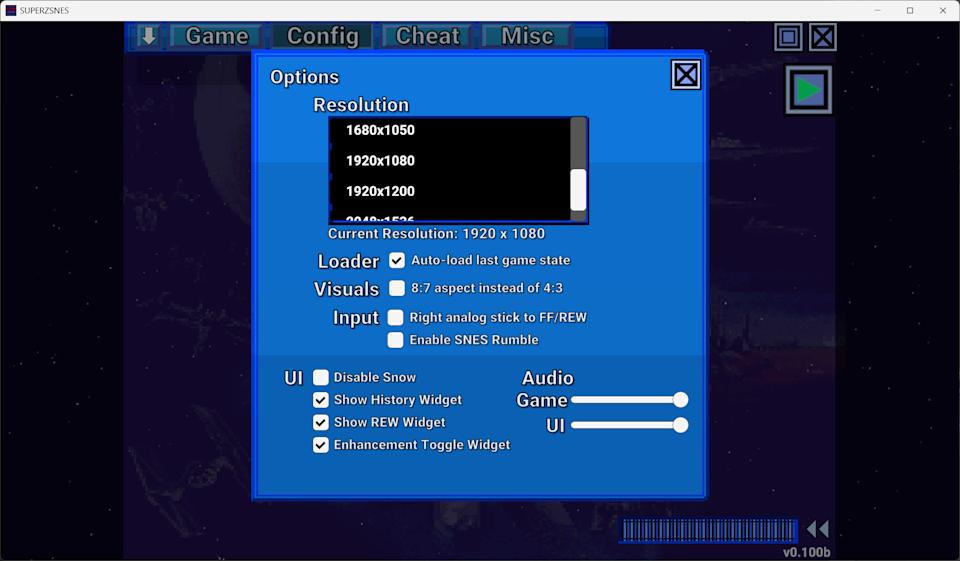
Texture/Normal Map is one of the Super Enhancement Engine toggles, described as adding “some nice details to the backgrounds to give them a higher resolution look.”
In practical GPU-rendering terms, there are two common ways this kind of enhancement can be achieved without rewriting game logic:
- Texture replacement at render time:When the renderer identifies a background tile set or region, it can sample from an enhancement texture (higher resolution artwork) instead of or blended with the original tile output.
- Normal-map-based shading cues: A normal map can be used in a shader to create the illusion of surface depth by responding to a virtual light direction. Even when the SNES original is flat pixel art, this can add subtle highlights/shadows that read as “detail,” especially in backgrounds where gameplay readability is not harmed.
Super ZSNES’s public descriptions emphasize that these enhancements are optional and per-game, which is consistent with the reality that tasteful texture/normal upgrades usually require human judgment to avoid changing the art style or obscuring important visual information.
Super ZSNES 3D Mode 7 Height Mapping: How the “3D” Toggle Works
Super ZSNES’s “3D” toggle is not a general SNES-to-3D converter. Officially, it is “currently only supported on perspective-style Mode 7” and works by replacing tiles “with 3D height mapped data.”
Mode 7 already provides a natural foundation for this because many famous “pseudo-3D” SNES scenes are essentially a textured plane viewed in perspective. Super ZSNES builds on that by introducing height maps data that indicates how “high” each part of the surface should appear so the renderer can give objects and terrain a raised profile. GamesRadar describes the result as converting Mode 7 backgrounds into a “proper 3D perspective camera,” with height maps adding depth (for example, trackside elements in F-Zero appearing to stick out of the ground).— ×2
Under the hood, the concept can be understood as: (1) render the Mode 7 surface using the same coordinate transform as usual, (2) consult a height map aligned with that surface, and (3) use that height to influence shading and/or to offset the sampled surface in a way that produces parallax and depth cues. Because the enhancement is per-game, the height map data must be authored or curated for each supported title and scene type rather than inferred generically.
Uncompressed Audio Replacement in Super ZSNES
Uncompressed Audio Replacement is another Super Enhancement Engine toggle. The official description states that the team “curate and pick uncompressed audio samples to replace original highly compressed audio samples.”
This feature targets a core limitation of SNES-era audio pipelines: to fit within memory and bandwidth constraints, many games used heavily compressed samples. A modern emulator can optionally substitute higher-fidelity samples at playback time while keeping the original sequencing and timing intact, effectively treating the replacement audio as an alternate sample set. Because this can change the “authentic” character of a soundtrack, the feature being optional and per-game is crucial: it lets players decide between preservation-accurate output and enhanced clarity.
Super ZSNES Download for Windows, Mac, Linux, and Android
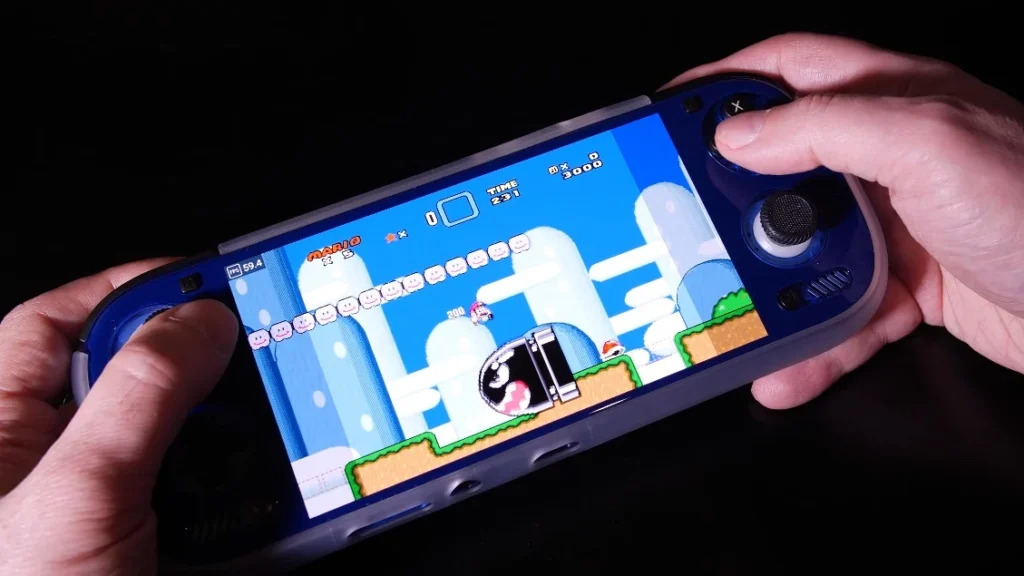
Super ZSNES is officially distributed with builds for Windows, Mac, and Linux via its downloads section, and it is available on Android via Google Play. An iOS version is listed as “Coming Soon.”
Because Super ZSNES is labeled as an early build, the official site warns that performance optimizations are still in progress and that some virus scanners may flag the PC version as a false positive (a pattern the developers note can happen with emulator binaries).
On Android, the Google Play listing reiterates that the emulator is early in development and notes current ROM-loading constraints (ROMs must be copied into the app’s internal folder, with improvements planned).
Super ZSNES Features: Save States, Rewind, Fast Forward, and Cheat Codes
Beyond its GPU-forward rendering and enhancement ambitions, Super ZSNES includes the expected modern emulator quality-of-life toolkit. The official feature list includes fast forward, rewind, save states, auto save history, save bookmarks, cheat codes, and quick load.
These features matter because the Super Enhancement Engine is not meant to replace the fundamentals of emulator usability. Instead, it layers optional enhancements on top of a baseline experience that supports both casual play (quick save/quick load) and more experimental use (toggling enhancements, comparing original vs enhanced output, and iterating on game-specific settings).
Super ZSNES ROMs and Legality: What You Need to Provide (and What Not to Ask For)
Super ZSNES, like other emulators, does not include commercial game ROMs. The official project is explicit on two points: enhancement data contains no ROM or copyrighted data, and users must provide their own ROMs: “Do not ask the developers for ROMs.”— ×1
In general, emulator software can be legal, but distributing or downloading copyrighted ROMs you do not own is commonly unlawful in many jurisdictions. The safest compliance-oriented approach is to dump ROM data from cartridges you own using legitimate hardware and to keep those backups for personal use, following the laws of your country. When in doubt, consult qualified legal guidance for your region.

Super ZSNES Roadmap: Special Chip Emulation, RetroAchievements, and Netplay
Super ZSNES publicly lists an active roadmap that includes bug fixes, special chip emulation (explicitly naming DSP1, SuperFX, and MSU-1 among others), GUI customization options, RetroAchievements, integer scaling modes, custom widescreen support for patches, more optimization work, more types of enhancements, and netplay.
The release notes visible on the official homepage also show that special-chip work is already underway: v0.110b lists S-DD1 emulation as implemented, with other special chips “coming” as they become ready.
This roadmap framing is consistent with the project’s “from scratch” reality: accurate special-chip coverage is one of the most time-consuming parts of SNES emulation, while netplay and achievement integration add substantial engineering and backend coordination. The explicit list helps set expectations: Super ZSNES is simultaneously a playable emulator and an evolving platform for GPU-enabled enhancements, with core compatibility and platform features still expanding.
Frequently Asked Questions (FAQs)
- Is Super ZSNES the same thing as the old ZSNES?
It’s a new, from-scratch rewrite by the original developers, designed for modern systems and a GPU-driven rendering approach, while retaining a modernized version of the classic UI style. - What does it mean that Super ZSNES “shifts processing to the GPU”?
A large portion of the SNES PPU-style rendering work such as tile rendering, transparency, Mode 7, and color math is handled via GPU shaders instead of being fully computed on the CPU. - Does Super ZSNES run all SNES games with enhancements?
No. Enhancements are delivered through the Super Enhancement Engine and are currently implemented for seven supported games, with more expected over time. - Can I disable the enhancements and play “vanilla” emulation?
Yes. The official project states that all enhancements can be individually disabled. - What is “hi-res Mode 7” in Super ZSNES?
It’s an enhancement enabled by the GPU-powered PPU approach, allowing Mode 7 scenes to be rendered with higher-detail handling than a simple upscale. - How does the widescreen feature work?
Super ZSNES enables widescreen only when a game is internally coded to support partial or full widescreen, and it labels it as available on a per-game basis. - What is the “3D” toggle actually doing?
It is currently limited to perspective-style Mode 7 and replaces tiles with 3D height-mapped data to add depth cues and a more three-dimensional presentation. - Does Super ZSNES support special chips like SuperFX and DSP1 today?
The project lists broader special-chip support on its roadmap; it also shows special-chip progress via release notes (for example, S-DD1 emulation is listed in v0.110b). - Where can I download Super ZSNES?
Official downloads are listed for Windows, Mac, and Linux, and there is an Android release on Google Play; iOS is listed as coming soon. - Can I ask the developers for ROMs or download ROMs from the Super ZSNES site?
No. The official project states that enhancement data contains no ROM/copyrighted data, that you must provide your own ROMs, and explicitly says not to ask the developers for ROMs.

Conclusion
Super ZSNES reintroduces a legendary emulator name with a 2026 reboot that treats the GPU as a first-class part of SNES rendering rather than a post-processing afterthought. By moving major PPU-style tasks into shaders, it creates a foundation for optional, per-game upgrades hi-res Mode 7, selective widescreen, slowdown-reducing overclocking, texture/normal-map detail, height-mapped “3D” in supported Mode 7 scenes, and curated audio replacement while still providing the modern emulator essentials like save states and rewind.— ×2
Sources and Citations
- Official Super ZSNES site (features, downloads, release notes, roadmap, legal notes)
- Tom’s Hardware coverage (GPU shader workload details, “GPU-powered PPU,” Unity, early-build warnings)
- GamesRadar coverage (Super Enhancement Engine framing, Mode 7 height-map “3D” explanation, seven supported games)
- TechSpot overview (feature set summary: save states, rewind/fast-forward, GPU-powered PPU, hi-res Mode 7)
- Google Play listing (Android availability, early-development notes, “What’s Coming” summary)


























































































