





In This Article (7 sections)
Unity 6.5 Render Pipeline Changes, URP Improvements and HDRP Updates,
Unity 6.5 makes the direction of Unity’s rendering ecosystem much clearer. The Built In Render Pipeline is now officially deprecated, the Universal Render Pipeline becomes the most practical default for most new projects, and the High Definition Render Pipeline remains available for high fidelity work but is shifting toward stability, regression fixes, and critical maintenance rather than major new features. For CG artists, this matters because render pipeline choice affects materials, shaders, lighting, post processing, decals, VFX compatibility, platform support, and performance budgets throughout an entire production.
The Built In Render Pipeline does not disappear immediately. Unity says it will remain supported through the Unity 6.7 LTS lifecycle, with support guaranteed at least until the end of 2028, or 2029 for Unity Enterprise or Unity Industry licenses. However, teams should treat its deprecation as a production planning warning rather than assume existing workflows have an unlimited future.
Studios with large libraries of Built In materials, shaders, image effects, custom rendering tools, or Asset Store packages should begin identifying which assets work in URP, which require conversion, and which may eventually need replacement. Existing Unity 6.5 projects will not suddenly stop working, but new projects expected to remain active for several years are generally safer when planned around URP.
URP is positioned as the scalable cross platform path and receives several practical improvements in Unity 6.5. One of the biggest is on tile post processing across all platforms. Supported effects such as HDR, tone mapping, color grading, and vignette can run directly on the GPU tile in a single pass, reducing expensive memory transfers. The improvement is especially valuable on Vulkan and Metal devices, where reduced bandwidth use can contribute to smoother performance, lower battery consumption, and less thermal throttling during longer sessions.
Unity also adds Tile Only Mode, which checks camera, renderer, and URP asset settings for features that would force additional rendering passes and undermine the advantages of tile based processing. It can warn developers about incompatible settings or automatically disable some options. For artists, this makes it easier to preserve mobile rendering efficiency as scenes become more complicated with additional cameras, effects, and post processing.
URP also gains better runtime control over additional light shadow resolution through the additionalLightsShadowResolutionTier property on UniversalAdditionalLightData. Teams can adjust the shadow quality of individual point and spot lights during Play mode, making it possible to prioritize detailed shadows around important objects or areas while reducing the cost of less important lights. This supports more adaptive lighting in mobile games, real time cinematics, architectural visualization, stylized scenes, and other performance sensitive projects.
HDRP continues to serve projects that prioritize high end visual fidelity, but Unity’s 2026 strategy indicates that future development is centered more on reliability than expansion. An important Unity 6.5 change is the deprecation of the OptiX denoiser in favor of Open Image Denoise, or OIDN. OptiX is scheduled for removal in Unity 6.7, while OIDN offers broader hardware compatibility and improved performance. Most projects should upgrade automatically, although HDRP path tracing projects using OptiX temporally coherent mode need to change their denoising setup. For artists producing path traced cinematics or high quality image output, the transition affects render previews, final image quality, and hardware flexibility.
Unity 6.5 also brings HDRP support to Nintendo Switch 2 for enrolled Nintendo developers. Together, these changes show Unity reducing graphics fragmentation while keeping URP and HDRP focused on distinct production needs. URP is becoming the broader default for scalable projects, while HDRP remains the specialized option for high fidelity work on capable hardware.

Unity 6.5 Shader Graph, VFX Graph and Lighting Workflow Improvements
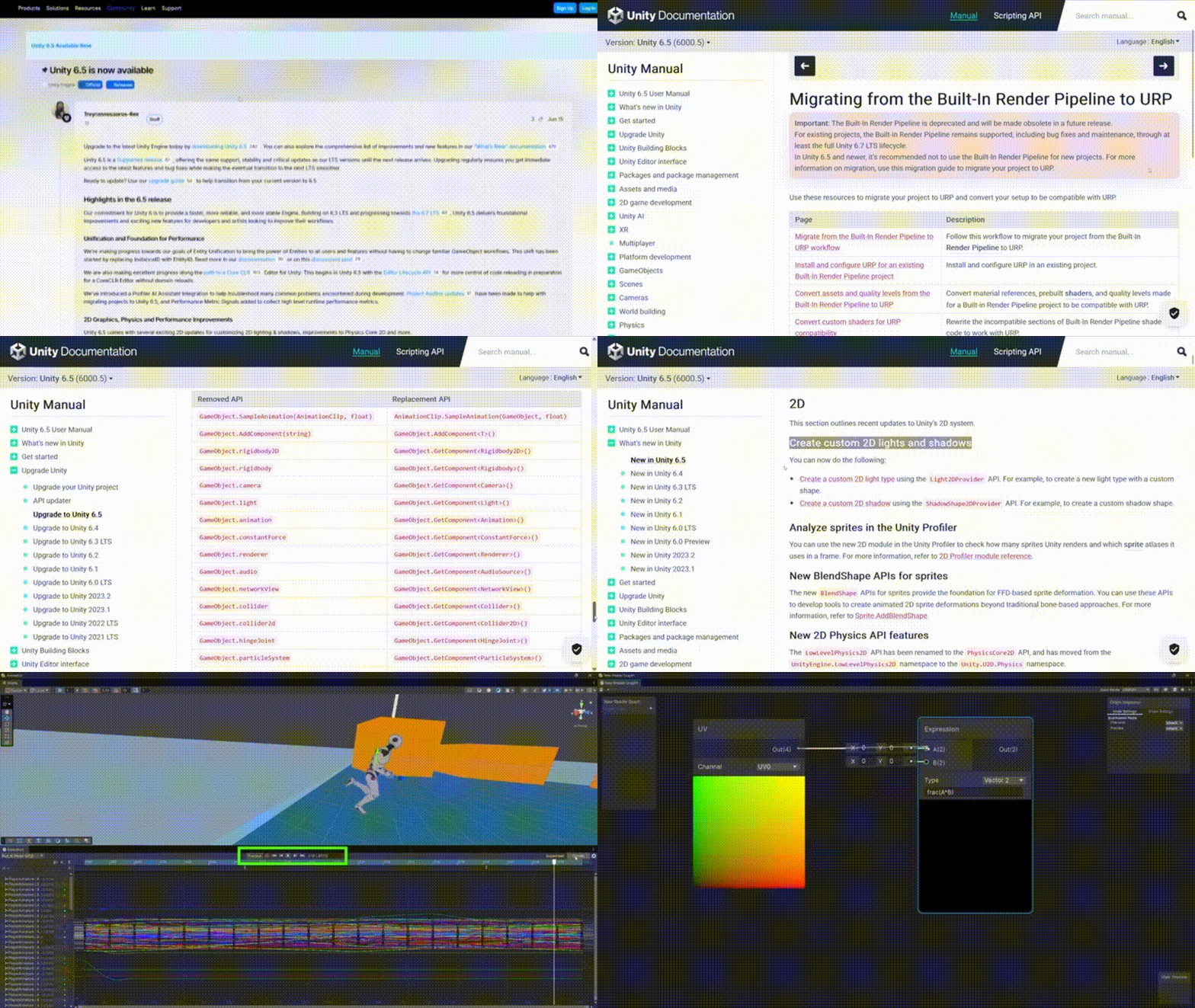
Unity 6.5 introduces several Shader Graph improvements aimed at making procedural materials easier to create, organize, and maintain. The release adds an HLSL function reflection API, Expression and Switch nodes, improved subgraph inputs, better keyword options, HDR decoding for texture properties, improved graph templates, and more guided material creation for URP decals and full screen effects. These changes are especially useful for CG artists and technical artists building reusable material systems rather than isolated shaders.
The new Expression node can replace groups of separate mathematical nodes with a single custom expression, reducing graph clutter and making complicated procedural logic easier to understand. This is useful for stylized materials, animated surfaces, procedural masks, UV manipulation, and other effects that would otherwise require large chains of math nodes. The Switch node improves conditional organization by allowing a graph to branch between cases defined directly in the node or controlled through a Float Property configured as an Enum. This can make material variants easier to maintain without creating unnecessarily complicated graph layouts.
Texture based properties also gain an is HDR option. When enabled, nodes sampling Texture 2D, Texture 2D Array, Texture 3D, or Cubemap properties can automatically decode values stored in encoded HDR formats. This gives artists a cleaner workflow when using HDR texture information inside procedural materials and reduces the need for additional manual decoding logic.
The Shader Function Reflection API is particularly important for studio pipelines because it creates a stronger bridge between HLSL programming and node based artist workflows. Technical artists can write reusable HLSL functions that automatically become available as Shader Graph nodes while also controlling how those nodes and parameters appear inside the editor. A studio could therefore create standardized nodes for stylized lighting, procedural wear, UV deformation, dissolve effects, material blending, or other custom techniques without requiring every artist to configure a Custom Function node manually. The older Custom Function workflow remains available, but the reflection API gives teams a more scalable way to distribute shader tools.
Shader Graph template workflows are also improved through search, filtering, favorites, and sorting. Templates can be filtered by category, render pipeline, target material type, and VFX Graph compatibility. URP’s Full Screen Pass Renderer Feature and Decal Projector workflows also benefit from a more guided material creation process. When creating a material, artists can choose an appropriate Shader Graph template from the New menu, with the available options filtered according to context.
VFX Graph receives similar workflow improvements. Its template browser now supports search, categories, favorites, and sorting by factors such as name, modification date, last use, and default order. For VFX artists working with large libraries of smoke, sparks, magic, ambient particles, impacts, environmental effects, and other systems, these improvements make it easier to locate useful starting points rather than manually searching through every template.
Unity 6.5 also introduces VisualEffectAsset.PrewarmComputeShaders, allowing compute shaders associated with a VisualEffectAsset to be prepared before an effect is first shown. This can reduce visible hitches when complex effects appear during gameplay or real time presentations. An impressive explosion, spell, or environmental effect can lose much of its impact if the first activation causes a frame hitch, so compute shader prewarming helps improve perceived polish.
Lighting workflows are also easier to manage through the new Lighting Search window. It provides a centralized place to search, filter, and edit lighting related data and can be more efficient than Light Explorer when dealing with complicated scenes. Light Explorer remains available, but Lighting Search gives artists another way to find specific lights, inspect shadow settings, identify costly configurations, and correct inconsistent values across large environments. Combined with the new template browsers in Shader Graph and VFX Graph, Unity 6.5 places more emphasis on search driven authoring for increasingly complex productions.

Unity 6.5 Rendering Performance, Optimization and Real Time Production Improvements
Unity 6.5 improves real time rendering not only through visual features but also through better performance tools and clearer production workflows. The release expands optimization support around shader variants, pipeline state objects, draw calls, Mesh LOD, mobile rendering, and runtime effects. For artists and technical artists, these changes help expose performance problems earlier instead of allowing them to appear only after scenes become difficult to optimize.
Dynamic batching is now deprecated, with Unity recommending other draw call optimization methods instead. Pipeline State Object tracing and warming have also been improved through the GraphicsStateCollection API. Teams can create a Graphics State Collection through the editor without building an entirely code driven setup, and Unity can trace missing PSOs automatically. This matters because shader or pipeline state compilation during gameplay can create sudden hitches when a new material, effect, or lighting configuration appears.
Shader variant monitoring receives similar improvements. Unity 6.5 adds the VariantsUploadedToGpuLastFrame API, which allows developers to track shader variants uploaded to the GPU each frame. New KEYWORD_TYPE_FLAG flags also help identify how shader keywords are declared. Although these features are technical, they directly affect visual smoothness. A scene may look excellent in screenshots but still feel unpolished if a new shader variation causes stuttering during movement or camera changes.
Mesh LOD support also expands to Entities Graphics. Level of detail systems remain important for large scenes because they reduce rendered triangle counts as objects move farther from the camera. Bringing Mesh LOD support into Entities Graphics gives projects using data oriented rendering another way to manage dense environments more efficiently.
Mobile rendering receives some of the strongest practical performance gains through on tile post processing. HDR, tone mapping, color grading, and vignette can retain an important role in the visual identity of a project without creating the same level of memory bandwidth pressure on compatible hardware. Artists still need to profile scenes because no effect is completely free, but Unity 6.5 provides a stronger foundation for visually polished mobile and portable projects.
Taken together, Unity 6.5 makes the real time production pipeline more predictable from the beginning of a project to final optimization. Pipeline strategy is clearer because URP is becoming the primary path for most new work while Built In moves toward retirement. Shader Graph improves look development through cleaner mathematical expressions, branching, HDR texture handling, templates, and reusable HLSL tools. VFX Graph becomes easier to organize and less likely to hitch when major compute based effects first appear. Lighting Search improves management of complicated scenes, while PSO tracing, shader variant tracking, Mesh LOD support, and mobile tile rendering give technical teams better control over performance.
For CG artists, the larger improvement is therefore not one isolated feature. Unity 6.5 reduces friction between visual authoring and technical optimization. Artists can build richer lighting, shaders, effects, and post processing while technical artists gain better tools for identifying where those choices affect rendering performance. That combination makes it easier to create visually ambitious real time projects without leaving optimization until the final stages of production.

Frequently Asked Question (FAQs)
- Should CG artists upgrade to Unity 6.5 immediately?
CG artists should consider upgrading to Unity 6.5 when starting a new project, moving toward URP, targeting mobile HDR rendering, or relying heavily on newer Shader Graph and VFX Graph workflows. However, teams already deep into production should avoid upgrading the main project immediately. Test Unity 6.5 in a separate branch first to confirm that custom shaders, plugins, rendering features, materials, and project specific tools continue working correctly before committing the production build. - What is the biggest Unity 6.5 change for CG artists?
The biggest change is the official deprecation of the Built In Render Pipeline. Unity 6.5 makes the company’s future graphics direction much clearer by positioning URP as the safer default for most new projects. Artists maintaining older Built In projects do not need to migrate immediately, but they should begin evaluating materials, shaders, lighting systems, image effects, and third party assets so they have a practical migration plan. - Does Unity 6.5 remove the Built-In Render Pipeline?
No. Unity 6.5 deprecates the Built In Render Pipeline rather than removing it. Existing projects can continue using it, and Unity says support will continue through the full Unity 6.7 LTS lifecycle. The important change is that Built In is now on a path toward eventual removal, so studios planning projects with long production or support cycles should avoid treating it as the safest option for new development. - Is URP now the best render pipeline for most CG artists?
URP is now the safest default for many new Unity projects because it supports a broad range of platforms and aligns more closely with Unity’s future rendering strategy. It is particularly useful for projects that need to scale between mobile, PC, console, and other hardware. HDRP remains valuable for high end visual fidelity, path tracing, and demanding cinematic work, but Unity has said its HDRP focus is now primarily on stability, regressions, and critical fixes rather than adding major new features. - What does Unity 6.5 improve for mobile rendering?
Unity 6.5 introduces on tile post processing across all platforms, with particularly useful benefits for Vulkan and Metal devices. Supported effects such as HDR, tone mapping, color grading, and vignette can remain on the GPU tile instead of requiring costly transfers through system memory. This can reduce bandwidth pressure, improve frame stability, lower battery usage, and limit thermal problems during longer sessions while still allowing artists to maintain more polished mobile visuals. - Why is Open Image Denoise important in Unity 6.5?
Open Image Denoise becomes the preferred denoising option for HDRP as Unity moves away from the deprecated OptiX denoiser. OIDN offers broader hardware compatibility because it is not tied specifically to NVIDIA hardware, while also providing improved performance for supported workflows. Most projects should transition automatically, although artists using HDRP path tracing and OptiX temporally coherent mode should review their setup because OptiX is scheduled for removal in Unity 6.7. - What is the Shader Function Reflection API?
The Shader Function Reflection API allows technical artists and shader developers to write reusable HLSL functions that automatically appear as nodes inside Shader Graph. This makes it easier to turn custom shader code into artist friendly tools without requiring every user to manually configure a Custom Function node. Studios can use it to create standardized nodes for stylized lighting, procedural masks, UV effects, material blending, dissolves, or other specialized shading systems. - Does Unity 6.5 improve VFX Graph?
Yes. Unity 6.5 improves the VFX Graph workflow with better template search, filtering, favorites, and sorting, which makes larger effect libraries easier to navigate. It also introducesVisualEffectAsset.PrewarmComputeShaders, allowing compute shaders associated with a VFX asset to be prepared before the effect appears. This can reduce first use stutters and help demanding effects such as explosions, particles, magic, smoke, or environmental effects appear more smoothly during gameplay or real time presentations. - Is Unity 6.5 useful for artists who do not code?
Yes. Many of the most practical Unity 6.5 improvements are directly accessible to artists without requiring programming knowledge. Shader Graph gains better templates and cleaner graph tools, VFX Graph becomes easier to browse, Lighting Search simplifies management of complex lighting setups, and URP receives more efficient post processing. Technical additions such as shader reflection and PSO tools may mainly benefit technical artists, but they can still improve the reliability and performance of workflows used by the wider art team. - What should artists check before upgrading?
Artists should check render pipeline compatibility, custom shaders, Shader Graph and VFX Graph assets, post processing, lighting setups, plugins, Asset Store packages, materials, and platform specific rendering behavior. Mobile teams should also profile performance again because rendering behavior may change after the upgrade. Built In Render Pipeline projects deserve particular attention because Unity 6.5 formally begins its deprecation path, making this a good time to identify which assets can move to URP and which may require conversion or replacement.

Conclusion
Unity releases Unity 6.5: discover 5 key features for CG artists because this release reshapes the practical future of Unity graphics. It is not just a routine editor update. It is a strategic graphics release that tells artists where Unity is going and what workflows deserve attention now.
The Built-In Render Pipeline deprecation is the biggest long term signal. It does not break existing projects immediately, but it tells studios and solo creators that Built-In is no longer the best foundation for new work. URP becomes more important for scalable real-time rendering, while HDRP remains valuable for high-end production but moves into a more stability focused phase.
For day to day work, Unity 6.5 gives CG artists stronger Shader Graph tools, better VFX Graph template workflows, improved lighting search, more practical mobile HDR rendering, and better optimization visibility. The Shader Function Reflection API is especially important for studios that want technical artists to build reusable shader tools for non programming artists. The VFX Graph prewarming API helps reduce runtime stutters. On tile post processing makes high quality mobile image treatment more practical.
CG artists should not treat Unity 6.5 as a simple upgrade checkbox. They should treat it as a planning milestone. New projects should evaluate URP first, older Built In projects should begin migration planning, HDRP projects should review the OIDN denoising change, and mobile projects should test on tile post processing carefully. Unity 6.5 is a strong release for artists who want clearer rendering direction, better graph workflows, and more efficient real time visuals.
Sources and Citations
- Unity Manual, New in Unity 6.5: Official Unity documentation covering the major changes in Unity 6.5, including Built In Render Pipeline deprecation, URP rendering improvements, Shader Graph and VFX Graph updates, lighting tools, optimization changes, and other editor features.
Unity Manual: New in Unity 6.5 - Unity, Render Pipelines Strategy for 2026: Unity explains that URP is its primary focus going forward, while HDRP development concentrates on stability, critical fixes, and expanded platform support. The company also confirms that Built In Render Pipeline deprecation begins with Unity 6.5, while support continues through the Unity 6.7 LTS lifecycle, at least through the end of 2028, or 2029 for Enterprise and Industry customers. The page also confirms HDRP support for Nintendo Switch 2 in Unity 6.5. Unity
Unity: Render Pipelines Strategy for 2026 - Unity Manual, Render Pipeline Feature Comparison: Official comparison of Built In, URP, and HDRP features across supported platforms, lighting, cameras, shaders, visual effects, XR, optimization, and other areas. Unity explicitly states that Built In Render Pipeline is deprecated but remains supported through the full Unity 6.7 LTS lifecycle. Unity Docs
Unity Manual: Render Pipeline Feature Comparison - CG Channel, June 22, 2026, “Unity releases Unity 6.5: discover 5 key features for CG artists”: CG Channel highlights the Unity 6.5 changes most relevant to artists, including Built In Render Pipeline deprecation, OptiX denoiser deprecation, URP on tile post processing, Shader Graph’s new HLSL reflection API, Expression and Switch nodes, VFX Graph workflow improvements, and the new Lighting Search window. CG Channel
CG Channel: Unity 6.5, 5 Key Features for CG Artists
Recommendations
- Paramount Closes $111B to Warner Bros. Deal: WB Games Uncertain
- Final Fantasy X/X-2 HD Remaster Switch 2 Release Guide and New Features
- Blender DLSS (2026 Guide): Enable DLSS Ray Reconstruction for Faster Cycles Viewport Denoising
- Steam Controller Hidden Easter Egg Explained: Why It Screams When Dropped and What It Means
- ANBERNIC RG DDS: 3DS-Inspired Handheld Starts at $299.99
- Anthropic’s $660M Charity Match Bill Could Reach Billions After IPO
- Ghostly Whiskers Faces Haunted Paws Copycat Allegations on Nintendo eShop
- Chaos releases V-Ray 7.4 for Houdini
- Marvel Rivals “Daredevil’s Shadowed Start” Costume Trailer Explained: Release Date, Event Details, Skin Rewards, and Everything We Know
- Horror Romance Visual Novel This Game Is Not Real Gets Rejected By Steam For “Not Meeting Platform Criteria”