




Houdini, EmberGen, and LiquiGen VFX Workflow, Pipeline Strategy, and Software Roles Explained
Creating high-quality VFX in Houdini, EmberGen, and LiquiGen works best when each tool is used for the type of simulation it handles most naturally. Houdini excels at procedural scene building and high-control simulation work, including Pyro for fire and smoke and FLIP for liquids. SideFX describes the Pyro Solver as a dynamic smoke and fire solver that can source named volumes and use SDF-based collisions, while the FLIP Solver combines particle and volume methods so liquids maintain believable motion without excessive mixing.
EmberGen, developed by JangaFX, is positioned as a real-time volumetric fluid simulation tool for fire, smoke, explosions, flipbooks, image sequences, and VDB exports. LiquiGen serves a similar real-time role but focuses specifically on liquids, including foam, spray, bubbles, Alembic caches, and game-ready outputs. In practical production, Houdini is often used for procedural setup and shot structure, EmberGen for fast fire and smoke look development, and LiquiGen for rapid liquid effects like splashes, pours, and stylized or realistic fluid motion.
The most efficient production approach is to decide early whether a shot is a hero cinematic effect, a reusable game asset, or a hybrid output. Hero film work typically benefits from Houdini’s deeper procedural control and extensive downstream rendering flexibility, while game and real-time projects benefit more from EmberGen and LiquiGen because both are designed for fast GPU-based iteration and optimized export workflows. This separation of responsibilities reduces rework because each tool is no longer forced to solve every part of the problem. Instead, Houdini becomes the orchestration and refinement layer, EmberGen becomes the fire and smoke specialist, and LiquiGen becomes the liquid specialist.
A clean Houdini, EmberGen, and LiquiGen workflow begins with shot planning and scale. In Houdini, this involves preparing geometry, cameras, collisions, and timing inside a procedural network that can be revised at any stage. EmberGen and LiquiGen also use node-based workflows, but they are optimized for rapid iteration within a more compact interface that includes a viewport, timeline, node editor, and properties panel. Both tools support imported animation and camera data, and their documentation emphasizes matching frame rates and timeline settings so that simulations stay properly aligned with external scenes, backplates, or engine playback. This alignment is critical because even a technically correct simulation will fail in production if timing or spatial sync drifts from the shot.
Once the shot is blocked, the workflow branches based on final delivery. For offline rendering in a DCC or external renderer, EmberGen typically exports VDB volumes while LiquiGen exports meshes and particle data such as Alembic caches. For real-time game engines, flipbooks are often the preferred output because they compress time-based simulations into texture sheets that are much cheaper to render at runtime. Houdini supports this through tools like SideFX Labs Flipbook Textures, while Unreal Engine supports playback using Niagara sprite renderers and flipbook material functions. This creates a practical three-lane pipeline: caches for film production, flipbooks for games, and procedural or point-based caches when behavior must remain editable inside engines like Unreal.
In terms of overall software selection, there is no single best tool for every fire, smoke, and liquid task. Houdini remains the strongest all-round solution when deep procedural control, complex shot integration, custom solvers, and multi-layered simulation setups are required. EmberGen stands out for fire and smoke when speed is the priority, offering real-time volumetric simulation, instant previewing, and fast export of flipbooks, sequences, and VDBs.
LiquiGen fills the same rapid iteration role for liquids, with real-time meshing, sparse simulation domains, and export options including Alembic caches, VATs, mesh flipbooks, and image sequences. In most modern pipelines, the most effective approach is not choosing one tool over another, but combining them so Houdini provides structural control while EmberGen and LiquiGen accelerate look development.
For beginners, Houdini can feel challenging because its entire system is procedural and node-based. However, that structure is also what makes it powerful, since it allows artists to revisit decisions, adjust parameters, and iterate deeply into production. Learning to think in terms of inputs, attributes, caches, and reusable networks is the foundation for working effectively with Pyro, FLIP, destruction, and real-time export workflows.
A practical learning path starts with procedural basics, then moves into a simple fire simulation, followed by a basic liquid simulation, then flipbook exports, and finally integration into a game engine workflow such as Unreal. EmberGen and LiquiGen can be introduced alongside this progression to accelerate visual learning, while Houdini builds the underlying technical understanding needed for more complex production work.

In This Article (8 sections)
Real-time fire, smoke, and liquid VFX workflows in EmberGen and LiquiGen
EmberGen’s defining advantage is iteration speed. JangaFX describes it as a real-time fire, smoke, and explosion tool built for games, with GPU-driven simulation and rendering, deterministic sims, random seeds for variations, and direct texture export features. The official documentation frames EmberGen as a tool that can instantly simulate, render, and export flipbooks, image sequences, and VDB volumes, which is why it has become attractive not only for game artists but also for previs, commercials, pitch films, and look-development stages in larger pipelines.
Another reason EmberGen is effective is that its export layer is not an afterthought. The Getting Started and Node List documentation show that its Render node handles export settings, render passes, channel mapping, and output modes for either flipbooks or sequences, with options to include only the effect by default and to configure additional passes for compositing or engine use. That means the artist can stay focused on shaping the simulation instead of building an elaborate bake pipeline after the look is approved. In production, reducing that overhead is often just as important as the visual quality of the fire itself.
LiquiGen applies the same real-time philosophy to water and other liquids. JangaFX describes it as a real-time liquid simulation tool with real-time meshing, customizable forces, sparse domains, and a real-time path tracer. Its documentation presents a node-based workspace built around the viewport, node graph, timeline, and property panel. That structure keeps the workflow understandable: set up emitters and colliders, simulate, preview, and then export either images, particle data, or meshes depending on the target.
The workflow becomes especially powerful when whitewater and deliverables are considered together. LiquiGen’s documentation and product page emphasize support for foam, spray, and bubbles, plus exports for Alembic caches, mesh flipbooks, VAT, image sequences, normal maps, and refraction maps. That means a single simulation can serve multiple departments: a compositing team might want an EXR sequence, a 3D team might want mesh or Alembic output, and a game team might want a flipbook or VAT set. Because those outputs are built into the core feature set, LiquiGen is unusually well suited to liquid effects that need to move between cinematic and real-time contexts.
A strong fire VFX workflow in EmberGen usually starts with an emitter, a volume setup, and a camera that already reflects the target shot. JangaFX’s documentation recommends learning from presets and official tutorials, and the product page notes that EmberGen ships with more than 100 preset projects, which is useful because beginners can reverse-engineer working fire setups instead of starting from a blank graph every time. That shortens the path to understanding key controls such as source shape, flame behavior, smoke density, and overall silhouette.
From there, the fire creation process becomes a matter of shaping motion, scale, and export intent. If the fire is for games, the Render node can export a flipbook with mapped passes and alpha. If the fire is intended for another renderer, the VDB export workflow sends out density and flame grids. JangaFX notes that shading and lighting are not stored in the VDB itself, only the volume data after volume processing. That distinction is important because it means the artist should decide early whether the look will live in EmberGen’s renderer or be rebuilt downstream in a renderer such as Arnold, Redshift, or Blender.
Creating convincing liquid splashes in LiquiGen begins with interaction rather than rendering. The documentation explains that LiquiGen can import FBX, OBJ, and ABC files for use as emitters, colliders, or holdout objects, and that imported geometry can be masked and separated for more specific control. In practice, that allows an artist to build a splash around a moving shoe, bottle, vehicle tire, or product packshot object rather than trying to fake the motion with generic emitters. For commercials and cinematics, that shot-specific interaction is often the difference between a believable splash and a decorative one.
After the main body of water is working, secondary motion becomes the priority. LiquiGen supports foam, spray, bubbles, mesh export, and particle export, so the artist can decide whether the final splash should read as a hero mesh, a textured flipbook, or a render sequence. For more energetic water, separating the core liquid mass from the spray layer is especially useful because it gives more control over readability in the final composite or engine. Since LiquiGen can also output game-ready formats like VAT and mesh flipbooks, a single splash concept can be repurposed into both cinematic and gameplay assets without rebuilding the simulation from scratch.
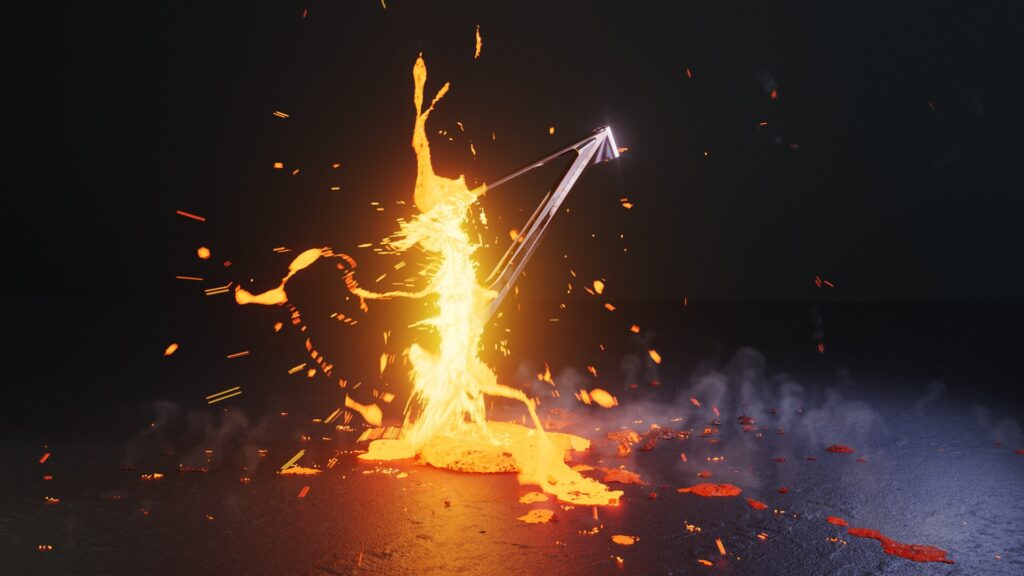
Simulation Craft, Optimization, Flipbooks, and Houdini–Unreal Workflows for VFX Production
The most effective approach to simulation in modern VFX pipelines is to prioritize structure and efficiency before focusing on visual refinement. Across tools like Houdini, EmberGen, and Unreal Engine, performance gains consistently come from understanding the underlying simulation architecture, minimizing unnecessary computation, and exporting only what downstream systems actually require.
A key principle in Houdini simulation work is optimizing the container before attempting to optimize the look. SideFX’s Pyro documentation highlights that sparse solving is significantly more efficient because it only evaluates active regions of the simulation container rather than computing the entire volume. This becomes especially important in smoke, fire, and explosion simulations, where oversized domains can quickly lead to wasted memory usage and longer iteration times. In practical terms, careful sourcing, tight simulation bounds, and a clear understanding of density and flame fields often produce more meaningful performance improvements than minor adjustments to secondary attributes like disturbance or shredding.
For fluid simulations, understanding the FLIP Solver’s hybrid particle–volume system is essential. As described in SideFX documentation, FLIP simulations store fluid data in particles while using a temporary grid for pressure projection. Within this system, artists must make informed decisions about FLIP versus APIC behavior, collision handling, viscosity, surface tension, and narrow-band simulation settings. A common production mistake is relying too heavily on secondary effects like whitewater without first ensuring that the base fluid motion is strong and physically coherent. SideFX’s whitewater tools depend on meaningful acceleration, curvature, and vorticity in the primary simulation, meaning that weak underlying motion will always produce weak secondary detail regardless of how much foam or spray is added.
When moving from simulation to real-time production, game-ready VFX flipbooks become a critical optimization strategy. The core idea is to convert expensive, dynamic simulations into lightweight 2D texture sheets that can be efficiently played back in real time. Unreal Engine’s Niagara Baker documentation explains this clearly: high-cost simulations are baked into tiled image sequences and then reused through sprite-based emitters for significantly improved performance. Similarly, SideFX Labs Flipbook Textures tool in Houdini generates flipbook outputs with optional channels such as normals, motion vectors, depth, and multi-directional contributions, enabling advanced in-engine features like relighting, interpolation, and depth-aware blending.
Tools like EmberGen and LiquiGen follow the same philosophy but streamline the export process for real-time workflows. EmberGen can output flipbooks as PNG sheets with RGB and alpha channels, while LiquiGen’s export system supports both flipbook and sequence-based outputs with adjustable columns, rows, and resolution settings. In Unreal Engine, these textures are typically driven through Sprite Renderers with defined sub-image sizes or through materials using the built-in flipbook functionality. The most important production consideration is not just visual fidelity, but how efficiently the effect communicates motion: good flipbooks maintain clear silhouette progression, consistent timing, useful alpha channels, and a frame count that balances quality against texture memory constraints.
The Houdini to Unreal Engine VFX workflow ties these concepts together by bridging procedural simulation with real-time playback systems. For procedural assets and geometry generation, Houdini Engine for Unreal allows artists to import Houdini Digital Assets directly into Unreal Engine, exposing parameters that can be adjusted and recooked before optionally baking results into native Unreal assets. For particle-based simulation data, the Houdini–Niagara plugin provides Houdini Point Cache assets and a Niagara Data Interface that reads simulation attributes directly inside Unreal, preserving procedural complexity without flattening everything prematurely. This workflow is particularly valuable when effects require iteration or user-driven variation inside the engine.
For lighter sprite-based effects, the workflow becomes more streamlined. Houdini or tools like JangaFX generate the flipbook textures, Unreal imports them, and Niagara handles playback using emitters, modules, and parameter-driven systems. Epic’s Niagara documentation emphasizes its flexibility for both technical and non-technical users, while SideFX learning resources highlight Houdini’s strength in generating real-time VFX that can transition smoothly into Unreal pipelines. Together, these systems form a complete production pipeline, with Houdini handling high-level procedural creation and Unreal managing optimized real-time playback.
EmberGen optimization focuses heavily on maintaining fast iteration speed, since its primary advantage lies in real-time GPU simulation. JangaFX emphasizes deterministic results and rapid experimentation through seed variation, which means artists should avoid treating early-stage simulations as final renders. A more efficient workflow is to first establish motion, shape, and silhouette before refining shading, lighting, and export settings. Using presets and analyzing official example graphs is also an effective optimization strategy because it reduces setup time and allows artists to focus on artistic direction rather than rebuilding simulation logic from scratch.
Another important aspect of EmberGen optimization is controlling export scope. The render and export pipeline allows for flexible channel routing and pass mapping, but not all simulation data needs to be exported for every use case. For example, VDB exports typically focus on core simulation data such as density and fire, since shading and lighting are not stored in the VDB format.
In real-time pipelines, lean flipbook exports are usually preferred, while offline workflows may benefit from carefully selected volumetric channels depending on the desired render outcome. When animation is imported or synced, maintaining consistent frame-rate alignment is essential to prevent timing mismatches that could force unnecessary re-simulation or re-export. Ultimately, optimization in EmberGen is not only about performance settings, but also about eliminating unnecessary complexity in data, formats, and timing throughout the pipeline.
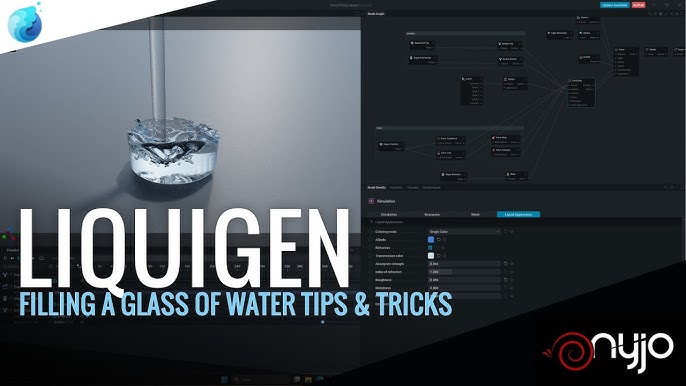
LiquiGen VFX for Cinematics and Commercials, Portfolio Development, and Training with Houdini, EmberGen, and LiquiGen
LiquiGen is especially appealing for cinematics and commercials because it can move between fast interactive work and more polished rendering modes without leaving the application. Its documentation states that the software includes both a Rasterizer for real-time preview and a Path Tracer for more physically based rendering that is typically enabled once the simulation is approved. That combination is valuable in commercial work, where client feedback often arrives quickly and artists need to revise motion and framing before committing to final-quality output.
Its export options also align well with spot work and branded content. JangaFX highlights Alembic caches for particles, meshes, and foam, as well as flipbooks, sequences, normal maps, refraction maps, and animated decals. Camera import support through FBX or ABC further helps when the liquid has to track a product shot or match a pre-shot move. For cinematics and commercials, that means LiquiGen is not merely a splash generator but a shot-building tool that can support both 2D delivery and 3D handoff, which is a major advantage when the same campaign needs broadcast, social, and game-engine variants.
A strong VFX portfolio built with Houdini, EmberGen, and LiquiGen should show range, decision-making, and pipeline awareness. SideFX structures its official learning around Pyro, Fluids, Realtime, Unreal, and broader VFX categories, and JangaFX’s tools are explicitly built around flipbooks, image sequences, VDBs, Alembic, foam, spray, bubbles, and engine-facing exports. Taken together, those sources imply what a modern portfolio should contain: at least one fire or smoke piece, one liquid piece, one optimized real-time asset, and one example of pipeline integration such as Unreal or a clean offline handoff.
The best portfolio pieces are not necessarily the largest explosions. They are the clearest demonstrations of craft. A compact reel that shows a polished pyro shot, a believable splash, a flipbook sheet, and the final engine playback often communicates more professional readiness than a long montage of unfinished sims. Because Houdini, EmberGen, and LiquiGen all reward iteration, a portfolio should also show progressive refinement: early blockout, simulation pass, render pass, and final result. This structure demonstrates an understanding of production rather than just aesthetics.
Career development and training in this ecosystem naturally extends into structured learning paths. The strongest starting point for Houdini is SideFX’s own learning portal because it organizes training by Foundations, Pyro, Fluids, Realtime, and Unreal, which mirrors real production categories. For artists who want structured external instruction, CGMA’s Intro to FX Using Houdini covers procedural modeling, fluids, particles, destruction, smoke, lighting, and rendering over eight weeks, while Rebelway’s Intro to Houdini FX positions itself as a more in-depth multi-week Houdini FX training path. Applied Houdini remains a respected specialist resource for deeper topic-based study, especially once the fundamentals are already in place.
For EmberGen and LiquiGen, the best learning resources are usually the official documentation, official tutorials, and included project files, especially because both products evolve quickly. JangaFX’s documentation hubs, tutorials, presets, and project-based learning resources are designed around current interfaces and export workflows, and the LiquiGen product page specifically notes that it includes projects for learning by dissection. This makes the optimal learning stack fairly clear: official documentation first for accuracy, SideFX Learn for Houdini fundamentals, and structured courses like Rebelway, CGMA, or Applied Houdini when deeper mentorship or a more formal curriculum is needed.

Frequently Asked Questions
- What should a beginner learn first: Houdini, EmberGen, or LiquiGen?
If the goal is a long-term VFX career, Houdini is usually the best starting point because it builds core fundamentals like procedural thinking, node-based workflows, and simulation logic that transfer across almost every VFX discipline. Tools like EmberGen and LiquiGen are faster for producing results, but they assume you already understand basic simulation concepts. A strong approach is to start with Houdini for foundations while using EmberGen or LiquiGen alongside it for quick practical output. - Is Houdini better than EmberGen for fire and smoke?
Houdini offers far deeper control over simulation behavior, allowing you to art-direct pyro simulations, integrate them into complex shot pipelines, and refine every aspect of a sim. EmberGen, on the other hand, is built for real-time iteration, meaning you can quickly test fire, smoke, and explosion variations without long simulation times. In practice, Houdini is preferred for production-level control and integration, while EmberGen is ideal for fast look development and iteration. - Is LiquiGen good enough for professional liquid work?
LiquiGen is designed specifically for fast, production-friendly liquid workflows, including foam, spray, bubbles, and mesh outputs that can be used in real-time engines or compositing pipelines. It can generate Alembic caches, particle data, and flipbook-style outputs that are widely used in games and motion graphics. While Houdini still leads in ultra-high-end fluid control, LiquiGen is more than capable for commercial, stylized, and real-time production work. - Can EmberGen export VDB files for other renderers?
Yes, EmberGen supports VDB export, which allows its volumetric simulations to be used in other renderers and pipelines. Typically, fields like density, temperature, and flame data are exported, while shading and lighting are reconstructed later in the target renderer. This makes EmberGen a strong bridge tool for creating fast simulations that still integrate into offline rendering workflows. - Can LiquiGen export meshes or particle caches?
Yes, LiquiGen supports multiple export formats including meshes and particle-based caches such as Alembic, making it suitable for both real-time and offline pipelines. These exports can include elements like spray, foam, and bubble systems, which are important for believable liquid motion. This flexibility allows LiquiGen to integrate into game engines and standard VFX pipelines without heavy conversion steps. - What is the best way to make VFX for Unreal Engine?
A common high-end workflow uses Houdini Engine for Unreal and Unreal Engine with systems like Niagara for runtime effects. Houdini is often used to generate procedural assets and baked simulations, which are then imported into Unreal. For faster effects like fire or smoke, flipbooks or cached simulations from Houdini, EmberGen, or LiquiGen are commonly used inside Niagara. - Why are flipbooks still important in real-time VFX?
Flipbooks remain important because they replace expensive real-time simulations with pre-rendered texture sequences that are extremely cheap to play back. In systems like Unreal Engine Niagara, flipbooks allow artists to achieve complex-looking fire, smoke, or explosions without heavy performance costs. This makes them essential for games and real-time applications where efficiency matters. - What makes a good game-ready VFX flipbook?
A good flipbook has clear silhouettes, consistent timing, and enough frame density to avoid stuttering while still staying performance-friendly. It should include clean alpha channels, properly arranged rows and columns, and only the visual data required for playback. Tools like SideFX Labs workflows in Houdini often emphasize structured baking so the flipbook works cleanly inside engines like Unreal Engine. - Are official documentation resources enough to learn these tools?
Official documentation from SideFX and JangaFX is often enough to reach a solid working level because it includes structured learning paths, tool explanations, and workflow breakdowns. However, while documentation builds technical understanding, it may not always cover artistic decision-making or production problem-solving in depth. Many artists combine documentation with tutorials or feedback-based learning for faster growth. - What should be included in a Houdini EmberGen LiquiGen portfolio?
A strong portfolio should demonstrate a range of skills across simulation types and real-time readiness. This typically includes at least one pyro effect (fire or smoke), one liquid simulation, and one optimized real-time asset such as a flipbook or engine-ready cache. It should also show at least one example of integration into a real pipeline or engine like Unreal Engine to demonstrate production awareness.

conclusion
The most effective way to create stunning VFX in Houdini, EmberGen, and LiquiGen is to stop treating them as competitors and start treating them as complementary production tools. Houdini gives the artist procedural depth, simulation layering, and strong integration with Unreal. EmberGen delivers exceptionally fast fire and smoke iteration with direct exports for flipbooks, sequences, and VDBs. LiquiGen brings the same speed-focused philosophy to liquids, while also supporting cinematic and game-ready outputs such as meshes, Alembic caches, VAT, and flipbooks. When these tools are used together, artists can move from concept to simulation to optimization to engine or offline delivery with much less friction than a single-software pipeline usually allows.
For beginners, the best strategy is to learn Houdini’s procedural fundamentals while using EmberGen and LiquiGen to accelerate practical effect creation. For studios and freelancers, the best strategy is to match each shot to the software that minimizes iteration time without sacrificing deliverable quality. That is the real Houdini EmberGen LiquiGen workflow advantage: not just beautiful effects, but faster decisions, cleaner exports, and more production-ready results.
sources and citation
- SideFX Pyro Solver Documentation
SideFX’s official Pyro Solver documentation explains the solver used for Houdini fire and smoke simulations, including sourcing, collision inputs, simulation controls, and volume-based workflows. The related Pyro documentation identifies Pyro as Houdini’s volumetric fluid simulation system for fire, smoke, explosions, mist, and other gaseous effects. SideFX
Citation: SideFX Pyro Solver Documentation - SideFX FLIP Solver Documentation
The official FLIP Solver documentation explains Houdini’s hybrid particle-and-volume liquid simulation system. SideFX describes how fluid information is stored in particles while pressure projection is performed on a temporary volume grid, making this a primary technical reference for Houdini liquid simulation. SideFX
Citation: SideFX FLIP Solver Documentation - SideFX Whitewater Documentation
SideFX documents the Whitewater system used alongside FLIP simulations to generate secondary liquid effects. The official documentation specifically describes spray, foam, churn, and bubbles generated from properties such as acceleration, curvature, and vorticity in the underlying liquid simulation. SideFX
Citation: SideFX Whitewater Documentation - SideFX Sparse vs Dense Pyro Simulations
This official technical guide explains the distinction between Houdini’s sparse and dense Pyro modes. In dense mode, the full simulation container is processed, while sparse simulation allows the active simulation region to follow the portions containing relevant fields such as smoke and flame. SideFX
Citation: SideFX Sparse vs Dense Simulations - SideFX Labs Flipbook Textures
SideFX’s Labs Flipbook Textures tool is specifically designed to render, composite, and export flipbook textures for real-time engines. It supports multiple rendering passes, dynamic relighting data, interpolation, depth blending, volumes, particles, and polygon geometry, making it directly relevant to Houdini-to-game-engine VFX workflows. SideFX
Citation: SideFX Labs Flipbook Textures Documentation - SideFX Houdini Engine for Unreal
The official SideFX Houdini Engine page explains how Houdini Digital Assets and procedural node networks can be loaded into Unreal Editor, with parameters exposed to artists while Houdini Engine cooks the underlying networks. This is a primary reference for Houdini and Unreal procedural integration. SideFX
Citation: Houdini Engine for Unreal Plug-In - SideFX Houdini Engine for Unreal Installation
SideFX provides current installation instructions for the Houdini Engine Unreal plug-in, including Unreal Engine 5.x installation locations, project-level plug-in installation, verification, version matching, and source compilation. SideFX
Citation: Install Houdini Engine for Unreal - SideFX Labs Niagara ROP and Houdini-Niagara Workflow
The Labs Niagara ROP exports static or animated Houdini point caches for use with Unreal Engine’s Niagara particle system. SideFX explains that these caches can drive Niagara particle emitters and allow complex Houdini simulations to be used in real-time Unreal workflows through the Houdini Niagara plug-in. SideFX
Citation: SideFX Labs Niagara ROP Documentation - SideFX Houdini Niagara Sample Files and Plug-In Resources
SideFX’s official resource page explains that the Houdini Niagara plug-in transfers point-cache data and attributes such as age, life, ID, and color into Unreal Niagara. The point caches may come from particles, FLIP fluids, rigid-body simulations, procedural modeling, or crowd systems. SideFX
Citation: Houdini Niagara Sample Files - SideFX Foundations Learning Path
SideFX’s official Foundations learning path introduces Houdini’s node-based procedural workflow and is intended to establish the fundamental concepts needed for later simulation, VFX, game-development, and procedural workflows. SideFX
Citation: SideFX Foundations Learning Path - SideFX Pyro Learning Path
The official Pyro learning path focuses on Houdini fire and smoke creation, efficient simulation, art direction, volume tools, and rendering. It provides a structured companion resource to SideFX’s technical Pyro documentation. SideFX
Citation: SideFX Pyro Learning Path - SideFX Fluids Learning Path
SideFX’s Fluids learning path covers FLIP simulation, surface tension, viscosity, viscoelasticity, surfacing particle fluids, high-quality splashes, and whitewater effects. SideFX
Citation: SideFX Fluids Learning Path - SideFX Realtime Learning Path
This official learning path focuses on converting Houdini effects into game-friendly assets. SideFX specifically notes tools for optimizing and exporting simulations into formats such as textures, FBX, and CSV for real-time environments and game engines. SideFX
Citation: SideFX Realtime FX Learning Path - SideFX Unreal Learning Path
The Unreal learning path covers procedural Houdini Digital Assets, Houdini Engine, real-time effects, and transferring effects into Unreal directly or with Unreal Niagara. SideFX
Citation: SideFX Unreal Learning Path - JangaFX Official Documentation Hub
JangaFX’s official documentation identifies EmberGen as a real-time volumetric fluid simulator capable of exporting flipbooks, image sequences, and VDB volumes. It identifies LiquiGen as its real-time liquid simulation solution supporting flipbooks, image sequences, Alembic caches, foam, spray, and bubbles. JangaFX
Citation: JangaFX Official Documentation - JangaFX EmberGen Getting Started Guide
The official Getting Started guide explains EmberGen’s workflow and export process. It covers PNG flipbooks, image sequences, render-pass channel mapping, and VDB export for transferring volumetric simulations to other software. JangaFX
Citation: EmberGen Getting Started Guide - JangaFX EmberGen FAQ
EmberGen’s official FAQ provides direct references for exporting flipbooks and image sequences, adding keyframes, VDB export, importing animations, importing cameras, and synchronizing imported animation with EmberGen’s timeline. JangaFX
Citation: EmberGen FAQ - JangaFX EmberGen Node List
JangaFX’s official node reference documents EmberGen’s node-based workflow and export functionality, including the VDB export node used to transfer volumetric voxel data to other 3D applications. JangaFX
Citation: EmberGen Node List - JangaFX EmberGen VDB Export Documentation
This guide specifically documents EmberGen’s Export: VDB node, including channel selection, frame ranges, coordinate systems, unit settings, and exporting voxel data for use in applications such as Maya and Blender. JangaFX
Citation: EmberGen VDB Export Guide - JangaFX EmberGen Product Information
JangaFX describes EmberGen as a real-time volumetric fluid simulation application with real-time iteration, image-sequence and flipbook export, animated mesh importing, looping simulations, and OpenVDB export. JangaFX
Citation: JangaFX EmberGen - JangaFX LiquiGen Documentation
The official LiquiGen documentation hub contains its Getting Started resources, settings, node references, how-to guides, FAQs, camera importing, animation importing, and export documentation. JangaFX
Citation: LiquiGen Documentation - JangaFX LiquiGen Getting Started Guide
This official guide introduces LiquiGen’s simulation workflow, including emitters, liquid particles, colliders, forces, imported geometry, voxel resolution, presets, and basic liquid-simulation setup. JangaFX
Citation: LiquiGen Getting Started - JangaFX LiquiGen FAQ
The LiquiGen FAQ covers flipbook and image-sequence exports, keyframing, animation imports, camera imports, and timeline synchronization between LiquiGen and externally created animation. JangaFX
Citation: LiquiGen FAQ - JangaFX LiquiGen Node List
The official node list provides references for LiquiGen simulation, emitters, whitewater, cameras, imports, exports, meshing, rendering, forces, and related node-based functionality. It also documents using imported animation to control transforms in a simulation. JangaFX
Citation: LiquiGen Node List - JangaFX LiquiGen Camera Import
JangaFX documents importing cameras from external 3D applications using FBX or Alembic files and connecting imported camera data to LiquiGen’s Camera node. JangaFX
Citation: LiquiGen Camera Import Guide - JangaFX LiquiGen Animation Import
This guide confirms that LiquiGen can import FBX, OBJ, and Alembic models and animations for use as emitters, colliders, masks, and render holdouts. JangaFX
Citation: LiquiGen FBX, OBJ and ABC Import Guide - JangaFX LiquiGen Product Page
JangaFX’s official product page describes LiquiGen’s GPU-powered real-time liquid simulation and game-oriented export pipeline. Listed outputs include Alembic caches, VAT textures, mesh flipbooks, image flipbooks, image sequences, normal maps, refraction maps, and animated decals, while the wider JangaFX documentation also confirms foam, spray, and bubble simulation. JangaFX
Citation: JangaFX LiquiGen Product Page - Epic Games Niagara Flipbook Baker
Epic’s official guide explains how a Niagara simulation can be baked into a tiled flipbook texture for more efficient playback. It covers texture sizing, frame grids, Sprite Renderer setup, Sub UV Animation, materials, and using the resulting flipbook in a Niagara emitter. Epic Games Developers
Citation: Niagara Flipbook Baker Quick Start Guide - Epic Games Niagara Sprite Renderer and Sub UV Playback
Epic documents Niagara’s Sprite Renderer properties, including Sub UV blending, materials, sprite rendering, and sub-image handling. Its sprite-effect documentation also demonstrates specifying the Sub Image Size and enabling Sub UV blending for sprite-sheet animations. Epic Games Developers
Citation: Niagara Sprite Renderer Properties - Epic Games SubUV Material Function
Epic’s Material Functions documentation describesSubUV_Function, which plays animation from a sprite sheet containing multiple frames and can interpolate between frames using a fractional frame value. Epic Games Developers
Citation: Epic Games Texturing Material Functions – SubUV - Epic Games Flipbook Material Function
Unreal Engine’s official Flipbook material function takes a Texture2D containing a grid of sprite frames and plays them sequentially. Epic documents parameters for animation phase, rows, columns, texture input, and UV handling. Epic Games Developers
Citation: Epic Games Flipbook Material Function - Rebelway Houdini Fundamentals
Rebelway’s official Houdini Fundamentals curriculum includes volumes and VDBs, particles, rigid-body effects, Pyro, oceans, and FLIP fluids, making it a relevant external training reference for broader Houdini simulation study. Rebelway
Citation: Rebelway Houdini Fundamentals - Rebelway Action Movie FX in Houdini
Rebelway’s advanced course specifically focuses on Pyro and large-scale water FX simulation in Houdini, providing an external professional-training reference for high-end fire and liquid simulation workflows. Rebelway
Citation: Rebelway Action Movie FX in Houdini - CGMA Intro to FX Using Houdini
CGMA’s official course page covers procedural modeling, fluid effects, particles, destruction, smoke, VDBs, volumetric simulations, and introductory FLIP emission. It therefore provides an appropriate external educational source for general Houdini FX workflows. CG Master Academy
Citation: CGMA Intro to FX Using Houdini - CGMA Houdini/FX Course Track
CGMA describes its Houdini/FX track as covering pyro, fluid effects, cloth, crowds, destruction, and related FX disciplines, with dedicated courses including Houdini Production Studio: Fluid FX. CG Master Academy
Citation: CGMA Houdini and FX Courses - Applied Houdini Liquids Series
SideFX hosts the Applied Houdini Liquids collection by Steven Knipping. It covers FLIP fundamentals, rapid river simulation, sourcing and collisions, whitewater, ocean flat-tank workflows, foam, spray, bubbles, surfacing, shading, rendering, and related production techniques. SideFX
Citation: Applied Houdini Liquids Collection - Applied Houdini Volumetric/Pyro Training
Applied Houdini’s Volumes and Dynamics material includes detailed Pyro training. The Volumetric Combustion course covers fire simulation with the Pyro solver, including solver parameters, shredding, explosion design, shading, rendering, and production-oriented workflows. SideFX
Citation: Applied Houdini Volumetric Combustion
Recommendations
- Echoes of Aincrad Crafting Guide: Recipes, Materials and Unlock Requirements
- Did Christopher Nolan’s Depiction of the Gods Pay Off in The Odyssey?
- Castlevania: Belmont’s Curse Runs at Only 30 FPS on Nintendo Switch
- EA Sports College Football 27 Preview: Defense Wins Championships
- Jurassic World Evolution 2 Complete Edition Comes to Nintendo Switch 2 on July 30, 2026
- Unity-Based Tool for JRPG Game Development: RetroGig’s Retro JRPG Template for SNES/PSX-Style RPG Systems
- Keanu Reeves & China Miéville BRZRKR: Light Draws Breath — Release Date, Story, Creative Team & Variant Covers
- CD Projekt Raises Profit Goals with Witcher 4, 5, and 6 Coming: 5 Billion PLN Target Explained
- Creepshow Official Announcement Trailer Reveals a New Anthology Horror Game Experience
- GTA 6 Leans Into Vice City’s Influencer Hustle Where Looks Matter



































































































