





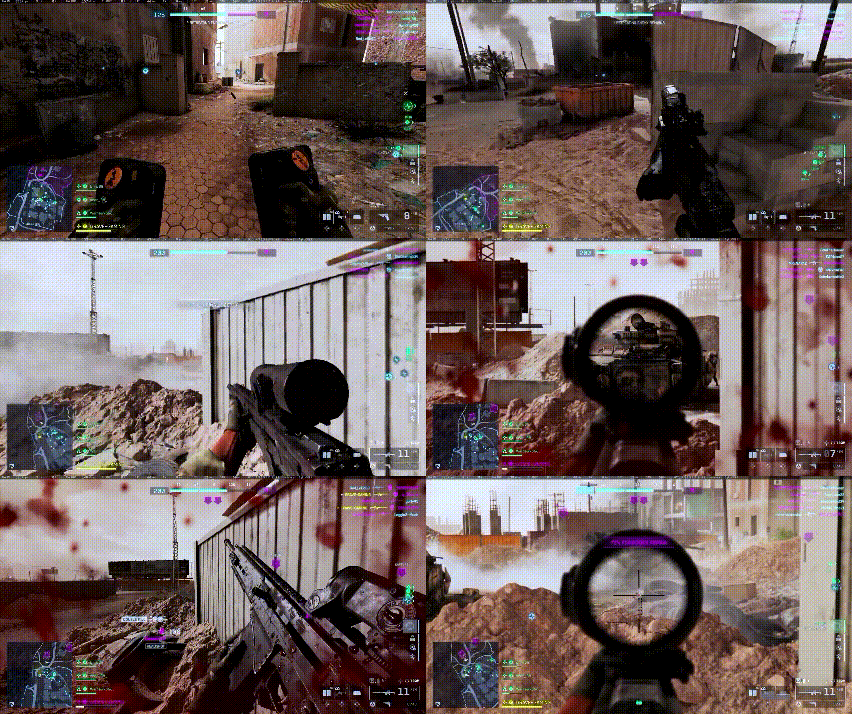
Battlefield 6 update 1.2.1.5 release date and what changed in the March 3 patch
Battlefield 6’s Title Update 1.2.1.5 launched on March 3, 2026 for PC, PlayStation 5, and Xbox Series X|S. It’s a stability-focused quality-of-life patch rather than a content update. In the wake of Season 2’s release, DICE prioritized fixing ongoing issues over adding new maps or weapons. This update centers on reducing game crashes, speeding up menus, restoring missing in-game items, and squashing various gameplay bugs across multiplayer and the REDSEC battle royale mode. While not flashy, the changes aim to make Battlefield 6 run smoother and address some of the most frustrating glitches players have been encountering.
Notably, Title Update 1.2.1.5 targets critical problems that “broke your game – and your wallet,” as one report put it. The patch returns vanished Store purchases (so players get the cosmetics they paid for), implements client crash fixes, and resolves gameplay bugs like the revive mask glitch that could leave you defenseless. Below we’ll dive into the full patch notes and explain each fix in detail, including spawn logic improvements, UI bug fixes, and REDSEC-specific adjustments introduced in the March 3 update.
Battlefield 6 crash fixes and stability improvements in update 1.2.1.5
Stability is the primary focus of patch 1.2.1.5, which introduces measures to reduce client crashes. Specifically, developers fixed a crash triggered by camera transitions during spawning or perspective switching. These general stability improvements aim to minimize game freezes and mid-match shutdowns, especially for PC players.
Battlefield 6 menu loading time fix (frontend tile loading improvements)
The update optimizes frontend tile loading to make menu navigation more responsive. By reducing delays when loading images and content tiles, players will experience snappier transitions when switching between modes, loadouts, and operators. This improvement is particularly beneficial for those on consoles or slower drives.
Battlefield 6 missing Store items restored from Bountiful Harvest, Pax Vanguard, and Devil Dogs bundles
A synchronization bug that caused purchased items from the Bountiful Harvest, Pax Vanguard, and Devil Dogs bundles to disappear has been resolved. The patch automatically restores missing skins, titles, and liveries to affected inventories. No manual action is required from players to reclaim their content.

Battlefield 6 revive bug fix where mask blocks weapon usage
Developers fixed a critical gameplay bug where equipping a gas mask while reviving a teammate caused the mask to stay stuck in the player’s hand. This glitch previously blocked weapon usage, leaving players defenseless. Following the patch, weapons are immediately usable after a revive is completed.
Battlefield 6 Objective Ace skin visual fidelity fix explained
The patch addresses a rendering and Level of Detail (LOD) issue with the Objective Ace skin that made it difficult to see or partially invisible at long ranges. The fix ensures the skin displays properly through scopes and at a distance, maintaining fair visibility and gameplay balance.
Battlefield 6 spawn logic update to prevent unintended out-of-combat spawns
The spawn system now includes an additional “out-of-combat area” check. This prevents players from spawning out of bounds or directly into active firefights. These logic improvements are designed to reduce instances of instant death upon respawning and to ensure more consistent gameplay flow.
Battlefield 6 Battle Pass rewards showing placeholder text or missing icons fix
A UI bug that caused the Battle Pass track to display placeholder text or blank icons instead of actual reward names and images has been fixed. The progression menu now accurately displays the thumbnails and titles for all items on the active tier track.
Battlefield 6 Tier Skip deeplink bug fix sending players to an empty Store screen
The patch corrects a broken “Tier Skip” deeplink in the in-game Bulletin. Previously, clicking the link sent players to an empty Store page; it now properly routes users to the intended store item or Battle Pass section.
Battlefield 6 Portal crash fix related to area validation checks
Portal mode received a stability fix targeting crashes caused by area validation checks. This ensures that custom scenarios and community-made maps are more stable and less likely to trigger client or server shutdowns during these checks.
Battlefield 6 REDSEC patch notes: Tracking Pulse Recon trait bug fix
Several fixes were implemented for the REDSEC battle royale mode. The Recon class’s “Tracking Pulse” trait was fixed so it no longer triggers erroneously when destroying gadgets. In Duos mode, pings now correctly appear in the elimination feed. Additionally, an audio glitch in Gauntlet mode was resolved where Gas Mask voice-over lines would play while players were inside armored vehicles.
Battlefield 6 Battle Royale Duos pings not showing in elimination feed fix
Patch 1.2.1.5 addresses an issue in the REDSEC Duos mode where player pings were failing to appear in the elimination feed. The update ensures that when a player or their partner pings an enemy who is then eliminated, the feed correctly displays that information. This fix is intended to improve teamwork feedback and communication by providing clear UI confirmation when a ping leads to a kill.
Battlefield 6 Gauntlet gas mask voice-over lines bug fix in armored vehicles
In the REDSEC Gauntlet mode, an audio bug previously caused gas mask voice-over lines, such as coughing or muffled speech, to play while players were inside armored vehicles like tanks or APCs. This occurred even when the player was not exposed to gas. Update 1.2.1.5 resolves this, preventing these distracting and immersion-breaking audio cues from triggering while players are inside vehicles.
Battlefield 6 version 1.000.013 vs update 1.2.1.5: how to confirm you installed the new patch
Players should note that while the update is officially called 1.2.1.5 on PC, it is labeled as version 1.000.013 on PlayStation 5 and has a similar numeric label on Xbox. These are the same update. To confirm the patch is installed, players can check the version info on their console’s dashboard or look for the build number in the game’s main menu. PC players on Steam or the EA App should see the update applied automatically.
Battlefield 6 update 1.2.1.5 not downloading or stuck: common fixes players search for
If the update fails to download or becomes stuck, players are advised to check their internet connection and disk space. Common solutions include restarting the game launcher or console, running launchers as an administrator, or pausing and resuming the download. Steam users seeing a “Game Not Released” error should uncheck extra Multiplayer DLCs in the game properties to allow the update to proceed. Other fixes include a hard system reboot or using the “Verify Integrity” or “Repair” functions on PC to fix corrupted files.
Battlefield 6 missing items still not back after patch: what to check in your inventory
While the patch should automatically restore items from the Bountiful Harvest, Pax Vanguard, and Devil Dogs bundles, some players may need to take extra steps if items are still missing. This includes performing a full game restart, checking specific customization menus for Operators and weapons, and verifying that the bundles are listed as “Owned” in the in-game store. Further troubleshooting includes clearing the console cache, using the “Restore Licenses” feature on PlayStation, or repairing game files on PC. If items remain missing after these steps, players should contact EA Support.
Frequently Asked Questions (FAQs)
- When did Battlefield 6 patch 1.2.1.5 release and on which platforms?
The update released on March 3, 2026, for PC, PlayStation 5 (labeled as version 1.000.013), and Xbox Series X|S. It should download automatically on all platforms. - Does Battlefield 6 update 1.2.1.5 introduce new content or just fixes?
This is a maintenance patch focused purely on stability, bug fixes, and quality-of-life improvements. It does not introduce new maps, weapons, or modes. - What are the key changes in patch 1.2.1.5?
Key highlights include client crash prevention, faster menu loading, improved spawn logic, the restoration of missing store items, a fix for the gas mask revive bug, and various REDSEC battle royale adjustments. - Did the patch restore missing store bundle items, and do I need to do anything to get them back?
Yes. Items from the Bountiful Harvest, Pax Vanguard, and Devil Dogs bundles are automatically restored to inventories upon login after updating. No manual re-purchase is necessary. - Did update 1.2.1.5 fix the revive bug with the gas mask blocking weapons?
Yes. The bug where a gas mask would stay stuck in a player’s hand after a revive has been fixed, allowing weapons to be used immediately once the revive is finished. - How did update 1.2.1.5 improve spawn logic in multiplayer?
The patch adds an “out-of-combat area” check to prevent players from spawning in active firefights or outside of intended boundaries, ensuring safer and more consistent respawns. - What did patch 1.2.1.5 change in REDSEC (Battle Royale) mode?
It fixes the Recon Tracking Pulse trait to prevent erroneous activation, restores ping assists in the Duos elimination feed, and removes unintended gas mask audio while inside vehicles in Gauntlet mode. - How can I verify that I have patch 1.2.1.5 installed (what is version 1.000.013)?
Players can verify the update by checking for version 1.000.013 in the PlayStation 5 information menu or by viewing the build number on the game’s main menu on PC and Xbox. - What should I do if Battlefield 6 update 1.2.1.5 is not downloading or is stuck?
To resolve download issues, players should:- Restart the system and internet router.
- Pause and resume the download or restart the PC launcher as an Administrator.
- Uncheck extra DLC components in Steam properties if a “Game Not Released” error occurs.
- Ensure there is enough free disk space for the installation.
- Did patch 1.2.1.5 address the netcode or hit registration issues players talked about?
No. Netcode and hit registration fixes were not ready for this patch. DICE has stated these improvements are planned for a future update later in Season 2.
Conclusion
Update 1.2.1.5 serves as a foundation-level maintenance patch aimed at improving game stability and player trust. By resolving frequent crashes, fixing the gas mask revive glitch, and restoring missing paid cosmetics, DICE has focused on polishing the existing experience. While major network improvements are still pending, the quality-of-life changes to menus, spawns, and REDSEC mode provide a smoother experience for players during Season 2.
Sources and citation
- EA/DICE — BATTLEFIELD 6 GAME UPDATE 1.2.1.5 (official EA Forums changelog).
- DSOGaming — Papadopoulos, John (Feb. 27, 2026). Battlefield 6 Title Update 1.2.1.5 Releases on March 3rd – Full Patch Notes.
- NoobFeed — Warlord (Feb. 28, 2026). Battlefield 6 Update 1.2.1.5 Arrives March 3 With Store Fixes and Stability Tweaks.
- FinalBoss — Smith, Ethan (Feb. 28, 2026). Battlefield 6’s March patch quietly restores missing paid items.
- MP1st — Co, Alex (Mar. 3, 2026). Battlefield 6 Update on March 3 Brings Version 1.000.013 Gameplay Improvements.
- G2A News — Sikora, Aleksandra (Mar. 3, 2026). Battlefield 6 Update 1.2.1.5 Patch Notes – Stability Fixes and Spawn Improvements.
- UpdateCrazy — Singh, Pramod (Mar. 2, 2026). Battlefield 6 (BF6) Update 1.000.013 Patch Notes (REDSEC patch 1.2.1.5).
- DTG Reviews — (Mar. 3, 2026). Battlefield 6 Update 1.2.1.5: How to Restore Missing Skins (Full Fix Guide).
- Windows Central — Lowry, Brendan (updated Oct. 15, 2025). All Battlefield 6 bugs and known issues — here’s every problem at launch, and all known fixes and workarounds.
- Reddit — Ps5/battlefield 6 won’t update. Stuck on calculating remaining time (the thread is in r/Battlefield; it includes a commenter suggesting a PS5 restart, and the OP later posted a safe-mode cache/database rebuild fix).
Recommended
- How to Use Decals and Stickers in Substance Painter: A Complete Guide for 3D Artists
- Best Black Mirror Season 7 Episodes: Ranked List, Reviews, and What to Watch First
- How to Sculpt in Blender: The Ultimate Beginner‑to‑Pro Guide for 3D Sculpting
- How do I make the camera look at an object automatically in Blender?
- Optimizing Blender Animations with Multiple Cameras Using The View Keeper
- How to Put Pattern on Texture in Blender: A Step-by-Step Guide to Creating Custom Materials
- How do I reset the camera position in Blender?
- King of Meat Is Shutting Down And Refunding Players: Shutdown Date, Refund Steps, and What Happens Next
- How to Bake High Poly to Low Poly in Substance Painter: A Complete Workflow Guide
- Can I Improve My Metahuman in Blender? A Comprehensive Guide

























































































