



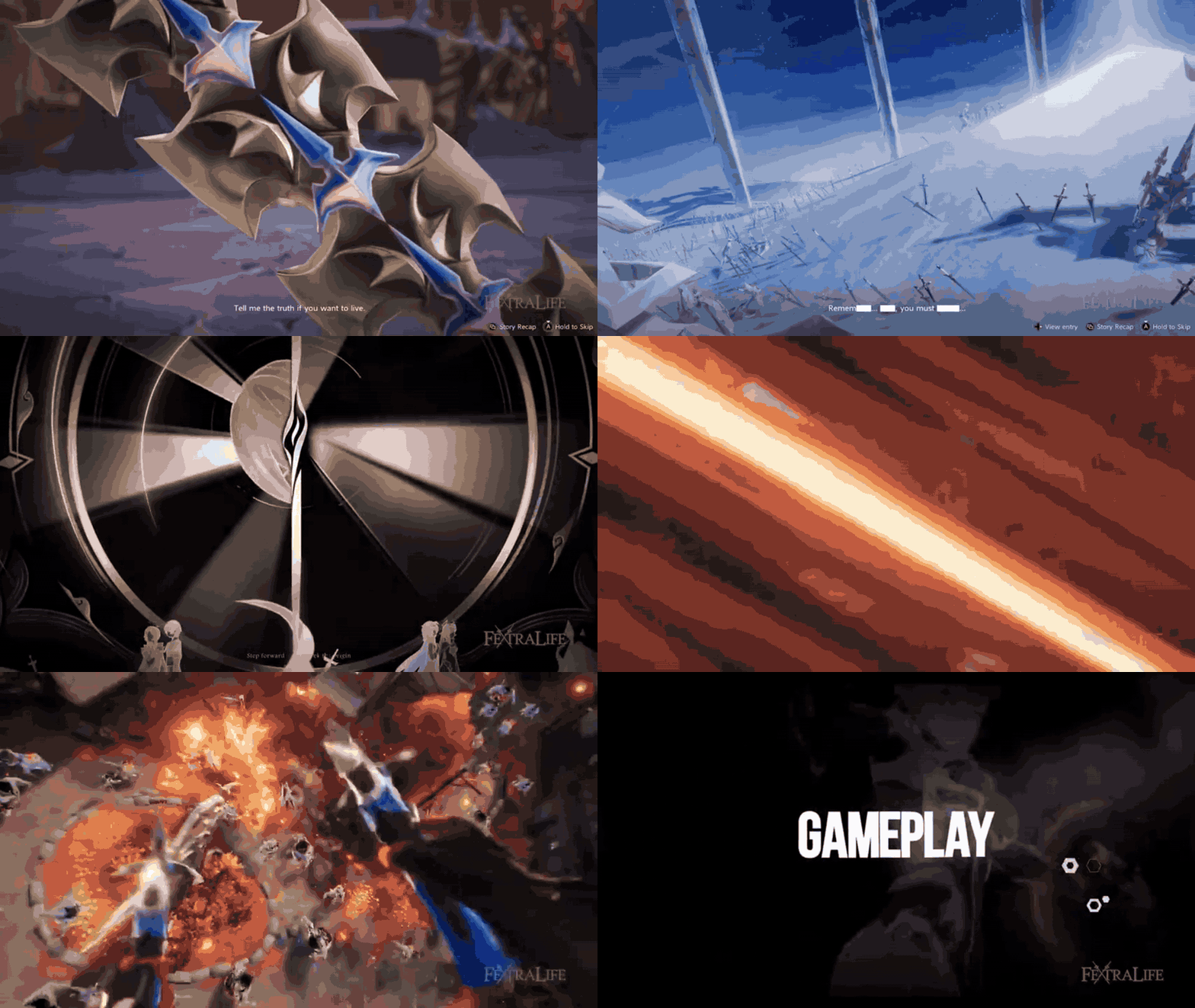
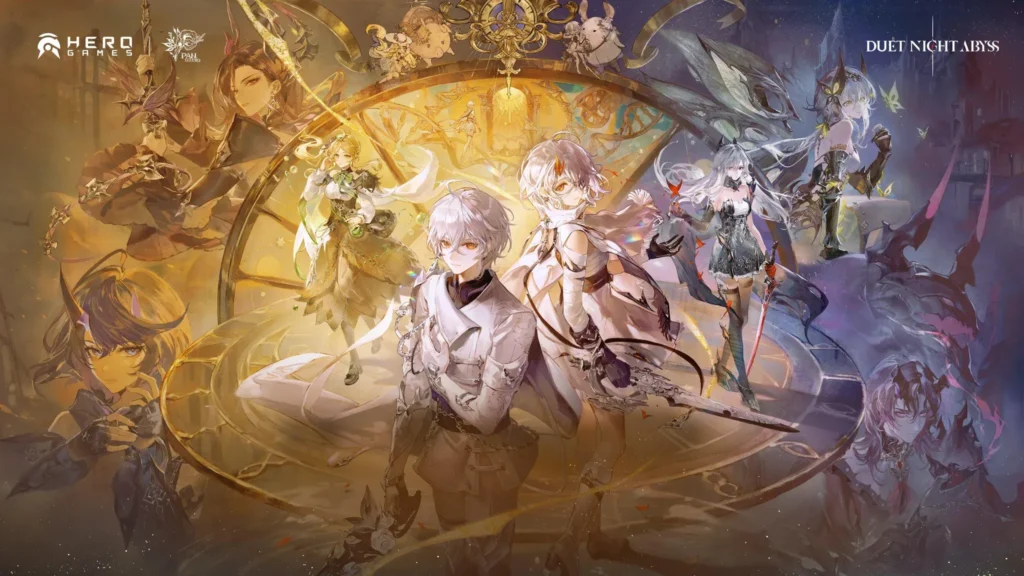
Duet Night Abyss, a free-to-play gacha RPG by Pan Studio and published by Hero Games, suffered a significant cybersecurity breach on March 18, 2026. The game’s PC launcher was compromised, resulting in a malicious update that infected players’ computers with a Trojan virus. The developers have apologized and are offering compensation of 10 free gacha pulls to affected players. This incident involved the Umbral Stealer malware and has raised concerns regarding the game’s security and future protection.
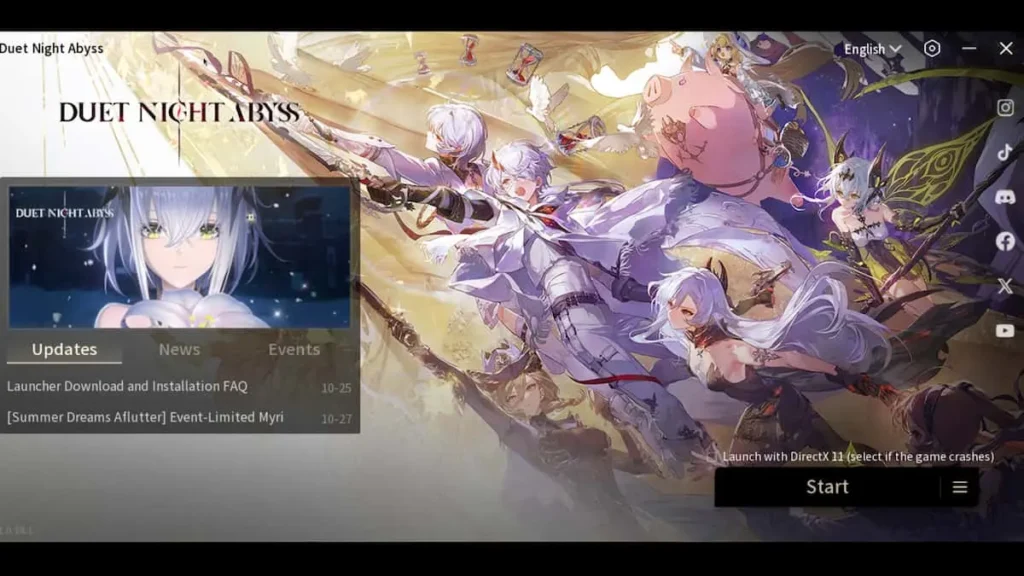
Duet Night Abyss malware incident explained
On March 18, 2026, a routine hotfix update for Duet Night Abyss was hijacked to distribute a Trojan virus known as Umbral Stealer (Trojan:MSIL/UmbralStealer.DG!MTB). Players using Steam or the standalone client unknowingly downloaded the malware during the update process. The breach caused immediate issues, including antivirus alerts and login failures as servers were taken offline. Pan Studio characterized the event as a targeted “cybersecurity incident” against their infrastructure. This followed a previous minor breach in February 2026, where the launcher was altered to display a message suggesting players “play Genshin Impact instead.” While that earlier incident was a prank, the March attack was a malicious supply-chain compromise that directly harmed player PCs.
Duet Night Abyss launcher update infected players with a Trojan
The attack targeted the game’s automatic hotfix system around 17:04 UTC+8 (9:04 AM UTC) on March 18. The Trojan was integrated into the game’s startup process, meaning even players bypassing the main launcher via Steam were affected. Disguised as “logs” or utility files, the Umbral Stealer Trojan infected systems automatically upon updating. While many players were protected by antivirus software that recognized the malware’s 2023 signature, those without active protection were vulnerable. Pan Studio attributed the root cause to an external attack from a specific region that targeted internal office systems and live servers, allowing hackers to inject code into the official update pipeline. This targeted hack turned the trusted update mechanism into a malware delivery system.
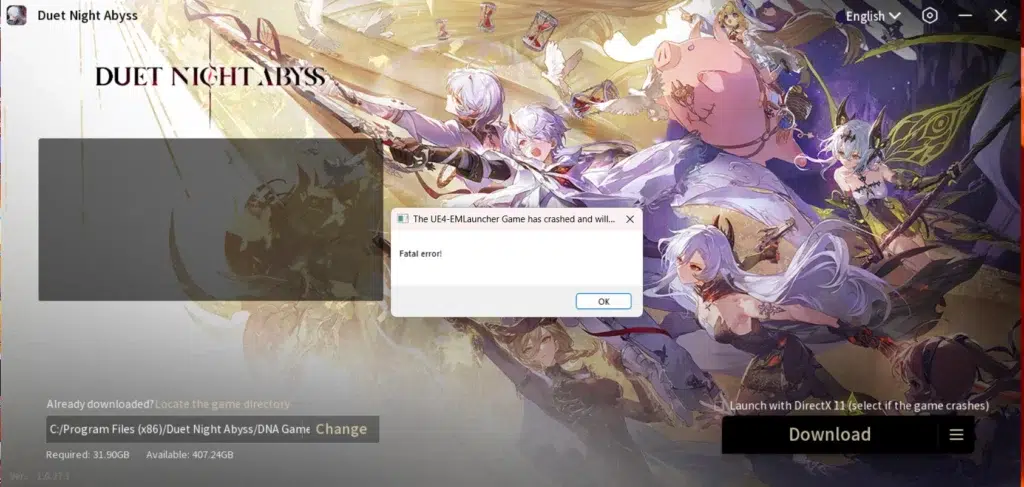
Umbral Stealer infostealer malware and what it does
The malware identified in the Duet Night Abyss update is Umbral Stealer, a Trojan “infostealer” designed to silently siphon sensitive data. It possesses extensive spying capabilities, including recording keystrokes, taking screenshots, and accessing webcam feeds. Its primary objectives are harvesting login credentials from browsers and password managers, stealing browser cookies to hijack session tokens, and scraping cryptocurrency wallet keys or seed phrases. It specifically targets session tokens for applications like Discord, Telegram, Minecraft, and Roblox, and collects system information such as IP addresses and OS versions.
First appearing in 2023, Umbral Stealer is an “off-the-shelf” malware detectable by many antivirus suites, including Microsoft Defender. To maintain persistence, it adds itself to startup programs, attempts to disable antivirus protections, and creates Scheduled Tasks. In this specific incident, it created a task named “UpdaterTask” to execute a file called “Logs.exe” after a 30-day delay. It also planted script files like “monthly.vbs” and “downloader.vbs” in temporary folders to ensure longevity and evade immediate detection.
Duet Night Abyss Steam launcher patch timeline and affected time window
The cybersecurity breach on March 18, 2026, followed a specific timeline (all times UTC+8): at 17:04, the developers released a hotfix containing the hidden Trojan. By 17:24, login failures were reported, and by 17:28, reports surfaced of malicious files being automatically downloaded. The team identified the compromised update at 17:40 and took servers offline for a security audit and repairs.
Login services were restored for Chinese servers at 18:20 and global servers at 18:24 after the malicious update was pulled. However, because malicious files remained on players’ systems, an emergency cleanup update was deployed at 19:38. This forced update was designed to automatically delete the Trojan files (Logs.exe and associated scripts) from players’ temporary folders. The total window of exposure lasted approximately 2.5 hours, specifically between 17:04 and 19:38 UTC+8 on March 18. Players who updated or launched the game during this interval were at risk of infection, while those logging in after 19:38 received a clean version.
How to tell if you were affected by the Duet Night Abyss malware update
Players who updated or played Duet Night Abyss on March 18, 2026, should check for specific signs of infection. The most prominent indicator is an antivirus alert for “Trojan:MSIL/UmbralStealer.DG!MTB” or a generic Trojan warning involving the game or a file named “Logs.exe.” Users should check their antivirus quarantine logs for these entries. Additionally, the malware dropped specific files, including “Logs.exe,” “monthly.vbs,” and “downloader.vbs,” typically located in the system’s “%TEMP%” folder or the “AppData\Local\Temp” directory. Linux players using Proton can find these in the game’s “compatdata” temp folder.
Another key sign is a rogue Scheduled Task named “UpdaterTask” within the Windows Task Scheduler, which was designed to run “Logs.exe” from the Temp directory after a 30-day delay. General system instability, game crashes during the incident window, or unauthorized activity on other accounts (like Discord or crypto wallets) are also indirect signs of compromise. Although an emergency developer update released after 19:38 UTC+8 on March 18 attempted to automatically delete these files, players active during the breach window are advised to manually verify their systems.
What to do immediately after a game installs malware on your PC
If a game installs malware, the first priority is to disconnect the PC from the internet to stop data exfiltration and communication with the attacker’s server. Users should immediately exit the game and close all sensitive applications, such as web browsers and chat apps. Using a separate, clean device, players should check official social media or Discord for status updates and warn others if necessary.
To remove the threat, run a full system scan with updated antivirus software like Microsoft Defender or Malwarebytes. If threats are detected, follow the software’s recommendations to quarantine or delete them. Following the scan, manually check and delete “Logs.exe” and “.vbs” files from the “%TEMP%” folder and remove the “UpdaterTask” from the Task Scheduler.
Once the system is potentially clean, users must change passwords for all high-value accounts—including email, banking, and gaming accounts—using a different, non-infected device. Enabling two-factor authentication (2FA) is strongly recommended. For those seeking absolute certainty, a full system restore or a clean Windows reinstallation is the most secure “nuclear option.” Finally, back up critical data only after confirming the system is no longer compromised. While developer-led cleanup patches are helpful, they do not replace the need for personal security measures and password resets.
How to remove Umbral Stealer and secure your accounts
To ensure Umbral Stealer is fully removed, perform multiple scans using reputable antivirus and anti-malware tools like Malwarebytes or Emsisoft. Manually verify that the %TEMP% directory is clear of “Logs.exe” and “.vbs” files, and ensure the “UpdaterTask” is deleted from the Task Scheduler. If files cannot be deleted, use Windows Safe Mode or anti-rootkit tools like TDSSKiller. After cleaning the system, update Windows and all security software, and consider enabling “Controlled Folder Access.”
Securing accounts is critical, as any credentials or cookies stored during the infection should be considered compromised. Change passwords for email, banking, social media (including Discord and Telegram), and all game accounts using a clean device. Enable two-factor authentication (2FA) and use the “log out of all sessions” feature on affected platforms to invalidate stolen session tokens. Check email settings for unauthorized forwarding rules or filters. If sensitive personal documents were on the PC, consider freezing your credit and using identity monitoring services. Finally, perform a fresh reinstall of Duet Night Abyss once the developer has confirmed the launcher is safe.
Duet Night Abyss compensation details: free loot boxes and 10 gacha pulls
Pan Studio has issued a server-wide compensation package to apologize for the malware incident. The bundle, sent via in-game mail on March 19, 2026, includes 5 Commission Manuals (Volume III) and 10 Prismatic Hourglasses. The 10 hourglasses are equivalent to 10 free gacha pulls (loot boxes) for random rewards or skins. All players who have unlocked the mail function are eligible to claim these items, regardless of whether they were directly infected.
The compensation mail expires on March 26, 2026, at 23:59 UTC+8. The developers acknowledged that while the gift provides in-game value, it cannot immediately fix the breach of trust. For players with ongoing issues, an official support email was provided: dna_cs@dna-panstudio.com. Community reaction has been mixed, with some players welcoming the free pulls while others feel the gesture is insufficient given the severity of the cybersecurity breach. Players are advised to secure their systems before logging in to claim the rewards.

Is it safe to reinstall Duet Night Abyss after the malware apology
As of late March 2026, Pan Studio has implemented several security enhancements to protect the game’s infrastructure. These measures include real-time monitoring and tampering alerts for core files, the application of the “Principle of Least Privilege” to minimize network and server access, and the fortification of ports used for delivering updates. Security experts suggest that the risk of a third breach is currently lower because the developers have patched known vulnerabilities and are on high alert.
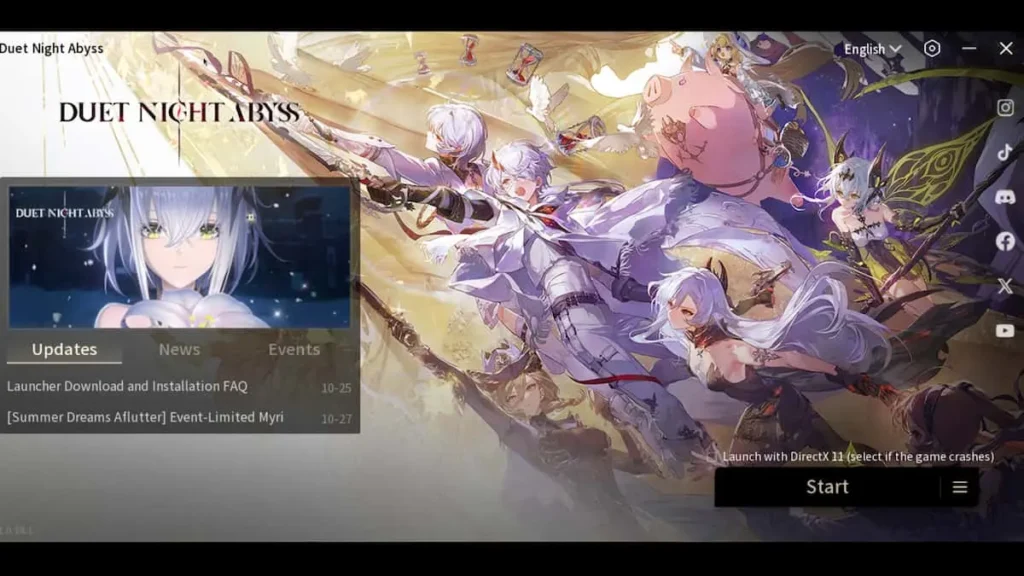
Players wishing to return can reinstall the game via Steam or the official website. It is recommended to ensure the game is fully updated, run a manual antivirus scan on the installation folder, and monitor firewall prompts during the first launch. Some community members suggest playing via Steam specifically, as it provides an additional layer of delivery security and oversight from Valve. While no system is entirely guaranteed, the developers’ transparency and the lack of new reported infections indicate the game environment is reasonably safe, provided players maintain active antivirus protection.
How game launchers get compromised and spread malware
The Duet Night Abyss incident is a “supply chain attack” or “trojanized update,” where a trusted update system is used to distribute malware. This typically happens through a developer infrastructure breach, where hackers gain access to internal systems or live servers via phishing or server vulnerabilities to inject malicious code into legitimate update packages. Other methods of compromise include Man-in-the-Middle (MITM) attacks on unsecured connections, compromising Content Delivery Networks (CDNs) or mirrors, and using social engineering to promote fake launchers or tools.
Hackers target games for various reasons, including financial gain through data theft (credentials and cryptocurrency), sabotage or competition, and hacktivism. Because players often update games immediately, malware can spread to thousands of users within minutes. While platforms like Steam distribute the builds provided by developers, they can intervene by rolling back patches or pulling games if malicious behavior is reported. This incident highlights the necessity for developers to conduct regular security audits and for players to keep security software active even when using official software.
Why “free loot boxes” compensation doesn’t fix a security breach
Offering in-game rewards like free loot boxes for a security breach often draws mixed reactions because virtual items cannot address real-world security failures. A malware infection compromises personal data, passwords, and financial information, creating a breach of trust that virtual currency cannot restore. Potential real-world damages, such as stolen cryptocurrency or the time and stress required to secure accounts, far exceed the value of gacha pulls. Furthermore, there is a disconnect between the offense and the remedy; while loot boxes are standard for in-game bugs or server outages, they are seen as an inadequate response to out-of-game security threats.
Some players view lavish compensation as an attempt to distract from the seriousness of the incident or avoid deeper accountability. If a player no longer feels safe reinstalling the game, the compensation remains moot as they cannot claim it. Pan Studio acknowledged that compensation cannot bridge the trust gap, noting that genuine rebuilding of the community requires transparency and improved security practices over time. Ultimately, while appreciated by some, free gacha pulls are considered a “band-aid on a bullet wound” that does not undo the real-world impact of a malware infection.
Best practices for downloading game launchers safely on Steam and PC
To minimize the risks of malware when gaming on a PC, players should follow several safety protocols. Always use official platforms like Steam, Epic Games Store, or GOG, and avoid third-party “cracked” launchers or manual patches from unofficial sites. Keeping the operating system and antivirus software updated is essential, as modern security suites rely on the latest definitions to catch known threats like Umbral Stealer. Players must never ignore antivirus warnings during game updates; whitelisting a flagged file without investigation can lead to infection.
Enabling Two-Factor Authentication (2FA) on all gaming and email accounts is critical to protecting assets even if credentials are stolen. Using a standard user account rather than an administrator account for daily gaming can limit a malware’s ability to make system-wide changes. Additionally, players should research unknown titles before installation, back up critical data regularly, and stay informed through community hubs like Reddit or Discord for early warnings of breaches. On Steam specifically, players should rely on automatic updates, verify the integrity of game files if something seems wrong, and monitor official community news for security announcements. By treating game software with the same caution as any other internet program, gamers can significantly lower their risk of compromise.
What players should monitor after a suspected info-stealer infection
Following an infection by an info-stealer like Umbral Stealer, players must remain vigilant regarding the data that may have been exfiltrated. Monitoring financial accounts and credit cards for unauthorized transactions is essential, as these Trojans target browser-stored passwords and autofill data. Email accounts require close observation for unusual login alerts, password reset requests, or unauthorized forwarding filters, as they serve as gateways to other services.
Digital accounts, including gaming platforms (Steam, DNA) and messaging apps (Discord, Telegram), should be checked for hijacked session tokens or spam messages sent to contacts. Players should also monitor system integrity via Task Manager and network traffic for signs of persistent malware or hidden processes. Additional warning signs include unexpected mail or changes in credit reports indicating identity theft. Because attackers often use “credential stuffing,” any accounts sharing reused passwords must be secured. Long-term monitoring via dark web checks and maintaining two-factor authentication (2FA) is necessary, as stolen data may be sold or used months after the initial breach.
Duet Night Abyss developer statement and security promises going forward
Pan Studio issued a formal statement characterizing the March 18 breach as a deliberate “malicious attack” on their internal office systems and live servers. Moving away from initial vague descriptions of “login issues,” the developers provided a transparent timeline of the incident and condemned the attackers, who they traced to a specific region. To prevent future occurrences, the studio promised several infrastructure upgrades: real-time monitoring and tampering alerts for core game files, the implementation of the “Principle of Least Privilege” to minimize network access, and the hardening of external access ports.
The developers acknowledged that while they provided a compensation package, it cannot immediately restore the trust broken by this incident and the previous February hack. They have committed to treating security as a “vital pillar” of the product, moving toward a stance of ongoing vigilance and improved communication. For players requiring individual assistance, the studio provided a dedicated support email: dna_cs@dna-panstudio.com. This response marks a shift toward transparency as the team works to provide stable, secure service and rebuild its reputation within the gaming community.
Frequently Asked Questions (FAQs)
- When did the Duet Night Abyss malware incident happen?
It occurred on March 18, 2026. That day, a malicious update was released via the game’s launcher (around 7:39 AM UTC), which led to players’ PCs being infected. The developers became aware within minutes and fixed the issue a few hours later on the same day. - How did the Duet Night Abyss launcher end up distributing malware?
Hackers managed to breach the game’s update system and insert a Trojan into a hotfix patch. So when players launched or updated the game, the official launcher downloaded and ran the infected patch. Essentially, the attackers compromised Pan Studio’s servers/internal systems, turning the trusted launcher into a malware delivery vehicle. - What Trojan was included in the Duet Night Abyss update?
The malware was identified as Trojan:MSIL/UmbralStealer.DG!MTB, commonly referred to as Umbral Stealer. It’s an info-stealer type Trojan that had been seen in the wild since 2023. Because it was a known threat, many antivirus programs recognized it immediately. - What can the Umbral Stealer malware do?
Umbral Stealer is an infostealer – it can record your keystrokes, take screenshots, and steal sensitive data from your PC. It targets stored passwords and cookies in browsers, cryptocurrency wallet info, and even session tokens for services like Discord, Telegram, Minecraft, and Roblox. It can also access webcam feeds and capture snapshots. In short, it tries to grab anything valuable (passwords, personal info, account tokens) and send it to the attacker, potentially leading to compromised accounts or identity theft. - How do I know if my PC was infected by the Duet Night Abyss update?
There are a few signs:- Your antivirus might have alerted you about a threat (e.g., detection of “UmbralStealer” or a file quarantined in your Temp folder).
- You might find strange files in your system’s Temp directory, notably Logs.exe, monthly.vbs, or downloader.vbs (these were dropped by the malware).
- Also, check Task Scheduler for a task named “UpdaterTask” (the Trojan created this to run later). If any of these are present (especially on March 18–19), it indicates your system was infected. Even if you see nothing now, if you launched/updated the game during the incident window, assume you were affected and take precautions.
- What should I do if my PC got infected by this malware?
Take immediate action:- Disconnect from the internet to stop any data theft in progress.
- Run a thorough scan with a reputable antivirus/anti-malware and remove any threats found. Ensure that the known malicious files (Logs.exe, etc.) are deleted and the “UpdaterTask” scheduled task is removed.
- After cleaning your PC, change all your important passwords (email, banking, social media, game accounts) from a safe device, and enable 2FA on accounts.
- Monitor your accounts for any suspicious activity (we detail this in the article). Essentially, clean the malware, then secure your digital life (passwords, accounts) since the Trojan’s goal was to steal those.
- What compensation did players get after the incident?
The developers gave all players a compensation package as an apology. It includes 5× Commission Manual: Vol III and 10× Prismatic Hourglasses. The 10 hourglasses amount to 10 free gacha pulls (loot boxes) in Duet Night Abyss. These items can be claimed via in-game mail. The compensation was available to claim until March 26, 2026, so players had about a week to log in and collect it. The devs acknowledged that this doesn’t fix the issue but is a goodwill gesture. - Is it safe to play or reinstall Duet Night Abyss now?
According to the developers, yes, it should be safe now. They quickly removed the malicious update on March 18 and released an emergency patch to delete the Trojan files from players’ PCs. They have since implemented stronger security measures (real-time file monitoring, network restrictions, etc.) to prevent future attacks. As of the latest update, the game’s launcher is clean, and many players have resumed playing without issues. If you uninstalled, you can reinstall from Steam or the official source – just make sure to update to the latest version. For extra peace of mind, keep your antivirus on while playing. The devs have promised that security is now a top priority and this was a wake-up call. So, assuming no new breaches, it is considered safe to return. Cautious players can wait a bit and monitor community reports, but so far there’s no indication of lingering malware after the fix. - Has Duet Night Abyss had security breaches before?
Unfortunately, yes. This March 18 malware incident was actually the second breach within a month. In late February 2026, the game’s launcher was hacked in a less harmful way – the attackers inserted a troll message telling players to “play Genshin Impact instead”. That earlier hack did not deliver malware; it seemed intended as a prank or warning. However, it showed that the launcher was vulnerable. The March incident was much more serious (actual malware). These back-to-back issues have put pressure on the developers to seriously upgrade their security (which they claim they have now done). Prior to 2026, there were no known security incidents for DNA, so these were isolated to that period, likely by the same or similar threat actors exploiting the same weaknesses. - How are the developers improving security to prevent this again?
Pan Studio has outlined several concrete steps:- They installed real-time monitoring and tamper-detection systems for their game files and servers. This means if anyone tries to alter the launcher or push unauthorized code, it will trigger alerts immediately.
- They performed a thorough security audit of their network and closed all non-essential access points, following the Principle of Least Privilege (only give systems the minimum access needed). This reduces the ways hackers can get in.
- They hardened their server infrastructure, consolidating external ports and enforcing stricter cybersecurity protocols. Essentially, they built a stronger firewall (figuratively and literally) around core assets.
- They also promise to be more vigilant and responsive. The statement conveys that security is now a “vital pillar” for them and that this was a serious wake-up call. While they didn’t detail every internal change (like employee training, new hires, etc.), the gist is that they’ve significantly tightened their security pipeline. They’ve also assured players that they’ll provide “continuous, stable service” and regain trust over time. In summary, the devs have taken the breach very seriously and overhauled their security measures to prevent future attacks.
Conclusion
The Duet Night Abyss incident highlights that official game launchers can become malware vectors through supply-chain attacks. Pan Studio responded with transparency, a detailed timeline, and in-game compensation, but the event significantly impacted player trust. This situation serves as a cautionary tale for the industry, proving that robust security audits and incident response plans are as vital as gameplay. For players, it underscores the importance of maintaining updated antivirus software and practicing good digital hygiene. Rebuilding the game’s reputation will require a long-term commitment to secure operations, as trust is not easily repaired by virtual rewards alone.
Sources and Citations
- Kotaku – “Gacha Game Apologizes For Giving Players Malware With Some Free Loot Boxes” (Kotaku)
https://kotaku.com/duet-night-abyss-gacha-game-malware-pc-steam-2000680355 - GameSpot – “After Infecting PCs With Malware, Gacha Game Gives Out Free Loot Boxes To Apologize” (GameSpot)
https://www.gamespot.com/articles/after-infecting-pcs-with-malware-gacha-game-gives-out-free-loot-boxes-to-apologize/1100-6538906/ - Official Duet Night Abyss Statement (via Reddit post) – “Official Statement Concerning the March 18 External Malicious Attack” (Reddit)
https://www.reddit.com/r/DuetNightAbyssDNA/comments/1rxw630/official_statement_concerning_the_march_18/ - Insider Gaming – “Gacha RPG Infects Players with Malware But Says Sorry with Free Loot” (Insider Gaming)
https://insider-gaming.com/duet-night-abyss-malware-free-lootboxes/ - Steam Community Forum – “Looks like the game got actually hacked this time, so don’t log in” (Steam Community)
https://steamcommunity.com/app/3950020/discussions/0/803468365964273468/ - Reddit – “Opinions from someone in the Cyber Security Field” (Reddit)
https://www.reddit.com/r/DuetNightAbyssDNA/comments/1ry7jxr/opinions_from_someone_in_the_cyber_security_field/ - PCRisk Security Portal – “Umbral Stealer – Malware removal instructions” (PCRisk)
https://www.pcrisk.com/removal-guides/27126-umbral-stealer - Steam Community Forum – “About hacked launcher and fake malware info” (Steam Community)
https://steamcommunity.com/app/3950020/discussions/0/803468365964329853/ - Microsoft – “Trojan:MSIL/UmbralStealer!rfn” threat description (Microsoft)
https://www.microsoft.com/en-us/wdsi/threats/malware-encyclopedia-description?Name=Trojan%3AMSIL%2FUmbralStealer%21rfn&ThreatID=2147930596 - Developer’s Steam News – “Official Statement Concerning the March 18 External Malicious Attack” (Steam Store)
https://store.steampowered.com/news/app/3950020/view/517489783702815161
Recommended
- How do I simulate a GoPro-style camera in Blender?
- The Ultimate Guide to Hair for Games: Techniques, Tools, and Trends
- Animating 2D Illustrations in Blender: A Comprehensive Guide for Vocaloid and J-Pop Themed Characters
- How to Make Your Own Character for Unreal Engine 5: A Step-by-Step Creation Guide
- 9 Months Away From GTA 6’s November Release, Retailer Cheekily Promises Free Copies to Anyone Who Gives Birth on Launch Day (Komplett, Norway)
- The View Keeper Add-on: Why Every Blender Artist Needs It for Optimized Rendering Workflows
- How do I create a circular camera animation in Blender?
- Can You Change the Focal Length of a Camera in Blender?
- Top Ways to Make 3D Characters: Blender, FaceGen, Metahuman, and CC3 Compared
- How to Tell If a Pokémon Card Is Fake: 15 Quick Tests Collectors Use (Texture, Light Test, Fonts & Holo)






















































































