



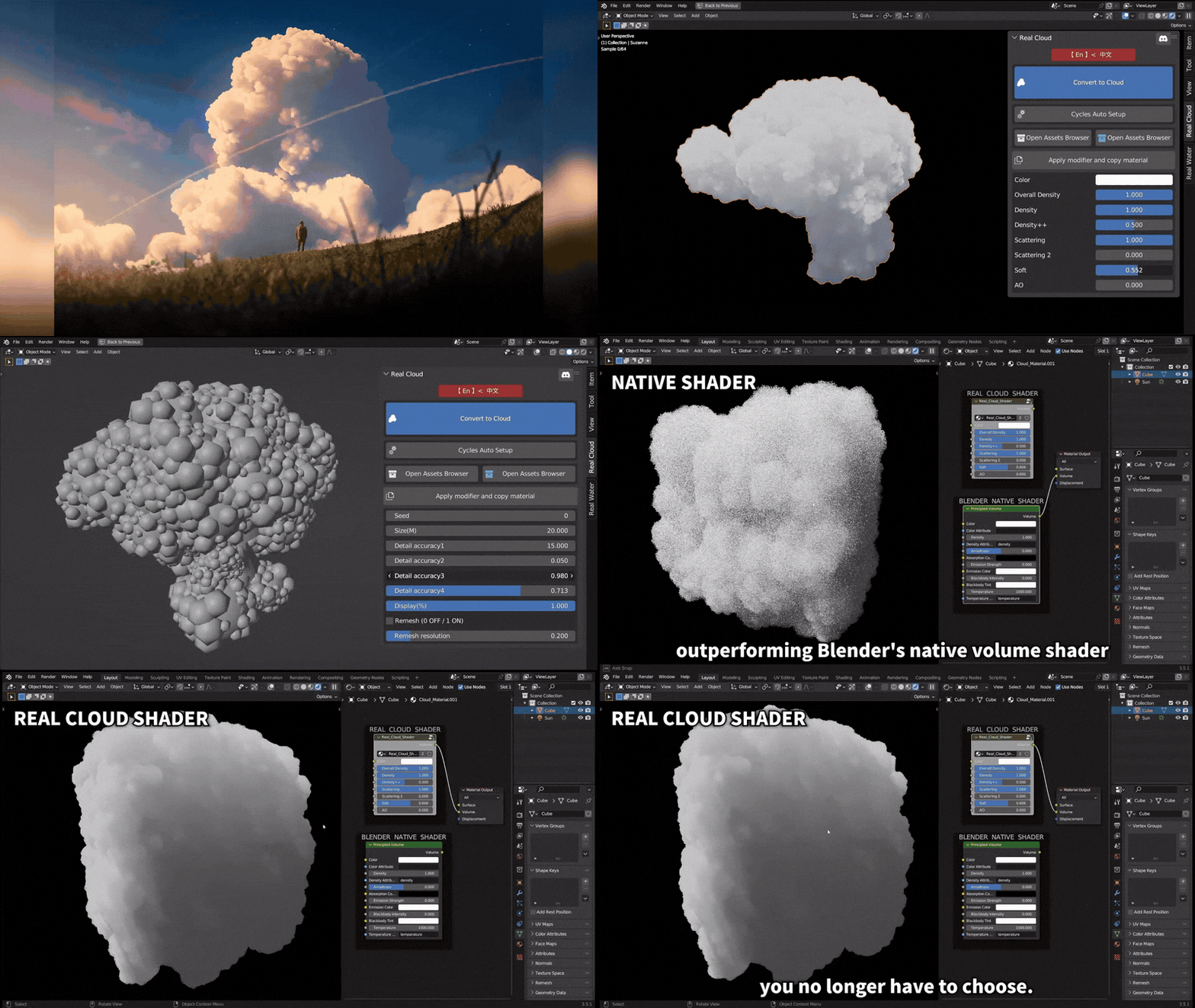
Volumetric clouds in Blender-based workflows typically fall into two production families: procedural volumetrics (clouds generated from noise, nodes, or Geometry Nodes at render time) and VDB-based volumetrics (clouds stored as volumetric grids—often OpenVDB—then imported and shaded).
Choosing the right approach is usually less about “which looks best” and more about “which provides the fastest iteration for the required look,” because true volumetric rendering can become computationally heavy—especially when pushing scale, density, multi-layer cloud decks, and believable lighting.

Add-ons and tool landscape for procedural clouds and sky systems
Best Blender add-ons for procedural clouds and sky systems
A practical “best tools” shortlist (as of April 2026) clusters into three roles: (1) sky/atmosphere systems, (2) procedural cloud generators, and (3) VDB cloud libraries. Each category solves a slightly different production bottleneck.
Sky/atmosphere systems (world + sun/moon + weather controls)
- Physical Starlight and Atmosphere (PSA) focuses on building sky/atmosphere lighting quickly (automated sky, atmosphere, sun placement, stars), with presets and many tweakable parameters for artistic control.
- Procedural Sky System (BlenderKit) is a fully procedural world node-graph plus sun/moon rig with day/night transitions; it is explicitly aimed at artistic control (stylised to semi-real) and includes cloud controls and animation-friendly ramps.
Procedural cloud generators (scene objects, layers, or cloudscapes)
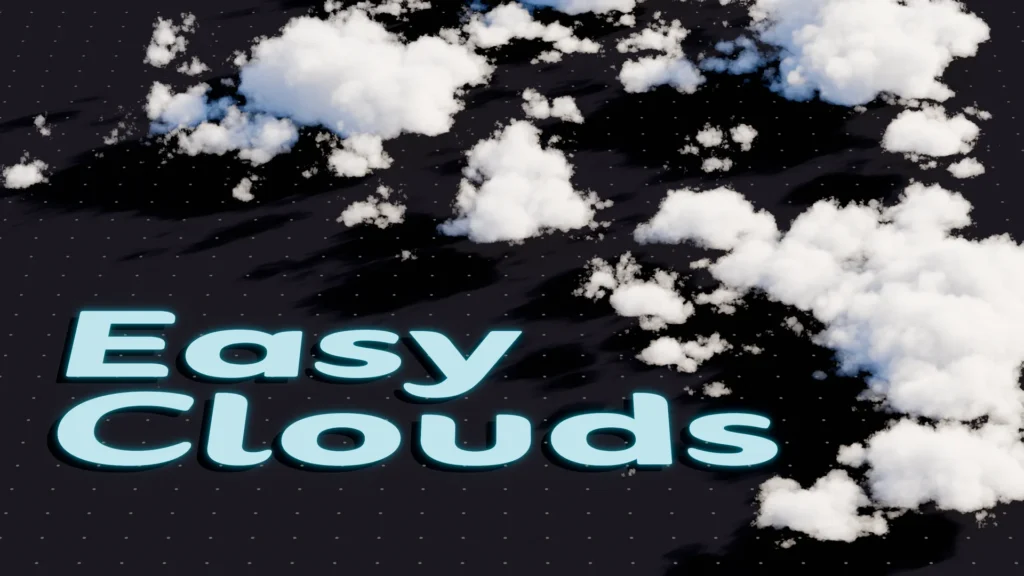
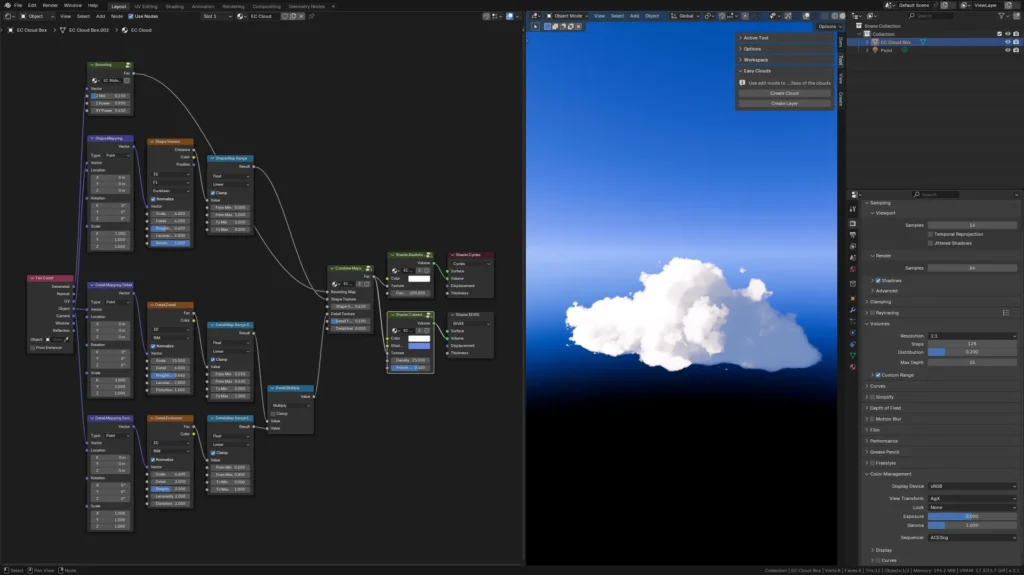
- Easy Clouds (Blender Extensions) is positioned as “procedural clouds that are easy to customise,” with workflow buttons for creating single clouds, layers, and (in later updates) spherical clouds; its release notes explicitly mention an Eevee-specific shader option and a “create sphere” tool.
- Volumetric Clouds Generator (Superhive) emphasises adding clouds/cloudscapes directly to the scene with adjustable parameters (density/colour, size/shape, wind, coverage, roundness, detail effects) without needing to manipulate materials manually.
VDB cloud libraries (prebuilt realistic volumes, asset-browser friendly)
- CloudScapes V2 (Superhive) is a VDB library marketed as photorealistic volumetric clouds (plus explosions), compatible with Cycles and Eevee, and designed to work with Blender’s Asset Browser for drag-and-drop usage.
Easy Clouds Blender add-on review and workflow
Positioning and scope
Easy Clouds is distributed via Blender Extensions and described as “procedural clouds that are easy to customize.”
Its version history is unusually informative for diagnosing what the tool is “best at”:
- The v2.0 rewrite introduced the ability to create layers, create single clouds, and use custom textures.
- Subsequent updates mention an Eevee-specific shader with shadow colour control.
- v2.2 adds a “Create Sphere” button for spherical cloud forms, explicitly framing it as useful for hand-crafted details or entire clouds.
Workflow implications
This feature set strongly suggests Easy Clouds is optimised for fast iteration (single clouds and layered decks) and for artist-friendly shape blocking (sphere-based cloud volumes and texture-driven variation).
Because the add-on roadmap notes experimentation with Geometry Nodes for “better cloud bounding boxes,” it also signals that shape control and placement tools are treated as first-class concerns rather than afterthoughts.
Procedural volumetric clouds in Blender fundamentals and workflows
How to create volumetric clouds in Blender Eevee and Cycles
A robust, error-resistant way to describe volumetric clouds in Blender is to separate render engine behaviour from how the volume is authored.
Eevee (real-time renderer) volumetrics
Eevee’s manual describes volumetric scattering as being evaluated for volume objects inside the camera view frustum and implemented using several 3D textures, which increases video memory usage.
The same manual page ties quality tuning to Tile Size and Samples (both affect quality and video memory), and states samples are distributed along view depth (view Z axis), with a “Distribution” control to bias samples nearer the camera.
Cycles (path tracer) volumetrics
Cycles is described in Blender documentation as a “physically-based path tracer for production rendering.”
For volumes specifically, Blender documentation notes that Volume Step size is the distance between volume shader samples, and that Cycles can automatically estimate this distance based on voxel size in volume objects/smoke.
Key production takeaway
Eevee volumetrics are typically favoured for interactive look-dev (rapid feedback), while Cycles is typically favoured for physically based final frames where volumetric light transport, subtle scattering, and stable shading are priorities.
Geometry nodes procedural cloud generator Blender setup
The most dependable procedural “generator” pattern is:
- Start from geometry that defines the cloud’s macro silhouette (a sphere, a sculpted blob, a set of metaball-like forms, or a base mesh).
- Convert that geometry into a volume (density grid).
- Modulate density with procedural noise for cloud structure.
- Shade with physically plausible volume scattering/absorption (or an art-directed approximation).
This pattern is supported end-to-end by Blender’s tooling:
- The Mesh to Volume modifier converts a mesh into a new volume grid named “density,” with controls that include density and voxel sizing/resolution strategy (Voxel Amount vs Voxel Size).
- The Noise Texture node evaluates fractal Perlin noise and explicitly supports 4D evaluation (Vector plus W), which is useful for smooth animation without “sliding” UV artefacts.
- Many artists use this by connecting 3D/4D noise into either density modulation or displacement-style distortion (depending on whether the setup is volume-grid based or shading based). The manual explicitly cautions that higher noise detail and higher-dimensional noise increase render time.
Recent Blender development writing also frames volumetric data as a core geometry type and discusses continued Geometry Nodes integration for volume workflows, which is why Geometry Nodes-based cloud systems have been accelerating rapidly.

Customizable cloudscapes in Blender without manual cloud placement
“Manual cloud placement” becomes a bottleneck when a shot needs:
- multiple layers (low cumulus + high cirrus),
- perspective parallax as the camera moves,
- consistent lighting/shadowing across a broad sky dome,
- or art-directed negative space.
Three scalable approaches are commonly used:
Procedural layers generated by an add-on
Easy Clouds explicitly supports creating “layers” (cloud layers / decks) as a first-class feature, implying a workflow where clouds are arranged as broad strata rather than hand-placed hero puffs.
Cloudscapes generated by dedicated tools
Volumetric Clouds Generator markets an “add clouds and cloudscapes” workflow where the user adjusts high-level parameters without needing to handle the shader implementation directly.
Library + scattering ecosystems
CloudScapes V2 includes “biomes” designed to work with a scattering add-on (GeoScatter) to populate scenes “in 1 click” with clouds on different strata; the product listing also explicitly warns that cloud scattering needs a powerful computer and that the biomes are limited to a PRO tier.
Procedural clouds add-on settings explained noise height haze density
Add-ons and node systems often present different UI labels, but the underlying controls map reliably to a small set of physical/artistic “dials.” The most transferable mental model is to interpret settings in four buckets:
Noise (shape complexity and breakup)
Noise is usually responsible for small-scale puffiness, edges, and internal variation. Blender’s Noise Texture node exposes scale, detail (octaves), roughness, distortion, and even 4D noise (Vector + W) for animation-friendly evolution.
PSA’s cloud documentation directly describes “detail,” “dimension,” and “lacunarity” as mechanisms for controlling complexity, perceived dimensionality, and patchiness—explicitly referencing noise textures and multi-scale behaviour.
Height (vertical distribution and atmosphere thickness)
In a sky system, “height” typically means how density changes vertically. PSA exposes atmosphere “Scale Height” (how high the atmosphere goes, affecting density distribution and vertical transitions).
In Eevee volumetrics, “Distribution” shifts how samples are allocated along depth, often used to put more detail nearer the camera.
Haze (mist, aerial perspective, and low-contrast scattering)
“Haze” is effectively low-density scattering that compresses contrast and increases depth cues. Eevee’s volumetric lighting/shadows features are explicitly framed as scattering and approximate absorption, with quality/performance costs.
PSA includes “Object Fog” controls and a “Falloff” parameter described as controlling how fast atmospheric mist changes density.
Density (opacity and light extinction)
Eevee’s volumetric settings are tied to quality controls (tile size, sample count) but density is typically authored in the volume object/shader itself.
PSA uses “Thickness” to control how opaque clouds appear overall (“Thicker clouds block more light”).
Blender’s Mesh to Volume pipeline explicitly creates a volume grid called “density,” and the Mesh to Volume modifier provides a Density control to make the generated volume appear denser or less dense when rendering.
Converting any mesh into a volumetric cloud in Blender
“Any mesh → cloud” is most reliably achieved by converting the mesh into a true volume grid rather than merely applying a volumetric shader to a surface.
The Mesh to Volume modifier route
Blender’s Mesh to Volume modifier is explicitly designed to use a mesh to create a new volume grid named “density,” discarding prior volume grids on the volume object. It includes resolution controls and notes that voxel size should be stable for final animation rendering to avoid artefacts.
Why this approach is cloud-friendly
Because true clouds are volumes (not surfaces), a density grid becomes the correct substrate for:
- volumetric scattering (light transport inside the cloud),
- noise-based breakup that affects interior density (not just the boundary),
- and volume-specific modifiers and shading workflows.
VDB clouds, Asset Browser pipelines, and when libraries beat procedural
Procedural clouds vs VDB cloud libraries for Blender
What “VDB” means in practice
OpenVDB is an open-source library for efficient storage and manipulation of sparse volumetric data on 3D grids and is maintained by the Academy Software Foundation; it originated at DreamWorks Animation for feature film volumetric workflows.
Technical explanations of the broader “VDB format” emphasise hierarchical data structures and sparse storage, where only regions containing meaningful data are stored.
Blender’s manual describes Volume objects as containers used to represent OpenVDB files in Blender.
Trade-offs: procedural vs VDB (production inference grounded in the sources)
Procedural clouds excel at parameter-driven iteration (shape changes, coverage, evolving noise, art-directed emptiness) because the cloud exists as a generative system rather than a fixed dataset. This aligns with tools like PSA and procedural sky rigs that emphasise many tweakable parameters and easy animation.
VDB cloud libraries excel at high-frequency realism when the library assets are derived from simulation/real data and curated into believable categories; they also standardise shading pipelines (one “cloud material” tuned for the library) and support rapid scene assembly via Asset Browser drag-and-drop.
In practice, a common studio rule is:
- choose procedural when the shot requires frequent art direction changes, camera-dependent composition, or long-range animation continuity;
- choose VDB when the shot needs “instant realism” from recognisable cloud types and the pipeline can afford heavier memory/render loads.

CloudScapes VDB clouds for Blender asset browser workflow
CloudScapes V2 is explicitly marketed as a photorealistic volumetric clouds library for Blender in VDB format, with “18 categories” and “more than 390” cloud assets, plus explosions, compatible with Cycles and Eevee.
Asset Browser integration and drag-and-drop
The CloudScapes product page explicitly frames its workflow as:
- “Thanks to Blender’s asset browser you can click and drag all your assets into your scene.”
This aligns with Blender’s general Asset Browser design principle that assets are used by dragging them into the desired location.
Practical library setup in production
A common approach is to structure VDB cloud assets as an asset library with catalogs. A step-by-step guide for Blender asset catalogs describes:
- defining catalogs via a
blender_assets.cats.txtfile, and - registering the library via Blender Preferences → File Paths → Asset Libraries, enabling reuse across projects.
Animation and limitations
The CloudScapes listing states the clouds are static (not animated), but suggests “a few tricks” can bring them to life via tutorial guidance.
For actual animated volume sequences, CloudScapes should be paired with animated VDB sequences (or procedural systems), rather than expecting static “hero VDBs” to provide physically evolving structure by default.
Shading realism and fast art direction
Procedural cloud shader nodes for realistic clouds in Blender
A realistic volumetric cloud shader is less about “one magic node” and more about:
- physically plausible scattering and absorption,
- density fields with multi-scale structure, and
- stable coordinate mapping for animation.
Core shading node: Principled Volume
Blender’s Principled Volume node explicitly “combines all volume shading components” into a single node and includes scattering, absorption, and blackbody emission; it also exposes density and anisotropy control (forward/back scattering direction).
Noise as structure (not just surface detail)
The Noise Texture node provides fractal Perlin noise with controllable scale/detail/roughness/distortion, and supports 4D evaluation—useful for animating evolving cloud shapes by moving through the W dimension rather than sliding textures in 3D space.
Volume distortion / shaping
Blender’s Volume Displace modifier is explicitly designed to displace existing volume grids using a 3D texture (RGB channels), which fits common “billow and curl” workflows for clouds authored as volume grids.

How to art-direct cloud shape with booleans and empties in Blender
Two art-direction needs recur in cloud work:
- carving large-scale negative space (storytelling composition), and
- providing animator-friendly handles for procedural systems.
Booleans for composition-first blocking
The Blender manual describes the Boolean modifier as performing Union/Intersection/Difference operations between meshes, with the caveat that manifold meshes are guaranteed to give proper results.
When used as a cloud authoring tool, Boolean modelling is best treated as a macro-shape stage (large cuts and merges). After that, the resulting mesh can be converted to volume (Mesh to Volume) so that true volumetric shading applies.
Empties as animation-friendly controls
Blender documentation describes empties as useful for controlling groups of objects without affecting the render.
A Geometry Nodes best-practice is to use an external object (often an empty) as a controller; Blender’s Geometry Nodes documentation for Object Info explicitly notes this node is useful to control parameters in the node tree with an external object.
This is the cleanest way to art-direct shape and motion for procedural clouds: animate a small number of empties (coverage controller, wind direction controller, altitude layer controller) rather than keyframing dozens of node values.
Choosing the right Blender cloud tool for environment lighting and mood
Clouds are not only background visuals: they are lighting instruments. They change contrast, colour temperature, shadow softness, and the overall mood of an environment. This is why “sky systems” and “cloud systems” often overlap.
If the goal is physically plausible outdoor lighting
- A physically oriented atmosphere system (e.g., PSA) is designed around sky/atmosphere controls and weather/time workflows, including many parameters for atmosphere density/scattering and cloud appearance.
- Geometry Nodes-based systems like Sky (Superhive) are explicitly described as generating volumetric clouds and an Earth atmosphere using Geometry Nodes and procedural shaders, aimed at building an integrated sky + clouds system.
If the goal is stylised art direction and fast iteration
- Procedural Sky System (BlenderKit) explicitly frames itself as created for artistic control (not scientific accuracy) and provides day/night transitions plus colour ramps to shape sky and cloud mood quickly.
If the goal is “instant realism” for hero stills or quick previs
- A VDB library like CloudScapes provides a large, categorised set of volumetric cloud assets and a shader workflow, prioritising quick assembly via Asset Browser drag-and-drop.

Performance and animation
Optimizing volumetric clouds in Blender for faster renders
Optimisation must target the specific bottleneck: Eevee VRAM + sample gridding, Cycles volume step sampling, or scene complexity (layers, overlaps, and scattering depth).
Eevee optimisation (quality per VRAM)
The Eevee volumetrics manual is explicit: Tile Size and Samples control volumetric quality and increase video memory usage when pushed higher; Distribution can move samples closer to the camera.
In practice this implies that cloud shots should be optimised by:
- increasing tile size/reducing samples for wide shots where clouds are distant,
- using higher samples primarily for close fly-through shots,
- and biasing distribution for camera proximity detail when needed.
Cycles optimisation (volume step size discipline)
Blender documentation notes that Volume Step size is the distance between volume shader samples and that Cycles can estimate it from voxel size in volume objects/smoke.
This implies that stable voxel sizing (especially for animation) and disciplined step settings are key for predictable render times and avoiding “mushy” clouds (too-large steps) or excessive noise/time (too-small steps).
Library/scattering optimisation
CloudScapes explicitly warns that cloud scattering needs a powerful computer (particularly when using its “biomes” scattering ecosystems).
When using VDB libraries, performance often hinges on limiting:
- the number of overlapping VDBs in the camera frustum,
- the size/resolution of the VDB grids chosen, and
- the render samples required for clean volumetric lighting.
Animating procedural cloudscapes in Blender (wind, noise, motion)
Procedural cloud motion usually targets three perceptual cues:
- advection (wind pushing clouds),
- evolution (formation changing over time), and
- layer separation (different speeds/directions at different altitudes).
Wind controls (explicit UI in some tools)
Volumetric Clouds Generator lists “Wind” as a parameter category, indicating a built-in pathway for art-directable motion rather than requiring manual node animation.
Noise evolution (4D noise as a robust approach)
Blender’s Noise Texture node supports 4D noise (Vector + W), and the manual explicitly notes higher dimensions cost more render time—making it a deliberate trade-off for smoother procedural animation.
Sky systems with time-of-day transitions
Procedural Sky System includes dynamic transitions between day/night and evening/morning, and states clouds can be controlled and animated via world-material parameters and ramps.
Animating VDB cloud libraries (what is and isn’t possible)
CloudScapes states its clouds are static (not animated), but suggests “tricks” to bring them to life—typically implying shader-based movement, slow transforms, or instanced layering rather than physically evolving simulation.
For true evolving VDB motion (changing internal density structure), animated VDB sequences are required; Blender Market listings exist for free animated VDB packs that include volumetric cloud content.

Free resources and add-on friendly starting points
Free procedural cloud assets and generators for Blender (BlenderKit options)
“Free” cloud resources generally come in three forms: procedural sky systems, procedural volume materials/nodegroups, and free VDB samples.
BlenderKit procedural tools
- Procedural Sky System on BlenderKit provides a fully procedural sky setup (world node-graph, sun/moon rig, day/night transitions) and advertises controllable/animatable clouds, positioning itself as an HDRI alternative.
Free VDB clouds (samples for previs and practice)
- CGChannel reports the release of four free cloud VDBs from VFX Assets for usage in applications like Blender.
- Superhive/Blender Market includes free “Animated VDB” packs and explicitly lists a “Free VDB Volumetric Cloud Pack” among free items.
Commercial VDB packs sometimes provide free tiers or small sample sets
The Pixel Lab markets VDB cloud packs (including 100 realistic clouds in VDB format) as compatible with Blender among other render engines, which is useful context for understanding typical VDB library sizing and expectations even when using free samples elsewhere.
10 Frequently Asked Questions (FAQs)
- What is the difference between procedural clouds and VDB clouds in Blender?
Procedural clouds are generated from nodes/parameters (often using noise, Geometry Nodes, or sky systems) and are highly editable and animation-friendly; VDB clouds are volumetric datasets stored on 3D grids (commonly OpenVDB) and imported as volume objects, often with high realism but more fixed structure. - Which is better for volumetric clouds: Eevee or Cycles?
Eevee is Blender’s realtime render engine and implements volumetrics using view-frustum evaluation and 3D textures; Cycles is a physically based path tracer intended for production rendering. Eevee tends to be preferred for interactive look-dev, while Cycles is typically preferred for physically plausible final frames. - Why do volumetric clouds look pixelated or low detail in Eevee?
Eevee volumetric quality depends on Tile Size and Samples; lower tile size and higher sample count increase quality but also increase video memory usage. Depth distribution also affects where detail is concentrated. - How can render time be reduced for Cycles volumetric clouds?
Cycles volume performance is strongly linked to the volume step size (sampling distance) and voxel sizing; Blender documentation notes step size relates to the distance between volume shader samples and can be estimated from voxel size in volume objects/smoke. Stable voxel sizing and avoiding unnecessarily tiny steps are typical optimisation levers. - What node is best for physically plausible cloud shading?
Blender’s Principled Volume node is specifically documented as combining volume shading components and includes scattering, absorption, and blackbody emission, plus density and anisotropy controls; it is the canonical “single node” starting point for physically oriented volumetrics. - How is cloud motion animated without sliding textures?
A robust method is to animate cloud evolution using 4D noise, because Blender’s Noise Texture supports 4D evaluation (Vector + W), enabling time-evolution through the W dimension rather than moving the noise field through space. - How does “Mesh to Volume” help with cloud creation?
The Mesh to Volume modifier converts a mesh into a true volume grid (“density”) with explicit voxel sizing controls, allowing volumetric shading to operate on interior density rather than only on a surface shell—particularly useful for turning sculpted blobs or booleaned shapes into volumetric clouds. - Can CloudScapes VDB clouds be animated?
CloudScapes states its clouds are static (not animated), but suggests tricks to bring them to life (typically transforms or shader-based motion). For true evolving volumetric motion, animated VDB sequences are required. - How does the Asset Browser speed up a VDB cloud workflow?
CloudScapes explicitly describes a drag-and-drop workflow via Blender’s Asset Browser, and general asset-catalog workflows include defining catalogs and registering asset libraries so assets can be reused across projects. - What are reliable free starting points for cloud work in Blender?
BlenderKit’s Procedural Sky System provides a procedural sky rig with controllable clouds; free VDB cloud samples are also available via sources reported by CGChannel, and Superhive/Blender Market includes free VDB packs.

Conclusion
The highest-leverage strategy for volumetric cloud production in Blender is to select tools by iteration speed vs realism requirement rather than tool popularity. Procedural systems (Easy Clouds, Volumetric Clouds Generator, PSA, Procedural Sky System, Geometry Nodes pipelines) concentrate power in a small number of art-directable parameters—especially when driven by empties/controllers—while VDB libraries (CloudScapes and similar) concentrate realism in curated volumetric datasets with Asset Browser drag-and-drop efficiency.
For Eevee, the decisive constraints are volumetric sampling settings tied to VRAM and depth distribution; for Cycles, the decisive constraints are volume sampling step discipline, voxel sizing, and the compounding cost of overlapping scattering volumes.
Sources and citation
- Blender Manual
- Eevee Volumetrics Settings:Eevee Render Settings — Volumetrics
- Mesh to Volume Modifier:Mesh to Volume Modifier
- Principled Volume Node:Principled Volume Shader
- Noise Texture Node:Noise Texture Node
- Add-ons and Extensions
- Easy Clouds:Blender Extensions – Easy Clouds
- Volumetric Clouds Generator (Superhive):Blender Market – Volumetric Clouds Generator
- CloudScapes V2 (Superhive):Blender Market – CloudScapes
- Procedural Sky System (BlenderKit):BlenderKit – Procedural Sky System
- Sky (Superhive):Superhive – Sky Product Page (This lists their atmospheric systems including “Sky” and “Cloudscapes”).
- Technical Documentation & Industry Articles
- OpenVDB Official Site:OpenVDB.org
- OpenVDB Documentation:OpenVDB Introduction & Background
- JangaFX Technical Article:JangaFX – What is VDB? (Covers sparse hierarchical storage and implementation context).
- Sponge Hammer Guide:Blender Asset Browser: Managing Libraries
- Free Resources and News
- CGChannel (Free VDB Reporting):CGChannel – Download 30 Free VDB Clouds
- Superhive Free Pack:Blender Market – CloudScapes Free Pack
Recommended
- How to Make a City in Blender: A Step-by-Step Guide for 3D Environment Creation
- The Ultimate Guide to Hair for Games: Techniques, Tools, and Trends
- How to Make Anything a LEGO in Blender with Geometry Nodes: A Step-by-Step Guide
- PlayStation Portal Guide (2026): Setup, Remote Play Tips, Cloud Streaming, and Troubleshooting
- Comprehensive Analysis of Blender as a Game Engine
- Intergalactic Reveal Trailer Breakdown: First Look at Naughty Dog’s Sci-Fi Epic “The Heretic Prophet”
- The Best Nioh 3 Skills for Samurai and Ninja: Must-Have Unlocks, Combos, and Builds (2026 Guide)
- Top Gun Celebrates Its 40th Anniversary With New Limited Edition 4K Steelbook Blu-ray — Release Date, Preorder Details, Specs & Special Features
- How to Make Blender Hair Work with Unreal Engine’s Groom System
- Just Days Before the Oscars, Netflix Closes Deal for Maggie Kang and Chris Appelhans to Return for KPop Demon Hunters 2































































































