









UNIGINE SDK 2.21, released on 30 March 2026, is positioned as a major workflow-and-performance update for teams building real-time 3D applications across simulation, visualisation, robotics, XR, and related enterprise pipelines.
Across official announcements and detailed change documentation, the release centres on three pillars: a redesigned animation system with a visual (node-based) logic workflow; “AI-ready” tooling intended to reduce AI-agent API mistakes and enable faster assisted development; and broad engine optimisations spanning CPU, GPU, RAM/VRAM, and load/startup times.

Unigine 2.21 release date and official release notes
The official UNIGINE SDK 2.21 release announcement is dated 30 March 2026 and frames the update around new tools, AI-oriented workflows, and deep performance work aimed at large-scale projects.
For “official release notes” in a practical sense, UNIGINE’s own developer community announcement for 2.21 contains an unusually thorough, feature-by-feature breakdown (including performance measurements, rendering changes, and workflow notes) and functions as the most detailed publicly accessible change record for the release.
What’s new in Unigine 2.21
The highest-signal additions and changes consistently highlighted across official materials include: a new Animation Graph Editor and redesigned animation pipeline; AI Docs and the experimental MCPBridge Editor plugin; major CPU/GPU/memory/loading optimisations; renderer updates (upscalers, tonemapping, water fixes, TAA refinements); clustered rendering for dense lighting; improved 3D Gaussian Splatting controls; a DataBridge plugin for Python/C++/C# integration with real-time data exchange; and new aviation and VR MRO project templates.
The release also ships with notable engineering-facing updates beyond “headline” features, including performance profiling upgrades (such as a profiler dump workflow) and thread-system architecture changes designed to improve consistency under heavy workloads.
Unigine 2.21 Animation Graph Editor explained
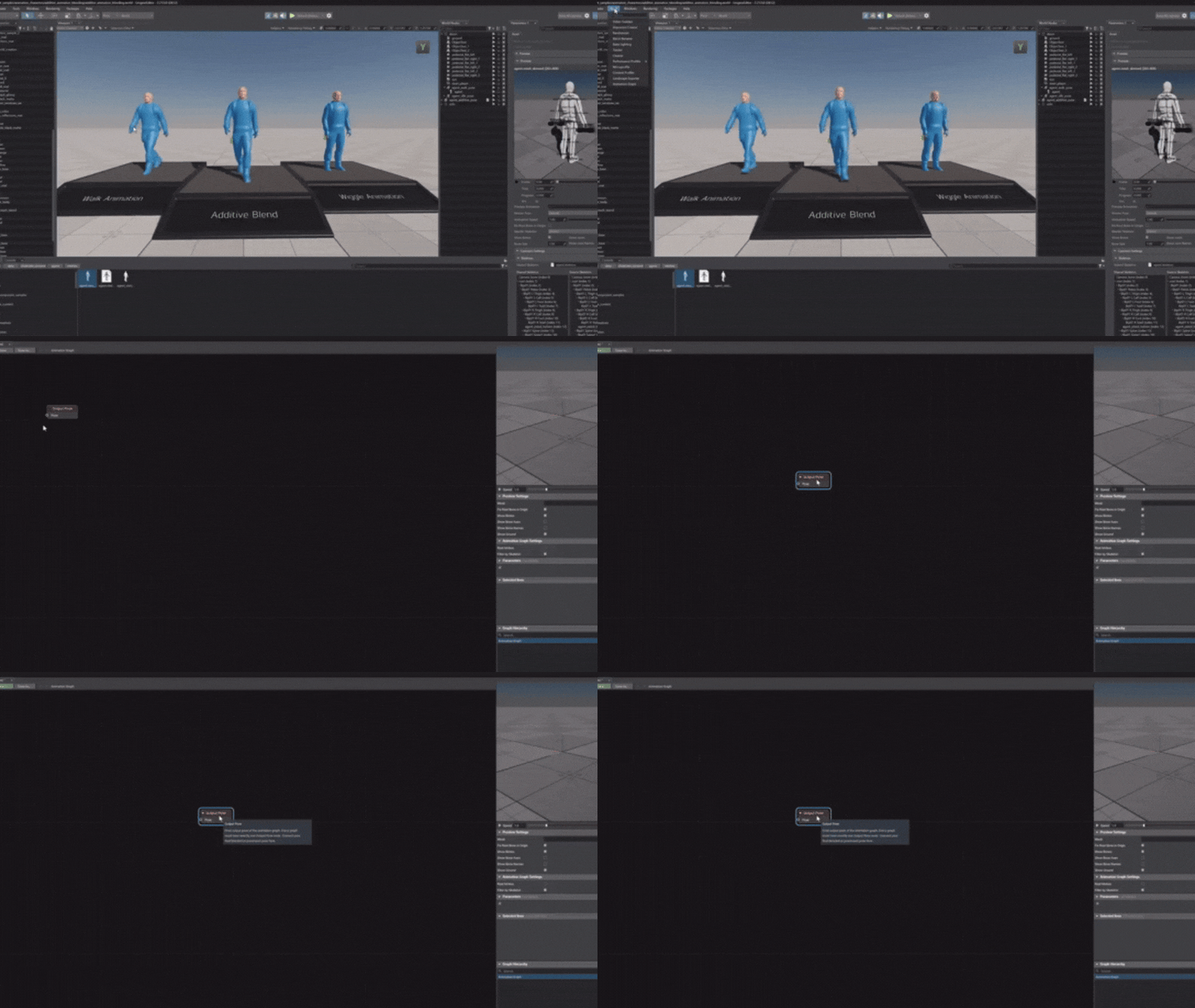
UNIGINE 2.21 introduces the Animation Graph Editor as a visual environment for authoring animation logic, shifting common animation behaviour design work from code-driven logic into node graphs. The editor is described as supporting real-time preview (including skeleton visualisation and scrubbing), typed connections for clearer graph validity, and automatic compilation to optimised native code with hot reload to keep iteration fast.
Conceptually, the tool targets the same class of problems solved by node-based animation logic systems in other engines: building and debugging layered locomotion, blending, and stateful transitions without relying on bespoke scripting for every behaviour permutation.

Unigine 2.21 new animation system and visual logic editor
The Animation Graph Editor is presented as part of a fully redesigned animation system that replaces prior code-driven animation logic with an integrated pipeline that spans authoring, preview, and runtime execution.
Key system-level capabilities described in official release documentation include:
- State machines and transition behaviour: The system supports explicit behavioural states (e.g., idle/walk/run/jump) with transitions that can be interrupted without visible “pops”, including pose snapshotting to smooth mid-transition command changes.
- Blend spaces and sync: Blend spaces support continuous interpolation across parameters such as speed and direction, and “sync variants” are noted for keeping cyclic motion (like footsteps) in phase across blends. Dedicated synchronisation tools (including sync groups and marker-based sync) are positioned as direct mitigations for foot sliding and phase drift.
- Reusable graph architecture: Subgraphs are described as reusable assets intended to reduce duplication when multiple characters or rigs share common logic (for example, upper-body overlays or weapon swings).
- Layered/per-joint control: Blend masks enable per-joint influence control for layered motion (e.g., firing upper body while running lower body).
- Root motion and retargeting: Root motion extraction is described as returning control over step timing and distance to animators by exposing per-frame deltas through API; retargeting is described as enabling a shared animation set across differently proportioned skeletons, with root motion scaling accordingly.
- Native compilation model: A distinctive implementation detail emphasised in the release write-up is compilation of saved graphs into C++ source, building them into a native dynamic library, then loading via hot reload—explicitly avoiding runtime interpretation overhead while keeping authoring visual.
The update also outlines animation-related file and data model revisions, including a clearer separation between joints and bones and new/updated mesh and animation data formats (with .mesh moving bone/morph content into skinned-mesh specific formats, and updated skeleton/retargeting handling).
Unigine 2.21 AI-ready workflow features
UNIGINE 2.21 introduces an “AI-friendly workflow” explicitly designed to reduce a common failure mode of coding assistants: making incorrect assumptions about unfamiliar APIs or “inventing” non-existent methods by analogy with other tools. The official framing is that structured context and guidance improves accuracy and reduces iteration cycles when using AI agents for development tasks.
The two core elements described are:
- AI Docs (documentation optimised for AI agents): These are described as an AI-oriented documentation package including full C++ and C# API references, working code samples organised by topic, and guidelines meant to steer agents back to verified documentation rather than guesswork. The package is described as being dropped into a project so IDE-based agents can automatically pick it up as context, and it is also described as being available via GitHub.
- MCPBridge Editor Plugin (experimental): MCPBridge is described as an editor-integrated server enabling AI agents to interact with the UNIGINE Editor via MCP in real time, with “27 tools” spanning scene creation, transforms, materials/masks, component attachment/configuration, node inspection/modification, and console command execution. Batch operations with undo/redo support are stated, and official notes flag the plugin as useful for learning and rapid prototyping but advise caution for production use.
In addition, official release messaging describes this direction as enabling assisted development where developers specify intent and AI tools generate or modify code with fewer API mismatches, and it references the MCPBridge plugin as an example of prompt-driven scene editing.

Unigine 2.21 DataBridge (Python, C++, C#) overview
UNIGINE 2.21 introduces the DataBridge plugin as a real-time integration layer between UNIGINE scenes and external systems, explicitly naming use cases such as sensors, robotics controllers, scientific tools, web interfaces, and Python scripts.
The documented design highlights include a variable-based data model for sharing named values across instances, reliable networking via RUDP (described as ordered and loss-free delivery), support for multiple simultaneous clients, and an HTTP-accessible REST API for runtime variable access. The plugin is also described as enabling external control of scenes (adjusting parameters, running logic, driving scenarios) without rebuilding the application, alongside UI tooling for monitoring live data.
Availability constraints are explicitly stated: DataBridge is described as available only in the Academic Research and Sim SDK editions, and corresponding sample content is described as being added to both C++ SIM and C# SIM sample packs.
Unigine 2.21 renderer updates and visual improvements
Rendering improvements in UNIGINE 2.21 are multi-part and target both image quality and developer control:
- Upscalers and resolution control: The release adds an explicit “custom resolution scaling” mode for FSR, allowing a user-defined scale relative to target resolution, and adds configurable DLSS scaling values for quality modes. It also introduces a “Native AA” preset for FSR3 that applies anti-aliasing at full native rendering resolution (no upscaling).
- Profiler visibility for upscaling: The generic performance profiler is described as now showing display resolution, internal render resolution, active upscaler mode/preset/scale, and a VRAM usage metric for the active upscaler.
- Tonemapping: The ACES tonemapper is described as applying curve transformation within its native colour space, with the stated result being improved colour accuracy and consistency, especially for HDR workflows.
- Water rendering and stability: The release documentation describes multiple water improvements, including SSR refinements, wake wave stability improvements under rough conditions, sharper and more detailed foam when using TAA, and fixes for water geometry flicker/disappearance under extreme camera setups.
Beyond these specific examples, third-party reporting consistently summarises 2.21’s rendering work as including enhancements to upscalers, tonemapping, water, and general visual workflow improvements.
Unigine 2.21 clustered rendering for advanced lighting
UNIGINE 2.21 implements clustered rendering for multiple dynamic light types (World, Omni, and Projected lights), explicitly describing a screen-space clustering approach where lights are organised into clusters to reduce lighting costs in scenes with high light density.
The release notes highlight this as particularly beneficial for scenes with many lights and transparency (notably night scenes with many light sources and transparent objects), alongside fixes for transparent-object lighting issues. The same notes indicate that further VR performance work is expected in subsequent releases, positioning clustered rendering as a foundational efficiency improvement rather than an endpoint.

Unigine 2.21 3D Gaussian Splats improvements
UNIGINE 2.21 expands its Gaussian Splatting feature set with changes framed around compositing flexibility, visual quality, and artist control. Key additions and controls described include:
- Render sequence order control, including an option to render splats after post-processing for better compositing.
- Filtering enhancements, including an experimental 2D mip-filtering approach intended to blur splats more naturally based on screen size (with adjustable scale), plus adaptive 3D smoothing tied to camera parameters to preserve detail for small geometry.
- Additional smoothing and grading controls, including low-pass filter strength and per-splat adjustments (tint/temperature/saturation/brightness/black & white points) to match artistic intent and reduce look discrepancies across scenes.
The official notes frame these additions as informed by client feedback and recent research, with the practical goal of tighter control over how splats integrate into production pipelines.
Unigine 2.21 performance improvements (CPU, GPU, RAM, VRAM)
UNIGINE 2.21’s performance work is documented with unusually concrete metrics and specific subsystems, spanning CPU scheduling, rendering pipeline CPU costs, GPU post-effects, memory reuse/cleanup, and startup/loading times.
CPU-side improvements described include a D3D12 frame memory pool change using thread-local chunk allocation intended to reduce atomic contention, with an average per-frame CPU processing time reduction cited at roughly 0.1–0.2 ms. In addition, multithreaded rendering is described as being implemented for several passes (including decals and transparent-related passes), and physics flush work is described as improved via multithreading.
GPU-side improvements include optimisations such as a sharpen post-effect processing time reduction from 0.5 ms to 0.35 ms (described as ~30% improvement), plus additional rendering optimisations (including reductions in redundant texture copying for custom post-process materials).
Memory (RAM/VRAM) improvements include object-surface data reuse (reported in internal large-scale testing as reducing memory consumption by ~200 MB when many objects share materials/properties/masks) and more aggressive VRAM cleanup (deleting unused resources immediately to reduce peak usage and stability issues under low-memory conditions).
Load and startup time improvements are described with separate measurements for runtime initialisation and editor startup. In the cited measurements, runtime initialisation without UNG archives is described as up to 62% faster on cold start and 11% faster on hot start; runtime initialisation with UNG-packed data is described as up to 26.7% faster on cold start; and editor startup is described as up to 24.8% faster on cold start and 9% faster on hot start. World loading changes include optimised collision shape loading (described as ~40% faster on average in editor and runtime) and faster loading of complex meshes (up to 20% faster in editor and up to 3.5% faster at runtime in certain cases).
Threading architecture changes are described as a pool-based architecture with priority-driven scheduling and a public API for custom parallel jobs, with a reported measurement in a large-scale production project citing typical CPU frame time reduced by 12.5%, peak spikes reduced by 29%, and slowest frames improved by 28% (freeing ~10–15% CPU headroom), with hardware details provided for that benchmark context.
Profiling and analysis capability is expanded via a “Profiler Dump” workflow that captures session performance statistics and configuration and can be converted via a reader tool for offline analysis and sharing. The engine also exposes thread activity more transparently in built-in profiling tools.

Unigine 2.21 new project templates for simulation and aviation
UNIGINE 2.21 introduces a refined template-based project workflow described as requiring the selection of a base template, with templates positioned as more than empty starters: they are described as shipping with preconfigured content, components, plugins, and sometimes dedicated APIs. The design intent is to move teams faster from concept to working prototype while preserving customisability.
The “Aviation Pack” is described as including fixed-wing, rotary-wing, and UAV flight simulator templates plus an MRO simulator template, with feature summaries that include control device support, HUD/avionics elements, environmental and weather/time configuration, sensor simulation, and desktop plus VR/XR support in relevant templates. The MRO template is described as VR-optimised with PC controls for development/debugging, and described as adaptable beyond aviation into broader VR maintenance training scenarios.
Availability constraints are explicitly stated: these templates are described as available only in Sim and (partially) Academic Research editions.
Unigine 2.21 licensing changes: Entertainment and Academic Research plans
UNIGINE 2.21 introduces a revised edition-and-pricing structure that includes Community Free, Entertainment, Academic Research, and Sim plans, with specific eligibility constraints and industry exclusions enumerated in official pricing documentation.
Community Free is described as free with no royalties or runtime fees, intended for hobbyists, small indie teams, and students, while excluding defence, energy, mining, and gambling industries. The published limitation is revenue and/or total funding below $200,000 in the preceding 12 months.
Entertainment is described as an annual $9,995 subscription for 10 seats, aimed at commercial studios in creative, visualisation, entertainment, and XR sectors, with the same industry exclusions but no revenue/funding limits.
Academic Research is described as an annual $15,595 subscription for 10 seats (with a published 30-seat price tier), aimed at university research projects, with non-commercial use requirements and a stated condition that projects with commercial or defence funding exceeding 30% of the project budget require a Sim licence.
Independent reporting further characterises the licensing change as replacing older Community Pro and Engineering subscription plans with the new Entertainment and Academic Research subscriptions, and notes that Sim remains a contact/priced-on-enquiry plan for top-end requirements.
There is also an edition-level feature limitation explicitly called out in the 2.21 change notes: from version 2.21 onward, Mixed Reality mode is not available in the Free Community SDK edition.

How to upgrade from Unigine 2.20 to Unigine 2.21
Official upgrading guidance exists for migrating from 2.20 to 2.21 and is structured around reviewing deleted/deprecated/new functions and variables and using dedicated migration articles (API, console, and content migration) to keep projects current.
From the publicly documented 2.21 change record, several upgrade-impacting changes are specific enough to inform an upgrade checklist:
Animation system workflow change: projects adopting the new animation tooling should expect workflow differences due to the new Animation Graph-based authoring approach and revised underlying formats.
C# workflow changes: coroutines are added for C# API projects; C# components are described as being reworked to remove property GUIDs from source code (to reduce broken links from copy/paste), with a stated constraint that from 2.21 onward only one component class is allowed per C# file and it must be declared as partial.
API cleanup/removals: specific methods and components are described as removed (including save/restore in WorldLogic, saveState/restoreState in Plugin, and AppEditorLogic in C++/C# templates), which can translate into compilation or behaviour changes in projects relying on them.
Editor and tooling migration: the upgrade documentation indicates that the editor migration includes a Qt5-to-Qt6 transition, which can affect Qt-based embedding or integration projects and should be reviewed during migration.
A conservative upgrade approach consistent with the official guidance is: parallel-install 2.21; create a full backup of the 2.20 project; open and migrate using UNIGINE’s documented upgrade pathway; then run a compile-and-test cycle focusing on API removals, template/workflow changes, and rendering/VR/XR behavioural differences introduced in 2.21.
Unigine 2.21 system requirements and supported platforms
UNIGINE 2.21 is described as available for 64-bit Windows (Windows 10+ noted) and Linux (kernel 4.19+ noted), and is described as hardware-agnostic in the sense that it supports GPUs across major vendors, with an official supported-GPU list referenced in the documentation.
Minimum and recommended hardware guidance published for the Community SDK technical specifications includes:
- Operating systems (runtime and tools): Windows 10/11 (64-bit) and Linux (64-bit).
- Minimum (example baseline): CPU with 4 cores and SSE4.2; 8 GB RAM; DirectX 12 / Vulkan compatible GPU; 4 GB VRAM.
- Recommended: 6+ core CPU; 32 GB RAM; GPU class examples include RTX 3060 or faster and RX 6600 or faster; 8 GB+ VRAM.
The same technical specification document describes the engine renderer as supporting DirectX 12 and Vulkan, and lists built-in support for upscaling options (including DLSS and FSR versions) in the graphics feature set.

Where to download Unigine 2.21 and SDK documentation links
Official downloads and edition access are consolidated on UNIGINE’s “Get Unigine” (SDK Editions and Pricing) page, which provides Windows and Linux download entries and links into edition comparison and support channels.
Official documentation entry points (including feature documentation and getting-started materials) are provided via the UNIGINE developer portal, and the 2.21 release messaging explicitly points to online release notes and technical documentation for deeper detail.
For direct feature documentation relevant to 2.21’s headline systems, the official documentation set includes dedicated sections/pages for animation graphs and the DataBridge plugin, in addition to upgrade guidance for migrating from 2.20 to 2.21.
Frequently Asked Questions (FAQs)
- Does UNIGINE 2.21 replace animation scripting with a purely visual workflow?
UNIGINE 2.21 is described as replacing previously code-driven animation logic workflows with a unified visual, node-based authoring system (Animation Graph Editor), while still compiling graphs into native code for runtime performance. - What makes the UNIGINE 2.21 Animation Graph system “high performance” at runtime?
The official description emphasises that graphs are translated into C++ and compiled into a native dynamic library, then hot-reloaded, avoiding interpreted graph execution overhead during runtime. - What are “AI Docs” in UNIGINE 2.21 and what problem do they solve?
AI Docs are described as documentation packaged specifically for AI agents, including full C++/C# API reference and working code samples, intended to reduce AI mistakes such as inventing non-existent methods by forcing reliance on known documentation context. - What is MCPBridge in UNIGINE 2.21?
MCPBridge is described as an experimental editor plugin enabling AI agents to interact with the UNIGINE Editor in real time via MCP, with an embedded server and a toolset covering common scene and asset workflows; official notes recommend caution for production use. - What is clustered rendering in UNIGINE 2.21 and why does it matter?
Clustered rendering in 2.21 is described as organising dynamic lights into screen-space clusters to reduce lighting cost in dense lighting scenes, improving scalability for many-light scenarios and helping stabilise performance, particularly where transparency increases lighting complexity. - What changes were made to upscalers in UNIGINE 2.21?
The official notes describe custom resolution scaling for FSR, configurable scaling values for DLSS modes, a “Native AA” preset for FSR3, and improved profiler visibility (including internal render resolution and VRAM usage metrics for the active upscaler). - How does UNIGINE 2.21 improve CPU and loading performance in practice?
The documented changes include CPU-side optimisations (including reduced CPU frame time via thread-system architecture updates) and large reported gains to cold-start initialisation and world loading in specific measured project contexts. - What improvements were made to 3D Gaussian Splatting in UNIGINE 2.21?
UNIGINE 2.21 adds controls over render order (including after post-processing), filtering and smoothing options, and colour/grade adjustment controls intended to increase visual consistency and pipeline integration for splats. - What is DataBridge and which editions include it?
DataBridge is described as a plugin enabling real-time communication between UNIGINE scenes and external systems via a universal API, variable-based model, RUDP networking, and a REST API; it is explicitly described as available only in Academic Research and Sim editions, with sample packs provided for C++ SIM and C# SIM. - What are the key licensing options introduced around the UNIGINE 2.21 era?
Official pricing documentation lists Community Free (revenue/funding below $200,000, industry exclusions), Entertainment ($9,995/year for 10 seats), Academic Research ($15,595/year for 10 seats, non-commercial constraints), and Sim (contact/priced on request), and independent reporting frames this as replacing older subscription structures.
Conclusion
UNIGINE 2.21 is best understood as a production-scale workflow release: it upgrades animation authoring into a visual, compiled, hot-reloadable system; introduces AI-context tooling and editor control pathways intended to make AI-assisted development more reliable; adds integration infrastructure (DataBridge) and industry templates to reduce time-to-prototype; and backs these additions with measurable performance work spanning CPU scheduling, memory use, and startup/loading times.
Sources and Citations
- https://unigine.com/news/2026/unigine-sdk-2-21-released-new-animation-system-ai-ready-workflow-and-major-performance-gains/
UNIGINE. “UNIGINE SDK 2.21 Release.” March 30, 2026. - https://developer.unigine.com/devlog/20260327-unigine-2.21
UNIGINE Developer. “UNIGINE 2.21 Devlog / Detailed Change Documentation.” March 27, 2026. - https://unigine.com/products/engine
UNIGINE. “SDK Editions and Pricing.” - https://gamefromscratch.com/unigine-2-21-released-new-pricing/
GameFromScratch. “UNIGINE 2.21 Released – New Pricing.” April 2026. - https://www.cgchannel.com/2026/04/unigine-2-21-is-out/
CG Channel. “UNIGINE 2.21 is out.” April 2026. - https://www.techspot.com/downloads/6963-unigine-sdk.html
TechSpot. “UNIGINE Community SDK 2.21 Technical Specifications.” April 2026.
Recommended
- How to Make Anything a LEGO in Blender with Geometry Nodes: A Step-by-Step Guide
- The Importance of Virtual Avatars, Influencers, and Mascots for Brands: Lessons from Duolingo
- The Best Way to Render Hair Without Excessive Noise
- How do I animate a zoom effect with the Blender camera?
- Fortnite Adding Ability to Create Your Own Star Wars Games: Star Wars Toolset Coming to UEFN (March 19, 2026)
- Intergalactic: The Heretic Prophet – Release Date, Story, Cast, Gameplay, and Everything We Know
- The Witcher 3 Secret DLC Rumors: CD Projekt Says No New Cyberpunk 2077 DLC Planned
- Epic CEO Tim Sweeney Pisses Everyone Off With ‘Out of Touch’ Response After 1,000 Game Developers Lose Jobs—Calls for Resignation Grow
- What Is Camera Focal Length in Blender?
- UK Advertising Standards Authority bans Call of Duty: Black Ops 7 “Airport Security” commercial for “trivialising sexual violence”






























































































