




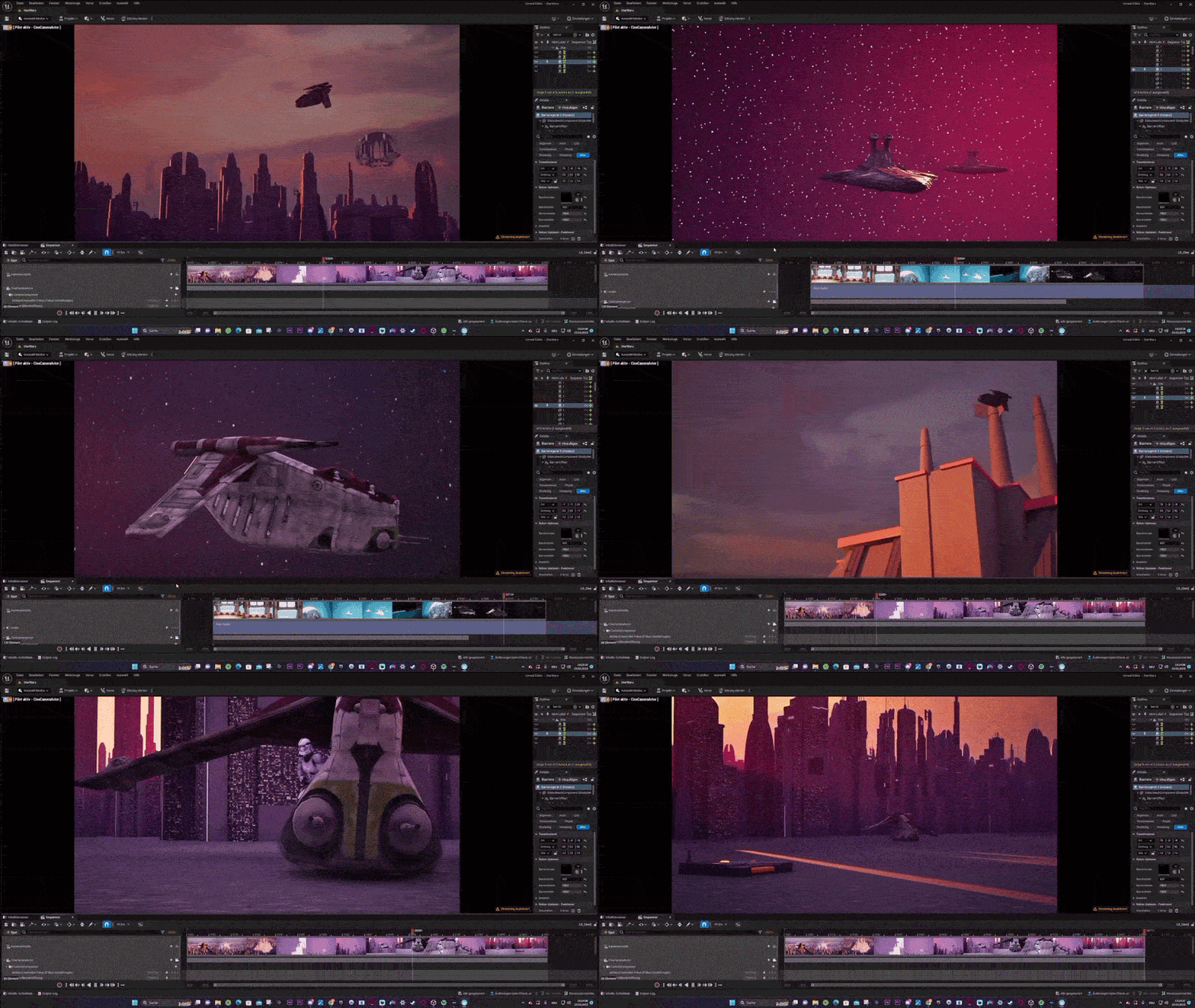
Fortnite’s Chapter 7 Season 2 update (scheduled March 19, 2026) will introduce an official Star Wars toolset in the Unreal Editor for Fortnite (UEFN). Epic Games has announced that with the launch of Season 2, creators will gain access to licensed Star Wars content – including characters, weapons, and environments – for use in their custom games.
This means players can finally build their own Star Wars–themed experiences inside Fortnite. As GamingAmigos reported, the Star Wars creator tools go live on March 19, coinciding with the new season’s release. However, creators should note that day one will deliver a library of assets (models, devices, etc.), not fully-built Star Wars mini-games. It will be up to the community to assemble those assets into playable experiences.
Star Wars toolset in Fortnite UEFN release date
Epic Games has scheduled the Star Wars UEFN release for March 19, 2026, coinciding with the launch of Fortnite Chapter 7 Season 2. While this update introduces official Star Wars assets, characters, and tools to the UEFN content browser, creators should note that it provides building blocks rather than completed mini-games. This release allows developers to begin assembling custom Star Wars experiences using new meshes, animations, and devices.
How to create your own Star Wars games in Fortnite
To build Star Wars experiences, creators must use Unreal Editor for Fortnite (UEFN) on PC. The process involves:
- Installing UEFN and joining the Fortnite Creator program.
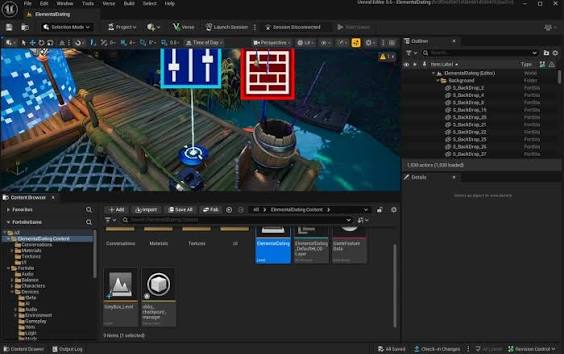
- Starting a project and locating Star Wars assets within the Content Browser.
- Placing official models, characters, and scenery into the map.
- Defining gameplay logic using Fortnite devices like spawn pads and triggers, or through Verse scripting.
- Playtesting and refining the experience before publishing via the Creator Portal.
What Star Wars assets are coming to UEFN
The toolkit includes a variety of themed assets:
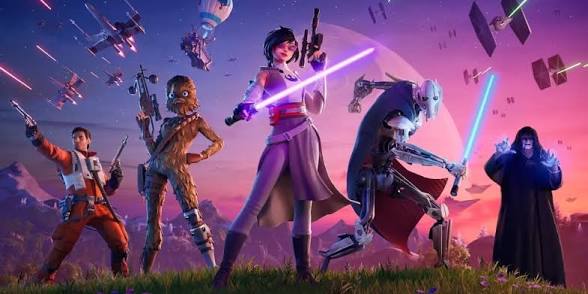
- Characters: Playable models and NPCs such as Boba Fett, Anakin Skywalker, Luke Skywalker, and Darth Vader.
- Weapons: Iconic gear including lightsabers and various blasters (e.g., Wookiee bowcaster).
- Force Powers: Mechanics for abilities like Push and Pull.
- Environments: Themed buildings, terrain kits for planets like Endor or Tatooine, and various props like droids and stormtrooper helmets.
- UI and Effects: Themed HUD elements and visual effects for blasters and lightsabers.
Star Wars characters in Fortnite UEFN for creators
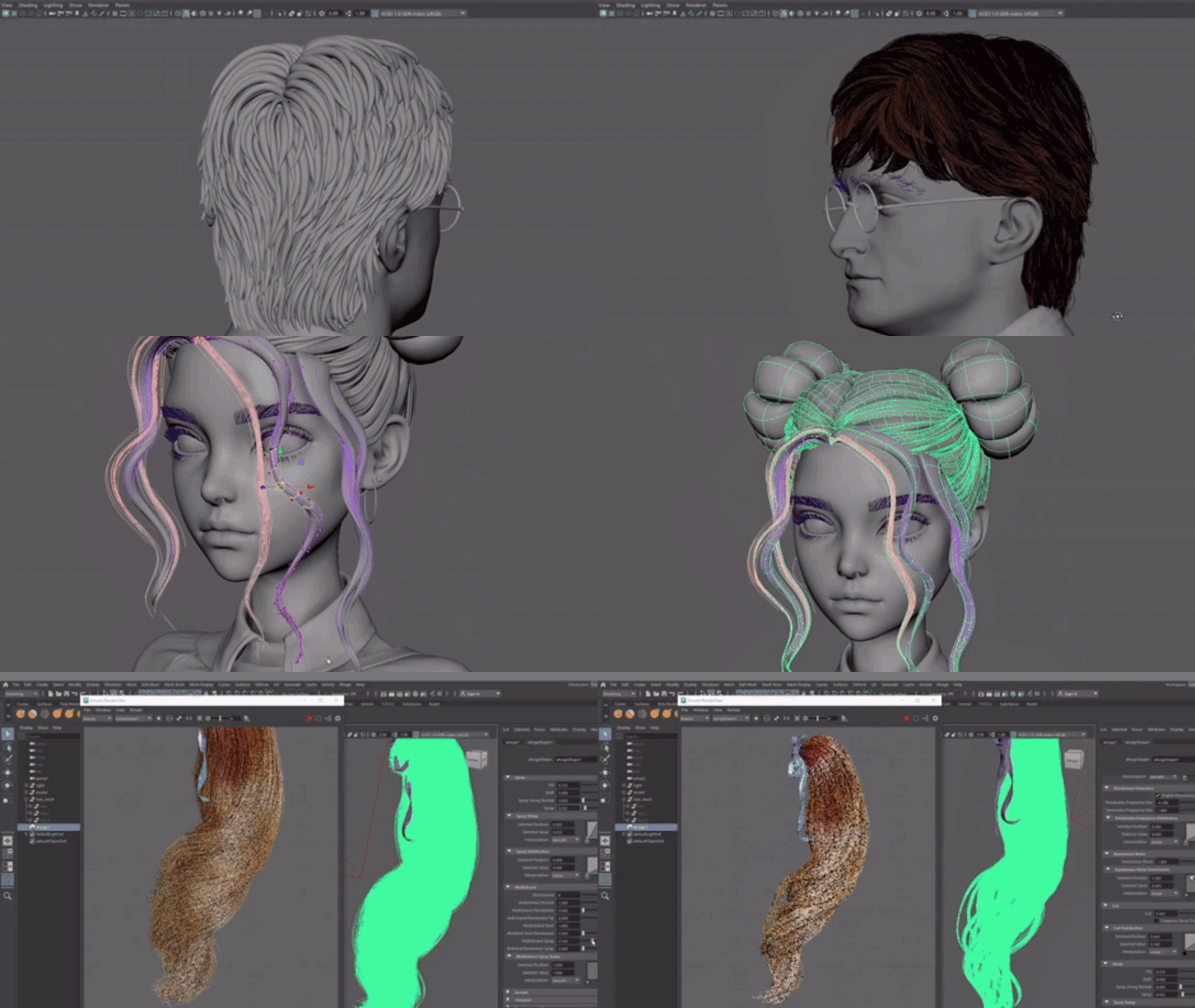
Creators can use official Star Wars character models as either player skins or AI-controlled NPCs. While these models use standard Fortnite animations, creators can enhance them with external tools like PixelHair for more realistic 3D hair. These assets allow for authentic storytelling and role-play within custom maps.
Lightsabers in UEFN and Fortnite Creative experiences
Lightsabers are being added to UEFN as Mythic melee weapons. They retain their established combat mechanics, including multi-swing combos, slam attacks, and the ability to block blaster fire. Creators can place these items in their maps to facilitate Jedi and Sith style duels. Because these are integrated via UEFN, the experiences remain accessible to players on all platforms, including consoles and mobile.
How to build a Star Wars mini-game in UEFN
Building a mini-game involves selecting a template and applying Star Wars themes. For a duel-focused game:
- Open a new project and design a themed environment using prefabs.
- Set up player spawn points and equip them with Lightsaber Mythic devices.
- Use Score Managers to define victory conditions.
- Optionally use Verse scripting for custom Force abilities.
Other potential game modes include team-based galactic battles, sabotage missions, or Force-themed obstacle courses.
How to publish a Star Wars UEFN island in Fortnite Discover
Once a map is finished, creators must submit it through the Creator Dashboard. This involves providing metadata, a thumbnail, and ensuring the content complies with Epic’s guidelines. After approval, the island receives a unique code and becomes searchable in the Fortnite Discover tab. Published UEFN islands are automatically cross-platform, allowing players on PC, consoles, and mobile to access the content.
Fortnite UEFN Star Wars rules for licensed IP content
Using Star Wars content in UEFN requires strict adherence to Epic’s developer and intellectual property rules. Creators must only use the official Star Wars assets provided by Epic within the UEFN toolset. It is prohibited to upload external Star Wars models, music, or movie clips. Additionally, creators must follow branding guidelines, which include avoiding the use of the “Star Wars™” trademark in island titles or descriptions; instead, generic themed terms should be used. While Epic has arranged the necessary licensing with Disney/Lucasfilm for in-game use, creators cannot claim ownership of these elements or use the maps outside of the Fortnite ecosystem. Violations can result in the removal of the island.
Can you monetize Star Wars UEFN maps in Fortnite
Creators can monetize Star Wars maps through Fortnite’s established creator economy. This includes Engagement Payouts based on player activity and “In-Island Transactions” for selling in-game items like cosmetic lightsaber colors or gadgets. From December 2025 through December 2026, creators receive 100% of the V-Bucks from these sales, shifting to a 50/50 split with Epic starting February 1, 2027. Long-term models suggest approximately 12–15% of revenue may go to the IP holder as a licensing fee. Creators cannot charge for access to the map itself and must follow all monetization guidelines to remain eligible for earnings.
Fortnite Creative vs UEFN for making Star Wars maps
The official Star Wars toolset is exclusive to UEFN and is not available in the classic in-game Creative mode. UEFN is a PC-only professional editor that offers advanced features like Verse scripting, custom animations, and sophisticated lighting, making it the primary environment for developing Star Wars experiences. While the maps are built on PC, they can be played on all platforms. Classic Creative can still be used for “Live Edit” sessions to make minor adjustments to a published UEFN map, but the core development and access to licensed assets require the UEFN interface.
Best Star Wars game ideas to build in Fortnite UEFN
The new toolset allows for a variety of game concepts, including:
- Lightsaber Duels: One-on-one battles in iconic settings like the Jedi Temple.
- Death Star Tycoon: Resource-management maps centered on building or sabotaging a space station.
- Galactic Battle Royale: Large-scale shooters featuring Rebels versus Stormtroopers with blasters and vehicles.
- Jedi Training: PvE experiences using Verse to script NPC enemies and Force-based puzzles.
- Racing: Podracer or speeder bike competitions using Star Wars scenery.
- Infiltration Missions: Objective-based gameplay inside Star Destroyers or Rebel ships.
How to use Verse scripting for Star Wars gameplay in UEFN
Verse is essential for creating custom gameplay mechanics that go beyond standard devices. It can be used to script Force abilities like “Push” by applying physics impulses to players. It also allows for custom weapon logic, such as blaster overheating, and sophisticated AI behavior for NPCs like Stormtroopers. Verse handles complex game flow, score tracking, and conditional logic (e.g., checking if a player has a lightsaber before enabling a combo). Tools like the Epic Developer Assistant can help generate code snippets for these mechanics.
UEFN Star Wars templates and starter projects
Epic is expected to release official Star Wars templates and starter projects alongside the toolset. These may include pre-configured island templates for duels or outposts, as well as galleries for themed buildings and interiors. These resources provide creators with working foundations, including spawn points and gameplay logic, allowing them to customize and expand upon official examples rather than building every system from scratch.
How to play user-created Star Wars games in Fortnite
Once published, Star Wars maps are available to all players via the Fortnite Discover tab. Players can find these experiences by browsing featured categories or using the in-game search bar to enter a specific island name or creator code. Because UEFN projects are cross-platform, players on consoles and mobile devices can join and play these maps just like any other Creative island, regardless of the fact that the maps were built on PC.
Common mistakes when building Star Wars islands in Fortnite UEFN
To ensure your Star Wars content is successful and remains active, avoid these frequent errors:
- IP Violations: Using unapproved external content is a major risk. You must only use the official Star Wars assets provided by Epic within UEFN. Importing outside music, videos, or copyrighted graphics is prohibited, and you must follow branding rules regarding the use of the “Star Wars” name in titles.
- Overused Concepts: Simple “Luke vs Vader” duels or “Death Star Tycoon” maps may become repetitive. Creators are encouraged to innovate with unique objectives and creative level design to stand out.
- Performance Issues: Dense environments with excessive lighting and particle effects (like blaster bolts) can lower frame rates. Optimize your map using level-of-detail (LOD) settings and simplified materials.
- Balance Problems: Combat maps must be fair. Ensure loadouts and weapon spawns are symmetrical and balanced so no single player becomes unintentionally overwhelmed.
- Neglecting Instructions: Use HUD messages or NPC dialogues to guide players through complex maps, ensuring they understand their specific roles or objectives.
- Not Following Dev Rules: Adhere to all general Fortnite content guidelines, including those regarding privacy and community standards, to ensure your map remains discoverable.
Frequently Asked Questions (FAQs)
- When will the Star Wars toolset be available for creators?
Fortnite’s Star Wars content for UEFN is officially set to launch on March 19, 2026, with Chapter 7 Season 2. On that date, licensed Star Wars assets will be unlocked for creators. - How do I create a Star Wars game in Fortnite?
Use Unreal Editor for Fortnite (UEFN) on PC. Download and launch UEFN, then start a new island or template project. In the UEFN content browser, you’ll find the new Star Wars asset gallery once it’s live. Drag in characters (Jedi, troopers), Star Wars environments, and devices (lightsabers, blasters). Arrange them on your map and set up game rules using UEFN’s tools and Verse scripting. Test in UEFN’s play mode, then publish your island for players to join. - Which Star Wars assets can I use in UEFN?
According to announcements, UEFN will include a variety of Star Wars assets: major characters (e.g. Boba Fett, Anakin Skywalker, Luke Skywalker, Darth Vader), weapons (lightsabers, blasters, and likely others like bowcasters), force-ability devices, and themed buildings/props. Essentially, it covers all the main ingredients: heroes, weapons, and environments. The exact list will be visible in UEFN’s asset browser after launch. - Can I equip lightsabers and other Star Wars weapons?
Yes. The UEFN toolset includes Lightsaber as a Mythic melee weapon. In UEFN maps, you can give players lightsabers or other Star Wars guns (mythic or uncommon devices). The lightsabers will function like in Battle Royale: players swing them, do combo attacks, and can block blaster shots. To add them, place the Lightsaber weapon device in your map or equip players with it on spawn. Fortnites’s systems handle the rest (animations, damage). - Can I make money from my Star Wars UEFN map?
Yes. Fortnite’s creator economy applies. You earn through engagement and in-island sales. Epic announced that through 2026, creators keep 100% of V-Bucks from in-island transactions, so you can sell map-related items. After 2027 the split will be 50%. Engagement payouts (based on player visits and playtime) also apply. Do note, as with all licensed IP, part of revenue typically goes to the IP holder under Epic’s partnership rules, but you still profit from your Star Wars island. - Do I need permission to use Star Wars content?
No personal license is needed, but you must only use Epic’s provided Star Wars IP. Epic has licensed Star Wars from Disney/Lucasfilm for you. The Fortnite Developer Rules make clear you can only use assets Epic made available. You cannot import your own Star Wars models or assets. Just stick to the official toolkit. In other words, yes you have permission via Epic – just make sure all Star Wars content in your island comes from UEFN’s Star Wars pack. - How is Fortnite Creative different from UEFN for Star Wars maps?
Fortnite Creative (the in-game editor) is more limited and won’t initially include the Star Wars assets. The new Star Wars tools are releasing specifically to UEFN on PC. In practical terms, you must use UEFN to build these maps. Creative 2.0 (UEFN) has more advanced features like Verse scripting. You can play UEFN maps on console via Discover, but to create and edit Star Wars content you need UEFN on PC. - How do I add custom Star Wars gameplay (like Force powers)?
Use Verse scripting in UEFN. Verse is Fortnite’s built-in coding language. For example, you can script a Force Push by giving a player an impulse or change in velocity in response to a key press. Epic even provides an AI developer assistant to help generate Verse code. In short, use Verse components attached to devices or actors to implement any Star Wars logic: custom attacks, NPC behaviors, game rules, etc. The official docs and examples will guide you on the specifics. - Are there Star Wars templates or starter maps?
Epic hinted that “official Star Wars templates” will be available. This likely means sample projects (pre-made maps or prefab setups) tailored to Star Wars. After the release, check the UEFN template browser; there may be a Star Wars-themed island template or prefabs (like a Duel Arena or Base Defense layout). If provided, these templates serve as helpful starting points. Even if not, you can base your map on existing general templates (like Team Deathmatch) and swap in Star Wars assets. - How do I find and play these Star Wars maps?
Once published, Star Wars games show up in Fortnite’s Discover section. To play, open Fortnite, go to Play → Discover, and browse or search for Star Wars maps. You can search by name or island code. Simply join the map like any other Creative island. For example, if the map is called “Sith Showdown,” type that into the search bar. After joining, you’ll start the Star Wars experience with the controls and UI as set by the creator. Remember, published UEFN maps automatically appear on all platforms, so your friends on console can play alongside you.
Conclusion
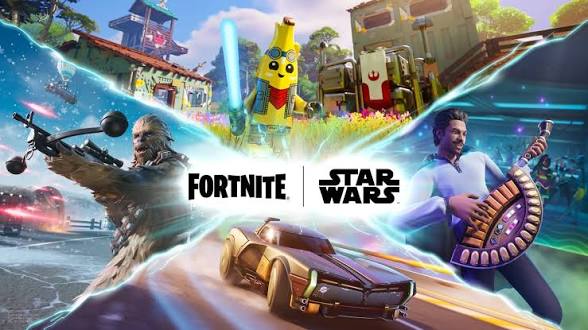
Fortnite’s upcoming Star Wars UEFN update is a game-changer for the community. On March 19, 2026, the official Star Wars creator tools unlock, giving players the power to “create their own Star Wars games” within Fortnite. The toolkit includes everything from Jedi and Sith characters to lightsabers, blasters, and galactic scenery. By using UEFN’s advanced features – including Verse scripting and soon AI NPCs – creators can craft rich Star Wars experiences (beyond simple duels or tycoon games) to share.
Monetization is supported under Fortnite’s creator economy, provided you follow Epic’s licensing rules. In summary, the stage is set for a galaxy of new fan-made adventures: with careful planning and creativity, Fortnite creators can ensure their Star Wars maps are immersive, fair, and compliant. May the Force be with you as you build!
Sources and citation
- Fortnite official announcement and documentation – “STAR WARS™ Tools Now Live for Fortnite Developers — Create Your Galaxy Today” (Mar 19, 2026).
https://www.fortnite.com/news/star-wars-tools-now-live-for-fortnite-developers-create-your-galaxy-today - Beebom – “Star Wars Hits Fortnite UEFN This Week and Vader Is About to Become Brainrot” (Mar 16, 2026).
https://beebom.com/star-wars-hits-fortnite-uefn-this-week-and-vader-is-about-to-become-brainrot/ - GamingAmigos – “Fortnite Is Bringing Star Wars Creator Tools to UEFN This Week” (Mar 2026).
https://www.gamingamigos.com/post/fortnite-star-wars-uefn - Esports.gg – “Players can soon create Star Wars maps in Fortnite via UEFN” (Jun 3, 2025).
https://esports.gg/news/fortnite/players-can-soon-create-star-wars-maps-in-fortnite-via-uefn/ - Fortnite Developer Rules (Epic Games legal).
https://legal.epicgames.com/en-US/fortnite/developer-rules - GameSpot – “Fortnite Creators Will Soon Be Able To Sell In-Game Items, Pay For Visibility” (Sep 18, 2025).
https://www.gamespot.com/articles/fortnite-creators-will-soon-be-able-to-sell-in-game-items-pay-for-visibility/1100-6534859/ - Fortnite Creative news – “Tools for In-Island Transactions Now Available to Fortnite Developers” (Nov 11, 2025).
https://www.fortnite.com/news/tools-for-in-island-transactions-now-available-to-fortnite-developers - Fortnite Wiki – “Lightsabers” (functionality page).
https://fortnite.fandom.com/wiki/Lightsabers - Fortnite blog – “State of Unreal 2025 – Highlights for Fortnite Creators” (Jun 3, 2025).
https://www.fortnite.com/news/state-of-unreal-2025-highlights-for-fortnite-creators - Epic Games player support – “How can I search for an island, map, or custom match in Fortnite?”
https://www.epicgames.com/help/en-US/c-202300000001636/c-202300000001721/how-can-i-search-for-an-island-map-or-custom-match-in-fortnite-a202300000010419
Recommended
- The Outer Worlds Companions – How to Recruit, Abilities, and Best Combinations
- How Do I Create a First-Person Camera in Blender?
- Devil May Cry Anime: Original Series and Netflix Adaptation Guide
- How do I make the camera follow a path in Blender?
- How do I set up a scene with multiple cameras in Blender?
- Best 3D Sculpting Software: Top Tools for Digital Artists
- Nintendo Share Price Jumps 15% After Pokémon Pokopia Success Boosts Switch 2 Momentum
- How to Make Metahumans Look Realistic in Unreal Engine 5: Complete Guide for Artists and Developers
- How do I lock a camera to an object in Blender?
- World of Warcraft: Midnight Review So Far (2026) — Early Access Impressions, Housing, Prey System, and What’s Next


























































































