




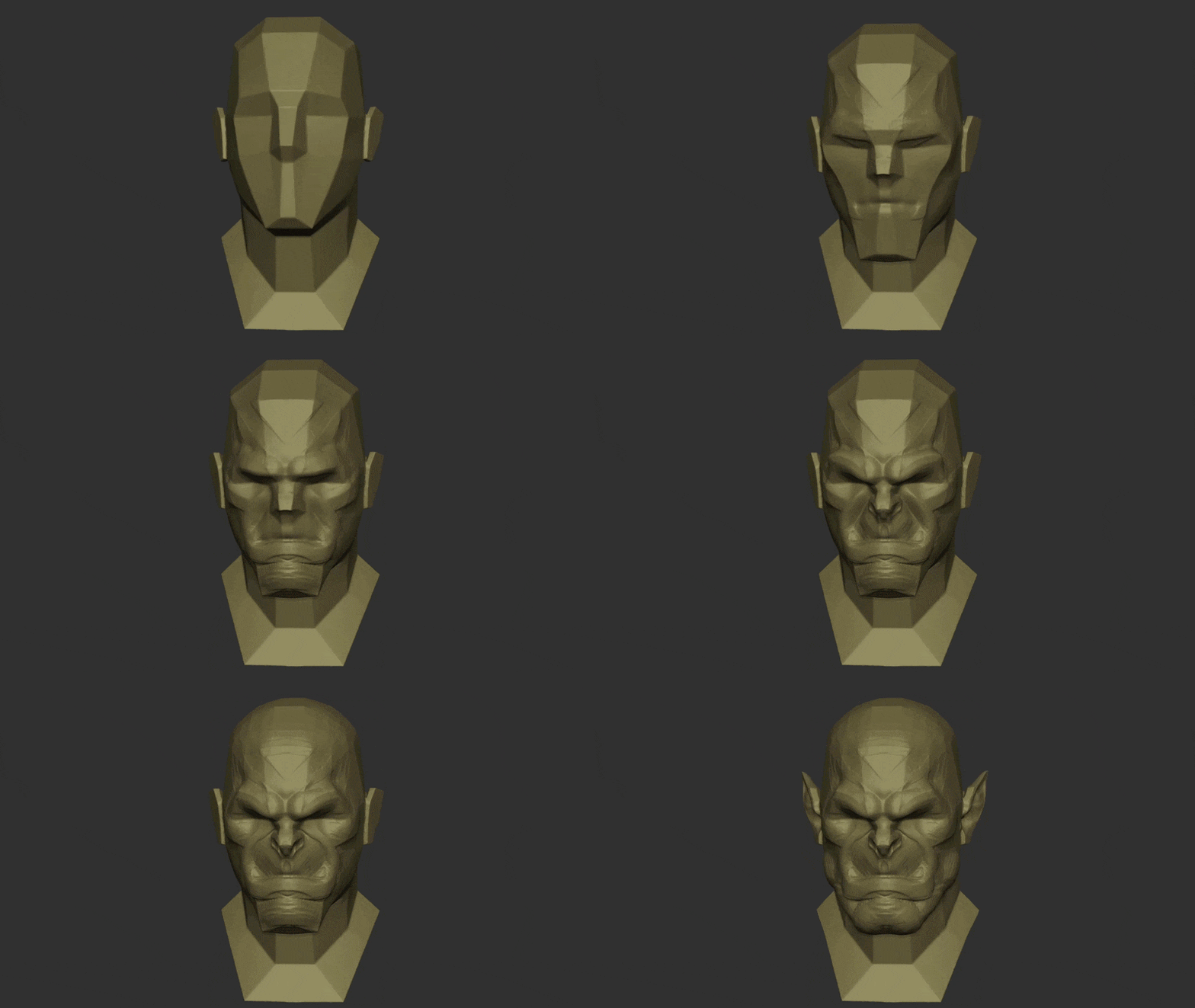
3D sculpting software has revolutionized the way artists create models, allowing you to shape digital clay with intuitive tools. Instead of painstakingly manipulating individual polygons, sculpting programs let you push, pull, smooth, and pinch a virtual model as if it were real clay. This makes it easier than ever to craft highly detailed characters, creatures, and props for games, films, 3D printing, and more. In 2025, digital sculpting is more accessible with a range of software options—from powerful industry-standard tools to free apps for beginners.
But with so many choices, how do you know which is the best 3D sculpting software for your needs? In this comprehensive guide, we’ll compare the top sculpting programs (including Blender, ZBrush, Nomad Sculpt, Mudbox, 3DCoat, SculptGL, and others) and provide insights for all experience levels. Read on to discover which sculpting tool is best for beginners, professionals, character design, game development, 3D printing, stylized art, and more. We’ll also examine key features to look for, how Blender stacks up against specialized tools, whether ZBrush still reigns supreme, and how mobile sculpting apps like Nomad perform. By the end, you’ll have a clear understanding of the strengths of each software so you can choose the perfect one for your workflow.
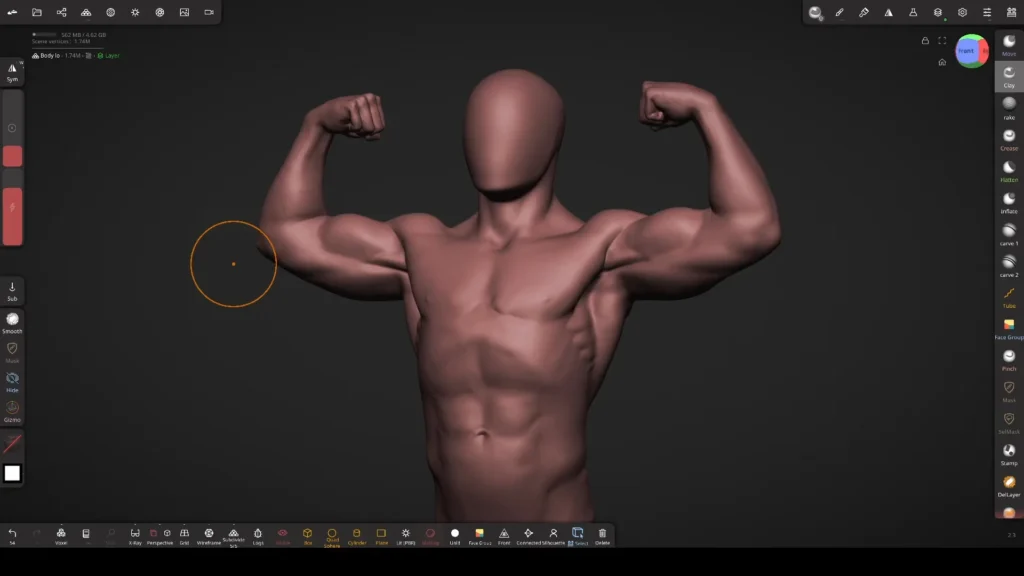
What Are the Key Features to Look for in 3D Sculpting Software?
When choosing 3D sculpting software, prioritize features that enhance workflow and creativity. Key capabilities include:
- Sculpting Tools and Brushes: A diverse, high-quality brush set (e.g., Clay, Draw, Smooth) is essential for shaping models. Look for customizable brushes to achieve specific styles, as seen in ZBrush’s 200+ brush library.
- High-Polygon Handling: Software must manage millions of polygons efficiently for detailed sculpts. ZBrush excels with billions of polys, while Blender’s recent updates improve performance, cutting memory use by 30%.
- Dynamic Topology & Voxel Sculpting: Dynamic topology (e.g., Blender’s Dyntopo, ZBrush’s Sculptris Pro) or voxel sculpting (e.g., 3DCoat) adds/removes polygons automatically, ideal for organic forms without mesh stretching concerns.
- Multi-Resolution Subdivision: Allows sculpting at varying detail levels, toggling between low-res for broad shapes and high-res for fine details. ZBrush and Blender’s Multiresolution modifier support this workflow.
- Layers and Non-Destructive Workflow: Sculpt layers (available in ZBrush, Mudbox, 3DCoat) enable separate detail adjustments (e.g., scars, skin textures) for experimentation. Blender lacks true layers but offers workarounds.
- Retopology and Mesh Cleanup Tools: Built-in retopology simplifies converting high-poly sculpts to animation-ready meshes. ZBrush’s ZRemesher, 3DCoat’s Retopo workspace, and Blender’s manual tools (e.g., RetopoFlow) aid this process.
- Painting and Texturing: Integrated painting (e.g., ZBrush’s PolyPaint, 3DCoat’s PBR, Blender’s vertex paint) allows direct color and material application, streamlining workflows for textured models.
- Integration and Export Options: Support for OBJ, STL, FBX exports ensures pipeline compatibility. ZBrush’s GoZ and 3DCoat’s AppLink enhance integration with tools like Maya or Blender.
- Platform and Hardware Requirements: Ensure compatibility with your OS (Windows, macOS, Linux for Blender/3DCoat) and hardware. ZBrush relies on CPU, while Blender/Mudbox benefit from strong GPUs for high-poly scenes.
These features ensure efficient sculpting, from concept to production, tailored to your pipeline and hardware.
What Is the Best 3D Sculpting Software for Beginners?
Beginners need intuitive, affordable software. Top options include:
- Blender: Free, open-source, with a robust sculpting mode featuring dynamic topology for easy mesh manipulation. Its extensive tutorials and community make it beginner-friendly despite a complex interface.
- ZBrushCoreMini: Free, streamlined ZBrush version with 8 brushes and dynamic tessellation (Sculptris Pro). Its simple interface allows sculpting within minutes, ideal for novices, with skills transferable to full ZBrush.
- SculptGL: Free, browser-based app with multiresolution, voxel remeshing, and basic painting. No installation required, perfect for quick sculpting trials, though limited for high-poly work.
- Meshmixer: Free, with basic sculpting and dynamic remeshing, suited for 3D printing and mesh editing. Less advanced for sculpting but user-friendly for beginners tweaking models.
Blender is the best all-around choice for its versatility and resources, while ZBrushCoreMini excels for simplicity. SculptGL suits casual experimentation, and Meshmixer is ideal for print-focused beginners.

What Are the Best Free 3D Sculpting Software Options?
Free sculpting software offers powerful tools without cost. Key options include:
- Blender: Open-source, with a full sculpting suite (brushes, dynamic topology, multiresolution, masking). Its Sculpting workspace simplifies the UI, and community add-ons enhance functionality. Best for comprehensive, professional-grade sculpting.
- ZBrushCoreMini: Free, beginner-focused with 8 brushes and dynamic topology. Limited to 750k polys and basic OBJ exports, but ideal for learning or simple sculpts, with a ZBrush-like feel.
- SculptGL: Open-source, browser-based with multiresolution, voxel remeshing, and PBR painting. No installation needed, supports OBJ/STL exports, but performance is browser-dependent.
- 3DCoat (Free Learning Mode): Offers unlimited non-commercial use post-30-day trial, with voxel sculpting, retopology, and painting. Great for learning professional tools, though commercial use requires a license.
Blender leads for its feature depth and professional use. ZBrushCoreMini and SculptGL are simpler, while 3DCoat’s trial suits non-commercial learning.
What Is the Best 3D Sculpting Software for Professionals?
For professional sculpting in VFX, games, or concept art, ZBrush is the industry standard, used for its unmatched high-poly handling and feature depth:
- ZBrush: Handles tens of millions of polys with tools like ZRemesher, HD Geometry, and 200+ brushes. GoZ integration and a vast ecosystem make it ideal for studio pipelines, though its interface has a learning curve.
- Mudbox: Offers intuitive sculpting and painting with a layer-based workflow and Maya integration. Less innovative than ZBrush, it suits Autodesk-centric studios but struggles with ultra-high polycounts.
- 3DCoat: Excels as an all-in-one tool with voxel sculpting, top-tier retopology, and PBR painting. Preferred by generalists for streamlined asset creation, though less common in AAA studios.
- Blender: Increasingly used by indie pros for sculpting, retopology, and rendering. Lacks some ZBrush features but is viable for stylized or medium-detail work, especially in cost-conscious workflows.
ZBrush dominates for its sculpting power, while 3DCoat and Blender offer integrated pipelines. Mudbox fits specific Autodesk workflows but lags in updates.

Which 3D Sculpting Software Is Best for Character Design?
Character design requires precise organic sculpting and iterative flexibility. ZBrush is the top choice:
- ZBrush: Offers ZSpheres for quick armatures, DynaMesh for flexible reshaping, and specialized brushes for anatomy and costumes. Layers and Morph Targets enable experimentation, making it ideal for realistic or detailed characters.
- Blender: Suitable for stylized or indie character design with dynamic topology and grease pencil for concepting. Its integrated rigging and rendering are cost-effective, though it’s less efficient for ultra-detailed sculpts.
- 3DCoat: Strong for voxel-based concept sculpts, especially with hard-surface elements, and auto-retopology for rigging. Less common for organic characters compared to ZBrush.
- Nomad Sculpt: Useful for mobile concept sculpts with masking and posing tools. Best for early designs, with desktop refinement needed for high-detail work.
ZBrush excels for professional character design, while Blender suffices for indie or stylized work. 3DCoat and Nomad support specific niches.
What Is the Best 3D Sculpting Software for Game Development?
Game development requires high-poly sculpts for normal map baking and efficient pipeline integration. ZBrush leads:
- ZBrush: Creates detailed sculpts for normal/displacement maps, with ZRemesher and Decimation Master for game-ready meshes. Widely used in AAA studios with robust engine integration.
- Blender: Ideal for indie developers, handling sculpting, retopology, UV unwrapping, and baking in one package. Sufficient for stylized or medium-detail assets, less optimal for ultra-high-poly sculpts.
- 3DCoat: Streamlines sculpting, retopology, UVs, and PBR painting, perfect for generalists. Its auto-retopo and UV tools accelerate game asset creation.
- Mudbox: Used for sculpting and painting in some studios, with Maya integration and layer-based texturing. Lacks recent updates but viable for texture-heavy workflows.
ZBrush is best for high-end game sculpting, paired with external retopo/baking tools. Blender and 3DCoat offer all-in-one solutions for indie or small teams.

Which 3D Sculpting Software Is Best for Creating 3D Prints?
For 3D printing, sculpting software must produce watertight (manifold) models, handle high detail, and ideally offer tools for print preparation (e.g., hollowing, splitting). Here are the top options:
- ZBrush: Industry-standard for 3D printing, especially for collectibles and miniatures. Its 3D Print Hub plugin checks scale and exports STL files, while Decimation Master reduces poly count without losing detail. Features like boolean operations allow hollowing and adding escape holes, ideal for resin printers. ZBrush’s high-poly handling ensures intricate details (e.g., wrinkles, textures) are preserved in prints.
- Blender: Free and robust, with the 3D Printing Toolbox add-on for analyzing/fixing non-manifold edges and intersecting geometry. Boolean modifiers enable splitting or merging parts for printability. Blender exports STL/OBJ directly and supports precise modeling for connectors or bases, making it popular in the maker community (e.g., Prusa tutorials).
- 3DCoat: Voxel sculpting ensures solid, manifold models by default, simplifying print prep. Reliable boolean operations allow cutting and merging without geometry issues. Exports STL/OBJ, though it lacks specific print utilities like hollowing tools. Voxel memory usage can be high for fine details.
- Meshmixer: Free and specialized for print prep, with sculpting as a secondary feature. Excellent for hollowing, adding supports, and slicing models. Often used alongside ZBrush/Blender for final print optimization.
- Nomad Sculpt: Mobile app (iPad/Android) with STL export and voxel merging for manifold models. Suitable for simpler prints (e.g., miniatures), though limited by tablet poly count capacity compared to desktop tools.
- ZBrushCoreMini: Free, beginner-friendly with OBJ export for printing (via services like Shapeways). Limited polycount and tools make it less ideal for complex prints.
Best Choice: ZBrush for professional, high-detail prints due to its precision and print-specific tools. Blender is the best free option, with robust sculpting and print prep features. Meshmixer complements any workflow for final print optimization. Many artists sculpt in ZBrush/Blender, then use Meshmixer for hollowing/supports.
Which 3D Sculpting Software Is Best for Stylized Art?
Stylized art emphasizes clean forms, strong silhouettes, and exaggerated shapes over photorealistic detail. Top software includes:
- Blender: Ideal for stylized sculpting with brushes like Clay Strips and Pose for bold, cartoon-like forms. Its free nature, SculptJanuary community, and NPR rendering (Freestyle, grease pencil) make it a favorite for indie artists. Face Sets and Draw Sharp brushes aid stylized detailing.
- ZBrush: Used by studios (e.g., Disney, Pixar) for stylized characters. Brushes like hPolish and Trim Dynamic create clean, crisp surfaces, while IMM brushes add consistent stylized elements (e.g., eyes). DynaMesh supports flexible shape iteration, though the learning curve is steeper.
- Nomad Sculpt: Mobile-friendly (iPad/Android) with an intuitive UI for stylized sculpts. Dynamic topology and painting suit cartoonish designs, perfect for hobbyists or quick concepts. Limited polycount compared to desktop tools but sufficient for stylized work.
- ZBrushCore: Simplified ZBrush version with core brushes for stylized forms. Its limited toolset can enhance creative focus, though it lacks advanced features like IMM brushes.
Best Choice: Blender for accessibility, community, and integrated stylized pipeline. ZBrush for professional polish and studio workflows. Nomad for mobile, intuitive stylized sculpting. Artists often combine tools (e.g., Nomad for concepts, ZBrush for refinement).

Which 3D Sculpting Tools Work Best with Tablets and Styluses?
Most sculpting software supports pressure-sensitive tablets (Wacom, Huion, XP-Pen) for desktop use, with stylus input enhancing brush control. Key considerations:
- Desktop Software:
- ZBrush: Optimized for pen input, with pressure sensitivity for brush size/strength. Its UI relies on keyboard modifiers, so express keys or a keypad help. Custom UI layouts improve tablet usability on devices like Wacom Cintiq or Surface Pro.
- Blender: Supports stylus pressure and offers touch-friendly pie menus/gizmos, reducing keyboard reliance. Scales well on high-DPI displays, making it comfortable for tablet PCs.
- Mudbox: Intuitive with stylus, featuring on-screen brush controls and some touch gestures (e.g., pinch-zoom on touch-enabled devices). Seamless for pen-only workflows.
- 3DCoat: Supports stylus with tilt for certain brushes. UI can feel crowded on smaller tablet screens but is customizable.
- Mobile Apps:
- Nomad Sculpt: Best for iPad/Android, designed for Apple Pencil/S-Pen with multi-touch gestures (e.g., pinch-zoom, two-finger rotate). No keyboard needed, ideal for stylus-only sculpting.
- Forger/ZBrush for iPad: Forger supports Apple Pencil, with Maxon integrating ZBrush features for future iPad sculpting. Currently less feature-rich than Nomad but evolving.
Best Choice: Nomad Sculpt for mobile tablet/stylus sculpting due to its touch-optimized UI. On desktop, Mudbox and Blender offer straightforward stylus workflows, while ZBrush excels once customized for pen use. A stylus (e.g., Wacom) significantly enhances sculpting precision across all platforms.
How to Choose the Right 3D Sculpting Software for Your Workflow?
Consider these factors to select the best sculpting software:
- Skill Level: Beginners should choose user-friendly options like Blender or ZBrushCoreMini with abundant tutorials. Professionals may prefer ZBrush’s advanced features despite its learning curve.
- Budget: Blender and ZBrushCoreMini are free. ZBrush requires a subscription, 3DCoat a one-time purchase, and Mudbox a cheaper subscription. Students may access free/discounted versions.
- Use Case: Character design favors ZBrush for detail or Blender for indie/stylized work. Game development benefits from ZBrush (sculpting) or 3DCoat (all-in-one). 3D printing needs ZBrush/Blender with Meshmixer for prep.
- Pipeline Compatibility: Blender integrates seamlessly within itself. ZBrush’s GoZ and 3DCoat’s AppLink connect to Maya/Blender. Mudbox suits Autodesk pipelines. Ensure OBJ/FBX/STL export compatibility.
- Community/Support: Blender’s vast community and frequent updates are ideal for learning. ZBrush offers ZBrushCentral and Maxon tutorials. 3DCoat/Mudbox have smaller but dedicated communities.
- Hardware/OS: Blender runs on Windows, macOS, Linux; ZBrush/Mudbox on Windows/macOS; Nomad on iPad/Android. ZBrush is CPU-based, Blender/Mudbox GPU-reliant. Test trials on your system.
- Workflow Preferences: Choose software that feels intuitive. Nomad’s tablet-like flow suits mobile artists, ZBrush’s brush variety inspires pros, and Blender’s all-in-one UI appeals to generalists.
Recommendation: Try free versions/trials to test UI/workflow fit. Beginners start with Blender/ZBrushCoreMini; pros invest in ZBrush; game devs consider 3DCoat for efficiency; print artists pair ZBrush/Blender with Meshmixer. Combining tools (e.g., Nomad for concepts, ZBrush for details) often optimizes workflows.
Frequently Asked Questions (FAQs)
- Do I need a drawing tablet to do 3D sculpting?
A mouse works, but a pressure-sensitive tablet (e.g., Wacom) enhances brush control, making sculpting more intuitive and less straining. Essential for professional workflows. - How is digital sculpting different from traditional 3D modeling?
Sculpting mimics clay, shaping dense meshes freely for organic forms. Modeling builds precise geometry (vertices/edges) for hard-surface or clean topology. Sculpted models often need retopology for animation/games. - Can Blender handle sculpting as well as ZBrush?
Blender is robust for millions of polys with dynamic topology, suitable for most projects. ZBrush handles higher polycounts (50M+) and advanced features (e.g., FiberMesh), making it the pro standard for ultra-detailed sculpts. - Is 3D sculpting difficult to learn for a beginner?
Sculpting is accessible, mimicking physical clay. Software interfaces (e.g., ZBrush) can be challenging, but Blender/ZBrushCoreMini with tutorials ease the curve. Practice with simple shapes builds skill. - What file formats can I export sculpts to?
OBJ/FBX for cross-software use, STL for 3D printing, PLY for vertex colors. Most tools support these, ensuring compatibility with other programs or game engines. - What is retopology, and do I need it?
Retopology creates a clean, low-poly mesh from a high-poly sculpt for animation/games. Required for production but not for still renders or 3D printing. Tools like ZRemesher (ZBrush) or Blender simplify it. - Can I paint/texture in sculpting software?
Yes, ZBrush (PolyPaint), 3DCoat (PBR painting), Mudbox (layered painting), and Blender (Texture/Vertex Paint) support texturing. Dedicated tools like Substance Painter may be used for advanced texturing. - Are there free/cheap ways to learn 3D sculpting?
Free YouTube tutorials (e.g., Blender Guru, ZBrush Classroom), forums (Polycount, ZBrushCentral), and challenges (SculptJanuary) abound. Affordable Udemy/Skillshare courses (~$10–20) offer structured learning. - Can I sculpt on an iPad/Android tablet?
Yes, Nomad Sculpt (~$15) and Forger (iPad) support multi-million poly sculpting with stylus input. Export OBJ/STL for desktop refinement. Ideal for concepts, limited for ultra-high-poly work. - Can sculpting software handle hard-surface models?
Yes, ZBrush (hPolish, Live Booleans), Blender (Flatten, Face Sets), and 3DCoat (voxel booleans) support hard-surface sculpting for concepts or detailing (e.g., armor, weapons). Retopology ensures clean geometry.
Conclusion
Select software based on your goals:
- Beginners/Hobbyists: Blender (free, versatile) or ZBrushCoreMini (simple) for learning with robust community support.
- Professionals: ZBrush for industry-standard detail and pipeline integration, especially for characters/games.
- 3D Printing: ZBrush for high-detail sculpts with print tools; Blender for free, robust prep; Meshmixer for final optimization.
- Stylized Art: Blender for accessibility and NPR rendering; ZBrush for polished, studio-quality results; Nomad for mobile creativity.
- Game Development: ZBrush for detailed sculpts, 3DCoat for all-in-one asset creation, Blender for indie workflows.
- Tablet/Stylus Users: Nomad for mobile, Mudbox/Blender for desktop simplicity, ZBrush for customized pen workflows.
Test free/trial versions to find your ideal workflow. Skills transfer across tools, so start sculpting and refine your choice as you grow. The best software inspires creativity and minimizes technical barriers, letting your art shine.
Now, armed with a clearer picture of what each top tool offers and how they compare, you can make an informed decision. Whichever you choose, remember that the software is just a tool – in the end, your skill and creativity are what will shine through in your digital sculptures. Happy sculpting!
Sources:
- Sculpteo. (n.d.). Top 8 of the best sculpting software for 3D modeling in 2026. https://www.sculpteo.com/en/3d-learning-hub/3d-printing-software/best-sculpting-software/
- Sculpteo. (n.d.). Battle of Software: Mudbox vs ZBrush. https://www.sculpteo.com/en/3d-learning-hub/3d-printing-software/mudbox-vs-zbrush/
- GameFromScratch. (2020, December 21). Unreal Engine as a 3D modeling & sculpting application. https://gamefromscratch.com/unreal-engine-as-a-3d-modeling-sculpting-application/
- Blender Developers Blog. (n.d.). Sculpting (tag archive). https://code.blender.org/tag/sculpting/
- Maxon. (n.d.). ZBrush. https://www.maxon.net/en/product-detail/zbrush
- 3DCoat. (n.d.). Sculpting in 3DCoat. https://3dcoat.com/articles/article/sculpting-in-3dcoat/
- GeeksforGeeks. (2022, June 10). Mudbox vs ZBrush. https://www.geeksforgeeks.org/computer-graphics/mudbox-vs-zbrush/
- Vagon. (2023, August 3). The best 3D modeling software (Updated August 11, 2025). https://vagon.io/blog/the-best-3d-modeling-software
- Maxon Help. (n.d.). ZBrush: What’s New Guide. https://help.maxon.net/zbr/en-us/Content/html/features/whats-new-in-zbrush/zbrush-whats-new.html
- Vagon. (2024, November 15). Maya vs. ZBrush: Choosing the perfect 3D tool for your creative workflow (Updated October 30, 2025). https://vagon.io/blog/maya-vs-zbrush
- Reddit. (n.d.). Best 3d modeling program for digital sculpting and real life fabrication? (r/3Dmodeling). https://www.reddit.com/r/3Dmodeling/comments/1ox1gn7/best_3d_modeling_program_for_digital_sculpting/
- Sculpteo. (n.d.). Meshmixer tutorial: Tips, tricks, and step-by-step guide. https://www.sculpteo.com/en/tutorial/meshmixer-tutorial/
- Sculpteo. (n.d.). Modeling for 3D printing with Blender (Complete Blender tutorial). https://www.sculpteo.com/en/tutorial/blender-tutorial/
- ZBrushCentral. (n.d.). ZBrushCentral. https://www.zbrushcentral.com/
- Sculpteo. (n.d.). Sculptris tutorial: Tips, tricks, and techniques. https://www.sculpteo.com/en/tutorial/sculptris-tutorial/
- Hexanomad. (n.d.). Nomad Sculpt. https://nomadsculpt.com/
- Sculpteo. (2017, September 6). Sculpteo and ZBrush announce a new partnership: Your designs can now be automatically 3D printed. https://www.sculpteo.com/blog/2017/09/06/sculpteo-and-zbrush-announce-a-new-partnership-your-designs-can-now-be-automatically-3d-printed/
- Wikipedia contributors. (n.d.). Digital sculpting. In Wikipedia. https://en.wikipedia.org/wiki/Digital_sculpting
Recommended
- What is the View Keeper?
- The Witcher 4: Everything We Know About CD Projekt Red’s Next Epic RPG
- Cyberpunk Orion: Everything We Know About CD Projekt Red’s Next Cyberpunk Adventure
- Devil May Cry Anime: Original Series and Netflix Adaptation Guide
- Blender Straighten Hair Curves Geometry Nodes Preset – Complete Guide & Best Practices
- Cyberpunk 2077 Mods: Essential Enhancements, Installation Guides, and Top Community Picks
- Why Blender Artists Love The View Keeper for Camera Management
- How to Use Clothes for MetaHuman in Animation: Best Tools, Techniques, and Workflows in Unreal Engine 5
























































































