












Playing with royalty in The Sims 4 opens up a world of storytelling possibilities – from ruling a kingdom to building a legacy that spans generations. While the base game doesn’t include an official monarchy system, the Sims community has created mods and challenges to fill that gap. In this comprehensive guide, we’ll show you how to become a ruler in The Sims 4 using the popular Royalty Mod, set up your own royal family, and manage your dynasty’s legacy over time.
We’ll also cover the best mods, gameplay tips, and challenges for an immersive royal experience. Whether you want to be a benevolent king or a despised tyrant, read on for everything you need to know about Sims 4 royalty and legacy gameplay. (Note: An official “Royalty & Legacy” expansion pack has been teased for 2026 , but this guide focuses on current mods and community content available now.)
How to download and install The Sims 4 Royalty mod

To unlock monarchy gameplay, you’ll first need to download and install the Royalty Mod (created by llazyneiph). This mod adds traits, titles, events and more. Follow these steps to get it set up:
- Download the Royalty Mod files: The latest public release is available on platforms like CurseForge and itch.io. Always get the mod from a trusted source to ensure you have the official files.
- Install required dependencies: The mod requires the XML Injector script mod (by Scumbumbo). Place the
XMLInjector.ts4scriptfile in your Mods folder. Some versions may also require a “Trait Tracker Injector” if mentioned in the mod description. - Unzip and place mod files: Extract the download and place all package and
.ts4scriptfiles into yourDocuments/Electronic Arts/The Sims 4/Modsfolder. Keep them in one subfolder (e.g.,Mods/RoyaltyMod/) for organization, but do not bury them more than one folder deep. - Enable script mods in-game: In Game Options > Other, check “Enable Custom Content and Mods” and “Script Mods Allowed.” Restart the game.
- Verify the mod is working: Check if new custom traits like “Monarch” appear in Create-A-Sim or if the “Royalty Mod” pie menu shows up in-game.
- Tips for installation: Remove old versions before updating to avoid conflicts. Delete the
localthumbcache.packagein your Sims 4 folder after adding mods to clear cached data.
How to become a ruler in The Sims 4 Royalty mod
Becoming a ruler is primarily about assigning the special trait that identifies your Sim as royalty:
- Create or choose a Sim to be the monarch: Start with a new Sim in Create-A-Sim (CAS) or use an existing Sim.
- Apply the Monarch trait: In CAS, look for the “Monarch” trait (or gender-specific titles like King/Queen in some versions). For existing Sims, use the cheat console to equip the trait or use the mod’s in-game cheat menu.
- Start playing to activate royal status: Once loaded, the mod recognizes the Sim. Monarchs get a crown icon on their plumbob and access to a “Royalty Mod” pie menu for royal actions and assigning titles.
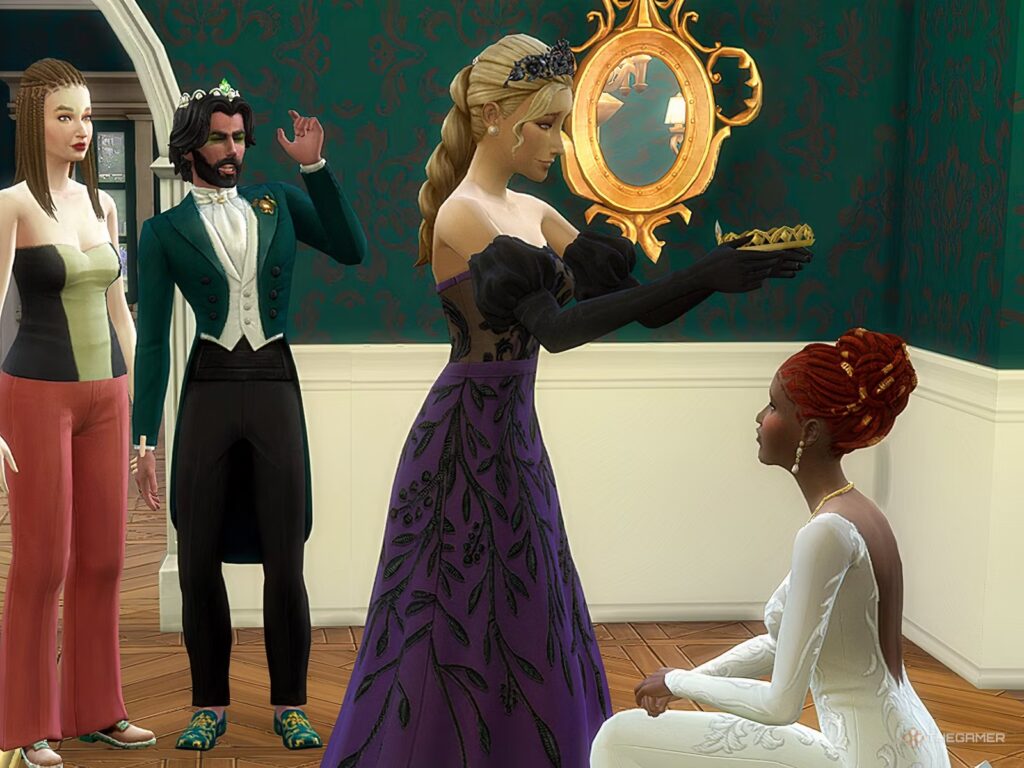
- Hold a coronation ceremony (Optional): You can host a formal Coronation event. Buy the “[LN] Coronation Podium,” use the phone to plan a Social Event, and have the monarch “Accept the Crown” during the ceremony.

Best Royalty mods for The Sims 4 legacy gameplay
Several mods enhance royal legacy gameplay:
- Royalty Mod by llazyneiph: The most comprehensive option, featuring a full hierarchy, a monarchy career, taxes, laws, and integration with the Get Famous reputation system. It allows for animated coronations and complex political systems.
- Royal Family Mod by KiaraSims4: A more lightweight version that uses a freelance career system for royal duties. It includes unique social interactions, the ability to grant titles to illegitimate children, and formal greetings like bowing.
- Royalty Mod (Traits & Lineage) by Gerson: Focuses on inheritance and lineage. It automatically passes down traits like Royal Titles and Class to children. It includes a basic inheritance mechanic and career tracks but is less expansive than llazyneiph’s mod.
- Other mods and CC: Aristocracy & Mistress Careers, functional throne room objects, and MC Command Center (MCCC) for population control can enrich the experience. Custom content for crowns and gowns is recommended for visual flair.
How to start a royal family in The Sims 4
Once mods are installed, follow these steps to set up your dynasty:
- Create your monarch and family in CAS: Design your ruler, consort, and family members. Assign appropriate traits like “Monarch,” “Snob,” or “Proper.”
- Secure a palace or estate: Move into a large lot. Use money cheats like
motherlodeorfreerealestate onto afford a grand home. Build or download a castle from the Gallery. - Establish household funds and staff: Use cheats to maintain wealth. Hire a Butler, maids, gardeners, or use the mod’s built-in servant system to handle household chores.
- Populate the world with nobles and commoners: Create noble households to serve as courtiers and neighbors. Mark them as favorites in Manage Households. Treat other world residents as commoners.
- Set lifespan and story progression: Set aging to Normal and use MCCC to ensure unplayed noble families continue their lineages through marriages and births.
The Sims 4 monarchy gameplay guide
Running a monarchy involves unique responsibilities and daily life management:
- Perform royal duties and career tasks: Monarchs have a custom career representing administrative work. Use Kiara’s mod for freelance “gigs” like charity visits.
- Maintain your Sim’s public image: Using the Get Famous reputation system, actions determine if a ruler is a “Beloved Ruler” or “Despised Tyrant.”
- Manage laws, taxes, and governance: Enact laws, such as outlawing magic, via the “Laws” menu. Use a Royal Advisor to raise or lower taxes, which affects both household funds and reputation.
- Exercise justice (or cruelty): Use dungeons to imprison Sims. Appoint a Dungeon Guard and utilize punishments like the Scold’s Bridle, Walk of Shame, or execution by burning at the stake.
- Engage in diplomacy and social life: Use the “Correspondence” object to send diplomatic letters to other worlds. Participate in royal hobbies like horse riding, fencing, or patronizing the arts.
The Sims 4 Royal Court system explained
A court consists of various supporting roles managed through the mod’s title system:
- Monarch: The central authority who can bestow titles and customize honorifics (e.g., Sultan, High Queen) using the Book of Bestowing Titles.
- Consort/Spouse: The monarch’s partner, often titled Queen or Prince Consort. They support the monarch and handle social duties but lack ruling powers.
- Heir (Crown Prince/Princess): The designated successor, typically the eldest legitimate child. They must undergo a coronation to eventually take the throne.
- Nobles and Titles of Nobility: Aristocrats like Dukes, Earls, and Barons. They can rise in rank based on reputation and govern different world regions.
- Royal Advisor (Trusted Advisor): A designated Sim who assists with taxes, succession, and social media. They are essential for administrative gameplay.
- Household staff and court attendants: Roles like Ladies-in-Waiting, Knights, and Servants. They provide flavor, companionship, and household labor.
- Court dynamics: Use the Get Together Club system to convene the court. These roles interact through specialized animations like bows and formal greetings.

How to create a royal bloodline in The Sims 4
Establishing a lasting lineage requires careful management of heirs and marriages:
- Have heirs (and spares): Produce multiple children to ensure the line of succession remains intact even if the primary heir is lost.
- Manage legitimacy and lineage rules: Only legitimate children born within marriage are typically heirs. The mod allows for the legitimation of “bastard” children through specific interactions. Define succession laws like Primogeniture or Matrilineal.
- Inherit traits and titles across generations: The mod automatically assigns class traits (e.g., Crown Royal) to children based on their parents’ status.
- Plan strategic marriages: Arrange marriages with other noble or royal families to secure alliances and wealth. Marrying commoners may lead to prestige loss.
- Educate and groom the next generation: Focus on skilling up young royals in Charisma and Fitness to prepare them for leadership. High grades and skill mastery reflect a royal education.
- Deal with lineage challenges: Address issues like a lack of heirs or succession disputes by changing laws, naming relatives as heirs, or banishing rivals to maintain the throne.
How to pass down a royal title in The Sims 4
Transferring kingship or queenship from one generation to the next is a pivotal moment that can be formalized through specific gameplay steps:
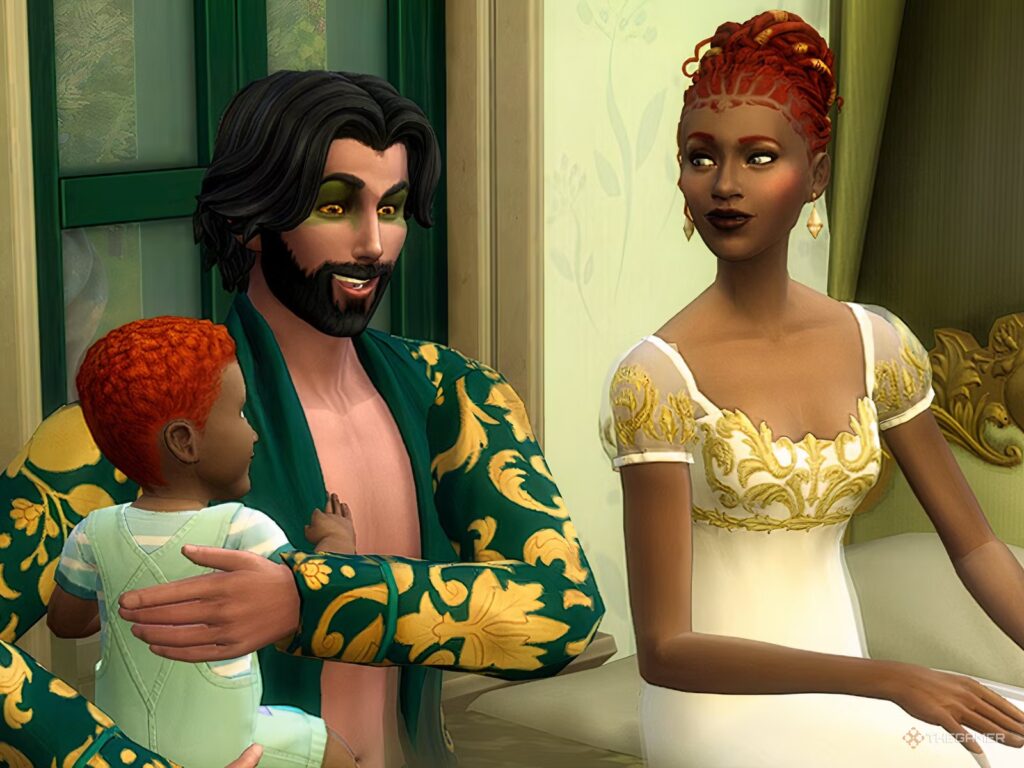
- Designate the heir formally: Use the reigning monarch to announce the heir via the Titles menu. Click on the chosen Sim (usually the firstborn Crown Royal child or spouse) and select the option to mark them as the heir. Doing this while the monarch is alive prevents ambiguity, though an heir can still take over via the Royal Advisor if the monarch dies unexpectedly.
- Use the Coronation event for succession: When a monarch dies or abdicates, the heir should host a Coronation social event using a phone. Place the [LN] Coronation Podium on the lot; during the event, the heir must perform the “Accept Crown” interaction. This grants the Sim the Monarch trait, crown plumbob icon, and official title.
- Handle the outgoing monarch: If the previous ruler is still alive after abdicating, remove their Monarch trait via cheats or mod interactions. You can treat them as a “retired royal” with a lesser title like Duke or move them to a separate household to avoid confusion.
- Ensure the symbols of power transfer: For roleplay, manually transfer symbolic objects like custom crowns, signet rings, or royal mantles from the old monarch’s inventory to the heir’s.
- Update in-game settings if needed: Refresh any systems tied to the previous ruler, such as transferring leadership of a “Royal Court” club to the new monarch or updating MCCC settings.
- Announce the new reign: Proclaim the new ruler to the world. Use features like the “Royal Family Website” in Kiara’s mod or host a public “Royal Address” event. You can also use CAS cheats to give the new monarch a regnal name or number (e.g., King Edward II).
- Dealing with the Crown Prince title removal: The mod typically replaces the heir trait with the Monarch trait automatically. If other family titles change (e.g., a younger sibling becomes the new Crown Prince), you must assign those roles manually.
- Coronation for storytelling even if the old monarch still lives: You can hold a coronation during an abdication scenario. Use the “Wipe all Royalty traits” self-interaction on the abdicating ruler before the heir accepts the crown at the podium to facilitate a literal passing of the torch.
How to manage heirs and succession in The Sims 4
Maintaining a stable monarchy requires clear rules and contingency planning:
- Establish clear succession laws: Decide on a law (absolute primogeniture, male-preference, etc.) at the start and stay consistent.
- Maintain an updated line of succession chart: Keep a mental or written list of the order of inheritance. Kiara’s mod offers an “Update Line of Succession” feature on the Royal Family website to assist with this.
- Multiple heirs (in case of tragedy): Always have a “spare” heir, such as a second child or sibling, in case the primary heir meets an untimely end. The mod does not auto-select a new heir if the current one dies; you must manually assign a replacement.
- Regency for child heirs: If a monarch dies leaving a child heir, appoint an adult (like the Royal Advisor) to act as Regent. While the child holds the title, the Regent handles adult tasks like tax collection until the heir comes of age.
- Dealing with disputes and pretenders: Create drama by simulating a succession crisis where nobles prefer a younger sibling over the rightful heir. You can use the mod’s “Coup d’état” feature or simple cheats to swap the Monarch trait to a rival.
- Abdication planning: Plan early retirements for monarchs. Groom heirs by giving them responsibilities like leading events or diplomatic meetings before the official handover.
- Communication with the player: Regularly check the in-game genealogy or MCCC family trees to track unexpected births or deaths in unplayed households that might alter the line of succession.
The Sims 4 medieval gameplay mods for royalty
To create a historical atmosphere, you can strip away modern conveniences using these tools:
- Ye Olde Cookbook Mod (Littlbowbub): Replaces modern food with historical recipes like gruel and stews, requiring sims to source ingredients realistically.
- Rambunctious Religions (Lumpinou): Adds religious structures, church gatherings, and the “Divine Right” to rule, allowing monarchs to become religious leaders or face conflict with the clergy.
- Black Death (Historical Plague) Mod: Introduces a lethal disease to the kingdom for high-stakes storytelling and historical challenges.
- Lord/lady and peasant lifestyles (Tusnelda’s Medieval Mods): Tuning mods that remove electricity and modern technology, replacing them with candles and apprenticeship systems for children.
- Build/Buy medieval custom content: Use CC for stone walls, tapestries, and thrones. The official “Castle Estate” kit provides authentic building materials like leaded glass windows.
- Functional Medieval Activities: Incorporate mods for sword dueling, archery, and hunting. The Royalty Mod’s peasant system also includes scavenging and hunting.
- The Sims Medieval conversions and Challenge: Use converted assets from the standalone Sims Medieval game and follow the “History Challenge” or “Decades Challenge” to progress through eras.
- Custom clothing and PixelHair for royals: Dress Sims in velvet gowns, armor, and crowns. For cinematic storytelling, professional 3D assets like PixelHair by Yelzkizi can provide highly detailed hairstyles for renders in Blender, while the View Keeper add-on streamlines camera management for animation.
- Immersive world modifications: Use save files that replace modern streetlights with torches and populate worlds like Henford-on-Bagley with medieval markets and taverns.

How to increase fame and influence as a ruler in The Sims 4
A monarch’s power is bolstered by their renown and public perception:
- Utilize the Get Famous fame system: Send royals to charity event rabbit-holes provided by the mod to gain fame and a positive reputation.
- Public appearances and events: Host grand weddings or jubilees. Use a photographer to document events for “press” and host “Royal Audiences” (repurposed Fan Meet & Greets) to gain fame.
- Social media and press: Use the Advisor Sim to run a “Royal Social Media” blog on the computer to boost the family’s image and follower count.
- Fame perks for rulers: Select perks like “Networking,” “Star Treatment” (to make staff cater to you), and “Public Relations” to manage news and scandals.
- Building personal relationships for influence: Befriend noble heads, military leaders, and religious figures to ensure your monarch’s word carries weight.
- Using clubs for influence: Create a “Royal Council” club. Use club commands and the “Rally The Troops” perk to lead and control your subordinates effectively.
- Reputation management: A “Pristine” reputation makes subjects friendlier, while an “Atrocious” reputation (gained through mean interactions or high taxes) makes them obey out of fear.
- Complete the Monarch Aspiration: Use specialized aspirations from Kiara’s mod or base game ones like “Friend of the World” to earn the “Beloved” trait, preventing friendship decay.
- Law and order: Consistently enforce laws and perform public punishments to show strength. Consider holding court sessions where subjects bring grievances to the monarch.
- Personal charisma and skills: Max the Charisma skill to improve the success of all social interactions. High Fitness can represent a warrior-king’s strength, while Research & Debate helps with governance.
How to remove or abdicate a royal title in The Sims 4
Removing a royal title can occur voluntarily through abdication or involuntarily as a punishment or result of a scandal:
- Abdication (voluntary removal): To have a monarch step down and pass the crown to an heir, you must transfer the Monarch trait to the heir via a coronation or cheats. Then, remove the trait from the original monarch using the “Wipe All Royalty Mod Traits” self-interaction. You can then assign the former ruler a lesser title, such as Duke, using the Titles menu. Roleplay the event with a public announcement or by moving the retired Sim to a different household.
- Removing titles from others (e.g., punishment): To demote a noble for treason or scandal, use the mod’s cheat menu or interactions to strip their rank. The “Wipe All Traits” option removes all royalty-related data, or you can use Kiara’s “Letters Patent” system to rescind specific titles. You can also assign a “Peasant” or “Middle Class” trait to symbolize their fall from grace.
- Handling death or end of a legacy: If a monarch dies without an heir and the monarchy ends, the title is effectively removed. To transition to a different societal structure like a republic, use the “Wipe Traits” cheat on all Sims holding royal or noble statuses.
- Troubleshooting trait removal: Displayed titles above a Sim’s head may take an hour to update. If they linger, use the “Remove Title” option on the “Book of Bestowing Titles” object to clear them.
- Abdication and relationships: Abdication does not change familial relationships, though the child may now outrank the parent. You can use MCCC to adjust reputations if the abdication was scandalous.
- Narrative consequences: Stripping a title can lead to storylines involving exile, seizure of assets, or political unrest. Use the “Exile” option in the Politics features to mark a Sim as an outcast.
- Game mechanics after removal: Once traits are removed, the Sim becomes a normal Sim without royal responsibilities. If you plan to remove the mod from your game entirely, use the “Wipe All Royalty Traits” interaction on every Sim first to prevent data errors.
The Sims 4 Royalty mod conflicts and troubleshooting guide
Maintaining a complex mod requires attention to installation and compatibility:
- Mod not showing up / interactions missing: This is often caused by script mods being disabled in game settings, files being placed more than one subfolder deep in the Mods folder, or a missing XML Injector dependency. Ensure you have the latest version of the mod, as game patches can break older versions.
- Conflict with another mod: Known conflicts include Kawaiistacie’s Explore Mod and other mods that overhaul pie menus. Use the 50/50 method to identify the culprit and ensure you have no duplicate Royalty Mod files.
- LastException errors or glitches: Use TwistedMexi’s Better Exceptions mod to identify the source of errors. A harmless error may occur in Kiara’s mod when titled Sims enter rabbit-hole careers. Always delete old mod files and the
localthumbcache.packagefile when updating. - Titles not displaying or updating: Titles can take up to an hour of Sim time to refresh. Traveling to another lot or using the “Remove Title” interaction on the “Book of Bestowing Titles” can force an update. Avoid mixing royal titles with conventional careers to prevent glitches.
- Known mod conflicts:
- MC Command Center: Generally compatible, but avoid using MCCC to assign royal traits. Use MCCC’s blacklist feature to prevent townies from being randomly assigned royal titles.
- Explore Mod (KawaiiStacie): Can cause blank menus; remove it or update it if Royalty Mod interactions are missing.
- Other Royal Mods: Do not run llazyneiph’s, Kiara’s, and Gerson’s mods at the same time, as they will clash.
- Social Overhaul Mods: These may hide the Royalty menu under other categories; check for updates or whitelists.
- Outdated XML Injector: Always use the most recent version of the XML Injector for mod interactions to function.
- Performance considerations: To reduce lag, remove unused modular components (like democracy or ancient expansions) and limit the number of Sims assigned scripted noble traits.
- In-game tips and help: Refer to the official manuals and documentation provided by the creator to understand specific mod rules, such as inheritance restrictions for illegitimate children.
- Support and updates: Check the creator’s Patreon, Discord, or Tumblr for updates, especially after major EA game patches. If an official EA “Royalty & Legacy” pack is released, look for compatibility announcements from the mod author.

Frequently Asked Questions (FAQ)
- Do I need any specific expansion packs to use the Royalty Mod?
The base Royalty Mod technically works with the base game, but it integrates with several expansions for enhanced features. Get Famous is highly recommended as the mod uses its fame and reputation systems for monarch influence and noble ranks. City Living is useful for the Politician career and speech podium, while Get Together enables the club system for forming a Royal Court. Packs like Realm of Magic and Cottage Living unlock specific mod content like laws against witchcraft or dairy farm taxes. Kiara’s Royal Family mod is more demanding, requiring packs like City Living, Get Famous, Get Together, and High School Years. - What other mods or files are required for the Royalty Mod to work properly?
The Royalty Mod requires the XML Injector library mod to function; without it, social menus and buffs will not appear. Ensure script mods are enabled in game options. Depending on your version, a “Trait Tracker Injector” may also be needed. If using Kiara’s Royal Family mod, you must also download her King & Queen Traits package, the Royal Family Career package, and the Unlimited Jobs mod. - How do I give my Sim the Monarch trait to start the game as a ruler?
You can assign the Monarch trait (labeled King/Queen or Monarch) in Create-A-Sim under the Lifestyle or Social categories. For an existing Sim in live mode, enabletestingcheats onand either shift-click the Sim to use the “Royalty Mod Cheats” menu or use the console commandtraits.equip_trait monarch. - Can I play as a royal family without using mods?
Yes, but it requires heavy role-play and creativity. You can use money cheats for wealth, download castles from the Gallery, and use the Get Famous celebrity system as a stand-in for royal status. The club system from Get Together can simulate a Royal Court with specific rules. However, vanilla gameplay lacks formal titles, functional heirs, and specific royal events like coronations. - What happens if my monarch dies and there is no direct heir?
The mod does not auto-assign a new monarch. You have several narrative options:- Game Over: End the legacy if following strict challenge rules.
- Extend the Lineage: Manually grant the Monarch trait to a sibling, cousin, or nephew.
- New Dynasty: Elevate a powerful noble Sim to the throne.
- Abolish the Monarchy: Continue the save as a democracy or free play world.
The Royal Advisor mechanic allows a designated heir to inherit the throne after an unexpected death, but without an heir, you must manually intervene.
- Will NPC Sims behave differently toward my royals?
Yes. In Kiara’s mod, “Commoners” will perform a bow or curtsy during a Noble Introduction. In llazyneiph’s mod, NPCs may feel “Tense” or “Inspired” near a monarch. High fame levels will cause NPCs to react with excitement or fainting, and the reputation system affects whether strangers react with warmth or fear. - What if a royal marries a commoner Sim?
This is fully possible and provides great storytelling opportunities. You should bestow the “Royal Partner” trait on the spouse to make them a King or Queen Consort. Note that the Royal Legacy Challenge imposes a prestige penalty for marrying commoners. Children from these marriages are considered legitimate and can inherit the throne. - Is there a limit to how many children or spouses a monarch can have?
- Children: There is no hardcoded limit other than the household size (default 8). More children provide more heirs but require more management.
- Spouses: The base game only allows one legal spouse at a time. To simulate polygamy, you would need external mods like MCCC or Wonderful Whims. The Royalty Mod assumes a primary consort, so secondary partners may need to be classified as “Nobles” rather than “Royals.”
- My Royalty mod interactions suddenly disappeared or I get errors – how can I fix it?
Try restarting the game first. If the issue persists:- Update the mod and delete all old files.
- Reinstall the XML Injector.
- Check for conflicts with other mods (like KawaiiStacie’s Explore Mod).
- Use the “Wipe Traits” interaction and reassign titles.
- Check for LastException errors and use “Better Exceptions” to find the cause.
- Will the upcoming official Royalty & Legacy expansion pack conflict with this mod?
As of early 2026, the official pack may introduce overlapping features. If conflicts occur, the mod will likely require a compatibility update or certain features may become redundant. Always check the mod creator’s official channels for guidance when new official content or major patches are released.

Conclusion
Playing with royalty in The Sims 4 creates a rich dynasty simulator where you are the primary storyteller. By using the Royalty Mod to manage laws, lineages, and court politics, you can guide a family through generations of history. Remember to keep your mods updated, maintain frequent backups of your legacy saves, and adapt to the narrative twists that arise during gameplay. Whether your dynasty is beloved or feared, the tools provided allow for endless creative possibilities in your sim-kingdom.
Sources
- LLazyneiph’s Royalty Mod Tutorial – Google Sites (Nicky_nix)
LLazyneiph — Royalty mod tutorial (Google Sites) - Reddit – Royalty Mod by llazyneiph (u/ConfusedTissue)
“Royalty mod by Illazyneiph” (r/Sims4)
(Linked inside that thread) Royalty Mod Tutorials (Google Doc) - Scribd – “Royalty Mod Tutorials Sims4” (Rwar Lucas upload)
Royalty Mod Tutorials Sims4 (Scribd) - ModTheSims – “Royalty Mod (Gerson)”
Royalty Mod – Gerson (ModTheSims) - KiaraSims4Mods – “Royal Family Mod” Page
Royal Family Mod (KiaraSims4Mods) - Tumblr – Sims Gayming: Royal Legacy Challenge
The Sims 4 | Royal Legacy Challenge (Sims Gayming on Tumblr) - Patreon – llazyneiph (Royalty Mod 3.6.1 release post)
Royalty Mod 3.6.1 (Royalty & Legacy Patch) — Patreon post - “Search snippets (Bing)” – PixelHair (Yelzkizi) + The View Keeper (Blender addon)
PixelHair: - The View Keeper:
- SimsCommunity.info – “Royalty & Legacy Teaser”
New The Sims 4 Royalty & Legacy Teaser: The Throne (SimsCommunity.info) - Reddit – r/thesims help thread (Royalty Mod not showing / troubleshooting)
Royalty Mod help needed (r/thesims)
Recommended
- Daz 3D: Building a 3D Character from Start to Finish – Step-by-Step Guide for Artists and Creators
- What Is a Foley Artist? A Complete Guide to the Art of Sound Design
- How do I align the camera to an object’s surface in Blender?
- Virtual Influencers: Exploring the Rise of Digital Personas in Modern Marketing
- How to Animate a Camera in Blender
- Mesh to Metahuman: How to Scan Yourself and Create a Realistic Digital Double in Unreal Engine 5
- How do I add a background image to the camera view in Blender?
- A Beginner’s Guide to The View Keeper Add-on for Blender
- What Is Gaussian Splatting? A Complete Guide to This Revolutionary Rendering Technique































































































