










What is Lighting in Unreal Engine 5 and Why it Matters
Lighting in Unreal Engine 5 (UE5) refers to the system that simulates how light interacts with environments, materials, and objects in real time or precomputed forms. It is one of the most critical components of game development because it defines mood, realism, depth, and visual storytelling.
In modern game development, lighting in Unreal Engine 5 is not just about visibility, it shapes atmosphere, guides player attention, and enhances immersion. Poor lighting can make even high-quality assets look flat, while well-designed lighting can elevate simple scenes into cinematic experiences.—
UE5 introduces advanced systems like Lumen and Nanite support that allow developers to achieve near-photorealistic lighting without heavy baking workflows.
Understanding Real-Time Global Illumination in Unreal Engine 5
Real-time global illumination (GI) simulates how light bounces off surfaces and indirectly illuminates other areas of a scene. In Unreal Engine 5, this is a breakthrough feature that removes the need for lengthy precomputed lightmaps in many cases.
Instead of static lighting calculations, UE5 dynamically updates lighting interactions, making environments feel more natural and responsive. This is especially important in open-world games where time-of-day changes and environmental conditions constantly shift.
How Lumen System Works for Dynamic Lighting in UE5
The Lumen system is Unreal Engine 5’s fully dynamic global illumination and reflections solution. It calculates light bounce, indirect lighting, and reflections in real time.
Lumen works by combining screen-space tracing and software ray tracing techniques to simulate realistic lighting behavior. This allows developers to change lighting conditions instantly without rebaking scenes.
Key advantages of Lumen include:
- Real-time indirect lighting updates
- Accurate reflections without traditional reflection captures
- Dynamic response to moving lights and objects
This system is central to modern lighting in Unreal Engine 5 workflows.

Differences Between Baked Lighting and Real-Time Lighting in UE5
Baked lighting is precomputed and stored in lightmaps, meaning lighting does not change during gameplay. Real-time lighting, on the other hand, is calculated during runtime.
Baked lighting:
- Faster performance
- Requires lightmap UVs
- No dynamic updates
Real-time lighting:
- Fully dynamic
- Supports changing environments
- More computationally expensive
UE5 allows hybrid workflows, but real-time lighting with Lumen is becoming the preferred choice for next-gen development.
Setting up Basic Scene Lighting in Unreal Engine 5
To set up basic lighting in UE5, developers typically start with three core elements:
- Directional Light (sunlight simulation)
- Sky Atmosphere system
- Skylight for ambient lighting
A basic setup involves placing a directional light to simulate the sun, adjusting intensity and color temperature, and enabling atmospheric scattering for realism. Adding a skylight ensures that shadows are not completely black and that indirect lighting feels natural.
Best Practices for Natural Outdoor Lighting in UE5 Environments
Outdoor lighting in Unreal Engine 5 should mimic real-world atmospheric conditions. Key best practices include:
- Use physically accurate sun angles based on time of day
- Enable volumetric clouds for depth
- Adjust skylight intensity for balance
- Use exponential height fog for distance blending
Natural lighting in UE5 benefits greatly from subtlety. Overexposed environments or overly saturated lighting can break immersion.

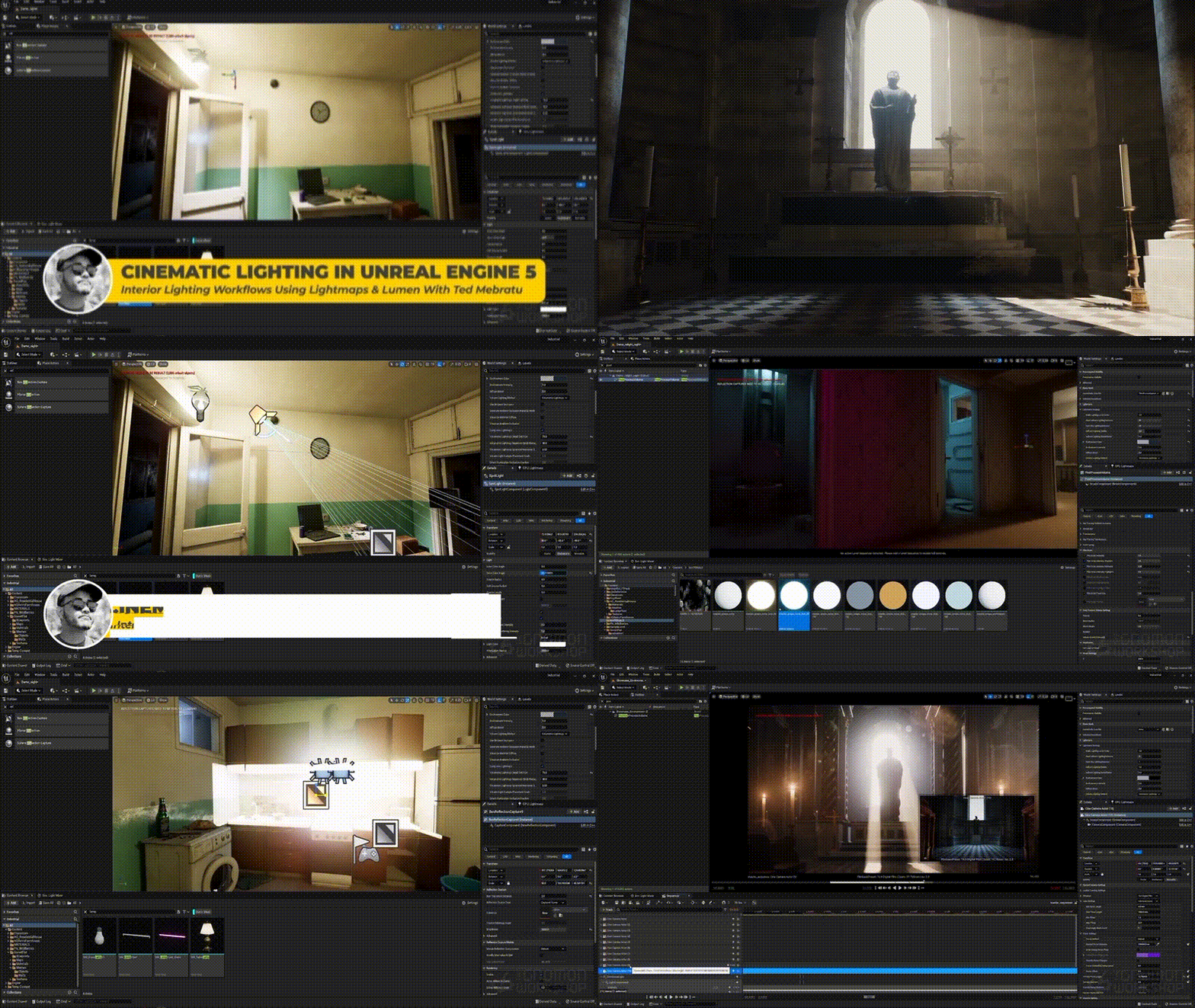
Interior Lighting Techniques for Realistic Game Scenes
Interior lighting requires careful control of bounce light and artificial sources. Since sunlight is often limited, developers rely heavily on:
- Point lights for lamps and bulbs
- Rect light sources for windows and panels
- Ambient bounce lighting via Lumen
Color temperature is also important, warm tones for cozy interiors and cooler tones for industrial or clinical environments.
Using Directional Lights, Point Lights, and Spotlights Effectively
Lighting in Unreal Engine 5 relies heavily on three primary light types:
- Directional Light: Simulates sun or moonlight across the entire scene
- Point Light: Emits light in all directions, ideal for bulbs and small sources
- Spot Light: Focused beam used for flashlights or stage lighting
Proper usage involves balancing intensity, attenuation radius, and shadow quality to maintain performance and realism.
How to Optimize Lighting Performance in Unreal Engine 5
Optimization is essential for maintaining smooth performance, especially in large environments. Key strategies include:
- Reducing unnecessary dynamic shadows
- Using Lumen settings efficiently
- Limiting overlapping light sources
- Adjusting shadow distance and resolution
- Using Nanite-compatible assets where possible
Even though UE5 is highly advanced, poor lighting optimization can still significantly impact frame rates.
Ray Tracing vs Lumen: Which Lighting System Should You Use?
Ray tracing provides highly accurate lighting by simulating real-world physics but is hardware-intensive. Lumen, however, offers a scalable real-time solution that works across more systems.
Ray tracing:
- High accuracy
- Requires powerful GPUs
- Best for cinematic rendering
Lumen:
- Real-time global illumination
- More scalable
- Ideal for gameplay environments
For most projects, Lumen is the preferred solution for lighting in Unreal Engine 5 due to its balance between quality and performance.
Creating Cinematic Lighting for Cutscenes in Unreal Engine 5
Cinematic lighting focuses on storytelling rather than gameplay performance. Techniques include:
- Dramatic contrast (high key vs low key lighting)
- Rim lighting to separate characters from backgrounds
- Controlled color grading for mood enhancement
- Depth-enhancing volumetric lighting
Sequencer in UE5 allows developers to animate lights over time, enabling film-quality cutscenes.
Understanding Shadows and Ambient Occlusion in UE5 Lighting
Shadows and ambient occlusion add depth and realism to scenes. Shadows define object positioning, while ambient occlusion simulates soft shadowing in crevices and corners.
UE5 improves both through dynamic systems, allowing shadows to respond to real-time changes in lighting conditions. Proper adjustment prevents overly harsh or overly flat scenes.

How to Use Post Process Volumes to Enhance Lighting Effects
Post Process Volumes allow developers to adjust final image output, enhancing lighting dramatically. Common uses include:
- Exposure control
- Bloom effects
- Color grading
- Vignette and contrast adjustments
These settings refine lighting in Unreal Engine 5 after all light calculations are completed, ensuring cinematic quality.
Common Lighting Mistakes in Unreal Engine 5 and How to Fix Them
Some frequent mistakes include:
- Overexposed environments due to incorrect exposure settings
- Flat lighting with no contrast
- Excessive use of dynamic lights
- Ignoring color temperature consistency
Fixing these requires balancing light intensity, adjusting post-process settings, and ensuring proper scene composition.
Advanced Lighting Workflows for AAA Game Development in UE5
AAA development demands highly optimized and scalable lighting pipelines. Advanced workflows include:
- Hybrid Lumen + baked lighting systems
- Custom HDRI environments
- Physically based rendering (PBR) alignment
- Light function materials for dynamic effects
These techniques ensure lighting in Unreal Engine 5 meets cinematic and gameplay standards simultaneously.

Frequently Asked Questions (FAQs)
- What is lighting in Unreal Engine 5 used for?
It is used to simulate realistic light behavior, improve visuals, and enhance gameplay immersion. - Is Lumen better than baked lighting?
Lumen is better for dynamic environments, while baked lighting is better for static, performance-heavy scenes. - Does UE5 support real-time lighting?
Yes, UE5 supports fully real-time lighting using Lumen and optional ray tracing. - How do I improve performance with lighting in UE5?
Reduce shadow complexity, limit light overlap, and optimize Lumen settings. - What is global illumination in UE5?
It is a system that simulates indirect light bouncing between surfaces. - Can UE5 handle cinematic lighting?
Yes, UE5 supports advanced cinematic lighting using Sequencer and Post Process Volumes. - What is the difference between directional and point lights?
Directional lights simulate sunlight, while point lights emit light in all directions. - Is ray tracing required in UE5?
No, it is optional; Lumen can replace most ray tracing use cases. - How important are shadows in UE5 lighting?
Shadows are essential for depth perception and realism. - Can lighting affect game performance?
Yes, poorly optimized lighting can significantly reduce frame rates.

Conclusion
Lighting in Unreal Engine 5 is a foundational element of modern game development, combining realism, performance, and artistic control. With systems like Lumen, developers can achieve dynamic, cinematic, and highly immersive environments without traditional constraints. Mastery of lighting techniques directly translates to higher-quality visuals and more engaging player experiences.
Sources and Citations
- Epic Games Documentation, Unreal Engine 5 Lighting System
https://www.unrealengine.com/en-US/lighting - Epic Games Documentation: Lumen Global Illumination
https://docs.unrealengine.com/5.0/en-US/lumen-global-illumination-and-reflections-in-unreal-engine/ - Unreal Engine Learning Resources: Lighting Fundamentals
https://www.unrealengine.com/en-US/onlinelearning-courses - NVIDIA Developer: Real-Time Ray Tracing Concepts
https://developer.nvidia.com/rtx/ray-tracing
Recommended
- GDC Festival of Gaming 2026 Attendance Drops 30% to 20,000 Visitors After Rebrand
- Bizarre Lineage: What it Is, How to Play, Best Stands, Codes, Raids, and Beginner Progression Guide
- LiveScore Group Nearly Halved Its Annual Losses for the Financial Year 2025: Full Financial Breakdown and Future Outlook
- How Do I Switch Between Cameras During an Animation in Blender?
- Best New FREE Blender Addons in 2026: Must-Have Blender Extensions for Blender 4.2 LTS+
- Rumor: Nintendo Is Working on an Ocarina of Time Remake and a New Star Fox for Switch 2
- AionGuard Was Supposed To Be The Crimson Desert Of 15 Years Ago, But Was Canceled In A Text
- How to Create Your Alter Ego with Metahuman for the Metaverse: A Guide to Building Digital Identity in Unreal Engine 5
- Super Mario Galaxy Tickets Are Going On Sale: Release Date, When Tickets Open, and How to Book Early
- Assassin’s Creed PVP Multiplayer Spin-Off’s Recent Playtest Reportedly Didn’t Go Well: Invictus Leak, Possible Delay, and What it Means



























































































