








Introduction: the Rise of Audio-Driven Facial Animation in Modern Unity Development
The demand for highly realistic character interaction in games, virtual reality experiences, and digital content creation has driven a major shift in how developers approach facial animation. Traditional keyframe animation workflows, while powerful, are time-consuming and often lack responsiveness to dynamic dialogue systems. This is where FaceSync Brings Audio-Driven Facial Animation and Real-Time Lip Sync to Unity becomes a transformative solution for developers.
Audio-driven facial animation systems analyze spoken audio and automatically generate synchronized facial movements, particularly mouth shapes (visemes), expressions, and subtle facial dynamics. In Unity, this allows developers to create immersive dialogue systems where characters appear naturally responsive without manually animating every frame.
FaceSync-style systems are particularly important in modern pipelines involving NPC dialogue, VR avatars, VTuber content creation, and cinematic storytelling. By converting sound into facial motion in real time, they significantly reduce production overhead while increasing realism and interactivity.
What is FaceSync and How Audio-Driven Facial Animation Works in Unity
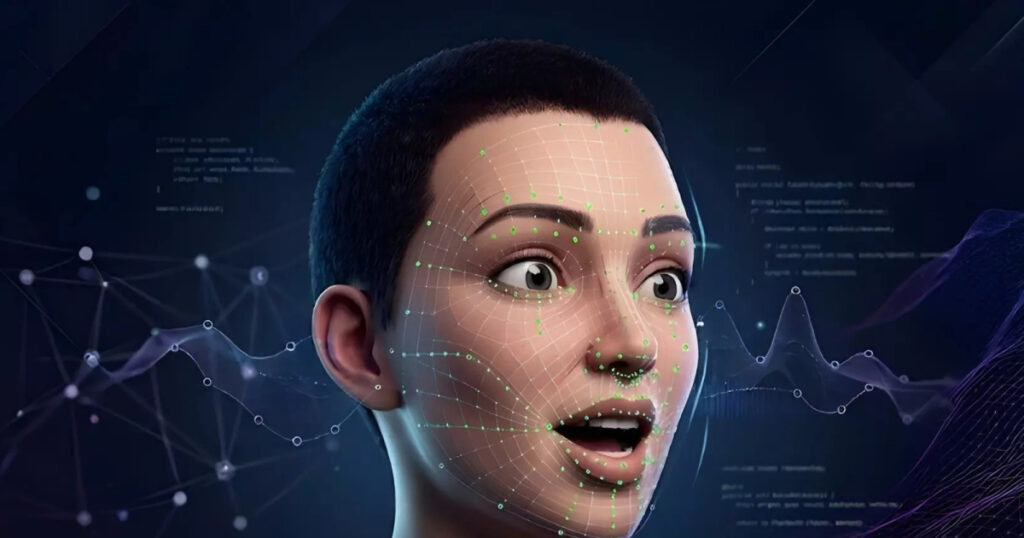
FaceSync is an audio-driven facial animation system designed for Unity that interprets voice input and converts it into real-time facial movement. The core idea is to map audio signals such as speech frequency, amplitude, and phoneme detection into facial parameters.— ×2
In Unity, this process typically works through the following pipeline:
- Audio input is captured from voice recordings or live microphones
- The system analyzes phonetic structures in real time
- Visemes and blendshape targets are generated
- Facial rigs update dynamically based on output data
This allows characters to “speak” naturally without pre-baked animation sequences. Developers can integrate FaceSync into NPC systems, cutscenes, or live avatars, enabling characters to react instantly to dialogue.
The system also supports runtime adjustments, meaning facial expressions can adapt based on emotional tone, speech speed, or gameplay events.
FaceSync Unity Integration Guide for Developers and Game Studios
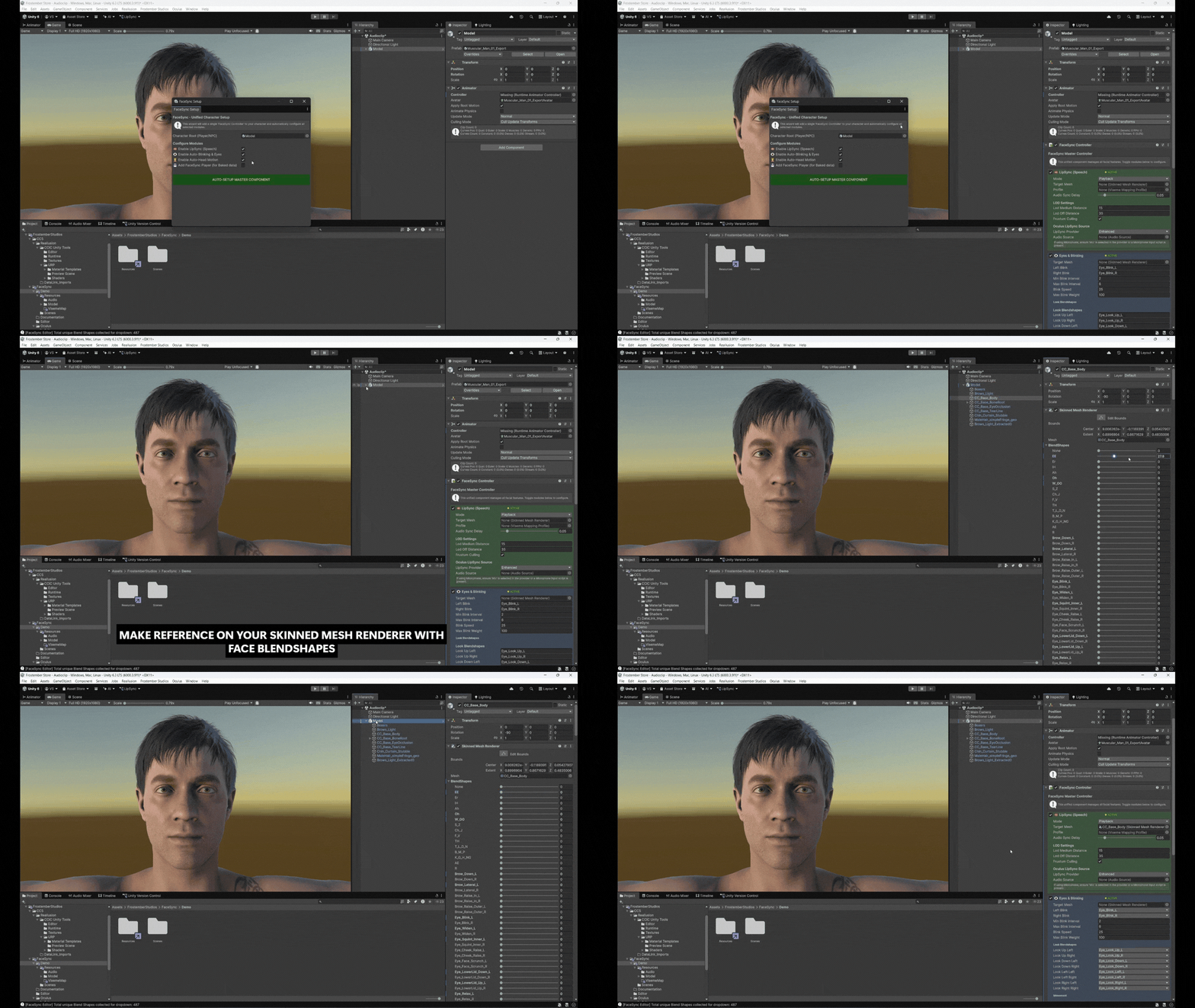
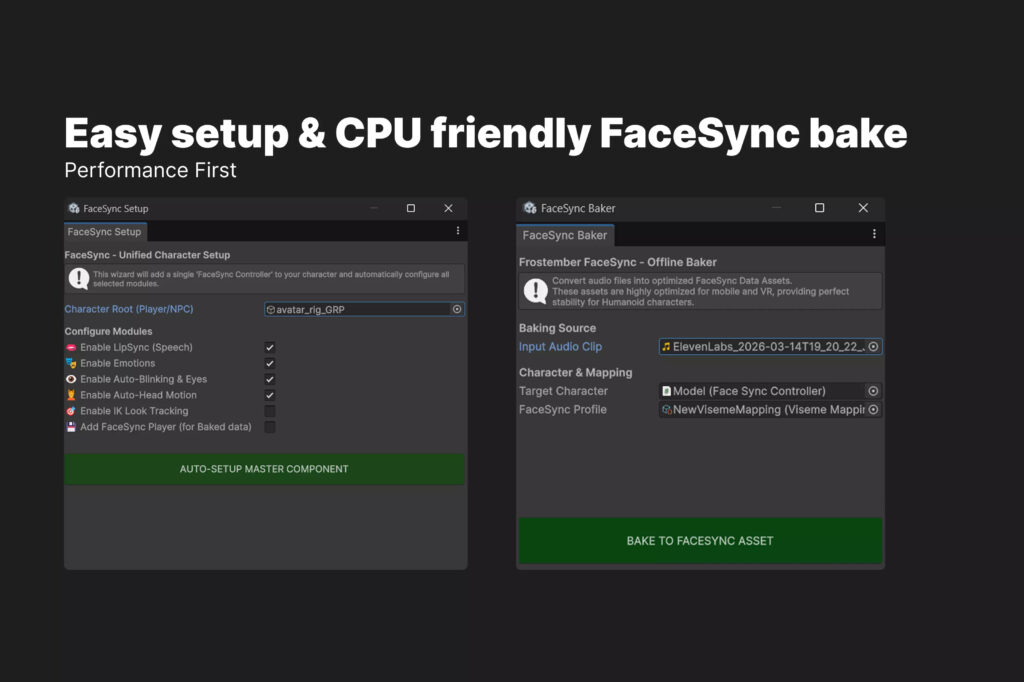
Integrating FaceSync into Unity typically involves importing the plugin or package into a project and configuring character rigs. Developers must ensure that characters are properly rigged with blendshapes or bone-based facial systems.
The general integration workflow includes:
- Importing FaceSync assets into Unity
- Assigning audio sources (microphone or audio clips)
- Mapping visemes to facial blendshapes
- Connecting scripts to character controllers
- Testing real-time playback in play mode
Game studios often integrate FaceSync into dialogue systems such as branching narrative engines or cutscene controllers. This allows full automation of facial animation during gameplay.
For large-scale production environments, FaceSync can be combined with animation state machines, enabling hybrid workflows where scripted animations and audio-driven motion coexist.
How FaceSync Uses Visemes for Accurate Lip Sync in Real Time
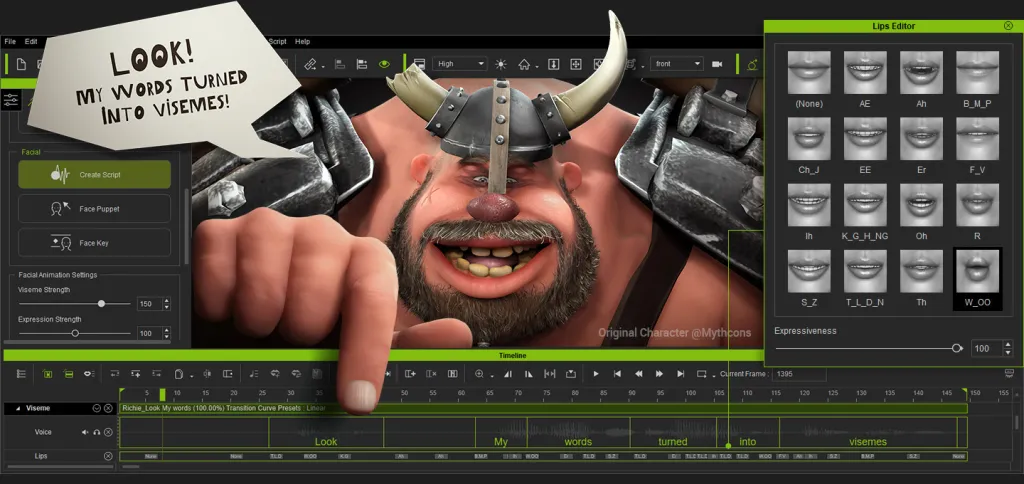
Visemes are visual representations of phonemes, the smallest units of sound in speech. FaceSync systems rely heavily on viseme mapping to achieve realistic lip sync.— ×1
For example:
- “A” sounds may trigger open-mouth visemes
- “M” and “B” sounds produce closed-lip shapes
- “O” sounds create rounded mouth forms
FaceSync analyzes audio streams and dynamically assigns viseme weights to facial blendshapes. In Unity, these blendshapes are interpolated in real time to ensure smooth transitions between speech sounds.
The accuracy of viseme mapping is critical for realism. Poor mapping can result in unnatural speech motion, often referred to as the “uncanny valley” effect. Advanced FaceSync systems reduce this issue by using weighted blending and temporal smoothing.
Understanding Blendshapes and Facial Rigging in FaceSync Animation Pipeline
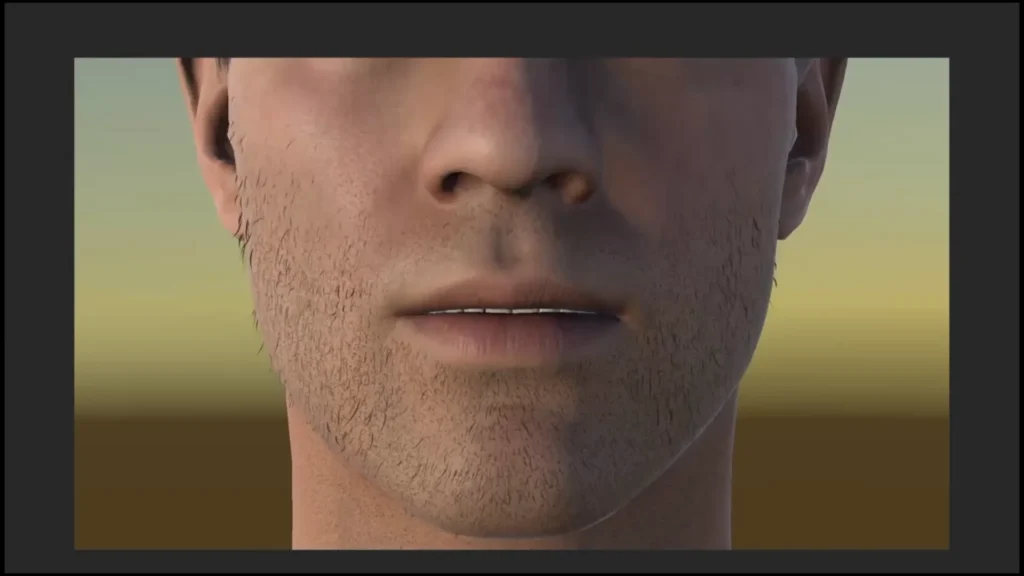
Blendshapes are the foundation of modern facial animation systems. In Unity, they allow vertices of a 3D model to be deformed into different expressions.
FaceSync leverages blendshapes for:
- Lip movement
- Cheek deformation
- Jaw rotation
- Eyebrow expression
- Emotional states
A properly rigged character may include dozens or even hundreds of blendshapes. FaceSync maps audio-driven visemes and emotional data onto these shapes.
Facial rigging in this pipeline requires careful setup in modeling software such as Blender or Maya before importing into Unity. Once configured, FaceSync can dynamically control facial expressions without additional keyframing.
Audio-Driven Lip Sync vs Manual Animation in Unity Projects
Traditional facial animation relies on manual keyframing or motion capture. While precise, this approach is resource-intensive.
Audio-driven systems like FaceSync provide several advantages:
- Real-time animation generation
- Reduced production time
- Scalability for large dialogue systems
- Dynamic responsiveness to player input
Manual animation still offers higher artistic control, especially in cinematic scenes. However, FaceSync is ideal for gameplay-heavy environments where dialogue is frequent and unpredictable.
Many modern Unity projects adopt a hybrid approach, combining manual animation for key moments and audio-driven systems for general dialogue.
Setting up FaceSync for NPC Dialogue Systems in Unity Games
NPC dialogue systems are one of the most common use cases for FaceSync in Unity. Developers can connect dialogue engines to audio-driven animation pipelines.
Typical setup includes:
- Linking dialogue system output to audio clips
- Assigning FaceSync components to NPC characters
- Triggering animation during dialogue playback
- Synchronizing subtitles with viseme output
This creates highly immersive conversations where NPCs appear alive and responsive. It also reduces dependency on pre-animated dialogue sequences, making it easier to scale large open-world games.
Using FaceSync for VR Avatars and Vtuber-Style Character Animation
Virtual reality and VTuber applications require real-time responsiveness, making FaceSync especially valuable.
In VR, FaceSync can:
- Mirror user speech into avatar facial movement
- Enhance social interaction in virtual spaces
- Support microphone-driven expression mapping
For VTubers, FaceSync enables:
- Live streaming facial animation
- Reduced need for motion capture hardware
- Real-time audience interaction
This makes it possible for creators to produce expressive digital personas using only a microphone and Unity-based avatar system.
Performance Optimization Tips for Real-Time Facial Animation in Unity
Real-time facial animation can be computationally expensive, especially on mobile or VR platforms. Optimization strategies include:
- Reducing blendshape count where possible
- Using lower audio sampling rates
- Disabling unnecessary facial bones
- Implementing LOD (Level of Detail) systems for faces
- Caching viseme calculations
FaceSync systems often include built-in optimization modes that balance visual fidelity with performance requirements.
Efficient memory management is also essential when scaling to multiple characters in a scene.
FaceSync Timeline Integration for Cinematic Cutscenes and Storytelling
Unity Timeline is widely used for cinematic storytelling, and FaceSync integrates seamlessly into it.
By connecting FaceSync to Timeline tracks, developers can:
- Sync dialogue audio with facial animation
- Control expression changes per scene
- Blend between scripted and dynamic animation
- Automate cutscene facial performance
This hybrid system allows cinematic sequences to maintain emotional depth while still benefiting from procedural animation.
How FaceSync Improves Character Expressiveness with Eye and Head Motion
Facial animation is not limited to the mouth. Realistic characters require coordinated eye movement and head motion.
FaceSync enhances expressiveness by:
- Adding eye gaze tracking
- Simulating blinking patterns
- Synchronizing head nods with speech rhythm
- Adjusting emotional expression dynamically
These elements create more believable characters, especially in narrative-heavy games or VR experiences.
Subtle motion is often more important than exaggerated facial animation in achieving realism.
FaceSync vs Other Unity Lip Sync Tools and Animation Plugins
Unity offers several lip sync solutions, including manual viseme systems and third-party plugins. FaceSync differentiates itself through:
- Real-time audio-driven processing
- Integrated blendshape control
- Simplified workflow for developers
- Compatibility with VR and live applications
Other tools may require pre-generated animation curves or manual phoneme tagging. FaceSync reduces this workload by automating most of the pipeline.
However, some alternatives may offer more advanced phoneme accuracy or AI-based emotional modeling depending on implementation.
Automating Dialogue Animation in Unity Using Audio-to-Face Systems
Automation is a key advantage of FaceSync systems. By connecting audio input directly to facial rigs, developers can fully automate dialogue animation pipelines.
This is especially useful for:
- Procedural storytelling systems
- Large-scale RPG dialogue trees
- AI-driven NPC interactions
- Multiplayer voice chat avatars
Automation reduces production bottlenecks and allows real-time content generation, which is increasingly important in modern game design.
Creating Mobile-Friendly Facial Animation with FaceSync Optimization
Mobile platforms require careful optimization due to hardware limitations. FaceSync systems can be adapted for mobile by:
- Reducing viseme complexity
- Using simplified blendshape sets
- Limiting real-time processing overhead
- Precomputing certain animation layers
This ensures smooth performance on Android and iOS devices while maintaining acceptable visual quality.
Developers often balance realism and performance depending on target hardware.
Common Issues in Unity Lip Sync and How FaceSync Solves Them
Common lip sync problems include:
- Audio delay mismatch
- Inaccurate phoneme mapping
- Jittery facial motion
- Lack of emotional expression
FaceSync addresses these issues through:
- Real-time smoothing algorithms
- Weighted viseme blending
- Audio preprocessing filters
- Integrated emotion mapping systems
This results in more natural and stable facial animation output.
Future of Audio-Driven Character Animation in Unity and Game Development Trends
The future of character animation is increasingly driven by automation and AI-assisted systems. Audio-driven facial animation is expected to evolve in several ways:
- Integration with machine learning emotion detection
- Fully procedural NPC dialogue systems
- Real-time multiplayer avatar expression syncing
- Enhanced VR social presence
Unity is likely to continue expanding support for real-time animation systems, making tools like FaceSync central to next-generation development pipelines.
As virtual worlds become more immersive, the demand for lifelike character interaction will only increase.
Frequently Asked Questions (FAQs)
- What is FaceSync in Unity?
FaceSync is an audio-driven facial animation system that converts speech into real-time facial movements. - Does FaceSync require manual animation?
No, it automates most facial animation using audio input and viseme mapping. - Can FaceSync be used in VR applications?
Yes, it is commonly used for VR avatars and social VR interactions. - Is FaceSync suitable for mobile games?
Yes, with optimization settings, it can run on mobile platforms. - What are visemes in FaceSync?
Visemes are visual mouth shapes corresponding to speech sounds. - Does FaceSync support blendshapes?
Yes, it heavily relies on blendshape-based facial rigs. - Can FaceSync work with NPC dialogue systems?
Yes, it integrates well with Unity dialogue engines. - Is FaceSync better than manual animation?
It is faster and more scalable, but manual animation offers more artistic control. - Does FaceSync support live microphone input?
Yes, it can process real-time audio input for live avatars. - Can FaceSync be used in cinematic cutscenes?
Yes, it integrates with Unity Timeline for cinematic workflows.
Conclusion
Audio-driven facial animation represents a major advancement in real-time character rendering, and systems like FaceSync bring this capability directly into Unity workflows. By automating lip sync, enhancing emotional expression, and integrating seamlessly with dialogue systems, FaceSync enables developers to build more immersive and scalable interactive experiences.
From VR avatars and VTubers to AAA game NPCs and cinematic storytelling, audio-driven animation is becoming a foundational technology in modern game development. As tools continue to evolve, the boundary between scripted and real-time performance will continue to blur, leading to more dynamic and lifelike virtual characters.
Sources and Citations
- Unity Manual – Animation System Overview
https://docs.unity3d.com/Manual/AnimationSection.html - Unity Manual – BlendShapes and Skinned Meshes
https://docs.unity3d.com/Manual/BlendShapes.html - Lip Sync and Viseme Concepts (General Reference)
https://en.wikipedia.org/wiki/Viseme - Real-Time Animation in Games Overview
https://www.gdcvault.com/ (Game Developers Conference resources)
Recommended
- Marathon Sells 1.2 Million Copies Across Steam, PS5, and Xbox: Sales Split, Revenue Estimates, and What It Means for Bungie
- MoCap Online: Top Motion Capture Resources, Tools, and Animation Packs for Game Developers and Animators
- Nova Roma – Official Early Access Launch Trailer Reveals Roman City Builder Gameplay, Features, and Early Access Details
- Capcom Promises No GenAI In Its Games, But Wants To Use The Tech For “Efficiency” — What Capcom Actually Said to Investors
- Best Blender Add-ons for Camera Management: Why The View Keeper Stands Out
- Pragmata Looks to Be Another Big Hit for Capcom in 2026: Release Date, Gameplay, Story, and What to Expect
- How to Create Your Alter Ego with Metahuman for the Metaverse: A Guide to Building Digital Identity in Unreal Engine 5
- Fans Who Paid Up To $450 For Barbie Dream Fest Are Calling It a ‘Barbie Nightmare Fest’: Refunds, Reviews, and What Happened
- 99 Nights in the Forest Film Confirmed: Everything We Know About the 20th Century Studios Movie
- Fable Reboot Could Be Delayed To 2027 Amid Concern About GTA 6 – Report: What We Know So Far

























































































