












High-end gaming PCs in 2026 often cost more than many people expect because the most expensive components (especially graphics cards, memory, and storage) have been hit by a mix of supply pressure, higher manufacturing costs, and demand competition from AI and data-centre markets.
The good news is that the practical “best gaming experience per pound” is rarely at the absolute top of the stack. For most players, the smartest approach is to target the monitor resolution you actually use (or plan to buy), choose parts that avoid bottlenecks, and lean on modern optimisation features (upscaling, frame generation where appropriate, and sensible settings) instead of buying the most expensive parts available.

Why high-end gaming PCs are getting more expensive in 2026
The sticker shock in 2026 is not just about “fancy GPUs.” It’s the combination of (a) premium graphics cards getting scarcer and more expensive at the top end, and (b) the baseline cost of a modern platform rising when RAM and SSD prices surge.
Two 2026-specific dynamics matter more than they used to:
First, memory and storage have become a disproportionately painful part of the bill for many builds. Major hardware outlets have explicitly called out RAM and SSD prices as having “shot through the roof,” affecting both upgrades and new builds.
Second, demand competition is real. Industry analysis and market reporting increasingly point to AI-related demand reshaping supply priorities and pricing pressure across the broader silicon and memory ecosystem. For example, TrendForce has projected that AI servers could require roughly one-fifth of global DRAM wafer supply by 2026 (driven by high-speed DRAM content per server).
GPU price increases in 2026: what’s driving the cost of gaming PCs
GPU pricing in 2026 is being pulled upward by multiple overlapping forces:
At the very top end, availability and “market reality pricing” can diverge sharply from MSRP. Deal trackers and enthusiast outlets have reported that several current-generation GPUs are consistently over MSRP, and that the very highest-end flagship cards can become hard to find in normal retail stock at sensible prices.
On the supply side, GPU costs have a strong dependency on leading-edge manufacturing and packaging capacity. Reporting on semiconductor foundry trends has highlighted rapid growth driven by AI-related chips, alongside expanding advanced packaging capacity in 2026—an indicator of how packaging demand has become strategically important for high-performance silicon.
Foundry pricing trends also matter. Analysis of wafer pricing has noted long-run increases in average selling prices for silicon wafers (with growth rates that compound over time), which ultimately flows downstream into high-end consumer GPUs and CPUs.
Finally, memory is part of the GPU story, not just the PC story. When global DRAM conditions tighten (and when high-bandwidth/high-speed memory allocation is pulled toward AI hardware), gaming GPUs and gaming PC builds feel the knock-on effects.

Diminishing returns: how much performance you really gain from “top-tier” parts
One reason you don’t “need” the most expensive PC in 2026 is that performance scaling is not linear with price—especially once you move beyond the upper-midrange.
A simple example: in a broad 2026 GPU benchmark suite, Tom’s Hardware shows that the performance gap between the top two flagship tiers can shrink dramatically at lower resolutions. In their aggregate results, the RTX 5090 is about 24% faster than the RTX 4090 at 4K, but only about 13% faster at 1440p, ~5% faster at 1080p ultra, and ~1.5% faster at 1080p medium.
That same benchmark analysis explicitly notes that ultra-high-end cards can become CPU-limited below 4K, meaning the GPU is waiting on the processor (or game engine) rather than delivering proportional gains for the money you spent.
The practical takeaway for 2026 builds is that chasing “the fastest GPU” only makes clear sense if your entire setup can take advantage of it—most importantly, a high-refresh 4K monitor (or a very demanding ray-tracing/path-tracing target) and a CPU/platform that won’t bottleneck.
Is the RTX 5090 worth it for gaming, or is it overkill?
The RTX 5090 is a legitimate technical monster, but it is often overkill for pure gaming—especially outside of high-refresh 4K (and above) scenarios.
On the technical side, NVIDIA positions the RTX 5090 as its most powerful GeForce GPU, built on the Blackwell architecture and equipped with 32GB of GDDR7. NVIDIA’s published specifications also list a very high total graphics power (575W) and substantial system power requirements, alongside modern power connector options.
That power and platform reality is not theoretical housekeeping—it affects the total build cost. NVIDIA’s own guidance highlights PSU and case-clearance considerations when preparing a system for the card.
On the value side, flagship pricing and availability can be unfriendly. Retail tracking in early 2026 described the card as effectively “disappearing” from normal stock at reasonable pricing (with remaining availability skewing toward extreme markups).
On pure gaming performance scaling, broad benchmark results show the “diminishing returns” effect clearly: the 5090’s gains over the 4090 are much more meaningful at 4K than at 1440p or 1080p, and the card can be CPU-limited below 4K in some situations.
A disciplined 2026 verdict looks like this:
- If the goal is maxed-out 4K with headroom for heavy ray tracing (and you already own the rest of the ecosystem—monitor, cooling, PSU, and a CPU that won’t regularly bottleneck), the RTX 5090 can be “worth it” as a luxury purchase.
- If the goal is 1080p competitive gaming, 1440p ultra, or mainstream 4K 60–120fps, the RTX 5090 is usually overkill in cost, power, and opportunity cost (money better spent on a balanced GPU tier, a quality display, and enough RAM/SSD).
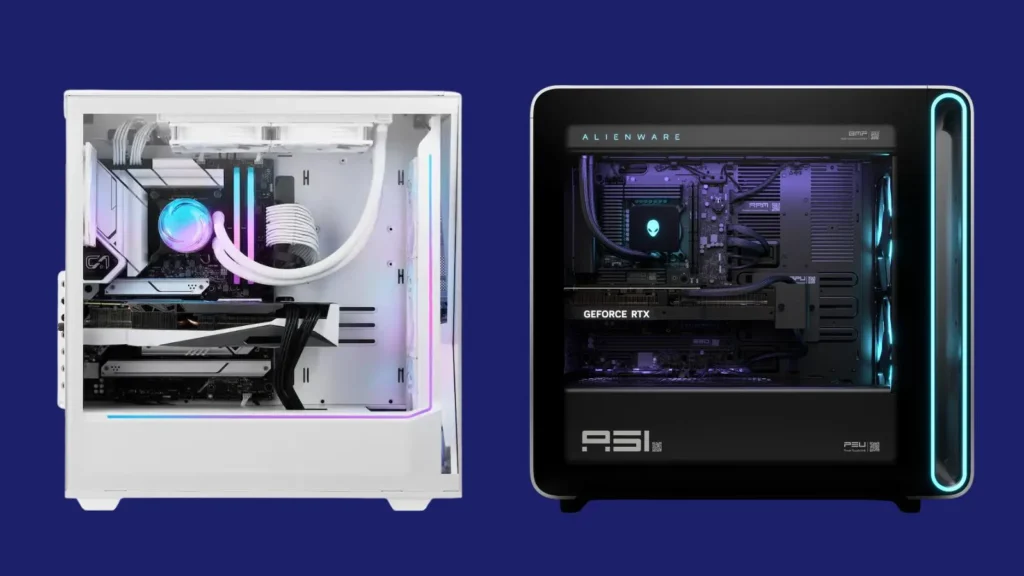
Best gaming PC specs for 1440p gaming (the real sweet spot)
1440p remains the most consistently “sane” target in 2026 because it’s demanding enough to look noticeably sharper than 1080p, while being far less punishing (and far less expensive) than pushing native 4K ultra in modern AAA titles.
This is also where balancing matters most: you want a GPU that can handle high settings with headroom, a CPU that won’t create avoidable bottlenecks, and enough RAM/SSD capacity to avoid stutter and constant uninstall/reinstall churn—especially in a market where memory and storage pricing has been unusually painful.
Best gaming PC budget for 1080p ultra settings in 2026
A smart 1080p ultra build in 2026 is less about brute force and more about avoiding the most common traps:
- Trap one: overspending on the GPU for a resolution that becomes CPU-bound quickly. Trap two: underspending on VRAM and then getting hit by texture/memory issues in newer titles.
- In 2026 benchmarking and value analysis, the best “FPS per dollar” at 1080p can land on GPUs like the RTX 5060 8GB—yet the same analysis warns that limited VRAM can cause issues at higher settings in newer games.
- A more robust 1080p ultra approach (especially if you keep PCs for multiple years) is to favour 12–16GB-class cards when pricing is sensible, rather than buying the cheapest 8GB option and hoping it ages well. This isn’t “future-proofing theatre”; it’s directly connected to the way newer games behave at high settings when VRAM becomes a limiter.
- CPU choice should be pragmatic. Gaming CPU guides in 2026 emphasise that lower resolutions stress the CPU more, but also that gaming performance scaling falls off past roughly eight cores for most players—meaning you can waste a lot of money chasing flagship CPUs if gaming is the priority.
What PC specs you need for 4K gaming without overspending
The key to 4K gaming in 2026 is defining what “4K” means for you:
- If “4K” means native 4K, ultra settings, modern ray tracing, and high refresh rates, costs rise quickly—often into “flagship GPU + expensive display” territory.
- If “4K” means a great-looking experience on a 4K screen with intelligent compromises (high settings, selective ray tracing, and upscaling where it looks good), you can avoid the worst overspending.
In 2026 benchmark-based value commentary, a practical baseline for “real 4K” is a GPU that can average around 60fps across a modern test suite. One prominent 2026 analysis identifies the Radeon RX 9070 XT as the best value among cards that can deliver ~60fps on average at 4K in their suite, while noting that a competing RTX 5070 Ti can offer similar performance and may be worth considering for feature preferences at that resolution.
The overspending trap is assuming “4K requires the top card.” In practice, that same benchmark work emphasises that price-to-performance stops making sense at the extreme high end; the top flagship can be an “exotic purchase” with requirements that extend beyond the GPU itself.
For a balanced 4K build, the cost-effective priorities are:
- A GPU tier that meaningfully targets 4K (rather than paying for a flagship you won’t fully use).
- Enough VRAM headroom to avoid texture-related compromises in newer games.
- A power supply and case airflow chosen for the GPU you actually buy (especially if you venture into flagship-class power).

Best value GPU for gaming right now (price-to-performance picks)
“Best value” in 2026 depends on resolution and the games you play, but there are unusually clear patterns when you anchor recommendations to benchmark-and-price analysis rather than hype.
A 2026 benchmark/value summary highlights:
- For 1080p value (FPS per dollar), the RTX 5060 8GB can rank highly, but limited VRAM is flagged as a potential issue at higher settings in newer games.
- For strong overall value without the 8GB constraint, the Radeon RX 9060 XT 16GB is positioned as a standout value option at 1080p and also a leading value candidate at 1440p in that same analysis.
- For 1440p value, both the RX 9060 XT 16GB and RTX 5060 Ti 16GB appear as the “buy here if you care about value” zone before pricing escalates into worse returns.
- For 4K value, the RX 9070 XT is singled out as a best-value path to ~60fps-class 4K averages in a modern test suite, with the RTX 5070 Ti being a close performance alternative depending on feature priorities.
Retail deal tracking in early 2026 also suggests a practical reality: once you move far above the midrange price bands, pricing tends to “go awry” again, and the top-end models can be inconsistently stocked and disproportionately marked up.
How to build a mid-range gaming PC that beats expensive prebuilt rigs
The most repeatable “smarter way to game” in 2026 is a mid-range desktop that targets 1440p high/ultra with balanced parts—because this tier is where price-to-performance is most likely to outperform expensive prebuilts that allocate budget to branding, aesthetics, or poorly chosen part pairings.
Independent build guides in early 2026 show what this looks like in real parts and real trade-offs. For example, one mid-range build guide targets a sub-$1500 DIY system designed to play essentially any game at 1440p and dominate 1080p, while explicitly discussing why RAM and SSD pricing pressures force careful component selection.
The best mid-range builds also avoid common “hidden cost” failures:
- Overpaying for CPU cores you won’t use in games (especially beyond ~8 cores for most gaming scenarios).
Blowing budget on motherboard “extras” that don’t move gaming performance.
Treating storage speed as a gaming FPS lever (modern NVMe differences are usually subtle in gaming compared to GPU class and having enough total space). - The prebuilt-vs-DIY answer is more nuanced in 2026 than in older “always build your own” advice. Major industry guidance acknowledges there is no guaranteed cheapest path anymore—pricing varies with demand, discounts, and volume buying—and it can be rational to buy prebuilt, custom-built, or DIY depending on timing and priorities.
- In particular, when memory pricing is unusually high, some prebuilt deals can undercut DIY part-by-part totals because system integrators can secure inventory, negotiate volume, and bundle warranties—one reason some deal coverage recommends watching prebuilts closely during memory-driven price spikes.

Used GPUs and refurbished parts: how to save money safely
Used and refurbished parts can still be a legitimate way to cut costs in 2026, but the safest savings come from controlling three risks: unknown wear history, misrepresented listings, and lack of warranty/returns.
A safe approach starts with “refurbished” from sources that offer meaningful buyer protections (clear grading, return windows, and warranties), rather than “used as-is” listings with vague fault descriptions.
For used GPUs specifically, consumer hardware guidance stresses checking for red flags (incomplete information, suspicious photos, missing serial/receipts, or sellers who won’t demonstrate the card working), and favouring marketplaces and payment methods that protect the buyer.
Mining wear is one of the classic worries, and long-running consumer tech guidance notes that ex-mining cards can be a mixed bag—sometimes fine, sometimes risky—making verification and protections more important than the simplistic “never buy used” rule.
In practical terms, “save money safely” means:
Prioritising a return window over a slightly lower price. Budgeting time to test properly (stress tests, temperature checks, stability under load) before the return period closes. Avoiding deals that depend on trust alone.
PC gaming settings that boost FPS without upgrading hardware
In 2026, the biggest “free” performance gains are usually found in three places: ray tracing choices, resolution scaling/upscaling, and frame generation (when it’s implemented well for your game and tolerance for artefacts).
Ray tracing is still a major performance lever. Benchmark commentary in 2026 notes that enabling ray tracing (especially demanding implementations) can cause framerates to “drop off a cliff,” and also argues that the number of games where RT creates a truly striking visual difference is limited—meaning it often makes sense to disable RT or use a lighter RT preset if performance is the priority.
Upscaling and frame generation have become central tools, not niche tricks. NVIDIA describes DLSS 4 Multi Frame Generation as using AI to generate up to five frames per rendered frame on RTX 50 Series hardware, specifically positioning it as a frame-rate booster (with the usual trade-offs that vary by game).
On the operating system side, some Windows 11 configuration can help smoothness and latency in certain setups. For example, guidance on hardware-accelerated GPU scheduling describes it as a feature intended to distribute graphics processing more efficiently and reduce latency, though results will vary by game, GPU, and driver maturity.
The highest-impact “no-upgrade” tweaks tend to be:
- Dropping RT first, then shadows/volumetrics/view distance next, before touching texture quality (textures are often VRAM-bound).
- Using DLSS/FSR-class upscaling at 1440p and 4K targets when it looks good in your game, instead of brute-forcing native resolutions with an expensive GPU.
- Being wary of 8GB-class GPUs at “ultra” settings in modern games if you encounter VRAM-related hitching—sometimes the “fix” is lowering texture quality one notch, not buying a whole new GPU.
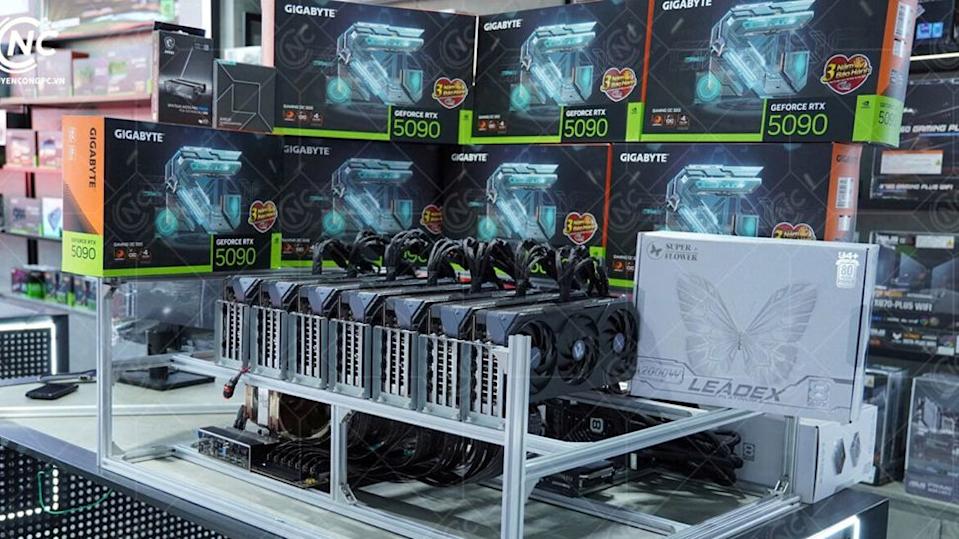
Future-proof gaming PC upgrades that actually matter (and what to skip)
“Future-proofing” is mostly marketing unless it is tied to the parts that genuinely extend a system’s useful life. In 2026, the upgrades that actually matter tend to be:
- Enough RAM for modern games and multitasking (and the ability to expand later), because RAM pricing volatility has been a real constraint in the market.
- Enough SSD capacity for modern game installs and updates, especially when SSD pricing has also been flagged as a growing pain point alongside RAM.
- A GPU tier appropriate to your target resolution (1080p, 1440p, or 4K), because GPU choice dominates gaming performance outcomes once you’re not CPU-bottlenecked.
- A quality PSU and case airflow that won’t become a constraint when GPUs push higher power levels—flagship-class hardware can impose explicit PSU and clearance requirements.
What to skip is equally important:
- Overspending on the absolute top GPU tier if you play below 4K or on a monitor that can’t exploit the extra frames (the benchmark gaps shrink rapidly at 1440p and especially 1080p).
- Buying a flagship CPU “because it’s the best” when gaming scaling drops off past roughly eight cores for many users and your budget is better spent on GPU/RAM/SSD.
- Paying extra for motherboard features that won’t affect gaming performance, particularly when build guides already show how platform costs can balloon under current pricing conditions.
High-end gaming laptop vs desktop: which is better value in 2026?
In 2026, the best-value answer is still usually “desktop,” but high-end gaming laptops have become more viable—provided expectations are realistic about power limits, thermals, and naming confusion.
Desktops win on two structural advantages:
- They can feed far more power to the GPU (and cool it properly), and they are meaningfully upgradeable over time.
- Laptops, by design, operate within strict power and thermal envelopes. NVIDIA’s Max-Q framework explicitly focuses on optimising performance, power, and thermals to make high-performance GPUs workable in thin-and-light designs—useful, but fundamentally different from desktop conditions.
A major 2025–2026 reality is that laptop GPU performance can vary heavily even within the same “GPU name,” because total graphics power limits are constrained and configurable by device OEMs. Consumer coverage summarising this highlights that desktop GPUs can run at very high power budgets, while laptops are typically capped far lower, leading to significantly different real-world performance across laptop models.
From a value perspective, the “top laptop GPU” tier can have the same diminishing-returns problem as desktops. Recent laptop benchmarking coverage in 2026 suggests that stepping from one top tier to the next (e.g., RTX 5080-class to RTX 5090-class in laptops) can yield only modest performance gains while adding a much larger cost increase, making the absolute top tier hard to justify for most buyers.
A practical 2026 buying rule:
- Choose a high-end gaming laptop when portability is non-negotiable (travel, small living spaces, or a single work+play machine), and prioritise the best GPU tier you can afford below the absolute top—then validate the laptop’s power limits, cooling, and display quality.
- Choose a desktop when performance per pound, noise/thermals, and long-term upgradeability matter more than mobility.

Console vs PC in 2026: when a PS5 or Xbox makes more sense
Consoles still make sense in 2026 when the goal is a predictable living-room experience, lower upfront complexity, and strong performance-per-pound—especially if high-end PC parts feel overpriced.
A key point in 2026 is that console pricing is not static. For instance, deal coverage around April 2026 explicitly notes price increases for PlayStation 5 consoles and accessories taking effect on April 2, 2026, with large jumps in some cases.
On the Xbox side, official retail listings show the Xbox Series X positioned with “true 4K” capability, up to 120 FPS targets, and a 1TB SSD, with starting prices shown directly by region (for example, £499.99 in the UK listing and US pricing shown separately in the US listing).
There is also a “premium console” tier dynamic now. Sony positions the PlayStation 5 Pro around enhanced features such as advanced ray tracing, 4K-oriented image clarity improvements, and high frame rate gameplay (feature messaging aimed at people who want more than base-console performance).
Where consoles often win:
- If the budget is constrained and a full PC build is inflated by GPU/RAM/SSD pricing.
- If the priority is convenience and consistency (optimised settings, straightforward setup, fewer driver/platform variables).
Where PCs often win:
If you want flexibility (graphics settings, peripherals, mods), broader storefront choice, or you need a dual-use machine for work and play (making the PC’s higher cost more defensible).
Cloud gaming vs buying a gaming PC: is it finally worth it?
Cloud gaming in 2026 is “worth it” for the right person—and still a bad fit for others.
The upside is clear: you can access high-end-class rendering without owning a high-end box, which is appealing when GPUs and memory are expensive.
The constraint is equally clear: cloud performance is bounded by your internet quality and latency to the data centre. NVIDIA’s published GeForce NOW requirements explicitly recommend strong connections (e.g., ethernet or good 5 GHz Wi‑Fi), require under 80ms latency to an NVIDIA data centre, and list bandwidth targets that climb steeply for higher resolutions and frame rates (for example, 45 Mbps for 4K at 120 FPS).
There are also usage-policy economics. NVIDIA’s GeForce NOW FAQ confirms that Performance and Ultimate members receive 100 hours of monthly playtime (with limited rollover), and that additional time can be purchased in increments once the cap is reached.
Independent reporting explains the consumer implication: once you exceed the 100-hour allotment, extra playtime can add incremental fees, and the “free tier” fallback comes with restrictions such as one-hour session blocks and ads.
Platform subscription ecosystems matter too:
- PlayStation cloud streaming is bundled into PlayStation Plus Premium, and official PlayStation Store listings show recurring monthly pricing (for example, £13.49/month in the UK store listing and $17.99/month in the US listing).
- On the Xbox side, official Xbox communications describe Game Pass Ultimate pricing changes and explicitly list Ultimate at $29.99/month (with regional variation).
The 2026 “worth it” answer typically looks like this:
- Cloud gaming is most worth it if you have reliable broadband, low latency to supported regions, limited space, and a use pattern that fits the service limits (or you mostly play a few games and don’t routinely exceed monthly caps).
- Buying a gaming PC is still the better long-term value when you (a) play many hours per month, (b) care about consistent latency (competitive shooters, fighting games), (c) mod games, or (d) want full control over settings and local performance without network dependence.

Frequently Asked Questions (FAQs)
- What’s a sensible gaming PC budget in 2026 if prices feel inflated?
A sensible budget is one that matches your target resolution and avoids overspending on bottlenecked performance. In early 2026, multiple build guides and hardware coverage explicitly cite RAM and SSD pricing as key contributors to overall build inflation, so budgeting should prioritise GPU tier first, then adequate RAM/SSD, then CPU. - Is 1440p really better value than 4K for most gamers?
Often yes, because flagship GPU gains become more meaningful at 4K than 1440p, while costs and power requirements rise sharply at the top end. Benchmarking shows smaller performance separation at 1440p than at 4K between top-tier GPUs, reinforcing 1440p as a cost-effective target. - How much VRAM do I need for modern games in 2026?
There is no single number for every game, but analysis of 2026 value ranking explicitly warns that 8GB cards can run into issues at higher settings in newer games, which is why many “value” recommendations increasingly favour 12–16GB tiers when pricing allows. - Should I upgrade my CPU or GPU first for better FPS?
Usually the GPU first at 1440p and 4K, because the GPU is doing most of the workload; at 1080p, CPU limits are more common. Benchmark commentary highlights that ultra-high-end GPUs can even become CPU-limited below 4K, which is why balanced pairing matters. - Is the top flagship GPU “worth it” if I don’t play at 4K?
Typically no. Benchmarking shows flagship gains shrink at 1440p and 1080p relative to 4K, meaning you pay large premiums for smaller real-world differences at lower resolutions. - Can cloud gaming replace a gaming PC in 2026?
It can for some people, but it depends on your internet and usage. Official requirements emphasizes bandwidth and latency constraints, and an official FAQ confirms monthly playtime limits and paid add-on hours for some tiers—both factors that can change the total value proposition. - Does DLSS 4 Multi Frame Generation actually boost FPS meaningfully?
NVIDIA describes DLSS 4 Multi Frame Generation as using AI to generate up to five frames per rendered frame on RTX 50 Series, explicitly positioning it as an FPS booster. The practical impact depends on game support and personal tolerance for artefacts and latency trade-offs. - Are gaming laptops good value in 2026?
They can be, but they often cost more for the same effective performance because of power and thermal limits. Coverage highlights that laptop GPU power limits (and variation by model) can create large performance differences even when the “GPU name” is the same. - Is it safe to buy used GPUs?
It can be safe if you control risk: choose sellers with buyer protection, insist on evidence the GPU works, and test quickly within the return window. Hardware buying guidance highlights common red flags and the importance of buyer protections, particularly given potential wear history. - When do consoles make more sense than PCs in 2026?
Consoles can make more sense when PC parts feel overpriced and you want predictable performance-per-pound with minimal setup. Official console store listings show clear pricing and target features (4K, up to 120 FPS), while 2026 coverage also shows console pricing can change over time—so the comparison should use current prices, not old assumptions.
Conclusion
Gaming hardware in 2026 rewards balance over bragging rights: RAM and SSD pricing pressure raises the baseline cost of builds, GPU pricing remains volatile at the top end, and the most expensive parts can deliver sharply diminishing returns—especially below 4K.
The most reliable “smarter way to game” is to pick a target experience (1080p, 1440p, or practical 4K), buy the most cost-effective GPU tier for that target, avoid CPU overspend beyond what games can meaningfully use, and use modern performance features and settings adjustments rather than defaulting to flagship-only thinking.
Sources and Citations
- https://www.nvidia.com/en-us/geforce/graphics-cards/50-series/rtx-5090/
NVIDIA official specifications page covering RTX 5090 power requirements, VRAM, connectors, and platform preparation guidance. - https://www.trendforce.com/presscenter/news/2026-dram-wafer-supply-ai-demand
TrendForce report projecting 2026 DRAM wafer supply constraints driven by AI server demand. - https://www.tomshardware.com/reviews/gpu-hierarchy,4388.html
Tom’s Hardware GPU benchmark hierarchy used for comparative performance across 4K, 1440p, and 1080p. - https://www.pcgamer.com/gpu-prices-2026-update/
PC Gamer reporting on GPU price trends, over-MSRP conditions, and availability constraints in early 2026. - https://www.gamersnexus.net/guides/2026-pc-build-guide-budget-midrange
Gamers Nexus 2026 PC build guide showing balanced mid-range and budget builds under current market conditions. - https://www.tomshardware.com/best-picks/best-cpus
Tom’s Hardware CPU recommendations including notes on scaling, RAM considerations, and SSD pricing pressure. - https://www.xbox.com/en-US/consoles/xbox-series-x
Microsoft Store listing for Xbox Series X detailing pricing, 4K capability, up to 120 FPS support, and SSD features. - https://www.playstation.com/en-gb/ps-plus/
PlayStation Store UK listing showing PlayStation Plus Premium pricing and tiers. - https://www.playstation.com/en-us/ps-plus/
PlayStation Store US listing confirming PlayStation Plus Premium pricing structure. - https://www.playstation.com/en-us/ps5/ps5-pro/
PlayStation official page outlining PS5 Pro features including ray tracing, 4K clarity, and high frame rate messaging. - https://www.theverge.com/2026/04/ps5-price-increase-april-2026
The Verge reporting on PS5 price increases taking effect April 2, 2026. - https://news.xbox.com/en-us/2026/03/28/xbox-game-pass-update-pricing/
Xbox Wire update detailing Game Pass plan changes and Ultimate pricing with regional variations. - https://www.nvidia.com/en-us/geforce-now/system-reqs/
NVIDIA GeForce NOW system requirements covering bandwidth, latency, and supported devices. - https://www.nvidia.com/en-us/geforce-now/faq/
GeForce NOW FAQ including information about playtime limits and service usage policies. - https://9to5google.com/2026/02/15/geforce-now-playtime-cap-pricing/
9to5Google reporting on GeForce NOW playtime cap rollout and pricing structure for tiers and add-on hours.
Recommended
- Mesh to Metahuman: How to Scan Yourself and Create a Realistic Digital Double in Unreal Engine 5
- s&box Open-Source Game Creation Platform: How to Build, Mod, and Publish Games with Source 2 + C#
- Netflix On Why It Gave Up On Buying Warner Bros: The Real Reasons the Deal Collapsed
- After More Than 50 Years, Kolchak: The Night Stalker Is Finally Getting an Action Figure (Wandering Planet Toys Kickstarter)
- The Audience for the Silent Hill 2 Remake Has Surpassed 5 Million People: What Konami Announced and What It Means
- Sitni Sati Releases FumeFX 7.0 for Maya with FumeFX GPU: Faster Smoke and Fire Simulation Explained
- SAG-AFTRA Do Not Work Order Against Capcom Explained: Mega Man: Dual Override and the Signatory Process
- Marvel Rivals Wants Some Lesser-Known Heroes and Villains Characters: Why Deep-Cut Picks Are the Game’s Secret Weapon
- Top 20 Ugliest Video Game Characters: A Celebration of Unconventional Design
- Why The View Keeper Is the Best Blender Add-on for Scene Management






















































































