

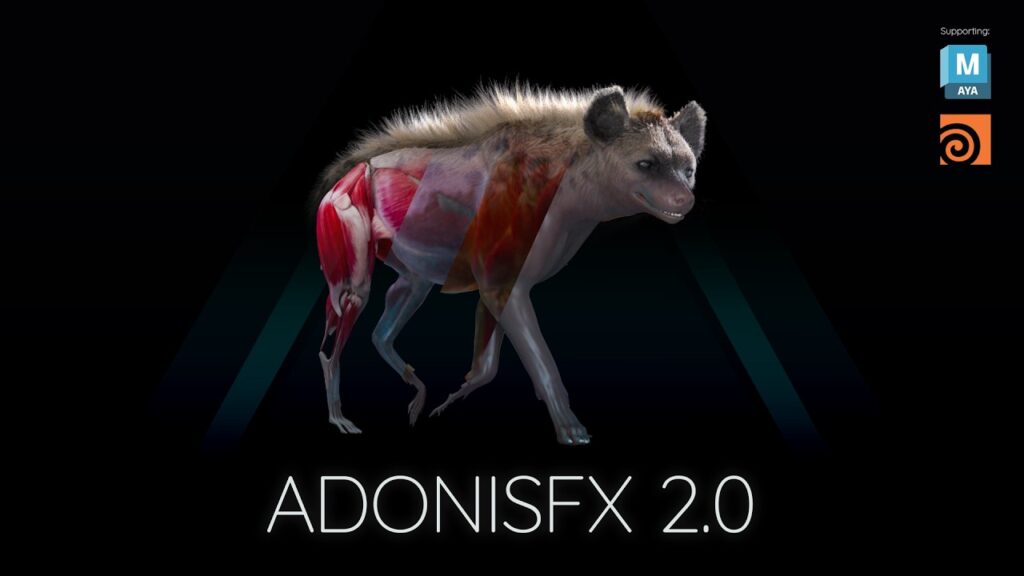
AdonisFX 2.0 is a cutting-edge digital anatomy simulation framework that has recently been updated to bring full native support for Houdini. This means artists can now run the same muscle, skin, and soft tissue simulations in both Autodesk Maya and SideFX Houdini seamlessly.
AdonisFX was originally a Maya-only tool, but version 2.0 extends its capabilities into Houdini, allowing studios to integrate it into hybrid Maya-Houdini pipelines without any loss in functionality. The latest release also introduces major new features from advanced self-collision detection to anisotropic muscle behavior all while significantly boosting performance for real-time interactive workflows. In this comprehensive article, we’ll explore all the key aspects of AdonisFX 2.0 Full Support For Houdini: its features, what’s new, how to set it up, how it works between Maya and Houdini, pricing and licensing, comparisons to tools like Ziva VFX, use cases in VFX/games, and more. Let’s dive in.
In This Article (18 sections)
AdonisFX 2.0 Full Support For Houdini Features
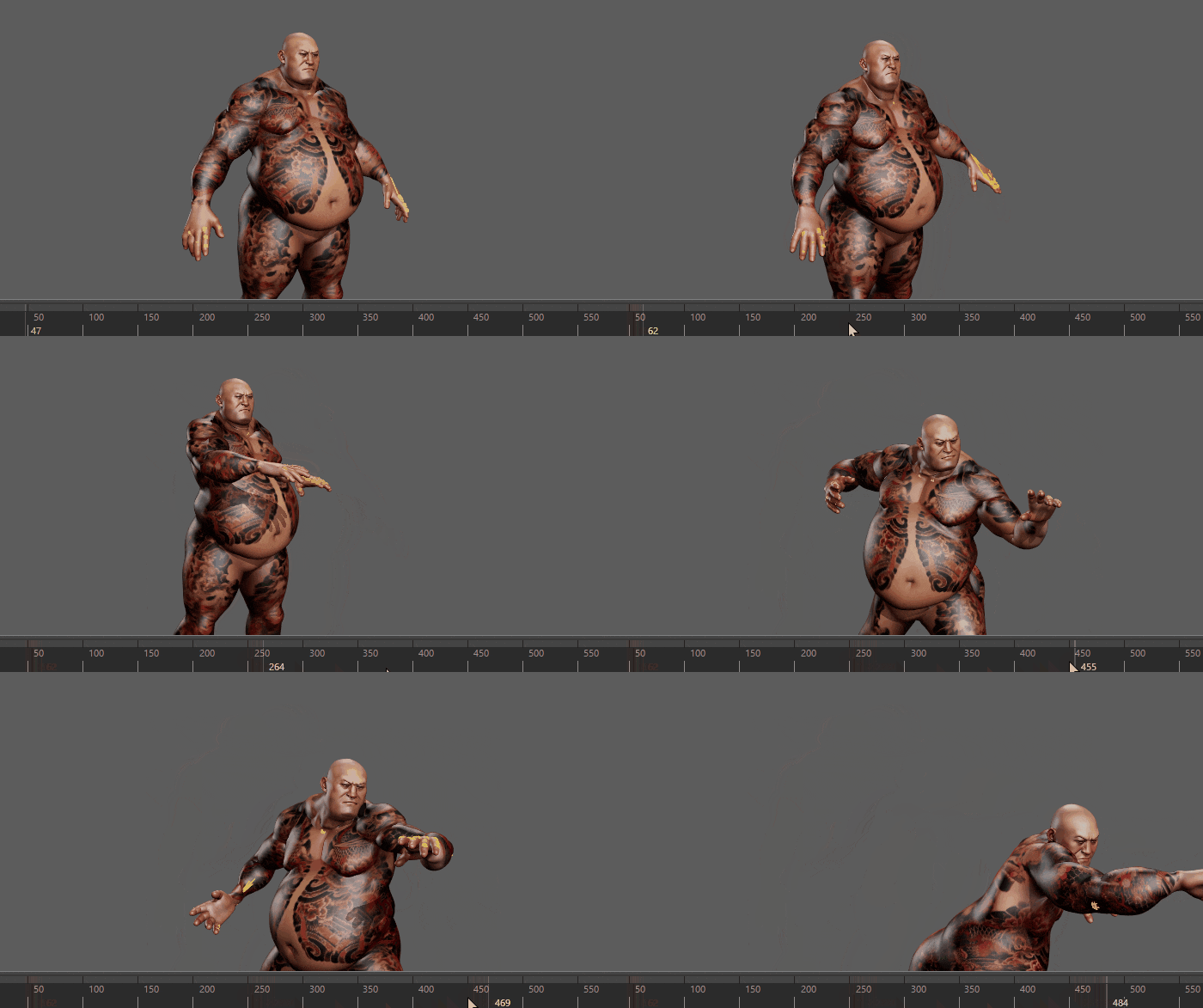
AdonisFX 2.0 brings its digital anatomy framework to Houdini, matching its Maya functionality. It allows for anatomically realistic character rigs with layered soft-tissue simulations including dedicated solvers for muscles, fat, and skin. These layers interact dynamically, though the modular approach allows users to add or remove layers as needed.
The update introduces native Houdini support via SOP nodes, providing feature parity with Maya. Optimized for speed, the engine offers real-time interactive performance without the need for caching. It includes robust triangle-level self-collision handling and supports anisotropic tissue behavior for realistic deformation along muscle fibers. Developed by industry veterans, the framework is production-proven and cross-platform, ensuring rigs behave identically in both Maya and Houdini. It also features ML-based tools and modular presets to accelerate rig creation.
What Is New In AdonisFX 2.0 For Houdini
Version 2.0 introduces several major enhancements. The primary addition is the native Houdini plugin release, using custom SOP nodes to bring the ecosystem into Houdini’s procedural environment. New advanced collision systems handle triangle-to-triangle self-collisions to prevent interpenetration during extreme movements.
Another key addition is anisotropic muscle simulation, which allows muscles to have defined fiber directions for realistic contraction and bulging. Performance optimizations enable real-time interactive playback, allowing artists to see results instantly on any frame. Houdini-specific workflow utilities like “Make Paintable” and “Make Groomable” automate manual setup tasks. Additionally, the core solver has been refactored to be DCC-agnostic, guaranteeing consistent results across different software.

AdonisFX 2.0 Houdini SOP Nodes Explained
AdonisFX 2.0 provides a comprehensive suite of Houdini SOP nodes:
- Deformer Nodes: Includes AdnRelax and AdnPush for geometry adjustment, and AdnSkinMerge for blending skin outputs.
- Solver Nodes: Core solvers including AdnMuscle, AdnRibbonMuscle, AdnFat, AdnSkin, AdnGlue, and AdnSimshape for various tissue layers.
- Locator and Sensor Nodes: AdnLocators and AdnSensors input external rig data or influences into the simulation.
- Utility Nodes: Includes AdnRemap, AdnActivation, and AdnEdgeEvaluator for data manipulation and control logic.
- Fiber Workflow Nodes: AdnFiberProjection, AdnFiberDiffusion, and AdnFiberGroom manage muscle fiber directions and anisotropy.
- Importer/Exporter Nodes: AdnExport and AdnImport facilitate moving rigs between Maya and Houdini while preserving parameters.
- Turbo Solver and Debug Tools: The AdnTurbo tool accelerates playback, and a visual debugger allows for per-node inspection of constraints and attachments.
AdonisFX 2.0 Maya To Houdini Rig Transfer Workflow
AdonisFX 2.0 enables a friction-less workflow between Maya and Houdini. Rigs can be built and animated in Maya using familiar tools and then exported using the AdonisFX Export tool, which packages all geometry, solvers, maps, and fiber orientations. In Houdini, the AdnImport SOP reconstructs the rig, binding it to the imported animation.
Simulation can then be run in Houdini, producing results identical to Maya. The final simulated geometry can be cached or moved back to Maya for lighting and rendering. This unified framework eliminates the need to rebuild muscle systems for different applications, reducing technical overhead and ensuring consistency across the pipeline.
How AdonisFX 2.0 Works Across Maya and Houdini
The system achieves cross-DCC consistency through a unified, DCC-agnostic solver core that produces the same physical results in both apps. Rig constructs are identical, with one-to-one parameter parity between Maya nodes and Houdini SOPs.
To handle different default scales (cm vs. m), AdonisFX internally uses centimeters, requiring artists to ensure proper scaling during transfer. The system uses “deformable regions” and naming conventions (ADN_IN/ADN_OUT) to maintain attachments and constraints across platforms. This approach removes the need for proprietary conversion layers or intermediate baking, and the licensing is flexible, allowing users to move between applications on the same license.

AdonisFX 2.0 Self Collision and Anisotropic Muscle Simulation
AdonisFX 2.0 features advanced triangle-level self-collision detection, preventing interpenetration of geometries during extreme poses without manual fixes. This ensures muscles press against each other like physical objects.
The update also adds anisotropic muscle simulation, which accounts for direction-dependent behavior. By defining fiber directions, muscles contract and stretch realistically along their length rather than behaving like uniform rubber. These two features work together to ensure that when muscles collide or stretch, they deform in an anatomically plausible way, maintaining volume and tension correctly.
AdonisFX 2.0 Houdini Fiber Workflow Tools
Dedicated fiber workflow nodes help artists manage the anisotropy required for realistic muscles. AdnFiberProjection generates initial fiber directions, AdnFiberDiffusion spreads the field throughout the muscle volume, and AdnFiberGroom allows for manual interactive editing of the fiber curves.
“Make Paintable” and “Make Groomable” utilities provide one-click setups for these processes. This workflow allows artists to “groom” the grain of the muscle to control how it bunches or stretches. The system also includes an experimental API for power users to script or automate fiber setups programmatically.
How To Set Up AdonisFX 2.0 In Houdini
Setting up involves installing the plugin (supporting Houdini 20+) and activating the license. Rigs are created by bringing in geometry, adding AdnMuscle nodes, and organizing them within ADN_IN/OUT Null markers. Muscles must be connected to character animation at the SOP level, as object-level transforms are not supported.
Geometry must be unpacked and converted from PolySoups before simulation. After preparing geometry and setting up fibers for anisotropy, users can tune solver parameters like stiffness and damping using interactive playback. The visual debugger helps troubleshoot constraints. Final results can be cached or exported back to Maya via AdnExport/AdnImport.

AdonisFX 2.0 Houdini Export and Import Tools
The AdnExport and AdnImport tools are essential for cross-platform workflows. AdnExport packages the entire rig state including geometry, parameters, connection networks, and paint maps into a lossless format. AdnImport then reconstructs the live, adjustable rig in the target application.
These tools also assist in upgrading scenes from older versions of the software. Key use cases include hybrid pipeline exchange (Maya animation to Houdini simulation), rig templating for reuse across characters, and pipeline integration through the AdonisFX API to automate the publishing and importing process.
AdonisFX 2.0 Houdini Requirements and Geometry Rules
To ensure stability and consistency in AdonisFX 2.0 for Houdini, users must follow specific system and geometry guidelines. The software supports Windows 10 (or higher) and specific Linux distributions including CentOS 7+, RHEL 8+, and Rocky Linux 8+. MacOS is currently not supported. The simulation is CPU-intensive, supporting multithreading which can be tuned via the ADN_MIN_PARALLEL_SIZE environment variable.
AdonisFX 2.0 requires Houdini 20 or later and Maya 2023 or later. Because Maya uses centimeters and Houdini uses meters by default, assets brought into Houdini may need to be scaled up by 100 to match AdonisFX’s internal centimeter-based solver. Geometry must be standard polygonal; packed geometry, USD, Alembic, and PolySoup primitives must be unpacked or converted to regular polygons.
Rigs in Houdini must use “Deformable Region Nulls” named ADN_IN_<GeoName> and ADN_OUT_<GeoName> to delineate simulation regions for the API. All object-level transforms must be frozen or baked into the SOP local space. If a single geometry contains multiple pieces, they should be separated using the “Separate Geometries” utility or assigned piece IDs. Topology should be clean, as collisions occur at the triangle level. AdonisFX is a self-contained solver that does not rely on Houdini’s Vellum or FEM systems. Performance can be managed through adaptive substepping and multithreading settings.
AdonisFX 2.0 Supported Houdini Versions
AdonisFX 2.0 is compatible with Houdini 20 and above, having been compiled against that specific API. Maya users require version 2023 or newer. The plugin supports various editions of Houdini that allow third-party plugins, including FX, Core, and Indie. Scenes from AdonisFX 1.x must be opened in Maya 2023+ and may require update scripts, as some older features have been deprecated. While there is no direct Unreal Engine plugin, results can be exported as caches for use in game engines.

AdonisFX 2.0 Pricing, Indie License, and Free Trial
AdonisFX 2.0 follows a subscription-only model. The Indie license is available for individuals or studios with under £100,000 annual revenue, priced at £25 per month or £250 per year for a node-locked license. Professional node-locked licenses cost £110 per month or £1,100 per year. Floating licenses, which allow sharing across a network, cost £150 per month or £1,500 per year. All license tiers provide the same full functionality. A 30-day free trial of the Pro version is available for evaluation. Subscriptions include customer support and all software updates, though the licensing system requires an internet check approximately every 19 days.
Is AdonisFX 2.0 a Ziva VFX Alternative for Houdini Users
AdonisFX 2.0 is positioned as a successor to Ziva VFX, which was discontinued for DCC use following its acquisition by Unity. Unlike Ziva, which was Maya-only, AdonisFX brings high-quality muscle and skin simulation natively to Houdini. It offers comparable features, such as multi-layer solvers, self-collision, and anisotropy, but with an emphasis on real-time interactive performance and speed. Many industry professionals and major studios like Sony Imageworks have adopted it as a production-proven alternative that unifies Maya and Houdini pipelines.
Best Use Cases For AdonisFX 2.0 In VFX, Animation, and Games
AdonisFX 2.0 is designed for high-fidelity creature and digital double work in feature film VFX. It is also suitable for high-end TV and streaming series where film-quality results are needed on tighter schedules. In animation, it adds physically plausible weight and secondary motion to characters. In game development, it is used to precompute muscle deformations for morph targets or cinematic caches. It can scale from hero characters to crowd agents and is useful for virtual production or research. It can be paired with other tools, such as PixelHair for grooming, to create complete, realistic characters.
AdonisFX 2.0 Documentation, Tutorials, and Download Options
Inbibo provides extensive documentation, including a user manual, FAQ, and “Simple Setup” guides. A YouTube channel offers video tutorials on muscle rigging and new features like fiber tools. Users can download the software and access the 30-day trial through the official website. The 2.0 release includes a detailed changelog and an update utility for 1.x setups. Customer support is available for technical and licensing issues. Complementary tools like PixelHair (offering nearly 200 ready-made hair assets) or The View Keeper (for camera management in Blender) can be integrated into the broader production pipeline alongside AdonisFX.
Frequently Asked Questions (FAQs)
- What exactly is AdonisFX 2.0 and what does it do?
AdonisFX 2.0 is a muscle, skin, and soft tissue simulation plugin for Maya and Houdini developed by Inbibo. It provides a framework for anatomically realistic simulations, allowing muscles to flex, fat to jiggle, and skin to slide. It is used in VFX, animation, and games to bring lifelike secondary motion to digital characters. - Does AdonisFX 2.0 support Houdini and Maya equally?
Yes. It offers full native support for both, with Houdini integration provided via SOP nodes that mirror Maya’s capabilities. A DCC-agnostic design ensures rigs and results are consistent across both platforms. It supports Maya 2023+ and Houdini 20+. - What are the new features in AdonisFX 2.0 compared to previous versions?
Key major updates include:- Native Houdini support via SOP nodes.
- Triangle-level self-collision detection to prevent interpenetration.
- Anisotropic muscle simulation for orientation-based contraction and bulging.
- Performance optimizations for real-time interaction and scrubbing.
- New workflow utilities and an experimental API.
- How do I transfer a character rig from Maya to Houdini using AdonisFX 2.0?
The process involves:- Exporting the anatomy rig data from Maya using the AdonisFX Export tool.
- Importing character animation and the rig data into Houdini using the AdonisFX Import node.
The plugin automatically recreates all solvers and parameters, maintaining weights without manual re-rigging.
- Is AdonisFX 2.0 a replacement for Ziva VFX? How do they compare?
It is positioned as a successor to Ziva VFX, which was discontinued for Maya. AdonisFX matches Ziva’s realism (layered simulation, anisotropy, collisions) but adds real-time interactivity and native Houdini support. It is currently the primary choice for studios seeking a professional Ziva alternative. - What does anisotropic muscle simulation mean in AdonisFX?
It means muscles behave differently depending on the direction of their fibers. By using fiber projection and grooming tools, artists can define a “grain,” making the muscle stiffer along its length for realistic bulging and tension. - What are the system requirements and supported versions for AdonisFX 2.0?
Requirements include:- Maya 2023+ or Houdini 20.0+.
- Windows 10 (64-bit) or Linux (CentOS 7+, RHEL 8+, Rocky 8+). No MacOS support.
- Multi-core CPU and at least 16GB of RAM.
- Occasional internet connection for license verification.
- How is AdonisFX 2.0 licensed? Is there a free trial?
It uses a subscription model with two tiers:- Indie License: For those under £100K annual revenue, priced at £25/month or £250/year (node-locked).
- Pro License: For larger studios, priced at £110/month (node-locked) or £150/month (floating).
A fully functional 30-day free trial is available.
- Does AdonisFX 2.0 handle cloth or hair, or is it just muscles and skin?
It focuses exclusively on fleshy anatomy (muscles, fat, skin). It does not natively simulate cloth or hair, though it is designed to work alongside other specialized tools like Houdini’s Vellum or PixelHair for Blender/Unreal. - Can AdonisFX 2.0 be used for real-time applications or in game engines?
It is an offline tool for DCC apps and does not run in real-time within game engines. However, simulation results can be exported to engines like Unreal or Unity via Alembic caches or baked morph targets for cinematics and high-fidelity characters.

Conclusion
AdonisFX 2.0 represents a major advancement in character simulation by unifying Maya and Houdini workflows. It eliminates the friction of cross-platform transfers, allowing anatomical rigs to move seamlessly between applications. Features like self-collision and anisotropic behavior provide high anatomical credibility, while performance optimizations offer real-time feedback for faster iteration.
By filling the void left by legacy tools like Ziva VFX, AdonisFX 2.0 establishes itself as a production-proven solution for digital anatomy. Its accessibility through indie licensing and extensive documentation makes it a viable tool for both large studios and individual creators. Ultimately, AdonisFX 2.0 provides a stable, fast, and physically accurate framework that helps artists bring characters to life with astounding realism across modern VFX and animation pipelines.
Sources and Citations
- Amber Rutherford, 80 Level – “AdonisFX 2.0 Brings Full Support For Houdini” (March 10, 2026)
- Citation, https://80.lv/articles/adonisfx-2-0-brings-full-support-for-houdini/
- Inbibo – “AdonisFX 2.0: Press Release” (March 4, 2026)
- Citation, https://www.inbibo.co.uk/post/adonisfx-2-0-press-release
- Jim Thacker, CG Channel – “Is AdonisFX 2.0 the new Ziva VFX?” (March 4, 2026)
- Citation, https://www.cgchannel.com/2026/03/is-adonisfx-2-0-the-new-ziva-vfx/
- Bela Beier, Digital Production – “AdonisFX 2.0 brings Houdini support, anisotropic muscles, and triangle-level self-collisions” (March 10, 2026)
- Citation, https://digitalproduction.com/2026/03/10/adonisfx-2-0-brings-houdini-support-anisotropic-muscles-and-triangle-level-self-collisions/
- AdonisFX Documentation – “AdonisFX 2.0 Online Docs (v2.0.0)”
- Citation, https://docs.inbibo.co.uk/adonisfx/
- Yelzkizi – “Realistic 3D Hair In Blender: Hair Curves & Geometry Nodes” (2025)
- Citation, https://yelzkizi.org/realistic-3d-hair-in-blender-hair-curves-geometry-nodes/
- Yelzkizi ArtStation – “PixelHair & The View Keeper”
- Citation, https://www.artstation.com/marketplace/p/pixelhair-and-the-view-keeper-bundle
[All above sources accessed and cited for factual information and quotations.]
[1]: https://80.lv/articles/adonisfx-2-0-brings-full-support-for-houdini
[4]: https://www.cgchannel.com/2026/03/is-adonisfx-2-0-the-new-ziva-vfx/
[5]: https://inbibo.co.uk/news/adonisfx-2-0-press-release
[6]: https://digitalproduction.com/2026/03/10/adonisfx-2-0-brings-houdini-support-anisotropic-muscles-and-triangle-level-self-collisions/
[7]: https://digitalproduction.com/2026/03/10/adonisfx-2-0-brings-houdini-support-anisotropic-muscles-and-triangle-level-self-collisions/
[13]: https://inbibo.co.uk/docs/adonisfx/v2.0.0/faq
[2]: https://yelzkizi.org/realistic-hair-new-hair-geometry-nodes-hair-curves/
Recommended
- A Saudi Arabian Company Purchased 5% of Capcom: EGDC Stake Explained
- How to Import Metahuman into Unreal Engine 5: Step-by-Step Guide for Beginners and Artists
- Star Trek: Starfleet Academy Season 1 Review (2026) — Cast, Story, Ending, and Where It Fits in the Star Trek Timeline
- WoW Classic Kills Dungeon Boosting in Burning Crusade Expansion Because, Oh No, the Economy Is Breaking
- Subnautica 2’s Messy Publisher Drama Takes Another Turn: Why Krafton Vanished From Store Listings
- Canva Starts Previewing a More Powerful Version of Its AI Assistant (Canva AI 2.0)
- The Witcher 3 Secret DLC Rumors: CD Projekt Says No New Cyberpunk 2077 DLC Planned
- Cyberpunk Orion: Everything We Know About CD Projekt Red’s Next Cyberpunk Adventure
- How to Make a Sci-Fi Movie with Metahuman in Unreal Engine 5: A Cinematic Workflow Guide
- Can you animate multiple cameras in one Blender project?