











Clair Obscur: Expedition 33 gameplay systems built in Unreal Engine 5 Blueprints
Developed by the French indie studio Sandfall Interactive, Clair Obscur: Expedition 33 is a story-driven RPG that gained significant attention for its technical execution. Despite being a visually ambitious, 30+ hour title, approximately 95% of the game’s logic was built using Unreal Engine 5’s Blueprint visual scripting system. The core development team consisted of fewer than 30 people, including only four programmers who wrote very little custom C++ code. This approach allowed the studio to deliver a high-quality experience on a modest budget of roughly $10 million, proving that Blueprints can scale to full-fledged, high-profile games.
GDC talk on Clair Obscur: Expedition 33 technical breakdown
At the 2026 Game Developers Conference, Sandfall Interactive presented a session titled “‘Clair Obscur: Expedition 33’: Delivering a Wide Scope of Features & Content When You Only Have Four Programmers.” Key takeaways from the presentation included:
- “Vanilla-First” Mindset: The team prioritized using built-in Unreal Engine features rather than building custom solutions from scratch.
- Designer Empowerment: By using Blueprints, designers were given the freedom to implement and combine gameplay elements directly, which accelerated content creation.
- Minimalist Programming: The programming team focused on enabling tools for designers rather than micromanaging code, relying on UE5’s robust systems like Sequencer and AI behavior trees.
- Unexpected Success: The revelation that nearly all systems were Blueprint-driven shocked attendees, as the game’s polish and visual fidelity matched AAA standards typically associated with heavy C++ usage.
Why Sandfall Interactive chose Blueprints instead of C++ in Unreal Engine 5
The studio’s decision to rely on Blueprints was rooted in team collaboration and development speed:
- Accessibility: Creative Director Guillaume, a non-programmer, could prototype and tweak gameplay logic directly. This removed the “wall of code” and allowed the entire team to access and understand the project’s logic.
- Rapid Iteration: Blueprints eliminate lengthy compile times, allowing for instant testing of mechanics. This was vital for fine-tuning the game’s reactive, turn-based combat system.
- Stability: Working within a visual scripting environment reduced the risk of low-level errors like memory leaks or null pointers, which are common in C++ development.
- Project Fit: As a turn-based RPG, the game’s logic fit well within the performance capabilities of Blueprints, as Unreal’s underlying C++ engine already handled performance-intensive tasks like rendering and physics.

How many gameplay systems in Clair Obscur are Blueprints vs C++
Sandfall confirmed that the ratio of gameplay logic was approximately 95% Blueprint to 5% C++. The minimal C++ used was likely reserved for small engine customizations, performance-critical tweaks, or specific plugins. No major gameplay systems—such as combat, AI, or save systems—required dedicated C++ modules. This “Blueprint-only” strategy for the gameplay layer allowed the team to plug directly into the engine’s pre-existing C++ subsystems without the overhead of maintaining a custom codebase.
Pros and cons of using UE5 Blueprints for full game development
The studio’s experience outlines several key factors for developers considering a similar path:
- Advantages:
- Faster Iteration: Mechanics can be adjusted and tested in seconds.
- Inclusivity: Artists and designers can contribute to logic without a programming background.
- Safety: The engine’s garbage collector handles memory management, preventing many common crashes.
- Readability: Node graphs provide a visual layout of logic that is often easier to parse than dense code.
- Disadvantages:
- Overhead: While efficient for many tasks, heavy Blueprint logic can introduce performance overhead compared to optimized C++.
- Complexity Management: Large-scale Blueprint systems require strict organization to prevent “spaghetti” graphs that are difficult to debug.
In essence, using UE5 Blueprints for full development is a trade-off: you gain speed, flexibility, and accessibility at the potential cost of raw performance and some engineering rigor. Sandfall Interactive showed that for their project, the pros decidedly outweighed the cons. They mitigated cons by working within Blueprint’s strengths and the engine’s provided toolset (so they didn’t need custom systems that require C++). Not every game would fit this mold – a high-speed multiplayer shooter or a huge open-world might demand more C++ – but Expedition 33 demonstrates that a carefully scoped design can excel with a Blueprint-driven pipeline.
Blueprint performance tips for large gameplay codebases in Unreal Engine 5
To prevent slowdowns in a Blueprint-heavy project, developers must structure their visual scripts to minimize the overhead of the Blueprint virtual machine.
- Leverage Native Engine Systems: High-level logic should act as “glue” for Unreal’s built-in C++ systems. Utilizing features like Sequencer for animations and Behavior Trees for AI ensures that the most compute-intensive tasks are handled by optimized native code rather than brute-force Blueprint logic.
- Optimize Tick Usage: Overusing the
Event Tick(per-frame updates) is a common cause of performance degradation. Developers should prioritize event-driven designs, executing logic only when triggered by specific events like collisions or player input. Throttling or using state machines can further reduce the impact of necessary per-frame tasks. - Use Timers and Timelines Wisely: Timers and Timelines are generally more efficient than manual Tick counters because they run natively in C++. They are ideal for managing intervals—such as dodge or parry windows—and interpolating values for camera or UI movements without constant Blueprint polling.
- Targeted C++ Porting: Since UE5 has deprecated automatic nativization, performance-critical sections (like intensive array operations) should be manually ported to C++ and exposed as nodes. A small amount of hand-written C++ can provide a 5–10x performance gain for specific bottlenecks.
- Profile and Identify Hotspots: Tools like Unreal Insights and the Blueprint profiler allow teams to identify specific nodes or loops that consume disproportionate resources. This data-driven approach helps developers simplify logic or split heavy tasks across multiple frames.
- Use Efficient Data Structures: Developers should favor Maps (dictionaries) for fast key-based lookups over frequent array searches. Additionally, expensive operations like spawning or destroying actors should be avoided within tight loops.
- Animation Blueprints: Per-frame bone updates and complex animation logic should be confined to Animation Blueprints (AnimGraphs), which are natively optimized for character processing.
- Limit Communication Overhead: Excessive use of Event Dispatchers or deep chains of Casting can add significant overhead. Using Blueprint Interfaces or common base classes can streamline communication and avoid expensive casting operations.
- C++ for Background Systems: While some studios avoid C++, complex background tasks like custom pathfinding or physics interactions are best handled by C++ frameworks, which can then be controlled via Blueprint for easier design iteration.
How small studios can ship UE5 games using mostly Blueprints
Sandfall Interactive’s work on Clair Obscur: Expedition 33 provides a blueprint for indie teams to develop ambitious projects despite limited programming resources.
- Work with the Engine Paradigm: Studios should embrace Unreal’s built-in, “vanilla” features rather than fighting the engine’s design. Utilizing out-of-the-box tools for AI, physics, and rendering allows a small team to achieve results typically expected of much larger crews.
- Empower Multidisciplinary Collaboration: Blueprints allow designers and artists to implement logic directly, such as creating quests or tuning abilities. This prevents programmers from becoming a bottleneck and gives the entire team a sense of ownership over the project’s mechanics.
- Prototype Early and Iterate: The rapid iteration speed of Blueprints is ideal for de-risking design choices. Testing core concepts early—like “reactive turn-based combat”—ensures the gameplay is fun before significant time is invested in heavy content production.
- Modularize and Organize Blueprints: To manage a large project, logic must be centralized using Blueprintable Components, Macro Libraries, and Functions. Establishing clear naming conventions and folder structures is essential to prevent complex “tangles” as the project scales.
- Don’t Fear Engine Source Access: Even for teams avoiding custom code, access to Unreal’s C++ source code on GitHub is a valuable resource. Reading the code provides insight into engine inner workings, helping developers understand performance issues or integrate specific fixes.
- Use Marketplaces and Plugins: Small teams can accelerate development by using external resources.
- Marketplace Assets: Purchasing existing systems for inventories or minimaps allows teams to focus on unique gameplay elements.
- PixelHair: This tool provides optimized, production-ready 3D hair grooms for Unreal and Blender, enabling AAA-caliber character detail without months of manual sculpting.
- The View Keeper: This Blender add-on streamlines cinematic layouts by allowing users to “bookmark” camera setups, improving efficiency before assets are moved into Unreal.
- Test on Target Hardware and Optimize: Regular testing on mid-range PCs and consoles is necessary to catch performance and memory issues early. Automated testing and constant profiling are key to meeting console certification standards.
- Know When to Use C++ (If Ever): Teams should remain pragmatic. While Sandfall shipped without writing custom C++, they were prepared to refactor Blueprint systems into code if they became too convoluted or performed poorly. The goal should be productivity and game quality rather than a strict “no code” dogma.
Combat Mechanics and Real-Time Inputs
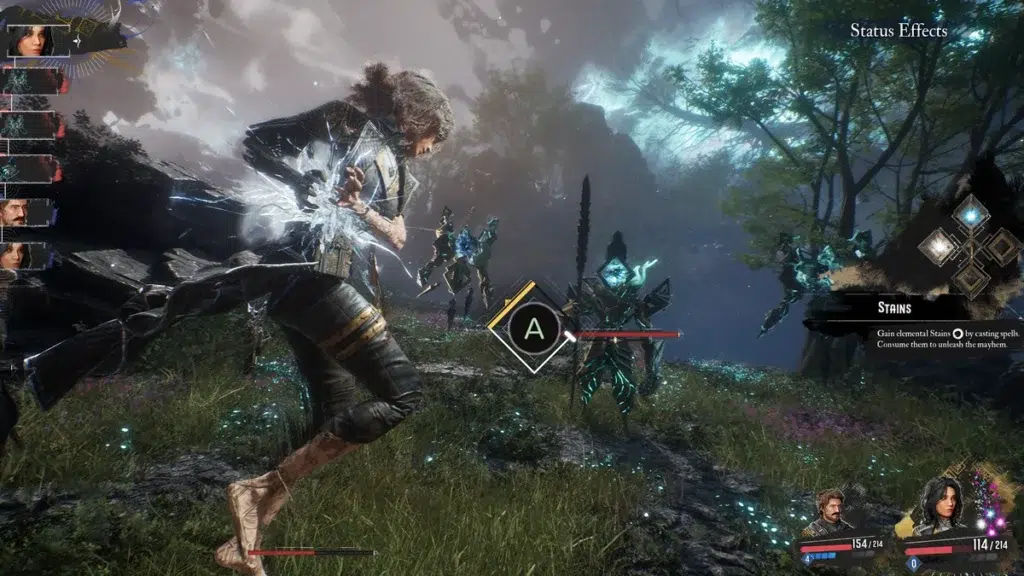
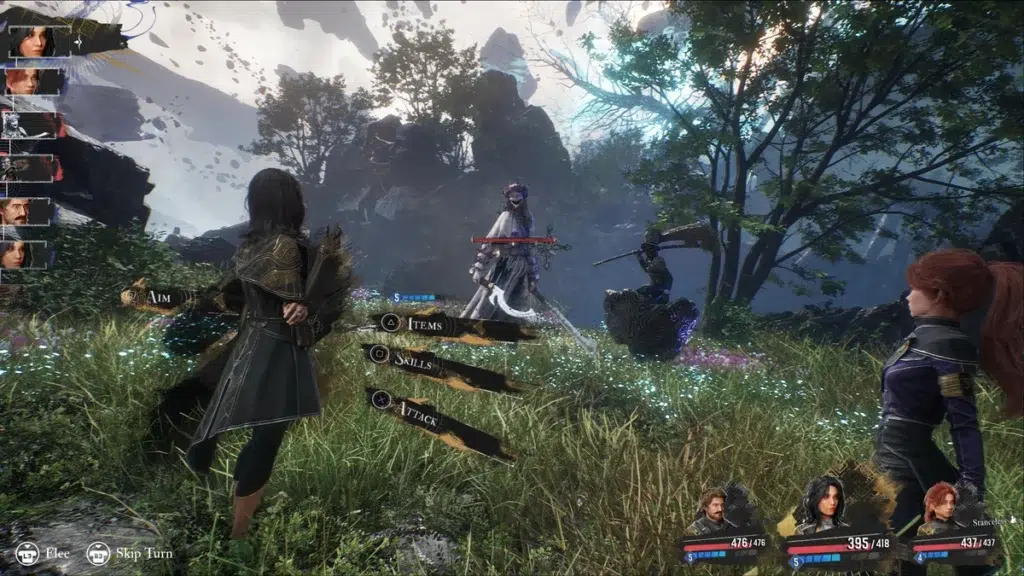
Clair Obscur: Expedition 33 features a “reactive turn-based” combat system that blends traditional menu-based strategy with action elements.
- Hybrid Gameplay: Battles follow a timeline-based turn order, but incorporate real-time inputs. Players can use quick-time events (QTEs) to boost attack power or perform manual aiming with firearms to target specific enemy body parts.
- Defensive Maneuvers: Players can dodge to negate damage or parry with tighter timing to regenerate Action Points (AP). Successful parries of entire combos grant free counterattacks.
- Development Implementation: Sandfall used Blueprints to bridge the gap between turn-based logic and real-time input windows. Logic gates (booleans) and timers were used to “listen” for player button presses during specific animation windows, determining if an action succeeded or failed.
- Balance and Skill: The system was designed to reward high-skill timing while remaining accessible to strategy-focused players who can compensate for slower reflexes with items and tactical planning.
Blueprint Architecture for Combat
The combat system’s structure relies on a modular hierarchy of Blueprints that coordinate animations, logic, and turn progression.
- Battle Manager: A central Blueprint (likely a GameMode subclass) orchestrates encounters, calculates initiative, and manages the turn queue.
- Sequencer as a Director: Sandfall treated every skill as a mini-cinematic using Unreal’s Sequencer. Battle actors are dynamically bound to placeholder tracks at runtime, allowing for high-fidelity camera cuts and animations without custom C++ code.
- Ability Logic: Skills were built as modular Blueprint assets, often inheriting from a base class. This allowed designers to visually script unique damage formulas and status effects for each ability.
- Animation Notifies: Precision timing for parries and dodges was handled via Montage Notifies—events placed directly on animation frames that trigger Blueprint functions to open or close input windows.
- State Management: Characters utilize state machines to track conditions (e.g., Idle, Attacking, Dodging). This ensures that damage is only applied if a character is not currently in a “Dodge” or “Parry” state.
AI and Enemy Behavior Systems
Despite the lack of C++ programming, Sandfall created complex enemy behaviors using Unreal Engine 5’s built-in AI toolset.
- Behavior Trees and Blackboards: The team utilized visual Behavior Trees for decision-making. Tasks like “check health thresholds” or “choose optimal target” were implemented as Blueprint-based tasks, allowing for sophisticated AI logic without a separate thread of code.
- Decision Flow: In a turn-based context, AI decision-making is simplified. The Battle Manager triggers the AI logic only when it is the enemy’s turn, allowing the Blueprint to evaluate the “Blackboard” (AI memory) and select an action.
- Bespoke Scripting: For unique encounters like bosses, the team used high-level Blueprint scripting to trigger specific phases (e.g., spawning minions at 50% HP).
- Efficiency: By utilizing the engine’s native AI framework, the team maintained performance while giving non-programmers the ability to tune enemy difficulty and behavior patterns directly.
Performance and Many AI
In Clair Obscur: Expedition 33, the small scale of typical JRPG battles (3–6 enemies) allowed the team to rely on Blueprint-driven AI without significant performance issues.
- Optimization: While Behavior Trees are generally more optimized for large groups, the fixed arenas and simple layouts of the game’s combat made highly sophisticated pathfinding unnecessary.
- Exploration AI: For world exploration, the studio likely utilized Unreal’s NavMesh and simple AI move points to manage non-combat creatures and NPCs.
- Boss AI via Blueprint Scripting: Boss encounters were implemented using deterministic patterns within Blueprint timelines or state machines. This allowed for scripted phase transitions (e.g., spawning minions or changing attack sequences at 50% HP) by simply sequencing events and custom triggers.
- Empowering Designers: This approach allowed designers to adjust enemy aggression and skill frequency directly within the Behavior Tree or Blueprint, removing the need for a programmer to recompile code.
- Handcrafted Logic: Despite early development experiments with generative tools, the final game’s “AI” consists entirely of handcrafted, rule-based traditional game logic.
Blueprint UI systems for RPGs in Unreal Engine 5
Sandfall Interactive utilized Unreal Engine’s Unreal Motion Graphics (UMG) system to build all menus, HUDs, and combat prompts without custom C++ UI code.
- Widget Blueprints: Every UI element corresponds to a specific Widget Blueprint, which combines a drag-and-drop visual editor with Blueprint scripting.
- Main Menu and HUD: Individual blueprints were created for the title screen and the in-game overlay, including sub-widgets to track party member HP and AP.
- Combat UI: Specialized widgets manage the battle command menus (selection of attacks, skills, and items) and dynamic pop-ups, such as damage numbers and real-time defensive prompts.
Loading:
- When the player chooses a slot to load, call LoadGameFromSlot(slot).
- Get the returned SaveGame object, cast to Exp33SaveGame.
- If valid, set the game’s current variables to those from SaveGame. Possibly they might destroy the current player characters and spawn new ones at a certain location if loading from main menu, or if they always load from main menu context.
Level Streaming and Loading Logic
Handling the transition between saved states and active gameplay requires specific logic for positioning and world loading.
- Map and Coordinate Tracking: The
SaveGameobject likely stores the player’s current map name and exact coordinates. Upon loading, the game uses the “Open Level” node. - Data Transfer: To ensure the player spawns correctly after a level load, the game might store pending location data in the
GameInstance—which persists across level changes—and apply it once the level’s “BeginPlay” event triggers. - World Partition: Since the game uses Unreal Engine 5’s World Partition for the world map, the save system must interact with dynamic loading and unloading of regions, though minor environmental changes (like moved objects) are typically reset unless tied to key story flags.

Quest and Flag Management
The game’s progression is tracked through a centralized management system.
- State Tracking: Quests, puzzles, and world events are managed using a combination of Blueprint variables, booleans, and enums.
- Quest Manager: A dedicated
QuestManagerBlueprint, likely housed in theGameInstance, tracks these states. This data is consolidated into a large struct or array to be recorded within theSaveGamefile.
Save System Architecture and Completeness
Given the small programming team, the save system was designed for reliability and simplicity using native Unreal tools.
- Centralized Data: Rather than iterating through every actor in the world to gather state data, the developers likely focused on centralizing important information—such as player stats and story progress—into manager singletons (e.g., Inventory or Party Managers).
- UE5 SaveGame Class: The project utilizes the standard
SaveGameBlueprint class, which natively supports the serialization of arrays and nested structs. - Scope of Persistence: As the game is not a high-fidelity “world sim,” the system likely prioritizes “important events” (boss defeats, item pickups) while allowing minor elements, such as non-permanent enemy positions, to reset upon loading an area.
Game Flow and Transitions
Managing the “Game State” involves coordinating the high-level transitions between different modes of play.
- Exploration to Combat: A
PartyManagerBlueprint likely tracks current party members and their stats. When a battle is triggered—via volume overlaps or random encounter logic—this manager transitions the game from exploration mode to the battle arena and initiates theBattle Manager. - Initialization: Gated Blueprint logic handles the distinction between “New Game” (initializing variables to defaults) and “Continue” (populating variables from the
SaveGameslot).
Blueprint Save Approach
The save system in Expedition 33 follows the standard Unreal Engine workflow:
- SaveGame Class: A dedicated Blueprint class contains all necessary serializable data.
- Slot Logic: Specific Blueprint logic handles the “Save to Slot” and “Load from Slot” commands.
- Data Persistence: The
GameInstanceacts as the primary hub for data that must persist across level travels and loading screens.
Integration with Advanced UE5 Technologies
Sandfall Interactive leveraged a “vanilla-first” strategy, using UE5’s core systems as intended to ensure compatibility with high-end features.
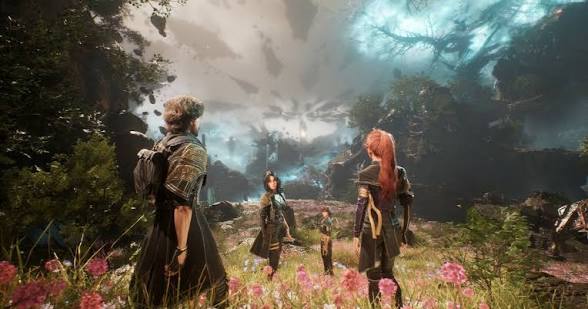
- Lumen and Nanite: Because the team avoided custom C++ rendering code, they could utilize Lumen (dynamic global illumination) and Nanite (virtualized geometry) at full capacity without technical conflicts.
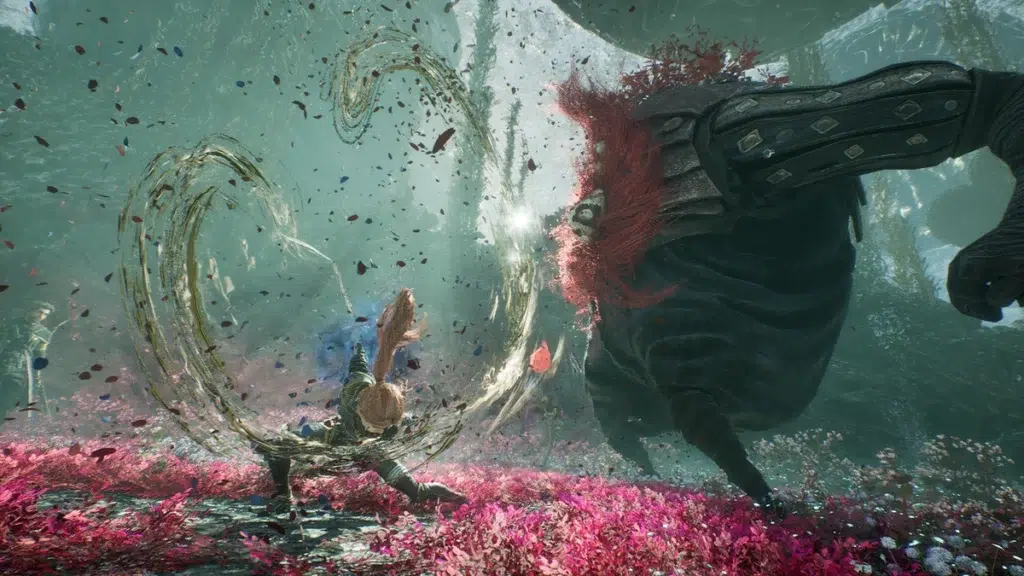
- Niagara VFX: The “Chroma” magic system was built using the Niagara particle system. Blueprints invoked these effects through “SpawnSystemAtLocation” nodes, allowing for complex spell visuals without custom C++ programming.
- MetaHumans: The studio adopted MetaHumans for character creation, utilizing the base meshes, rigs, and MetaHuman Animator for facial performance. These were integrated via Blueprints to trigger facial animations during dialogue.
- World Partition: This tool handled seamless world streaming and geometric complexity, operating independently of whether the high-level logic was in Blueprint or C++.
Iteration Speed and Collaborative Workflow
The use of Blueprints acted as a “force multiplier,” allowing a small team of four programmers to produce a massive, 30-hour RPG.
- Rapid Prototyping: Designers could adjust gameplay variables (e.g., parry windows or damage formulas) and test them instantly in the editor without waiting for code compilation.
- Empowering Non-Programmers: Creative Director Guillaume and other non-coders could directly implement narrative events and interactive objects. This removed the need for programmers to act as intermediaries for every minor creative change.
- Cross-Discipline Transparency: Because visual nodes are easier to follow than code, artists and animators could understand the logic behind systems, fostering better cross-discipline discussion and troubleshooting.
- Data-Driven Mentality: Adding content like new abilities was often as simple as duplicating and adjusting an existing Ability Blueprint, rather than writing new C++ classes.
Key Lessons for Unreal Engine Developers
The success of Clair Obscur: Expedition 33 provides several strategic takeaways for indie and AAA studios:
- Performance Awareness: While Blueprints are powerful, developers must still optimize. This includes removing debug code, using HLODs for large environments, and being willing to refactor the “hottest” 5% of logic into C++ if performance targets aren’t met.
- Work with the Engine: Avoid “uphill battles” by aligning game design with native engine strengths. If the engine excels at a specific task, adapt your design to use that tool.
- Blueprints are Production-Ready: Sandfall proved that Blueprints can scale to a full, award-winning game. The key is maintaining organization, using modular design (inheritance and interfaces), and performing regular profiling.
- Strategic Innovation: Small teams should focus custom development on what makes their game unique (e.g., story, specific mechanics) while using marketplace assets, MetaHumans, and established engine tools for everything else.
- Quality Control: Treat Blueprints with the same rigor as code. Implement “Blueprint reviews,” enforce naming conventions (e.g.,
BP_Enemy_Base), and use version control carefully to prevent overwriting binary assets.
Clair Obscur: Expedition 33 teaches that with a strong vision, smart use of engine tools, and a collaborative workflow, a small team can create something on par with much larger productions. Whether you use Blueprints or code or both, the ultimate goal is to realize your game efficiently and effectively. Sandfall’s Blueprint-first pipeline was a means to that end, and their success story serves as a guide and inspiration. By following these lessons – engine alignment, team empowerment, maintainability, and resourcefulness – other developers can chart a similar path to punching above their weight and perhaps delivering the next surprise hit developed “the unconventional way.”
Frequently Asked Questions (FAQs)
- Can you really ship a large, commercial game entirely with Blueprints?
Yes. Clair Obscur: Expedition 33 is a primary example of a large-scale, award-winning game where virtually all gameplay was developed using Unreal Engine 5 Blueprints. Success depends on designing wisely and using built-in systems for heavy tasks like physics and graphics to ensure scripts are not overstretched. - Are Blueprints significantly slower than C++? Will using them hurt performance?
While C++ executes faster, Unreal Engine 5 has narrow the performance gap. For most gameplay logic, the difference is negligible. Sandfall achieved high-end performance with features like Lumen by avoiding heavy computations in Blueprint and profiling regularly to identify and optimize potential bottlenecks. - Why did Sandfall Interactive avoid C++ entirely? Didn’t they have programmers?
It was a strategic choice to maximize productivity. With only four programmers, avoiding C++ allowed the team to focus on enabling designers to implement features directly. This acted as a force-multiplier, reduced the risk of memory leaks, and eliminated wait times for code compilation. - How many lines of C++ did they actually write? Was it really 0?
Approximately 95% of the gameplay was implemented in Blueprint. While the team used base engine code and perhaps minor plugin integrations, they did not create separate C++ gameplay modules. This ratio is considered highly unusual for a game of this scope. - Did using Blueprints limit what they could do in the game?
Not significantly. They implemented reactive combat, complex AI behavior trees, and full RPG systems. The team did not report any features they wanted that Blueprint could not handle, effectively harnessing any feature Unreal Engine supports through visual scripting. - What about memory and big data sets – can Blueprints handle large content?
Yes. Blueprints hold the logic, while large datasets like dialogue and item stats are managed via Data Tables or Data Assets. Sandfall used standard asset management strategies like World Partition and HLODs to manage memory across their 30+ hour campaign. - How did they manage and test such a large Blueprint project?
They applied the same rigor used for traditional code. This included using inheritance to reuse logic, version control, and the Blueprint Diff tool for reviews. Testing was conducted in-editor and through packaged builds using Unreal Insights and profilers to catch issues. - Can small indie teams use this approach for their own projects?
Absolutely. Clair Obscur proves that small teams can minimize low-level coding by focusing on strong design and engine tools. The caveat is ensuring at least one team member understands performance considerations to avoid common pitfalls like overusing Event Tick. - How did they handle things like updates or DLC – wouldn’t C++ be needed there?
Blueprint bytecode is packaged into the game and can be patched by replacing assets. Hotfixing can actually be faster with Blueprints. Maintenance is comparable to C++ projects, requiring careful integration of engine updates when necessary. - What key advice did the developers give for new studios or projects?
The developers suggest choosing an engine that aligns with your content and avoiding “uphill battles” by following the engine’s intended workflows. They emphasize empowering designers with tools like Blueprint and utilizing the existing ecosystem of marketplace assets and learning resources.
Conclusion
The story of Clair Obscur: Expedition 33 and its Blueprint-first development pipeline is both inspiring and instructive. Sandfall Interactive set out to create a grand, content-rich RPG with a small team, and they succeeded by intelligently leveraging Unreal Engine 5’s strengths – especially the Blueprint visual scripting system – instead of following the traditional heavy-coding route.
From combat mechanics that blend turn-based strategy with real-time action, to enemy AI behaviors and a full-fledged UI and save system, virtually every aspect of gameplay was built in Blueprints. This allowed designers, artists, and programmers to collaborate fluidly, iterate rapidly, and play to each other’s strengths. The result was a critically acclaimed game that many assumed would require a much larger team and budget to create.
Sandfall’s GDC presentation and post-mortem highlight that using Blueprints for all gameplay was not a hindrance, but rather a cornerstone of their success. It enabled them to deliver an ambitious project on time and within a modest budget, all while maintaining a high bar for quality. They demonstrated that concerns about Blueprint performance or scalability can be overcome with smart design – and indeed, the end product delivered award-winning visuals, engaging gameplay, and robust systems on par with any traditionally developed title.
For Unreal Engine developers, Expedition 33 provides proof that Blueprints are a viable (and sometimes preferable) approach for implementing complex game systems, especially for small to mid-sized teams. The key lessons are to lean on the engine’s built-in features (like Lumen, Nanite, Behavior Trees), keep Blueprint logic organized and optimized, and empower the entire team to contribute through visual scripting. By doing so, even a tiny team “with only four programmers” can create a game with a “wide scope of features & content” that stands toe-to-toe with big studio productions.
In the rapidly evolving landscape of game development, Sandfall’s achievement signals a shift in how we perceive engine tools and workflows. It challenges the notion that only lines of code equate to a sophisticated game, showing that what ultimately matters is the end experience, not the method of creation. As more studios adopt similar approaches, we may witness a new wave of highly creative games developed efficiently through Blueprints and other high-level tools – and players will be none the wiser, save for getting more great games to enjoy.
In summary, Clair Obscur: Expedition 33 stands as a compelling case study that game development “magic” doesn’t always require writing thousands of lines of code – sometimes, it’s about mastering the wand (the engine) and letting the magic happen visually. Sandfall Interactive’s journey teaches us that with vision, ingenuity, and the right use of technology, even a small studio can cast a very large shadow in the games industry.
Sources and Citations
- Collins, Emma. “Sandfall Interactive Used UE5 Blueprints for All Gameplay Systems in Clair Obscur.” 80.lv, March 10, 2026.
- Carcasole, David. “We Use Blueprints for ALL Gameplay Systems”: Sandfall Interactive Reveals How it Avoided C++ in UE for Clair Obscur: Expedition 33. Wccftech, March 10, 2026.
- Reddit thread: “95% of Clair Obscur’s gameplay systems were built from Unreal Blueprints, says Sandfall Interactive.” r/expedition33, March 2026.
- Reddit thread: “Сlair Obscur devs didn’t write code – the entire game was built with visual programming.” r/ItsAllAboutGames, March 2026.
- Guillermin, Tom. “Inside the development journey of Clair Obscur: Expedition 33.” UnrealEngine.com, 2025.
- Guillermin, Tom & Torres, Florian. “‘Clair Obscur: Expedition 33’: Delivering a Wide Scope of Features & Content When You Only Have Four Programmers.” GDC 2026 Talk, March 9, 2026.
- Polygon News. “Clair Obscur devs reveal the secret behind how the game was made (very little original programming, thanks to Blueprints).”
- Blue’s News reference to the Polygon story.
- Unreal Engine Documentation & Community: Whole Tomato Blog, “C++ vs Blueprints – 2026 Guide.”
- Unreal Engine Documentation & Community: Program-Ace blog, “Unreal Engine Blueprints vs. C++.”
- Unreal Engine Official Docs – “Behavior Trees in Unreal Engine.”
- Unreal Engine Official Docs – “Saving and Loading Your Game in Unreal Engine.”
- Unreal Engine Official Docs – “UMG UI Designer Quick Start Guide in Unreal Engine.”
Recommended
- Human Pro for Blender: Achieving Hyper-Realistic 3D Characters with Advanced Skin Addons, Face Controls, and Hair Assets
- Super Battle Golf sells 100,000 copies in two days on Steam: what the fast launch success means
- OptiX vs CUDA: Comprehensive Comparison of NVIDIA’s Rendering Technologies
- Pokemon Pokopia Withered Wastelands Guide: How To Increase The Humidity, Trigger Rain, And Rescue Onix
- How Do I Set Up Multiple Cameras in Blender?
- How to Create a Cinematic Short Film with Metahuman, Motion Design, Text Actors, UDraper, and Cloth Simulation in Unreal Engine 5
- What Are the 7 Basic Camera Movements in 3D Animation? A Complete Guide
- Musgrave Texture Removed in Blender 4.1 – Workarounds and Alternatives
- How To Create Hexagon Fans Blender: Step-by-Step Hexagon Fan Grill (Honeycomb Fan Cover) Tutorial
- The View Keeper Add-on: Tips for Seamless Camera Switching in Blender


























































































