






In This Article (7 sections)
All Compatible Amiibo in Zelda: Ocarina of Time Switch 2 and How to Unlock Scanning
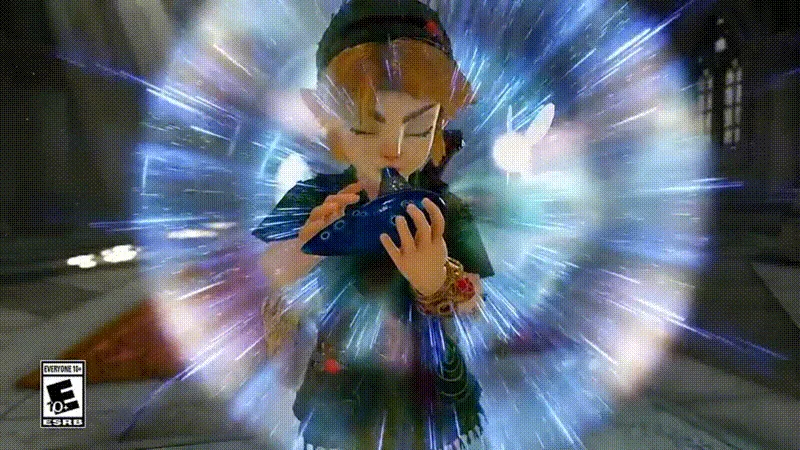
All amiibo rewards in The Legend of Zelda: Ocarina of Time on Nintendo Switch 2 fall into two categories: random supplies from existing compatible Zelda figures and exclusive masks associated with two upcoming remake-specific amiibo. The 33 compatible figures available at the remake’s launch provide consumable items such as Bombchus, Deku Seeds, Recovery Hearts, and Business Scrub Seeds. Two additional figures scheduled for release in 2027 offer unique cosmetic rewards. The new Young Link amiibo unlocks the Fairy-Kid Mask, while Young Zelda unlocks the Princess Mask. As of November 25, 2026, Nintendo has confirmed the release year for both figures but has not announced an exact launch date.
Nintendo supports amiibo from The Legend of Zelda franchise, including figures released under the Super Smash Bros., Breath of the Wild, Tears of the Kingdom, and other Zelda collections. Nintendo Wire identified 33 compatible figures at launch, excluding the two new Ocarina of Time figures planned for 2027. These figures share the regular item reward system, meaning players do not need to own a particular version of Link, Zelda, or Ganondorf to receive standard supplies.
A Guardian or Bokoblin amiibo can provide access to the same ordinary reward pool as a figure depicting one of the franchise’s main characters. However, amiibo from unrelated franchises are not supported, and RPG Site reported receiving an unsupported-figure message when testing characters outside the Zelda lineup.
The compatible figures are divided across several Zelda collections:
- Super Smash Bros.: Link, Toon Link, Young Link, Zelda, Sheik, and Ganondorf.
- Other classic Zelda figures: 8-Bit Link, Link from Ocarina of Time, Wind Waker Toon Link, Majora’s Mask Link, Twilight Princess Link, Skyward Sword Link, Link’s Awakening Link, Wolf Link, Wind Waker Toon Zelda, and Zelda & Loftwing.
- Breath of the Wild: Archer Link, Rider Link, Zelda, Guardian, Bokoblin, Mipha, Daruk, Revali, and Urbosa.
- Tears of the Kingdom: Link, Zelda, Ganondorf, Tulin, Yunobo, Sidon, Riju, and Mineru’s Construct.
These older figures provide regular adventure supplies rather than the exclusive masks associated with the new remake-specific releases. The presence of a recognizable character does not automatically grant a special reward, and owning multiple versions of the same character does not change the standard item pool. Players can therefore use whichever compatible figures they already own for ordinary restocking. The main differences in potential rewards come from Link’s progress through the adventure and which equipment he has unlocked. Certain consumables, particularly arrows, become relevant only after Link obtains the equipment needed to use them.
Amiibo scanning becomes available when Link reaches Hyrule Field for the first time. On a new save, complete the opening section in Kokiri Forest by obtaining the Kokiri Sword and Deku Shield, entering the Great Deku Tree, and finishing the dungeon. After the associated story scenes, leave Kokiri Forest through its western exit. Saria gives Link the Fairy Ocarina before he continues toward Hyrule Field. Once Link enters the field, the amiibo feature becomes available through the game’s settings. You do not need to reach Castle Town, meet Princess Zelda, or progress further into the adventure before making your first scan.
The distinction between obtaining the Fairy Ocarina and entering Hyrule Field is important. Receiving the ocarina does not independently unlock scanning while Link is still standing on the forest bridge. Nintendo identifies the first arrival in Hyrule Field as the required progression milestone. Once you reach that location, you can enable the feature and begin scanning compatible figures. Players using an existing save that has already reached Hyrule Field can simply check the game’s settings rather than repeating any early story objectives. However, unlocking amiibo support does not guarantee that every consumable in the eventual reward pool is immediately available.
To enable amiibo scanning, load your save and open the System menu by pressing +. Enter Options, locate the amiibo setting, choose Enable, and confirm the selection with OK. Press B to leave Options, then open the Items screen and select the amiibo icon near the bottom. Return to gameplay and press ZR to display the prompt requesting a compatible figure. Wait for this prompt before touching the amiibo to the controller’s NFC reader. Once the scan succeeds, the regular reward items appear around Link and can be collected from the surrounding ground.
If pressing ZR activates a different item, check which icon is currently selected. Enabling amiibo in Options makes the feature available, but selecting the amiibo icon determines what the item button activates during gameplay. You can also hold R to open Quick Select and choose the amiibo icon without returning to the full inventory. This is useful when you want to scan a figure, collect the rewards, and immediately switch back to another item. On the first scan, Nintendo may request registration details such as the amiibo owner’s name and the figure’s nickname. Complete any on-screen registration prompts before attempting the read again.
The location of the NFC reader depends on which controller you are using. On Joy-Con 2, touch the base of the amiibo to the right control stick, which is located on the controller containing the A, B, X, and Y buttons. On the Nintendo Switch 2 Pro Controller, place the figure over the Switch 2 logo at the top center. The reader therefore moves from the right stick to the controller’s central logo when switching between Joy-Con 2 and the Pro Controller. Keeping the figure steady over the correct touchpoint helps the console recognize it.
Original Nintendo Switch controllers can also be used, although their connection requirements differ. The original right Joy-Con reads amiibo through its control stick when connected wirelessly to Switch 2. The original Nintendo Switch Pro Controller uses the Switch logo at the top center as its NFC touchpoint. Nintendo states that the older Pro Controller’s NFC reader is disabled during wired communication, so a controller may function normally for gameplay while failing to scan amiibo. If this happens, switch the controller to wireless communication and try again. A figure that produces an unsupported message has already been read successfully, meaning the problem is compatibility rather than the touchpoint.

Ocarina of Time Switch 2 Amiibo Rewards, Exclusive Masks, Drop Rates, and Inventory Limits
The Nintendo Switch 2 remake of The Legend of Zelda: Ocarina of Time offers two kinds of amiibo rewards. The 33 compatible figures available at launch give Link random supplies, including ammunition, recovery items, Bombchus, and Business Scrub Seeds. Two new figures in the Ocarina of Time series each unlock a specific wearable reward. Young Link unlocks the Fairy-Kid Mask, and Young Zelda unlocks the Princess Mask. Both masks recreate faces from the original Nintendo 64 game and prompt special reactions from certain characters. Nintendo has announced both figures for 2027, although it had not given an exact release date as of November 25, 2026.
The Fairy-Kid Mask comes from the new figure depicting Young Link seated with Navi. Once the figure becomes available, select the amiibo icon, press ZR, and scan it to summon the mask. Link can wear it while exploring Hyrule, giving him the familiar face of his Nintendo 64 counterpart. The item description recalls his departure from Kokiri Forest and encourages players to talk to people while wearing it.
The Happy Mask Shopkeeper, for example, notices that Link resembles one of the forest children. The figure’s pose is important when identifying it. Both the earlier Ocarina of Time Link amiibo and the Young Link figure from Super Smash Bros. belong to the regular supply pool. Receiving Deku Sticks, Bombs, or other consumables from either figure is the expected result.
The Princess Mask comes from the new Young Zelda figure, which depicts her seated with the Ocarina of Time in her hands. Select the same amiibo icon, press ZR, and scan the figure to summon a mask based on Zelda’s Nintendo 64 appearance. Its description recalls Link’s first meeting with her in the Hyrule Castle courtyard.
Visiting the courtyard does not unlock it. The disguise has no combat effect, but it changes a few familiar conversations. The Fishing-Pond Man briefly mistakes Link for royalty, and Darunia thinks he recognizes Zelda before realizing who is wearing the mask. Older Zelda figures from The Wind Waker, Breath of the Wild, Tears of the Kingdom, and Super Smash Bros. remain compatible with the remake and give Link ordinary supplies.
According to Zelda Wiki and community testing, the Fairy-Kid Mask and Princess Mask share one inventory slot. If Link is carrying the Fairy-Kid Mask when he obtains the Princess Mask, the Princess Mask takes its place. To switch back, scan the seated Young Link figure again. This matters if you borrow one of the figures, since obtaining its mask once does not leave that design available to select after you replace it.
The Ocarina of Time Switch 2 Remake Wiki also reports that only one amiibo mask can lie on the ground at a time and that players can summon the masks repeatedly without the daily limit applied to ordinary supply scans. Nintendo confirmed the figure and reward pairings. The inventory and summoning details come from player testing ahead of the figures’ retail release.
The shared slot applies only to the two amiibo designs. Community testing indicates that Link can carry one of them alongside a mask borrowed from the Happy Mask Shop. For example, collecting the Princess Mask while carrying the Keaton Mask leaves the borrowed mask available for its trade. Players can continue through the Keaton Mask, Skull Mask, Spooky Mask, and Bunny Hood on the way to the Mask of Truth. This allows Link to revisit characters for the amiibo dialogue while keeping his place in the shop’s trading quest.
For ordinary supplies, Nintendo’s support information confirms that scanning a compatible amiibo makes items appear around Link. Nintendo Wire reports that all 33 launch figures draw from the same pool. Ganondorf has no exclusive consumable, and Archer Link has no special claim on Arrows. Link’s equipment can determine which drops are available. Guides report that Arrows enter the pool after he obtains the Fairy Bow in the Forest Temple. A figure that gives him Deku Sticks or Deku Seeds early in the adventure can therefore give him Arrows later. Scanning a different character does not let him bypass the bow requirement.
The Ocarina of Time Switch 2 Remake Wiki lists nine regular drops and two sets of odds. Under its standard distribution, every listed item has approximately an 11.1% chance per pickup. The community source labels the second distribution “boosted,” although it does not identify what activates it. Nintendo has not published official numerical drop rates.
| Item | Standard chance per pickup | Boosted chance per pickup |
|---|---|---|
| Recovery Heart | 11.1% | 32% |
| Magic Jar | 11.1% | 16% |
| Bomb | 11.1% | 8% |
| Deku Seed | 11.1% | 8% |
| Arrow | 11.1% | 8% |
| Deku Stick | 11.1% | 8% |
| Deku Nut | 11.1% | 8% |
| Bombchu | 11.1% | 8% |
| Business Scrub Seed | 11.1% | 4% |
Each percentage applies to one pickup. If a scan produces four items, the game has four opportunities to select a reward, and the same item can appear more than once. An 11.1% Bombchu rate therefore cannot be read as the percentage of complete scans that contain a Bombchu. The boosted distribution favors Recovery Hearts and Magic Jars, which together account for 48% of its listed outcomes. Under those odds, a Bombchu is twice as likely to appear as a Business Scrub Seed, at 8% and 4% respectively. The community figures do not explain how the game redistributes those chances when Link lacks the equipment for a particular drop.
Most regular rewards replenish something Link already uses. A Recovery Heart restores missing health without adding to his maximum health or taking the place of a Piece of Heart. A Magic Jar refills the existing magic meter, Deku Seeds supply the Fairy Slingshot, and Arrows replenish the Fairy Bow. Bombchus have a use that ordinary Bombs cannot quite match. They move forward when released and can travel up walls, which makes them useful when Link needs an explosive to reach beyond the spot where he is standing. A Business Scrub Seed summons a traveling merchant. If a scan produces a seed, check the item name before counting on a merchant visit, since ordinary Deku Seeds are slingshot ammunition.
Child Link also has a purchase option for both of the more unusual drops. The remake wiki lists one Business Scrub Seed for 30 rupees in a grotto at Lon Lon Ranch and three Bombchus for 45 rupees at the Castle Town Bombchu Shop. Either item can turn up through an ordinary compatible amiibo when it is available on that save. Buying it gives Link a predictable supply when he needs a merchant or a mobile explosive for the next part of the adventure.

Daily Amiibo Scan Limits, ZELDA NOTES Bonuses, and Troubleshooting
A regular compatible amiibo scan produces between three and five pickups around Link. These rewards appear in the game world rather than being automatically deposited into his inventory, so players need to move around and collect them. The number refers to individual items, not necessarily different item types. A scan can produce several copies of the same consumable, and collecting some before noticing the others can make the result appear smaller than expected. Looking around Link’s starting position before scanning another figure helps ensure that no useful supplies are left behind.
Nintendo allows players to scan up to five compatible amiibo figures per day for ordinary rewards. Each figure normally provides supplies once per day, so the allowance is tied to individual figures rather than five interchangeable uses of any single amiibo. A player who owns only one Link figure cannot scan it five times in succession to receive five ordinary reward sets.
However, someone who owns Link, Zelda, Ganondorf, Mipha, and Sheik can scan each of those five figures once during the same day. Across five successful scans, the published reward range provides approximately 15 to 25 pickups before any additional bonus use. This increases the amount of supplies available but does not guarantee rare items such as Bombchus or Business Scrub Seeds.
ZELDA NOTES adds a separate bonus system that rewards repeated use of the same amiibo. Nintendo states that using a compatible figure for its fifth recorded scan unlocks an additional use of that figure on the same day. The milestone is tied to the specific amiibo rather than the total number of different figures scanned. For example, if a Zelda figure has four recorded uses and a Ganondorf figure has two, scanning Zelda again reaches her fifth-use milestone and awards an additional Zelda scan. Scanning Ganondorf during the same session only increases his recorded total to three. Owning multiple figures can increase ordinary daily supplies, but each figure must reach its own milestone to earn the bonus.
Players can take advantage of this system even if they own only one compatible amiibo. Repeatedly using the same figure on successive days eventually reaches the five-use milestone, allowing one additional scan when that requirement is satisfied. Nintendo describes the bonus as available on the day it is earned, so players should use it during that session rather than assuming it can be saved indefinitely. The bonus provides another opportunity to obtain random supplies but does not guarantee a particular reward. Nintendo also does not state that the fifth-scan bonus activates the boosted drop-rate distribution documented by the community wiki. The additional use and the unexplained boosted probabilities should therefore be treated as separate mechanics.
To track amiibo usage, players can enable ZELDA NOTES through the remake’s System settings. Open Options and activate ZELDA NOTES, which has its own setting near the amiibo option. The game must be played while connected to the internet for the relevant game-specific features to become available. On a compatible smartphone or tablet, open the Nintendo Switch App and sign in with the Nintendo Account associated with the user playing the save. Select ZELDA NOTES, choose Ocarina of Time, and open the amiibo section to view recorded figure usage and monitor progress toward the next bonus scan.
The Nintendo Switch App records the information, but the actual amiibo scan still takes place through the controller during gameplay. Other ZELDA NOTES sections, including Today’s Record and My Play Data, track different aspects of the player’s adventure. The amiibo section is the relevant place to check when planning repeated scans or determining which figure is approaching its fifth-use bonus.
If Ocarina of Time does not appear in the app, confirm that the correct Nintendo Account is being used, particularly on a Switch 2 shared by multiple players. Nintendo added ZELDA NOTES support through software version 1.1.1, so an older installation may need updating before the features work. A paid Nintendo Switch Online membership is not required to use ZELDA NOTES itself.
Players may occasionally receive a message saying, “You cannot use amiibo here.” This indicates that scanning is restricted at Link’s current location rather than establishing that the amiibo itself is incompatible. The simplest solution is to move to another area and try again. An open section of Hyrule Field is a practical location because the feature first becomes available there and dropped items are easy to see. Nintendo’s instructions do not provide a complete list of restricted rooms or areas, so receiving the message in one location does not prove that every room in the same dungeon prevents scanning. Moving Link to an unrestricted area is the appropriate first troubleshooting step.
Different error messages indicate different problems. If the game says the figure has already been used today, check its daily allowance and any available ZELDA NOTES bonus. If the game identifies the amiibo as unsupported, confirm that it belongs to the compatible Zelda lineup. An unsupported message means the controller has successfully read the figure, so changing locations or repeatedly moving it over the NFC point will not alter its compatibility. If nothing happens when the figure is tapped, the problem may involve the scanning prompt, the controller connection, or the NFC touchpoint rather than the character.
When scanning fails without an error message, check the setup in order. First, confirm that Link has reached Hyrule Field on the current save and that the amiibo option is enabled in System settings. Next, make sure the amiibo icon is selected through the Items screen or Quick Select. Press ZR and wait until the game explicitly asks you to tap a figure. Then place the amiibo over the appropriate NFC reader for the controller being used. For an original Nintendo Switch Pro Controller, ensure the connection is wireless because its amiibo reader is disabled during wired communication.
If the game recognizes a compatible figure but does not provide another ordinary reward, the daily-use restriction may already have been reached. If it recognizes the figure but says the current location is unsuitable, move Link elsewhere before trying again. If the scan succeeds and items appear, collect the pickups around Link before activating another figure. Following these checks helps distinguish progression requirements, inventory selection problems, controller issues, unsupported amiibo, and daily limits. Once the feature is configured correctly, ordinary scanning provides a repeatable source of supplies, while the two upcoming remake-specific figures add the exclusive Fairy-Kid Mask and Princess Mask rewards.

Frequently Asked Questions (FAQs)
- What is the earliest place to use amiibo in Ocarina of Time on Switch 2?
Hyrule Field is the earliest location where players can use amiibo in The Legend of Zelda: Ocarina of Time on Nintendo Switch 2. To unlock the feature, complete the opening section of the game in Kokiri Forest, obtain the Kokiri Sword and Deku Shield, and finish the Great Deku Tree dungeon. After the story scenes, leave Kokiri Forest through its western exit, where Saria gives Link the Fairy Ocarina. Continue into Hyrule Field to unlock amiibo functionality. Once there, open the System menu, enter Options, and enable amiibo scanning. You can then select the amiibo icon from the Items screen and scan a compatible figure before visiting Hyrule Castle Town or meeting Princess Zelda. - Does the Super Smash Bros. Young Link unlock the Fairy-Kid Mask?
No. The Super Smash Bros. Young Link amiibo does not unlock the Fairy-Kid Mask in the Nintendo Switch 2 remake. Instead, it belongs to the regular compatibility lineup and provides random consumable supplies such as Deku Sticks, Bombs, and other available items. Nintendo has associated the Fairy-Kid Mask specifically with the new Young Link amiibo from the Ocarina of Time series, scheduled for release in 2027. This figure is distinguishable by its design, which depicts Young Link seated alongside Navi. The older Ocarina of Time Link amiibo also provides ordinary supplies rather than the exclusive mask. Players who want the Fairy-Kid Mask must use the new remake-specific figure once it becomes available. - Can Sheik, Wolf Link, or a Guardian give useful items?
Yes. Sheik, Wolf Link, and Guardian amiibo are all compatible with the Ocarina of Time Switch 2 remake and can provide useful consumable rewards. These figures use the same ordinary item pool as compatible Link, Zelda, Ganondorf, and other Zelda-series amiibo. Possible rewards include Recovery Hearts, Magic Jars, Bombs, Deku Seeds, Deku Sticks, Deku Nuts, Bombchus, Business Scrub Seeds, and arrows when they become available through Link’s progression. The character represented by the figure does not determine a special supply category or guarantee a particular item. This means players who already own a Guardian or Sheik amiibo do not need to purchase another Link figure to access regular rewards. Any compatible figure can serve as a convenient source of additional adventure supplies. - Can amiibo give Link arrows before he finds the Fairy Bow?
Guides report that arrows only become available through amiibo rewards after Link obtains the Fairy Bow in the Forest Temple. This means players exploring Hyrule during the early childhood portion of the adventure should not expect arrow drops simply because they scan an Archer Link or another compatible figure. The ordinary amiibo reward pool depends partly on Link’s progression and the equipment he has unlocked. Before obtaining the bow, scans can still provide other useful supplies, including Deku Seeds, Bombs, Deku Sticks, and Recovery Hearts. After acquiring the Fairy Bow, arrows can become part of the available random rewards. Changing to a different amiibo character does not bypass the progression requirement, so the same figure may provide different supplies later in the adventure. - Which is rarer, a Bombchu or a Business Scrub Seed?
According to the community-reported standard drop table, Bombchus and Business Scrub Seeds have the same approximate probability of appearing, at 11.1% per individual pickup. However, the separate distribution labeled boosted chance gives Bombchus an 8% probability and Business Scrub Seeds a 4% probability. Under that second distribution, Business Scrub Seeds are half as likely to appear as Bombchus. These percentages refer to individual items generated by a scan rather than the overall chance of receiving an item during an entire scanning session. Since a regular scan produces three to five pickups, several individual reward selections may occur. Nintendo has not published official numerical drop rates, and the condition activating the boosted distribution remains undocumented. These figures should therefore be treated as community-reported estimates rather than guaranteed probabilities. - Does the Princess Mask take the place of a borrowed Happy Mask Shop mask?
No. According to community testing, the Princess Mask occupies a separate inventory position from masks borrowed through the Happy Mask Shop. This means Link can carry an amiibo mask while also holding a mask associated with the shop’s trading quest. However, the Princess Mask and Fairy-Kid Mask share the same amiibo mask position, so obtaining one replaces the other. If you summon the Princess Mask while carrying the Fairy-Kid Mask, you would need to scan the corresponding Young Link amiibo again to restore the Fairy-Kid Mask. The Happy Mask Shop’s normal progression remains separate, allowing players to continue trading the Keaton Mask, Skull Mask, Spooky Mask, and Bunny Hood toward unlocking the Mask of Truth. These inventory details are based on player testing rather than Nintendo’s published mask instructions. - Can one amiibo earn the ZELDA NOTES bonus by itself?
Yes. A single compatible amiibo is enough to earn the ZELDA NOTES bonus because the milestone tracks repeated uses of the same figure rather than requiring several different amiibo. Nintendo states that once an individual figure reaches five recorded scans, it earns an additional use on the day that milestone is reached. For example, if you scan the same Link amiibo across five eligible daily sessions, its fifth recorded use unlocks another scan for that figure on that day. Owning several compatible figures increases the number of ordinary scans you can perform daily, but it is not necessary to qualify for the bonus. Each figure maintains its own usage progress, so scanning five different amiibo once does not complete the five-use milestone for any single figure. You can monitor this progress through the amiibo section of ZELDA NOTES. - Do you tap the amiibo on your phone to record it in ZELDA NOTES?
No. Amiibo figures must be scanned through the NFC reader on a compatible controller connected to Nintendo Switch 2, not through the Nintendo Switch App on your phone. During gameplay, select the amiibo icon, press ZR, and wait for the prompt requesting a figure. Then place the amiibo over the right control stick on Joy-Con 2 or the Switch 2 logo on the Pro Controller. ZELDA NOTES records the relevant usage information and allows you to view your amiibo activity through the Nintendo Switch App. To access those records, sign in using the Nintendo Account associated with the user playing the game. If your activity does not appear, check the account connection, enable ZELDA NOTES in the game’s Options menu, and ensure the remake has the necessary software update installed. - Can you get Business Scrub Seeds without an amiibo?
Yes. Business Scrub Seeds can be obtained through ordinary gameplay, so owning a compatible amiibo is not required to collect them. The Nintendo Switch 2 remake includes these items in treasure chests and merchant inventories, providing alternatives to random scanning rewards. One early purchase is available to Child Link from a Business Scrub inside a grotto near Lon Lon Ranch, where a seed costs 30 rupees. This gives players a predictable way to obtain the item when they need it rather than relying on the chance of receiving one from an amiibo. Business Scrub Seeds summon traveling merchants and should not be confused with ordinary Deku Seeds, which provide ammunition for the Fairy Slingshot. If you need a Business Scrub Seed for immediate use, purchasing one from a known seller can be more reliable than waiting for another daily scan. - When do the Young Link and Young Zelda mask figures come out?
Nintendo has announced that the new Young Link and Young Zelda amiibo from the Ocarina of Time series will release sometime in 2027. As of November 25, 2026, the company has not confirmed a specific month or release day for either figure. Young Link is depicted sitting with Navi and will unlock the Fairy-Kid Mask, while Young Zelda is shown holding the Ocarina of Time and will unlock the Princess Mask. These masks recreate the characters’ appearances from the original Nintendo 64 game and provide additional cosmetic options in the remake. The Legend of Zelda: Ocarina of Time remake itself launched on November 5, 2026, and already supports 33 previously released Zelda amiibo for random consumable rewards. Players can use those existing figures while waiting for the two remake-specific amiibo to become available.

Conclusion
For a November 2026 playthrough, the most useful amiibo is one you already own. Take it out when Link first reaches Hyrule Field, enable scanning, and collect the supplies around him. Keep using the same figure across play sessions if you want the ZELDA NOTES bonus. If you are after a particular drop, first consider Link’s equipment and whether an in-game shop can supply it immediately. That matters more than choosing between an older Link, Zelda, or Ganondorf.
For the masks, the exact figure matters. The 2027 Young Link with Navi summons the Fairy-Kid Mask, while the seated Young Zelda with her ocarina summons the Princess Mask. Community findings indicate that Link can hold one amiibo mask at a time and can switch by scanning the corresponding figure again. The reward worth taking into town is the face itself: a familiar shopkeeper or an astonished fisherman may have something new to say when Link walks in wearing it.
Sources and Citations
- Nintendo Support, How to Use amiibo Figures in The Legend of Zelda: Ocarina of Time: Official instructions for the Hyrule Field unlock, menu controls, NFC touchpoints, figure registration, and daily limit.
https://en-americas-support.nintendo.com/app/answers/detail/a_id/71861 - Nintendo, The Legend of Zelda: Ocarina of Time for Nintendo Switch 2: Official game listing confirming the November 5, 2026 release and support for existing Zelda amiibo.
https://www.nintendo.com/us/store/products/the-legend-of-zelda-ocarina-of-time-125697/ - Nintendo, Young Link from the Ocarina of Time series: Official figure description, 2027 release window, and retro mask reward.
https://www.nintendo.com/us/amiibo/detail/young-link-the-legend-of-zelda-ocarina-of-time-series/ - Nintendo, Young Zelda from the Ocarina of Time series: Official figure description, release window, and reward for scanning the young princess.
https://www.nintendo.com/us/amiibo/detail/young-zelda-the-legend-of-zelda-ocarina-of-time-series/ - Nintendo Wire, amiibo Functionality in The Legend of Zelda: Ocarina of Time: Identifies all 33 launch-compatible figures and explains how story progress affects regular item rewards.
https://nintendowire.com/guides/the-legend-of-zelda-ocarina-of-time/amiibo-functionality/ - RPG Site, How to Use amiibo in the Ocarina of Time Remake: Documents the route out of Kokiri Forest, the Quick Select controls, and the unsupported-figure message.
https://www.rpgsite.net/guide/21689-how-to-use-amiibo-in-the-legend-zelda-ocarina-time-remake-on-switch-2 - Ocarina of Time Switch 2 Remake Wiki, amiibo: Community research covering the nine-item drop pool, both probability distributions, pickup counts, mask summoning, and character reactions.
https://zelda.mtwildwood.net/items/amiibo/ - Zelda Wiki, Princess Mask: Identifies the Young Zelda reward and records its inventory restriction with the Fairy-Kid Mask.
https://zeldawiki.wiki/wiki/Princess_Mask - r/zelda, player testing of amiibo mask inventory: The player’s follow-up distinguishes the amiibo mask slot from the Happy Mask Shop slot and explains how to recover a replaced mask.
https://www.reddit.com/r/zelda/comments/1xooiv9/oothd_it_seems_you_can_only_have_one_mask_at_a/ - Ocarina of Time Switch 2 Remake Wiki, Business Scrub Seed: Explains the seed’s function and records merchant prices and chest locations.
https://zelda.mtwildwood.net/en-gb/items/business-scrub-seed/ - Ocarina of Time Switch 2 Remake Wiki, Bombchu: Documents the item’s behavior and purchase quantities at the Castle Town shop.
https://zelda.mtwildwood.net/items/bombchu/ - Nintendo Support, How to Use ZELDA NOTES in the Nintendo Switch App: Official explanation of the amiibo feature, account setup, and fifth-scan bonus.
https://en-americas-support.nintendo.com/app/answers/detail/a_id/68605/c/183 - Nintendo Support, How to Update The Legend of Zelda: Ocarina of Time: Software update instructions and the version that added ZELDA NOTES support.
https://en-americas-support.nintendo.com/app/answers/detail/a_id/71859 - Nintendo Life, November 24, 2026: Coverage of the two upcoming figures and their release status following public appearances.
https://www.nintendolife.com/news/2026/11/icymi-heres-another-look-at-the-zelda-ocarina-of-time-amiibo-for-switch-2
Recommendations
- WoW: Forever: Blizzard’s Plans to Push Boundaries After Launch
- Order of the Sinking Star Seems Huge and Packed with Smart Puzzles
- Abyssus Console Release Date and Everything to Know About the Co-op FPS
- Palworld PC Mod Compatibility Improved in New Stability Update
- SUMIGIRI: Kenji Ma’s Comic Book-Style 3D Action Game With a Four-Color Palette
- Gothic Remake Not Interested in Holding Your Hand – What the Hardcore RPG Design Really Means for Players
- Best Starter Car in Forza Horizon 6: Which Starter Should You Pick & Why it Doesn’t Matter as Much as You Think
- A VisionQuest post-credits scene brings Scarlet Witch back under Doctor Doom for Avengers: Doomsday
- Crimson Desert Dev Confirms Boss Rematches, Hard Difficulty, Enemy Territory Recapture, and Major New Updates Coming Soon
- Former Supercell staff open Helsinki studio Silent But Deadly, backed by Sisu Game Ventures, to make PC games



































































































