






Cities: Skylines remains one of the most popular city-building games ever created, largely because of its extraordinary modding community. More than a decade after its original launch, players continue expanding and improving the game through thousands of community-created modifications. In 2026, the Cities: Skylines Workshop ecosystem remains incredibly active, offering everything from advanced traffic management systems to realistic population simulations, visual overhauls, and powerful construction tools.
Mods have become an essential part of the Cities: Skylines experience for many players. They allow mayors to solve traffic problems, create more realistic cities, manage larger maps, improve performance, and streamline everyday city-building tasks. Whether you are starting a new save or returning after years away, understanding which mods provide the greatest value can dramatically improve your experience.
This guide covers the most important Cities: Skylines mods available in 2026, focusing on traffic management, road-building tools, visual enhancements, performance improvements, and quality-of-life features that continue to define the game’s modding scene.
In This Article (19 sections)
Best Cities Skylines mods 2026 list for new and returning players
The best Cities: Skylines mods in 2026 generally fall into several categories. Some improve gameplay mechanics, others enhance realism, and many exist simply to make city-building easier and more enjoyable.
Traffic Manager: President Edition remains the gold standard for traffic control. Move It continues to be indispensable for precision building. Network Anarchy and Network Multitool have become essential road-design utilities. Realistic Population improves city simulation, while 81 Tiles dramatically expands building possibilities.
Performance Booster, Loading Screen Mod Revisited, Compatibility Report, and modern asset management tools remain important for maintaining stability in heavily modded cities.
Visual enhancements such as Dynamic Resolution, Relight, Theme Mixer, and advanced lighting packages help transform aging visuals into something that still looks impressive by modern standards.
For most players, these mods collectively provide the strongest overall improvement to the Cities: Skylines experience.

Traffic Manager President Edition tips for fixing gridlock in Cities Skylines
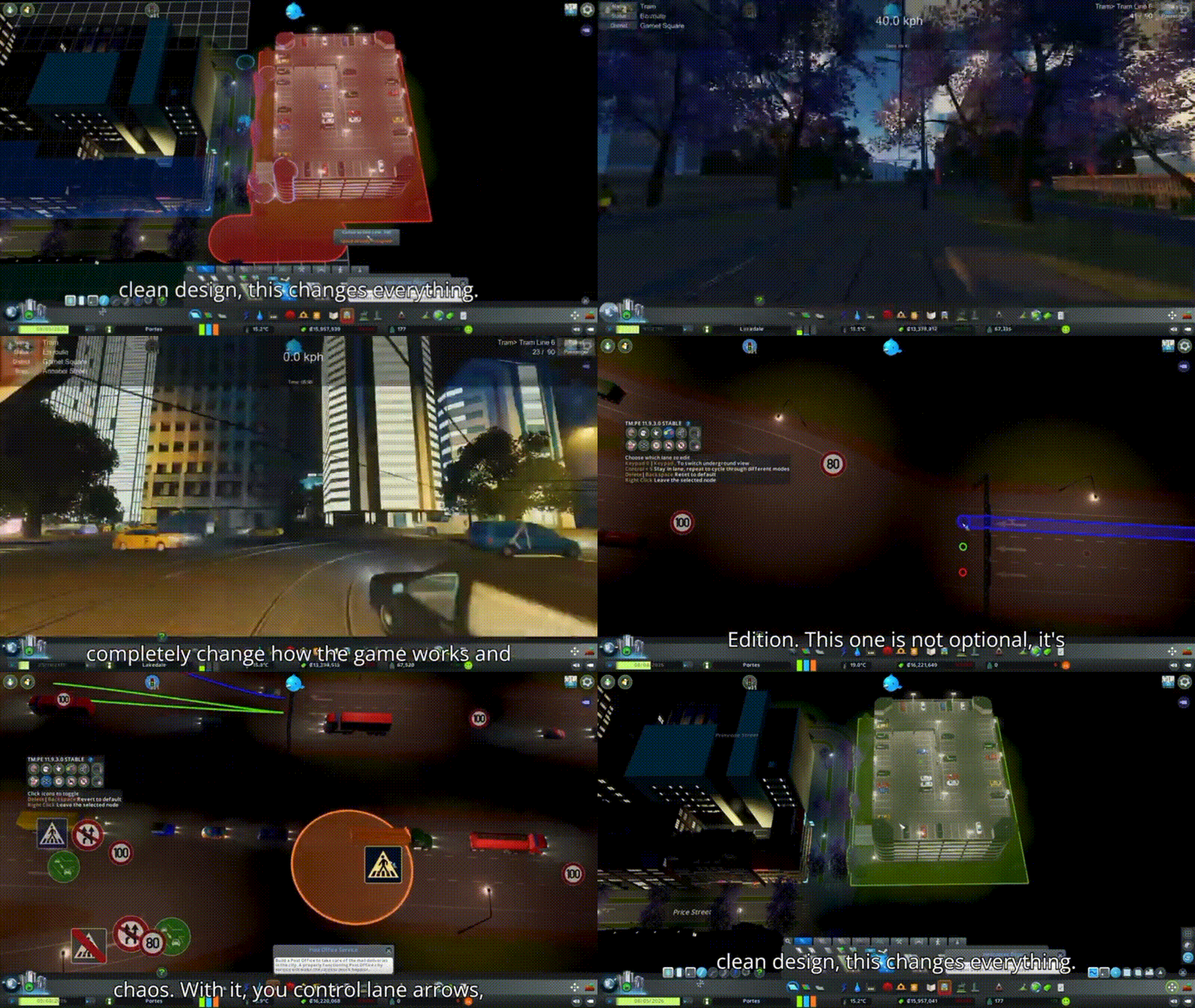
Traffic Manager: President Edition, commonly referred to as TMPE, remains one of the most downloaded Cities: Skylines mods ever created.
The mod provides powerful tools for controlling traffic flow. Players can assign lane directions, create custom traffic light systems, configure speed limits, establish priority roads, and manage vehicle behavior with far greater precision than the base game allows.
One of the most common mistakes new players make is overusing traffic lights. TMPE allows players to replace many traffic signals with yield signs, stop signs, or priority systems that often improve traffic efficiency.
Lane mathematics also becomes easier with TMPE. Proper lane allocation at major intersections significantly reduces congestion and improves vehicle routing.
The mod’s advanced AI options encourage more realistic vehicle distribution, preventing situations where every car attempts to use the same lane despite multiple alternatives being available.
For players struggling with gridlock, TMPE remains the single most valuable traffic management tool available.
Move It mod guide for precise object placement and city detailing
Move It is often considered mandatory by experienced Cities: Skylines players.
The mod allows users to select, move, rotate, copy, align, and manipulate objects with exceptional precision. Roads, buildings, props, trees, intersections, and decorative elements can all be adjusted after placement.
This flexibility is invaluable when creating realistic cities. Players can fine-tune road alignments, correct building placement issues, and design intricate urban spaces that would be impossible using only vanilla tools.
Move It also greatly improves detailing. Parks, waterfronts, plazas, industrial zones, and residential neighborhoods can be customized with significantly greater control.
Many advanced city-building tutorials assume players have Move It installed because it has become such a fundamental part of the community’s workflow.
For anyone interested in creating visually impressive cities, Move It is essential.
Network Anarchy and Network Multitool: best road tools in Cities Skylines
Road construction represents one of the most important aspects of city design, and Network Anarchy combined with Network Multitool dramatically expands what players can accomplish.
Network Anarchy removes many placement restrictions. Roads can pass through terrain, intersect in unconventional ways, and connect more freely than the base game normally permits.
Network Multitool complements this freedom by providing advanced road editing functions. Players can create perfectly curved roads, adjust network elevations, generate smooth transitions, and correct construction mistakes with ease.
Together, these tools empower players to build realistic highways, complex interchanges, custom roundabouts, rail systems, and advanced transportation networks.
Large infrastructure projects become significantly easier to design and execute using these mods.
Many experienced builders consider Network Anarchy and Network Multitool among the most transformative additions available.
81 Tiles and map expansion mods for bigger Cities Skylines builds
The original Cities: Skylines map system limits how much land players can unlock. While sufficient for smaller cities, ambitious builders often require additional space.
81 Tiles removes many of these restrictions by granting access to substantially larger portions of the map. Massive metropolitan regions become possible, allowing players to create realistic suburbs, industrial districts, agricultural zones, airports, and transportation corridors.
Expanded maps also improve regional planning. Instead of forcing everything into a compact area, cities can develop naturally across wider landscapes.
This flexibility encourages more realistic urban growth patterns and larger-scale infrastructure planning.
Players pursuing mega-city projects almost universally rely on map expansion mods such as 81 Tiles.
The additional space fundamentally changes how cities evolve over time.

Improved Public Transport mods for better transit line control
Public transportation plays a critical role in successful city management.
Several transit-focused mods improve route planning, vehicle management, passenger behavior, and operational control. These tools allow players to optimize transportation networks with far greater precision than the base game provides.
Advanced line management features help balance passenger loads and reduce congestion. Transit statistics become easier to analyze, enabling more informed decision-making.
Bus systems, metro networks, trains, ferries, and trams all benefit from improved control tools.
Efficient public transportation not only reduces traffic but also supports city growth by increasing mobility and accessibility.
For players who enjoy transit-oriented urban design, these enhancements provide substantial value.
Realistic Population mods and how they change zoning balance
The default population system in Cities: Skylines simplifies many aspects of urban density.
Realistic Population mods adjust building occupancy levels based on actual building sizes and residential characteristics. Larger apartment buildings house more residents, while smaller homes support fewer occupants.
These changes dramatically affect zoning strategies. Residential demand behaves differently, infrastructure requirements evolve, and city growth patterns become more realistic.
Commercial and industrial zones also experience indirect effects because workforce distribution changes.
The result is a simulation that feels more grounded and believable.
Many players find that realistic population systems encourage better urban planning and more thoughtful city layouts.
The increased realism adds both challenge and depth to long-term city management.
Performance mods for Cities Skylines in 2026 to reduce lag and stutter
Performance remains a significant concern for large Cities: Skylines saves.
As cities grow and mod lists expand, CPU, memory, and asset management demands increase substantially.
Several performance-focused mods help address these issues. Loading Screen Mod Revisited reduces memory consumption and improves asset loading efficiency. Performance Booster optimizes various game systems to reduce processing overhead.
Additional tools assist with asset management, memory optimization, and background processing improvements.
Reducing unnecessary assets often provides the most noticeable performance gains. Large workshop collections can consume enormous amounts of memory if not carefully managed.
Combining performance mods with sensible asset organization can dramatically improve stability and frame rates.
For players operating large metropolitan regions, these tools are often essential.
UI and quality-of-life mods that speed up city management
Quality-of-life improvements represent some of the most underrated Cities: Skylines modifications.
Modern UI enhancements streamline common tasks, reduce menu navigation, and improve access to important information.
Information panels become more detailed, management tools become more efficient, and repetitive actions require fewer clicks.
Search functionality improvements help players locate assets quickly. Enhanced overlays provide better visibility into traffic, zoning, utility networks, and service coverage.
Some mods automate routine tasks, allowing players to focus on planning and creativity rather than administrative busywork.
While these modifications may not attract as much attention as visual upgrades or major gameplay changes, they often provide the most noticeable day-to-day benefits.

Visual mods for Cities Skylines: lighting, shadows, and realism upgrades
Visual enhancement mods continue extending the lifespan of Cities: Skylines.
Modern lighting modifications improve shadows, color grading, reflections, and environmental effects. Cities appear more realistic and immersive as a result.
Theme Mixer allows players to combine visual themes from multiple maps, creating unique environments. Relight offers advanced control over lighting conditions, while Dynamic Resolution improves image clarity.
Additional visual enhancements affect weather, water, vegetation, terrain textures, and atmospheric effects.
Combined properly, these mods can make Cities: Skylines look significantly more modern than its original release would suggest.
Many content creators rely heavily on visual enhancements to produce realistic city showcases and cinematic videos.
The difference between a heavily modded visual setup and the vanilla experience can be remarkable.
Asset management tools to keep your Cities Skylines workshop stable
Managing workshop content becomes increasingly important as mod collections grow.
Large asset libraries can introduce compatibility issues, excessive memory usage, and longer loading times.
Asset management tools help identify duplicate assets, missing dependencies, outdated content, and problematic workshop items. Compatibility Report remains particularly valuable for diagnosing conflicts.
Regular maintenance prevents many common stability issues.
Players should periodically review subscriptions, remove unused assets, and verify compatibility following major updates.
Effective asset management improves performance while reducing the likelihood of crashes and save corruption.
For heavily modded cities, organizational discipline is almost as important as the mods themselves.
Best beginner mod setup for Cities Skylines without breaking saves
New players often make the mistake of installing dozens of mods simultaneously.
A better approach involves starting with a carefully selected core collection.
Traffic Manager: President Edition, Move It, Loading Screen Mod Revisited, Compatibility Report, Network Anarchy, and Network Multitool provide an excellent foundation without introducing excessive complexity.
These mods address traffic, construction flexibility, stability, and usability while maintaining relatively low risk.
Players can gradually expand their mod collections as they become more familiar with how various systems interact.
Incremental growth reduces troubleshooting difficulties and minimizes compatibility concerns.
A conservative approach often produces the most stable long-term experience.
Cities Skylines mod compatibility tips after major game updates
Major updates frequently create temporary compatibility challenges.
Mod authors often require time to update their projects following significant game patches. Installing updates immediately without verifying compatibility can cause problems.
Compatibility Report remains one of the most valuable tools for identifying issues. Community forums and workshop discussions also provide useful information regarding update status.
Players should maintain backups of important save files before updating either the game or major mods.
Reading workshop descriptions carefully helps identify known conflicts and required dependencies.
Patience often proves beneficial after large updates, allowing mod creators sufficient time to release stable revisions.
Following these practices significantly reduces the risk of save corruption or broken functionality.

Best mod collections and curated lists for Cities Skylines in 2026
Curated collections provide an efficient way to discover high-quality mods.
Many experienced players, content creators, and community members maintain carefully organized workshop collections focused on specific goals such as realism, performance, transportation, detailing, or beginner-friendly gameplay.
These collections often include compatibility-tested combinations of mods and assets.
Using established collections can save significant time compared to manually researching hundreds of workshop items.
However, players should still review collection contents carefully to ensure they align with personal preferences and hardware capabilities.
Well-maintained collections remain one of the easiest ways to build a strong mod setup quickly.
Cities Skylines mod FAQs: safe installs, dependencies, and troubleshooting
Installing mods safely begins with reading workshop descriptions carefully. Most problems occur because players overlook dependencies or compatibility warnings.
Dependencies are supporting files required for certain mods to function correctly. Missing dependencies often cause errors or missing features.
Troubleshooting typically starts by disabling recently added content and checking compatibility reports. Community discussions frequently contain solutions for common issues.
Maintaining backups before major changes is highly recommended. Save protection practices help prevent accidental data loss.
Most stability problems can be resolved through careful asset management, compatibility verification, and regular maintenance.
The Cities: Skylines modding community remains one of the most helpful gaming communities available, making support resources easy to find.
Frequently Asked Questions (FAQs)
- Should new players install dozens of mods immediately?
No. Starting with a small, carefully selected collection is generally the safest approach. - What is the most important Cities: Skylines mod in 2026?
Traffic Manager: President Edition remains the most widely recommended mod due to its powerful traffic management capabilities. - Is Move It necessary for beginners?
While not required, Move It dramatically improves building flexibility and becomes invaluable as city complexity increases. - Are Cities: Skylines mods safe to install?
Mods from reputable Workshop creators are generally safe, though players should always review descriptions and community feedback. - What mod improves performance the most?
Loading Screen Mod Revisited provides some of the most noticeable performance improvements for large cities. - Does 81 Tiles affect game performance?
It can increase system demands because players gain access to significantly larger map areas. - Can mods break save files?
Some incompatible or outdated mods can cause issues, which is why backups are recommended. - What is the best road-building mod?
Network Anarchy and Network Multitool are widely considered the strongest road-construction tools available. - How do I check mod compatibility?
Compatibility Report is the most commonly recommended tool for identifying conflicts and outdated content. - Are visual mods worth installing?
Yes. Visual enhancements can dramatically improve the appearance and atmosphere of cities.

Conclusion
Cities: Skylines continues to thrive in 2026 thanks to one of the strongest modding communities in gaming. From Traffic Manager: President Edition and Move It to Network Anarchy, Realistic Population, and advanced visual enhancements, the right combination of mods can completely transform the city-building experience. Whether players want realistic transportation systems, larger maps, improved performance, better visuals, or streamlined management tools, the modern Cities: Skylines Workshop ecosystem offers solutions for virtually every need. By focusing on compatibility, stability, and gradual expansion, players can create powerful modded setups that remain reliable while dramatically improving gameplay depth and creative freedom.
Sources and Citation
- Steam Workshop. Cities: Skylines Workshop.
https://steamcommunity.com/app/255710/workshop/ - Steam Workshop. Traffic Manager: President Edition.
https://steamcommunity.com/sharedfiles/filedetails/?id=1637663252 - GitHub. Traffic Manager: President Edition Documentation, Releases and Development Resources.
https://github.com/CitiesSkylinesMods/TMPE - Steam Workshop. Move It.
https://steamcommunity.com/sharedfiles/filedetails/?id=1619685021 - Steam Workshop. Network Anarchy.
https://steamcommunity.com/sharedfiles/filedetails/?id=2862881785 - Steam Workshop. Network Multitool.
https://steamcommunity.com/sharedfiles/filedetails/?id=2560782729 - Steam Workshop. Loading Screen Mod Revisited.
https://steamcommunity.com/sharedfiles/filedetails/?id=2858591409 - Steam Workshop. Compatibility Report.
https://steamcommunity.com/sharedfiles/filedetails/?id=2881031511 - Paradox Interactive. Cities: Skylines Support and Technical Documentation.
https://support.paradoxplaza.com/hc/en-us/categories/200224726-Cities-Skylines - Paradox Interactive Forums. Cities: Skylines Modding Community and Technical Discussions.
https://forum.paradoxplaza.com/forum/forums/cities-skylines.859/ - Reddit. Cities: Skylines Community Discussions, Mods and Performance Advice.
https://www.reddit.com/r/CitiesSkylines/ - Cities: Skylines Wiki. Official Game, Modding and Gameplay Resources.
https://skylines.paradoxwikis.com/Cities:_Skylines_Wiki - GitHub. Cities: Skylines Modding Community Resources and Compatibility Tools.
https://github.com/CitiesSkylinesMods - Steam Workshop. Cities: Skylines Creator Documentation, Mod Updates and Workshop Notes.
https://steamcommunity.com/workshop/about/?appid=255710 - Cities: Skylines Wiki. Performance and Technical Information.
https://skylines.paradoxwikis.com/ - YouTube. Cities: Skylines Modding Tutorials, City Building Guides and Technical Analysis.
https://www.youtube.com/results?search_query=Cities+Skylines+modding+tutorials
Recommendations
- Avatar: Fire and Ash Digital Release Date Confirmed After $1.5 Billion Box Office Run
- A Petri Dish Full Of Human Brain Cells Just Learned How To Play Doom: DishBrain, Cortical Labs CL1, and What It Means for Biocomputers
- BlazBlue Entropy Effect X Nintendo Switch 2 Edition: Release Date, 1440p, and Upgrades Explained
- Marvel Confirms The Punisher: One Last Kill Special Presentation Release Date on Disney+
- 28 Years Later: The Bone Temple Is Coming to Netflix on March 31, 2026 in the US: Release Date, Cast, Plot, and Streaming Details
- Subnautica 2: Where to Find Salt, Best Locations, Farming Guide, and Early Game Tips
- Dying Light: the Beast PS4 and Xbox One Versions Cancelled: Why Techland Dropped Last-Gen Support
- Delphi Interactive, the publisher/developer behind the new FIFA game on Netflix Games: release date, platforms, and what to expect
- Ace Combat 8: Wings of Theve Is Coming on October 2: Release Date, Editions, and New Features
- The Legend of Vox Machina Season 4 Release Date Announced: June 3, 2026 Premiere on Prime Video



































































































