







In This Article (7 sections)
Forza Horizon 2 Gets Unofficial Fan Made PC Port Through Azimuth
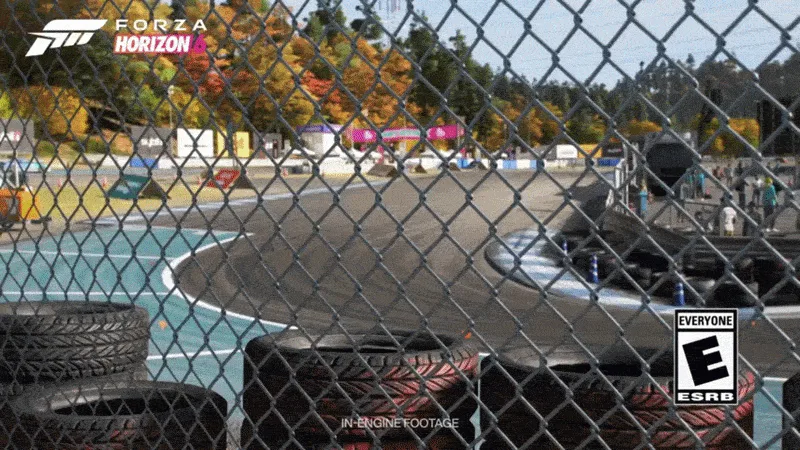
Forza Horizon 2 has received an unofficial fan made PC port through Azimuth, an independent compatibility project developed by Almost There Games. The launcher allows the Xbox One version of the racing game to run on compatible Windows computers, with demonstrations showing gameplay at resolutions up to 4K and frame rates of 60 FPS. The project remains under development, but its rapid updates have already introduced improvements to performance, graphics, compatibility, and expansion support.
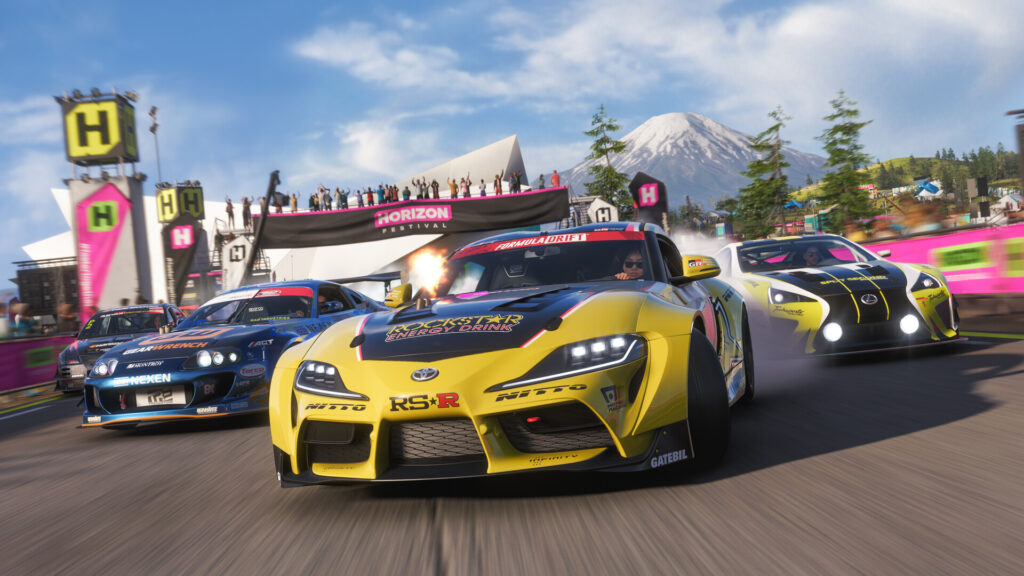
Originally released on September 30, 2014, Forza Horizon 2 takes players across the roads and countryside of Southern Europe, featuring locations inspired by France and Italy. The game combines open world exploration, dynamic weather, road racing, and cross country events with a festival atmosphere. Its campaign allows players to select destinations and vehicle classes while participating in races and exploring the surrounding environment.
Azimuth offers another way to experience this older racing game on modern hardware. However, it is important to distinguish the project from an official PC release. Almost There Games describes Azimuth as a compatibility wrapper rather than a conventional native PC port or a general Xbox One emulator. It translates functions expected by the console game into interfaces supported by computers.
The project is independent of Microsoft, Xbox, and Playground Games. It does not distribute the original game files or copyrighted assets, meaning the launcher and game content remain separate. Players need the appropriate Xbox One game files and supported build to use the software.
Azimuth’s first public prerelease appeared on October 10, 2026, as version 0.9.0. The developer described it as playable but unfinished and encouraged broader community testing because the game was too extensive to evaluate completely through individual testing.
By October 14, 2026, Azimuth had reached version 0.9.9, introducing additional display options, expansion handling, experimental visual features, and fixes for several gameplay problems. The rapid development schedule means older guides and videos may no longer accurately describe the latest capabilities.
The project’s development history includes several notable improvements:
- Version 0.9.0: The initial public prerelease introduced playable compatibility with the Xbox One version of Forza Horizon 2.
- Version 0.9.5 hotfix: Addressed crashes affecting certain Nvidia graphics cards older than the RTX 50 series.
- Version 0.9.6: Fixed issues involving championship victories, audio configuration, vehicle purchases, painting, and the vinyl editor.
- Version 0.9.7: Improved graphics pipeline preparation, shader translation, photo previews, keyboard text entry, and loading failure reporting.
- Version 0.9.8: Focused on addressing an intermittent infinite loading problem associated with vehicle loading.
- Version 0.9.9: Added expansion loading, additional aspect ratios, HDR support, experimental higher frame rates, save migration, and further stability improvements.
These updates demonstrate progress, but a resolved issue in one configuration does not guarantee that every hardware combination is unaffected. Compatibility reports should therefore identify the launcher version being tested.
Almost There Games has also explained that Azimuth focuses on specific games rather than attempting to become a universal Xbox One emulator. This approach allows development and testing to concentrate on the technical requirements of individual titles.
The developer has mentioned Forza Motorsport 5, Forza Motorsport 6, and Halo 5 as games of interest, but those comments do not represent confirmed releases or development schedules.
A focused compatibility project can concentrate on rendering, loading, controls, audio, and progression systems without attempting to support every Xbox One title. However, successful compatibility with Forza Horizon 2 does not establish that unrelated games will work.
Azimuth uses two important translation processes to run the Xbox One game on PC. It converts Xbox WinRT calls into Win32 functions and translates Xbox DirectX 11.X graphics calls into desktop DirectX 12.
These processes bridge differences between the operating environment expected by the original game and the systems available on modern computers. Graphics instructions, operating system functions, file access, and other processes must behave correctly for the game to remain playable.
Compatibility therefore involves more than displaying the game world. Menus, audio, controller input, race loading, vehicle customization, and campaign progression must also function properly. A successful drive around the map does not automatically prove that every activity works.
Graphics preparation is another important part of the process. Version 0.9.7 increased the number of graphics pipelines prepared before gameplay and adjusted shader translation. The developer warned that the first launch following this update could take longer because certain preparation tasks needed to be repeated.
This means a lengthy initial startup should not automatically be interpreted as a permanent failure. Players should distinguish temporary preparation work from an application that has stopped responding entirely.
The official Azimuth download is published through Almost There Games on itch.io. The developer provides a Windows ZIP archive named azimuth-windows.zip through a name your own price download option. The creator’s page also contains release information, compatibility details, and development updates.
Downloading Azimuth does not provide the complete Forza Horizon 2 game. The project supplies compatibility software that requires separately available game files in the expected directory structure.
For setup, the launcher requires the supported Xbox One game build, version 1.0.0.64. This requirement is separate from Azimuth’s own version number. For example, Azimuth 0.9.9 identifies the launcher release, while 1.0.0.64 identifies the compatible base game build.
The developer’s documented setup process involves the following:
- Download Azimuth: Obtain the current Windows package from the creator’s official project page.
- Extract the launcher: Place the contents of the downloaded archive into an appropriate directory.
- Prepare the game files: Ensure the supported Xbox One version is available in the expected directory structure.
- Launch the application: Run
azimuth.exeto begin the setup process. - Select the game directory: Choose the location containing
era.vbi,Mount, andEmbeddedXvd. - Confirm basic functionality: Test startup, menus, controller input, and an initial driving session before changing advanced settings.
- Adjust performance settings: Increase resolution or graphics quality gradually after confirming that the basic configuration works.
The required directory markers are important because selecting an arbitrary folder containing similarly named files does not establish that the game content is compatible.
The supported Xbox One build should also not be confused with the Xbox 360 version of Forza Horizon 2. Although both releases share the same title, they are separate platform versions, and Azimuth’s documented target is the Xbox One edition.
For players updating from earlier launcher versions, save data requires particular attention. Azimuth 0.9.9 introduces save migration into folders associated with individual games and creates a backup during the process.
The developer instructs users to retain their existing Azimuth directory or place the previous data directory into the new installation before its first launch. Copying the previous save directory afterward does not initiate the same automatic migration procedure.
Keeping a separate backup of progress before updating is a useful precaution, particularly when moving between releases that change how saved data is organized.
Forza Horizon 2’s arrival on PC through Azimuth is also relevant to game preservation. Community compatibility software can extend the practical usefulness of older releases by allowing them to operate on additional hardware. However, making a game executable on another platform does not automatically restore its commercial availability, online services, or every original feature.
Azimuth currently provides an opportunity to revisit the game’s offline experience, with continued updates improving compatibility. Its long term usefulness will depend on stability, hardware support, and the developer’s ability to address remaining technical problems.

Forza Horizon 2 PC Requirements, 4K Performance, Graphics Settings and Expansion Support
Azimuth supports Windows 10 and Windows 11, with Linux compatibility available through Proton. The developer recommends 16GB of RAM and hardware offering performance comparable to or better than a Steam Deck as a useful baseline.
Processor compatibility is particularly important because Azimuth requires F16C instruction support. The developer identifies Intel Core third generation and AMD FX Piledriver or newer processors as examples of supported hardware generations. Intel integrated graphics are currently unsupported.
These requirements provide a starting point rather than a complete hardware certification list. Actual performance depends on the specific processor, graphics card, memory configuration, operating system, and selected graphics settings.
The developer initially tested the project on hardware ranging from a Steam Deck to an RTX 5090, while acknowledging limited information about configurations between those extremes. As a result, individual performance reports should not automatically be treated as representative of every PC.
The main hardware and software considerations include:
- Operating system: Windows 10 or Windows 11, with Linux operation through Proton.
- Memory: 16GB of RAM is identified as a useful baseline.
- Processor: A CPU supporting F16C instructions is required.
- Graphics hardware: A compatible dedicated GPU is recommended, while Intel integrated graphics remain unsupported.
- Game version: Xbox One build 1.0.0.64 is required for the base game.
- Input: Xbox controllers provide the clearest documented control method.
- Storage: Sufficient space is needed for the game files, launcher data, and related content.
Azimuth’s most appealing improvements include the ability to run Forza Horizon 2 at resolutions up to 4K and frame rates reaching 60 FPS on suitable hardware. Published demonstrations highlight these capabilities, although they do not establish guaranteed performance across all systems.
Resolution and frame rate place different demands on hardware. A 4K image contains approximately four times as many pixels as a 1080p image, increasing the amount of graphics processing required.
Running at 60 FPS also requires the system to produce each frame in approximately 16.7 milliseconds, compared with around 33.3 milliseconds at 30 FPS. Maintaining that performance becomes more challenging in demanding environments containing detailed scenery, vehicles, effects, and additional activity.
A computer may therefore handle 4K resolution at a lower frame rate while struggling to maintain 60 FPS at the same settings. Another system might deliver smoother gameplay at 1080p or 1440p.
For a reliable configuration, players should prioritize either visual clarity or responsiveness before adjusting other settings. Testing one change at a time helps establish which adjustments improve performance and which introduce instability.
Performance testing should also include demanding races and populated locations rather than only open roads. Short demonstrations may show impressive results, but longer sessions reveal frame rate fluctuations, loading problems, and other issues that may appear during normal gameplay.
Azimuth provides several graphics and display options, including Low, Default, High, and Ultra presets. The launcher also supports individual graphics adjustments and additional aspect ratios.
The documented display features include:
- Graphics presets: Low, Default, High, and Ultra settings.
- Resolution options: Higher rendering resolutions, including 4K on suitable hardware.
- Standard frame rate options: Gameplay configurations targeting up to 60 FPS.
- Experimental higher frame rates: Options above 60 FPS remain classified as very experimental.
- Ultrawide support: Additional aspect ratios include 16:10, 21:9, and 32:9.
- HDR10: High dynamic range output with calibration options, currently considered experimental.
- Ultra graphics: The highest graphics preset remains very experimental.
The experimental labels are important because they indicate features that are not yet considered fully stable. Players may encounter visual inconsistencies, performance fluctuations, or other problems when enabling them.
HDR compatibility also depends on the connected display and appropriate calibration. A monitor supporting HDR does not guarantee that every scene will automatically appear better. Brightness, contrast, highlight presentation, and viewing conditions influence the result.
Ultrawide support introduces similar considerations. A wider gameplay image does not necessarily guarantee that every menu, interface element, or photo mode screen will display perfectly. The developer has acknowledged remaining layout problems on some very wide screens.
For players comparing graphics presets, using the same location and camera position makes visual differences easier to identify. Shadows, reflections, distant objects, texture presentation, and edge quality can affect the image independently of resolution.
Steam Deck support is another notable feature. Almost There Games has demonstrated Forza Horizon 2 running through Proton, with earlier reports describing gameplay around 720p and 60 FPS.
However, the developer identified 720p at 30 FPS and 1080p at 30 FPS as steadier targets on the tested device. These figures describe reported testing conditions rather than guaranteed performance for every Steam Deck configuration.
Portable gaming also requires consideration of battery consumption, power limits, heat, and fan activity. Higher frame rates may provide smoother motion while increasing power consumption. A lower target can offer more consistent performance during longer sessions.
Other handheld PCs may behave differently because their processors, graphics hardware, power limits, and software environments vary. Steam Deck results should therefore be treated as a useful reference rather than a universal handheld benchmark.
Linux support also operates through Proton rather than a dedicated native Linux executable. Different Proton versions or operating system configurations may influence compatibility, making detailed configuration records valuable when comparing results.
Azimuth 0.9.9 also introduced important improvements to expansion compatibility. The launcher can now load Storm Island and other content packages from their registered directories, while experimental support has been added for Forza Horizon 2 Presents Fast & Furious.
The documented supported versions are:
- Forza Horizon 2: Xbox One build 1.0.0.64.
- Storm Island: Build 1.0.0.36.
- Forza Horizon 2 Presents Fast & Furious: Build 1.0.0.6.
Storm Island originally launched for Xbox One in December 2014, expanding the racing experience with severe weather, challenging terrain, additional vehicles, and off road competitions. The original expansion included 90 new events and emphasized a different driving environment from the main campaign.
Its compatibility with Azimuth allows players to explore more of Forza Horizon 2’s original content, although the extent of support should be evaluated according to the current launcher version.
Fast & Furious is a separate standalone release rather than simply another expansion menu within the base game. Its experimental compatibility should therefore be assessed independently.
Successful loading of one supported package does not establish that every event, vehicle, downloadable item, or related feature works perfectly. The developer’s compatibility information provides the appropriate basis for evaluating each release.
Controller support is another important part of the experience. Xbox controllers are the clearest documented input option, and version 0.9.9 includes changes affecting how connected controllers are read while the game window is active.
The launcher also provides a quit action activated by holding View or Back, or the Escape key, for two seconds. If controller input stops responding after switching applications, returning focus to the game is a useful initial troubleshooting step.
A separate community project called FH2 DualSense offers additional support for PlayStation DualSense controllers, including adaptive triggers, haptics, and PlayStation button prompts. However, this functionality belongs to an independent accessory project rather than Azimuth itself.
The DualSense tool has its own requirements, including a USB connected controller, Windows, Python, and an XInput emulation method. Users should distinguish its installation and support requirements from those of the main launcher.
Azimuth also added keyboard text entry functionality in version 0.9.7, but this does not establish complete keyboard and mouse driving support. Similarly, the presence of a steering wheel connected to a computer does not guarantee correct wheel input or force feedback.
For troubleshooting, using a standard Xbox controller provides a clearer baseline before introducing external input tools or additional modifications.
Forza Horizon 2 Azimuth Known Issues, Multiplayer Limitations and Future Development
Although Azimuth has made rapid progress, the project remains unfinished and has several limitations. Version 0.9.9 addresses numerous compatibility problems, but the developer continues investigating performance issues and incomplete hardware support.
One of the most notable remaining problems involves stuttering while driving through city environments. These areas may place greater demands on graphics processing, loading, and other systems than open stretches of road.
The developer has identified city stutter as an area for future optimization. However, the available information does not establish one universal cause or guarantee that a particular graphics adjustment will eliminate it.
Other known limitations include unsupported Intel integrated graphics, small interface problems on some ultrawide displays, and instability associated with experimental features.
The project’s update history also demonstrates how compatibility problems can change between releases. Earlier versions experienced crashes involving audio settings, vehicle purchases, painting, and the vinyl editor, while other problems prevented championship wins from being counted correctly.
Subsequent updates introduced fixes for several of these issues. Version 0.9.8 also targeted an intermittent infinite loading problem related to vehicle loading, although the developer initially described the adjustment as an attempt to resolve a problem that was difficult to reproduce consistently.
Consequently, a bug report created for an older release should not automatically be treated as confirmation that the issue remains unchanged in version 0.9.9.
The main known issues and limitations include:
- City stuttering: Performance may fluctuate while driving through certain populated environments.
- Intel integrated graphics: These remain unsupported by the current project.
- Experimental graphics features: Ultra settings, HDR, and frame rates above 60 FPS may introduce instability or visual problems.
- Ultrawide interface issues: Some very wide aspect ratios can display minor layout inconsistencies.
- Hardware compatibility differences: Performance and stability can vary between graphics cards, processors, and operating systems.
- Third party modifications: Modified wrappers, saves, or external tools may introduce problems outside the developer’s supported configuration.
Almost There Games has also stated that it will not investigate reports involving modified wrappers, saves, or other unsupported changes. Such modifications can introduce unpredictable behavior and may leave behind caches or configuration changes even after removal.
For reliable troubleshooting, players should attempt to reproduce problems using the standard launcher and a clean configuration whenever possible.
Useful reports should identify the exact launcher version, game build, hardware specifications, graphics settings, and steps leading to the problem. A repeatable description provides developers with more valuable information than simply stating that the game crashes or performs poorly.
A good troubleshooting report should include:
- Azimuth version: Identify the launcher release being used.
- Game build: Confirm the supported Xbox One version and relevant expansion build.
- Operating system: Specify Windows or Linux and any relevant compatibility environment.
- Processor and graphics card: Include exact CPU and GPU models.
- Memory: State the amount of installed RAM.
- Display settings: Record resolution, aspect ratio, frame rate target, and graphics preset.
- Input devices: Identify connected controllers and any additional input tools.
- Problem description: Explain what happened and whether the issue can be reproduced.
- Recent changes: Mention updates, modifications, or settings adjustments made before the problem appeared.
Keeping these details consistent makes it easier to compare reports from different computers and determine whether a problem affects a particular hardware configuration or launcher release.
Another major limitation concerns online functionality. Azimuth does not support Xbox Live connectivity, online multiplayer, or Xbox achievements.
The developer has also expressed doubt that Xbox Live functionality will be emulated or recreated through the project.
This limitation is separate from the historical shutdown of Forza Horizon 2’s official online services. Turn 10 announced that online functionality for Forza Horizon and Forza Horizon 2 would close on August 22, 2023.
The shutdown affected features such as online matchmaking, leaderboards, and sharing or downloading user generated content. It applied to both console versions of Forza Horizon 2 and the standalone Fast & Furious release.
Running the game on PC therefore does not restore the original online environment. Players should approach Azimuth primarily as a way to experience the supported offline content rather than expecting the complete multiplayer features available during the game’s original active service period.
Campaign progress and Xbox achievements should also be distinguished. Completing races, winning championships, and unlocking in game rewards does not automatically add achievements or gamerscore to an Xbox profile.
For returning players, the appeal lies in revisiting the game’s world, driving mechanics, events, and atmosphere through a different platform. The lack of multiplayer does not eliminate the offline experience, but it does mean some parts of the original release remain unavailable.
Azimuth’s broader development ambitions also remain limited to what the developer has publicly confirmed. Almost There Games has expressed interest in supporting other Xbox One titles, including Forza Motorsport 5, Forza Motorsport 6, and Halo 5.
However, those references do not establish completed compatibility, confirmed release schedules, or guarantees that future projects will become available.
The developer’s decision to focus on specific games rather than create a general Xbox One emulator may help concentrate development resources on improving individual titles. This approach can support targeted fixes and optimization, but it also means compatibility must be established separately for each game.
For Forza Horizon 2, the most meaningful indicators of continued progress will be improvements to stability, reduced city stuttering, broader hardware compatibility, and more reliable support for expansions and optional graphics features.
Version numbers and release notes will remain important because Azimuth’s capabilities have changed rapidly since its October 10 debut. Players should evaluate current functionality using the relevant release rather than relying exclusively on early videos or outdated guides.
The project also demonstrates how community development can extend access to older games that never received an official PC release. Its compatibility approach gives players another opportunity to experience Forza Horizon 2’s Southern European setting, dynamic weather, and racing campaign.
However, unofficial compatibility remains different from an officially supported commercial port. Technical limitations, incomplete features, and ongoing development are part of the experience.
Azimuth’s progress is nevertheless significant for players interested in revisiting Forza Horizon 2 on modern computers. With support for higher resolutions, improved frame rates, additional display formats, and selected expansion content, it offers capabilities beyond the original console presentation on suitable hardware.
Its continued development will determine how reliably those features operate across different systems. For now, Azimuth provides an evolving way to experience the Xbox One version of Forza Horizon 2 on PC, with the strongest results coming from supported hardware, compatible game files, and carefully selected settings.

Frequently Asked Questions (FAQs)
- Is this an official Forza Horizon 2 PC release?
No. Azimuth is an unofficial compatibility project developed independently by Almost There Games. It allows the Xbox One version of Forza Horizon 2 to run on compatible computers by translating certain console functions into PC equivalents. The project is not an official Microsoft, Xbox, or Playground Games release and does not provide the same guarantees or support arrangements as a commercial PC version. - When did the Azimuth PC project become publicly available?
Azimuth’s first public prerelease appeared on October 10, 2026, as version 0.9.0. The developer subsequently released several updates addressing compatibility, stability, and performance. By October 14, 2026, the launcher had reached version 0.9.9, introducing expansion support and additional display features. Because development has progressed rapidly, players should consider the version associated with any guide or compatibility report. - Does downloading Azimuth include the full game?
No. Azimuth provides the compatibility software needed to run the supported Xbox One version of Forza Horizon 2, but it does not include the original game files or copyrighted assets. Players must supply the appropriate game content separately and select the required directory when launching the application. The files must also match the supported platform and build for the project to function as intended. - Can the Xbox 360 edition be substituted for the Xbox One edition?
No. Azimuth specifically targets the Xbox One version of Forza Horizon 2, with base game build 1.0.0.64 identified as the supported release. The Xbox 360 edition is a separate platform version and should not be assumed compatible simply because it shares the same title. Players should verify the correct game version before attempting setup or troubleshooting. - Is 4K at 60 FPS guaranteed?
No. Azimuth can run Forza Horizon 2 at resolutions up to 4K and frame rates of 60 FPS on suitable hardware, but performance varies between computers. Graphics hardware, processor capability, memory, resolution, and selected settings all influence the results. Demanding races or populated locations may perform differently from open roads, so individual demonstrations should not be treated as universal benchmarks. - Should experimental settings be enabled immediately?
It is generally better to establish stable gameplay using standard settings before enabling experimental features. Azimuth identifies HDR, Ultra graphics, and frame rates above 60 FPS as experimental options that may introduce instability or visual problems. Testing one setting at a time makes it easier to identify which changes improve the experience and which may cause performance or compatibility issues. - Can Steam Deck results predict every handheld’s performance?
No. Steam Deck performance reports describe results obtained under particular hardware and software conditions. Other handheld PCs may use different processors, graphics hardware, power limits, and compatibility environments. Even two devices running similar settings can perform differently. Players should compare detailed specifications and test results rather than assuming that all handheld systems will achieve the same frame rates. - Does expansion support mean every downloadable item is verified?
No. Azimuth 0.9.9 introduced support for Storm Island and experimental compatibility with Forza Horizon 2 Presents Fast & Furious, but this does not establish that every downloadable item or activity works perfectly. Different content packages may have separate compatibility requirements and technical problems. Players should refer to the supported build information and evaluate each expansion independently. - Can third party controller tools affect troubleshooting?
Yes. Additional controller software can introduce changes to input handling, device recognition, or control mapping. Tools such as FH2 DualSense provide features outside Azimuth’s standard functionality and operate under separate requirements. If a problem occurs after installing an accessory tool, comparing the results with a standard controller configuration can help identify whether the issue originates from the launcher or the additional software. - What information makes a performance or crash report useful?
A useful report should include the Azimuth version, supported game build, operating system, CPU, GPU, memory, graphics settings, and connected input devices. Players should also describe exactly what happened and provide steps that reproduce the problem whenever possible. Mentioning recent updates or modifications can help narrow down the cause. Detailed reports allow developers to investigate issues more effectively than general statements that the game crashes or performs poorly.
Conclusion
Azimuth brings Forza Horizon 2 to PC through an unofficial compatibility project, allowing players to revisit its Southern European racing adventure with improved resolution and frame rate options. The launcher has progressed rapidly, expanding its features while continuing to address compatibility and performance issues.
As of October 14, 2026, Azimuth remains promising but unfinished. Its effectiveness depends on the launcher version, supported game build, hardware configuration, and selected settings. For players interested in offline racing and exploration, it provides another way to experience Forza Horizon 2 on modern computers.
Sources and Citations
- Almost There Games, Azimuth Official Project Page : Developer maintained overview describing Azimuth as an unofficial wrapper for running the Xbox One version of Forza Horizon 2 on Windows and through Proton on Linux. It documents supported game versions, graphics settings, downloads and known limitations. The page also confirms that game files must be supplied separately and that Xbox Live multiplayer and achievements are unavailable. itch.io
Citation: Azimuth Official Project Page. (Almost There Games) - Almost There Games, Version 0.9.0 Prerelease Announcement, October 10, 2026 : Original release announcement inviting players to test the unfinished wrapper and report problems. The developer describes initial testing on Steam Deck and an RTX 5090 system while acknowledging uncertainty about other hardware configurations. This establishes the project’s public testing context, rather than providing comprehensive performance benchmarks or confirming that every part of the game works correctly. itch.io
Citation: Azimuth 0.9.0 Prerelease. (Almost There Games) - Almost There Games, Update 0.9.9 Release Notes, October 14, 2026 : Major changelog introducing experimental Fast & Furious support, additional aspect ratios, HDR10 output, frame rates above 60 and an Ultra graphics preset. It also documents improved shadows, audio timing, controller handling and automatic save migration with backups. The notes explicitly identify experimental features and retain warnings about city traversal stutter, Intel integrated graphics and some widescreen layouts. itch.io
Citation: Update 0.9.9: The Big One. (Almost There Games) - Almost There Games, Update 0.9.8 Release Notes, October 13, 2026 : Focused update addressing an intermittent infinite loading problem that the developer associated with the car loading routine under heavy system load. The post describes the diagnosis as tentative and requests testing from affected users. It explicitly states that the update contains no performance improvements, distinguishing this targeted fix from the broader changes introduced in version 0.9.9. itch.io
Citation: Azimuth Update 0.9.8. (Almost There Games) - Almost There Games, Update 0.9.7 Release Notes, October 11, 2026 : Developer changelog introducing working text input and selectable audio output, alongside fixes for black photo previews, temporarily missing graphics and freezes after graphics driver resets. It also explains expanded graphics pipeline preparation and improved diagnostic logging. The notes warn that the first launch after updating takes longer because shaders and pipelines must be rebuilt. itch.io
Citation: Azimuth Update 0.9.7. (Almost There Games) - Almost There Games, Update 0.9.6 Release Notes, October 10, 2026 : Official project notes covering crashes associated with audio sample rates, the vinyl editor and buying or painting cars. They also document a correction to championship progression and more informative error messages. The update converts existing saves and warns against returning to version 0.9.5, while advising players to restart or replay championships affected by the earlier progression problem. itch.io
Citation: Azimuth Update 0.9.6. (Almost There Games) - Almost There Games, Developer Questions and Answers, October 11, 2026 : Developer responses explaining Linux operation through Proton, the decision to optimise for selected games rather than build a general Xbox One emulator, and the lack of plans to recreate Xbox Live. The post also discusses expansion support and future graphics improvements. These answers record development intentions at publication, some of which were addressed by subsequent updates. itch.io
Citation: A Few Questions Answered. (Almost There Games) - Almost There Games, Modified Wrapper Support Notice, October 14, 2026 : Official project notice explaining why the developer will not investigate problems involving third party hooks, modified saves or other altered installations. It identifies the difficulty of separating wrapper defects from modification related failures and warns that damaged caches can remain after a mod is removed. This establishes support boundaries without prohibiting users from modifying their installations. itch.io
Citation: PSA: No Support for Modified Wrappers. (Almost There Games) - Turn 10 Studios, Forza Horizon Online Services Closure, June 23, 2023 : Official announcement confirming the August 22, 2023 closure of online services for Forza Horizon and all versions of Forza Horizon 2, including Fast & Furious. It explains the loss of matchmaking, leaderboards and shared community content while preserving single player access. This documents the original services’ shutdown, separately from Azimuth’s own offline limitations. Forza
Citation: Forza Horizon 1 and 2 Online Services Closure. (Forza) - Forza, Franchise Anniversary Retrospective, October 21, 2022 : Alan Walsh’s official retrospective traces the series through its first decade. Its Forza Horizon 2 section records the September 30, 2014 release and discusses Southern Europe, dynamic weather, expanded exploration and the original multiplayer features. It also distinguishes Storm Island and the Porsche expansion from the standalone Fast & Furious game, providing historical context for Azimuth’s supported content. Forza
Citation: Forza Horizon: Celebrating a Decade of Festivals. (Forza) - Xbox Wire, Storm Island Launch Announcement, December 16, 2014 : Official announcement introducing the Xbox One expansion’s tropical environment, severe weather, 90 events and five additional event types. It also details new vehicles, rally upgrades, exploration activities and achievements. This establishes Storm Island’s original contents and launch arrangements, rather than confirming current purchasing availability or complete compatibility with the unofficial Azimuth wrapper. XBOX Wire
Citation: Forza Horizon 2: Storm Island Is Here!. (Xbox Wire) - GitHub, FH2 DualSense Community Project Documentation : Repository describing a separate modification that adds adaptive triggers, audio driven haptics and PlayStation button prompts to Forza Horizon 2 through Azimuth. It documents supported versions, USB requirements, input compatibility, file backups and troubleshooting. The project explicitly states that it is not affiliated with Azimuth’s developer, distinguishing these additions from features officially supported by Almost There Games. GitHub
Citation: FH2 DualSense: Features, Requirements and Technical Documentation. (GitHub)
Recommendations
- Cross-Platform Rendering for AAA Titles: Optimizing Graphics Across PC, Console, and Cloud Gaming
- There Are No Ghosts at the Grand Official Demo Trailer Breakdown, Gameplay Details, Release Info & Story Explained
- New Tencent Studio Working On AAA Open-World Games Closes TiMi Montreal Studio: What Happened and Why It Matters
- The Witcher 3 New DLC Timeline Explained (Songs of the Past)
- How to Solve the Projector Puzzle in Silent Hill Townfall
- Soulframe Official Wolf Teaser Trailer: Story, Gameplay, and Everything We Know
- PlayStation FlexStrike Wireless Fight Stick Preorders Start Date
- Genshin Impact Complete Beginner Guide: Explore Teyvat Through the Travelers’ Journey
- Star Wars: Maul Shadow Lord Season 1, Episodes 1-8 Review: Disney+’s Darkest Animated Star Wars Story Yet
- Schrödinger’s Call Hits 93 OpenCritic Score, Matching Mina: Full Review Breakdown, Story Details, and Visual Novel Comparison



































































































