










In This Article (14 sections)
Hell Let Loose: Vietnam Voice Chat Channels, Controls, and Push to Talk
Hell Let Loose: Vietnam uses a layered voice communication system designed around military roles and the chain of command rather than one unrestricted team channel in Hell Let Loose: Vietnam. Players communicate through proximity chat, unit radio, and leadership radio, with access determined by location, unit membership, and battlefield role. This keeps the full 50 player force from competing for the same channel and allows each level of communication to serve a specific purpose in Hell Let Loose: Vietnam.
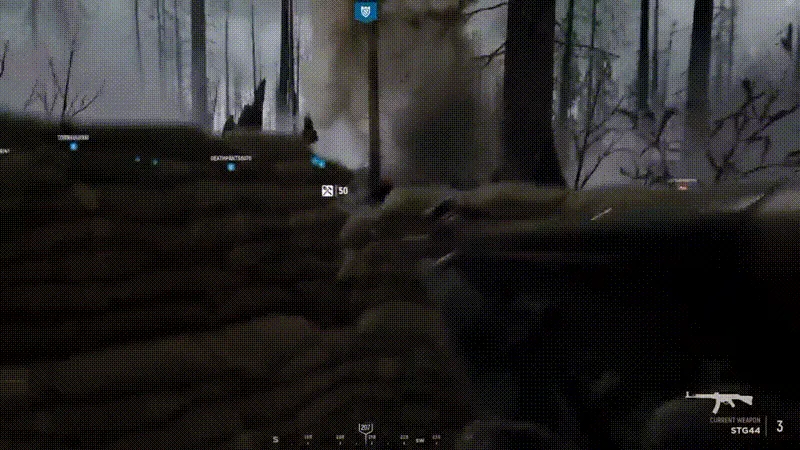
Proximity chat in Hell Let Loose: Vietnam is displayed in blue and connects nearby friendly players regardless of unit. It is best for information that matters to people physically around you, such as warning about a grenade, directing a medic, clearing a helicopter landing zone, identifying an enemy in a nearby building, or coordinating with another friendly squad occupying the same position. Its usefulness decreases with distance, so important information intended for separated squad members should not rely on proximity alone.
Unit radio in Hell Let Loose: Vietnam appears in green and connects members of the same infantry, recon, armour, mortar, or helicopter unit regardless of their physical location. A rifleman can report contact to the squad leader, vehicle crews can coordinate movement and repairs, and separated squad members can communicate while operating in different parts of the battlefield. The channel is private to that unit and is not automatically heard by other squads or the commander.
Leadership radio in Hell Let Loose: Vietnam is displayed in red and connects the commander with authorized leadership roles. These include infantry squad leaders, tank commanders, recon spotters, mortar observers, and helicopter logistics officers. Its purpose is broader tactical coordination involving objectives, enemy armour, support requests, troop movements, spawn locations, and threats affecting more than one unit. Ordinary unit members do not hear leadership traffic directly and should pass important information to their leader through unit radio.
Channel Selection, PC Controls, and Voice Indicators
Selecting one channel for transmission in Hell Let Loose: Vietnam does not necessarily stop an authorized player from receiving the others. A squad leader can speak to the squad through unit radio while still hearing leadership traffic from the commander and other leaders. This is why leadership roles often hear several conversations at once and need to switch transmission channels according to who should receive the response.
On PC, the commonly documented default voice controls in Hell Let Loose: Vietnam are V for proximity chat, C for unit radio, and X for leadership radio when the current role has access. K and L are associated with team and unit text chat and should not be confused with voice controls. These bindings can be changed, and frequently used channels can be moved to convenient keys or mouse buttons as long as they are not likely to be activated accidentally.
Push to talk behavior in Hell Let Loose: Vietnam depends on the Toggle Radio Channels setting. When it is disabled, players hold the appropriate channel key while speaking and release it when finished. This provides direct control and reduces accidental open microphones. When the option is enabled, pressing a channel key opens that transmission and pressing again closes it, which can be easier when driving, flying, aiming, or moving but increases the risk of broadcasting breathing, keyboard noise, nearby conversations, or game audio unintentionally.
Voice indicators in Hell Let Loose: Vietnam show the transmitting player’s name and the channel color. These indicators help identify whether a message is arriving through proximity, unit, or leadership radio and are useful when troubleshooting. A visible transmission indicator confirms that the game is attempting to send voice, although it does not guarantee that the correct microphone is selected or that teammates are actually receiving the audio.
Console Voice Controls and Communication Discipline
On PS5 and Xbox, voice communication in Hell Let Loose: Vietnam is centered on the left shoulder button and the radio wheel. Hold L1 on PS5 or LB on Xbox, move the right stick toward the desired channel, and release the shoulder button to select it. Only channels available to the current role should appear. After choosing a channel, tapping L1 or LB opens or closes the microphone under the standard controller behavior, with the lower left indicator showing whether transmission is active.
Controller users should distinguish selecting a channel from actually opening the microphone in Hell Let Loose: Vietnam. Choosing green on the radio wheel establishes unit radio as the destination, but the microphone still needs to be activated before speaking. Accidentally leaving another channel selected can send a message to nearby players instead of the squad or to the squad instead of leadership.
A simple communication rule works across platforms in Hell Let Loose: Vietnam: use proximity for nearby friendlies, unit radio for members of your own unit, and leadership radio for command level information. Push to talk discipline matters just as much as channel choice. Know what you need to say before opening the microphone, identify the intended recipient when useful, deliver the information concisely, and close the transmission when finished.

How Squad Leaders, Commanders, and Specialist Units Should Use Radio Communication
The voice system in Hell Let Loose: Vietnam is most effective when information moves through the intended chain instead of being repeated across every available channel. In Hell Let Loose: Vietnam, ordinary soldiers report immediate information through proximity or unit radio, leaders decide what is important enough to relay, and the commander coordinates the broader team through leadership radio.
A squad leader in Hell Let Loose: Vietnam has one of the most demanding communication roles because nearby players may be talking through proximity while squad members use unit radio and command traffic arrives through leadership radio. The leader must filter those streams rather than forwarding every observation. A single hostile rifleman near the squad can usually be handled internally, while an enemy garrison, tank, major flanking force, threatened objective, or dangerous helicopter landing zone may need to be reported to leadership in Hell Let Loose: Vietnam.
Leadership messages in Hell Let Loose: Vietnam should begin with the recipient or unit identity whenever possible. “Command, Able has enemy armour moving south through D6” is easier to process than “There is a tank near us.” When addressing another specialized unit, name it first so the listener knows the message is relevant before the critical information arrives.
Squad leaders in Hell Let Loose: Vietnam should acknowledge direct orders with a short response such as “Able copies, moving to defend.” Afterward, they should return to unit radio and translate the commander’s broad intention into specific instructions for their own soldiers. If command says the southern approach must be defended, the squad needs to know where to move, which terrain to occupy, what direction to watch, and whether a spawn point needs to be built or protected.
Coordinating Units With Clear Intent
The commander in Hell Let Loose: Vietnam should coordinate units rather than trying to direct every individual soldier. Clear orders identify who is responsible and what the broader intention is. “Baker, hold the eastern road” is more useful than asking whether someone can defend it. Likewise, assigning two squads to attack from one direction while another protects a flank gives leaders enough structure to adapt without requiring constant micromanagement.
Map markers in Hell Let Loose: Vietnam should accompany important radio reports whenever possible. Descriptions such as “behind the trees near the village” can mean different things to separated leaders, while a marker, grid reference, and movement direction create a shared point of reference. A concise report such as “Enemy armour marker D6, moving west” is both faster and clearer.
The most useful Hell Let Loose: Vietnam battlefield callouts answer three questions: what was seen, where it is, and what it is doing. A fourth detail can explain the requested response when necessary. “Enemy squad, north edge of the village, moving east” provides useful information. “Tank on me” does not, especially when listeners cannot immediately identify the speaker’s position.
Local directions in Hell Let Loose: Vietnam work well when nearby squad members share roughly the same orientation. Wider reports should use map grids, markers, landmarks, or named locations. Players should also distinguish confirmed information from suspicion. “Enemy garrison confirmed on my marker” means it has actually been identified, while “possible spawn behind the huts” signals that the area still needs verification.
Prioritizing Urgent Information
Urgent information in Hell Let Loose: Vietnam should come first. Say “Grenade, second floor” before explaining who threw it. Report the armoured vehicle before mentioning nearby infantry. Tell a helicopter crew “LZ hot from the east” before giving less important context. After the situation is communicated, avoid repeating the same report unless something changes.
Specialist units in Hell Let Loose: Vietnam rely on the same communication structure. A helicopter Pilot and Logistics Officer coordinate internally through unit radio, while the Logistics Officer serves as the leadership radio link. This prevents the Pilot from having to manage the entire command channel while concentrating on flight. Requests should include the flight purpose, marked landing zone, passenger or supply needs, and known threat direction. Proximity chat becomes useful at the landing site for boarding instructions and warnings around the aircraft.
Armour crews in Hell Let Loose: Vietnam use unit radio for driving, target acquisition, ammunition, repairs, and crew responsibilities. The Tank Commander relays important information to leadership. Reports directed toward armour are most useful when they include the enemy vehicle type, map location, direction of movement, facing, and condition.
Recon teams in Hell Let Loose: Vietnam should keep detailed observation inside their own unit while the Spotter elevates only high value intelligence. Enemy spawn locations, vehicle routes, troop concentrations, undefended approaches, and movement behind objectives are especially valuable. Reporting every single infantry sighting through leadership radio only adds noise.
Mortar Communication and Fire Coordination
Mortar communication in Hell Let Loose: Vietnam requires even greater precision because inaccurate fire can threaten friendlies. Requests should include an exact grid or marker, ammunition type, number of rounds, and the location of nearby friendly troops. The mortar crew should acknowledge the mission and report when rounds are being fired, while the Observer or requesting leader provides corrections and clearly calls for a cease fire when friendlies move into danger.
Enemy players in Hell Let Loose: Vietnam are not intended to hear proximity, unit, or leadership communications. Proximity is local in physical range but remains restricted to friendly players, and enemy soldiers cannot intercept unit or leadership radio simply by standing nearby. This means voice discipline in Hell Let Loose: Vietnam exists to protect friendly communication clarity rather than to conceal every spoken word from opposing listeners.

How to Fix Hell Let Loose: Vietnam Voice Chat, Distorted Audio, and Radio Problems
Voice problems can come from the selected channel, microphone hardware, input settings, console party chat, network conditions, key bindings, or the game’s voice service. Troubleshooting should begin with the simplest causes before moving to system or network changes.
First, confirm that the correct channel is selected and watch for the transmission indicator. On PC, test V for proximity and C for unit radio, with X available to leadership roles. On console, select the desired channel through the L1 or LB radio wheel and verify that the lower left microphone indicator appears when transmission is opened.
Next, check physical mute controls. Headsets commonly have switches on the cable, ear cup, or microphone boom, while PS5 controllers have their own microphone mute button. A device can appear correctly selected in the game while still being muted at the hardware level.
On PC, verify that the intended microphone and headset are selected as the active input and output devices. Setting the microphone as the default communications device can help prevent Windows from choosing another recording source. Disable unnecessary inputs such as Stereo Mix if they create conflicts, confirm that microphone privacy permissions allow the game to access the device, and update audio drivers when problems persist.
Check the in game voice and microphone volume settings as well. A microphone can show a transmission icon yet still be too quiet for other players to understand. Ask a teammate whether the audio is entirely absent, extremely quiet, intermittent, or distorted because each symptom points toward a different potential cause.
Server Restarts, Bindings, Console Settings, and Game Updates
If the correct device and channel appear to be working, leave the current server and test another. Voice functioning normally elsewhere suggests a session or server specific problem. If every server fails, fully close the game and restart the system rather than simply returning to the menu. Restarting the router can also refresh a stalled network connection.
PC players should also test alternate radio bindings if one channel key seems unresponsive. A conflicting or damaged configuration can prevent the intended control from working. Bind proximity or unit radio to another key, apply the change, and test again in a safe environment while checking that the correct channel color appears.
On PS5, verify that game voice chat is not muted at the system level and switch from party voice to game voice when necessary. Check the controller microphone, headset mute state, console privacy options, and network configuration. On Xbox, leave party chat while testing game voice, verify communication permissions, update headset and controller firmware, and remove unnecessary USB accessories that might interfere with audio routing. Power cycling the console can also resolve persistent audio state problems.
Players should keep the game updated because voice behavior has changed through patches. The voice implementation moved during development from Vivox to Epic Online Services Voice Chat, and official notes have described fixes for party voice behavior, open microphones, audio dropouts, and other communication issues. Old control or troubleshooting advice may therefore not perfectly match the current build.
Troubleshooting Distorted Voice and Documenting Problems
Robotic, distorted, or cutting out voices may be a service problem rather than a faulty headset. A useful test is to have the same teammate speak through both proximity and unit radio. If unit radio sounds normal while proximity becomes robotic, the issue is more likely connected to the game’s channel implementation or online voice service than either player’s hardware.
If distortion begins during a match, close the transmission briefly and reopen it. If that does not help, changing servers or restarting the game can determine whether the problem belongs to the current session. Squad members can temporarily use unit radio for essential communication during a proximity failure, but leaders should avoid shifting ordinary local conversations into leadership radio because that would overload the command network.
If every voice channel is distorted, test a different microphone or headset, update drivers, disable unnecessary audio devices, and examine the system’s audio configuration. PC troubleshooting can also include lowering unusually high audio sample rates. If all game audio disappears rather than only player voices, investigate the headset connection, USB port, controller firmware, spatial audio software, and output routing because that is a broader audio problem rather than a radio only fault.
Persistent problems are easier to investigate when the circumstances are recorded clearly. Note the platform, server, affected channel, headset or microphone, whether the transmission indicator appeared, whether teammates could be heard, and when the failure began. Distinguishing between a proximity only robotic voice, a microphone that never transmits, and a complete audio dropout makes troubleshooting far more effective.

Frequently Asked Questions (FAQs)
- What are the default Hell Let Loose: Vietnam voice chat keys on PC?
The commonly documented PC defaults are V for proximity chat, C for unit radio, and X for leadership radio when your role has access to it. K and L are used for text chat rather than voice. Since custom bindings, alternate control profiles, and game updates can change these inputs, it is worth checking the current Controls menu if a key does not behave as expected. - How do I select a radio channel on PS5 or Xbox?
Hold L1 on PS5 or LB on Xbox to open the radio wheel, then move the right stick toward proximity, unit, or leadership radio and release the shoulder button to select it. After that, tap L1 or LB to open or close the microphone. Watch the lower left voice indicator so you know whether you are actually transmitting. - Why can I hear teammates but they cannot hear me?
This usually means incoming voice is working but your microphone is not being transmitted correctly. Check the headset’s physical mute switch, confirm the correct input device is selected, verify microphone permissions and volume, and make sure you are using a channel that reaches the intended players. Console party chat or an incorrect PC key binding can also prevent your voice from reaching the game. - Can enemies hear proximity chat in Hell Let Loose: Vietnam?
No. Enemy players are not intended to hear your proximity, unit, or leadership communications. Proximity chat is limited by distance, but it still only connects friendly players, so nearby enemies should not be able to listen to your callouts or tactical discussions. - Which roles can use leadership radio?
Leadership radio is reserved for command roles such as the commander, infantry squad leaders, tank commanders, recon spotters, mortar observers, and helicopter logistics officers. These roles use it to share information that affects multiple units. Ordinary squad members instead send reports through their own unit leader. - Can an ordinary rifleman speak directly to the commander?
Not through leadership radio under normal circumstances. A rifleman should report important information through unit radio to the squad leader, who decides whether it needs to be passed to command. This keeps leadership chat from becoming overloaded with reports from every individual player. - Why does proximity chat sound robotic?
Robotic or heavily distorted proximity voices have been a documented voice service issue rather than simply a headset problem. If unit radio sounds normal while proximity becomes robotic, that strongly suggests the problem is tied to the game’s voice implementation or current session. Restarting the game or changing servers may help temporarily, while patches can address the underlying issue. - Does selecting one radio channel stop me from hearing the others?
No, not necessarily. Selecting a channel mainly determines where your next transmission goes. For example, a squad leader can speak on unit radio while still hearing nearby proximity traffic and leadership radio, which is why command roles can sometimes become overwhelmed when several channels are active at once. - Which channel should a medic use?
A medic should use proximity chat for wounded soldiers and nearby friendlies because those messages usually concern the immediate area. It is ideal for telling someone to stay still, asking nearby players for cover, or warning about danger during a revive. Unit radio is better when the medic needs to coordinate with squad members who are farther away. - How do I prevent an accidental open microphone?
On PC, disable Toggle Radio Channels if you prefer traditional hold to talk behavior, where the microphone closes as soon as you release the key. On PS5 and Xbox, tap L1 or LB again after speaking and confirm that the lower left transmission indicator disappears. A physical headset mute switch is also useful when you know you will not be speaking for a while.

Conclusion
Hell Let Loose: Vietnam voice chat and radio communication are fundamental parts of the game’s tactical design. Proximity chat connects nearby friendly soldiers, unit radio connects members of the same unit across the battlefield, and leadership radio supports coordination between the commander and authorized unit leaders.
The most important skill is choosing the correct audience. Local warnings belong in proximity chat. Squad reports and instructions belong on unit radio. Strategic information, support requests, and coordination between units belong on leadership radio. Sending every message through the highest available channel does not improve teamwork; it creates congestion and makes urgent information harder to recognize.
PC players should remember V for proximity, C for unit, and X for leadership under the commonly documented default controls. PS5 and Xbox players should use L1 or LB to access the radio wheel and manage the microphone. Every player should watch the transmission indicator, maintain reasonable microphone gain, and close the channel after speaking.
Strong communication is concise, specific, and actionable. Identify the threat, provide an accurate location, describe its movement, and state what assistance is needed. Squad leaders should filter reports before passing them to command, while commanders should assign clear responsibilities instead of broadcasting vague instructions.
Technical problems can sometimes be resolved through correct input selection, microphone permissions, system voice settings, a full restart, or updated drivers. Robotic proximity audio has also been recognized as a service related issue, meaning it may persist even when a player’s headset and settings are functioning correctly. Keeping the game updated and reporting precise circumstances gives players the best chance of obtaining a workaround or contributing to a permanent fix.
A team that communicates clearly can react faster than one composed entirely of stronger individual shooters. Learning the radio system is therefore one of the most valuable improvements any Hell Let Loose: Vietnam player can make.
Sources and Citations
- Official Hell Let Loose: Vietnam website — 50v50 warfare, factions, roles, units, teamwork, chain of command, helicopters, and other gameplay details.
- Hell Let Loose: Vietnam — Official Steam page — detailed 50v50 structure, 17 specialized roles, six battlefield units, chain of command, communication/teamwork, Helicopter Pilot and Logistics Officer roles, and faction information.
- Epic Games Store — Hell Let Loose: Vietnam — official game description covering 50-strong teams, specialized roles, communication, chain of command, factions, and units.
- Official Hell Let Loose: Vietnam Patch 1.2 — Full Changelog — includes the Party Voice Chat fixes and the documented VOIP distortion issue when opening or closing radio channels.
- Official Hell Let Loose website — Latest News / Developer Updates — the official site currently lists the Vietnam Patch 1.3, Community Update #2, 2026 Roadmap, and Patch 1.2 announcements.
- Team17 Support — official support portal for Hell Let Loose: Vietnam and other Team17 games, useful for the PC/PlayStation/Xbox troubleshooting material referenced in your list.
- Team17 Press & Creator Hub — Hell Let Loose: Vietnam — official publisher/developer information, including platforms and the game’s development/publishing details.
Recommendations
- Crimson Desert Looks A Lot More Ordinary Running On A Regular PS5 – Full Performance Breakdown vs PS5 Pro
- Superman and Supergirl’s First Meeting in the DCU Explained: Why Their Encounter Is Cute, Awkward, and Important for the Future of the DCU
- Canva Starts Previewing a More Powerful Version of Its AI Assistant (Canva AI 2.0)
- Meccha Chameleon Explained: the Steam Hit that Turns Prop Hunt into Painted Hide and Seek
- About Fishing: A Beginner’s Guide to Gear, Tips, and Techniques
- Super Mario Sunshine Is Now Available on Nintendo Switch 2
- AI and Vibe Coding Fuel Mobile Game Release Surge: 181K Games Launched in Six Months, IOS up 118% and Android up 73% Year-over-Year Explained
- App Store Gaming Revenue in 2025 Outpaces Google Play and Steam Combined: Apple’s $52.5B Explained
- Marathon: Bungie’s New FPS – Gameplay Details, Developer Insights, and Community Reactions
- Steam Hit Wardogs Lists 10 Reasons Players Should Not Buy It



































































































