






Motion Design Software Cavalry Is Now Free, and that change is not just a rumor or a limited trial. Cavalry 2.7, released on April 16, 2026, made the app’s previously paid Professional features free, while Canva’s current Cavalry site now markets the software as a free download for individuals on macOS and Windows. That shift happened after Canva acquired Cavalry in February 2026 and folded it into its growing professional creative ecosystem.
For motion designers, that makes Cavalry one of the most important software pricing changes of 2026. It is now positioned as a professional, real-time 2D animation and motion graphics tool with procedural, rigging, data-driven, and Lottie-focused features available without the old individual Pro paywall.
Is Cavalry motion design software really free now?
Yes. The current official Cavalry site says Cavalry is “free for individuals,” “completely free to download and use,” and its FAQ states that the software is free “not in a watered-down way,” with professional features, no payment required, and no separate restrictions presented on the public individual download page. The 2.7 release notes reinforce that by stating the paid Professional features are now free.
That means the headline is accurate as of April 2026: Cavalry is no longer primarily a paid indie motion design app with a free starter tier. It is now a free individual desktop product distributed under Canva’s umbrella, while enterprise access is handled separately through Canva organization plans.
How to download Cavalry for free on Windows and Mac
The current download flow is straightforward. Go to the official Cavalry site, choose Get for macOS or Get for Windows, install the app, then sign in with or create a Canva account. Canva’s own help result for free access describes the process as: download and install Cavalry by Canva, log in or create a Canva account, then select your team when relevant.
On macOS, Cavalry’s installation docs say to open the .dmg file and drag the app into Applications. On Windows, the docs say to run the .msi installer. The macOS installer is a universal binary, so it supports both Intel Macs and Apple silicon machines.
Do you need a Canva account to use Cavalry?
Yes. Cavalry’s public FAQ says you do need a Canva account, and the 2.7 release notes say that signing in to Cavalry now requires one. Canva’s Cavalry terms also state that your right to use the software is linked to your Canva account and that access may require online entitlement verification.
This is one of the biggest practical changes introduced after the Canva deal. Older Scene Group accounts still matter for legacy versions, but current Cavalry by Canva is now tied to Canva identity and account access rather than the pre-acquisition login system.
Cavalry free vs pro: what features are included in the free version?
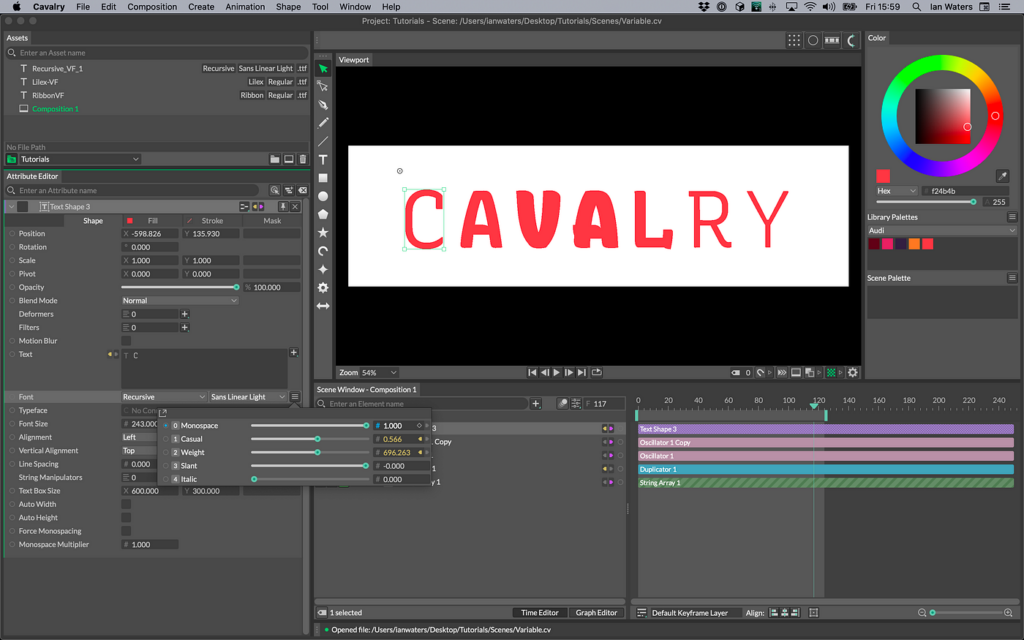
For current users on Cavalry 2.7, the cleanest answer is that the old individual free-versus-pro divide is effectively gone. The official 2.7 notes say the paid Professional features are now free, and the public site highlights advanced tools such as Rig Control, Rubber Hose, Connect Shapes, Duplicator, Data Import, Lottie Export, Forge Dynamics, Falloffs, and Quad Tree as part of the product you can download for free.
The reason many people still ask this question is that older tutorials and legacy documentation reference a very different model. The legacy license page is clearly labeled as applying only to Cavalry 2.6.1 and earlier. In that older setup, Starter was free but capped at 1920×1080 exports and excluded some advanced tools, while Professional unlocked much higher output resolutions and a long list of extra features.
So the practical takeaway is simple: if you are using current Cavalry by Canva, the free version is the real version for individual users. If you are reading old forum posts, videos, or documentation, be aware that many free-versus-pro limitations you see are historical rather than current.
Can you use Cavalry for commercial work with the free license?
The safest reading of the current policy set is yes for normal professional work, especially when you are animating your own original assets. The old free Starter license explicitly said it could be used for commercial purposes, and Canva’s broader licensing guidance allows a wide range of personal and commercial uses for Canva content in designs.
There are still important caveats. Canva Education users are restricted to educational, non-commercial use of Pro Content, and Canva’s Cavalry terms include separate patent-licensing caveats for some AVC, HEVC, and MPEG-4 encoding uses. So the software is usable in commercial workflows, but certain content sources and certain codec-related commercial scenarios can carry extra rules beyond the core app itself.
Cavalry pricing after the Canva acquisition: what changed?
The biggest change is that Canva moved Cavalry away from the old public individual subscription split and toward a free-for-individuals model. Canva announced the acquisition in February 2026, and Cavalry 2.7 followed in April 2026 with the explicit statement that paid Professional features were now free. The public site now emphasizes two paths: free individual access and enterprise contact-sales access.
Legacy users were not cut off immediately. Cavalry’s FAQ says existing Scene Group users can still access legacy versions, and users who were happy with their existing paid setup could continue using what they had for the remainder of their subscription period. The release notes likewise say Scene Group accounts continue to work up to version 2.6.1.
In other words, the post-acquisition pricing story is not “Cavalry got cheaper.” It is more accurate to say Canva fundamentally changed the product’s public distribution model for individuals while moving organization-level access into Canva’s enterprise ecosystem.
What is Cavalry used for in motion graphics and animation?
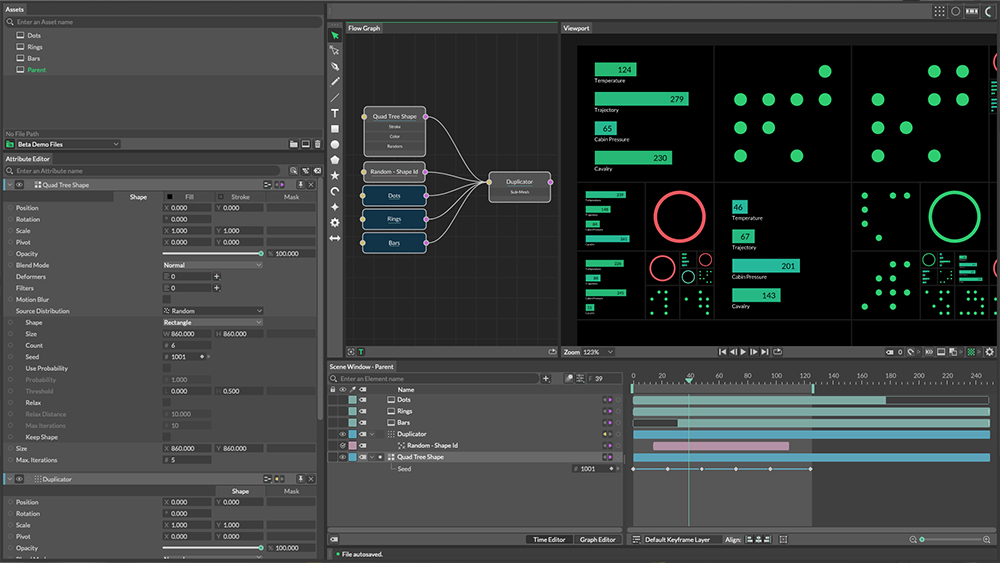
Cavalry’s documentation describes it as a 2D animation tool used across animation, motion design, creative coding, film, generative art, data visualization, experiential work, and advertising. That range helps explain why the software has attracted both traditional motion designers and technically minded designers who want parametric, repeatable, system-based animation workflows.
In plain terms, Cavalry is used for animated title systems, social motion graphics, explainer sequences, brand packages, procedural loops, character animation, generative visuals, data-driven graphics, Lottie-ready interface animations, and variation-heavy campaign outputs. The software sits closer to motion system design than to simple timeline editing.
Cavalry vs Adobe After Effects: which is better for motion design?
Cavalry is better when your workflow depends on procedural systems, real-time iteration, reusable animation logic, and automated variations. Adobe positions After Effects as motion design and visual effects software for film, TV, video, and the web, and it remains the bigger ecosystem product with deep connections to Premiere Pro, Photoshop, tracking tools, puppet tools, and Adobe’s broader post-production stack.
After Effects also has official support for data-driven animation, including JSON, MGJSON, CSV, TSV, and BVH inputs, plus expressions powered by its JavaScript engine. That makes it extremely flexible, but it often feels more layered, more compositing-centric, and more dependent on workarounds when you want highly parametric motion systems.
Cost is another major difference. Adobe’s official pricing page lists After Effects at US$22.99 per month for the annual billed monthly individual plan, with a seven-day trial, while Cavalry is currently free for individuals. So if your priority is pure motion-design value in 2026, Cavalry has a major advantage on price alone. If your priority is broad VFX, Adobe integration, and industry-standard post workflows, After Effects still leads.
Best Cavalry features for procedural animation and data-driven motion design
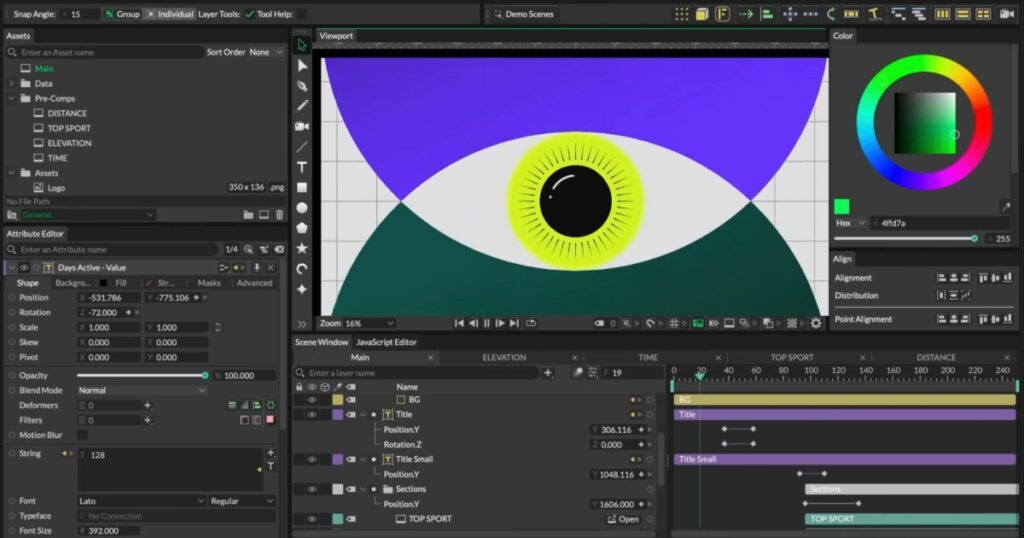
Cavalry’s public feature list gives a good snapshot of why designers talk about it differently from standard timeline animation apps. The standout tools include Duplicator, Data Import, Rig Control, Rubber Hose, Magic Easing, Falloffs, Forge Dynamics, and Lottie Export. Those are not just flashy checkbox features; together they support a system-oriented way of building animation.
The software’s dynamic rendering tools are especially important for data-driven work. Cavalry’s docs say Dynamic Rendering can generate different values at render time to create many variations of a single composition, with use cases including abstract procedural artwork, workflow automation, endboard versioning, A/B testing, and personalized advertising.
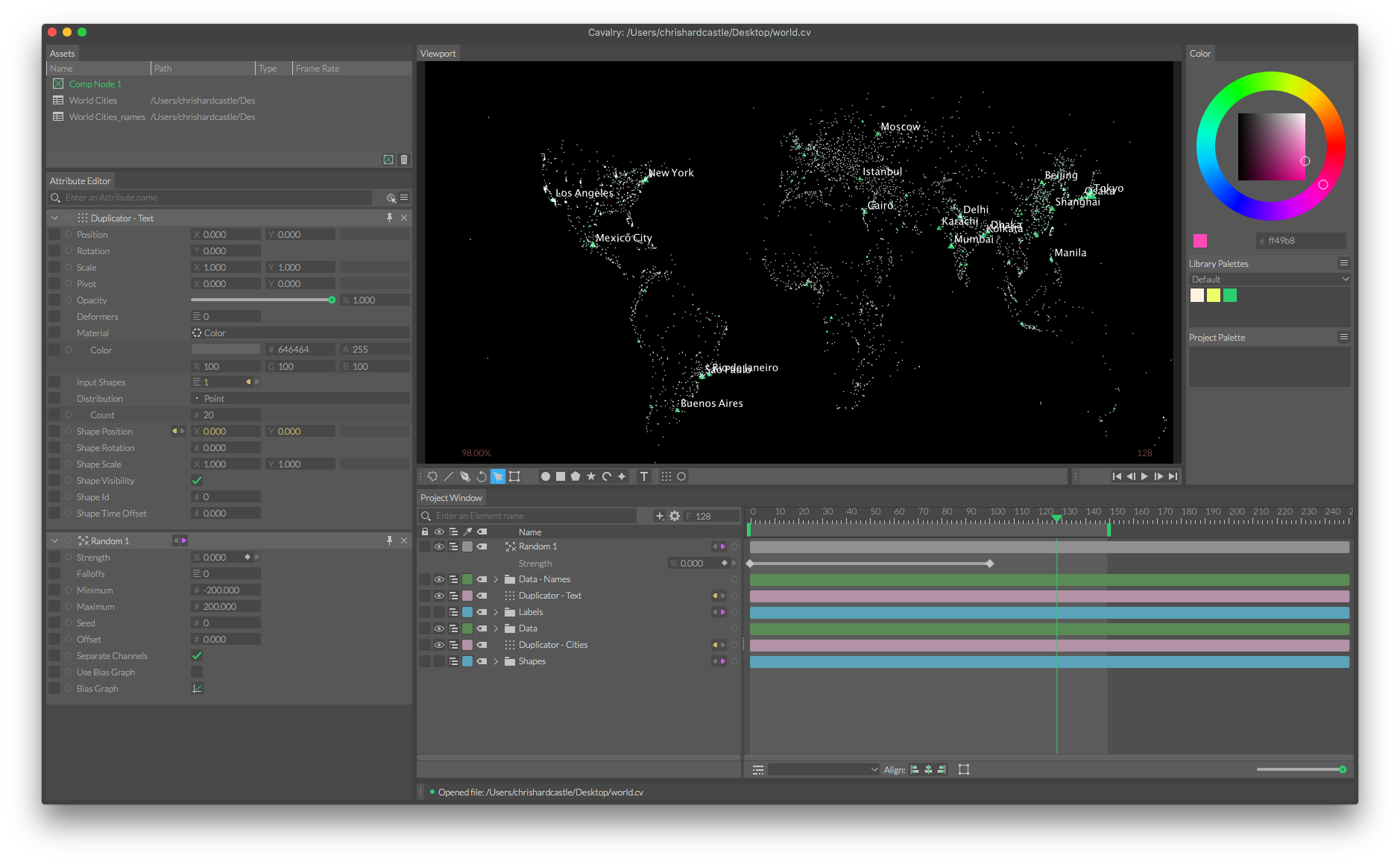
Cavalry’s spreadsheet workflow is another major strength. Its docs show row-based remapping and fixed-row output behavior designed for structured data use, which makes it easier to build templated motion systems, charts, scoreboards, localized outputs, and campaign variations without hand-rebuilding each composition.
How to create 2D character rigs and motion graphics in Cavalry
Cavalry includes dedicated rigging tools that make 2D character setups more direct than in many generalist motion apps. The official Rig Control docs describe a five-pose joystick-style setup built around a neutral center pose plus left, right, top, and bottom key poses. Once those are established, the control interpolates between them for animation.
For limbs, the Rubber Hose Limb behavior is a simple two-bone IK system for bendy or straight limbs. The docs explain that it uses start and end controllers, supports stretching and curvature adjustments, and can be applied from the Animation menu. That makes it practical for stylized 2D characters, mascot rigs, explainer characters, and flexible infographic elements.
Because these tools live inside a broader procedural environment, you can combine character rigs with duplicators, easing tools, text systems, and data connections. That is one reason Cavalry has become attractive to designers who build both character-based motion and modular graphic systems in the same project.
How to export from Cavalry: video formats, image sequences, and Lottie
Cavalry’s Render Manager supports a wide spread of export formats. The official docs list APNG, Audio Only, GIF, JPEG, Lottie, MP4, PNG, QuickTime, SVG, Sprite Sheet, WebM, and WebP. That covers most common delivery needs for social clips, transparent renders, frame sequences, UI animation, web motion, and broadcast-friendly handoff formats.
Lottie is a native export path, not an afterthought. Cavalry’s Lottie docs say you can export through either File > Export Lottie or the Render Manager. The docs also note that some features may need baking because Lottie does not match full Cavalry feature parity, which is why certain exports can become heavier than expected.
One practical limitation worth knowing is MP4 export sizing. The Render Manager docs state that H.264/MP4 rendering is limited to a maximum of 9,437,184 pixels, so very large compositions will be scaled down proportionally when rendered to MP4.
Cavalry tutorials for beginners: best getting-started resources
Cavalry now has a better official learning funnel than many smaller creative tools. The current site points beginners to Getting Started, Features, Tips and Tricks, One Minute Wonders, Community Content, and the full documentation. That mix is useful because new users rarely learn Cavalry best from a single long course; they usually need both foundational orientation and short focused feature demos.
The support page adds Discord, YouTube, documentation, and email as official support channels. For a beginner, the strongest sequence is usually: install the app, work through Getting Started, open example files, then use feature-specific videos as soon as you hit a real project need such as rigging, data input, or Lottie export.
Cavalry system requirements and performance tips for smooth playback
Cavalry currently requires macOS 12 or newer, or Windows 10 or newer. On Mac, it supports Intel and Apple silicon. On Windows, it supports Intel and AMD CPUs, while Windows ARM systems rely on Microsoft Prism emulation and may see reduced performance. The docs also require an OpenGL 4.1 Core Profile compatible GPU.
For smoother playback, the official docs point to three practical settings. First, enable playback caching, which caches the composition for smoother review. Second, disable “Update the UI during Playback” if it is hurting performance, because the docs explicitly note that UI updates during playback can have a detrimental effect. Third, tune the image cache size in preferences so RAM use is appropriate for your machine.
The requirements docs also advise keeping graphics drivers up to date. If parts of the UI fail to render correctly, Cavalry treats that as a likely graphics issue rather than just a project problem.
Cavalry for teams: Canva Enterprise SSO and organization licensing
For teams, Canva is clearly steering Cavalry toward organization-managed access instead of standalone seat purchases through the old public model. The Cavalry site says organizations can get the app with SSO through a Canva Enterprise or Canva Education account, and the site routes team interest through contact sales.
Canva’s enterprise security page makes the enterprise angle even clearer. It says SCIM-controlled access, SSO-based access management, and multi-team setup are enterprise-exclusive features. That means larger studios, agencies, in-house brand teams, and education administrators are meant to manage Cavalry through Canva’s identity and permissions framework rather than through the older Scene Group-style account model.
Best free After Effects alternatives in 2026 (including Cavalry)
If your goal is free motion design software in 2026, Cavalry is now one of the strongest options because it is explicitly free for individuals and is built around motion graphics rather than being a general-purpose editing or compositing app. For many designers, it is now the closest free answer to the question, “What should I use instead of After Effects?”
DaVinci Resolve is another excellent option, especially if you want an all-in-one post-production environment. Blackmagic says the free version includes editing, visual effects, motion graphics, and audio in one tool, with Fusion built in as a node-based VFX and motion graphics page. That makes it a stronger broader suite than Cavalry, but not as motion-design-specific in day-to-day feel.
Blender is also worth mentioning, especially for artists who want 2D and 3D in the same pipeline. Official Blender material describes it as free and open source, and Grease Pencil documentation and feature pages describe it as suitable for traditional 2D animation, cut-out animation, and motion graphics.
Synfig remains a solid free 2D animation choice, especially for vector animation workflows, while Natron is better viewed as a free node-based compositing alternative with OFX support and tracking tools rather than a direct motion-graphics-first replacement for Cavalry or After Effects.
Frequently Asked Questions (FAQs)
1. Did Cavalry become free in version 2.7?
Yes. Cavalry’s 2.7 release notes state that the paid Professional features are now free, and the release is dated April 16, 2026.
2. Can I use Cavalry without a Canva login?
No for current Cavalry by Canva. The official FAQ says a Canva account is required, and the 2.7 release notes say sign-in now requires one.
3. Is Cavalry available on both Mac and Windows?
Yes. The official site offers downloads for both macOS and Windows, and the requirements docs list support for both platforms.
4. Does Cavalry run natively on Apple silicon?
Yes. The site says it runs natively on Apple silicon and Intel, and the install docs describe the macOS installer as a universal binary.
5. Is the old free Starter license still the main way to use Cavalry?
No. That model is legacy-only. The legacy license page says it applies only to Cavalry 2.6.1 and earlier.
6. Can Cavalry export Lottie files?
Yes. Cavalry has native Lottie export through both the File menu and the Render Manager.
7. Is Cavalry good for data-driven animation?
Yes. Official docs and feature pages highlight Data Import, spreadsheet workflows, and Dynamic Rendering for variation-heavy outputs, A/B tests, and personalized advertising.
8. Can I keep using my old Scene Group license?
Yes, but only for legacy versions. Cavalry says existing Scene Group accounts still work up to 2.6.1, and older subscriptions can continue for their active term.
9. Is After Effects free in the same way Cavalry is now free?
No. Adobe’s official page lists After Effects as a paid subscription product with a seven-day free trial, not a permanently free individual app.
10. What is the main catch behind Cavalry being free now?
The main tradeoff is that Cavalry now sits inside Canva’s account and organization system. You need a Canva account to use it, enterprise access is managed through Canva plans, and some content or codec-related use cases can involve separate licensing rules.
conclusion
Cavalry’s 2026 shift to a free individual model is one of the most significant motion design software changes of the year. What used to be a niche paid tool with a free starter tier is now officially positioned as a free professional desktop app for individual users, with Canva handling identity, distribution, and enterprise access.
That matters because Cavalry is not just another free animation app. It is a procedural, data-aware, real-time motion design tool with strong rigging, Lottie, and variation-generation capabilities. For designers who care about scalable motion systems, templated outputs, and modern 2D motion graphics workflows, Cavalry is now easier to recommend than ever. For teams already standardized on Adobe or broader post-production pipelines, After Effects and Resolve still have advantages, but Cavalry’s free 2026 positioning makes it one of the best creative software value propositions in motion design right now.
sources and citation
- Homepage: https://cavalry.scenegroup.co/
- FAQ: https://cavalry.scenegroup.co/faq/
- Cavalry 2.7 release notes
- Release Notes: https://docs.cavalry.scenegroup.co/release-notes/v2-7/
- Canva acquisition and Cavalry newsroom coverage
- Canva Newsroom Announcement: https://www.canva.com/newsroom/news/canva-acquires-scenegroup-cavalry/
- Scene Group (Cavalry) Acquisition Update: https://cavalry.scenegroup.co/blog/scenegroup-joins-canva/
- Cavalry install, requirements, and preferences docs
- Installation: https://docs.cavalry.scenegroup.co/getting-started/installation/
- System Requirements: https://docs.cavalry.scenegroup.co/getting-started/system-requirements/
- Preferences: https://docs.cavalry.scenegroup.co/interface/preferences/
- Cavalry export, rigging, and data-driven workflow docs
- Export/Render Manager: https://docs.cavalry.scenegroup.co/interface/render-manager/
- Rigging Basics: https://docs.cavalry.scenegroup.co/getting-started/rigging-basics/
- Data-Driven Workflows: https://docs.cavalry.scenegroup.co/getting-started/data-basics/
- Canva Cavalry terms and licensing guidance
- Canva/Scene Group Acquisition FAQ: https://cavalry.scenegroup.co/canva-faq/
- General Terms: https://cavalry.scenegroup.co/terms/
Recommended
- Why The View Keeper Is the Best Blender Add-on for Scene Management
- Devil May Cry Anime: Original Series and Netflix Adaptation Guide
- Virtual Influencers: AI-Generated vs 3D-Modeled – Which Is Better?
- All Playable Characters in Marathon: Bungie’s New FPS – Community Reactions, Developer Insights, and Unique Visual Style
- Mountain Climbing Sim Cairn Is Getting Free DLC This Summer With On the Trail
- Hair Texturing in Substance Painter: How to Create Realistic and Stylized Hair Textures































































































