







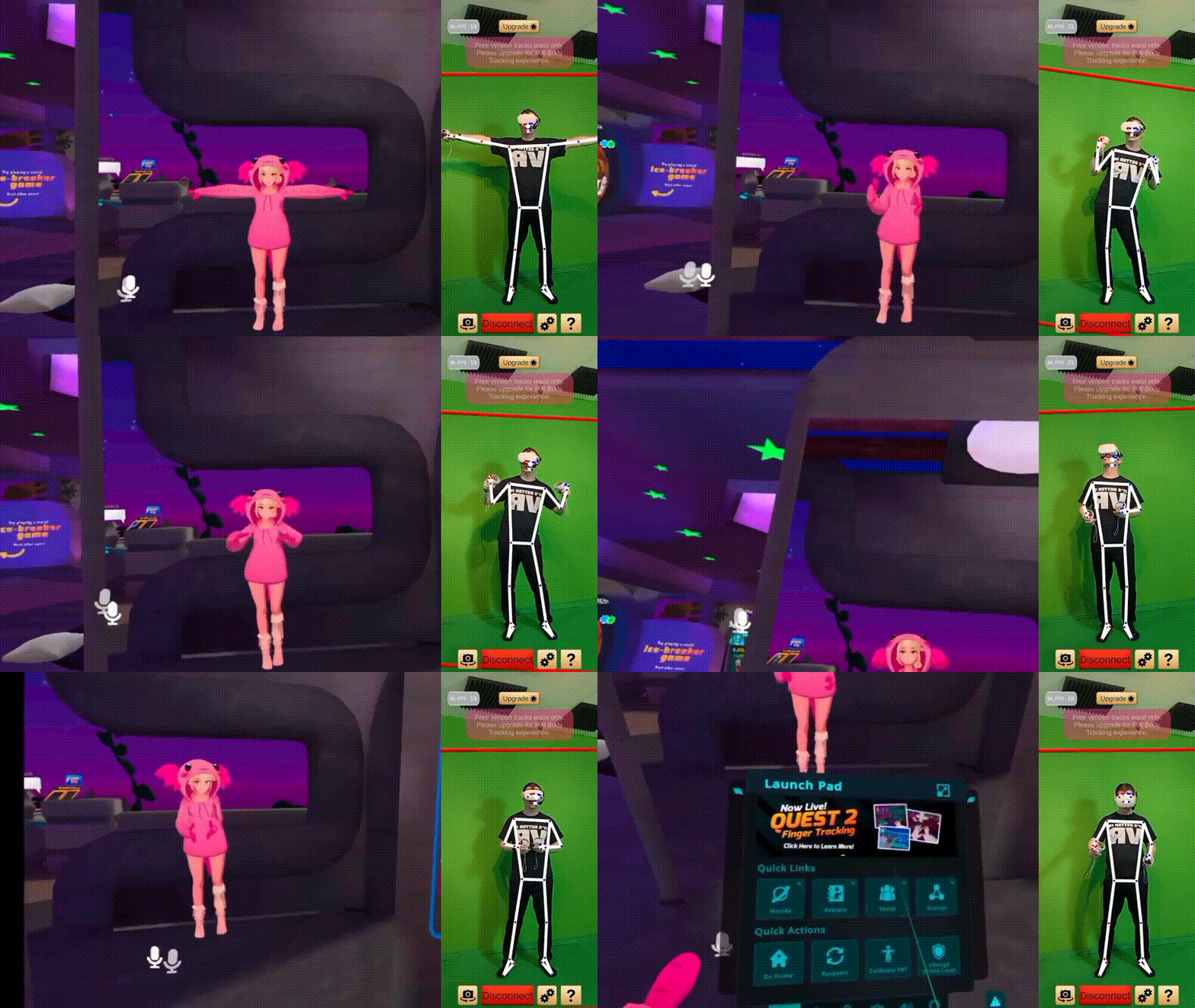
Moverse Capture is a new system for easy, full-body tracking in VRChat that requires no wearable trackers or base stations. Launched via Kickstarter in April 2026, Moverse uses a strap-free, camera-based markerless tracking system. It promises “no straps, no drift, no batteries” – meaning it tracks your body with just a few cameras and computer vision, without any IMUs or pucks attached to your limbs.
The system is designed for home use: a compact set of depth cameras (Luxonis OAK-1 W) mounted around your play space, connected to your PC running Windows. The captured body movement data is then sent to VRChat (via SteamVR or OSC) to animate your avatar in real time. In short, Moverse offers an all-in-one, room-scale full-body tracking solution tailored for VRChat and other VR applications.
What Is Moverse Capture for VRChat
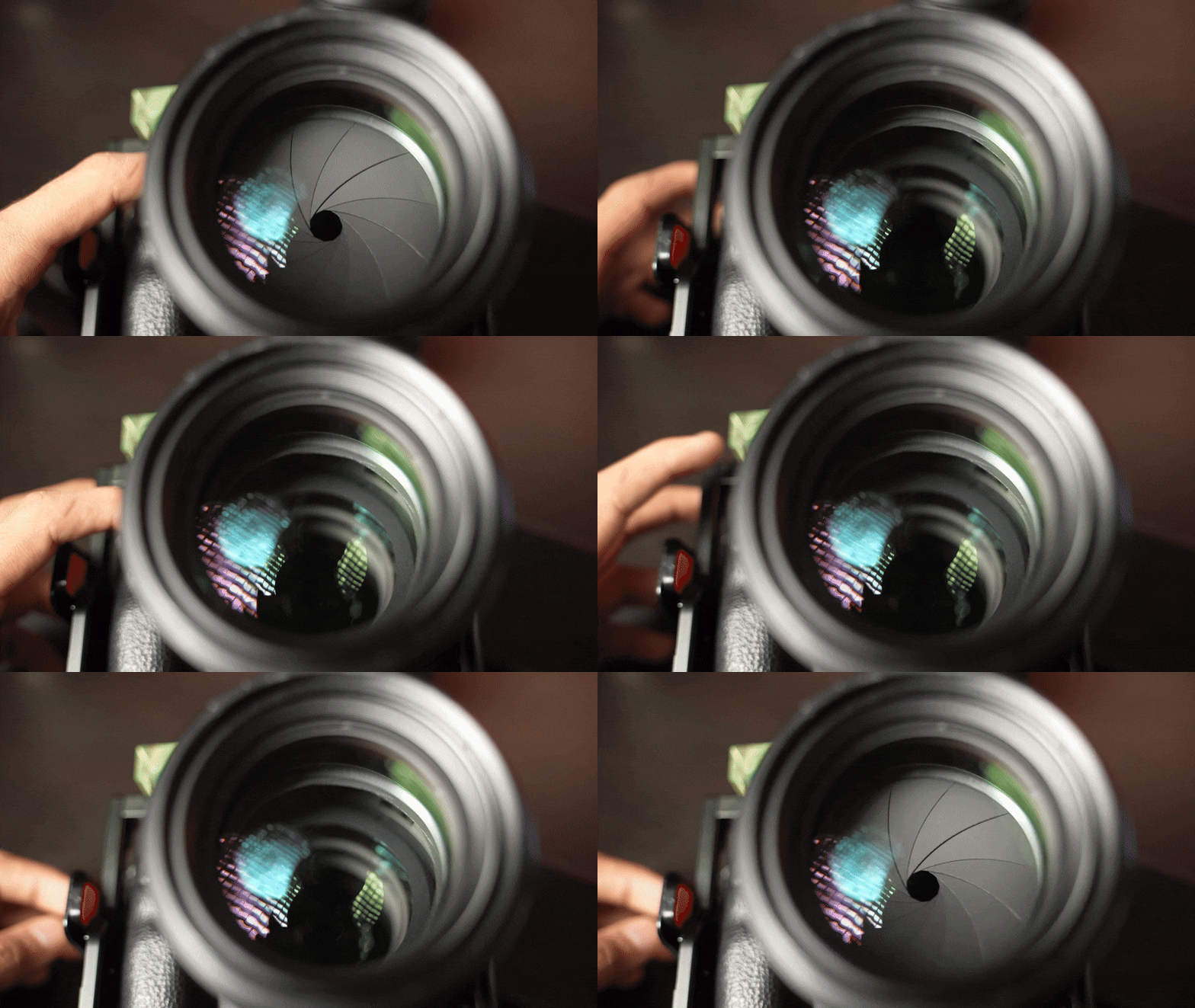
Moverse Capture for VRChat is a markerless full-body tracking system specifically built for VRChat users. According to the developers, it uses “a few cameras” to capture your whole body motion without any wearables or sensors attached to you. In practice, the standard kit includes three Luxonis OAK-1 W stereo depth cameras, along with cabling, desk tripods, and a calibration board. The cameras each have a small neural processing unit (NPU) that runs pose-detection algorithms locally.
The combined camera feeds reconstruct your pose in real time and feed that skeleton data into VRChat’s tracking system. Importantly, all processing occurs on your PC, and no video is stored or sent over the internet – it’s all local AI-based tracking. Moverse Capture is sold as a one-time purchase (no subscription) that comes with a lifetime software license, and the included hardware bundle provides everything you need for VRChat full-body tracking.
How Moverse Full-Body Tracking Works in VRChat
Moverse’s full-body tracking works by using computer vision and depth sensing. Each Luxonis OAK-1 W camera provides a wide field of view and active IR depth, allowing the system to see your body from different angles. The cameras are arranged (for example, in an arc around your play area) so that your entire body is visible to multiple cameras simultaneously. Moverse’s software combines these streams into a unified body skeleton. Internally, the system uses machine-learning inference (via the OAK’s NPU and on-PC GPU) to detect human joints and poses in real time.
The developers report an end-to-end latency on the order of ~35–50 ms from movement to update, which they aim to optimize with a minimal pipeline. The output of Moverse is then presented to VRChat either via SteamVR integration or OSC messaging, feeding the data into VRChat’s full-body IK system. Because it tracks your body via depth cameras, Moverse can capture subtle movements (like arm and leg motion) without any physical trackers or calibration beyond an initial setup.
The entire processing chain runs on your local PC. The Kickstarter notes emphasize that “everything runs locally on your PC” and “no video is ever stored, recorded, or sent to the cloud”. In practice, this means Moverse transforms real-time camera data into tracking points (e.g. head, hands, elbows, knees) and sends that to the VRChat client. The result is smooth full-body motion in VRChat even though you are not wearing any special suit – only your headset and controllers remain on your body.

Markerless Full-Body Tracking for VRChat Explained
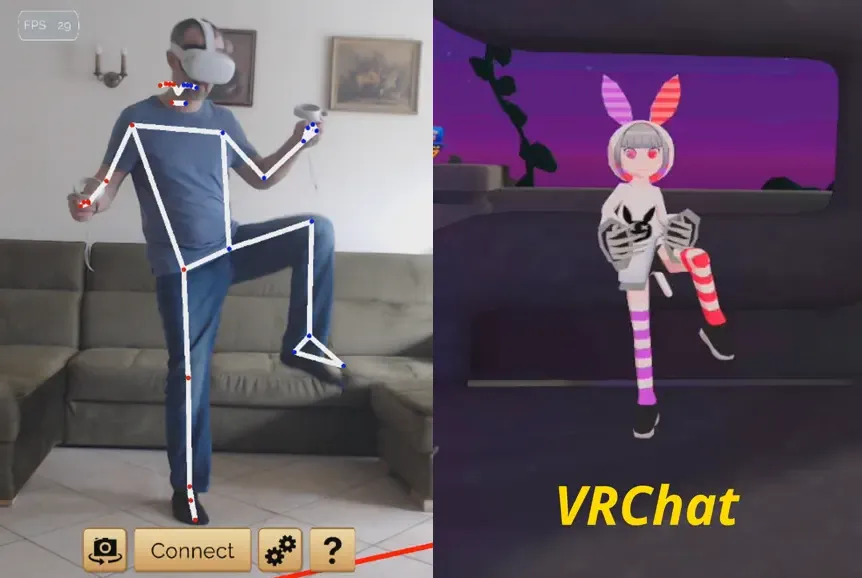
“Markerless” tracking means Moverse does not rely on any physical markers, suits, or pucks on your body. Instead, it infers your pose purely from camera input. This is different from traditional systems (like Vive trackers or SlimeVR) that use inertial measurement units (IMUs) or physical beacons. With Moverse’s approach, you simply stand in view of the cameras and move naturally. The system’s AI algorithms recognize your limbs and joints against the background without requiring any special outfit or sensors on you.
In VRChat, this means your avatar’s full-body IK (Inverse Kinematics) is driven by data from the cameras. Markerless tracking can capture all standard body points (head, hands, feet, etc.) as long as the cameras can see them. It is akin to a multi-camera motion-capture studio scaled down to a home room. Because no straps or pucks are needed, it offers a very natural experience – just put on your VR headset, and the system picks up your whole-body motion via vision. The tradeoff is that good lighting and unobstructed camera views are needed (see Lighting Requirements below) and there is some compute overhead on the PC to run the vision algorithms.
Moverse vs Vive Trackers for VRChat Full-Body Tracking
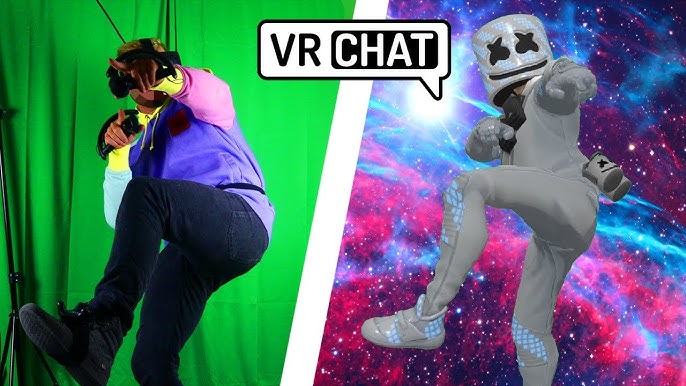
Compared to HTC Vive Trackers (the traditional way to add body tracking in VRChat), Moverse’s approach has a very different setup. Vive Trackers are small puck-like devices you strap to your waist, feet, and hands, which then communicate with base stations (Lighthouse) to determine position. This means Vive requires multiple base stations positioned around the room and charged trackers, but they generally have extremely low latency and high precision. Moverse, by contrast, requires no base stations or wearable trackers. Instead, it relies on optical cameras to capture all body points. The Kickstarter FAQ explicitly notes: “Unlike Vive, no base stations or charging”.
Functionally, Vive Trackers give very accurate point tracking (especially with the latest Vive Tracker 3.0 or Ultimate), but they add cost (each tracker costs ~$130) and setup complexity. Moverse’s kit (three cameras) costs less than buying four Vive trackers, and setup is simpler with no need for sync or battery management. On the other hand, Vive’s tracking is mature and truly low-latency (sub-20 ms), whereas an optical system like Moverse has to process vision data (developers estimate ~50 ms pipeline). In summary: Moverse trades wearable hardware for cameras. It eliminates cables and base stations at the expense of requiring a PC and some latency, while Vive Trackers require you to strap on devices but have very precise tracking.
Moverse vs SlimeVR for VRChat Full-Body Tracking
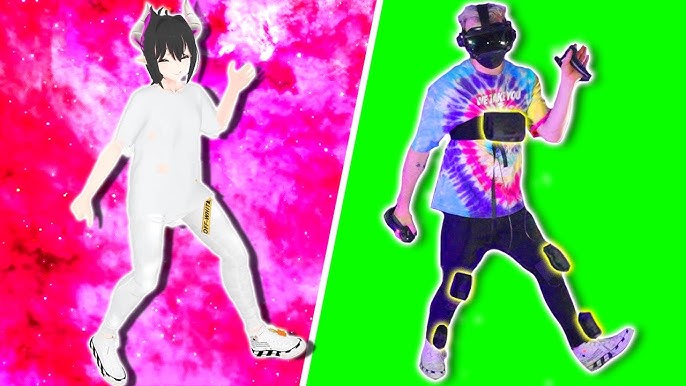
SlimeVR is another popular affordable full-body tracking solution that uses IMU sensors (gyroscopes/accelerometers) placed on your waist, feet, etc. SlimeVR is wireless and cheaper than Vive trackers, but IMU-based systems suffer from drift over time (they accumulate error and require recalibration). Moverse’s optical system has zero IMU drift by design. As the Kickstarter FAQ proudly states: “Unlike SlimeVR, our optical system creates zero drift.” So your avatar should stay stable without gradually sagging or rotating as pure-IMU trackers often do.
On the flip side, SlimeVR trackers are extremely portable (small devices) and run on batteries, whereas Moverse’s cameras need cables and power. SlimeVR can be used anywhere (even outside) and with any VR headset via SteamVR, but might need occasional resetting of position. Moverse does not require charging, but the cameras must remain plugged in. For VRChat full-body tracking, Moverse aims for higher fidelity (no sensor drift at all) and convenience (no recharging) in exchange for a slightly more complex setup.
Does Moverse Need Base Stations for VRChat
No. One of Moverse’s main selling points is no external base stations needed. The system does not use any kind of fixed beacons or lighthouse sensors at all. All three cameras in the kit operate autonomously, and they define the tracking volume themselves. As the official site states: “Keep your headset and controllers. No base stations required.”. This is a big advantage for many users, since installing base stations on ceilings or walls (as with Vive) can be cumbersome or even impossible in some living situations. Moverse simply needs the cameras arranged around you, and that’s it – no additional infrastructure.
Does Moverse Have Drift in VRChat Full-Body Tracking
Moverse’s optical tracking is designed to have virtually no drift. Since it relies on camera vision instead of inertial sensors, it does not accumulate error over time like IMU trackers do. The developers claim “no drift” right in the tagline, and the Kickstarter FAQ explicitly says the optical system “creates zero drift”. In practice, this means your avatar’s tracked body parts (hips, feet, hands) should remain correctly positioned indefinitely, without the slow pull downward or rotation seen in pure-IMU solutions.
That said, no tracking system is 100% perfect, and small offsets can still occur if, for example, the cameras get confused by occlusions. But overall, you can expect Moverse to maintain consistent tracking without having to frequently re-center or reset mid-session. This is a clear strength over DIY IMU trackers like SlimeVR or Axis, which often need recalibration to counter drift.
Moverse PC Requirements for VRChat Full-Body Tracking
Moverse requires a reasonably powerful PC to handle the vision processing. According to the official specs, you need a Windows 11 PC with an NVIDIA RTX 3000-series GPU (or equivalent) and at least an Intel i5 CPU. In practice, this means most gaming PCs from the last few years should be fine, but an older or low-end laptop might struggle. The developers note that Moverse “runs smoothly on modern gaming PCs” and target roughly a 30-series GPU class for adequate performance.
You also need enough USB 3.x ports to connect three cameras (the kit includes 1 m USB cables with optional 2 m extensions). Each camera requires a decent USB 3.0 connection for the high-resolution depth video. Additionally, you’ll need enough CPU/GPU headroom to run VRChat itself plus the camera tracking pipeline. The Moverse FAQ simply states: “Yes. A PC with Windows 11 OS is required… Targeting NVIDIA 3000-series GPUs and i5 CPUs”.

How Many Cameras Moverse Needs for VRChat
The standard Moverse kit uses three cameras. This is the minimum suggested setup to cover your body in a typical room-scale area. Both the Kickstarter and press materials mention a “3 Camera Full Kit” as the core bundle. With three cameras placed around you, the system can triangulate your limbs and fill in any blind spots.
In theory you could add more cameras for larger spaces or better coverage, but the kit is designed around three. The cameras are meant to be positioned in an arc or triangle around the play area so that your entire body is visible to all of them. For example, one camera might be behind you and two in front, or all three spread on one side. As long as each body part can be seen by at least one camera at any time, the system can track it. The inclusion of three cameras is simply what Moverse determined as the practical standard – enough to see you from multiple angles without being overkill.
How to Set Up Moverse for VRChat
Setting up Moverse is relatively straightforward. First, place the cameras in your room so that they form an overlapping field of view around your play space. The cameras should be elevated (ideally around head height or slightly above) and angled down towards where you will stand, covering your whole body. Moverse recommends mounting them on tripods (included) or shelves. Aim to have clear sightlines: avoid placing cameras where they might lose view of your feet or hands behind obstacles.
Next, connect the cameras to your PC via USB (the kit provides 1 m cables and optional extensions). Power and data connections happen through USB-C. After plugging in all cameras, launch the Moverse software on your PC and follow the prompts.
The key step is a one-time calibration: place the included calibration board on the floor or in the center of the play space and allow the system to scan it. The Moverse instructions say you simply “move the included calibration board in front of the cameras for a few seconds” – this lets the software do “instant space mapping”.
Once the cameras understand the room geometry, they can accurately track you within that space. Finally, launch VRChat (you may enable the OSC or SteamVR trackers as needed) and select your avatar. After you stand up and make sure everything looks aligned (for example, doing a quick sit/stand or HMD reset in VRChat), you should be ready to go. The developers claim that you’ll be “ready in under 10 minutes” with this process.
Moverse Calibration Guide for VRChat Full-Body Tracking
A proper calibration is crucial for accurate tracking. Moverse provides a physical calibration board that simplifies this step. During the first-time setup, you will position this board in front of the cameras. The software guides you to move or rotate the board so that all cameras can see it clearly. This process allows Moverse to understand the scale and layout of your room (“space mapping”). After calibrating, the board is put aside.
Once calibrated, the system should recognize where the floor and walls are. It’s recommended to run the calibration whenever you change the camera setup or the environment significantly. Afterward, standard VRChat sitting/standing calibration can ensure your avatar’s height matches yours. The Moverse quick-start emphasizes a single calibration step: “Place cameras. One-time calibration. Play”. In practice, this means you only calibrate once per session (unless you move the cameras) and then Moverse handles all the tracking automatically during gameplay.

VRChat OSC Trackers and Moverse Compatibility
VRChat supports external trackers by receiving data via OSC (Open Sound Control), which is a protocol for streaming motion data over network or loopback interfaces. As of late 2024, VRChat’s official documentation confirms that OSC tracker support is built in: “VRChat now offers support for receiving tracker data over OSC for use with our existing calibrated full body IK system.”.
Moverse plans to interface with VRChat through this system. It will likely act like a set of virtual trackers (e.g. sending head, waist, hand, foot positions via OSC) or via a SteamVR driver integration. In any case, the existence of VRChat’s OSC API means Moverse can directly feed its camera-derived tracking data into any avatar that is set up for full-body tracking. In short, if your VRChat avatar has full-body IK enabled (and an OSC tracker input set), Moverse can drive those trackers just as real hardware would. This compatibility ensures Moverse works seamlessly with VRChat’s native full-body system (including the newer IK 2.0, discussed below).
VRChat IK 2.0 Settings for Full-Body Tracking
VRChat’s IK 2.0 system (the inverse kinematics system launched in 2022) can use up to 10 tracking points on an avatar. Moverse’s standard setup provides 8 body points (head, hands, elbows, feet, hips) similar to traditional tracker setups, but the system supports more if needed (for example, a chest or knee tracker). With IK 2.0, you also have new configuration options like Head Lock or Hip Lock which can improve stability by letting one tracker override misalignment in another (for instance, locking hips so that hand jitter doesn’t twist your torso unnaturally). These settings are part of VRChat’s own IK options, and Moverse doesn’t change them – it simply feeds whatever tracker data it has.
In practice, using Moverse with IK 2.0 works just as it does with Vive or Slime trackers. You should calibrate your avatar height (sit/stand calibration in VRChat) and then enable full-body mode. If needed, adjusting the avatar’s IK options (like locking hips or head) can help eliminate small alignment issues. The key point is that Moverse’s data plugs into the same system. VRChat’s blog notes that IK 2.0 was a complete revamp with support for more tracking points, benefiting everyone from basic controller-only users up to full-body tracker users. As long as your avatar is set up for full-body, Moverse will drive it via that system.
Best Room Setup for Moverse VRChat Tracking
For optimal tracking, arrange your room and cameras as follows: Use a clear, uncluttered space at least 3×3 meters if possible. Place each of the three cameras on a tripod or shelf, roughly at head height (about 1.7–2.0 meters high) and tilt them slightly downward. Aim the cameras so that their views overlap around the area where you will stand and move. An “arc” or triangular configuration is often recommended: for example, two cameras in front of you (at opposite corners) and one behind you. This way, every part of your body is visible to at least two cameras at once.
Ensure that furniture or walls do not block your body’s line of sight. Large objects may not ruin tracking by themselves, but if they fully block the camera view of you, that limb won’t be tracked. (The developer notes from an AMA suggest that large objects are fine unless they totally occlude you from a camera.) Also, avoid reflective floors or mirrors that could confuse the cameras. If you have extra cable length, test camera placements first then finalize their heights and angles.
In summary, open floor space with surrounding cameras is best. The Moverse system has been tested in spaces up to 4×4 or 5×5 meters using USB extensions, but even a modest room can work. Just make sure the play space is well-covered by the three cameras, and you’ll get reliable full-body capture.

Lighting Requirements for Moverse Full-Body Tracking
Good lighting is important for Moverse’s camera-based tracking. The system uses stereo depth cameras that rely on infrared and visible light. As the FAQ warns, it “does not work in total darkness”. In practice, your room should be evenly lit so that the cameras can clearly see you. Bright sunlight or very harsh spotlights are not ideal because they can saturate the cameras; similarly, extremely dim rooms will starve them of visual information. A moderately lit environment – normal indoor lighting without strong shadows – is best.
Since the cameras have active IR, they can handle normal room light or night light conditions, but avoid pitch-black. Also keep the calibration board visible to the cameras (if it’s too dark, the board’s pattern won’t be detected). As a general rule: if you can see yourself clearly in the room, Moverse probably can too.
Moverse Price and Kickstarter Bundle Options
As of the Kickstarter launch, Moverse offers several tiers. The Individual License (software only, for those who already have or will buy cameras separately) is €299. The Full Starter Kit (the standard bundle) is €799, which includes three Luxonis OAK-1 W cameras, tripods, cables, the calibration board, and the software license. For backers, an early-bird discount dropped the kit price to €699 for a limited time. The premium Supporter Kit costs €1,199, which adds a custom transport case on top of the full kit.
No subscription fees are required – it’s a one-time purchase. (For comparison, four Vive Trackers could cost around $500 and a base station kit costs extra, whereas the Moverse full kit is €799 total.) There is also an option to just buy the license if you already own the cameras (for example, if you were an AI/motion-capture hobbyist with OAK cameras already), but most users will choose the complete kit. Keep in mind these prices were for Kickstarter; final retail pricing may vary.
Is Moverse Worth It for VRChat Full-Body Tracking
Whether Moverse is “worth it” depends on your priorities. Its biggest selling points are convenience and freedom: no wearing of straps or loading of trackers, and no need for specialized base station hardware. For users who want a quick plug-and-play FBT experience, or who can’t install base stations, Moverse is very appealing. The included hardware (cameras, tripods, cables, board) means you get a complete system out of the box.
On the other hand, at €799 (full price), it’s a significant investment, and the technology is new. While the developers promise zero drift and easy setup, any camera-based system will have limits (e.g. occlusion issues or some latency). The Moverse team reports a ~50 ms latency in their pipeline, which is higher than Vive Trackers but may be acceptable for most VRChat use. Also, you need a capable PC and proper lighting, which might not be trivial for every user.
The Kickstarter FAQ highlights positives: everything is local (your privacy is safe), there’s no ongoing fee, and it’s “ready in under 10 minutes” to set up. If those align with your needs (and you have a room to set it up in), Moverse could be a game-changer. Some VRChaters may prefer sticking with known solutions (like Vive or SlimeVR) until Moverse is out and fully tested by the community. But as of late 2025, Moverse is one of the first affordable markerless systems aimed at consumers, so it’s likely worth considering for enthusiasts who want the latest VRChat tech.
Moverse Release Date and Shipping Timeline
Moverse’s Kickstarter timeline indicates that shipping is slated to begin in September 2026. The project roadmap on the campaign page shows the Kickstarter running through early May 2026, hardware production in summer 2026, and final fulfillment in Sept–Oct 2026. For backers, this means you would likely receive your kit in the fall of 2026 if all goes to plan. Moverse does state they will ship worldwide (including USA, EU, UK, Japan, etc.). Of course, as with any crowdfunded hardware, these dates can slip, but the team has been transparent with a projected schedule. The 80.lv preview also noted “shipping to begin in September”, matching the official timeline.
Best Alternative to Traditional VRChat Body Trackers
Aside from Moverse, the main alternatives to the HTC Vive Tracker route are:
- SlimeVR – A DIY-friendly, wireless IMU-based tracker system. It’s much cheaper than Vive (about $35 per tracker) but suffers from drift and calibration quirks. It’s popular for budget setups.
- Tundra Trackers – Rechargeable, open-source IMU trackers. More accurate and faster than SlimeVR (and smaller than Vive 3.0), but still based on inertial sensors.
- Axis Neos Trackers – Very small IMU trackers that attach with magnets or straps. Similar use-case to SlimeVR but proprietary. Also IMU-based (so drift exists).
- HaritoraX – A full-body exoskeleton suit originally from Japan. Very accurate (it’s used in VR gyms) but expensive (~¥150,000) and clunky for general VRChat use.
- Mocopi (Sony) – A set of 5 small IMU sensors (usually from the Sony Motionaverse system). Supports up to 14-body pose but also IMU-based.
- DIY/Camera setups – Some users rig multiple webcams or Kinect devices for markerless capture, but these require technical skill.
- None (Only Controllers) – Many VRChat players simply use head+hand tracking (3-point) and rely on IK to animate the body. With IK 2.0, this looks better than before, though it’s not true FBT.
For a camera-based alternative, Moverse is fairly unique among consumer products. The only somewhat similar approach is using a Kinect or multiple webcams, but those are not plug-and-play solutions for VRChat. So in terms of “best alternative to traditional VRChat body trackers,” IMU-based systems (SlimeVR/Tundra) and Vive Trackers remain the most accessible. Each has trade-offs: Vive Trackers = high cost & base stations, Slime/Tundra = drift issues, Moverse = new tech (no drift) but needs good lighting/PC. Depending on your budget and willingness to experiment, you might choose one of these instead.

Frequently Asked Questions (FAQs)
- What is Moverse Capture?
Moverse Capture is a strap-free, markerless full-body tracking system for VRChat that uses depth cameras. It tracks your whole body in real time without the need for trackers on your limbs. - How many cameras are needed?
The standard setup uses three cameras. The Moverse Full Starter Kit includes 3 Luxonis OAK-1 W cameras to capture your body from multiple angles. - Do I need base stations or extra sensors?
No. Moverse’s cameras work autonomously, so no base stations or external sensors are required. Just place the cameras around the room. - Does Moverse tracking drift over time?
No. Because it’s an optical system, it has zero IMU drift. The developers explicitly state that unlike IMU trackers, Moverse’s system creates no drift. - What PC and hardware requirements are there?
A Windows 11 PC is required. Moverse targets NVIDIA 3000-series GPUs (or equivalent) and an Intel i5 CPU. In practice, any modern gaming PC should run it smoothly. - How do I set up and calibrate the system?
Set up by placing cameras around your play area (roughly at head height) and connecting them to your PC. Then run the Moverse software: it will prompt you to calibrate by waving the included board in view of all cameras. After this one-time calibration, the system is ready. - Can I use Moverse with my VRChat avatar?
Yes. Moverse can stream tracking data to VRChat via the OSC tracker support or SteamVR. VRChat’s full-body IK system will use the camera data to animate your avatar. - Do I still need a VR headset?
Yes, you still wear your VR headset and controllers. Moverse only replaces the body trackers, not the head/hand tracking from your headset. - How much does Moverse cost and when will it ship?
The Full Starter Kit was priced at €799 on Kickstarter, with discounts for early backers. Shipping is planned to start around September 2026. - What if I already have cameras or trackers?
There is a software-only license for €299 if you already own the required cameras. However, it’s designed for the complete kit. If you have Vive or SlimeVR, those can still be used with VRChat via normal methods, but Moverse offers a different, markerless option.
Conclusion
Moverse Capture for VRChat represents a new approach to full-body tracking by eliminating wearables and relying on camera vision. It delivers on its promise of easy, strap-free tracking – you simply place a few AI-powered cameras around your room and get up to full-body motion in VRChat within minutes. Key advantages include no drift, no calibration during use, and local processing for privacy. On the other hand, it requires moderate computing power, good lighting, and an initial setup space.
For VRChat enthusiasts, Moverse is an exciting alternative to traditional Vive trackers or IMU rigs. The system is still in the crowd-funded stage, so real-world reviews will ultimately determine its ease of use and reliability. Early information (such as from 80.lv) is encouraging: Moverse seems to deliver on full-body tracking with a simple camera setup. Whether it’s “worth it” depends on your needs: if you prize convenience and an uncluttered setup, it could be a game-changer. If you value proven low-latency tracking, you might wait and compare. In any case, Moverse has added an innovative option to the VRChat tracking landscape.
Sources and Citations
- Moverse official VRChat page covering Kickstarter preview details and FAQs.
https://vrchat.com/home/world/moverse - 80 Level news article covering Moverse development and features (Apr 2026).
https://80.lv/articles/moverse-vrchat-full-body-tracking-system - VRChat developer documentation for Full-Body Tracking.
https://docs.vrchat.com/docs/full-body-tracking - VRChat developer documentation for IK 2.0 system.
https://docs.vrchat.com/docs/ik-20 - VRChat developer documentation for OSC trackers and integration.
https://docs.vrchat.com/docs/osc-overview - Community AMA discussions covering developer comments on latency and setup challenges.
https://www.reddit.com/r/VRchat/comments/moverse_ama_tracking_latency_discussion/ - Kickstarter campaign page covering Moverse project timeline and funding details.
https://www.kickstarter.com/projects/moverse-vr/moverse-full-body-tracking
Recommended
- Among Us Developers’ Indie Game Fund Outersloth Reveals Contract Terms: 15% Revenue Share After Recoup
- Unigine 2.21 Is Out: What’s New in the Real-Time 3D Engine — Animation Graph, AI Workflow, Performance
- Oni Press and The Nacelle Company Join Forces for The Art of The Toys That Made Us Kickstarter
- Amazon Introduces New DDoS Protection for Devs Using AWS GameLift Servers (How It Works + Setup)
- Resident Evil: Requiem Sold 5 Million Copies in Five Days — Capcom Confirms Record-Breaking Launch
- Managing Camera Settings and Reducing Scene Clutter in Blender Projects with The View Keeper
- Devil May Cry: Complete Guide to the Iconic Action Franchise, Characters, and Latest Updates
- Halfbrick cuts 41 jobs: what happened at the Fruit Ninja and Jetpack Joyride studio (March 2026)
- Hair Cards in Blender: Complete Guide to Creating Game-Ready Hair for Characters
- Assassin’s Creed TV Show: Here’s Who Will Star In And Direct (Netflix Cast & Director Update)




























































































