





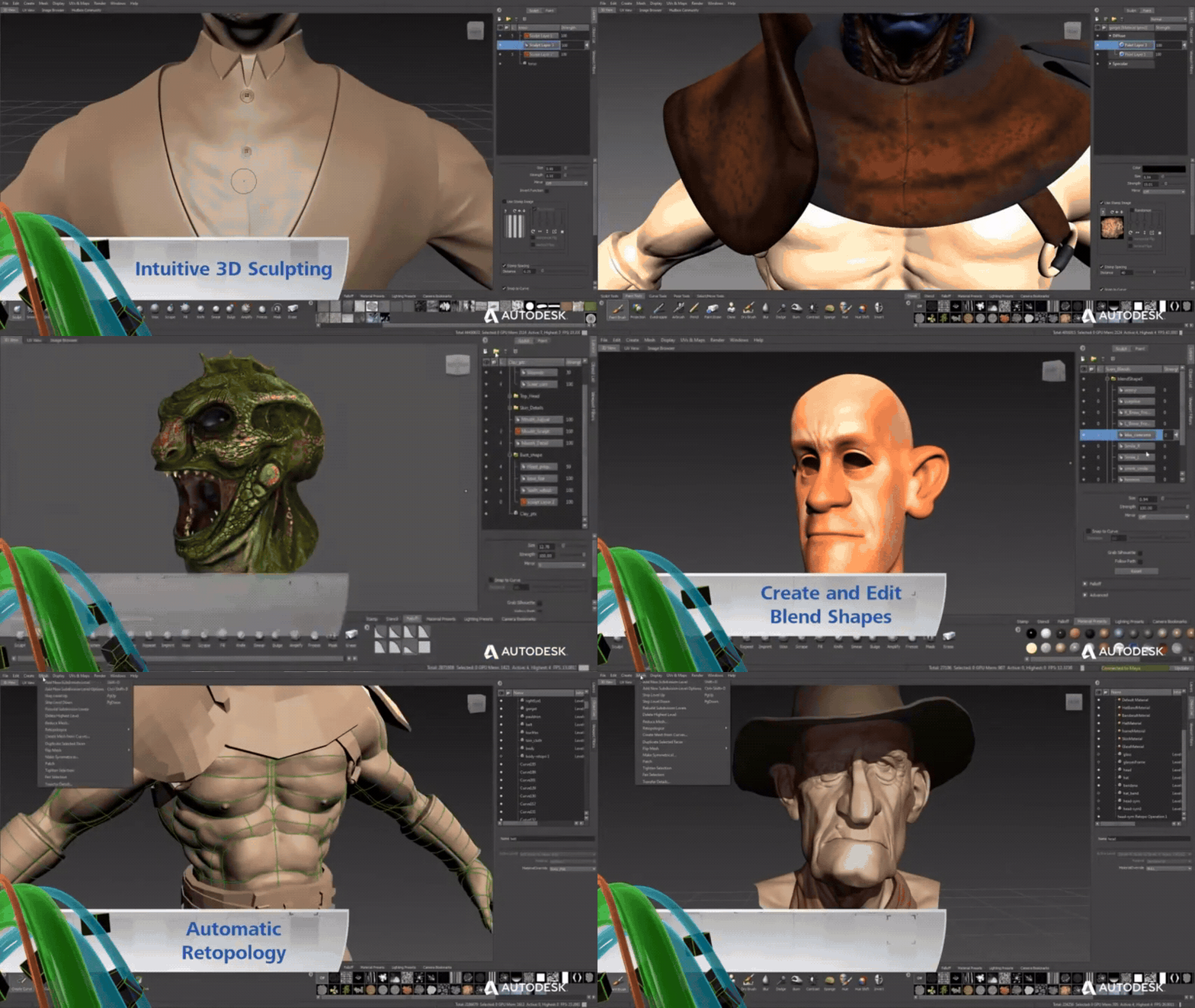
Autodesk has released Mudbox 2027, continuing its annual cycle for the sculpting-and-painting application used for detailed character and environment work. The official Mudbox 2027 release notes remain extremely brief documenting “minor updates” without a detailed, itemised list of changes.

In This Article (19 sections)
Mudbox 2027 Release Date and Availability
Mudbox 2027 was reported as released on 27 March 2026, with availability via Autodesk’s subscription/rental model. The online documentation for Mudbox 2027 is publicly accessible via Autodesk Help, including the 2027 release notes page.
Mudbox 2027 Release Notes (Full Changelog)
The full official “Mudbox 2027 Release Notes” changelog text consists of a single sentence: “Welcome to Mudbox 2027. This release includes minor updates.” No additional official bullet list of fixes, features, or component versions is provided on that page.
What’s New in Mudbox 2027
Because Autodesk’s official Mudbox 2027 release notes do not enumerate features, “what’s new” is best understood as maintenance-level changes rather than new sculpting or painting functionality. This interpretation is consistent with external reporting that Mudbox 2027 is another consecutive “minor update” release with no new features listed in the release notes.
Mudbox 2027 “Minor Updates” Meaning (Features vs Maintenance Updates)
In Mudbox’s recent release history, “minor updates” has repeatedly been used to describe changes that are not feature additions, but maintenance and component work.
For example, for Mudbox 2026, CG Channel reported Autodesk’s clarification that the updates were “mainly component upgrades like licensing [and] crash error reports”, and that there was no list of specific changes. For Mudbox 2025, CG Channel published a small Autodesk-provided list dominated by component and platform items (e.g., “Autodesk component updates (Installer, Licensing, CER, UPI, AGS)”) plus limited fixes (e.g., “Fixed serial number activation issue”).
Taken together with Mudbox 2027’s one-line release note, “minor updates” in the Mudbox 2027 context most plausibly denotes:
- updates to installers and/or underlying Autodesk components (identity, licensing, crash reporting/telemetry tooling) rather than new UI or brush/sculpt tools
- compatibility maintenance to keep the application working on current supported operating systems

Mudbox 2027 System Requirements (Windows and macOS)
Autodesk’s publicly available “Mudbox product details” page lists baseline requirements for Mudbox, including:
- 64-bit Intel or AMD multi-core processor
- RAM: 4 GB (8 GB or more recommended)
- Disk space: 2 GB
- 3-button mouse
On that same page, Autodesk lists OS support for Windows and macOS as:
- Microsoft Windows 10 (version 1809 or higher) and Windows 11
- Apple macOS 15.x, 14.x, 13.x
Separately, CG Channel’s Mudbox 2027 release coverage summarises Mudbox 2027 as available for Windows 11 and macOS 14.0+ (alongside Linux distributions), indicating a likely tightening of officially supported OS baselines in the 2027 cycle.
Mudbox 2027 GPU Requirements and Recommended Graphics Cards
Autodesk directs users to certified hardware guidance rather than printing a strict GPU model minimum: the Mudbox product-details page explicitly states that graphics hardware guidance should be taken from Autodesk’s certified hardware resources (via the “Maya Certified Hardware page”). In addition, Autodesk’s “Certified graphics hardware” page explains that vendors test Autodesk products and that results are reviewed by Autodesk teams; it also notes that graphics cards/drivers not listed may still work but have not been verified by Autodesk.
A practical, Autodesk-published reference point is Autodesk’s hardware certification PDF that explicitly covers “MotionBuilder & Mudbox 2026” together with Maya; it lists tested/certified GPUs and driver versions across platforms. Examples from that certified/tested list include:
- Windows (tested NVIDIA GeForce): GeForce RTX 3090 / 3080 / 3070 and others
- Windows (certified AMD Radeon Pro): Radeon Pro W7900 / W7800 / W7700 and others
- Linux (certified/tested NVIDIA and OS context): certification tables are provided for RHEL/Rocky variants with tested NVIDIA RTX/Quadro/GeForce families
Mudbox’s plugin ecosystem also signals long-standing reliance on OpenGL in related tooling: Autodesk’s Mudbox SDK documentation notes compatibility with OpenGL 2.0 or later for certain plug-ins.
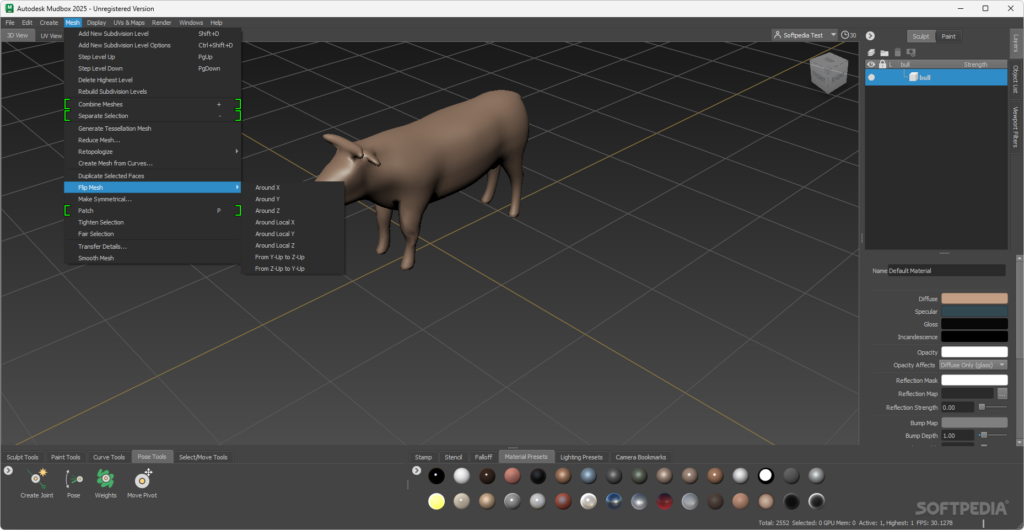
Mudbox 2027 Supported Operating Systems
Autodesk’s Mudbox free-trial FAQ states that Mudbox can run on Microsoft Windows and Apple macOS, and points to system requirements for details.
For Mudbox 2027 specifically, CG Channel’s release coverage lists platform availability as:
- Windows 11
- RHEL/Rocky Linux 8.10 / 9.7
- macOS 14.0+
This also aligns with the broader pattern in Autodesk’s 2027-era media-and-entertainment release reporting on CG Channel, where multiple 2027 releases shift to Windows 11 and newer Linux/macOS baselines.
Mudbox 2027 Download Options (Autodesk Account, Installer, and Links)
Autodesk’s support guidance for individuals indicates that subscription software downloads are managed through Autodesk Account (Products and Services), where the product tile allows selection of version, platform, language, and download method. Autodesk documents multiple download methods (Install, Download, Direct download, Custom install) and describes the differences in workflow and update inclusion.
Autodesk also maintains a first-party trial distribution path via the Mudbox free trial page.
For update delivery (post-installation), Autodesk positions Autodesk Access as a central place to manage updates allowing users to view and install updates and track update status; Autodesk states it requires Windows 10 or later.
Autodesk also warns in its support guidance that pop-up blockers can stop downloads and should be turned off before downloading.
How to install Mudbox 2027 (Step-By-Step)
Autodesk’s installation guidance for individuals is structured around the selected download method inside Autodesk Account. A method-consistent installation sequence is:
- Step 1: Sign in to Autodesk Account and locate Mudbox under Products and Services.
- Step 2: Choose the required version, language, and operating system.
- Step 3: Select a download method (Install, Download, Direct download, or Custom install) based on the deployment need and platform.
- Step 4: Run the installer according to Autodesk’s guidance for the chosen method (e.g., on Windows, “Run as administrator” for the installer).
- Step 5: Allow time for bundled updates to complete if using Install/Download methods (Autodesk notes that updates must complete before the product can be started).
Where download failures occur, Autodesk’s Mudbox free-trial FAQ suggests switching download method and addressing browser/pop-up issues; it specifically mentions trying “Browser Download” (not available on macOS) and disabling pop-up blockers.
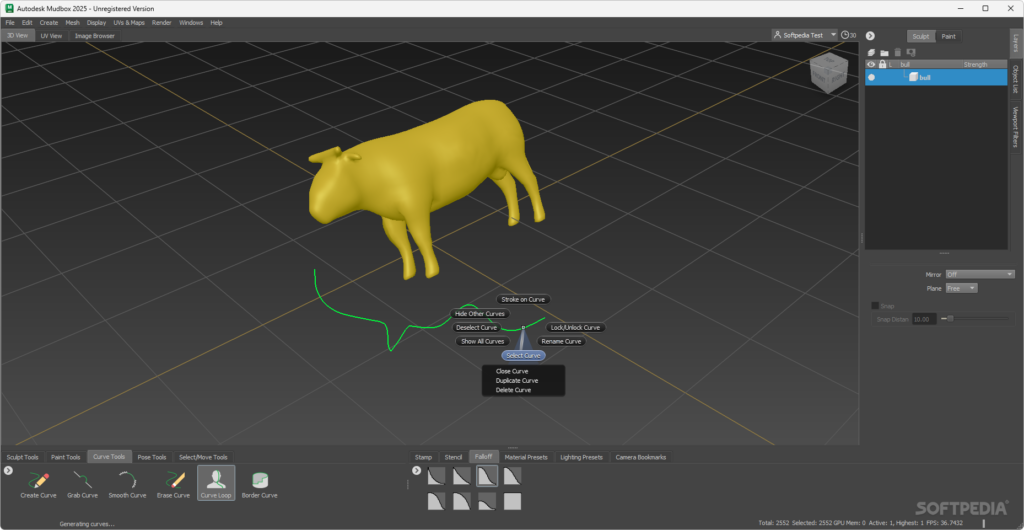
Mudbox 2027 Licensing and Subscription Info
Mudbox is distributed under Autodesk’s subscription model, and CG Channel describes Mudbox 2027 as “rental-only”. Autodesk’s Mudbox buying FAQs state that a Mudbox subscription provides access to install and use the three previous versions, with downloads listed in Autodesk Account after subscribing.
Autodesk’s account-management documentation further explains that previous version access is governed by “Previous Version Rights”, allowing installation/access of specific previous versions as a subscription benefit, while not exceeding the number of current licences in use at any given time. A related Autodesk Support page also states that versions up to three years back can be downloaded through Autodesk Account and notes technical support and software updates are available for the previous three annual releases.
For single-user subscriptions, Autodesk’s Terms of Use specify that each authorised user must be assigned a unique Autodesk ID, and that no one else may use that Autodesk ID to access or use the offering; Autodesk also sets a concurrency rule limiting an authorised user to one desktop device and one mobile device at a time for access.
Autodesk also markets Mudbox through a 30-day trial funnel. The Mudbox trial FAQ states that trials are typically 30 days and, once expired, cannot be extended; it suggests a monthly subscription (with auto-renewal disabled) or Flex tokens as short-term alternatives.
Mudbox 2027 Price Changes Compared to Mudbox 2026
CG Channel’s Mudbox 2026 coverage lists subscription pricing at $10/month or $100/year. For Mudbox 2027, CG Channel reports $10/month or $105/year, explicitly describing the annual subscription as up $5/year while monthly subscriptions are unchanged.
Mudbox 2027 Known Issues and Limitations
Autodesk’s official Mudbox 2027 release notes do not publish a known-issues list, fixed-issues list, or detailed limitations section; the page only states “minor updates” and links out to installation/licensing and system requirements. That absence of an itemised list is itself a practical limitation for production planning, because it prevents confirming whether specific bugs were addressed in the 2027 cycle.
Documented operational limitations and friction points that are supported by Autodesk’s own support guidance include:
- download interruptions caused by browser pop-up blockers (Autodesk warns pop-up blockers can stop downloads)
- macOS-specific download-method constraints noted on the Mudbox trial FAQ (e.g., Browser Download not available on macOS)
- hardware compatibility uncertainty when using GPUs/drivers outside certified/tested lists (Autodesk notes unlisted GPUs may still work but are not verified)
From a licensing/activation perspective, recent Mudbox cycles have included backend/licensing-related maintenance and fixes (e.g., CG Channel reporting of licensing/crash reporting component upgrades for 2026; serial-number activation fix listed for 2025), which indicates that licensing components have been a recurring area of change and potential instability in the product family.
Mudbox 2027 vs Mudbox 2026 (what changed year-to-year)
Across the official release notes, Mudbox 2027 is described only as “minor updates”. CG Channel reports Mudbox 2026 was also described in similarly minimal terms in its release notes, and further reported Autodesk’s statement that 2026’s changes were mainly licensing/crash-reporting component upgrades without a specific list.
Two concrete, externally documented year-to-year differences are:
- Pricing: CG Channel lists $100/year for Mudbox 2026 versus $105/year for Mudbox 2027, with $10/month remaining unchanged across both releases.
- Supported platforms (reported): CG Channel’s platform summary for Mudbox 2026 includes Windows 10+ and macOS 13.0+; for Mudbox 2027 it lists Windows 11 and macOS 14.0+. These platform baselines also align with broader 2027-era Autodesk M&E platform reporting on CG Channel.
Is Autodesk Still Updating Mudbox (Development Status In 2027)
Mudbox 2027 continues the pattern of annual releases whose official release notes do not list new features beyond “minor updates”. CG Channel characterises Mudbox 2027 as the sixth consecutive annual update to add no new features listed in release notes, while still receiving maintenance to remain compatible with current operating systems.
For Mudbox 2026, CG Channel reported Autodesk stated that updates were mainly component upgrades (licensing and crash error reports) and that there was no list of specific changes; Autodesk also asserted it was “committed” to development of its tools but would not comment on future releases. For Mudbox 2025, CG Channel documented a short Autodesk-provided changelog dominated by installer/licensing/backend items and reported Autodesk provided no information about future feature updates.
Overall, the public evidence supports an interpretation that Mudbox is actively maintained for compatibility and underlying component upkeep, but that Autodesk has not publicly documented substantive feature development in the 2025–2027 release notes cycle.
Best Alternatives to Mudbox in 2027 (ZBrush, Blender Sculpting, etc.)
In the 2027 landscape, Mudbox competes primarily on workflow familiarity and “classic” sculpt/paint pipelines. Where teams require faster-paced feature development, broader ecosystems, or platform-specific advantages, common alternatives are:
- Maxon ZBrush: Marketed as a leading digital sculpting, modelling, and painting solution for high-detail assets, with a long-standing industry footprint. Maxon also documents plan options including ZBrush for iPad offerings (including a free plan with a limited toolset).
- Blender Foundation Blender Sculpt Mode: Blender’s official manual documents a full sculpting toolset (Sculpt Mode) and related workflows within the open-source application.
- 3DCoat: Marketed as an integrated suite spanning sculpting (including voxels), retopology, UV work, and PBR painting/texturing, positioning it as a broader “end-to-end” alternative for certain pipelines.
- Adobe Substance 3D Modeler: Positioned as a 3D sculpting/modelling application spanning desktop and VR workflows; Adobe’s product page indicates Windows-only availability for the desktop application.
Frequently Asked Questions (FAQs)
- Does Mudbox 2027 include new sculpting or painting features?
Autodesk’s official Mudbox 2027 release notes do not list new features; they only state that the release includes “minor updates.” - When did Mudbox 2027 become available?
CG Channel reports Mudbox 2027 was released on 27 March 2026. - Where is the official Mudbox 2027 changelog posted?
The official Mudbox 2027 release notes are hosted on Autodesk Help under “Mudbox 2027 Release Notes.” - How is Mudbox 2027 downloaded officially?
Autodesk’s support guidance explains that subscription products are downloaded via Autodesk Account (Products and Services), where version/platform/language and a download method are selected. - Is there a Mudbox free trial for the latest version?
Autodesk offers a Mudbox free trial and states trial terms are typically 30 days. - Can the Mudbox free trial be extended after it expires?
Autodesk’s Mudbox trial FAQ states that, if the trial expires, it cannot be extended; it suggests a monthly subscription with auto-renewal turned off or Flex tokens for short-term needs. - Which operating systems does Mudbox run on?
Autodesk’s Mudbox trial FAQ states Mudbox runs on Microsoft Windows and Apple macOS. For Mudbox 2027 specifically, CG Channel reports availability on Windows 11, RHEL/Rocky Linux 8.10/9.7, and macOS 14.0+. - What are the baseline RAM and storage requirements commonly listed for Mudbox?
Autodesk’s product-details page lists 4 GB RAM minimum (8 GB+ recommended) and 2 GB disk space, along with a 64-bit multi-core CPU requirement. - Does a Mudbox subscription include access to older versions?
Autodesk’s Mudbox buying FAQ states a Mudbox subscription provides access to install and use the three previous versions, with downloads listed in Autodesk Account. Autodesk’s support documentation also explains how to download previous versions and notes that technical support/software updates are available for the three previous annual releases. - How does Autodesk single-user licensing limit simultaneous use?
Autodesk’s Terms of Use (Offering Types and Benefits) state that Single User requires a unique Autodesk ID per authorised user, and that the authorised user may concurrently use only one desktop device and one mobile device at a time to access the software.
Conclusion
Mudbox 2027 is documented by Autodesk as a “minor updates” release with no published, itemised feature or fix list in the official release notes. The most concrete, externally reported changes between Mudbox 2026 and Mudbox 2027 are a $5/year increase in the annual subscription price (with monthly pricing reported unchanged) and an apparent update to supported platform baselines consistent with Autodesk’s wider 2027-era M&E platform support. Official downloads and installs are managed through Autodesk Account with multiple download methods, and Autodesk Access is positioned as an update-management tool on Windows systems.
Sources and Citations
- Autodesk Mudbox Release Notes (Mudbox 2027), https://help.autodesk.com/view/MUDPRO/2027/ENU/?guid=GUID-7A1C4D4A-6D0A-4F59-8F2F-0D2A8E2A6B7B
- Autodesk Mudbox Free Trial, https://www.autodesk.com/products/mudbox/free-trial
- Autodesk Mudbox Product Overview and Buy Page, https://www.autodesk.com/products/mudbox/overview
- Autodesk Mudbox System Requirements and Product Details, https://www.autodesk.com/products/mudbox/system-requirements
- Autodesk Support – Download and Install Mudbox, https://www.autodesk.com/support/download-install
- Autodesk Support – Previous Version Downloads and Rights, https://www.autodesk.com/support/account/manage/versions/previous-versions
- Autodesk Certified Hardware for Maya, MotionBuilder, and Mudbox 2026 PDF, https://damassets.autodesk.net/content/dam/autodesk/www/support/technical/article/caas/sfdcarticles/sfdcarticles/Certified-Hardware-Maya-MotionBuilder-Mudbox-2026.pdf
- Autodesk Licensing Terms – Offering Types and Benefits (Single User Terms), https://www.autodesk.com/company/terms-of-use/en/offering-types-and-benefits
- CG Channel – Mudbox 2027 Release Coverage, https://www.cgchannel.com/tag/mudbox/
- CG Channel – Mudbox 2026 Release Coverage, https://www.cgchannel.com/2025/03/autodesk-releases-mudbox-2026/
- CG Channel – Mudbox 2025 Release Coverage, https://www.cgchannel.com/2024/03/autodesk-releases-mudbox-2025/
- Maxon ZBrush Official Site, https://www.maxon.net/en/zbrush
- Blender Sculpting Manual, https://docs.blender.org/manual/en/latest/sculpt_paint/sculpting/index.html
- 3DCoat Official Site, https://3dcoat.com/
- Adobe Substance 3D Modeler Official Page, https://www.adobe.com/products/substance3d/apps/modeler.html
Recommended
- Autodesk releases MotionBuilder 2027: What’s New, System Requirements, Download, and Upgrade Notes
- Disney Won’t Give Moana a Sonic the Hedgehog-Style Revamp After The Rock’s Wig Backlash
- Hello Kitty: Island Adventure’s Next DLC Focuses Less On Coziness, More On Fun – City Town DLC Release Date, Features, Gameplay Changes
- Doom Soundtrack Added to the National Recording Registry Explained
- Top Video Games with Really Good Foley Work: The Best Sound Design in Gaming
- How do I create a circular camera animation in Blender?
- Secrets to Blender Photorealism: How to Make Your Renders Look Real
- Maxima Confirmed for Superman Sequel Man of Tomorrow What We Know So Far
- Discover the Allure of Chrome Heart Braids
- Best Places to Buy Unreal Engine Metahuman Assets: Top Marketplaces, Reviews, and Expert Tips