





In This Article (15 sections)
Smart Remesh 2 Context-Aware Quad Retopology for Organic and Hard-Surface Models
Smart Remesh 2 is a Blender add-on developed by Milad Kambari of 3DRedBox Studio to automate and simplify retopology for organic and hard-surface models. It analyzes the form of a source mesh and rebuilds it as cleaner, more efficient geometry while preserving the original shape. The tool is intended for game artists, character modelers, and hard-surface designers who need to convert dense sculpts, CAD imports, 3D scans, boolean results, or AI-generated meshes into optimized assets that are easier to edit, animate, unwrap, and export. Its controls are organized inside a single Blender panel, and it supports Blender 4.2 or later. The add-on costs $15, making it considerably more affordable than many standalone retopology programs.
The add-on acts as a quad-focused remesher rather than a voxel remesher that broadly redistributes a model’s volume. Its product description identifies it as a “Quad Remesher for Hard-Surface & Organic Models,” although its precise topology strategy changes according to the selected workflow. Organic surfaces are rebuilt with an even quad grid, while hard-surface assets can use clean quads, simple quad strips, and larger n-gons for flat panels. In both cases, Smart Remesh 2 attempts to preserve the source asset’s silhouette, proportions, sharp features, and important surface details while removing geometry that does not contribute meaningfully to the form.
Its context-aware approach is the central difference between Smart Remesh 2 and simpler remeshing tools that treat every part of a model uniformly. The add-on considers whether it is processing smooth curvature, a flat mechanical panel, a silhouette-defining edge, or an unnecessary interior loop. It then applies the strategy most suited to that type of surface:
- Organic mode: Creates a regular quad layout across curved surfaces, characters, sculpts, and scan data.
- Hard-Surface mode: Preserves flat panels and sharp boundaries while eliminating loops that do not affect the shape.
- Selected-area processing: Allows the artist to restrict retopology to a particular region instead of rebuilding the entire object.
- Symmetry support: Produces matching topology across mirrored characters, vehicles, props, and other symmetrical assets.
Organic Mode Quad Remeshing
Organic mode is based on the open-source Instant Meshes algorithm and is designed to produce an evenly distributed quad grid across curved forms. The artist selects the source mesh, chooses an organic preset or sets a target face density, and runs the process. Smart Remesh 2 then rebuilds the surface at the selected resolution while keeping the new geometry aligned with the original form. The workflow is described as incorporating the source vertices into the remeshed result rather than reconstructing an approximate volume in the manner of a voxel remesher.
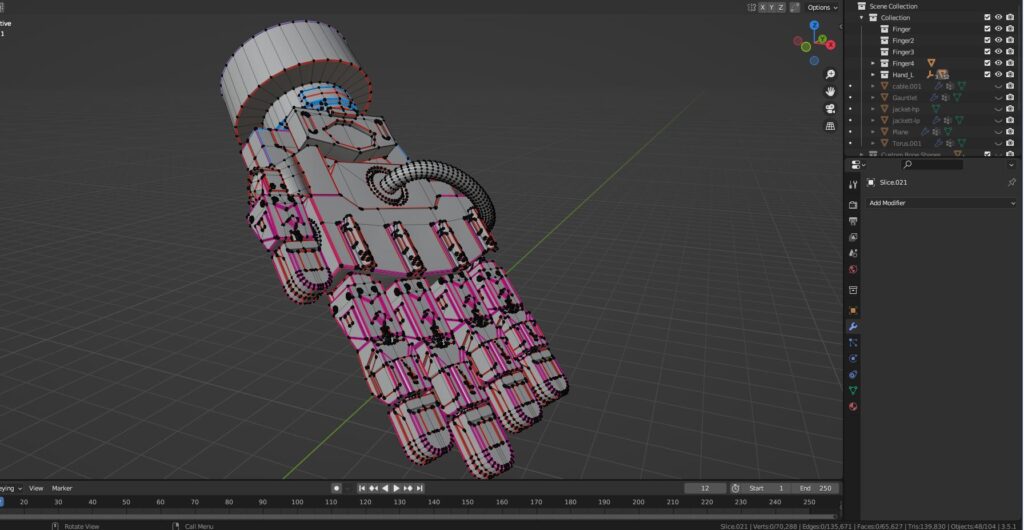
This makes Organic mode suitable for characters, creatures, soft props, high-resolution sculpts, and scanned objects. A dense sculpt containing millions of faces can be reduced to a more manageable quad mesh without losing its recognizable silhouette. One example shows a 2,000,000-face organic model converted into approximately 20,000 clean faces. The more uniform topology is easier to inspect and edit than the irregular or excessively dense geometry normally produced by sculpting, scanning, or automatic mesh generation.
The Organic workflow can also transfer high-frequency appearance information from the source to the new low-poly result. Smart Remesh 2 supports baking details such as base color, normal information, and other texture maps so the simplified model can retain the look of the original sculpt. UV layouts, including UDIM-based multi-tile arrangements, are designed to remain aligned during the process. This allows artists to retopologize an already textured asset without automatically losing all the work completed during surfacing.
Hard-Surface Mode and Presets
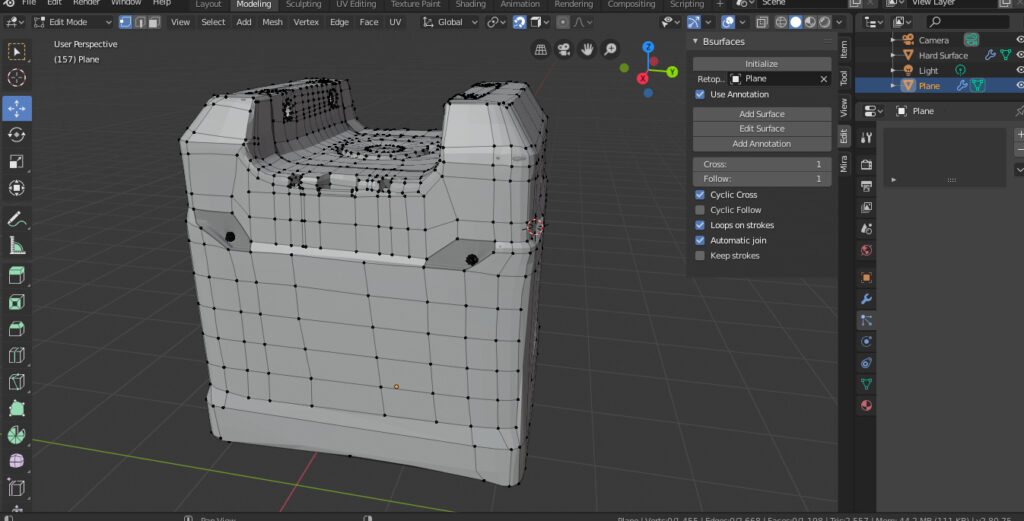
Hard-Surface mode uses a different strategy suited to mechanical parts, vehicles, weapons, architectural objects, manufactured props, and models created through booleans. It identifies flat surfaces and the edges that genuinely define the object, then rebuilds each planar section as a larger, simpler polygon or a limited series of quads. Interior loops that add density without altering the panel, curvature, or silhouette are removed.
The add-on is designed to keep planar surfaces flat and preserve important edge positions rather than smoothing or shrinking the model. Each retained vertex remains connected to the source surface, allowing hard edges, panel boundaries, and silhouette changes to stay in their intended positions. A detailed car bumper, for example, can be reduced so that each major panel becomes one clean face instead of remaining divided by numerous loops that provide no visible benefit.
Three hard-surface presets are available for general use, fine-detail retention, and models containing many flat panels. Artists can also control polygon density manually when the presets do not provide the required balance. This allows one asset to be reduced aggressively for real-time use while another retains more geometry around bevels, curves, joints, and small mechanical features.
Smart Cleanup, Edge Loop Removal, Selected Retopology, and Symmetry
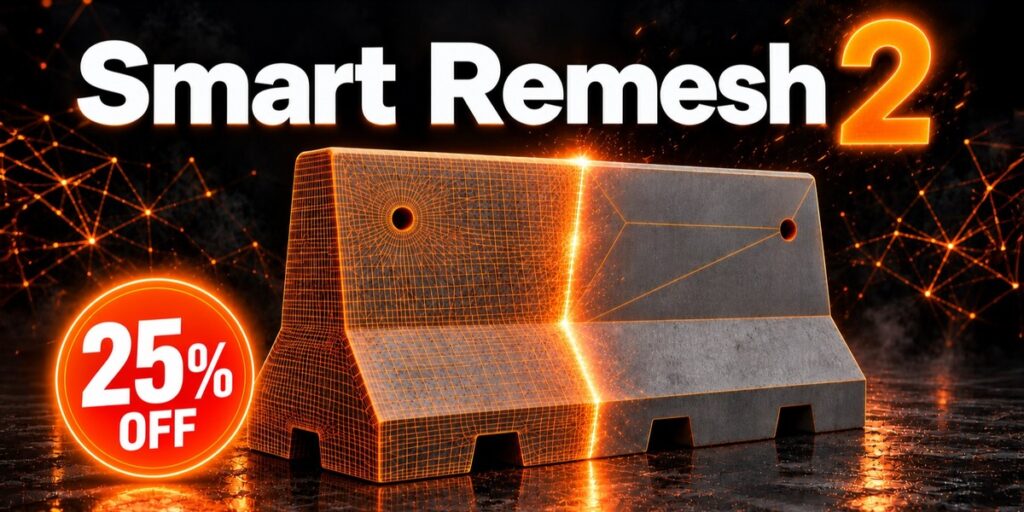
Smart Cleanup is applied after the initial remeshing stage to remove leftover geometry that does not contribute meaningfully to the asset. The system examines tiny faces, triangles, stray edges, redundant loops, and irregular areas that may remain after topology has been reconstructed. It then dissolves or merges unnecessary components while retaining geometry needed to preserve curvature, panel boundaries, and the object’s silhouette.
This cleanup process is presented as one that “knows what matters.” Instead of applying a general dissolve operation to the entire mesh, it evaluates whether removing a face or edge would noticeably change the model. A tiny face created around a fillet, boolean joint, or imported surface can be eliminated when it adds no useful shape information. Areas that contain meaningful curvature or a necessary hard edge are preserved rather than being simplified indiscriminately.
The add-on specifically targets edge loops that carry no shape information. It evaluates whether each loop changes the surface, contributes to curvature, supports a sharp feature, or affects the visible outline. When a loop makes no meaningful contribution, Smart Remesh 2 removes it automatically. This is particularly useful for CAD imports, boolean-heavy objects, and AI-generated models containing dense networks of loops with no clear modelling purpose.
Hard-surface assets benefit strongly from this process because flat panels frequently contain many evenly spaced cuts left by subdivision, triangulation, conversion, or another software package. Smart Remesh 2 can dissolve those cuts and reconstruct the surface as a single planar region. The result contains fewer faces, cleaner edge flow, and less geometry for Blender or a game engine to process, while the visible shape remains unchanged.
Selected Edge Retopology and Localized Control
The Selected Edge Retopology feature, also described as Limit by Selected Edges, gives artists control over where this processing occurs. Rather than applying remeshing and cleanup to an entire object, the user can enter Edit Mode, select an edge loop or border, and use it to define the area that should be rebuilt. Geometry outside the boundary remains untouched.
This localized workflow is useful when most of an asset already has acceptable topology but one section has become difficult to manage. An artist might apply it around a messy boolean opening, an imported scan region, a damaged seam, or a mechanical joint without disturbing carefully constructed geometry elsewhere. It can also be combined with manual retopology. A character artist could build most of a mesh by hand and use Smart Remesh 2 to fill or clean a selected hand, face, or other difficult section.
The selected edges act as firm borders for the remeshing operation. Once the boundary is established, the artist chooses Organic or Hard-Surface mode and runs the tool. Smart Remesh 2 processes only the enclosed area, allowing automated cleanup to become part of a larger hand-built workflow rather than an all-or-nothing replacement for manual work.
Symmetry Retopology for Mirrored Assets
Symmetry Retopology provides another form of control for mirrored assets. When working on a symmetrical character, vehicle, machine, helmet, or prop, the option ensures that the resulting topology matches across the model’s mirror plane. The add-on recognizes the symmetrical structure, processes one side, and reproduces the topology on the other.
This prevents small asymmetries from appearing during automatic reconstruction and eliminates the need to repair one side manually after remeshing. It can also reduce processing time because the tool does not need to solve two matching sides independently. For character and vehicle artists, maintaining symmetry during early production makes later rigging, UV work, sculpting, and design revisions considerably easier.
Material, UV, Viewport, and Blender Scene Workflow Preservation
Smart Remesh 2 is designed to preserve material assignments and UV information rather than treating retopology as a destructive reset. Many automatic remeshers generate a completely new mesh and discard the relationship between the original faces, materials, and texture coordinates. Smart Remesh 2 instead attempts to retain the asset’s existing surfacing structure wherever possible.
Material assignments are transferred so that areas of the new mesh continue using the same materials as their corresponding areas on the source. The product description summarizes this behavior by stating that materials remain where they were. This reduces the need to examine the remeshed object face by face and manually restore every metal, plastic, fabric, glass, skin, or painted region.
UV preservation is similarly important for finished assets. Smart Remesh 2 attempts to keep existing UV islands in place, including multi-tile UDIM layouts. Release information specifically notes that UDIM tiles should remain correctly positioned after remeshing. Artists can therefore process models that have already entered texturing without automatically discarding their entire UV and material setup.
When direct preservation is not sufficient for fine detail, the baking workflow can transfer the appearance of the high-resolution source to the new low-poly mesh. Base color, normal maps, and related information can be rebaked so the optimized result visually matches the original. This is particularly useful for organic sculpts, scanned models, and assets whose detailed surface appearance comes from information that cannot be represented by the reduced geometry alone.
Viewport and Scene Workflow Preservation
The add-on also includes wireframe and viewport behavior intended to make inspection easier without permanently changing the artist’s Blender setup. After retopology, Smart Remesh 2 can temporarily display the new topology in Wireframe mode so the user can examine face distribution, panel structure, edge flow, and any remaining irregularities.
Once the operation is complete, the tool restores the previous viewport shading configuration. An artist working in Material Preview, Solid, or Rendered mode should return to that state instead of having to reset the viewport manually. The add-on is designed to preserve the surrounding display configuration and avoid hiding or changing unrelated objects simply because one mesh was processed.
Scene organization receives similar attention. By default, the remeshed object retains the original mesh name, preventing materials, references, scripts, or manual organisation from becoming harder to follow. When the operation creates an additional object, Smart Remesh 2 uses managed naming intended to avoid filling the Outliner with confusing duplicates or generic object names.
The new geometry can replace the original mesh while preserving the expected object identity inside the scene. The workflow is also intended to respect existing visibility settings, collection assignments, object hierarchies, and modifier stacks that are unrelated to remeshing. This makes it easier to integrate the add-on into a larger production file containing multiple assets, linked materials, organised collections, and established naming conventions.
These scene-management features do not change the quality of the topology directly, but they reduce the interruption caused by automated processing. Retopology becomes one step inside the wider Blender project instead of an operation that forces the artist to reorganize names, restore materials, adjust viewport settings, and repair the Outliner afterward.
Smart Remesh 2 Results, 3DRedBox Workflow, and Whether it is Worth Using
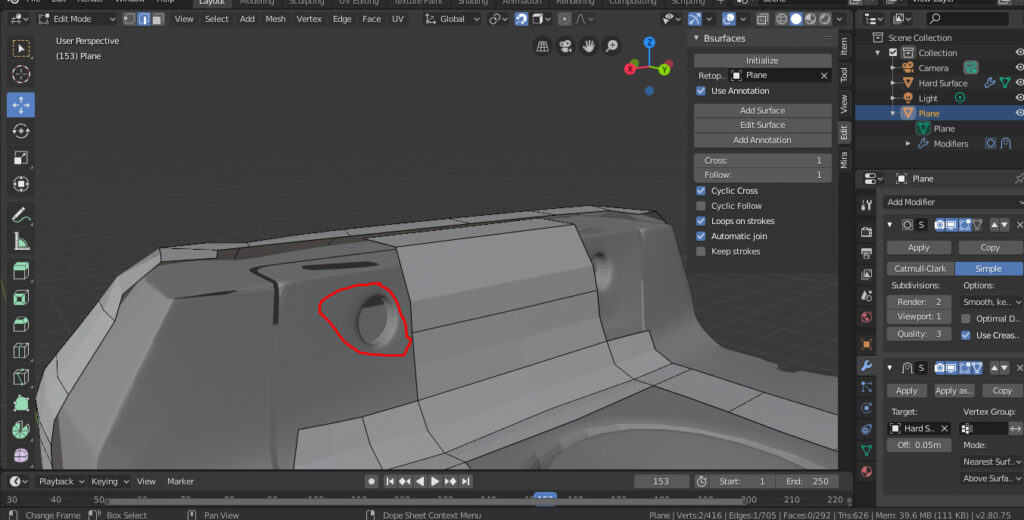
Before-and-after examples demonstrate the scale of polygon reduction Smart Remesh 2 can produce. One hard-surface showcase begins with a concrete barrier containing 8,960 faces and reduces it to 137 faces, representing a 98.5 percent reduction. Each important flat panel becomes a larger polygon, redundant loops disappear, and the object retains its original silhouette and planar structure.
Organic examples show a similar transformation at a different scale. A sculpt containing approximately 2,000,000 faces is rebuilt as a roughly 20,000-face quad mesh. The resulting wireframe displays a more uniform distribution of faces and avoids the dense, irregular topology of the source while continuing to match its external form.
These examples illustrate the different priorities of the two modes. Organic retopology focuses on a regular, editable quad grid that follows curved forms, while hard-surface retopology prioritizes large planar regions, meaningful edges, and aggressive removal of unnecessary divisions. In both cases, the intended result is a cleaner mesh that is more suitable for real-time production, editing, animation preparation, baking, or continued modelling.
Smart Remesh 2 was created by Milad Kambari, an experienced 3D artist and the founder of 3DRedBox Studio. Kambari is known for texturing education, production assets, courses, and Blender tools. His experience creating game-ready models and teaching production workflows influenced the add-on’s emphasis on practical problems such as reducing scans, cleaning boolean geometry, preserving textures, and preparing assets for real-time use.
Workflow Integration, Ease of Use, and Limitations
The add-on also fits alongside other 3DRedBox tools, including Smart Segmentation. Together, these tools can support a pipeline in which a dense or unorganized source asset is divided into manageable regions, remeshed, cleaned, textured, and prepared for use in a game engine or another production environment. Smart Remesh 2 acts as the bridge between raw high-poly geometry and an optimized low-poly result.
Early users have described the add-on as straightforward and capable of producing clean results with limited input. Its presets, single-panel interface, cleanup functions, and separate organic and hard-surface modes are designed to make automated retopology more accessible to artists who do not want to spend hours manually rebuilding every part of a model.
Smart Remesh 2 is not a complete replacement for manual retopology in every situation. Characters intended for demanding facial animation, highly deformable joints, tightly controlled subdivision, or specialised production rigs may still need hand-built edge flow. Complex mechanical objects can also require manual corrections around unusual intersections, bevels, holes, and moving parts. Automatic output should always be inspected before an asset proceeds to rigging, animation, or final export.
Its main value lies in completing the repetitive and time-consuming portion of retopology quickly. It can establish a strong starting mesh, remove thousands of unnecessary faces, preserve important visual information, and leave the artist with a much smaller amount of manual refinement. For static props, scans, CAD conversions, boolean results, background models, game assets, and many organic sculpts, that can represent a substantial time saving.
Pricing, Feature Set, and Final Thoughts
At $15, Smart Remesh 2 offers a relatively low-cost way to add context-aware automated retopology to Blender. Its combination of Organic and Hard-Surface modes, Smart Cleanup, redundant-loop removal, selected-area processing, symmetry, UV and material preservation, texture baking, and scene-friendly behaviour gives it a broader workflow than a basic one-click remesher.
For Blender artists who frequently need to reduce dense meshes while preserving the original form, materials, UVs, and hard edges, Smart Remesh 2 is a promising and practical addition. Its strongest use is not replacing artistic judgment, but handling the heavy initial reconstruction so that manual effort can be concentrated on the smaller number of areas where precise production topology still matters.
Frequently Asked Questions (FAQs)
- What is Smart Remesh 2 and who created it?
Smart Remesh 2 is a Blender add-on for automatic retopology, created by Milad Kambari of 3DRedBox Studio. It rebuilds meshes into clean quad topology with separate modes for organic and hard-surface models. The tool analyzes the form of the original mesh and produces a new low-poly mesh without changing the shape. Milad Kambari, an experienced 3D artist and instructor, developed it based on his work producing game assets, aiming to streamline retopology workflows. - How do the Organic and Hard-Surface modes differ?
The Organic mode (for characters, sculpts, etc.) rebuilds the entire surface into an even, animation-ready quad grid at a chosen density. It is based on the open-source Instant Meshes algorithm and can preserve sculpt details via baking. The Hard-Surface mode (for mechanical or panelled models) finds real edges of flat panels, rebuilds each panel as a clean n-gon, and removes loops that don’t contribute to shape. Crucially, the Hard-Surface remesh does not move any vertices; every vertex in the output is an original vertex, keeping the silhouette exactly the same. - What does “context-aware remeshing” mean in Smart Remesh 2?
“Context-aware” means Smart Remesh 2 adapts its strategy based on the mesh’s features. It uses different algorithms for curved vs. flat areas. For example, it recognizes planar sections to preserve as large faces and identifies loops that don’t change shape to remove them. It also lets users restrict remeshing to selected regions. In essence, Smart Remesh 2 analyzes the context of the geometry (curvature, symmetry, materials, etc) and makes intelligent decisions on where to add or remove detail, rather than applying a uniform remesh everywhere. - How does the Smart Cleanup feature work?
After remeshing, Smart Remesh 2 runs a “Smart Cleanup” pass that automatically dissolves unwanted geometry and cleans up messy areas. It searches the remeshed model for stray triangles, tiny faces, or irregular edges that survived the initial remesh and removes them. The cleanup focuses on deleting only the “junk” geometry that doesn’t affect the overall shape, leaving only purposeful topology. This means the output is fully polished without manual effort: artists can rely on Smart Cleanup to finish the job and leave the mesh ready for use. - Will Smart Remesh 2 preserve my UV maps and materials?
Yes. One of Smart Remesh 2’s key improvements is that it preserves existing UV layouts and material assignments on the new mesh. Multi-tile UDIM UV maps stay in place after the remesh, and all textures (base color, normals, etc.) can be baked onto the low-poly result. Materials remain assigned face-for-face, so the rebuilt mesh uses the same materials as the original. This allows artists to remesh finished assets without losing their UVs or having to reassign textures. - How do I use the Selected Edge Retopology (Limit by Selected Edges) feature?
In Blender’s Edit Mode, select the edges that define the boundary of the region you want to remesh. Then activate Smart Remesh 2 and run the remesh operation. The tool will treat the selected edges as a limit and only retopologize the geometry inside that boundary. This is useful for focusing on a specific area (like a complicated sub-mesh) while leaving the rest of the model untouched. No special setup is needed beyond the selection; Smart Remesh 2 automatically reads the selection as the processing area. - Does Smart Remesh 2 support symmetry?
Yes. Smart Remesh 2 automatically handles symmetrical models. When a mesh has a mirror modifier or is inherently mirrored, Smart Remesh will apply the remeshing symmetrically. In the “A Workflow That Respects Your Scene” description, symmetry retopology is listed among the features. This means if your model is a perfect mirror of itself, only one side needs to be calculated and the other is mirrored, ensuring the final mesh is fully symmetric. - Can you give examples of the before-and-after topology results?
Demonstrations show that Smart Remesh 2 can achieve extreme reductions. For example, a complex hard-surface prop was reduced from 8,960 faces to 137 faces (a 98.5% reduction) while each panel became a single polygon. An organic sculpt example shows 2,000,000 faces remeshed to 20,000, yielding 100% clean quads. These cases illustrate that Smart Remesh 2 can create much lighter meshes while preserving shape. In practice, the before/after comparisons usually show the original high-poly wireframe over the new low-poly mesh, and Smart Remesh 2’s output has completely even quads and no extra loops, matching the silhouette exactly. - Who is Milad Kambari and what is 3DRedBox Studio?
Milad Kambari is a veteran 3D artist, instructor, and entrepreneur who runs 3DRedBox Studio. He is known for creating texturing courses and asset libraries on platforms like ArtStation. Smart Remesh 2 is one of his Blender add-ons. The CG Channel article notes that Kambari heads up 3DRedBox, a game outsourcing firm, and has a strong track record as an asset creator and educator. 3DRedBox offers training and tools for game asset creation, and Smart Remesh 2 extends Kambari’s focus on game-ready workflows into Blender. - Is Smart Remesh 2 worth the price compared to other tools?
Many users find Smart Remesh 2 to be a very good value at $15. It performs similarly to higher-priced retopology tools and handles both organic and hard-surface cases in one add-on. Its unique features (like context-aware cleanup, UV/material preservation, and symmetry) aren’t commonly bundled together. Early reviews call it “promising” and note that it delivers “very clean remesh with one click”. If preserving the exact shape and textures of your model is important, Smart Remesh 2 can save hours of manual work. As with any auto-retopo tool, it may not always match a hand-built topology in every detail, but for most use cases it yields excellent results. Given its capabilities and low cost, it is generally considered worth trying for anyone who does retopology in Blender.
Conclusion
Smart Remesh 2 introduces an efficient, feature-rich workflow for retopology in Blender. By combining a quad remesher with intelligent cleanup and form-aware logic, it reduces messy meshes to clean, low-poly models while preserving original details like silhouette, UVs, and materials. Its separate Organic and Hard-Surface modes ensure appropriate handling of different asset types, and the various quality-of-life features (such as Smart Cleanup, selected-edge limits, symmetry, and scene integration) demonstrate thoughtful design.
The add-on is particularly helpful for game artists and visual effects creators who need to quickly prep assets for real-time use. For the modest price of $15, Smart Remesh 2 offers automation that would otherwise require significant manual effort. Early reports and demos suggest it performs well, making it a recommended addition to Blender’s toolkit for efficient retopology.
Sources and Citations
- Smart Remesh 2 Official Superhive Product Page
https://superhivemarket.com/products/smart-remesh - CG Channel Smart Remesh 2 Blender Retopology Coverage
https://www.cgchannel.com/2026/08/check-out-promising-new-blender-retopology-tool-smart-remesh/ - CG Channel Smart Remesh 2 Coverage Archive
https://www.cgchannel.com/tag/smart-remesh-2/ - Smart Remesh 2 Official ArtStation Marketplace Page
https://www.artstation.com/marketplace/p/yRp58/smart-remesh-blender-add-on - ModelingTechNote Smart Remesh 2 Technical Overview
https://modelingtechnote.com/2026/08/30/smart-remesh-2/
Recommendations
- Poncle Expands Vampire Survivors Into Japan: New Studio Plans and What It Could Mean for Future Projects
- How to Create Warhammer Sisters of Battle Characters with MetaHuman in Unreal Engine 5
- Home Circuit Dev Velan Studios Opens Office in Toronto as It Expands Into Canada
- Apple Design Awards 2026 Winners Announced: Blue Prince and Cyberpunk 2077 Lead Apple’s Biggest Design Showcase Yet
- Ryse: Son of Rome Sequels Would Have Spanned Historical Eras
- Metahuman Animation Tutorial: Step-by-Step Guide to Animating Digital Humans in Unreal Engine 5
- The Four Best Handheld Gaming PCs Right Now: Performance, Battery Life, and Value Compared
- Sony Is Shutting Down Its Remake-Focused Studio Bluepoint Games: What We Know So Far
- FBC: Firebreak just got its last ever major update (Open House), plus a permanent price drop and free Friend’s Pass
- Freelance and Indie Commercial License



































































































