










In This Article (19 sections)
What is soft body physics simulation
Soft-body physics simulation refers to modeling deformable objects in computer graphics that can bend, stretch, or squash under force. Unlike rigid-body simulation where the shape is fixed, soft bodies allow the relative distance between points to change under applied forces. In practice, soft-body methods aim for visually plausible deformations (e.g., for character muscles, jelly, or fabric) rather than exact engineering accuracy. These simulations are widely used in games and VFX to create realistic bouncing, jiggling, and squashing effects.
Soft body vs rigid body physics simulation differences
Rigid-body simulation treats objects as undeformable solids whose shape and internal distances remain fixed. In contrast, soft-body simulation allows nodes or vertices to move relative to each other, letting the object’s shape change under force. Soft bodies therefore require modeling internal elasticity, often via springs or continuum elements, whereas rigid bodies use simpler dynamics (translations, rotations) with no internal deformation. A rigid body maintains its pose, but a soft body can stretch, compress, or bend while usually conserving overall volume to some degree. This makes soft-body simulation computationally more complex, involving extra steps like internal force computations and deformation constraints.
Mass-spring soft body simulation explained
The mass-spring model represents a soft body as a network of point masses (nodes) connected by elastic springs. Each spring obeys Hooke’s law, producing forces proportional to displacement, and damping forces can absorb energy. By applying Newton’s laws to each mass (taking into account spring forces, gravity, and collisions), the simulation integrates the motion over time. In practice, edges of a mesh or internal lattices of nodes form the springs. Although simple and fast enough for real-time use, pure mass-spring models can become unstable if springs are very stiff or time steps are too large, and may require smaller time steps for accuracy.

Finite element method (FEM) soft body simulation overview
FEM-based soft-body simulation treats the object as a continuum discretized into many small elements (typically tetrahedra). It solves partial differential equations of elasticity for stress and strain in each element, using material parameters like Young’s modulus and Poisson’s ratio. In a tetrahedral mesh, the nodes are the vertices of each tetrahedron, and the simulation computes how each element deforms under forces. FEM yields more physically accurate results than mass-spring, handling complex material behaviors and volume preservation. However, it involves solving large sparse linear systems each time step, which can be computationally heavy for high-resolution meshes.
Position based dynamics (PBD) soft body simulation for real-time
Position-Based Dynamics (PBD) is a popular method for simulating deformable bodies in real time. Rather than integrating forces, PBD directly iterates on particle positions using geometric constraints. In each time step, it first predicts new positions under external forces and then repeatedly projects the particles to satisfy constraints (e.g. fixing distances, volumes, or shapes). This Gauss–Seidel projection approach is unconditionally stable and efficient, making PBD ideal for interactive graphics and games. PBD handles constraints for distance (spring-like), volume, collision/contact, and even per-cluster shape matching, providing robust control over deformation.
XPBD soft body simulation for stable constraints
Extended Position-Based Dynamics (XPBD) augments standard PBD by introducing compliance parameters in each constraint to model elasticity more physically. In XPBD each constraint has an associated stiffness term (compliance) that ensures the solver’s effect on stiffness is time-step independent. This allows simulating very stiff materials without numerical “tunneling” or instability at large time steps. XPBD keeps a Lagrange multiplier history (like in implicit integration), which yields more realistic deformation of elastic materials. In practice, using XPBD leads to more stable simulation of near-rigid or highly compliant soft bodies, avoiding the jitter or blow-up that naïve PBD might exhibit with extreme constraints.
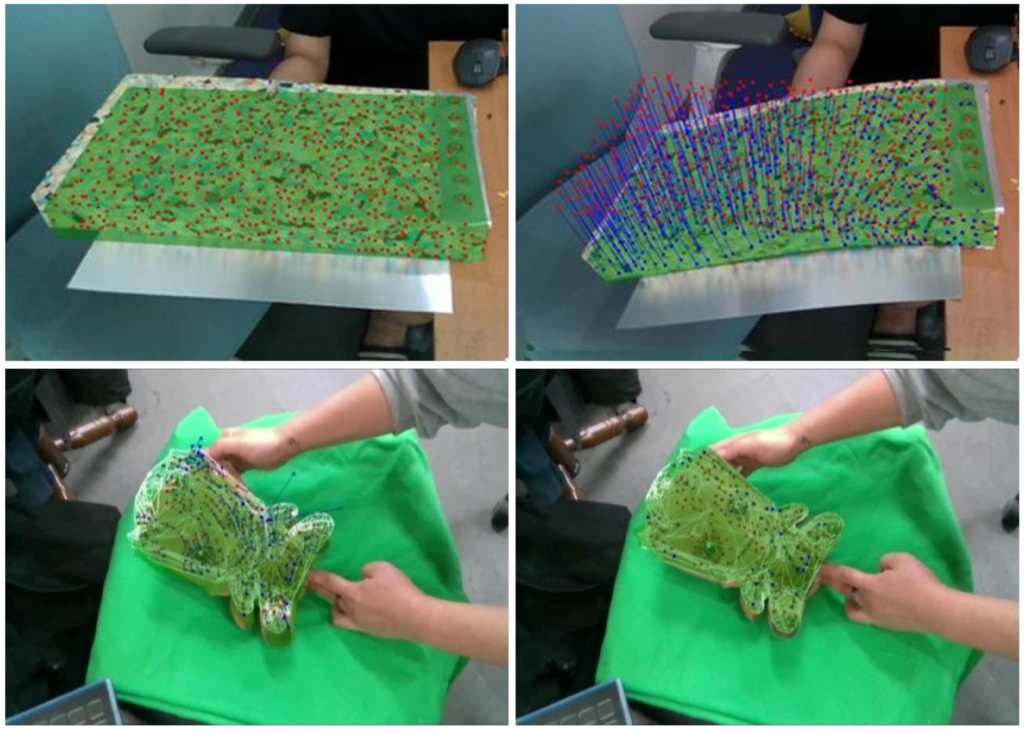
Tetrahedral mesh soft body simulation (tet meshes)
 Many advanced soft-body engines use volumetric tetrahedral meshes to simulate internal deformation. In NVIDIA’s PhysX, for example, a soft body is defined by two tetrahedral meshes: a simulation mesh (green) for physics and a collision mesh (blue) for surface contact. The simulation mesh fills the volume with evenly sized tetrahedra, making internal force computation more regular, while the collision mesh conforms precisely to the object’s surface for accurate contacts. A coarser tetrahedral mesh (fewer, larger tets) reduces computational cost, whereas a finer mesh allows more detailed bending and squashing. The render mesh (left) is typically a separate high-resolution surface used for drawing, which is deformed to match the simulation mesh under physics updates.
Soft body collision detection and collision response techniques
Collision detection for deformable objects introduces extra challenges beyond rigid collisions. Fast methods often use a broad-phase (like dynamic bounding volume hierarchies or spatial grids) to quickly rule out distant objects, then a narrow-phase to check surface contacts. For soft meshes, continuous collision detection or self-collision algorithms are employed to prevent “tunneling” through thin regions. Once collisions are detected, response forces are applied.
Common responses include penalty forces (springs that push interpenetrating nodes apart) and constraint solvers (enforcing non-penetration via projections or impulse solutions). Penalty methods are simple and widely used but can allow slight penetration, whereas constraint-based LCP solvers prevent penetration at the cost of higher computation. Proper handling of collision margins and friction is also critical for realistic contact: for example, Blender’s soft-body friction is influenced by damping and mass settings.
Volume preservation in soft body simulation (shape matching and constraints)
Maintaining an object’s volume (or overall shape) is crucial for realistic soft bodies. One strategy is shape matching, where the deformed object is continuously driven back toward its rest shape via restorative forces. In shape matching, clusters of nodes compute the best-fit rigid transform from rest pose to current pose and apply forces to resist stretching. Another strategy is adding explicit volume constraints: for example, in PBD one can enforce that each tetrahedron’s volume remains constant, or use bending constraints to resist compression of the mesh. These constraints act like invisible springs that preserve the original volume. By blending shape-matching and volume constraints, simulations achieve a nearly incompressible behavior seen in real materials.

Soft body damping, stiffness, and stability settings
Material parameters greatly affect soft-body behavior. Stiffness is often set via a Young’s modulus; a high modulus yields little deformation, while a low modulus produces a floppy body. Poisson’s ratio controls volume preservation: a value near 0.5 makes the material nearly incompressible.
Setting Poisson’s ratio exactly at 0.5 can cause numerical issues, so typical values are slightly lower (e.g., 0.45). Damping is applied to dissipate kinetic energy and prevent endless oscillation; if damping is zero, a soft body may continue to jiggle indefinitely or even explode under force. In practice, adding internal damping or using XPBD compliance makes simulations more stable by smoothing out high-frequency motion. Tuning these parameters is key: stiffer models may need more solver iterations or finer meshes to avoid instability.
Real-time soft body simulation optimization for games
For interactive applications, performance is critical. Position-based methods (PBD/XPBD) are favored for their efficiency and stability in real-time environments. Other optimizations include using the coarsest mesh that still looks good, limiting the number of solver iterations, and offloading computation to the GPU. NVIDIA advises choosing a low-resolution tetrahedral mesh (few tetrahedra) to reduce the per-frame cost, since each tet requires computing stresses. Level-of-detail (LOD) techniques can switch to simpler collision proxies when objects are far away. In engine pipelines like Unity or PhysX, GPU implementations and specialized solvers (e.g., running the constraint iterations in parallel) further accelerate the simulation. These measures ensure soft bodies deform believably at interactive frame rates.
Blender soft body physics simulation settings and workflow
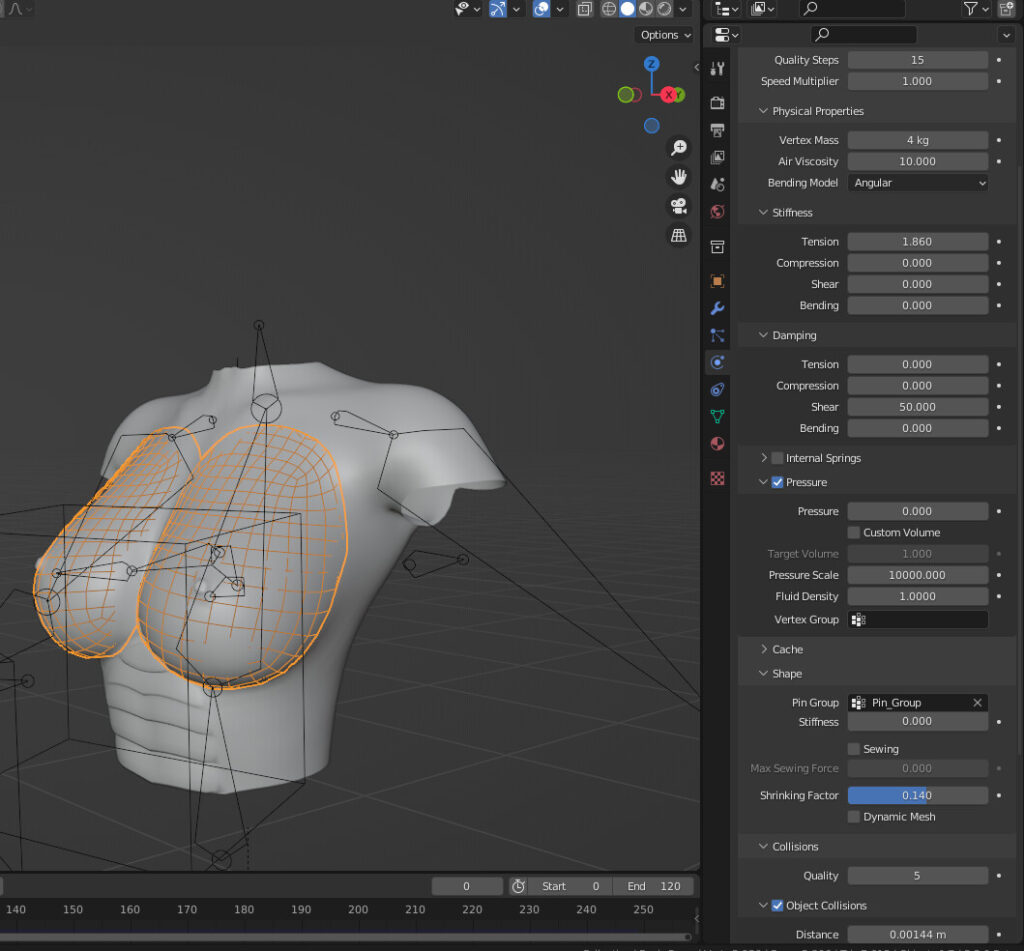
In Blender, soft-body physics are set up in the Physics tab by enabling Soft Body on a mesh. Key settings include the Edges parameters: Pull (edge spring stiffness against stretching), Push (stiffness against compression), and Damp (edge damping to reduce oscillation). The Goal settings allow vertices to be constrained to animated motion or fixed in space: enabling Goal and assigning a vertex group lets those vertices follow an animation or remain pinned.
For example, pinning vertices can be done by setting a Goal weight or using a hook modifier as suggested on Blender StackExchange. Collision interactions require enabling Self Collision and adjusting Friction. In Blender’s soft-body collision settings, only the Damping of the collider affects friction, while the soft body’s own Friction parameter (and its Mass) influences how it slides during contacts. Workflow often involves tweaking these parameters and baking the simulation to achieve the desired jelly-like or cloth-like behavior.
Unity soft body physics simulation approaches (PBD and mass-spring)
Unity does not include built-in soft-body physics, so developers rely on custom solutions or third-party tools. Common approaches treat the mesh as particles and springs solved by PBD/XPBD or mass-spring solvers. For instance, the Obi Softbody asset generates particles on the mesh surface and optionally inside its volume, then connects them with shape-matching clusters and distance constraints. This particle-based approach (essentially XPBD) provides stable soft-body motion within Unity.
Alternatively, one can script a mass-spring system by iterating over mesh vertices, but this often demands careful tuning and smaller time steps for stability. In either case, GPU compute or multithreading (Unity Jobs or ECS) can accelerate the solver. Game developers will often combine soft-body code with Unity’s physics for collision or attach the mesh to animated bones for hybrid effects.
Soft body simulation troubleshooting (jittering, exploding meshes, stretching)
Unstable behavior in soft-body sims usually stems from extreme parameters or insufficient solver precision. Jittering (high-frequency wobble) can be reduced by adding damping, lowering the simulation’s time step, or using a smaller delta time. Exploding meshes (where the mesh bursts outward) often occur with very stiff springs or over-relaxed constraints; the fix is to decrease stiffness, increase solver iterations, or switch to an implicit/XPBD solver to handle high stiffness.
Excessive stretching might indicate low spring stiffness or missing volume constraints; remedy by increasing edge stiffness or enforcing volume-preservation constraints/shape matching. Ensuring collision margins and sub-steps are set correctly also prevents interpenetration that can cause spikes in forces. In short, increasing damping and compliance (as in XPBD) and tuning material parameters (stiffness, Poisson’s ratio) usually cures most instability.
Best practices for believable soft body deformation in animation and VFX
Achieving a convincing soft-body effect often combines physics simulation with artistic control. For realism, maintain volume using shape-matching or volume constraints, which prevents collapse or over-expansion. Integrate the simulation with character rigs by pinning soft-body regions (using Blender’s Goal or Unity’s attach-to-bone techniques) so that driven parts (e.g. head movement) carry the soft body along.
Apply subtle secondary motion: for example, bake a simulated jiggle on top of keyframed motion, and refine with blend shapes or lattice deformers for fine detail. Set stiffness and damping to match the material – a floppy rubber vs. a stiff muscle – and always watch that soft-body dynamics complement rather than distract. In film/VFX pipelines, artists often use a combination of FEM or PBD simulation and hand-sculpted corrective shapes to achieve the final believable deformation. Thorough testing with real-time feedback helps ensure the soft-body behavior enhances the overall animation.

Frequently Asked Questions (FAQs)
- What is soft body physics simulation?
Soft body physics simulation models deformable objects that can bend, stretch, or compress, enabling realistic animation of materials like flesh, cloth, or jelly. It differs from rigid-body physics by allowing the object’s shape to change under forces. Soft-body techniques use internal models (springs, FEM elements, or constraints) to compute how the object deforms over time. - How does soft-body simulation differ from rigid-body simulation?
In rigid-body simulation, the object’s shape and internal distances remain fixed (only translation/rotation change). Soft-body simulation allows the mesh or volume to deform, meaning internal points move relative to each other. This requires additional computations of internal forces (e.g. springs or continuum stress) to simulate elasticity and volume preservation. - What are the common algorithms for simulating soft bodies?
Common methods include mass-spring systems (vertices connected by springs) and finite element methods (FEM) (solving elasticity on tetrahedral elements). For real-time use, Position-Based Dynamics (PBD) is popular: it treats particles and iteratively projects them to satisfy distance/volume constraints. Each method has trade-offs: mass-spring is simple but can be unstable for stiff springs; FEM is accurate but computationally heavy; PBD is unconditionally stable and fast for interactive graphics. - Why use Position-Based Dynamics (PBD) for soft bodies?
PBD directly works on particle positions with constraint solves rather than forces, which yields high stability even with large time steps. This makes PBD efficient and controllable for games and VR. Its constraint-based framework easily handles many soft-body constraints (edge lengths, volume, bending, collisions) in a unified way. PBD is thus chosen when performance and robustness are priorities, such as in real-time applications. - What is eXtended PBD (XPBD) and why use it?
XPBD is an enhancement of PBD that adds a compliance (softness) parameter to constraints, allowing them to behave like real springs without numerical instability. In XPBD each constraint solves a backward Euler step, which makes stiffness/time-step behavior decoupled. The result is that stiff constraints remain stable under larger time steps, enabling simulation of very firm or rubbery materials without jitter. Essentially, XPBD lets you tune material stiffness and damping more predictably. - How is volume preserved in soft body simulation?
Volume preservation is often achieved by shape-matching or explicit volume constraints. Shape matching applies forces to return the object toward its original shape, mimicking a “shape memory”. In constraint-based solvers, one can enforce that each tetrahedron’s volume remains constant (a volume constraint). These methods prevent the object from collapsing or unnaturally expanding, maintaining a consistent volume during deformation. - How do damping and stiffness parameters affect the simulation?
Stiffness (e.g. Young’s modulus) controls how much the object resists deformation: higher stiffness means less bending. The Poisson’s ratio sets how compressible the material is (0.5 is nearly incompressible). Damping introduces friction-like forces that dissipate energy. Without sufficient damping, a soft body will oscillate or jitter indefinitely. Increasing damping (or adding XPBD compliance) smooths out motion and prevents runaway oscillation. Properly balancing stiffness and damping is key to stability: very stiff, high-resolution meshes often require extra damping and solver iterations to avoid exploding. - How do I control soft body pins and collisions in Blender?
In Blender’s Soft Body settings, the Goal panel lets you pin or animate parts of the mesh. You can assign a vertex group and set a goal strength so those vertices follow an empty or armature motion. Setting the goal strength to 0 effectively pins them (like a cloth pin). For collisions, ensure Self Collision is enabled and adjust the Friction parameter in the Soft Body panel. Note that Blender applies friction differently: on the collision object, only its Damping affects friction, while on the soft body mesh, the Friction value (and the mesh’s Mass) determines how it slides during contact. - Can Unity simulate soft bodies natively?
No, Unity has no built-in soft-body physics. Developers typically use custom scripts or assets like Obi Softbody, which use particle-based and PBD/XPBD techniques. Obi, for example, creates particles on the mesh and inside its volume, and uses shape-matching clusters to hold the body together. In general, simulating soft bodies in Unity involves treating the mesh as a network of particles and constraints, similar to other engines, and often requires leveraging Unity’s Job System or compute shaders for real-time performance. - How can I fix a soft body simulation that jitters or explodes?
Instabilities often come from too-large forces or time steps. To fix jittering, try increasing damping or shrinking the time step (e.g., enabling more sub-steps). If the mesh explodes (vertices fly apart), reduce stiffness (make springs softer) or switch to an implicit solver (XPBD). Increasing the solver’s constraint iterations or reducing mesh resolution can also help stabilize stiff objects. In short, add damping/compliance and tune material parameters; using XPBD’s compliance or lowering Poisson’s ratio can prevent these numerical issues.
Conclusion
Soft-body simulation encompasses a variety of methods, from simple mass-spring models to advanced FEM and PBD/XPBD algorithms. Each technique has trade-offs: mass-spring is easy but can require small time steps, FEM is accurate but computationally heavy, and PBD/XPBD offers stable real-time performance with flexible constraint handling. Key to believable results are proper handling of collisions, volume preservation (using constraints or shape matching), and careful tuning of material parameters (stiffness, damping, Poisson’s ratio). In practice, especially in VFX and games, simulations are often combined with artist-driven controls (pin constraints, blend shapes) to fine-tune the deformation. By following these workflows and best practices, developers can achieve highly realistic and controllable soft-body deformations in animation, games, and simulation.
Sources and Citations
- Soft-body dynamics – Wikipedia
https://en.wikipedia.org/wiki/Soft-body_dynamics - Position-Based Dynamics (Müller et al., foundational paper reference)
https://matthias-mueller-fischer.ch/publications/posBasedDyn.pdf - Position Based Dynamics – EmergentMind summary
https://www.emergentmind.com/papers/position-based-dynamics - PBD Constraints & XPBD Stability – EmergentMind
https://www.emergentmind.com/papers/extended-position-based-dynamics - NVIDIA PhysX Soft Body Simulation (PhysX 5.3 docs)
https://nvidia-omniverse.github.io/PhysX/physx/5.3.1/docs/SoftBodies.html - Obi Softbody (Unity particle-based soft body system)
https://obi.virtualmethodstudio.com/manual/4.X/softbodysetup.html
Recommended
- Microsoft Tried to Ban “Microslop” in Its Copilot Discord Amid AI Criticism — and the Internet “Microslopped” Even Harder
- Star Wars: Maul – Shadow Lord Guide: Release Date, Episodes, Cast, Story, and Disney+ Details
- Dune: Awakening Official ‘The Water Wars’ DLC Launch Trailer Explained: Release Date, New Content, Story Details, and Everything We Know
- Unreal Engine 5 vs Unity 6 | What is the Best Game Engine for Beginners in 2026?
- Ghost of Yōtei: Legends ‘Last Major Planned Update’ Explained, What the Raid Ending Means for Future Content, Player Reactions, and Sucker Punch’s Next Move
- Maxon Adds Real-Time Renderer Redshift Live to Redshift 2026.4: Features, Workflow Benefits, and What It Means for 3D Artists
- Silent Hill 2 Remake Reaches 6 Million Players: Official Milestone Date (April 24, 2026)
- BioShock 4 Has Taken So Long to Release
- Grown Ups 3 is Officially in the Works at Netflix with Adam Sandler Returning: Everything We Know so Far



































































































