








In This Article (7 sections)
Steam Machine Windows Drivers, Supported Hardware, and Official Driver Resources
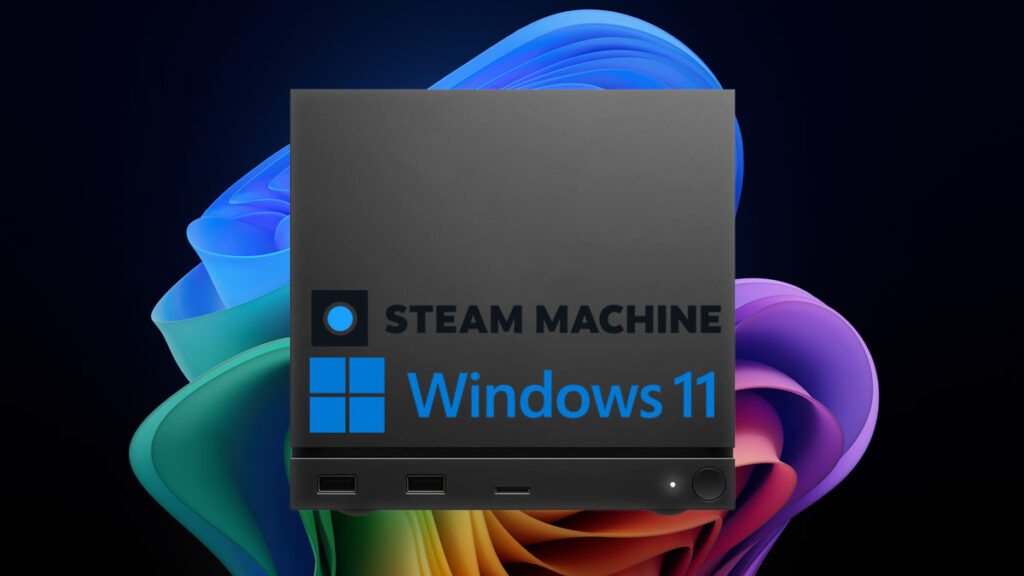
Valve has now published official Windows resources for the new Steam Machine, extending the same basic model it previously used for Steam Deck: downloadable hardware drivers hosted on Steam Support, provided on an “as is” basis, with no full “Windows on Steam Hardware” support promise. The immediate significance is practical rather than symbolic. A Windows installation on Steam Machine is now viable with official graphics, Wi-Fi, Bluetooth, and SD card reader drivers, but it is still not frictionless because Valve says installing Windows requires wiping Steam hardware and its promised dual-boot wizard is still not ready. In other words, the drivers are real, useful, and current, but they do not yet amount to a polished two-operating-system experience.
For PC gamers, the calculation is straightforward. SteamOS remains the cleaner console-style environment for most couch gaming, and recent third-party testing suggests SteamOS can even outperform Windows on handheld-class integrated or low-power gaming hardware. Windows still matters, however, for anti-cheat-sensitive multiplayer titles, broader storefront compatibility, and the parts of PC gaming that continue to assume Microsoft’s platform first. That is why these drivers matter: they do not prove Windows is the better operating system for Steam hardware, but they finally make Windows a formally driver-backed option on Steam Machine instead of a hobbyist workaround.
The headline is accurate. Valve’s Steam Hardware Windows Resources page now includes a dedicated Steam Machine section, and multiple contemporaneous reports dated July 7, 2026 confirm that the new driver bundle covers four core areas: graphics, Wi-Fi, Bluetooth, and the SD card reader. The page sits alongside existing Windows resources for Steam Deck hardware rather than replacing them, making the update part of a broader Steam hardware support framework instead of a one-off patch.
That timing is significant because the Steam Machine itself only started shipping at the end of June 2026, so Valve’s driver rollout arrived close to launch rather than months later. This differs from the earliest Steam Deck Windows period, when important components such as audio support lagged behind the initial graphics and wireless packages. The Steam Machine release is therefore more complete on day one, even though it remains incomplete in the broader sense because dual-boot is unavailable and Valve continues to describe the Windows experience as unsupported beyond providing the raw driver files.
Valve is also not distributing these drivers through Windows Update. According to The Verge’s Steam Machine FAQ, Valve is making the Windows drivers available only through its own website. This has two practical consequences: a clean Windows installation may initially boot without full hardware functionality until the required drivers are installed manually, and future driver maintenance becomes the owner’s responsibility rather than something handled automatically through Microsoft or Valve.
The current Windows Resources structure spans three main hardware categories: Steam Deck LCD, Steam Deck OLED, and Steam Machine. What remains unclear is whether Steam Machine Windows resources will eventually split into separate model-specific packages beyond storage-size variants, because Valve’s public documentation and related reporting simply refer to “Steam Machine” rather than different Windows driver packages for individual motherboard revisions or regional models. Although Valve publicly sells 512GB and 2TB Steam Machine configurations, no separate Windows driver bundles are currently identified for either version.
The most concrete public information concerns the available driver packages and their installation methods. Steam Machine users receive a graphics driver installed through Setup.exe, a Wi-Fi driver installed by right-clicking qcwlan64.inf, a Bluetooth driver installed by right-clicking BtFilter.inf, and an SD card reader driver installed through Setup.exe. Public documentation does not currently list version numbers, PCI or USB device IDs, certificate information, or dedicated audio and chipset drivers for Steam Machine. Based on the available evidence, those details have either not yet been published or are not exposed through the publicly accessible documentation.
For comparison, Steam Deck LCD has a much more mature Windows driver library. Valve publicly lists an APU driver, Wi-Fi driver, Bluetooth driver, SD card reader driver, and two audio INF packages, cs35l41.inf and NAU88L21.inf, with the APU package publicly noted as having been updated on November 17, 2023. Steam Deck OLED followed a similar path, initially receiving APU and SD card support before expanding to include Wi-Fi, Bluetooth, and audio packages. Even so, public reporting during 2024 noted that built-in speaker support was still being refined after those additional drivers became available.
The current state of Valve’s official Windows resources can be summarised as follows:
| Hardware | Official Windows resources status | Named drivers publicly visible | Notable caveats |
|---|---|---|---|
| Steam Deck LCD | Available on Valve’s Windows Resources page | APU, Wi-Fi, Bluetooth, SD card reader, audio INF files cs35l41.inf and NAU88L21.inf | Full Windows support is still not formally provided by Valve, and the dual-boot wizard remains unavailable. |
| Steam Deck OLED | Covered by the same Windows Resources framework | APU and SD card support appeared first; later reporting confirmed Wi-Fi, Bluetooth, and audio packages | Valve requires up-to-date firmware, and early Windows support for the OLED model’s internal speakers remained limited. |
| Steam Machine | Newly added dedicated section on Valve’s Windows Resources page | Graphics via Setup.exe, Wi-Fi via qcwlan64.inf, Bluetooth via BtFilter.inf, SD card reader via Setup.exe | No public audio or chipset package is listed, model-specific variants remain unspecified, and driver installation and maintenance are manual. |
Steam Machine Windows Installation, Dual-Boot, and Windows 11 Support
Valve’s Windows resources for Steam Machine Windows Drivers make it clear that Steam Machine hardware is capable of running Windows because Steam Deck and Steam Machine are standard PCs, but that, even with Steam Machine Windows Drivers, should not be mistaken for full Windows product support. The Windows installation process using Steam Machine Windows Drivers remains largely manual rather than offering a polished, one-click experience.
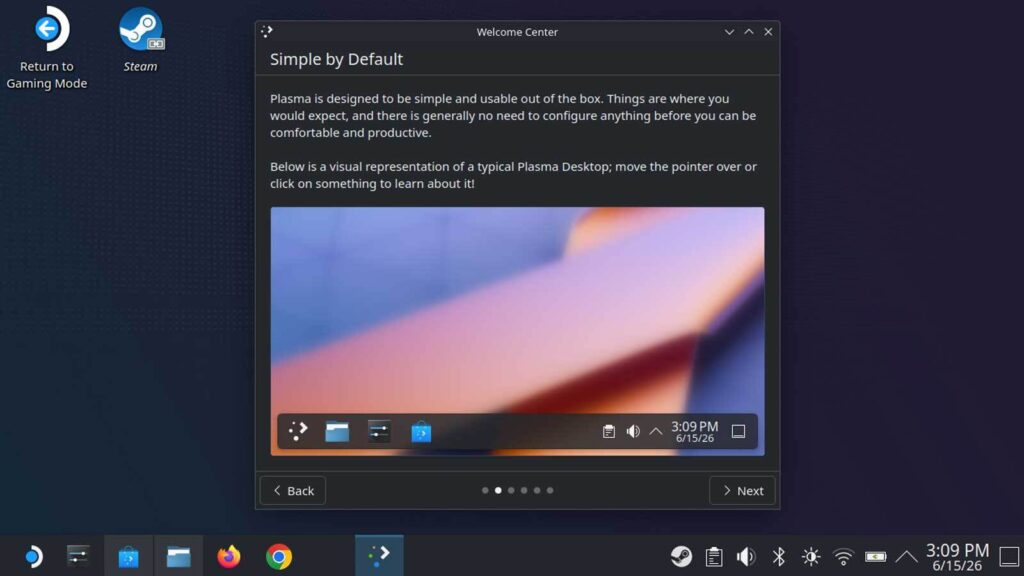
According to Valve, Steam Deck users access the boot menu by powering the device off, then holding Volume Down while pressing the Power button. On Steam Machine, the boot menu is accessed by powering the system down and tapping Escape during startup. These boot-entry steps before installing Steam Machine Windows Drivers are simply UEFI boot-entry methods rather than a dedicated operating system manager.
For Steam Machine users installing Steam Machine Windows Drivers, one of the first challenges appears during Windows installation. Valve notes that entering a Windows product key during setup requires an internet connection, but because Windows does not include the Steam Machine Wi-Fi driver from the Steam Machine Windows Drivers package at that stage, an Ethernet connection is required to continue. TechSpot reported the same Steam Machine Windows Drivers limitation, explaining that wireless networking will not function on a fresh Windows installation until Valve’s separate Wi-Fi driver package has been installed. This missing driver within Steam Machine Windows Drivers is one of the main reasons a standard Windows installation can become confusing on otherwise modern hardware.
Windows 11 is supported only in the sense that the hardware meets the requirements and Valve provides the necessary Steam Machine Windows Drivers, not because Valve offers a fully optimized Windows 11 experience. Valve’s Windows Resources page for Steam Machine Windows Drivers states that users should install the latest operating system update before installing Windows 11 so the system receives the latest BIOS with fTPM support.
This Steam Machine Windows Drivers guidance matches Microsoft’s official Windows 11 requirements, which include UEFI, Secure Boot capability, and TPM 2.0. Microsoft also identifies the current public release as the Windows 11 2025 Update (version 25H2) and notes that Windows 10 support ended on October 14, 2025, making Windows 11 the more practical choice for a new Steam Machine installation using Steam Machine Windows Drivers in 2026.
Dual-boot support remains the biggest missing feature around Steam Machine Windows Drivers. Valve states that, even with Steam Machine Windows Drivers, installing Windows currently requires wiping the existing Steam hardware installation, and official dual-boot with SteamOS is not yet available despite the hardware being capable of supporting it.
The missing component is the SteamOS installer’s planned dual-boot wizard, which Valve says will be released once it is complete separately from Steam Machine Windows Drivers. Until then, installing Windows with Steam Machine Windows Drivers can overwrite the existing SteamOS partition layout or require unsupported manual partitioning. For now, Windows with Steam Machine Windows Drivers should be treated as a replacement operating system rather than an officially supported side-by-side installation with SteamOS.
The process flow below reflects the current Steam Machine Windows Drivers installation experience described by Valve and supported by surrounding reporting.
July 7 2026Valve publishesSteam MachineWindows driverresourcesPre-installUpdate SteamOSfirmware or BIOSfirst for latestplatform supportBoot stageEnter UEFI bootmenu on SteamDeck or SteamMachineWindows setupInstall Windowsfrom USB and useEthernet if Wi-Fi isunavailableDriver stageLoad graphics,wireless, Bluetooth,and SD cardpackages manuallyFirst updatesRun WindowsUpdate, installSteam, and verifydevice functionalitySteam hardware Windows path in 2026Show code
Steam Machine Performance, Compatibility, and Best Setup for PC Gamers
Performance with Steam Machine Windows Drivers is where the story becomes more nuanced. Recent Ars Technica and TechSpot testing relevant to Steam Machine Windows Drivers found SteamOS outperforming Windows 11 in most tested games on the Lenovo Legion Go S, with Tom’s Guide summarizing the result as a 23.9% average SteamOS advantage across the benchmark set.
PC Gamer’s reporting, which provides useful context for Steam Machine Windows Drivers comparisons, provides concrete examples: SteamOS beat Windows by nine frames per second in Returnal at 1200p High settings and by 17 frames per second at 800p Low, while Borderlands 3 was effectively a near tie. These results suggest SteamOS still has a meaningful efficiency advantage on lower-power gaming devices designed around a SteamOS-first experience, which is important context for Steam Machine Windows Drivers users.
That advantage does not automatically carry over to every Steam hardware scenario involving Steam Machine Windows Drivers. Later Ars testing relevant to Steam Machine Windows Drivers, summarized by TechSpot, found that SteamOS’ lead largely disappeared and sometimes even reversed on systems with dedicated graphics cards, with 8GB VRAM configurations further complicating comparisons. Because the Steam Machine uses a semi-custom AMD desktop-class CPU and GPU with characteristics closer to a discrete graphics system than a handheld APU, it would be incorrect to assume Steam Machine Windows Drivers performance will mirror that of the Steam Deck or Lenovo Legion Go S.
The real trade-off with Steam Machine Windows Drivers comes down to compatibility versus integration. SteamOS offers the more polished living-room experience, with lower operating system overhead and a controller-first interface, making it the better choice for users focused on a console-like gaming setup. Windows, supported through Steam Machine Windows Drivers, however, remains the safer option for titles that rely on anti-cheat systems incompatible with Linux or Proton.
Valve’s Steam Machine FAQ highlights major games and ecosystems that still do not work properly on SteamOS because of anti-cheat restrictions, and reports from 2024 through 2026 continue to show Windows with Steam Machine Windows Drivers as the preferred fallback for games such as Apex Legends, competitive shooters, and other multiplayer titles whose publishers do not officially support Linux.
The overall Steam Machine Windows Drivers comparison can be summarized as follows:
| Scenario | Broad Result | Practical Implication |
|---|---|---|
| Handheld-class hardware with SteamOS-first tuning | SteamOS averaged about 23.9% faster than Windows 11 in Ars/TechSpot Legion Go S testing. | SteamOS remains the better choice where lower overhead, battery life, and a controller-first experience matter most. |
| Specific game example | Returnal ran 9 FPS faster at 1200p High and 17 FPS faster at 800p Low on SteamOS in the Legion Go S comparison. | Windows is not automatically the performance winner on lower-power gaming hardware. |
| Dedicated or discrete GPU-oriented systems | Later Ars testing found Windows can match or outperform SteamOS on discrete GPU systems, particularly where 8GB VRAM is involved. | Steam Machine Windows Drivers performance may differ significantly from Steam Deck-style expectations. |
| Anti-cheat-heavy multiplayer games | Windows continues to offer the broadest compatibility for major titles that block Linux or Proton. | Installing Windows with Steam Machine Windows Drivers is primarily about maximizing game compatibility rather than achieving higher frame rates alone. |
The current driver limitations for Steam Machine Windows Drivers are also important. For Steam Machine, publicly visible Steam Machine Windows Drivers resources list only four drivers, with no separately named audio or chipset package. For Steam Deck OLED, prior reporting showed that Windows support arrived in stages and that built-in speaker support lagged behind other components. That pattern suggests caution: a published Steam Machine Windows Drivers bundle should be read as “enough to make the platform usable,” not necessarily “every device on the board now has a polished Windows stack.”
Common Steam Machine Windows Drivers installation problems follow logically from those limits. The first Steam Machine Windows Drivers problem is no Wi‑Fi during setup, fixed by using Ethernet on Steam Machine. The second Steam Machine Windows Drivers issue is confusion around INF-based drivers on Windows 11, because Valve’s own notes say that the “Install” context-menu option may be hidden under “Show More Options.” The third Steam Machine Windows Drivers concern is firmware mismatch, especially for Windows 11, where Valve explicitly calls for the latest BIOS or SteamOS-side firmware first. Those are not edge cases; they are the normal Steam Machine Windows Drivers path today.
The best current Steam Machine Windows Drivers setup strategy is therefore conservative. Since Valve says the drivers are provided as-is and does not offer full Windows-on-Steam-Hardware support, the safest route for Steam Machine Windows Drivers users is to use a current 64-bit Windows 11 build, update firmware before installation, keep an Ethernet connection ready for the first boot, install the Steam Machine Windows Drivers packages manually, and then let Windows Update handle the operating system layer afterwards. Because Microsoft now treats Windows 10 as out of support, a fresh Windows 10 install using Steam Machine Windows Drivers on Steam hardware in mid-2026 is difficult to justify except for niche compatibility needs.

Frequently Asked Questions(FAQs)
- Do the new drivers mean Windows is officially supported on Steam Machine?
No. Valve is publishing official Windows drivers for Steam Machine, but that is not the same as offering full Windows support. The company states that the drivers are provided on an “as-is” basis and that it cannot offer complete “Windows on Steam Hardware” support. In practice, this means Windows can be installed and the necessary hardware can function, but users should not expect the same level of support, troubleshooting, or polished experience that SteamOS receives. - Which Steam hardware is covered by Valve’s Windows resources?
The public Windows Resources framework currently includes Steam Deck LCD, Steam Deck OLED, and the new Steam Machine. However, Valve’s visible documentation does not specify support for individual Steam Machine configurations beyond the general product listing, so hardware availability may vary depending on the model. - Which Steam Machine drivers are available right now?
The publicly available Windows driver packages include graphics, Wi-Fi, Bluetooth, and SD card reader support. These cover the core hardware needed for most users to install and use Windows. At the moment, Valve has not published separate audio or chipset driver packages in the visible public resources. - What are the exact Steam Machine install files named in public sources?
Valve’s public documentation identifies the Wi-Fi driver as qcwlan64.inf and the Bluetooth driver as BtFilter.inf. The graphics and SD card reader drivers are installed using their included Setup.exe installers, making those packages more straightforward to install than the INF-based drivers. - Can SteamOS and Windows be installed side by side officially?
Not yet. Valve says the hardware is capable of dual-booting, but its planned SteamOS installer wizard for that process has not been released. Until that tool becomes available, anyone wanting both operating systems must manually create partitions and configure the boot process, which is not officially supported. - Why can installing Windows overwrite SteamOS?
Because Valve’s current installation method treats Windows as a clean installation rather than part of an official dual-boot setup. Installing Windows usually requires wiping or repartitioning the storage drive, and without Valve’s unfinished dual-boot wizard, users are responsible for managing partitions and preserving SteamOS themselves. - Is Windows 11 a better choice than Windows 10 in 2026?
In most situations, yes. Microsoft ended support for Windows 10 on October 14, 2025, meaning it no longer receives regular security updates for most users. Valve’s current Windows documentation also focuses on Windows 11, including firmware and fTPM guidance, making it the more practical long-term choice for new installations. - Does Windows 11 need TPM and Secure Boot on Steam hardware?
Yes. Microsoft’s official Windows 11 requirements still include TPM 2.0 support and UEFI Secure Boot capability. Valve also recommends using up-to-date firmware so features such as fTPM are available, helping the hardware meet Windows 11’s installation requirements. - Will Windows run games better than SteamOS on Steam Machine?
Not necessarily. Recent testing shows SteamOS outperforming Windows on some handheld-class hardware thanks to its lower overhead, while Windows can perform equally well or better on systems with more desktop-style hardware and discrete GPUs. Since Steam Machine hardware differs from handhelds, dedicated benchmarks are the best way to judge gaming performance on a specific configuration. - What is the biggest reason to install Windows on Steam hardware at all?
Compatibility is the main advantage. Some multiplayer games with unsupported anti-cheat systems, along with certain launchers, applications, and non-Steam gaming platforms, work more reliably on Windows than on SteamOS. For users who regularly play those games or rely on Windows-only software, installing Windows can provide a smoother overall experience despite the extra setup involved.

Conclusion
Valve’s Steam Machine Windows drivers are important because they shift Windows installation on new Steam hardware from improvised experimentation to an officially driver-backed path through Steam Machine Windows Drivers. That does not make Windows the default or superior environment for Steam Machine simply because Steam Machine Windows Drivers are available. SteamOS still offers the tighter living-room experience, and the latest performance evidence suggests Valve’s Linux stack can be remarkably efficient on the right class of gaming hardware, even with Steam Machine Windows Drivers providing another option. But Windows remains indispensable for a meaningful slice of PC gaming, especially competitive multiplayer ecosystems shaped by anti-cheat and launcher assumptions, which gives Steam Machine Windows Drivers considerable practical value.
The key practical takeaway from Steam Machine Windows Drivers is that the new drivers solve the minimum hardware-enablement problem, not the whole platform-management problem. Steam Machine owners now have official graphics, wireless, Bluetooth, and SD card support under Windows through Steam Machine Windows Drivers. They still do not have an official dual-boot wizard, a Windows Update-based driver pipeline, or a complete Valve-backed support framework despite the availability of Steam Machine Windows Drivers. For PC gamers, that means Windows on Steam Machine is now feasible because of Steam Machine Windows Drivers, but SteamOS remains the cleaner first install unless a specific game library or workload makes Windows non-negotiable.
Sources and citation
- Official Valve Sources
- Valve Steam Support: Steam Hardware – Windows Resources
This is the primary source for Windows installation notes and hardware-driver downloads for Steam Deck LCD, Steam Deck OLED and Steam Machine. Valve states that Steam Deck and Steam Machine are PCs and can run other operating systems, but it does not provide technical support for Windows installations.The indexed Steam Machine instructions list four principal driver categories:- Graphics driver, installed through
Setup.exe - Wi-Fi driver, installed through the supplied batch file or model-specific
.inffile - Bluetooth driver, installed through
installdriver.cmd - SD card reader driver, installed through
setup.exe
qcwlan64.inf, while some Steam Deck Wi-Fi packages useinstall.bat. The relevant device section should therefore be cited rather than presenting one Wi-Fi installation filename as universal across every Steam hardware model. Valve also warns that a fresh Windows installation does not initially contain the required Steam Machine Wi-Fi driver, so users should have wired Ethernet or another offline installation route available. (Steam Support)For Windows 11, Valve instructs users to install the latest operating-system and firmware updates first so the device has the newest BIOS with fTPM support. This is important because Windows 11 requires TPM 2.0 and compatible UEFI firmware. (Steam Support)
In-text citation: (Valve, 2026a) - Graphics driver, installed through
- Valve Steam News: Steam Deck Windows Drivers Are Now Available
Published on March 10, 2022, this announcement provides the historical context for Valve’s approach to alternative operating systems on Steam hardware. Valve emphasized that Steam Deck is a PC and allowed users to install Windows, while providing the device-specific drivers needed to make its hardware function. This established the model later used for the Steam Machine: Valve supplies drivers but continues to design and optimize the hardware primarily around SteamOS. (Steam Store)
In-text citation: (Valve, 2022) - Valve: Steam Machine Official Product Page
Valve’s official product page establishes the Steam Machine’s intended position as a compact living-room gaming PC running SteamOS. It advertises more than six times the performance of Steam Deck and lists two principal internal-storage configurations: 512 GB and 2 TB. These official specifications are more reliable than retailer summaries or speculative pre-release configuration lists. (Steam Store)
In-text citation: (Valve, 2026b) - Valve: Steam Hardware
This is Valve’s main hardware-family page and is useful for describing how Steam Machine sits alongside Steam Deck, Steam Frame and the wider SteamOS ecosystem. It supports framing the Steam Machine as part of Valve’s broader hardware strategy rather than as an isolated conventional Windows desktop. (Steam Store)
In-text citation: (Valve, 2026c) - Valve: Steam Hardware & Software Survey
Valve’s June 2026 survey reported:- Windows 11 64-bit: 70.44%
- Windows 10 64-bit: 23.56%
- Windows overall: 94.10%
In-text citation: (Valve, 2026d)
- Valve Steam Support: Steam Hardware – Windows Resources
- Official Microsoft Sources
- Microsoft Lifecycle: Windows 10 Home and Pro
Microsoft confirms that Windows 10 Home, Pro, Pro Education and Pro for Workstations reached the end of standard support on October 14, 2025. Version 22H2 was the final Windows 10 feature version, and normal monthly security updates continued only through that support date. This is the strongest source for explaining why a new Steam Machine installation should generally use Windows 11 rather than standard Windows 10. (Microsoft Learn)
In-text citation: (Microsoft, 2025) - Microsoft: Windows 11 Specifications and System Requirements
Microsoft lists the minimum Windows 11 requirements as:- A compatible 64-bit processor with at least two cores and a speed of 1 GHz or higher
- 4 GB of RAM
- 64 GB of storage
- UEFI firmware with Secure Boot capability
- TPM 2.0
- DirectX 12-compatible graphics with a WDDM 2.0 driver
- A 720p display larger than nine inches
In-text citation: (Microsoft, 2026a) - Microsoft: Download Windows 11
Microsoft provides three official installation routes: the Windows 11 Installation Assistant, the Media Creation Tool and a downloadable ISO. For a clean Steam Machine installation, the Media Creation Tool or x64 ISO can be used to create a bootable USB drive. Microsoft warns that installing Windows 11 on hardware that does not satisfy the requirements may create compatibility problems and may leave the system unsupported and ineligible for updates. (Microsoft)
In-text citation: (Microsoft, 2026b)
- Microsoft Lifecycle: Windows 10 Home and Pro
- Windows Driver and Compatibility Reporting
- TechSpot: The Steam Machine Now Has Official Windows Drivers
Written by Zo Ahmed and published on July 7, 2026, this report confirms that Valve released four Steam Machine driver packages covering graphics, Wi-Fi, Bluetooth and the SD card reader. It explains that these packages allow Windows to use the display, networking and card-reader hardware without users having to assemble unofficial drivers from different manufacturers. (TechSpot)TechSpot also notes that a fresh Windows installation does not initially include the Steam Machine’s Wi-Fi driver. Users should consequently prepare Ethernet access or the downloaded driver files before beginning the installation. The article further explains that replacing SteamOS with Windows wipes the drive under the normal installation process, while Valve’s planned official dual-boot tool still had no release date. (TechSpot)The report correctly distinguishes driver availability from support. Valve hosts the files, but it does not troubleshoot Windows installations, and its official recovery route restores SteamOS by erasing the system. (TechSpot)
In-text citation: (Ahmed, 2026) - The Verge: You Can Turn the Steam Machine Into a Windows PC
Published on July 7, 2026, this report confirms that Windows can replace the Linux-based SteamOS once Valve’s hardware drivers are installed. It also states that the Steam Machine did not yet support official dual boot, meaning users had to choose one installed operating system rather than switching through a Valve-provided boot menu. (The Verge)
In-text citation: (Bonifield, 2026) - The Verge: Steam Machine and Steam Frame: Your Questions Answered
This overview describes the Steam Machine as a compact living-room PC with approximately six times Steam Deck’s performance and explains its console-like SteamOS positioning. It also covers its replaceable M.2 storage and standard DDR5 laptop memory, while noting that the CPU and GPU are soldered to a proprietary motherboard. (The Verge)The article is particularly useful for Windows compatibility framing. It explains that several major multiplayer games remain unavailable through SteamOS because their anti-cheat systems do not support Linux. Installing Windows can expand access to those games, but Valve distributes the required hardware drivers through its own support website rather than through Windows Update. The article also records the continuing absence of Valve’s promised official dual-boot solution. (The Verge)
In-text citation: (Peters, 2025, updated 2026) - GamingOnLinux: Valve Released Windows Drivers for Steam Deck OLED but No Official Support
Published on August 16, 2024, this article documents the initial Windows-driver state for Steam Deck OLED. Users first had to update to SteamOS 3.6.9 or later for the necessary firmware and then manually install the APU, audio, Wi-Fi and Bluetooth packages. At the time of publication, the available audio package supported headphones and Bluetooth but not the built-in speakers. (GamingOnLinux)That speaker limitation is historical rather than current. Valve released the missing OLED speaker driver in September 2024, allowing Windows to use the built-in speakers. The GamingOnLinux article can accurately support the initial maturity problems, but it should not be cited as evidence that Steam Deck OLED speakers still fail under Windows. (Steam Deck HQ)
In-text citation: (Squires-Hand, 2024)
- TechSpot: The Steam Machine Now Has Official Windows Drivers
- SteamOS Versus Windows Performance Sources
- TechSpot: Steam Machine Benchmarks Show SteamOS and Windows 11 Within a Few Frames of Each Other in Most Games
This July 2026 report covers an early ETA Prime comparison performed on the retail Steam Machine. Most tested games produced broadly similar frame rates under SteamOS and Windows 11, although Windows held a much larger advantage in one synthetic benchmark. Because this was a brief third-party test rather than a large controlled laboratory suite, it is useful as preliminary evidence, not a definitive conclusion about every game or graphics configuration. (TechSpot)
In-text citation: (TechSpot, 2026) - Ars Technica: Games Run Faster on SteamOS Than Windows 11, Ars Testing Finds
Ars installed both operating systems on the same Lenovo Legion Go S and tested five recent games at two graphics and resolution levels. SteamOS delivered noticeable improvements in four of the five titles, while Borderlands 3 was approximately tied, with Windows holding a very small advantage. Some games showed differences large enough to affect whether lower-end settings felt playable. (Ars Technica)This is strong evidence for SteamOS efficiency on handheld hardware with integrated graphics. It should not automatically be generalized to the Steam Machine, desktop GPUs or every Windows driver version. (Ars Technica)
In-text citation: (Orland, 2025) - Tom’s Guide: New Benchmarks Reveal SteamOS Beats Windows on Handheld Gaming Performance
Tom’s Guide analyzes the Ars Technica Legion Go S results and calculates an average performance improvement of approximately 23.9% across the four games in which SteamOS clearly led. It excludes the approximately tied Borderlands 3 result from that average. This is a useful interpretation of Ars’ data, but it is not a separate independent five-game benchmark run. (Tom’s Guide)
In-text citation: (Tom’s Guide, 2025) - PC Gamer: The First True 1:1 Test Shows SteamOS Getting Better Performance Than Windows in 10 Games
PC Gamer combines Ars Technica’s Legion Go S testing, Dave2D’s comparisons and PC Gamer’s own results. Across the combined selection, it reports ten SteamOS wins and two ties. This offers broader handheld context, but the total is assembled from several testing sources rather than one standardized 12-game benchmark procedure. (PC Gamer)
In-text citation: (PC Gamer, 2025) - Ars Technica: SteamOS Tested on Dedicated GPUs: No, It’s Not Always Faster Than Windows
This is the essential counterbalance to the handheld results. Ars tested Windows 11 25H2 and SteamOS 3.9 on the same systems with dedicated GPUs and found that Windows generally had an advantage. Several games were effectively tied, but Windows led substantially in some cases, including ray-traced tests where advantages of roughly 15 to 20 percent appeared on some 16 GB graphics cards. SteamOS remained more competitive on integrated GPUs. (Ars Technica)The combined evidence therefore supports a device-specific conclusion: SteamOS often performs particularly well on handheld integrated graphics, Windows can lead on dedicated GPUs and early Steam Machine testing suggests near parity in many ordinary gaming workloads. (Ars Technica)
In-text citation: (Ars Technica, 2025)
- TechSpot: Steam Machine Benchmarks Show SteamOS and Windows 11 Within a Few Frames of Each Other in Most Games
Recommendations
- Xenoblade Chronicles 2 Nintendo Switch 2 Edition Improvements Explained
- Fortnite Is Adding Iconic Game Of Thrones Characters Soon: Release Date, Skins List, and How to Get the Ice and Fire Bundle
- Devil May Cry Anime on Netflix: Release Date, Storyline, Cast, and What to Expect
- Agefield High: Rock the School Release Date, Gameplay, and Bully Inspiration Explained
- No Man’s Sky Xeno Arena Update Explained: How Creature Training, Battles, Breeding, and Multiplayer Work
- Creating Parallax Effect with Godot: Parallax2D Setup, Infinite Backgrounds, and Common Fixes
- Neverness to Everness Chaos Build Guide: Best Team, Arc, Cartridge, and Stats
- Star Wars: Galactic Racer Is Just Like Burnout in a Galaxy Far, Far Away
- How do I set a camera to render in orthographic mode in Blender?
- Frontier Developments Expands Planet Series: New Planet Zoo Management Game in Development as Franchise Grows Beyond Zoo Simulations