








What Is “Handheld Mode Boost” on Nintendo Switch 2?
Handheld Mode Boost is a system-level firmware toggle that allows the Nintendo Switch 2 to run original Switch (Switch 1) games in portable mode using their docked/TV performance profiles.
- Core Function: It unlocks the full power of the Switch 2 hardware for backward-compatible games while handheld.
- Visual Impact: Games render at higher resolutions and settings originally reserved for TV play, rather than the downscaled “portable” settings used on original hardware.
- Availability: It is a universal setting found in the console’s system firmware, not within individual game menus.
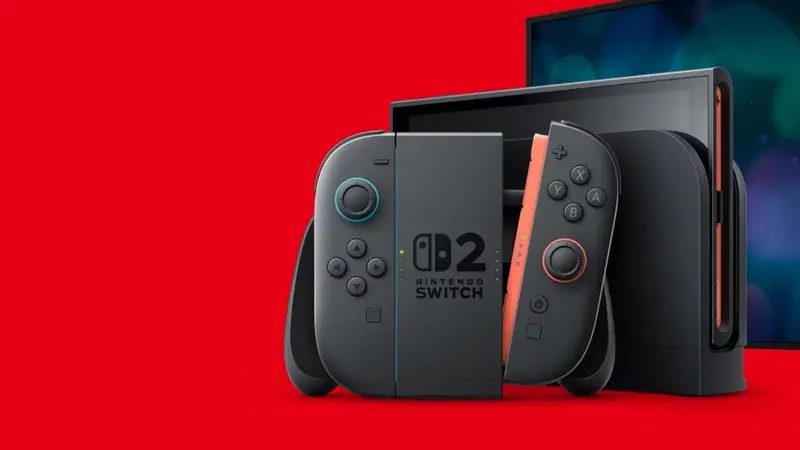
How Handheld Mode Boost Improves Old Switch Games Performance
The feature leverages the Switch 2’s superior internals to bridge the gap between portable and docked quality.
- Resolution and Clarity: Since the Switch 2 features a 1080p handheld screen (up from 720p), Boost mode allows games to hit higher native resolutions. This reduces blurriness and makes text and UI elements much sharper.
- Stability: The extra overhead ensures games maintain their target frame rates (FPS) more consistently, eliminating dips found on the original Switch.
- Graphics Settings: Many games automatically enable better textures, shadow quality, and draw distances when they “think” they are in docked mode.
- Load Times: Combined with the Switch 2’s faster CPU and storage, games boot and transition between scenes more quickly.
Nintendo Switch 2 Backward Compatibility Features Explained
The Switch 2 is fully backward compatible, offering “brute force” improvements even without Boost Mode enabled:
- Stable Framerates: Games that stuttered on Switch 1 often hit their FPS caps consistently.
- Dynamic Resolution: Titles using dynamic scaling hit their maximum resolution targets more frequently.
- Software Library: Almost all Switch 1 titles are playable, with a few exceptions for specific hardware accessories.

Does Handheld Mode Boost Increase FPS in Older Games?
Boost Mode does not inherently “uncap” frame rates, but it impacts performance in specific ways:
- Consistent Targets: A game locked at 30 FPS will remain at 30 FPS but will stay “locked” there without dropping during heavy scenes.
- Uncapped Games: Titles with variable frame rates may reach higher FPS (e.g., 60 FPS) more easily due to increased power.
- Performance Modes: If a game offered a “60 FPS Docked Mode,” Boost Mode allows you to access that 60 FPS profile while playing portably.
List of Games That Benefit from Handheld Mode Boost
Several titles see “night and day” differences when Boost is enabled:
- Xenoblade Chronicles 2: Drastic resolution jump; removes the notorious handheld blur.
- The Witcher 3: Runs at higher docked detail levels (~720p) instead of sub-540p.
- Pokémon Legends: Arceus: Reaches 1080p resolution portable; reduces jagged edges (aliasing).
- Bayonetta 3: Maintains sharper visuals and higher fidelity during fast action.
- Other notable titles: DOOM Eternal, Astral Chain, Persona 5 Royal, and Fire Emblem: Three Houses.
Battery Life and Usage
Handheld Mode Boost is an optional toggle because it involves trade-offs:
- Battery Drain: Running at docked clocks increases power consumption, shortening playtime per charge.
- Heat: The console may run warmer, and internal fans may become more audible during portable play.
- Default State: The feature is OFF by default to preserve battery life unless the user chooses to enable it.
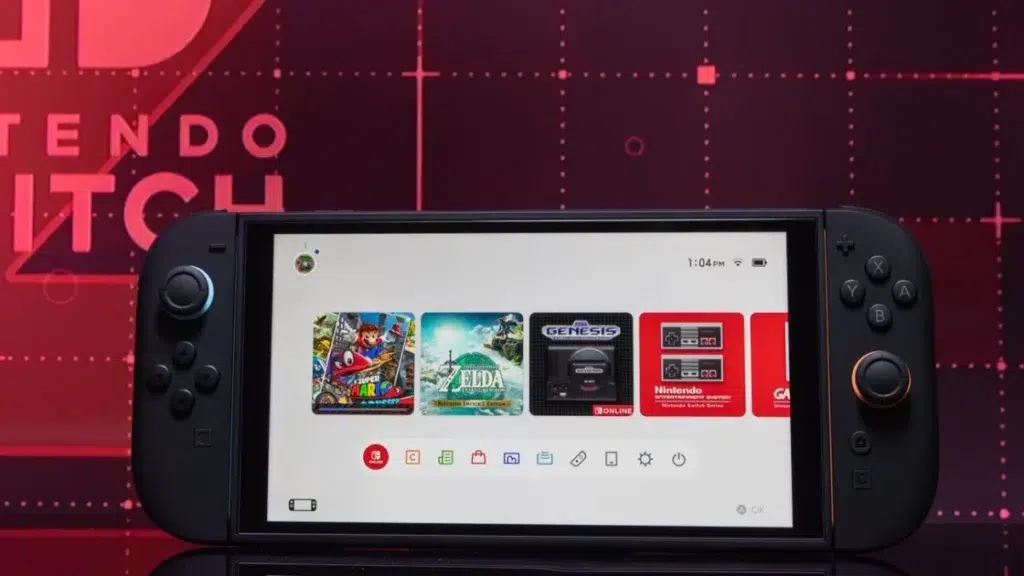
How to Enable Handheld Mode Boost on Nintendo Switch 2
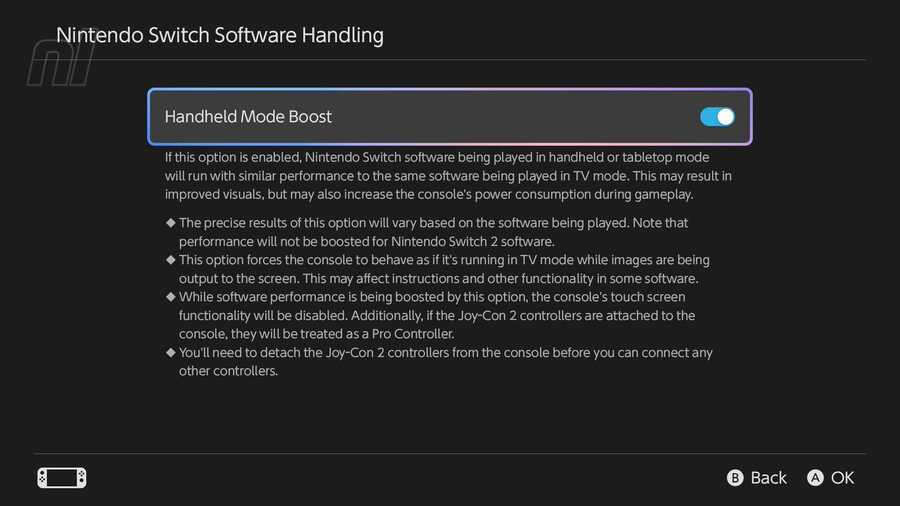
To activate the feature, ensure your system is on Version 22.0.0 or later:
Set Handheld Mode Boost to Enabled.nly speculate. It’s clear though that the Switch 2’s hardware has headroom, and Nintendo has shown willingness to use it for backward compatibility perks. If we’re lucky, future system updates might bring even more ways to enhance our games – be it higher fps, new toggles, or smart upscaling. The 22.0.0 update could be just the beginning of a more dynamic Switch 2 experience where the console continues to improve over time.
Open System Settings from the HOME Menu.
Select System from the sidebar.
Choose Nintendo Switch Software Handling.
Frequently Asked Questions (FAQs)
- What is the Handheld Mode Boost feature on Switch 2?
Handheld Mode Boost is a system setting on Nintendo Switch 2 that lets you run original Switch (Switch 1) games in handheld mode as if the console were docked. In other words, it unlocks higher performance and resolution for older games when playing portable, making them look and run closer to their TV/docked versions. - How do I turn on Handheld Mode Boost on my Nintendo Switch 2?
It’s easy – go to System Settings on your Switch 2, scroll down to System, then find Nintendo Switch Software Handling. Inside that menu, you’ll see Handheld Mode Boost. Toggle it to On to enable the feature. (Make sure your system is updated to version 22.0.0 or later, which introduced the feature.) - Does Handheld Mode Boost improve game resolution in portable mode?
Yes. With Boost on, many games will run at a higher resolution on the Switch 2’s 1080p screen (often the same resolution they would use when docked). This means games that were 720p (or lower) on the original Switch can now display in 1080p handheld, making the visuals much sharper and clearer. - Will Handheld Mode Boost increase the frame rate of my older games?
It can stabilize or unlock frame rates in some cases, but it does not automatically double frame rates or override a game’s cap. If a game is coded for 30 FPS, it will still max at 30 FPS (just more consistently). However, if a game had an uncapped or 60 FPS performance mode (available in docked play), then Boost can allow you to use that in handheld. For example, a game with a 60 FPS docked mode can now achieve 60 FPS portable on Switch 2. - Does every Switch 1 game work with Handheld Mode Boost?
Almost all backward compatible games can use Boost, but the effect will vary. Some games won’t show much difference if they already ran at full spec on Switch 1. A few games that rely on handheld-specific features (like touchscreen or certain motion controls) might not work correctly with Boost enabled (since Boost makes the game think it’s docked). But the vast majority of games run fine and simply look better with Boost on. - Will using Handheld Mode Boost drain my Switch 2’s battery faster?
Yes, enabling Boost will use more power. The system is running at higher performance, so you can expect shorter battery life during gameplay. How much shorter depends on the game’s intensity – more demanding games will drain faster. If you need maximum battery life, you might want to turn Boost off during those long trips. It’s a trade-off between performance and battery longevity. - Can I use Handheld Mode Boost on the original Nintendo Switch or Switch Lite?
No, the Handheld Mode Boost feature is exclusive to the Nintendo Switch 2. The original Switch and Switch Lite hardware do not support this mode (and they didn’t receive that option in updates). Only Switch 2 has the necessary hardware power to run games in docked mode while handheld, which is why the feature is only on that console. - Do my games need updates to take advantage of Handheld Mode Boost?
Not at all. You don’t need any special game patches – the improvement happens automatically at the system level. The Switch 2 simply uses the game’s existing docked mode settings. So as long as the feature is on, your game will benefit without any downloads. (If a developer later releases a Switch 2-specific update for a game, that’s separate and can provide additional enhancements, but Boost works regardless.) - Is Handheld Mode Boost enabled by default, or do I have to turn it on every time?
It’s disabled by default after you update the system. You have to manually enable it in settings. Once enabled, it stays on until you turn it off – you don’t have to toggle it for each game or each session. It’s a one-time switch that you can leave on (or off) as you prefer, and it will apply to all applicable games automatically. - What other features came with the Switch 2 update that added Handheld Mode Boost?
The same firmware update (22.0.0) brought a bunch of other improvements. These include the ability to write private notes about friends on your friend list, enhancements to the Game Chat voice/chat system (like inviting friends to chat rooms), a 10-second rewind/forward function for videos in News/eShop, new accessibility options (like text-to-speech improvements and additional language support), storage usage breakdowns, and toggles for wireless features in Airplane Mode, among other general fixes. So it was a big update beyond just Boost Mode.
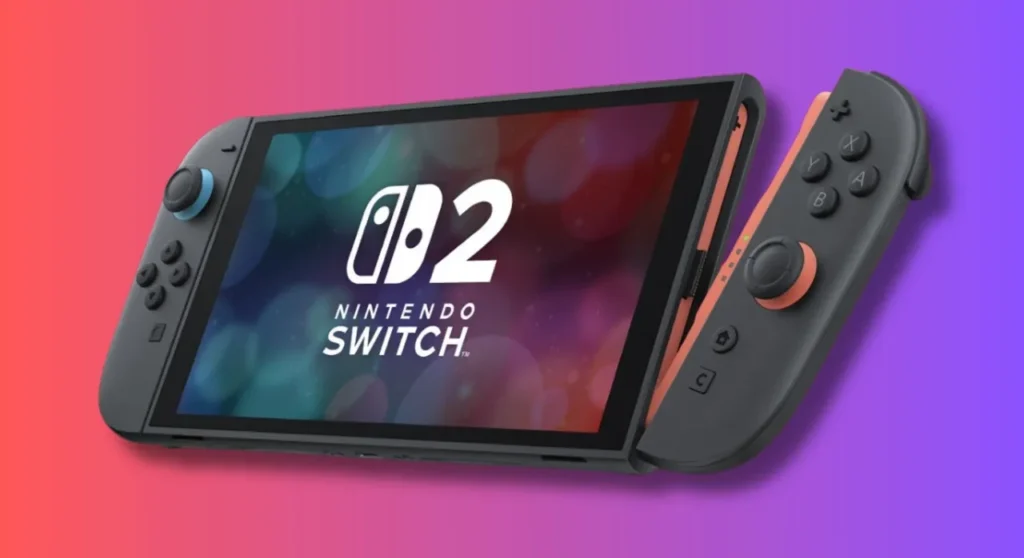
Conclusion
The Nintendo Switch 2’s new Handheld Mode Boost is a major win for gamers, effectively delivering a free performance upgrade to your existing library. By leveraging the Switch 2’s beefed-up hardware, this feature allows older Switch titles to shine like never before in portable play – higher resolutions, crisper graphics, and more consistent performance turn the Switch 2 into the ultimate way to replay those classics or tackle your backlog on the go. It bridges the gap between docked and handheld experiences, fulfilling the promise of a truly no-compromise hybrid console.
With Boost Mode enabled, the difference in many games is immediately apparent: the visuals are sharper and closer to modern standards, and any rough edges from the original hardware are smoothed out by pure processing power. Importantly, Nintendo achieved this without asking players to re-buy games or developers to issue patches – it’s a testament to smart system design and listening to community feedback. What was once a common gripe (blurry handheld graphics on the beautiful Switch 2 screen) has largely been addressed by a simple toggle in settings.
Of course, as with any such feature, there are considerations. Battery life takes a hit when you’re effectively overclocking the system in your hands, and a handful of games may not play nicely with the mode. But the beauty is in choice: Boost Mode is there when you want a visual boost for an immersive session, and you can disable it when you need to conserve power or play a game that prefers the original handheld configuration. Nintendo struck a good balance by making it optional and flexible.
The introduction of Handheld Mode Boost also signals Nintendo’s commitment to adding value to the Switch 2 over time. It enhances backward compatibility in a way that keeps the console’s large library relevant and exciting. Players are diving back into titles like Breath of the Wild, Xenoblade 2, or The Witcher 3 just to see them in a new light on Switch 2. This feature prolongs the life of Switch 1 games and makes the upgrade to Switch 2 even more enticing for those who haven’t jumped in yet.
In conclusion, Handheld Mode Boost is a welcome and somewhat unexpected upgrade that underscores what the Switch concept is all about – great games anywhere, anytime, now with a little extra horsepower. It enhances the handheld experience to the point that portable play isn’t a step down, but rather a continuation of the high-quality experience you’d expect on the big screen. Whether you’re a tech enthusiast excited by the numbers or just a gamer happy to see your favorites look better, there’s a lot to love in this update. And with fans abuzz and speculation of further improvements on the horizon, the Switch 2’s future looks brighter (and sharper) than ever.
Sources and Citation
- Nintendo Life – “PSA: Switch 2 Update Adds Handheld Mode Boost, Here’s How To Use It” by Liam Doolan (Mar. 17, 2026)
https://www.nintendolife.com/news/2026/03/psa-switch-2-update-adds-handheld-mode-boost-heres-how-to-use-it - The Verge – “Nintendo Switch 2 update adds ‘Handheld Boost Mode’ for original Switch games” by Emma Roth (Mar. 17, 2026)
https://www.theverge.com/games/895919/nintendo-switch-2-handheld-boost-mode-update - Android Authority – “Nintendo just unlocked a visual upgrade for your original Switch games” by Matt Horne (Mar. 17, 2026)
https://www.androidauthority.com/nintendo-switch-2-handheld-boost-mode-3649778/ - My Nintendo News – “Nintendo Switch 2 Version 22.0.0 adds Handheld Mode Boost for Switch 1 games” (Mar. 17, 2026)
https://mynintendonews.com/2026/03/17/nintendo-switch-2-version-22-0-0-adds-handheld-mode-boost-for-switch-1-games/ - RPG Site – “The Best Switch RPGs to Play Using Switch 2 Handheld Boost Mode” by Mikhail Madnani (Mar. 17, 2026)
https://www.rpgsite.net/feature/19894-the-best-switch-rpgs-to-play-switch-2-handheld-boost-mode-1080p - Nintendo Life – “Community: Which Switch 1 Games Benefit Most From Switch 2’s New Boost Mode?” by Gavin Lane (Mar. 18, 2026)
https://www.nintendolife.com/features/community-which-switch-1-games-benefit-most-from-switch-2s-new-boost-mode - GameFAQs Forums – “Significant performance improvements” (Nintendo Switch 2 board thread, June 7, 2025)
https://gamefaqs.gamespot.com/boards/507478-nintendo-switch-2/80994626 - 9to5Toys – “Nintendo Switch 2 final specifications confirmed, here’s how it compares to the original Switch” by Karthik Iyer (May 16, 2025)
https://9to5toys.com/2025/05/16/nintendo-switch-2-specifications-confirmed-compares-original-switch/ - Reddit r/gaming – “Switch 2 system update v22.0.0 is out: Adds ‘Handheld Mode Boost’ to Switch 2” (Mar. 2026)
https://www.reddit.com/r/gaming/comments/1rvtuad/switch_2_system_update_v2200_is_out_adds_handheld/ - Nintendo Support – “System Update Information for Nintendo Switch 2” (Ver. 22.0.0 patch notes)
https://en-americas-support.nintendo.com/app/answers/detail/a_id/68473/~/system-update-information-for-nintendo-switch%26nbsp%3B2
Recommended
- Realistic Character Creation Process in Blender: Step-by-Step Workflow for Artists
- Intergalactic: The Heretic Prophet Controversy – Exploring the Backlash and Public Discourse
- How to Create Realistic Hair Using the New Hair Tools, Geometry Nodes, and Hair Curves in Blender
- Best Render Farm: Guide to Top Cloud Rendering Solutions for 3D Artists & Game Developers
- How to Get the Perfect Hair Roughness for a Realistic Look
- Microsoft Tried to Ban “Microslop” in Its Copilot Discord Amid AI Criticism — and the Internet “Microslopped” Even Harder
- Best Blender Add-ons for Camera Management: Why The View Keeper Stands Out
- Top 10 Cyberpunk 2077 Mods to Transform Your Night City Experience
- Love Death and Robots on Netflix: Everything You Need to Know About the Groundbreaking Animated Anthology Series
- How to Retarget Mixamo Animations to Metahuman in Unreal Engine Using the IK Retargeter
































































































