







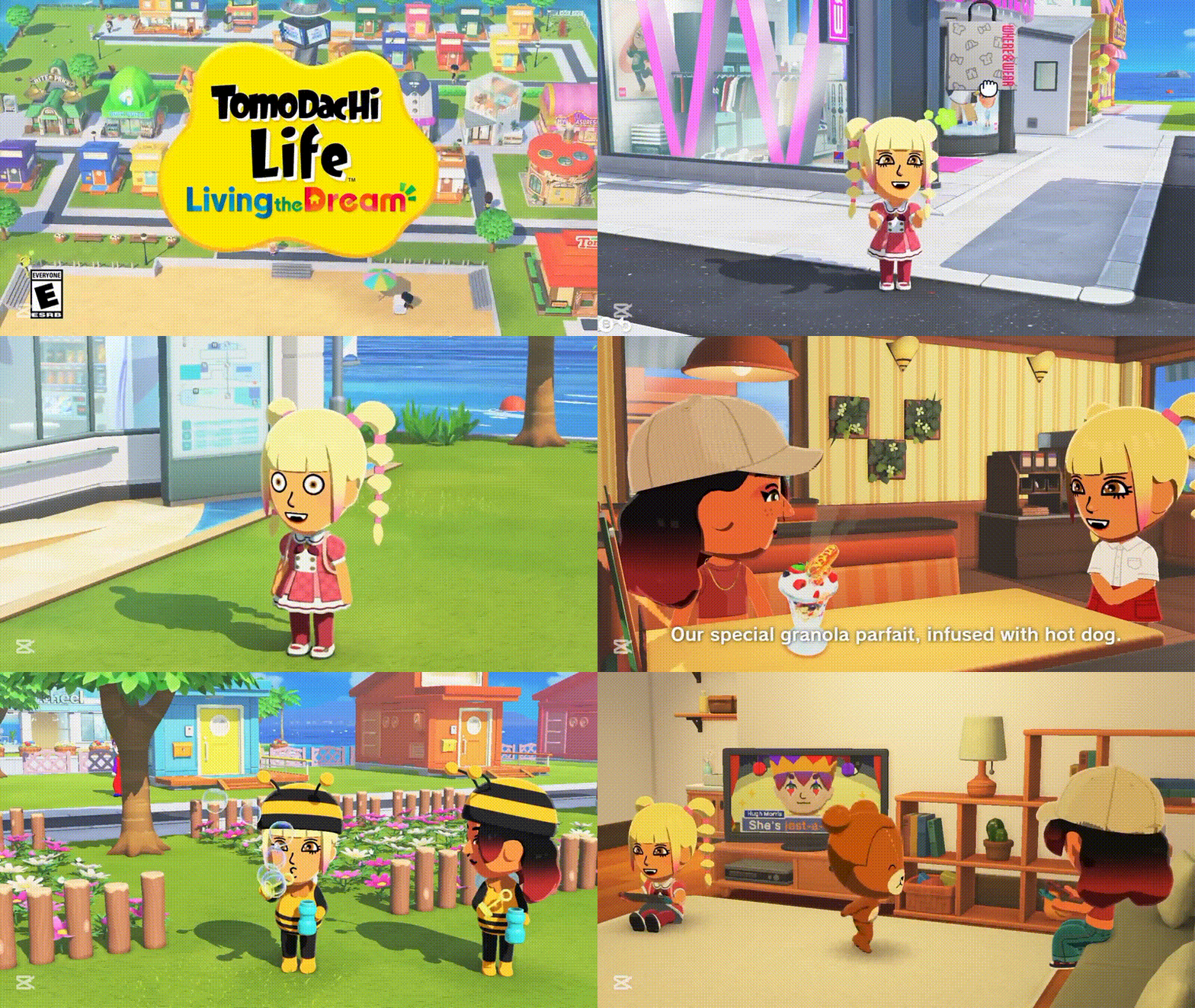
The phrase “Tomodachi Life: Living the Dream Nintendo HQ Recreation” is best understood as shorthand for a very real post-launch creation trend. Tomodachi Life: Living the Dream launched on April 16, 2026, and Nintendo’s own developer materials immediately gave players a high-profile proof of concept: a staff-made “Development HQ Island” that used Island Builder to recreate the development team’s office. At the same time, the game opened strongly in Japan, where it sold 565,405 physical copies in its first Famitsu chart window, helping explain why build ideas and customization experiments spread so quickly across gaming coverage.
Precision matters, though. Nintendo’s official materials center on Development HQ Island, not on a published architectural blueprint of a specific headquarters building. The broader “Nintendo HQ recreation” conversation is therefore a mix of verified official inspiration, community shorthand, and player-built office-campus concepts circulating through screenshots, short-form clips, and fan-made sharing/planning workarounds rather than a single official online gallery. Officially, Nintendo emphasizes local wireless exchange, restricted image-sharing features, and social-posting guidelines instead of a built-in online showcase.
Tomodachi Life: Living the Dream Nintendo HQ Recreation Explained
For accuracy, the clearest verified source of the “Nintendo HQ recreation” idea is Nintendo’s own Development HQ Island. In the official developer interview, Nintendo says a staff member created an island that uses Island Builder to recreate the development team’s office, with the office inhabited by Mii versions of the development staff. Nintendo also explains that desk-like spaces in that build were actually Mii homes, and that the team created office-themed props such as a staff security card and paycheck gifts. In other words, the trend is rooted in a real internal office recreation, even if “Nintendo HQ recreation” is the broader SEO keyword people now use to describe it.
If a player wants to make the idea more geographically faithful, the first decision is which Nintendo headquarters they mean. Nintendo Co., Ltd. lists its corporate headquarters in Kyoto, while Nintendo of America is based in Redmond and serves as headquarters for Nintendo’s operations in the Americas. That distinction matters because a Kyoto-inspired build, a Redmond-campus build, and a looser “Nintendo dev office” build each imply different scale, layout, and atmosphere.
Why Players Are Rebuilding Real-World Locations in Tomodachi Life: Living the Dream
Nintendo explicitly designed the sequel around user-generated content, or UGC, because the team wanted players to create their own inside jokes, familiar people, familiar objects, and recognizable places rather than merely consume finite pre-made content. The developers even describe Tomodachi Life as the “ultimate inside joke game,” which makes real-world recreations feel like a natural extension of the design philosophy: the more personally recognizable the office, neighborhood, classroom, or company campus, the funnier and more meaningful the resulting Mii drama becomes.
That design intent quickly translated into player behavior. Within the demo and launch window, gaming outlets documented players using the new tools to recreate highly recognizable characters, pop-culture references, and themed pets, showing that the community instantly read the game as a recreation machine rather than just a passive life sim. Office-style Nintendo builds fit neatly into that same impulse: they are less about winning and more about seeing recognizable people act unpredictably inside a recognizable space.
Tomodachi Life Living the Dream Gameplay Features That Encourage Creativity
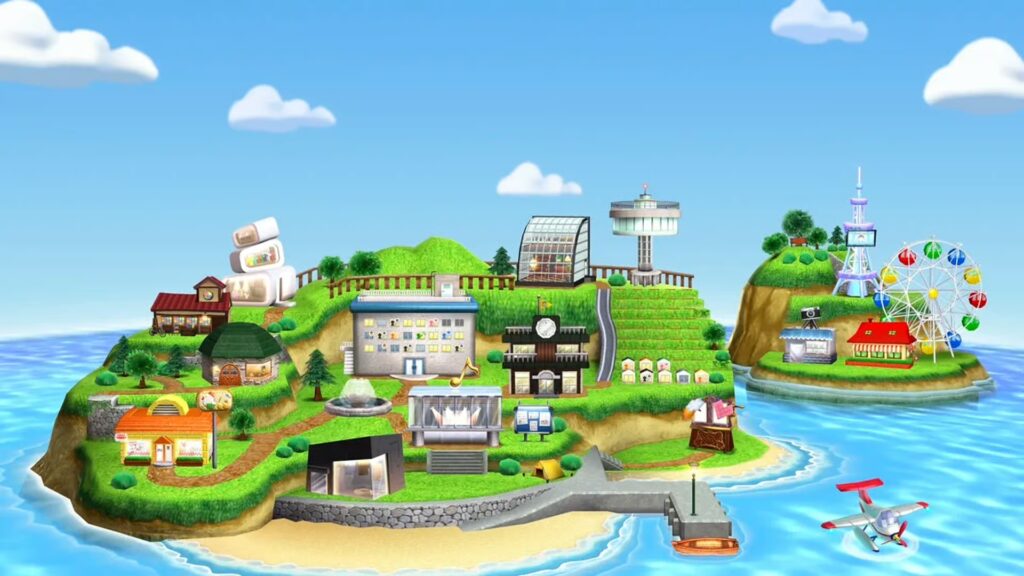
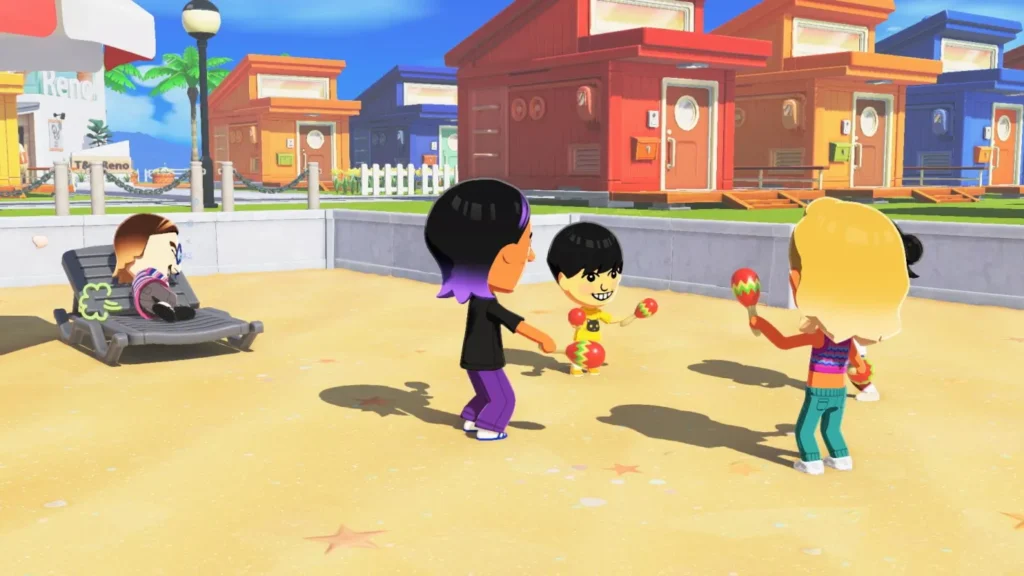
Nintendo’s January 2026 Direct framed the sequel around new Mii customization parts, face paint, personality settings, little quirks, player-made items, island building, and the ability to pick up and drop Miis near one another. Players can also place up to eight residents in a shared house, move shops and homes around, expand areas of land, and decorate with landscape items such as trees, benches, vending machines, and playground pieces. For headquarters recreations, that means the game supports both the visual side of building and the social side of office simulation.
The creativity loop also extends to personal identity. Nintendo’s FAQ confirms options for male, female, and non-binary Miis, flexible dating preferences, and a cap of 70 Miis per island. Those systems matter for HQ recreations because a headquarters-themed island is only convincing if the “staff” cast can be varied, expressive, and socially dynamic rather than interchangeable mannequins.
Why Tomodachi Life Living the Dream Is Perfect for Sandbox Creativity
Living the Dream is not a voxel construction game, but it behaves like a social sandbox. Nintendo says the sequel was rebuilt around UGC so players would not simply exhaust a fixed pool of developer-authored content, and the team also notes that more powerful hardware let Miis move more freely around a larger space than they could in the Nintendo 3DS game. That shift matters because a Nintendo HQ build in this game is not merely a static scene. It is a living stage where staff Miis can gossip, argue, fall in love, pace around, level up, and produce new stories in the environment the player created.
That is the real reason this game maps so well to the keyword. A headquarters recreation only becomes memorable when the space feels inhabited. Living the Dream’s combination of editable layout, character-driven drama, custom props, and emergent social behavior makes it unusually well-suited to that kind of “sandbox creativity,” even if Nintendo itself still presents the game primarily as a life sim.
Tomodachi Life Living the Dream Customization Features That Enable HQ Builds
The Mii creator is one of the biggest reasons HQ builds work. In Nintendo’s developer interview, the art team explains that the sequel adds more adjustable facial features, angles for details like the mouth, more freedom with skin tone and facial-feature colors, and even sub-colors for hair. Nintendo also says face paint can be drawn freely enough to support non-human creations. For a headquarters build, this means the player can make realistic staff caricatures, mascot-like hosts, stylized executives, or even fictionalized “department leads” without the cast looking repetitive.
The environment tools matter just as much. Nintendo’s Direct and regional product pages confirm that players can create buildings, house exteriors, ground tiles, clothes, food, pets, and other island items in the workshop, while also moving homes and shops, expanding land, and decorating with landscape objects. Some workshop and Mii-creation scenes support touch controls as well, although Nintendo says Joy-Con 2 mouse controls are not supported. That combination gives players enough precision to fake plazas, office blocks, reception areas, signage, parking patterns, and courtyard paths.

Tomodachi Life Living the Dream User-Generated Content and Creative Freedom
Nintendo did not bolt UGC onto the sequel as a side feature. In the developer interview, director Ryutaro Takahashi says the team began development with the idea of leveraging UGC because it fit the game’s concept as an inside-joke generator, and producer Yoshio Sakamoto helped shape that broader direction. Nintendo’s own example island demonstrates the result: an office recreation with desk-homes, custom staff props, and even internally meaningful joke items.
That matters for SEO readers looking for “Nintendo HQ recreation” because the keyword is really pointing toward a UGC use case. The real story is not that Nintendo shipped an HQ mode. It is that Nintendo shipped a system open enough that a staff office, security-card gag, payroll prop, or mascot-like pet all fit naturally inside the same simulation.
How Miis and Island Design Make Nintendo HQ Builds Possible
Nintendo’s own office build shows the central trick: Miis do not just decorate the headquarters recreation, they operationalize it. In Development HQ Island, office desks were represented by Mii homes, and the staff Miis populated the space as if it were a living office. Add in shared houses for up to eight roommates, little quirks, catchphrases, and relationship systems, and a headquarters build stops looking like a model and starts behaving like a sitcom set.
The island layer supports the illusion from the outside, while Miis support it from the inside. Because the player can move buildings, expand land, adjust decoration, assign residents to shared homes, and build a cast of up to 70 Miis, the player can simulate departments, floors, collaboration spaces, executives, support staff, security, or even a whimsical version of a public lobby. That is why Nintendo HQ builds are possible at all: the game lets architecture and character drama reinforce each other.
Tomodachi Life Living the Dream Island Customization Tricks for Advanced Players
The best advanced techniques are mostly evidence-based inferences from Nintendo’s documented systems rather than official “developer tips.” The most useful approach is to treat custom ground tiles as surface-level architecture: use them for plaza grids, lobby flooring, crosswalks, reception carpets, elevator zones, or parking-lot striping, while using custom exteriors to suggest office façades and landscape objects to fake barriers, planters, benches, or walkway edges. Nintendo’s own office island proves that the game rewards this sort of representational thinking.
Another advanced tactic is to supplement Nintendo’s tools with community-made planning aids. One fan-made grid helper documented by gaming press converts images into a pixel guide matched to the game’s 256×256 canvas and color swatches. That is not an official Nintendo feature, but it is especially useful for Nintendo-logo motifs, floor signage, employee badges, or glass-panel rhythm on a headquarters façade.

How to Recreate Nintendo Headquarters in Tomodachi Life: Living the Dream
The smartest way to approach a Nintendo HQ build is to start by defining the reference target. A Kyoto corporate-headquarters build should aim for clean corporate geometry and a Japanese-office-campus feel; a Redmond-inspired build may skew more like a North American office park; a “Development HQ Island” recreation should prioritize internal-office humor, staff desks, security badges, and a lived-in development-studio atmosphere. Nintendo’s own example strongly suggests that the third option is the most naturally supported by the game’s current tools.
From there, the key is stylization rather than literalism. Living the Dream does not provide professional architectural drafting tools, so the best recreations translate the idea of Nintendo HQ into readable island language: a clear entrance axis, a central office block, employee homes or departments, branded props, landscaped paths, and a cast of Miis who make the headquarters feel active. That is exactly how Nintendo’s own staff used the game.
Step-by-Step Guide to Designing a Nintendo HQ Island Layout
A workable headquarters layout follows a logical build order that matches the game’s systems:
- Pick the headquarters concept first. Decide whether you are recreating Kyoto corporate HQ, the Redmond campus, or Nintendo’s published office-style Development HQ Island concept. That decision determines scale, palette, and how “literal” your island should be.
- Reserve a front-of-house zone. Because Nintendo lets you move shops and homes and place landscape items, block out an entry sequence first: arrival path, front plaza, signage area, and decorative buffers.
- Build the office core with homes and shared houses. Nintendo’s own office island turned desks into Mii homes, and the game also allows shared houses for up to eight residents. That makes it easy to represent individual desks, departments, or studio wings.
- Use the workshop for façades and surfaces. Nintendo confirms that players can create buildings, house exteriors, and ground tiles, which is where the visual identity of the HQ really comes from. Use these tools for windows, branding bands, reception floors, and courtyard paving.
- Cast the headquarters. Create Miis for developers, executives, security, visitors, or mascot-like staff. Nintendo’s expanded Mii editor, quirks, and phrase systems make the social side of the build much more convincing.
- Add office culture details. Props like badges, joke merch, custom books, or branded gifts are what turned Nintendo’s own build from “office-ish” into specifically Nintendo-flavored.
- Stress-test the island by watching behavior. Because the game is about observing Miis, not just arranging props, the final test is whether the island still reads as headquarters space once residents begin roaming, chatting, and living there.
Best Building Placement Tips for Realistic Nintendo HQ Recreation
For a realistic result, the most important placement principle is hierarchy. Put the most “corporate” structure in the visual center, and push obviously game-like shops toward the edges so they read as surrounding services or a neighboring district rather than the heart of the headquarters campus. Nintendo’s systems support this because homes and shops can be moved, land can be expanded, and landscaping can be used to create visual buffers and pathways.
A second tip is to use density strategically. Headquarters builds look best when the central zone feels deliberate, but not overcrowded. The official office example worked because each desk-home reinforced the office theme without turning the layout into unreadable clutter. Given the current 70-Mii cap, large office concepts are usually most convincing when the player implies a larger workforce through design language rather than trying to stuff every possible “employee” onto the island. That is an inference from the game’s layout tools, the official office example, and the current population limit.
Nintendo HQ Recreation vs Other Real-World Builds in Tomodachi Life
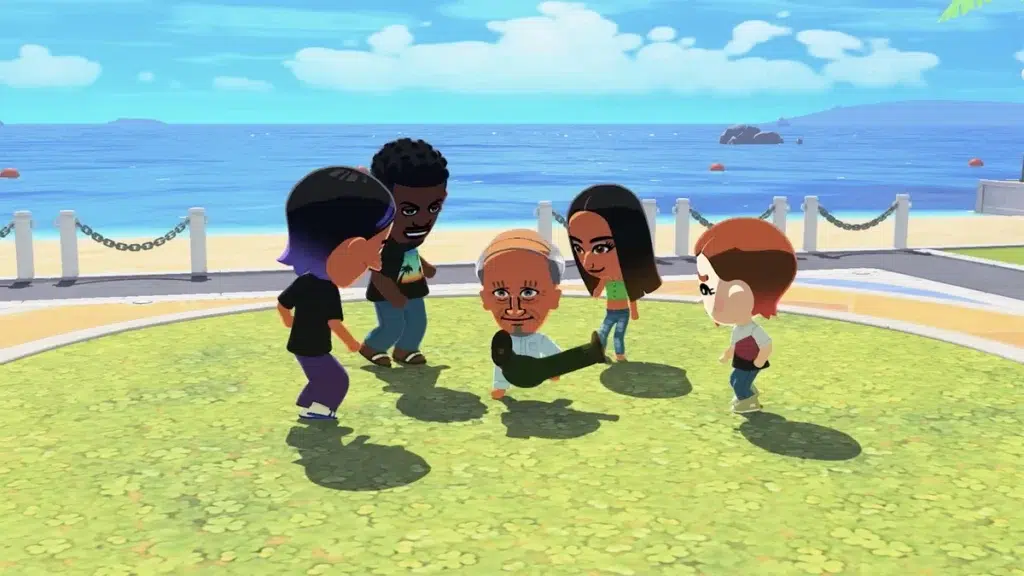
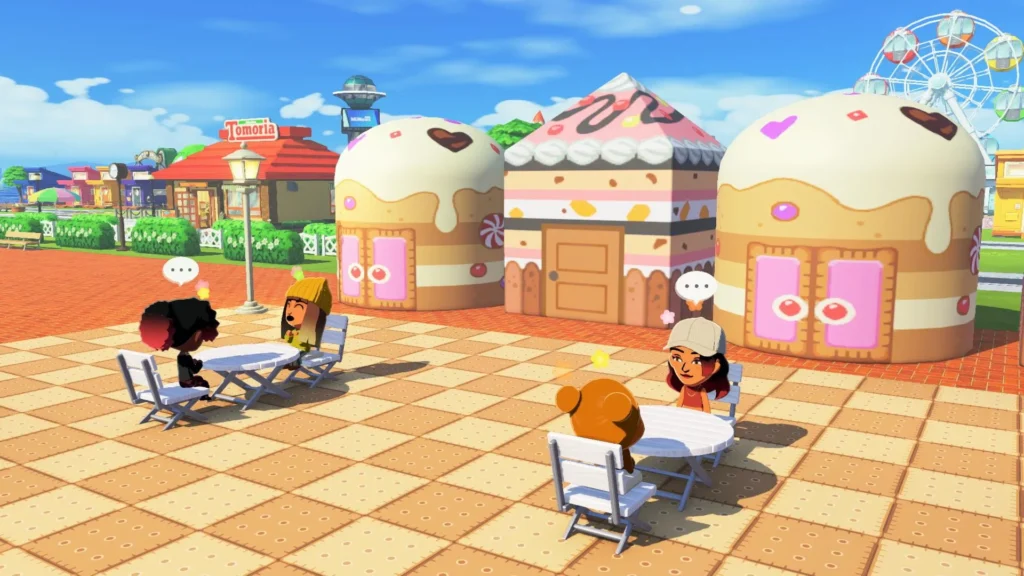
Compared with simpler real-world builds, a Nintendo HQ project is one of the more demanding concepts in Living the Dream. A neighborhood strip, café area, dorm-like house, or whimsical main street aligns closely with the game’s ready-made shops, shared homes, and landscaping tools. A headquarters build, by contrast, needs visual discipline, repeated office motifs, a credible staff cast, and enough custom signage or façade work to read as a branded corporate space.
Ironically, though, the sequel is better suited to headquarters-style recreations than the old 3DS game in several key ways. The original Tomodachi Life centered on Mii Apartments and allowed up to 100 Miis, while Living the Dream lowers the cap to 70 but adds a fully more flexible island layout with movable buildings, expanded land, shared houses, custom exteriors, ground tiles, and freer Mii movement. The trade-off is clear: fewer residents, but much stronger spatial storytelling.
Viral Tomodachi Life Living the Dream Creations You Need to See
The most important verified “viral” creation is still Nintendo’s own Development HQ Island, because it legitimized the idea that Living the Dream’s island tools could be used for office recreation rather than only for whimsical decoration. After that, the public creation boom moved fast: gaming outlets documented demo players producing extremely detailed character recreations almost immediately, then highlighted players using the pet creator for pixel-art-style monster companions after launch. Together, those examples show that the community quickly turned the game into a general-purpose creation platform.
The visibility of those creations was amplified by the broader social-media moment around the game. One report on the demo described clips as flooding short-form video platforms, and the game’s strong early commercial performance in Japan further suggests that Living the Dream reached a large audience quickly enough for niche build ideas—including office and headquarters recreations—to circulate fast once screenshots and clips began spreading.
Can You Share Nintendo HQ Builds in Tomodachi Life: Living the Dream?
Yes, but only in a limited and somewhat awkward way. Officially, Nintendo says players can exchange Miis and workshop creations with friends nearby via local wireless, and anything made in the game can be exchanged that way. Nintendo also says screenshots and videos may be posted to social media under its content-sharing guidelines.
The catch is that Nintendo separately restricted several standard image-sharing conveniences for this game. Its support pages say direct posting to social media, transferring screenshots and videos to smartphones, and automatic upload to the Nintendo Switch App are unavailable for Tomodachi Life: Living the Dream, and launch coverage widely noted the absence of built-in online Mii and item sharing. That is why fan-made sharing/planning sites and design-reference tools have already started filling the gap. On Nintendo Switch 2, GameChat can help players show a build live, but it is still not the same thing as downloading someone else’s HQ island or importing their assets through an official online gallery.
Future Updates and Features That Could Improve Nintendo HQ Recreation
As of April 24, 2026, Nintendo’s public post-launch update history for the full game contains only version 1.0.1, which broadly says that several issues were fixed to improve gameplay. That means the ideas below should be read as evidence-based wishlist items, not announced features.
The most valuable improvements for HQ recreation would be an official online sharing system or gallery, more precise alignment and placement controls, an easier export path for screenshots and clips, broader input support for fine design work, and a higher or more flexible population ceiling for large campus-style islands. Those priorities follow directly from the current local-wireless-first sharing model, the image-sharing restrictions, the lack of Joy-Con 2 mouse support in the workshop, and the officially confirmed 70-Mii cap—limitations that matter much more to headquarters builders than to casual players making only a handful of residents. Community disappointment around the 70-Mii limit reinforces that this is already a visible pressure point.
Frequently Asked Questions (FAQs)
- What is the official source behind the Nintendo HQ recreation idea?
Nintendo’s own developer interview is the main verified source. It showcases Development HQ Island, a staff-made island that recreates the development team’s office using Island Builder. - Is the official example a literal model of Nintendo’s Kyoto headquarters building?
Not exactly. Nintendo’s wording describes the build as a recreation of the development team’s office, not as a formal public blueprint of the Kyoto headquarters building. - Which real headquarters should a faithful build reference first?
A player should decide whether they mean Nintendo Co., Ltd.’s corporate HQ in Kyoto or Nintendo of America’s headquarters in Redmond, because those are different real-world locations with different visual logic. - What are the most important tools for a Nintendo HQ build?
The key tools are Island Builder, movable homes and shops, land expansion, landscape items, the workshop for custom buildings and surfaces, and the upgraded Mii creator for staff avatars. - How many Miis can live on one headquarters-themed island?
Nintendo’s FAQ says one island can support up to 70 Miis. - Can you make departments or shared office spaces?
Yes. Nintendo says you can place up to eight Miis together in a shared house, which makes it useful for department-style groupings or collaborative office wings. - Can you share your Nintendo HQ build online through the game itself?
Officially, Nintendo documents local wireless exchange for Miis and workshop creations, but launch coverage highlighted that there is no built-in online Mii/item sharing system. - Can you still post screenshots or videos of the build on social media?
Yes, Nintendo says you can post them under its content-sharing guidelines, but several normal export shortcuts are restricted for this specific game. - Does Nintendo Switch 2 make building easier?
Switch 2 can offer faster loading and supports GameChat, and Nintendo says the game runs at higher handheld resolution there. However, Nintendo also says Joy-Con 2 mouse controls are not supported in Mii creation or the workshop. - What is the biggest current limitation for large HQ recreations?
For most advanced builders, the biggest limitations are the 70-Mii cap and the lack of robust built-in online sharing, because both reduce how large and how collaborative a headquarters tribute can become.
Conclusion
The core reason Tomodachi Life: Living the Dream Nintendo HQ Recreation has become such a compelling search topic is that it sits at the intersection of official inspiration and player invention. Nintendo itself demonstrated that a development-office recreation works inside Living the Dream, and the sequel’s UGC-first design, customizable island structure, and socially expressive Miis make that idea far more than a gimmick.
At the same time, the game’s sharing limits mean the trend spreads through screenshots, clips, local exchange, and fan-made workarounds rather than through a single official gallery. That tension is precisely what makes the phenomenon so interesting: Living the Dream gives players enough power to rebuild Nintendo’s world, but not yet the cleanest way to distribute the results.
Sources and Citations
- Primary official Nintendo sources
- Nintendo official product/store page for Tomodachi Life: Living the Dream
Nintendo. Tomodachi Life™: Living the Dream for Nintendo Switch. Nintendo Official Site. - Nintendo official launch/product material for release timing and core feature framing
Nintendo. Tomodachi Life™: Living the Dream for Nintendo Switch. Nintendo Official Site. - Nintendo January 29, 2026 Direct summary for island-building, workshop, roommate, and customization mechanics
Nintendo. “Tomodachi Life: Living the Dream Direct spotlights quirky fun with player-made Mii characters; game launches on Nintendo Switch April 16”. Nintendo Official Site, January 29, 2026. - Nintendo Direct archive page for the January 29, 2026 presentation
Nintendo. Tomodachi Life: Living the Dream Direct 1.29.26. Nintendo Official Site. - Nintendo Ask the Developer Vol. 21 material
Nintendo. Ask the Developer Vol. 21: Tomodachi Life: Living the Dream — Part 1. Nintendo Official Site, April 14, 2026. - Nintendo Ask the Developer Vol. 21 — Part 2
Nintendo. Ask the Developer Vol. 21: Tomodachi Life: Living the Dream — Part 2. Nintendo Official Site. - Nintendo Ask the Developer Vol. 21 — Part 3
Nintendo. Ask the Developer Vol. 21: Tomodachi Life: Living the Dream — Part 3. Nintendo Official Site.
- Nintendo official product/store page for Tomodachi Life: Living the Dream
- Nintendo Support sources
- Nintendo Support FAQ for the 70-Mii cap, gender/dating options, posting rules, and sharing restrictions
Nintendo Support. Tomodachi Life: Living the Dream — Frequently Asked Questions. - Nintendo Support image-sharing policy for posting rules and sharing restrictions
Nintendo Support. Information Regarding Image-Sharing Features in Tomodachi Life: Living the Dream. - Nintendo Support local wireless exchange / local play instructions
Nintendo Support. How to Start Local Play: Tomodachi Life: Living the Dream.
- Nintendo Support FAQ for the 70-Mii cap, gender/dating options, posting rules, and sharing restrictions
- Official Nintendo corporate-location sources
- Nintendo Kyoto headquarters
Nintendo Co., Ltd. Company Profile. Official corporate page. - Nintendo of America Redmond base
Nintendo of America. Careers / Locations. Official Nintendo of America site.
- Nintendo Kyoto headquarters
- Secondary corroborating sources
- GamesRadar+ coverage of early player creations / unusual demo Miis
GamesRadar+. “Tomodachi Life: Living the Dream demo is already producing some of the wildest Miis I’ve ever seen, from Pokopia’s Ditto to Resident Evil Requiem’s Leon”. GamesRadar+, March 26, 2026. - Video Games Chronicle coverage of first-week physical sales in Japan
Chris Scullion. “Tomodachi Life: Living the Dream tops the Japanese charts, outselling the rest of the top 10 seven times over”. Video Games Chronicle, April 23, 2026. - Games.GG report on the demo / launch buildup
Eliza Crichton-Stuart. “Nintendo’s Tomodachi Life: Living the Dream Launches April 2026”. GAMES.GG, March 26, 2026. - Games.GG beginner guide mentioning the demo and save carry-over
Mostafa Salem. Tomodachi Life: Living the Dream: Ultimate Beginner’s Guide. GAMES.GG, March 29, 2026. - Games.GG community/fan context article
Eliza Crichton-Stuart. “Tomodachi Life Fans Waited 12 Years for Living the Dream on Switch”. GAMES.GG, April 9, 2026. - Community workaround / fan-reference sources
- Eurogamer article referencing TomodachiShare as a fan-made Mii-planning/sharing resource
Eurogamer. Tomodachi Life: Living the Dream Mii ideas. Eurogamer, April 21, 2026. - Screen Rant article referencing Tomodachi Plaza and other fan-created Mii resources
Screen Rant. Tomodachi Life: Living The Dream — 10 Unbelievable Mii Character Creations. Screen Rant, April 21, 2026.
- GamesRadar+ coverage of early player creations / unusual demo Miis
Recommendations
- Top Gun 3 Officially Confirmed With Script in Development
- REANIMAL Has Launched on PC and Console — Little Nightmares Creators Release a New Co‑Op Horror Game
- PUBG MOBILE Celebrates 8th Anniversary with Landmark Event Blending Gaming, Music and Culture Worldwide
- Philippines iGaming Revenue Overtakes Offline Gambling in 2025 for the First Time
- Cloth Simulation in Blender vs Unreal Engine 5: Workflow Comparisons, Performance Insights, and Best Practices
- Roblox introduces mandatory age-gated account tiers: Roblox Kids vs Roblox Select and what changes in 2026
- Blender 3D vs Cinema 4D: The Ultimate 2025 Comparison Guide for 3D Artists
- Houdini Plant Generation Toolkit Natsura Is Now in Early Access: Features, Pricing, and Workflow Benefits
- How to Create Realistic Hair Clumping in Blender: A Step-by-Step Guide
- Epic CEO Tim Sweeney Pisses Everyone Off With ‘Out of Touch’ Response After 1,000 Game Developers Lose Jobs—Calls for Resignation Grow





























































































