








In This Article (11 sections)
Roblox Mandatory Age-Gated Account Tiers and Kids Account Restrictions
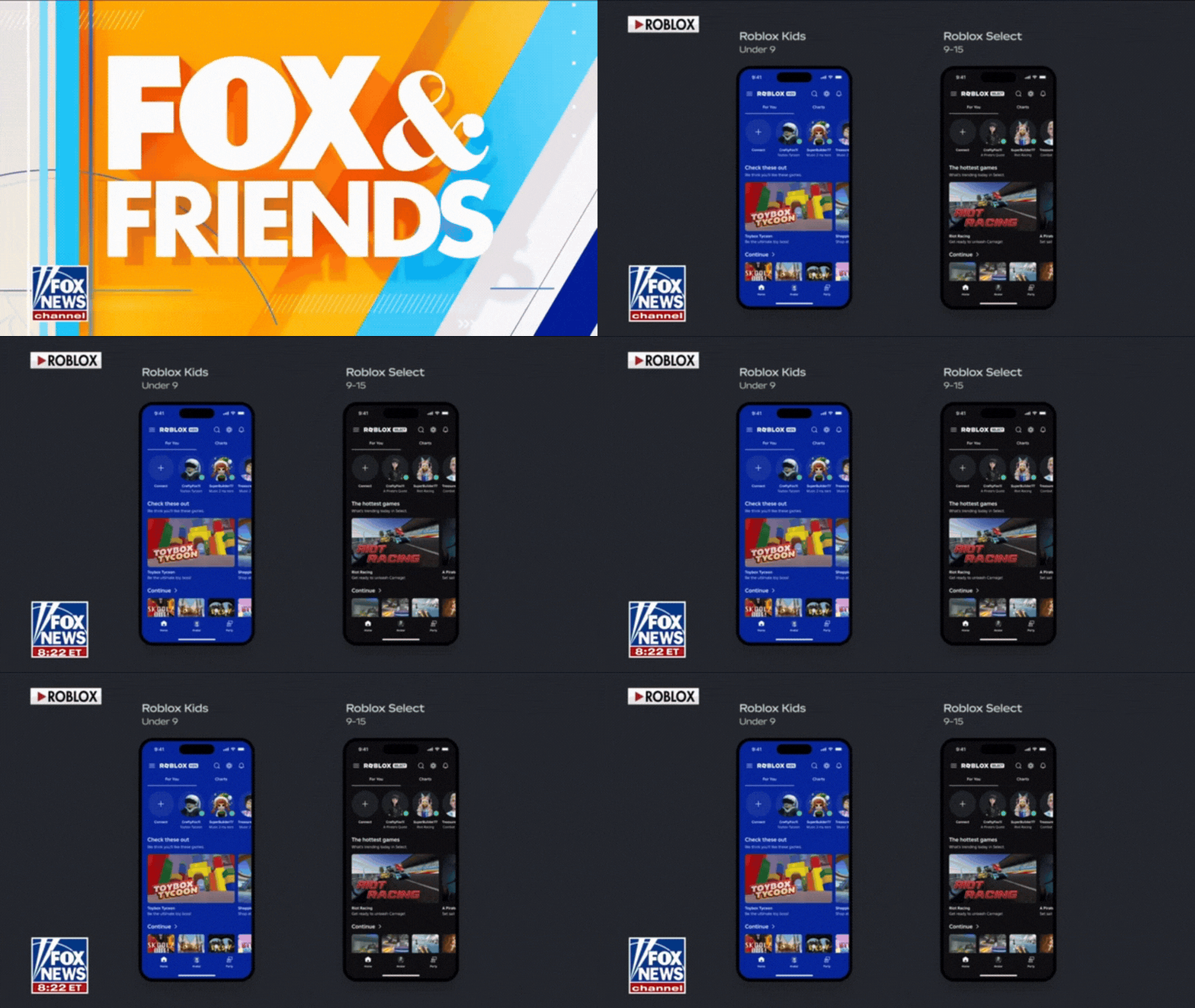
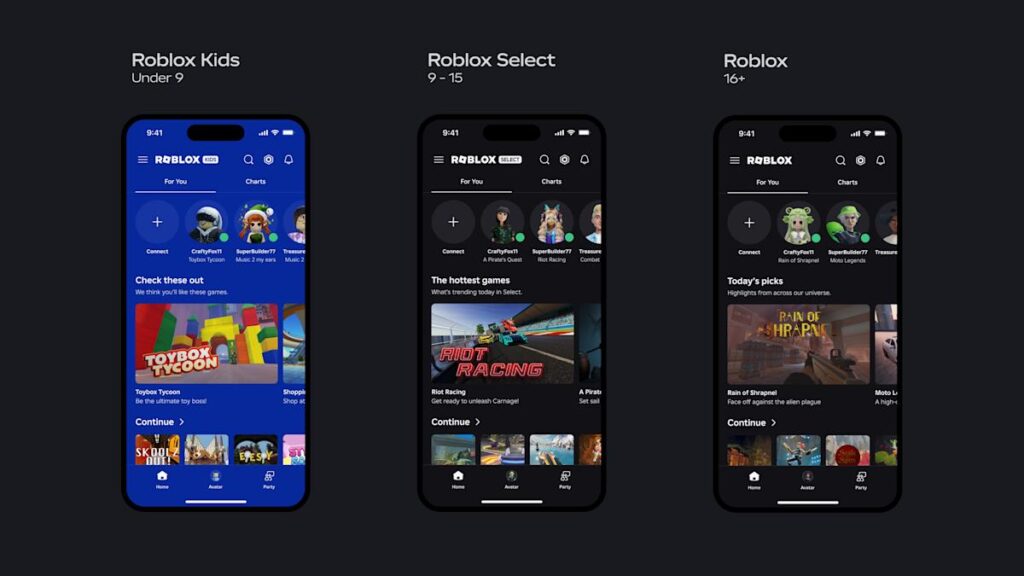
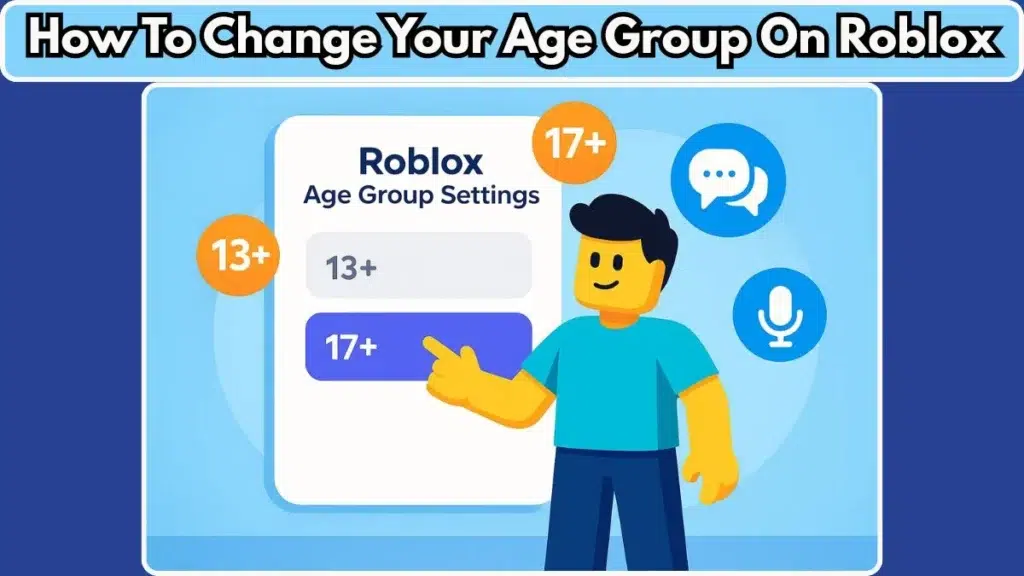
Roblox is introducing mandatory age-gated account tiers in 2026 as part of a broader effort to improve safety, regulatory compliance, and age-appropriate experiences across the platform. The system separates younger users into clearly defined categories based on verified age ranges, with each tier determining the content they can access, how they can interact with others, and which safety protections are automatically enforced.
The two core tiers are:
- Roblox Kids: Ages 5 to 8
- Roblox Select: Ages 9 to 15
Unlike optional parental controls, these tiers are mandatory for users within the relevant age groups. The change reflects increasing global regulatory pressure concerning child safety, data protection, online communication, and content moderation.
Roblox Kids is the most restrictive tier and is designed specifically for early childhood users. Its main features and limitations include:
- Access limited to content classified as “Minimal”
- No open chat functionality, with communication restricted to preset phrases or disabled entirely
- Strict limitations on friend requests
- No access to user-generated content that has not passed enhanced screening
- In-game purchases heavily restricted or disabled without parental approval
The purpose of the Roblox Kids tier is to create a more closed and carefully curated environment for young children. By limiting communication, purchases, social connections, and access to insufficiently screened content, Roblox aims to reduce exposure to inappropriate material and potentially unsafe interactions.
Platform Select Account Features, Restrictions, and Age Verification
Platform Select accounts provide a more flexible experience than Platform Kids accounts while retaining strong safety controls for users aged 9 to 15. The tier gives pre-teens and younger teenagers more freedom to explore experiences, communicate, and play with others, but it continues to restrict unsuitable content and potentially unsafe interactions.
Key features include:
- Access to Minimal, Mild, and some Moderate content
- A filtered chat system enabled by default to reduce exposure to inappropriate language and unsafe conversations
- The ability to add friends and join multiplayer experiences while remaining within Platform’s safety systems
- Controlled access to user-generated content, meaning some experiences and features remain unavailable
- Parental oversight options that allow parents to review settings, manage permissions, and monitor activity where needed
Compared with Platform Kids, the Select tier balances social interaction with age-appropriate protection. Users receive greater access to content and communication tools, but filtered chat, content controls, and parental oversight remain in place to reduce exposure to risky interactions or unsuitable material.
To enforce these account tiers, Platform is introducing two primary age-verification methods:
- AI-driven selfie age estimation
- Government ID verification for higher assurance
Selfie age estimation is intended to provide a quick and accessible verification process, particularly for younger users who may not have formal identification. Rather than confirming an exact date of birth, the system analyzes a submitted selfie to estimate the age range into which the user is most likely to fall.
Government ID verification may be required for:
- Accessing features that require a higher level of confidence in the user’s age
- Correcting an age classification when a user believes they have been placed in the wrong tier
- Unlocking higher trust levels or permissions associated with older age groups
This dual approach is designed to balance accessibility with accuracy. Selfie-based estimation offers a simpler route for most users, while government ID verification provides stronger confirmation when sensitive features, additional permissions, or account classification changes are involved.
Roblox Facial Age Estimation, Data Privacy, and Parent Account Verification
Roblox uses machine learning models to estimate a user’s age from facial features. During verification, the user takes a selfie that is analyzed to determine an approximate age range and whether the account may qualify for certain age-based features or experiences. The system does not identify an exact birthday. Instead, it produces an estimated age range with a confidence score, so the result may not always be completely accurate.
Important details about how Roblox handles the verification data include:
- Raw images are not stored long-term: Roblox says selfies are processed securely and retained only as long as necessary to complete the verification process.
- Some data may be anonymized: Information may be stripped of personal identifiers and used to improve the accuracy and reliability of Roblox’s age estimation models.
- The result is an estimate: Facial age estimation provides an approximate range rather than confirming a user’s exact age.
Roblox states that privacy protections are in place to comply with data protection laws such as COPPA and GDPR. These measures are intended to limit unnecessary data collection, protect younger users, and provide users or parents with certain rights over personal information.
Parents can also link their own Roblox accounts to a child’s profile to gain greater oversight of content access, communication, purchases, and account permissions. The process generally involves:
- Create or sign in to a parent account: The parent needs a separate Roblox account before connecting it to the child’s profile.
- Link the child account: Roblox provides verification prompts to confirm which child account should be connected.
- Complete identity confirmation: Depending on the region and available verification options, Roblox may ask the parent to confirm their identity through an accepted ID, payment method, or another supported method.
Once the accounts are linked, parents may be able to monitor certain account activity, adjust communication and privacy settings, manage spending limits, and control access to experiences. They can also approve or block content, features, and purchases, giving them more direct control over how the child uses Roblox.
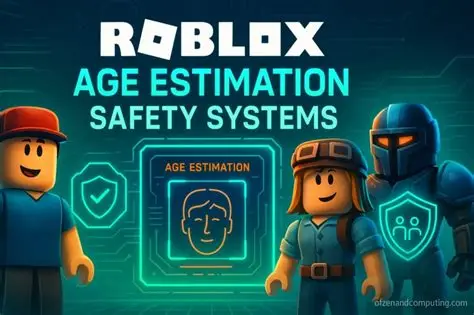
Roblox Chat Permissions and Content Maturity Labels by Age Group
Roblox adjusts chat functionality according to a user’s age tier, applying stricter communication limits to younger children and gradually introducing more flexibility for older users. These settings are intended to reduce exposure to inappropriate contact, scams, bullying, requests for personal information, and other online risks while preserving age-appropriate social play.
Chat permissions differ between the two younger account tiers:
- Roblox Kids, ages 5 to 8: Chat is either disabled entirely or limited to safe, pre-approved phrases. Users generally cannot access free-text chat, reducing the likelihood that they will share personal information or receive inappropriate messages. Communication features are designed to remain simple, controlled, and appropriate for early childhood users.
- Roblox Select, ages 9 to 15: Filtered chat is enabled, allowing users to type messages while Roblox’s safety systems review the content. AI moderation scans conversations for inappropriate language, bullying, personal information, and other unsafe material. Private messaging may still be restricted according to the user’s age, account settings, and parental controls. Parents or guardians can often adjust privacy settings to control who may message, chat with, or invite the child.
Roblox also uses a structured content maturity system to help users and parents understand what an experience may contain:
- Minimal: Suitable for all ages and contains little or no violence, fear, or mature themes. These experiences are generally simple, friendly, and low-risk.
- Mild: May include light cartoon violence, mild scares, simple combat, obstacle challenges, playful competition, or slightly more advanced themes. The content is generally suitable for younger users, although parents may still want to review it.
- Moderate: May contain more intense action, stronger thematic material, or more frequent combat. These experiences may not be appropriate for younger children, and access can be restricted according to the user’s age tier and parental controls.
- Restricted: Intended for older users and may include mature themes or other material that is unavailable to minors. Accounts that do not meet the relevant age or permission requirements are blocked from entering these experiences.
Each Roblox experience is assigned a maturity label, and access is managed according to the account’s age tier, default safety settings, and any parental controls applied. Together, the chat restrictions and maturity classifications determine both how younger users can communicate and which experiences they are permitted to join.
Roblox Kids and Select Content Restrictions and Game Screening Requirements
Roblox applies age-based content restrictions to reduce the likelihood that younger users will encounter experiences, social features, or user-generated material considered unsuitable for their age group. Roblox Kids accounts have the strictest limits, while Roblox Select accounts provide broader access with continued safeguards. These restrictions affect not only which games users can join, but also their access to communication tools, multiplayer interactions, and content that has not completed the required review process.
Roblox Kids accounts are subject to the following restrictions:
- No Moderate or Restricted content: Accounts in this tier are limited to experiences considered suitable for younger children. Games containing stronger themes, more intense violence, mature references, or other age-sensitive material are blocked.
- No unverified user-generated experiences: Children may be prevented from accessing experiences that have not passed the required review or verification process, reducing exposure to unsafe, misleading, or inappropriate content.
- Limited multiplayer interaction: Chat, private messaging, friend requests, and interactions with unknown players may be restricted to reduce the risk of unwanted contact.
Roblox Select accounts receive greater freedom, but several protections remain in place:
- No Restricted content: The platform’s most mature experiences remain unavailable, even though Select users have broader access than Roblox Kids users.
- Some Moderate content may be allowed: Certain experiences with mild or moderate themes can be accessible when their classifications meet Roblox’s standards for the relevant age group.
- Some social features remain gated: Communication and community features may require additional permissions, suitable account settings, parental approval, or age-based eligibility.
Developers who want their games to be available to younger users must follow stricter design, review, and labeling requirements. Experiences may be examined by automated systems and human reviewers before they become accessible to Roblox Kids or Select accounts. Reviews can cover gameplay, visual material, written text, social interaction tools, monetization systems, and other features that could expose younger users to inappropriate content or unsafe behavior.
Developer requirements include:
- Submitting content for automated and manual review: Roblox may examine the experience and its individual features before allowing younger users to access it.
- Avoiding prohibited themes: Developers should exclude explicit material, gambling mechanics, graphic violence, unsafe behavior, and other subjects considered inappropriate for children. Stylized or indirect references may also receive close scrutiny.
- Following content-labeling standards: Experiences must be classified accurately according to their language, themes, violence, social systems, and other content. Incorrect labeling may result in reduced visibility, removal from child-safe categories, or additional moderation.
Games intended for Roblox Kids must pass enhanced screening before being listed for that audience. Developers therefore need to account for child safety from the beginning of production rather than attempting to remove unsuitable elements only after review. Together, age-based restrictions and stricter developer screening are intended to ensure that younger users encounter experiences, interactions, and user-generated content appropriate for their assigned account tier.
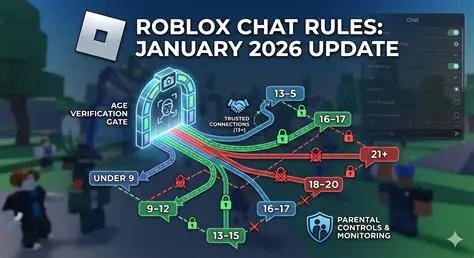
Roblox Creator Compliance Requirements and Parental Controls for Younger Users
Roblox is placing greater responsibility on both creators and parents to protect younger users. Developers are expected to meet stricter security and compliance standards before publishing, updating, or monetizing experiences, while parents receive more detailed controls over content access, communication, social interactions, and spending. Together, these measures are intended to reduce account misuse, improve age-appropriate content enforcement, and give families more direct control over how children use the platform.
Key creator requirements include:
- Mandatory two-factor authentication: Creators may be required to enable 2FA to add another layer of account security. This is particularly important for accounts connected to popular experiences, group funds, creator tools, or monetized content.
- Identity verification for developers: Roblox may require certain creators to verify their identity, especially when monetizing content, accessing advanced tools, or publishing experiences with a wider reach. This helps establish who is responsible for the uploaded material.
- Compliance with age-based content guidelines: Developers must ensure that an experience’s themes, language, violence, social features, and user-generated content match its assigned age category.
- Regular compliance audits: Roblox may review developer accounts, experiences, and monetized features after updates, user reports, or changes to platform safety standards.
Creators who fail to meet these requirements may face content removal, account restrictions, or monetization bans. Games, assets, and individual features that violate platform rules can be removed or limited, while repeated violations may cause developers to lose access to publishing tools, account features, or other permissions. Non-compliant creators may also be prevented from earning Robux or participating in monetization programs. These requirements make creators responsible not only for securing their accounts, but also for ensuring that their experiences remain suitable for the audiences they reach.
Roblox’s newer parental controls provide families with more precise ways to manage a child’s access. Instead of relying entirely on general maturity settings, parents may be able to restrict specific experiences, categories, communication tools, transactions, and social features according to the child’s age and maturity level.
These controls may allow parents to:
- Block specific games or categories: Parents can restrict experiences they consider unsuitable, even when those games would otherwise be available under Roblox’s default account settings.
- Set age-based unlock thresholds: Particular games or types of content may remain blocked until the child reaches a selected age, such as 16.
- Restrict chat, purchases, and social interactions: Parents can limit who may communicate with the child, reduce contact with unfamiliar users, and manage in-game purchases or other spending.
These tools allow parents to make more specific decisions about a child’s Roblox experience. A game that technically fits the platform’s default age settings can still be blocked if a parent considers it inappropriate, while communication and purchase controls can be adjusted separately. Combined with stricter creator verification and compliance requirements, these parental options create a broader safety system covering account security, content suitability, social interaction, and spending.
Roblox Age-Gated Tier Rollout and How to Correct Verification Errors
Roblox’s age-gated account tiers are scheduled to begin rolling out in June 2026 through a phased implementation rather than an immediate change for every account. The platform may introduce the system to selected regions, users, or account types first, allowing it to identify technical problems, verification delays, and areas of confusion before extending the requirements more broadly.
The expected rollout phases may include:
- Early rollout to selected regions and accounts: Roblox may initially enable age-gated tiers for smaller groups to test the verification and account-classification systems.
- Gradual enforcement for users under 16: Younger accounts may begin receiving updated restrictions on communication, content access, privacy settings, and other features according to their verified ages.
- Mandatory compliance after full deployment: Once implementation is complete, users may need to pass the required age checks to access certain features. Accounts that remain unverified may be assigned to a more restrictive tier by default.
Users will likely receive verification prompts when signing in, changing account details, or attempting to access features that require age confirmation. Parents and guardians may also need to review linked account settings for younger users, particularly where existing permissions conflict with the new age-based defaults. Because the rollout is expected to happen gradually, accounts may not receive the same prompts or restrictions at the same time.
If Roblox places a user in the wrong age group, the available correction methods may depend on the user’s region, age, and previous verification attempts. Possible ways to correct an inaccurate classification include:
- Reattempting selfie verification: A user may be allowed to repeat the scan if the first attempt failed or returned an incorrect result. A clear image, good lighting, and careful attention to the on-screen instructions may improve the outcome.
- Submitting government identification: Roblox may request an accepted form of ID when selfie estimation is insufficient or stronger proof of age is required to change the account tier.
- Contacting Roblox Support: If automated verification does not resolve the issue, the user can request a manual review through official support channels. Relevant account details should be provided, but sensitive documents should only be submitted when Roblox specifically requests them through an authorized verification process.
Cooldown periods may apply between verification attempts. These waiting periods are intended to limit repeated failed scans, misuse of the system, and attempts to bypass age restrictions. When a cooldown prevents another attempt, users may need to wait before retrying or contact Roblox Support if the age classification is clearly incorrect.
Frequently Asked Questions (FAQs)
- What are Roblox age-gated account tiers?
They are mandatory account categories that control which content, communication tools, social features, and permissions a user can access based on their verified age. Younger accounts receive stricter default protections, while older users are given progressively broader access. - What ages fall under Roblox Kids and Roblox Select?
Roblox Kids covers users aged 5 to 8 and provides the most restricted experience, including limited content and communication. Roblox Select covers ages 9 to 15, allowing more social interaction and access to Minimal, Mild, and some Moderate content while retaining safety controls. - Is age verification required for all users?
Yes, particularly for users under 16 as part of the 2026 rollout. Verification helps Roblox assign the correct account tier and determine whether the user is eligible for certain content, communication tools, and age-restricted features. - Can Roblox guess your age from a selfie?
Yes. Roblox uses AI-based facial age estimation to analyze a submitted selfie and place the user within an approximate age range. The system provides an estimate with a confidence level rather than identifying the user’s exact age or birthday. - What happens if the age verification is wrong?
Users may be able to repeat the selfie verification process, submit an accepted government ID for stronger confirmation, or contact Roblox Support for a manual review. Cooldown periods may apply between repeated verification attempts. - Can parents control what games their child plays?
Yes. Parental controls can allow parents to block individual games or categories, manage content maturity access, and set age-based unlock thresholds. Parents may also be able to control chat, social interactions, privacy settings, purchases, and spending limits. - Is chat completely disabled for young users?
For Roblox Kids accounts, chat may be disabled entirely or restricted to safe, pre-approved phrases. Free-text communication is generally unavailable to this age group, reducing the risk of inappropriate contact or accidental sharing of personal information. - What content is considered “Restricted”?
Restricted content includes mature material that is not considered suitable for minors, such as intense violence, adult themes, or other age-sensitive subjects. Accounts that do not meet the required age and permission conditions are blocked from accessing these experiences. - Do developers need to follow new rules?
Yes. Developers must meet stricter content-labeling, account-security, age-appropriateness, and compliance requirements. These may include identity checks, two-factor authentication, accurate maturity classifications, enhanced screening, and ongoing reviews of published or monetized experiences. - When will these changes take effect?
The rollout is scheduled to begin in June 2026 and is expected to happen in phases. Selected accounts or regions may receive the changes first, followed by broader enforcement for users under 16 and mandatory age checks for certain features after full deployment.
Conclusion
Roblox’s introduction of mandatory age-gated account tiers marks a significant shift in how the platform manages safety, content access, and user interaction. By separating users into Roblox Kids and Roblox Select tiers, implementing advanced age verification systems, and enhancing parental controls, Roblox is aligning itself with global safety standards while reshaping the user experience. Although concerns around privacy, accuracy, and bypass attempts remain, the overall direction signals a more controlled and age-appropriate ecosystem for millions of young players worldwide.
Sources and Citations
- Roblox Safety and Civility Initiative Updates
https://corp.roblox.com/newsroom/ - Roblox Age Verification and ID Requirements Documentation
https://en.help.roblox.com/hc/en-us/articles/203313410 - COPPA Compliance Guidelines (FTC)
https://www.ftc.gov/business-guidance/privacy-security/childrens-privacy - GDPR Overview (European Commission)
https://commission.europa.eu/law/law-topic/data-protection_en - Online Safety and Child Protection Trends (Industry Reports)
https://www.ofcom.org.uk/online-safety
Recommended
- Netflix Joins Blender: What Netflix Animation Studios Funding Means for Blender and the Community
- Hasbro CEO Promises No Generative AI in Its Video Games as Chris Cocks Draws a Line on AI
- Nacon Subsidiaries Enter Insolvency Proceedings: Spiders, Kylotonn, Cyanide, and Nacon Tech Explained
- DualSense Touchpad Support in UE5: Setup, Input Mapping, and Troubleshooting Guide
- The Director Of The Next Resident Evil Movie Has Already Beaten Requiem Twice: What It Means for the Film
- Camera Movements: A Complete Guide to Cinematic Motion in Film and Video
- MoCap Online: Top Motion Capture Resources, Tools, and Animation Packs for Game Developers and Animators
- All katsu curry recipes in Romeo Is a Dead Man: complete list, ingredients, buffs, and how to unlock them
- How To Create Hexagon Fans Blender: Step-by-Step Hexagon Fan Grill (Honeycomb Fan Cover) Tutorial
- Sparseal Launched New 3D Texturing App For iPad: Wafer Brings Stylized PBR Texture Painting to iPad