




In This Article (8 sections)
Wobbly Life on PlayStation Plus: Release Date, Claim Deadline, Versions, and Subscription Access
Wobbly Life joined PlayStation Plus Monthly Games on September 1, 2026, with both PS4 and PS5 versions included. Sony announced the September lineup on August 26, and the redemption window runs through October 5, 2026. As of September 22, the offer is already active, not merely announced. The important distinction is that Wobbly Life is part of the Monthly Games benefit rather than an Extra-only Game Catalogue addition. PlayStation Plus Essential is therefore sufficient to claim it, while Extra and Premium subscribers receive the same underlying monthly-game entitlement because those higher plans include Essential benefits. :chatgpt-content-reference{index=”0″}
This September 2026 PlayStation Plus date should not be confused with the game’s original release history. RubberBandGames released the version 1.0 Space Update on September 18, 2025, marking Wobbly Life’s departure from Early Access. The later PlayStation Plus offer concerns subscription access to an existing game rather than the commercial debut of a new title. This distinction matters when older guides, videos, or update discussions appear in search results because a launch article, a historical patch guide, and a September 2026 PlayStation Plus guide answer different questions.
Wobbly Life’s Monthly Games placement means eligible Essential, Extra, and Premium members can all claim it. This differs from the Game Catalogue, where access normally requires Extra or Premium and titles can later leave the catalogue under different rules. Calling a Monthly Games title “free” can also be misleading because access depends on a paid PlayStation Plus subscription and its licence conditions. It has not become permanently free-to-play, and there is no reason to upgrade to Extra or Premium solely to claim this particular monthly title.
Sony’s September announcement identifies both PS4 and PS5 editions. Owners of either console generation therefore have an eligible version, but the presence of both versions should not be treated as proof of unrelated features such as automatic save transfer, shared trophies, specific performance modes, or every type of cross-generation compatibility. On PS5, users who have access to multiple versions can switch between them through the game’s options, while downloaded titles are available through Game Library and Your Collection. On PS4, the corresponding library area is Library and Purchased. Checking the selected edition before a multiplayer session can prevent avoidable confusion when several people are preparing to play together.
To claim Wobbly Life, use the PlayStation account holding the eligible subscription. On PS5, Sony’s support process directs users through PlayStation Plus, Benefits, and Monthly Games before opening the listing and completing the redemption or download. On PS4, open PlayStation Plus, go to Monthly Games, select Wobbly Life, and choose Add to Library before downloading. Merely opening the product page or adding the game to a wishlist is not the same as claiming the Monthly Games entitlement, so users should confirm that the offer has actually been attached to the correct account before leaving the page.
After claiming, the game can be downloaded later from the account’s library. Sony also supports remote installation through PlayStation App by opening Game Library, selecting Purchased, choosing the game, and using Download to Console when the relevant console settings are enabled. If a correctly claimed copy later displays an unexpected padlock, restoring licences can be useful. On PS5, the route is Settings, Users and Accounts, Other, Restore Licenses, while PS4 uses Settings, Account Management, Restore Licenses. Sony states that licence restoration does not delete saved data, but it should be treated as troubleshooting rather than a replacement for first checking the correct account, subscription status, and claimed edition.
Sony identifies Monday, October 5, 2026, as the final day of the announced September Monthly Games availability window. Regional storefronts can show slightly different expiry timestamps, with the UK listing, for example, displaying an October 6 timestamp. That does not make it sensible to wait until the final possible hour. The safer approach is to claim the game before October 5 and confirm that it appears in the account library. The deadline concerns acquiring the entitlement, not completing or even installing the game.
Once Wobbly Life has been claimed during the redemption window, it can continue to be downloaded and played after it leaves the Monthly Games lineup as long as the account maintains a qualifying PlayStation Plus subscription. Subscription expiry is a separate issue. Cancelling automatic renewal does not immediately remove access because benefits continue through the paid membership period, but access to claimed Monthly Games ends when that membership actually expires. Downgrading from Extra or Premium to Essential also does not remove the Monthly Games benefit because Essential itself includes that entitlement. Thinking separately about installed files, account licences, and active subscription status makes these access rules easier to understand.

Wobbly Life Multiplayer: Online Co-Op, Split-Screen, Crossplay, and PlayStation Sharing
Wobbly Life supports up to four online players on PlayStation, with that figure representing four total participants including the host rather than one host plus four additional players. Online play on PlayStation requires the applicable PlayStation Plus entitlement, subject to Sony’s benefit-sharing arrangements. Each remote participant also needs a valid way to access the game on their own setup, so one person claiming Wobbly Life does not automatically provide unrestricted access to an entire group of friends playing from separate consoles.
Sony does allow certain subscription benefits to be shared locally. On one PS5 with Console Sharing and Offline Play enabled and one designated primary PS4, other users on the same console can access downloaded Monthly Games and online multiplayer benefits in supported circumstances. Those users cannot independently redeem the monthly title to their own accounts, so sharing access to an installed game is different from granting another account permanent entitlement to it.
Local split-screen is also an advertised feature, with the PlayStation version supporting up to four players on one console. Each participant should have a compatible controller, and the console should recognise all of them before the session begins. Start with the account that has access to the game and follow the joining and character-selection instructions shown by the installed PlayStation version rather than relying on button prompts from an old PC, Xbox, or other-platform tutorial.
For households using multiple console profiles, PS5 Console Sharing and Offline Play or PS4 primary-console activation can allow other local users to play the downloaded Monthly Games copy without every participant needing a separate subscription. Child-account restrictions still apply, however, so local access should not be confused with unrestricted online permissions. For a first family or split-screen session, it is often more useful to let everyone practise movement, camera control, and basic interaction before attempting complicated jobs or coordinated objectives.
Crossplay has changed significantly compared with older information about Wobbly Life. RubberBandGames released the v1.1 Crossplay Update on August 27, 2026, adding cross-platform multiplayer between Steam and supported console editions, including PS4, PS5, Xbox One, Xbox Series, Switch, Switch 2, and Luna. Older guides that state Wobbly Life has no crossplay are therefore outdated for these updated versions. The developer also introduced invite codes so players can join across platforms without depending entirely on one console ecosystem’s friends list.
There is an important limitation because the developer describes two separate crossplay ecosystems. Steam and consoles belong to one group, while Apple App Store, Google Play, and Google Play Games on PC belong to another. That means saying someone plays “on PC” is not specific enough when diagnosing a failed invitation. A Steam user and someone playing through Google Play Games on a computer may belong to different compatibility groups even though both devices are technically PCs. The storefront or version should therefore be checked before assuming the problem is with an invite code or network connection.
Crossplay should also be distinguished from cross-progression. Being able to join the same multiplayer session does not prove that saves, achievements, purchases, or character progress automatically transfer between platforms. Anyone considering moving from one platform to another should investigate progress-transfer support separately instead of assuming multiplayer compatibility answers that question.
Player limits can also differ by platform. Nintendo’s original Switch listing, for example, advertises one to two players locally and online, so PlayStation’s four-player specification should not automatically be applied to every edition. Before a planned cross-platform session, the group should decide who will host, confirm which storefront or console edition each person uses, and install available updates first. That is much easier than discovering compatibility differences after everyone has already gathered to play.
Wobbly Life Gameplay: Jobs, Money, Houses, Vehicles, Pets, and Arcade Modes
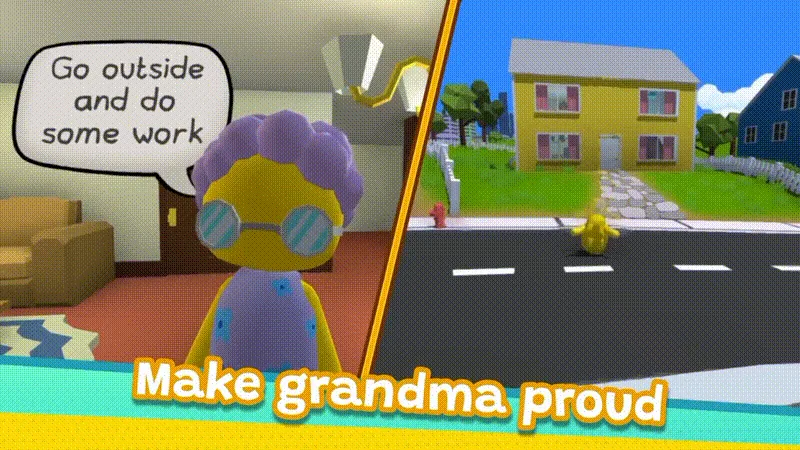
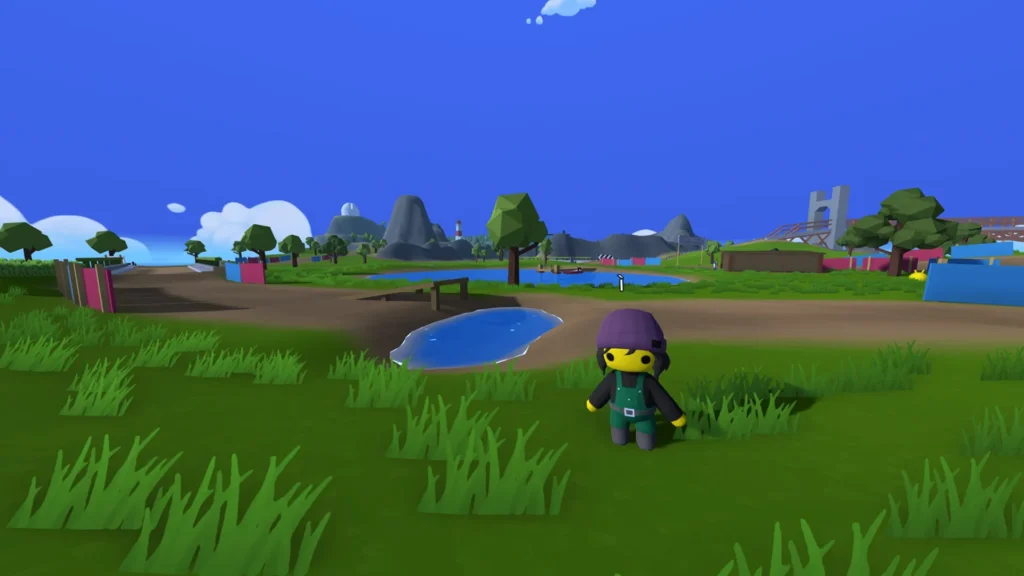
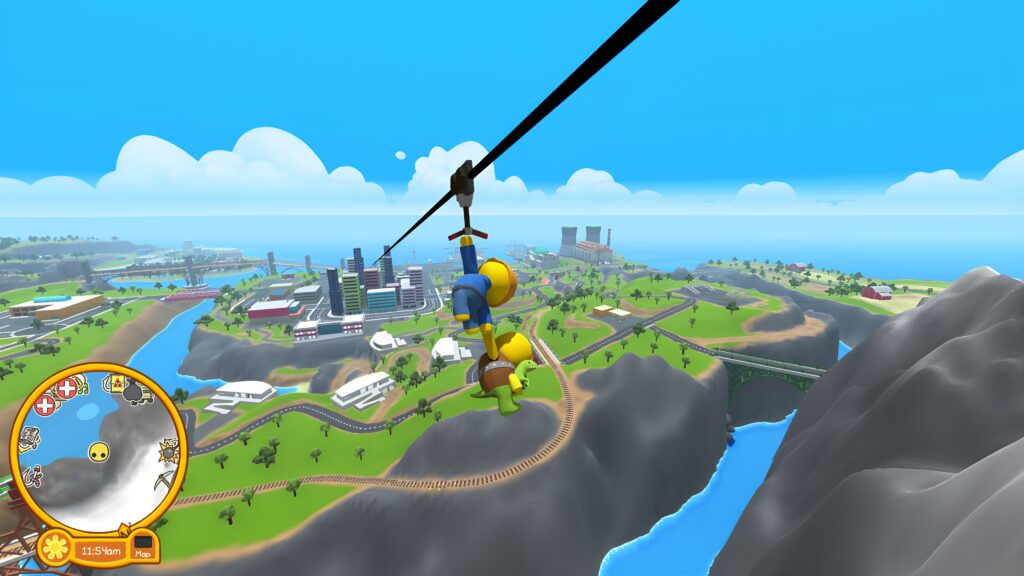
Wobbly Life is RubberBandGames’ physics-based open-world sandbox, built around a simple premise in which Grandma tells the player to get a job and eventually earn enough money for a home. Jobs, exploration, interactive objects, purchases, and gradual character progression provide structure without forcing players through one fixed sequence of levels. The world also includes story missions, puzzles, hidden areas, museum treasure hunting, and activities that can be approached alone or cooperatively, giving players a reason to alternate between specific goals and unstructured experimentation.
The Space Update expanded that structure with another open world containing locations such as the Space Mall, Space Diner, and Asteroid Mines. Its low-gravity environments and separate activities make it more than another conventional neighbourhood added to the original island. For newcomers, the game is easiest to understand as a mixture of objectives and playful experimentation. A session can focus on earning money or completing a job, but the same goal can also become an excuse to explore unfamiliar places, test vehicles, or experiment with the physics.
Beginners should learn movement, camera control, and interaction before chasing expensive purchases. In a physics-based sandbox, understanding how the controls behave often matters more initially than optimizing income. Officially described jobs include pizza delivery, firefighting, taxi driving, and dancing. These jobs feed into purchases such as clothing, vehicles, pets, and houses, but an activity’s usefulness should not be judged only from a payout figure in an old guide. Travel time, failed attempts, familiarity, and how enjoyable the task feels can all affect whether it is worth repeating.
The map is useful for more than simple navigation. Developer updates added informative icon popups and support for multiple split-screen players using the map, making it easier for groups to decide where to go and coordinate routes. Setting a spending goal can also make progression clearer. Someone saving for a house may choose to postpone cosmetic purchases, while a player interested mainly in exploration might prioritize a vehicle. The game does not require one universally optimal spending path.
The Space Update added Space Credits and jobs associated with the new setting, while also changing housing progression by allowing players to sell an existing home during the process of buying another rather than needing to return to the previous property first. These updates are a good example of why older progression advice should be checked against newer patch information before being treated as current.
The PlayStation description advertises more than 90 vehicles and more than 500 clothing items. Those figures show the scale of collection and customization but do not mean everything is immediately unlocked. Vehicles include different categories of travel, with earlier updates adding boats such as speedboats, yachts, tugboats, and fishing boats alongside revised water physics. The Space Update expands the choice further with spacecraft ranging from faster and more agile designs to slower cargo-oriented ships, with personal ships available for purchase and customization at the Space Garage.
Pets can be purchased at the Pet Shop, while housing ranges from smaller cabins to large mansions. These purchases create long-term goals alongside clothing and transportation. For beginners, browsing before making major purchases can be useful because the most expensive item is not automatically the best choice. A vehicle that supports the next activity or a pet that makes the player enjoy returning to the game may be a more meaningful goal than simply buying whatever carries the highest price.
Arcade provides more structured alternatives to the main open world through four official modes: Trash Zone, Hide & Seek, Wobble Run, and Sandbox. Trash Zone is asymmetric, with one player acting as the Trasher and attempting to knock others into a compactor while survivors avoid elimination until the timer ends. Eliminated players can then help the Trasher, increasing pressure on those still active. Hide & Seek gives hiding players preparation time before releasing the Seeker, while captured players spectate for the rest of the round.
Wobble Run is an obstacle-course race in which the first player to finish wins, with documented settings including timers, weather, and checkpoints. Sandbox is more experimental, allowing players to spawn objects and vehicles and adjust settings such as movement speed and jumping strength. The developer’s documentation identifies mod tools and Steam Workshop integration as Steam features, so those should not automatically be presented as functions included with the PlayStation version. Choosing an Arcade mode around the group’s mood usually makes more sense than treating one as universally superior. Wobble Run suits straightforward competition, while Sandbox works better when the group wants to invent its own activities.
Is Wobbly Life Good for Families? Ratings, Beginner Advice, and Playing Together
Wobbly Life can be a strong option for family co-op, but its colourful presentation should not be treated as proof that every child or household will find it equally suitable. The UK PlayStation listing carries a Mild Violence descriptor, while Sony’s Canadian product page identifies Crude Humor and Mild Fantasy Violence. Families should check the rating and content information provided in their own region rather than relying on a general “family-friendly” description.
Suitability also depends on how comfortable the child is with the game’s controls and style. Wobbly Life requires camera movement, following task instructions, interacting with physics-driven objects, and sometimes accepting that an action will not work perfectly on the first attempt. For some younger players, that unpredictability is part of the fun, while others may become frustrated. Playing together or watching the child try the game provides a more useful assessment than the age rating alone.
Local co-op can be a good starting point for families who want to learn together before arranging online multiplayer. Agreeing on one manageable objective can reduce confusion, particularly when younger players are still learning the controls. One player can handle navigation while another performs the interaction required by a job, with responsibilities rotating so less experienced players participate rather than simply watching. A shared television can also create practical issues in modes such as Hide & Seek because participants may accidentally see another player’s portion of the split screen, so keeping the competition relaxed can prevent a light-hearted mode from becoming frustrating.
Sony’s parental controls can support online safety by managing age restrictions, communication, user-generated content, playtime, and spending. Communication restrictions can disable functions such as voice chat and text messaging, while family-management settings provide control over a child account’s access. These tools should complement rather than replace conversations about who the child may join online, how invitations should be handled, and when an adult should be asked for assistance.
For any new player, the most useful approach is to avoid treating Wobbly Life as a race toward maximum money or completion. Try several jobs, experiment with vehicles, investigate unfamiliar locations, and decide which activities are genuinely enjoyable. A session spent discovering something unusual is not wasted because it earns less currency than repeating the most efficient job. The game’s open-ended structure works best when progression supports the kind of play the individual or group wants rather than making every activity feel mandatory.
Frequently Asked Questions (FAQs)
- When did Wobbly Life join PlayStation Plus?
Wobbly Life joined the September 2026 PlayStation Plus Monthly Games lineup on September 1, 2026, with both PS4 and PS5 versions included. This date refers specifically to when eligible PlayStation Plus subscribers could begin claiming the game through the monthly benefit. It should not be confused with Wobbly Life’s original commercial release or its earlier development milestones. - Is PlayStation Plus Essential enough to claim Wobbly Life?
Yes. PlayStation Plus Essential includes the Monthly Games benefit, so an Essential subscription is sufficient to claim Wobbly Life during its September 2026 availability window. Extra and Premium subscribers can claim it as well because those higher tiers include the Essential benefits. There is no need to upgrade to Extra or Premium simply to redeem this particular game. - What is the Wobbly Life PS Plus claim deadline?
Sony identifies October 5, 2026, as the final day of the announced September Monthly Games claim period. The safest approach is to add Wobbly Life to the eligible account before that date rather than waiting for the final storefront refresh, since regional stores can display slightly different expiry times. The deadline concerns claiming the entitlement, not completing or installing the game. - Do I have to download Wobbly Life immediately?
No. Claiming Wobbly Life and downloading it are separate actions. Once the Monthly Games entitlement has been successfully added to the eligible PlayStation account during the claim period, the game can be downloaded later from the account’s library while the required PlayStation Plus membership remains active. This means storage space does not need to be cleared immediately just to secure the offer. - Can I play Wobbly Life without an internet multiplayer session?
Yes. Wobbly Life can be played solo and also supports local multiplayer, so joining an online session is not required simply to play the game. However, a copy obtained through PlayStation Plus Monthly Games remains tied to the subscription licence. Playing offline does not convert that entitlement into permanent ownership independent of PlayStation Plus. - Does each local player need a separate PS Plus subscription?
Not necessarily. Sony allows downloaded Monthly Games and certain PlayStation Plus benefits to be shared with other users on an appropriately configured PS5 through Console Sharing and Offline Play, or on a designated primary PS4. This can allow several people in the same household to play locally without each participant buying a separate subscription. The account that claimed the game still needs the appropriate entitlement, and parental or child-account restrictions can continue to apply. - Can PS4 and PS5 players join the same crossplay ecosystem?
Yes. RubberBandGames’ v1.1 Crossplay Update explicitly lists both PS4 and PS5 among the supported platforms in the Steam-and-console crossplay ecosystem. Players should make sure their copies are updated before arranging a session because older builds may not include the required crossplay functionality. Cross-platform multiplayer support should also be kept separate from questions about save transfers or cross-progression. - Can a PlayStation player join someone using Google Play Games on PC?
Not through the same crossplay ecosystem described for PlayStation and Steam. RubberBandGames separates Wobbly Life crossplay into two groups: Steam and supported consoles belong to one ecosystem, while Apple App Store, Google Play, and Google Play Games on PC belong to another. This means saying that someone is playing “on PC” is not specific enough. A Steam PC player can belong to the console-compatible group, while a Google Play Games PC player belongs to the separate mobile ecosystem. - Does cancelling renewal immediately remove Wobbly Life access?
No. Cancelling automatic renewal does not immediately end an already-paid PlayStation Plus membership. Sony states that subscription benefits remain available until the current paid period expires, so Wobbly Life can continue to be played during that time if it was properly claimed. Once the membership actually ends, access to Monthly Games obtained through that subscription also ends until a qualifying membership is active again. - Which Arcade mode is best for a first group session?
Wobble Run is a straightforward option for a first group session because its objective is simple: navigate the obstacle course and reach the finish before the other players. That makes it easy for newcomers to understand without first learning more complicated rules. Sandbox is another good choice for a group that prefers experimenting with objects, vehicles, movement settings, and other systems rather than competing directly, so the better starting mode depends on whether the group wants a clear race or open-ended play.
Conclusion
Wobbly Life’s September PlayStation Plus offering is most useful when approached as two separate decisions: securing access and deciding how to play. Claiming the game should come first; choosing a console edition, arranging controllers and organising a group can follow afterward.
For beginners, start with a manageable objective rather than an elaborate money-making route. For families, establish comfortable controls and shared expectations before pursuing difficult tasks. For cross-platform friends, verify the storefront and edition instead of relying on outdated assumptions about compatibility.
The clearest multiplayer takeaway is that crossplay now exists, but it does not erase every platform distinction. RubberBandGames’ separate Steam-and-console and mobile ecosystems remain important when arranging a session.
Sources and Citations
- PlayStation Blog, August 2026 PlayStation Plus Monthly Games Announcement : Official announcement published July 28, 2026, listing Dying Light 2: Stay Human Reloaded Edition, Big Walk and Signalis. Gang Beasts is not listed in this announcement. PlayStation.Blog
August 2026 PlayStation Plus monthly games announcement - PlayStation, Gang Beasts Official Store Page : Official listing covering the PS4 version, PS5 compatibility, local and online player limits, and PlayStation Plus requirements. playstation.com
Gang Beasts on PlayStation - PlayStation Support, PlayStation Plus Monthly Games : Explains how subscribers can access, add and download monthly games on PS4 and PS5. playstation.com
How to access PlayStation Plus games - PlayStation Support, PlayStation Plus Sharing and Offline Play : Explains which subscription benefits can be shared and the required PS5 console sharing or primary PS4 settings. playstation.com
Share PlayStation Plus benefits - Gang Beasts Official Website : Developer website introducing the game’s multiplayer brawling, Beef City setting, purchasing links and support resources. gangbeasts.game
Gang Beasts official website - Gang Beasts Official FAQ : Answers questions about supported platforms, PS5 backward compatibility, crossplay, controllers and technical support. Gang Beasts
Gang Beasts frequently asked questions - Gang Beasts Official Developer Posts and Updates : Developer announcements covering patches, bug fixes, gameplay changes and new content. Gang Beasts
Gang Beasts developer posts and updates - Gang Beasts Official Steam Store Page : Official PC listing with game features, supported operating systems, system requirements and customer reviews. store.steampowered.com
Gang Beasts on Steam - Gang Beasts Official Steam Announcements : Official announcement feed containing patch notes, technical fixes and development updates. steamcommunity.com
Gang Beasts Steam announcements - Nintendo, Gang Beasts Official Store Page : Official Switch listing detailing supported play modes, local and online multiplayer limits, languages and Nintendo Switch Online features. Nintendo Official Site
Gang Beasts on Nintendo Switch - Gang Beasts Official Nintendo Switch Website : Promotional website referenced in the game’s Switch launch materials. The supplied page could not be retrieved during verification. Games Press
Gang Beasts Nintendo Switch website - PlayStation Support, Parental Controls and Family Management : Official guidance on managing children’s game access, communication, privacy, playtime and spending limits. playstation.com
PlayStation parental controls and spending limits
Recommendations
- Senna Is Coming to 2XKO on June 9: Release Date, Gameplay Details, Trailer Breakdown & Everything We Know
- Crimson Desert Trading Vastly Improved With 133 New Posts
- Crazy Taxi World Tour Brings Open Freedom, Bite-Sized Missions, and Wild “Fishing with a Car” Gameplay Explained
- Directive 8020 Review: Is Supermassive’s Sci-Fi Horror Worth Playing?
- Kingdom Come: Deliverance 2 AMA on Reddit Turns into a Disaster over AI Allegations (Full Breakdown)
- Players Keep Finding Veronica Easter Eggs In Resident Evil Requiem as Code: Veronica Remake Rumors Grow
- Sonic Concert Returns Without Crush 40: Live & Learn Lawsuit Fallout, Tour Changes, and What It Means for the Sonic Music Legacy
- Castlevania: Grimoire of Souls Leaving Apple Arcade Before September 3 Shutdown
- Octopath Traveler and Octopath Traveler II Switch 2 Release Date, Features, and Everything to Know
- Boris Gertsovsky Got Rid of His Stake in GDEV: What the March 2026 Share Sale Means



































































































