





What Is World Creator 2026.4 and Why Is It Trending in 2026
World Creator 2026.4 is the latest version of BiteTheBytes’ GPU-based real-time terrain generation software, used widely in game development, VFX and animation. This update has garnered attention in 2026 because it introduces major new features (like mathematical expressions, decals, and normal blending) and also launches a free Community Edition. The new Community Edition makes the software accessible to hobbyists and students, driving buzz across game-dev and VFX communities. In short, World Creator 2026.4 is both a significant technical update and the first time a full-featured free edition is available, which is why it’s trending now.
World Creator 2026.4 New Features Explained for Game Developers
Version 2026.4 adds several tools that game developers will appreciate. A key feature is support for mathematical expressions in numeric fields, enabling complex procedural control (for example, you can type formulas directly into parameter inputs). The update also introduces terrain normal blending and full decal support.
Terrain normal blending helps seamlessly integrate objects (like buildings or props) into the landscape by smoothly matching surface normals, and decals allow projecting custom textures onto terrain (e.g. logos or details) without manual texturing. Under the hood, 2026.4 brings performance boosts too – notably VRAM-based scaling which automatically limits object counts based on GPU memory. Together these changes mean faster workflows and more realistic results: developers can shape and detail huge terrains using procedural filters and simulations, and preview them instantly in the real-time viewport.

What Is the Free Community Edition of World Creator 2026.4
The Community Edition of World Creator 2026.4 is a free, feature-complete version intended as an introductory edition. It includes all the same terrain creation tools – sculpting, erosion filters, texturing, etc. – but it is export-disabled. In practice this means users can build and view landscapes, but cannot export heightmaps or meshes out of the program. The Community Edition essentially acts as an “unlimited trial”: it has no time limit and full creative capabilities, but you cannot use it to produce final assets for games or films. This makes it an ideal way for beginners to learn World Creator’s workflow and for schools or hobbyists to experiment without cost. (Professional or commercial use requires upgrading to a paid license.)
How to Download World Creator 2026.4 Community Edition for Free
You can obtain the free Community Edition directly from the official World Creator website. Simply join the World Creator community via the company’s site to get access. The site will prompt you to register (email and captcha) and then you can download the Community Edition installer. No payment or purchase is required. After downloading, install the application on Windows 10 or later, and you can start using World Creator’s features immediately. (Note: as of 2026, World Creator is officially supported on Windows; Mac users should check the documentation or community for any Mac-compatible versions.)
World Creator 2026.4 System Requirements and Performance Improvements
World Creator is a GPU-accelerated application, so a modern graphics card is recommended. According to the official documentation, World Creator 2025 and above suggests a minimum of an NVIDIA GTX 1080 (4 GB VRAM) or equivalent AMD GPU, with 8 GB of system RAM. A 4th-generation Intel Core i5 (or equivalent) processor is listed as a minimum, and Windows 7/10 or higher as the OS. In practice, for 2026.4 it’s best to run on Windows 10 (64-bit) with a DX11-capable GPU and at least 8–16 GB RAM. On such hardware, World Creator leverages the GPU to handle massive worlds in real time.
The 2026.4 update specifically adds VRAM scaling to improve performance on limited GPUs: it detects your GPU memory and automatically adjusts the scene’s complexity (number of objects/tiles) to avoid slowdowns. In general, 2026.4 boasts “heavy performance improvements” over earlier versions, meaning faster viewport frame rates and quicker simulations, especially on high-end hardware.
Key System/Performance Points:
- OS: Windows 10+ (64-bit) recommended.
- GPU: NVIDIA GTX 1080 (4 GB) or better with DirectX 11 support (minimum; RTX 20+ recommended for large scenes).
- CPU/RAM: Quad-core CPU (Intel i5 or better) and 8–16 GB system RAM.
- Features: GPU-acceleration (CUDA/OpenCL), VRAM-based scene scaling, real-time ray-traced viewport.
- Improvements: VRAM scaling, faster simulations, and optimizations in 2026.4 enhance speed and stability compared to older versions.

New Mathematical Expression Tools in World Creator 2026.4 Explained
A standout addition in 2026.4 is the ability to enter mathematical expressions directly into numeric fields. This means any parameter that accepts a number (e.g. height, scale, frequency, etc.) can use a formula. For example, instead of typing “50”, you could input “25*2” or use functions like sin(), cos(), etc., depending on context.
This expression input gives artists greater flexibility and precision. You can link parameters to each other, create dynamic adjustments, or quickly compute values (e.g. chaining sliders or driving terrain height by a mathematical function). In effect, this feature turns World Creator’s interface into a mini scripting environment for numeric properties, enabling more complex procedural workflows without external scripting. It’s a boon for technical artists who want fine-tuned control over terrain parameters.
Terrain Normal Blending and Decal Support in World Creator 2026.4
World Creator 2026.4 introduces terrain normal blending and improved decal support to enhance realism. Decals are textures or meshes projected onto a surface – think adding footprints, tire tracks, logos or cracks onto the terrain. Full decal support means you can now layer these details seamlessly on your landscapes without distorting underlying textures. Normal blending refers to smoothly merging the surface normals between objects and the terrain. In practice, this helps when embedding a “hero object” (like a rock or building) into the terrain: the transition looks natural instead of having hard edges.
In games and VFX, this results in terrain and objects that fit together realistically, without visible seams. These features were highlighted in the release notes: the update “supports terrain normal blending to help integrate hero objects into terrain” and has “full support for decals”. Together, they allow artists to add fine details and objects onto their procedural landscapes with minimal manual blending work.
How World Creator 2026.4 Improves Real-Time Terrain Generation Workflows
World Creator is designed for iterative, real-time creation. In 2026.4, this workflow is streamlined even further. The software’s GPU-based engine means changes show up instantly in the viewport as you tweak parameters, sculpt, or run simulations. For example, you can stack erosion, noise, and sediment filters in layers and watch the terrain update on-the-fly. The new features (math expressions, decals, normal blending) reduce manual steps and speed up iteration.
Crucially, 2026.4 has “live bridges” that keep the pipeline connected to other tools. With the Unity and Godot bridge, for example, you can push updates directly into your game engine without re-exporting meshes each time. Similarly, the Unreal and Houdini bridges allow seamless transfer of terrain into those platforms. According to the World Creator site, these bridge tools are meant to “keep terrain iteration more fluid” by maintaining live links. In short, 2026.4 makes it faster to tweak landscapes, preview them (even with its built-in ray-traced renderer), and then send the final terrain into a game or rendering app, minimizing the typical export/import bottlenecks in world-building pipelines.

World Creator 2026.4 vs Previous Versions: What Has Changed
Compared to earlier World Creator versions, 2026.4 brings a set of new capabilities on top of last year’s workflow. Key differences include:
- Mathematical expressions in parameters: Neither 2026.3 nor earlier releases allowed formulas in numeric fields.
- Decal & Normal blending support: These were newly added in 2026.4. Version 2026.3 did not have full decal support or terrain/object normal blending.
- Performance tuning: 2026.4 continues the trend of “heavy performance improvements” noted in earlier 2026.x releases, specifically with VRAM-based optimizations. While 2026.3 introduced other features (notably, general performance boosts), 2026.4 adds the VRAM scaling and interface tweaks.
- Free Community Edition: For the first time, World Creator now has a free edition (2026.4). Earlier versions required at least an Indie license to download.
Overall, 2026.4 is largely an incremental update that builds on the 2026.x line: it refines performance and user control (via expressions) and expands integration (decals, bridging), whereas older versions did not have these tools.
Is World Creator 2026.4 Good for Unreal Engine and Unity Projects
Yes – World Creator 2026.4 is well-suited for both Unreal Engine and Unity game projects. The software includes dedicated bridge plugins for these engines that let you sync terrain directly. For example, the Unity bridge (updated for Unity 2023/2024) pushes World Creator’s terrain data into Unity in real time. Similarly, the Unreal bridge supports full object and spline transfer into Unreal Engine (including UE5’s nanite/landscape system). These bridges are explicitly mentioned in the documentation: “Bridge to Unity… Push terrain changes into Unity” and “Bridge to Unreal… Integrate World Creator more naturally into game-engine pipelines”.
In practice, artists report that exporting heightmaps, meshes or splatmaps from World Creator for use in Unity/Unreal is straightforward (supported formats include FBX, OBJ, glTF, and more). Because World Creator is GPU-accelerated, you can tweak large open-world terrains and then see the updates in your game engine almost instantly. Many studios use World Creator alongside these engines: the CG Channel news even notes that studios like Blizzard, Crytek and others (who often use Unreal) have used World Creator. So in summary, if you’re targeting Unreal Engine or Unity, World Creator 2026.4 provides smooth pipeline support and is generally considered a good tool for generating realistic terrains for your scenes.
How to Create Realistic Landscapes Using World Creator 2026.4
World Creator’s core workflow is designed for realism. You start with a rough terrain shape (or none) and build complexity with procedural filters and manual edits. For example, you might use a fractal noise filter to generate mountain ranges, then draw a vector spline to carve a river or road into the landscape. After that, you can apply erosion and sedimentation filters to simulate natural wear (World Creator has multiple erosion types, snow/sand simulations, etc.). All of this happens in real time on the GPU. You can stack layers of filters and masks to refine where each effect applies, and immediately see the result in the viewport.
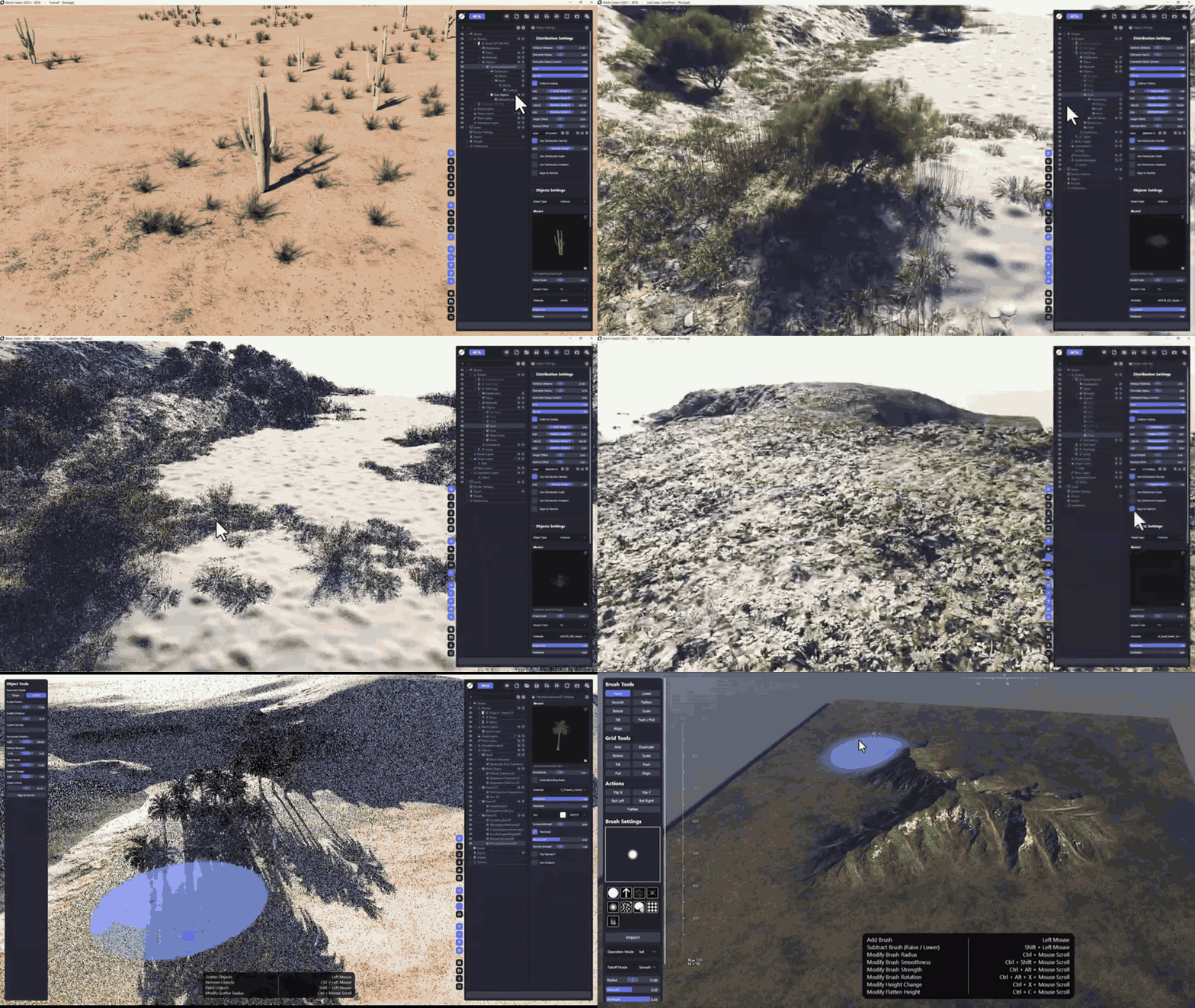
The update adds even more realism options: a built-in ray-tracing renderer for lifelike lighting and reflections, atmosphere and fog controls, and scattering tools for vegetation and objects (not new in 2026.4 but part of the overall toolset). Essentially, to create a realistic landscape you combine World Creator’s painting/sculpting tools (for touch-ups and custom shapes) with its powerful procedural engines (for natural features). The outcome can then be exported as high-detail heightmaps, mesh terrains, texture splatmaps, normals, flow maps, etc.. By iterating with these tools, you can produce cinematic-quality mountains, valleys, rivers and biomes that feel authentic – for games or film environments.

World Creator 2026.4 for VFX, Games, and CGI Environment Design
World Creator was built for professional use in games, film and animation. Version 2026.4 continues this tradition. As CG Channel points out, it’s a “terrain-generation software for game development, motion graphics and VFX”. In VFX and CG, artists use World Creator to quickly generate large realistic worlds – for example, as matte paintings or backdrops. The software’s layered procedural approach (with filters for erosion, snow, sediment, etc.) and export to formats like OBJ/FBX or EXR textures makes it a powerful environment design tool. The release notes even cite major studios: Blizzard, Crytek, Blur Studio and Cinesite are among the users.
In practical terms, World Creator can accelerate the creation of any digital environment: whether that’s a game level terrain, a crowd scene background, or a visual effects shot. The 2026.4 improvements (like decals and normal blending) specifically help integrate World Creator’s terrains into complex scenes (for example, placing CG assets onto a World Creator world with seamless shading). In sum, World Creator 2026.4 is fully capable for VFX and CGI work, offering the same benefits it provides to game developers: fast terrain prototyping, detailed controls, and compatibility with the production pipeline (via bridges and exports).
Pros and Cons of World Creator 2026.4 Community Edition
The Community Edition (free) has several clear advantages and a few limitations:
- Pros: It’s completely free and feature-complete. You get the full World Creator interface and tools, which is great for learning or non-commercial exploration. There’s no expiration or time limit – you can create and save as many projects as you want in-app. It allows students, hobbyists and indie artists to try advanced procedural terrain workflows without upfront cost. The update’s new features (expressions, decals, etc.) are all available in the Community Edition too, so you can experiment with the latest tools.
- Cons: The main drawback is that export is disabled. This means you cannot export heightmaps, meshes or textures out of the program in the Community Edition. As a result, you cannot directly use your created terrain in another app or engine (it’s essentially “view-only” beyond World Creator). This edition also does not come with official technical support or updates beyond community resources. In short, while you can build rich landscapes, you can’t “use” them in a project unless you upgrade. Therefore, the Community Edition is not suitable for production or commercial work – it’s strictly for learning and evaluation. (Anyone who needs to deliver final assets will have to purchase a paid license.)
Overall, the Community Edition is excellent for learning and testing, but its export limitation means it’s not a turnkey solution for final game or film production.
Best Alternatives to World Creator 2026.4 for Terrain Generation
There are several other terrain-generation tools that artists use; some are free, others commercial. Notable alternatives include:
- World Machine (free/paid): A long-standing desktop terrain generator favored by AAA game studios and VFX artists. It uses node-based workflows for realistic erosion and texture generation.
- QuadSpinner Gaea: A modern, node-based terrain tool (free tier and paid versions). Known for powerful erosion and layering tools.
- JangaFX GeoGen: A real-time GPU terrain (and planet) generator from the makers of EmberGen. Geared toward fast, intuitive creation of planets and landscapes.
- Terrasculptor: A classic terrain heightmap editor with manual sculpting and procedural noise tools (offers a free edition).
- Hesiod: An open-source, node-based terrain generation tool for Windows/Linux (GPL3 license).
- TerraForge3D: A free open-source procedural terrain tool (all-in-one modeling and heightmap generation).
The community often cites World Machine, GeoGen, and Gaea as the top World Creator alternatives. (TerraForge3D and Hesiod are smaller open-source options.) World Machine in particular is widely used – its developers note it’s been “the preferred terrain generation solution for AAA game studios, VFX professionals, and independent artists alike”. Each tool has its own workflow: for example, World Machine is node/graph-based, Gaea is also node-based, while World Creator uses layers and brushes. Depending on your needs (e.g. budget, platform, style), these alternatives may be worth exploring alongside World Creator.

Should You Upgrade to World Creator 2026.4 or Use the Free Version
Choosing between the free Community Edition and a paid license depends on your goals. If you simply want to learn procedural terrain creation, experiment with features, or create concept art, the Community Edition of 2026.4 is a great place to start – it has all the tools (like the new math expressions and decals) and no time limit.
However, if you need to export terrains for use in a game, VFX pipeline or any commercial project, you must buy a license. Paid licenses (Indie at $99 or Professional at $199 per year for smaller studios) unlock exporting and technical support. For a professional artist or studio, the cost is relatively modest given the capabilities: for example, the Indie perpetual license is $99.
In summary: Use the free Community Edition to test and learn – it’s safe and unlimited. But if you decide to actually produce assets (or need guaranteed support and updates), upgrading to the paid 2026.4 version is recommended. The latest features and performance tweaks are included in both versions, so upgrading mainly buys export capability and commercial legitimacy.
Frequently Asked Questions (FAQs)
- What is World Creator 2026.4?
It’s the newest version (April 2026) of World Creator, a real-time GPU terrain generator for Windows. It’s used in game development, VFX, and animation. Version 2026.4 adds new tools and a free edition. - What are the major new features in 2026.4?
The update adds mathematical expressions in numeric fields, terrain normal blending, and full decal support. It also includes VRAM-based performance scaling and other speed optimizations. - What is the Community Edition?
It’s a free version of World Creator 2026.4. It has all the core features and no time limit, but it is export-disabled. You can create and view landscapes but cannot export them to use in other software. - How do I download World Creator 2026.4 for free?
Visit the official World Creator website and sign up for the Community Edition. The site’s “Join the World Creator Community” section lets you register and download the installer for free. No credit card or purchase is needed. - What are the system requirements for World Creator 2026.4?
You’ll need Windows (7 or 10, 64-bit) with a decent GPU. The docs recommend at least an NVIDIA GTX 1080 (4 GB VRAM) or equivalent and 8 GB of RAM. The software leverages the GPU heavily, so a modern DX11-capable graphics card is important. - Can I use World Creator 2026.4 for free in commercial projects?
No. The Community Edition is for learning and non-commercial use only, since it can’t export any data. To use World Creator outputs in a commercial game or VFX production, you must purchase a paid license (Indie, Professional, etc.). - Does World Creator 2026.4 work with Unity and Unreal Engine?
Yes. World Creator provides live bridge plugins for Unity and Unreal (as well as other tools). These allow you to send terrains directly into those engines. For example, you can push updates from World Creator into a Unity scene in real time using the Unity bridge. - What export formats does World Creator support?
World Creator can export terrains in many common formats: 3D meshes (OBJ, FBX, glTF), heightmaps (RAW, EXR, PNG, etc.), and various terrain texture maps (splats, normals, AO, flow, biome data). It also exports GIS formats (HGT, GeoTIFF) and even procedural simulation maps. These options let you bring your World Creator landscape into game engines, DCC tools or GIS software. - What are some common alternatives to World Creator?
Popular alternatives include World Machine (widely used by AAA studios and VFX pros), QuadSpinner Gaea, JangaFX GeoGen, Terresculptor, Hesiod and TerraForge3D. World Machine, for example, is known as a leading terrain tool for games and film. Each alternative has its own strengths: World Creator sets itself apart with its real-time, layered workflow and built-in renderer. - Should I upgrade to World Creator 2026.4 or stick with the free version?
If you only need to learn and experiment, the free Community Edition (2026.4) is fine. But if you intend to export terrains or use them in a project, you should upgrade. The paid version (Indie license $99, Pro $199 per year for small studios) unlocks exporting and commercial use. In general, use the free edition to evaluate, then upgrade for production use.
Conclusion
World Creator 2026.4 is a substantial update for the real-time terrain generation tool, notable for adding mathematical expression support, decal and normal blending, and performance optimizations. The introduction of a free Community Edition makes it much more accessible, allowing anyone to try the full feature set (export-disabled) without cost.
For game developers and VFX artists, the new features enhance workflow and realism. Critical for decision-making are the pros and cons: the paid version enables export and commercial use, while the free edition is great for learning. Alternatives like World Machine and Gaea exist, but World Creator’s real-time layer-based interface and live engine bridges make it a strong choice. In summary, if you need a fast, GPU-powered terrain tool, 2026.4 is worth upgrading to – just be mindful of licensing if you plan to use the output commercially.
Sources and Citations
- BiteTheBytes/World Creator official notes and news
https://www.world-creator.com/en/news.phtml - World Creator 2026.4 official release notes
https://docs.world-creator.com/release-notes/version-2026.x/world-creator-2026.4 - CG Channel coverage of World Creator 2026.4
https://www.cgchannel.com/2026/04/world-creator-2026-4-is-out-with-a-new-free-community-edition/ - World Creator documentation: system requirements
https://docs.world-creator.com/faq/general - World Creator documentation: bridge tools
https://docs.world-creator.com/reference/export/bridge-tools - World Machine official site
https://www.world-machine.com/ - AlternativeTo list of World Creator alternatives
https://alternativeto.net/software/world-creator/
Recommended
- Pokopia Metacritic Score Explained: Why It’s 2026’s Highest-Rated Pokémon Game and the Best Pokémon Title of All Time
- Blender and NVIDIA GeForce RTX 5090: Everything You Need to Know
- 3D Grease Pencil Tutorial for Blender: How to Create 2D Art in 3D Space Step by Step
- HBO Harry Potter Making Of Documentary: Everything We Know About Finding Harry and the Big-Budget Wizarding World Series
- Metal Gear Solid Movie Faces New Competition as StudioCanal Officially Announces an Escape from New York Remake
- YouTube Now Lets You Hide Shorts: How to Turn Off the Shorts Feed With the 0-Minute Limit
- Hellblade 2 Trailer and Unreal Engine: How Ninja Theory Showcased Next-Gen Cinematics
- Fortnite’s Original Save the World Mode Finally Going Free-to-Play, Launching on Switch 2 April 16
- MetaHuman Creatures: Crafting Non-Human Characters with Unreal Engine’s MetaHuman Framework



















































































