







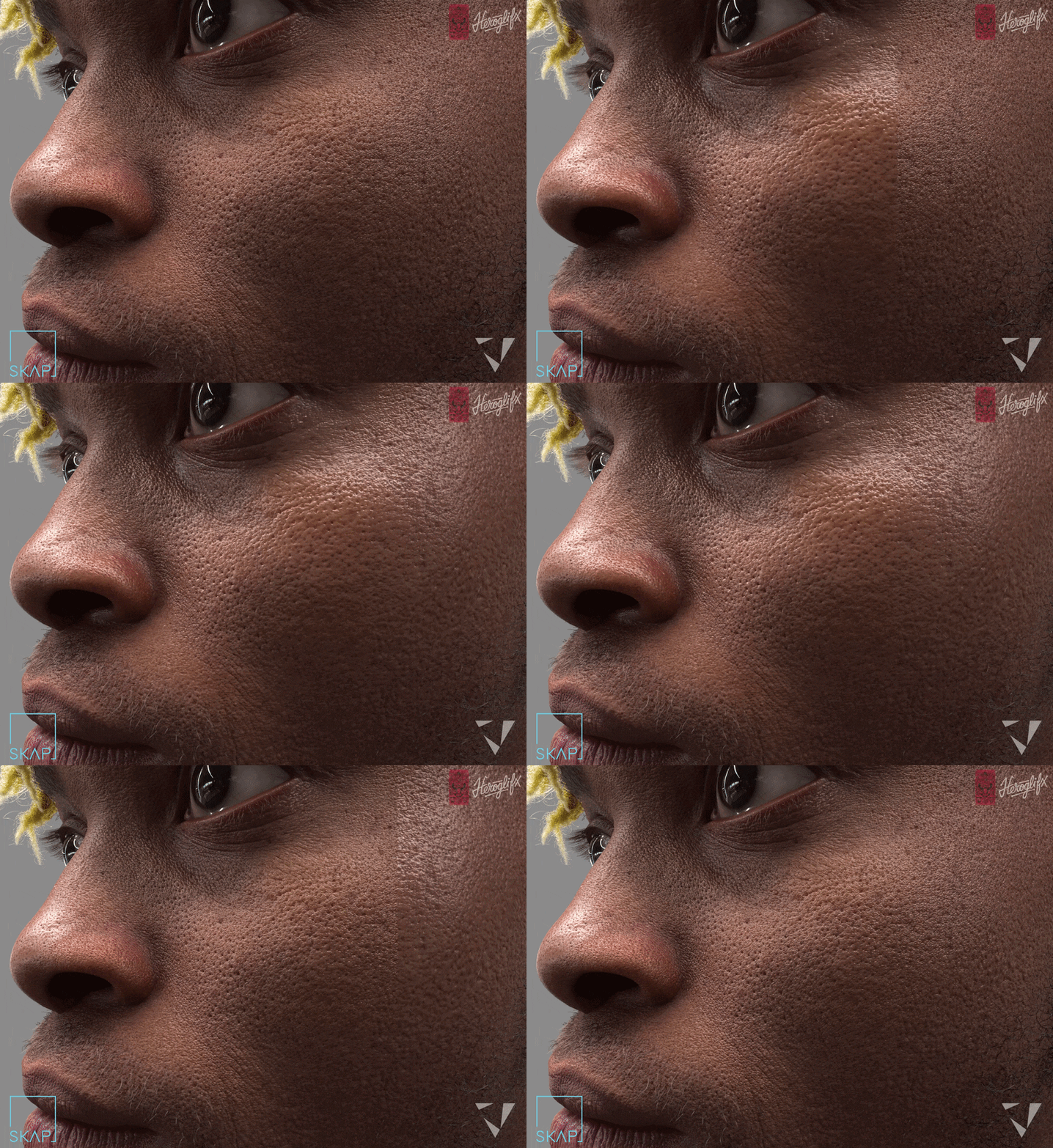
What is TexturingXYZ SKAP
SKAP (Skin Detailing Platform) is an innovative, web-based service that automates the creation of ultra-detailed skin textures for 3D digital humans. Designed for use in VFX, games, and cinematics, the platform enhances existing 3D head models by generating high-resolution skin maps.
- Core Functionality: SKAP takes existing models and textures—such as ZBrush sculpts or 3D scans—and produces up to 16K resolution displacement and cavity maps.
- Unique Solution: It acts as a middle ground between using basic stock textures and commissioning expensive custom 3D scans. It reconstructions fine details like pores and wrinkles based on proprietary algorithms trained on real skin data.
- Accessibility: As a cloud-based service, SKAP requires no software installation and allows independent artists and small studios to achieve film-quality detail that previously required expert hand-texturing or specialized scanning rigs.

TexturingXYZ SKAP release date and public launch details
Following an extensive private beta period throughout 2025, SKAP officially transitioned to a production-ready public service in early March 2026.
- Launch Timeline: The private beta concluded on March 4, 2026, and the platform went live for all users on March 6, 2026.
- New Features: The full public release introduced several advanced map types not available in the beta, including normal maps, hemoglobin maps, and melanin maps.
- Incentives: To support the launch, TexturingXYZ offered waitlisted users a 50% credit discount on their first two processes.
- Availability: By March 10, 2026, the service was fully operational for the general public via the official web platform.
How SKAP works for improving digital human skin textures
SKAP utilizes a cloud-based processing engine to intelligently upscale and add micro-surface detail to character assets while preserving original anatomical features.
- Asset Upload: Users upload geometry and texture maps to the SKAP web app. The platform’s servers handle the heavy computation, making the service accessible to users with modest hardware.
- Detail Reconstruction: The proprietary engine analyzes input data (such as shading variations in a diffuse map or fine wrinkles in a scan) and projects real-world skin patterns from TexturingXYZ’s library onto the asset. This process ensures the details match the specific anatomy and UV flow of the character.
- Comprehensive Map Outputs: The system generates 16K displacement and cavity maps to capture geometric surface detail. It also provides 8K normal maps for real-time engines, alongside hemoglobin and melanin maps to simulate subsurface properties.
- Workflow Integration: Resulting maps are provided in standard formats ready for use in software like Maya, Arnold, and Mari, or real-time engines like Unreal and Unity.
- Animation Support: SKAP can batch-process multiple facial expressions or FACS blendshapes, allowing artists to create consistent, high-resolution maps for animated wrinkles.
The following summary details the specific asset requirements and preparation steps necessary to process a character through the SKAP platform.
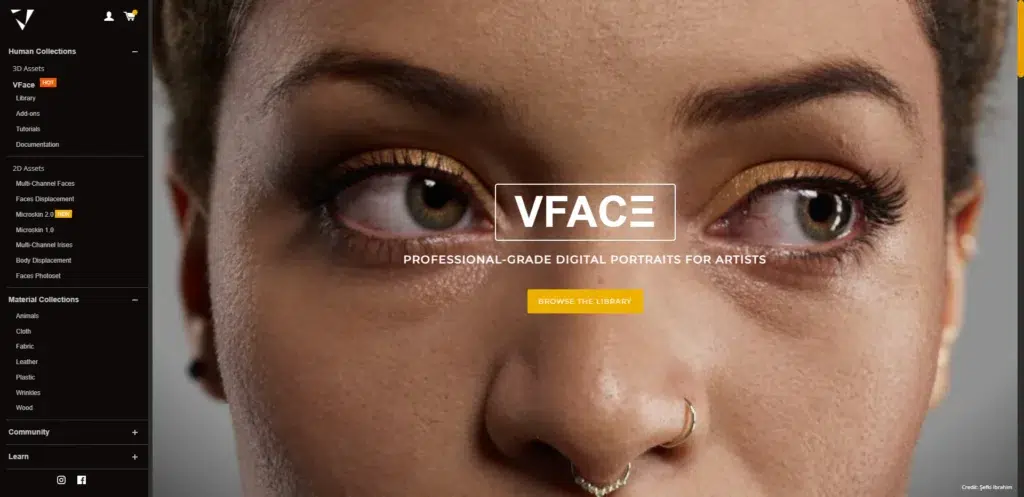
SKAP input requirements: what files and textures you need
To utilize SKAP, artists must provide a 3D head model with valid UV mapping and at least one high-quality texture map. These inputs serve as the foundation for the system’s high-resolution detail reconstruction.
- 3D Head Model (OBJ format): The geometry must be a single, contiguous OBJ mesh. While topology does not need to be uniform, it must be clean, without spikes or messy decimation artifacts. A production-ready edge flow around eyes, nose, and mouth is ideal. Models should be at real-world scale (typically 1 unit = 1 centimeter) to ensure accurate displacement magnitudes.
- UV Unwrapping: Non-overlapping UVs are required and must be contained within a single UDIM/tile. To maximize resolution, the face should occupy approximately 2/3 of the UV space, and critical features like the mouth and nose should not be split across seams. SKAP natively supports common layouts, including those for Unreal Engine MetaHumans, TexturingXYZ VFace, and 3DScanStore assets.
- Baseline Texture Map (2K–8K): Users must provide one starting map at a minimum resolution of 2048×2048. SKAP accepts two types of input logic:
- Displacement Map: A grayscale or multi-channel height map is often the best input. If using multi-channel, the highest-frequency detail should be placed in the Blue channel. The map should ideally contain details ranging from macro folds to micro grain.
- Diffuse Map: If a displacement map is unavailable, a diffuse map can be used. However, it must contain lighting and specular highlights (such as a raw photogrammetry texture) rather than a flat, de-lit albedo. SKAP uses these highlights to deduce surface detail.
- Optional ID Mask: While not mandatory, providing a two-channel ID mask is strongly recommended to prevent artifacts and improve quality:
- Red Channel (R): Used to isolate regions requiring special treatment, such as the lips or large unique features (scars/birthmarks), so SKAP does not apply generic skin patterns to them.
- Green Channel (G): Used to exclude non-skin areas. Users should mask out hair, eyebrows, eyelashes, eyeballs, and the inside of the mouth to ensure the system does not add pore detail to these surfaces.
In summary, to run SKAP you need: a head mesh (OBJ) with good UVs, a 2K–8K texture map (displacement or diffuse) that contains the best detail you have, and preferably an ID mask to separate skin from non-skin. If you prepare those properly, SKAP can process your asset and generate the high-res skin maps. The documentation emphasizes using the highest-quality, sharpest source map you have (either a sharp displacement or a diffuse with clear specular detail) as the input. The better your input, the better SKAP can enhance and reconstruct detail from it. Following these requirements ensures a smooth SKAP workflow and the best results.
SKAP supported assets: scans, sculpts, and game character heads
SKAP is designed to be versatile, accommodating various input sources ranging from high-end photogrammetry to lower-resolution game assets. The platform adds value by refining or upscaling the specific detail present in each asset type.
- Photogrammetry or 3D Scans: For raw scans that possess good base shapes but lack micro-detail or suffer from noise, SKAP acts as a refinement tool. It enhances medium-frequency data and converts it into clean, high-frequency detailed assets. By filling in missing skin pores and tiny wrinkles while fixing scanning artifacts, it transforms raw photogrammetry into VFX-ready assets.
- Digital Sculpts (ZBrush models): SKAP provides an automated alternative to the tedious manual process of sculpting tertiary details like pores and fine wrinkles. Artists can focus on primary and secondary forms in ZBrush and then use SKAP to generate physically plausible tertiary details. This ensures high-quality results without the need for time-consuming hand-stamping or complex texture projections.
- Game-Resolution Characters: SKAP can upgrade real-time game assets for use in high-end cinematics or films. By taking a model with 2K or 4K textures, the platform can upscale the skin detail to 16K resolution. This process adds realistic micro-detail that remains crisp in close-ups, preserving the original character shapes while significantly increasing the asset’s visual fidelity.
- Blendshape / Expression Libraries: The platform supports the batch processing of multiple facial expressions, such as FACS-based blendshapes. SKAP can generate high-resolution displacement and cavity maps for an arbitrary number of expressions. This allows for the creation of realistic wrinkle maps that can be driven by a facial rig, simulating how skin folds and stretches during movement without the need for 4D capture.

Multi-channel displacement maps in SKAP (low, mid, high frequency detail)
Multi-channel displacement is an advanced feature in SKAP that separates surface details into RGB channels based on frequency, allowing artists to manage specific detail layers independently.
- Frequency Definitions:
- Low-frequency detail (Red channel): Captures broad anatomical forms, such as cheek bulges, the brow, and major head shapes.
- Mid-frequency detail (Green channel): Contains medium-scale features like folds, veins, and smaller wrinkles.
- High-frequency detail (Blue channel): Focuses on fine micro-details, including skin pores, texture noise, and tiny scars.
- Map Construction: The multi-channel map uses a 50% gray value as neutral. Deviations from this value represent positive or negative displacement within that specific frequency band. For instance, in the Blue channel, values lighter than neutral indicate raised pores, while darker values indicate recesses.
SKAP’s output and usage
SKAP provides both grayscale and multi-channel displacement outputs upon completion. The multi-channel version is specifically designed for fine-tuning the balance of skin details.
- Adjusting detail intensity: Artists can modify specific channels without affecting the entire map. For example, if pores (high frequency) appear too strong, the Blue channel can be adjusted toward neutral gray in a shader or image editor to reduce depth without altering the underlying wrinkles or facial forms.
- Technical splitting for optimization: This modular approach allows for optimized rendering pipelines. An artist might use the Red channel for actual geometry displacement while converting the Blue channel into a normal map for micro-details, reducing the need for extreme mesh subdivision. SKAP also offers pre-separated multi-normal maps to support this workflow.
- Artistic control: Multi-channel maps enable targeted editing for character-specific needs. A character can be made to look younger by smoothing the Green channel (medium wrinkles) while preserving the natural skin grain in the Blue channel. Conversely, wrinkle lines can be amplified for older characters without distorting the overall pore structure.

SKAP normal maps for Unreal Engine and Unity
Since real-time displacement is computationally expensive, SKAP provides high-resolution normal maps to translate complex skin data into a format suitable for game engines. This allows developers to maintain SKAP-generated details like pores and wrinkles within standard real-time workflows.
- Standard Normal Map Output: SKAP generates tangent-space normal maps derived from its high-resolution displacement data. While displacement is available at 16K, normal maps are provided at 8K resolution to ensure compatibility with modern graphics hardware and engines like Unreal Engine 5 and Unity.
- Engine Compatibility: The maps are designed for direct integration into game engine materials and offline renderers. They are explicitly compatible with the MetaHuman workflow, matching the expected orientation and layout for UE5. Users should verify if a green channel flip is required to match specific DirectX or OpenGL conventions (Unreal typically utilizes the DirectX standard).
- Multi-Normal Maps: Beyond a single combined map, SKAP can output separate normal maps for low, mid, and high frequencies. These 8K maps allow advanced users to blend details at different levels or apply different rendering techniques (such as tessellation) to specific frequency bands while using normal mapping for micro-details.
Using SKAP normals in Unreal/Unity
Integrating these high-resolution maps requires specific import and material settings to preserve detail and avoid compression artifacts.
- Unreal Engine 5 Implementation:
- Import Settings: When importing 8K normal maps, ensure they are designated as “Normal Maps” to prevent color-shift compression.
- Material Setup: For MetaHumans, the SKAP normal can be assigned via a Material Instance to override the default face normal.
- Blending: The map can be used as a “detail normal” layered over a base normal map. Using a “Detail Normal” node allows for precise calibration of the scale and strength of the micro-details.
- Unity Implementation:
- HDRP/Standard Pipeline: Both systems support high-resolution normals.
- Quality Control: It is recommended to use high-quality compression settings during import to prevent artifacts in the fine skin grain and ensure the 8K detail remains crisp.
Given SKAP’s focus on production, likely those who want to use these maps will know where to hook them in their pipeline.

SKAP turnaround time: how long processing takes
One practical consideration when using an online service like SKAP is: how long do you have to wait to get your results? The good news is that SKAP’s processing is quite fast given the complexity of what it’s doing. TexturingXYZ advertises that you will “get your results the same day, usually under a few hours.” This means that from the moment you upload your assets and start a SKAP process, you can expect (in most cases) to have the output maps ready in less than a couple of hours, often much sooner.
Factors that affect turnaround time:
- Queue and server load: If SKAP is very popular or if you submit during peak times, you might wait longer. The private beta was managed by granting access in waves to handle load. Now that it’s public, they likely have scaled up servers, but at launch there could be many users. Even so, “same day” implies even in worst case it should be within e.g. 12 hours. Typically, user feedback suggests it’s a matter of hours, not days.
- Asset complexity: The resolution of your input textures (2K vs 8K) and the geometry complexity might have some impact. Larger textures might take a bit longer to upload and process. But since SKAP outputs always to 16K, it’s doing heavy lifting regardless. They’ve optimized for it.
- Number of outputs requested: If you request the extra maps (normal, multi-normal, melanin, hemoglobin), that might add a little overhead to generate those. But it likely only marginally affects the processing time because the main work is building the displacement detail. Once the high-res displacement is computed, deriving a normal or cavity from it is relatively quick.
- Beta vs now: During beta, the process might have been slower or required some manual steps. But as of Phase 2 (autonomous service), it’s fully automated and “ultra-fast turnaround” as they put it. They highlight that it’s significantly faster than traditional workflows, which is certainly true (hours vs weeks).
From the user perspective, you will likely:
- Upload the OBJ and maps (time for that depends on your internet and file sizes – a 16K displacement can be large).
- Start the process.
- Wait while SKAP does its thing. You might get a notification or you can check back on the website. Early testers have noted they got their results back the same day, some within an hour or two.
- Then you download the resulting maps (which themselves can be a few hundred MB data given 16K maps).
SKAP Processing Speed and Turnaround Time
SKAP is designed to provide high-resolution results with minimal manual intervention, prioritizing speed for production environments.
- Automated Workflow: The service runs entirely in the cloud, requiring no “babysitting.” Users can upload assets and return later to find the processing complete, with notifications typically sent via email.
- Time Efficiency: While manual skin sculpting can take an artist a week, SKAP completes comparable work in a few hours. The heavy lifting of detail generation is handled automatically, leaving only final calibration to the artist.
- Turnaround Expectations: Most single-head processes are completed within a few hours, and often under one hour depending on server availability. This supports a “same work day” turnaround, allowing for multiple iterative runs in a single day.
- Data Transfer: Users should account for the time required to upload 8K source maps and download 16K outputs, as file sizes are significant.
- Production Reliability: The platform is optimized for consistency and stability, ensuring that processing times remain predictable for professional studio schedules.
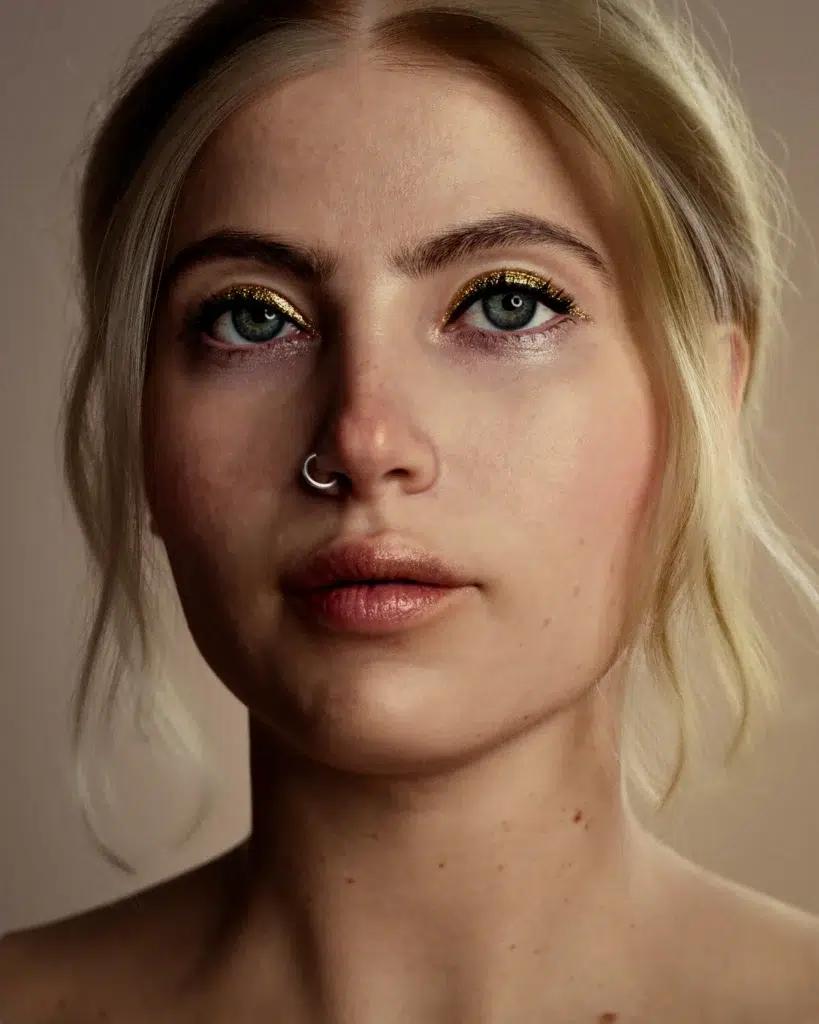
SKAP Pricing and Credit Cost Explained
The platform utilizes a pay-per-use, credit-based system rather than a subscription model, offering flexibility for both individual freelancers and large studios.
- Credit Value: Credits are roughly equivalent to $1 USD at the base price. Bulk packages are available, which reduce the effective cost per credit.
- Base Process Cost: A standard process costs 40 credits. This includes the primary high-resolution outputs: 16K grayscale displacement, multi-channel displacement, and the cavity map.
- Optional Map Add-ons: Additional maps introduced in the full release (normal, hemoglobin, and melanin maps) cost between 5 to 15 credits each.
- Complete Package Scenario: A full suite of maps for one character—including displacement, cavity, normals, and subsurface maps—typically totals approximately 65 credits.
- Promotions: Early access users from the launch waitlist were offered a 50% discount on their first two processes. Promotions may occur periodically, though budgeting should generally follow base rates.
- Value Proposition: While the cost may be significant for hobbyists, the price is positioned as a major saving for studios. The expense is negligible compared to the cost of artist labor or professional scanning sessions required to achieve 16K detail manually.
- Account Access: Creating an account is free and provides access to documentation, but credits must be purchased to process assets and download results. By doing so, you let SKAP shine (no pun intended) and you’ll get an output that likely needs minimal fixes. As the SKAP team says, “SKAP intelligently enhances and refines the data to deliver physically plausible skin details”, but it depends on you giving it the best starting data. Garbage in, garbage out holds true, so make your inputs count. If you do, SKAP will reward you with an absolutely top-notch result that integrates smoothly into your project.
SKAP vs traditional skin texturing workflows
It’s important to put SKAP in context by comparing it to the traditional methods of creating detailed skin textures. Historically, artists have had a few approaches to get highly detailed skin:
- Hand-sculpting or painting details (in ZBrush, Mudbox, or painting bump maps in Mari).
- Using scan data (either by purchasing scan-based texture maps or by doing custom 3D scans of an actor and projecting that detail).
- Using procedural or photo reference techniques (like tiling pore alpha maps, XYZ texturing by projecting multi-channel maps in Mari, etc.).
Manual Sculpting and Texturing
Historically, creating tertiary skin details required artists to manually sculpt pores and wrinkles or paint high-resolution bump maps, a process that can take days or weeks.
- Speed and Productivity: SKAP automates this process, delivering production-ready maps in hours rather than days. This allows artists to focus on creative look development instead of repetitive pore placement.
- Quality and Realism: While manual work depends on the artist’s specific skill level, SKAP utilizes patterns derived from actual scan data. This ensures physically correct pore distribution and eliminates the “generic noise” look often found in hand-crafted textures.
- Artistic Control: Manual sculpting offers more control for stylized or exaggerated features. SKAP is primarily tuned for realism, though artists can still fine-tune intensity using the platform’s multi-channel outputs.
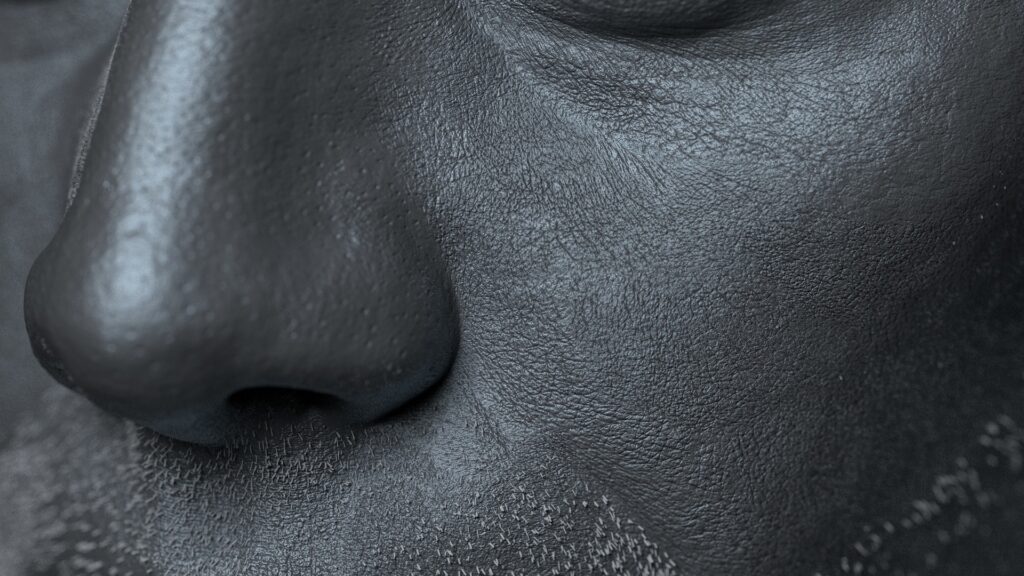
Stock Textures and Photo Projection
This workflow involves projecting high-resolution photos or texture sets (such as TexturingXYZ’s multi-channel face packs) onto a model.
- Ease of Use: Projection is faster than manual sculpting but still requires significant expertise to align maps, paint out seams, and ensure continuity across different facial regions. SKAP acts as an automated version of this process, handling the projection coherently across the entire face.
- Consistency: SKAP’s algorithmic approach reduces human error, such as distortion or mismatched features at seams. Because it uses the user’s original texture as a base, it preserves unique features like moles while placing pores around them naturally.
- Cost Efficiency: Using stock textures requires purchasing the maps and paying for the labor to apply them. SKAP’s credit cost is often more competitive, as it applies an entire library of detail to a specific face for approximately $40–$60.
Custom 3D Scanning Workflow
Custom photogrammetry or polarized scanning is considered the gold standard for high-end VFX but is often limited to hero characters due to its complexity.
- Virtual Scanning: SKAP targets the gap between stock textures and custom scans. It offers “scan-level” detail without the need for expensive equipment, studio sessions, or logistical overhead.
- Cost Comparison: A professional facial scan session can cost thousands of dollars per actor, whereas SKAP provides a similar result for tens of dollars.
- Ground Truth: While custom scans capture an individual’s exact, forensic pore patterns, SKAP produces plausible patterns that look generically real. Custom scans remain necessary only when a 1:1 forensic match of an actor’s skin is required.

Quality, Consistency, and Pipeline Integration
SKAP standardizes skin quality across large teams, ensuring that even artists who are not “skin gurus” can achieve high-fidelity results.
- Learning Curve: Traditional methods require specialized training in skin anatomy and complex software like Mari. SKAP has a gentler learning curve because the tool encodes technical expertise into its automation.
- Flexibility: SKAP is specifically optimized for human skin. Traditional manual methods remain necessary for non-human subjects, such as fantasy creatures or stylized characters with non-standard textures.
- Compatibility: SKAP’s outputs are standard image maps designed to drop easily into existing VFX and game engine pipelines, supported by official guides for tools like Mari and Arnold.
In a nutshell, SKAP vs traditional workflows can be summarized:
- Speed: SKAP is much faster (hours vs days/weeks).
- Cost: SKAP is cheaper (tens of dollars vs lots of labor or scanning costs). As they say, “significantly more cost-efficient than traditional workflows”.
- Quality: SKAP gives film-quality detail derived from real data, often superior to what most artists could hand-create in the same timeframe. It bridges gap to scanning quality.
- Ease: SKAP is user-friendly once you know how to prep inputs; traditional requires more painstaking work and higher chance of error or inconsistency.
- Control: Traditional allows more creative divergence if needed; SKAP focuses on realism (you can tweak outputs but within realistic bounds). Also, traditional might be needed for non-human or very stylized cases.
- Pipeline: Both can integrate, but SKAP offloads the heavy work outside your DCC tools, which might free up your local resources.
How to access SKAP on the official TexturingXYZ site
Accessing SKAP is a streamlined, web-based process integrated directly into the TexturingXYZ ecosystem. Because the service is cloud-based, users always have access to the most current version of the software without needing local updates.
- Create a TexturingXYZ Account: Users must register for a free account on the official website. This account provides access to the SKAP dashboard, documentation, and the credit purchasing system.
- Navigate to SKAP: The platform is accessible via a dedicated subdomain (skap.texturing.xyz). After logging in, users can access project management tools, use-case examples, and technical documentation.
- Get Credits: The system operates on a pay-per-use basis. Credits must be purchased in advance via the account page. A base process requires 40 credits, while a full output suite typically requires approximately 60 credits.
- Upload Your Assets: The interface provides specific slots for the required OBJ geometry, the baseline texture (displacement or diffuse), and the optional ID mask.
- Configure Settings: During upload, users must specify technical parameters, such as selecting the most detailed color channel (R, G, or B) if using a diffuse map. Toggles are available for optional outputs—such as normal, hemoglobin, or melanin maps—allowing users to control credit expenditure.
- Follow Guidelines: The platform may perform automated checks for minimum texture resolution (2K) and the presence of UVs. Comprehensive documentation is available on-site to help users avoid common workflow mistakes.
- Start Processing: Once the job is initiated, credits are deducted and the task is queued on TexturingXYZ’s servers. Users do not need to keep their browser open during this stage; the system will process the assets independently and may provide an email notification upon completion.
- Download Results: Finished maps are provided as high-fidelity, large-scale files (typically in formats like 16-bit PNG or EXR to prevent banding). These can be downloaded individually or as a compressed bundle.
- Implementation and Support: Users can integrate the maps into their local workflows using provided guides for software like Mari, Maya, and Arnold. Support is available through official contact links, and the platform regularly introduces new features and map types based on ongoing development.

Frequently Asked Questions (FAQs)
- Can I use SKAP if I don’t have a displacement map?
Yes. SKAP supports a diffuse workflow that analyzes skin details from photogrammetry textures. The input diffuse map must contain specular lighting information (highlights and shadows), as a flat albedo map lacks sufficient data. For best results, choose the color channel (R, G, or B) that displays the most visible pore or shine detail. - My input is an albedo map (cross-polarized photo) with no specular highlights – why did the result come out poor?
SKAP cannot “see” surface details in cross-polarized albedo maps because they lack lighting information. The platform augments existing detail rather than inventing it from nothing. To improve results, use a displacement map, a non-polarized photo, or manually add specular contrast to your albedo before processing. - What’s the best way to create the ID mask, and what if I don’t use one?
ID masks can be created in any image editor or 3D painting tool. The Red channel should cover the lips and unique features (scars), while the Green channel should cover non-skin areas like eyes and hair. Omitting a mask may result in artifacts, such as pores appearing on eyeballs or hair, which would require a credit-consuming re-run to fix properly. - SKAP gave me great displacement, but there are a few artifacts/odd bumps – how do I fix them?
Minor artifacts can be resolved using the following methods:- Post-processing: Use smoothing or cloning tools in Mari or Photoshop on the 16K maps (ideally in the Blue channel of the multi-channel displacement).
- Mask and Re-run: Update the ID mask to exclude the problematic region and re-process the asset.
- Calibration: Locally reduce displacement intensity in your shader if specific areas, like the nose, appear too harsh.
- How do I use SKAP’s maps in my 3D software (Maya, 3ds Max, Blender, etc.)?
Integration generally follows standard workflows:- Displacement: Use a 16-bit or 32-bit loader. SKAP multi-channel maps use a 0.5 mid-level offset. Scale may need adjustment based on real-world scene units.
- Normal: Plug into the normal slot and set the color space to linear.
- Cavity: Multiply this with your diffuse color or plug it into an Ambient Occlusion input, typically at a reduced opacity (e.g., 50%).
- Melanin & Hemoglobin: Use these as masks to drive subsurface scattering (SSS) radius or to add red tints to skin-dense regions in your shader.
- Does SKAP support UDIMs or only single UV tile?
Currently, SKAP only supports a single UV tile (0 to 1 space). If your model uses UDIMs, you must temporarily pack the head UVs into a single tile for processing and then transfer the resulting detail back to your original layout. - Can SKAP handle expressions or just neutral faces?
SKAP works on any pose, including smiles, frowns, or FACS expressions. It does not morph between shapes; instead, you process each expression individually to create a comprehensive library of wrinkle maps for your character rig. - My SKAP normal map in Unreal looks inverted or wrong – what do I do?
This is likely a format mismatch between OpenGL and DirectX. In Unreal Engine, open the texture settings and check the “Flip Green Channel” box. Ensure the compression is set to “NormalMap” to maintain accuracy. - What about adding realistic hair or eyebrows to my SKAP-textured character?
SKAP only handles skin. To complement your model, consider third-party tools like:- PixelHair: A library of realistic hair grooms compatible with Blender, Unreal, and MetaHumans.
- The View Keeper: A Blender addon for managing camera angles and render settings to efficiently showcase your finished character.
- The processing is taking a long time or failed – what should I do?
If a job fails or hangs for more than several hours:- Verify Inputs: Ensure your OBJ is not excessively dense and your textures are within the 8K limit.
- Check Connections: Unstable internet during upload can cause processing hangs.
- Contact Support: If the failure is server-side, TexturingXYZ support can often reset your credits.
- Test Small: Run a lower-resolution test version of your asset to confirm the system accepts your file structure.
Conclusion
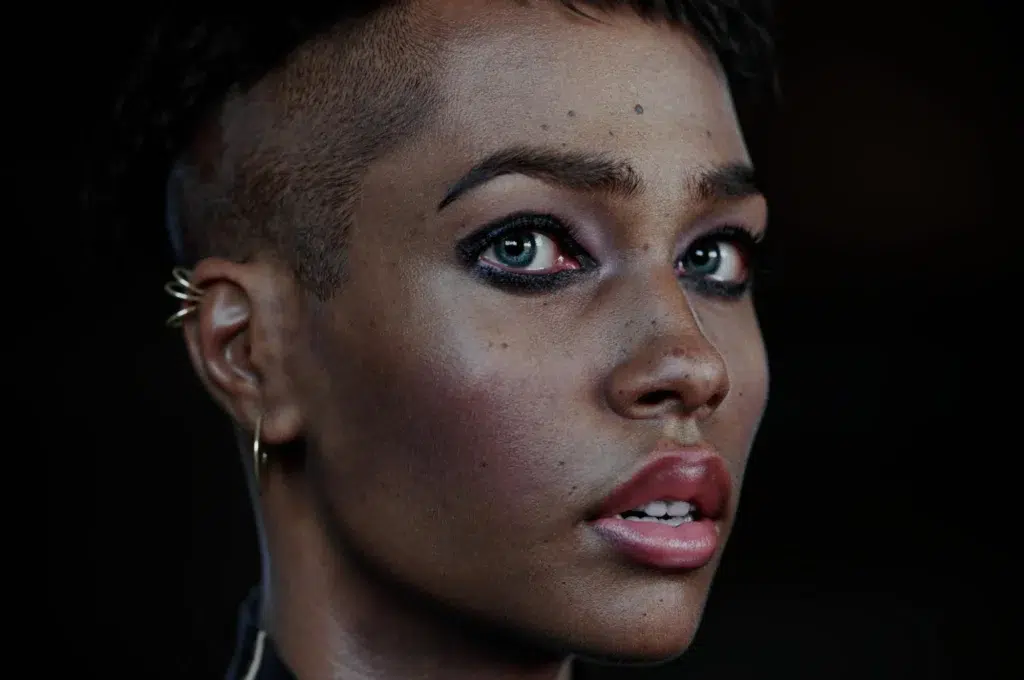
TexturingXYZ’s SKAP is a groundbreaking solution that brings ultra-realistic skin texturing within reach for artists and studios of all sizes. With SKAP now publicly available, the process of creating high-fidelity digital human skin has transformed from a laborious task into an efficient, largely automated workflow. By simply uploading a 3D head model and a texture, artists can generate 16K displacement maps teeming with authentic pore detail, along with cavity, normal, and even advanced melanin/hemoglobin maps for next-level realism. The result is a level of detail that rivals traditional scan-based methods, achieved in hours rather than weeks.
We’ve explored what SKAP is and how it works, from its input requirements (supplying an OBJ, a detailed diffuse or displacement, and masks) to the rich set of outputs it delivers, and how those integrate into various pipelines. The step-by-step guidance and best practices provided – such as preparing clean topology, maximizing UV usage, using ID masks, and calibrating outputs – will help users get optimal results on their first try. We also discussed SKAP’s pricing model, which at around $40–60 per character is a bargain compared to the time and expense of older workflows. With its credit-based system, SKAP is accessible and scalable: you pay only for what you need, and bulk options exist for heavy users.
Sources
- CG Channel – “Texturing XYZ’s SKAP takes your skin textures to the next level” (March 6, 2026)
Texturing XYZ’s SKAP takes your skin textures to the next level - 80.lv – “TexturingXYZ’s SKAP Now Available” by Amber Rutherford (March 10, 2026)
TexturingXYZ’s SKAP Now Available - 80.lv – “TexturingXYZ Launches New Tool For Ultra-Detailed Skin Texturing” (Nov 21, 2025)
TexturingXYZ Launches New Tool For Ultra-Detailed Skin Texturing - 80.lv – “New Progress On TexturingXYZ’s SKAP Tool” (Jan 28, 2026)
New Progress On TexturingXYZ’s SKAP Tool For Realistic Skin Texturing - SKAP Official Documentation – “SKAP Outputs” (TexturingXYZ)
SKAP Documentation - SKAP Official Documentation – “SKAP Processing Guideline” (TexturingXYZ)
SKAP Documentation - TexturingXYZ LinkedIn Post – “SKAP Public Release Approaching” (March 2026)
TexturingXYZ on LinkedIn - BlenderArtists Forum – “Pixelhair for blender” thread by Yelzkizi
Pixelhair for blender – Blender Artists - Instagram/LinkedIn via Yelzkizi – The View Keeper plugin
The View Keeper on Blender Market
Yelzkizi LinkedIn post: The View Keeper - TexturingXYZ SKAP Use-Case – “Upgrade Your Game Asset”
Upgrade Your Game Asset
Recommended
- How to Create a Sci-Fi Metahuman in Unreal Engine 5: A Step-by-Step Guide
- How to Use Clothes for MetaHuman in Animation: Best Tools, Techniques, and Workflows in Unreal Engine 5
- How to Get the Perfect Hair Roughness for a Realistic Look
- The Best Hair Grooming Tools for Unreal Engine
- 13 Years After It Was Cancelled, Star Wars: Battlefront III Prequel “Star Wars: First Assault” Is Playable On PC (Here’s What We Know)
- The Outer Worlds Mods – Best Mods, Installation Guide, and Community Insights
- Live Link Face with Metahuman: How to Capture Real-Time Facial Animation in Unreal Engine 5
- Valve Has Received Two More Lawsuits: Steam Loot Boxes Gambling Claims and PRS Music Rights Dispute
- How do I adjust the camera’s sensor size in Blender?
- Resident Evil Requiem: Japanese Players Fight “Immersion-Breaking” Censorship — Why Gore Is Blacked Out in Japan




























































































