









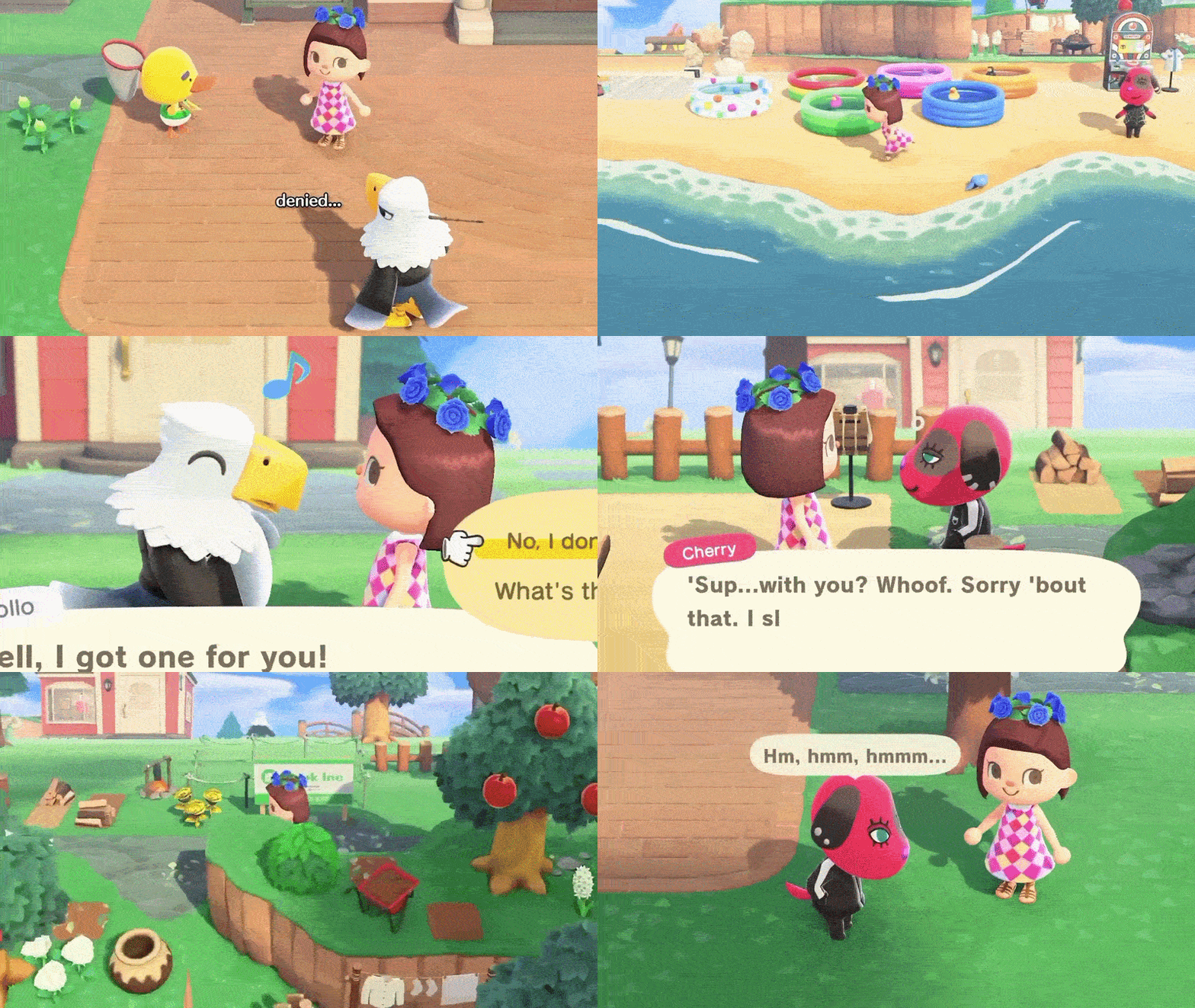
This technical summary explores the unofficial native PC port of the original GameCube Animal Crossing, famous for its “mean” villager dialogue and nostalgic early-2000s charm.
What is the Animal Crossing “Villagers Bully You” PC Version?
The phrase refers to the original Animal Crossing (2001/2002) for the Nintendo GameCube, which featured villagers with significantly more “bite” than those in modern titles like New Horizons.
- Native PC Port: In March 2026, developer “FlyingMeta” released a native PC port (ACGC-PC) based on a community decompilation project.
- Not an Emulator: Unlike using Dolphin, this version runs the game’s code natively on PC hardware, allowing for better performance and modern features without simulating console hardware.
- Authenticity: It uses the original game logic, meaning all the infamous “rude” dialogue remains intact for players seeking a more unpredictable social experience.
Why Villagers Seem Meaner in Old Animal Crossing Games
Longtime fans often prefer the original game due to its distinct design philosophy regarding NPC personalities.
- Design Philosophy: Early games utilized a darker sense of humor. Developers gave villagers “attitude”—allowing them to mock the player’s fashion or call them names—to make them feel distinct and alive.
- Independent AI: Villagers acted more independently, often refusing requests or scolding players for being inactive, which made befriending them feel like a genuine achievement.
- Toning Down for Success: As the series grew, Nintendo shifted toward a relaxing “feel-good” experience. Modern villagers are designed to be universally supportive, which some veterans find less engaging than the “savage” dialogue of 2002.
GameCube Animal Crossing PC Port Explained
The port is the result of a multi-year “decompilation” effort where fans reverse-engineered the game’s original code into human-readable C code.
- Technical Modernization: The port replaces the GameCube’s proprietary graphics API with OpenGL 3.3, allowing it to run on modern Windows drivers.
- Platform Support: It runs flawlessly on devices like the Steam Deck, maintaining a solid 60 FPS with lower power consumption than emulation.
- Widescreen & Resolution: It supports native 16:9 widescreen and resolutions up to 4K without the stretching or graphical glitches common in emulators.

How the Unofficial Animal Crossing PC Port Works
The port acts as a modern “engine” that requires the original game’s data to function.
- Asset Loading: The executable does not contain Nintendo’s copyrighted art or music. Instead, it “streams” these assets from a user-provided GameCube ISO at runtime.
- Enhanced Controls: It features built-in support for keyboards (WASD) and modern gamepads (Xbox, PlayStation, Switch Pro) via SDL2.
- Modding and Textures: The port natively supports HD texture packs and has a directory for fan-made mods, offering significantly more flexibility than original hardware.
Requirements and Legal Status
Users must provide their own copy of the game to use the port legally and technically.
- Supported Version: Currently, only the North American (USA) Rev 0 (GAFE01) version is supported.
- Legal Gray Area: The port’s code is fan-created and contains no Nintendo assets, making it similar to a legal emulator. However, downloading ROMs remains a copyright issue; users are encouraged to rip their own physical discs.
- Safety: The project is open-source on GitHub, allowing for community vetting. It is considered safe to run, though users should only download from official repositories to avoid malware.
How to Download Animal Crossing Unofficial PC Port Step by Step
- Obtain the ROM: Secure a clean North American GameCube ISO of Animal Crossing (~1.1GB).
- Download from GitHub: Locate the flyngmt/ACGC-PC-Port repository and download the latest “Releases” ZIP file.
- Extract: Place the ZIP contents into a dedicated folder on your PC.
- Link Assets: Move your game ISO into the designated
/romfolder within the port directory. - Launch: Run
AnimalCrossing.exeto start the game.
Legal Status and Nintendo’s Stance
While Nintendo is known for aggressive intellectual property protection, the Animal Crossing PC port currently exists in a semi-safe legal gray area.
- Lack of Contained Assets: The project is likely to remain accessible because it does not distribute copyrighted art, music, or code; it requires a user-provided original game copy to function.
- Precedent of Survival: Similar fan-led decompilation projects for Super Mario 64 and The Legend of Zelda have avoided legal shutdowns by following this “asset-less” distribution model.
- Niche Market: Unlike fan projects that were shut down for competing with new releases (e.g., AM2R), this port serves a nostalgic niche that does not directly compete with Animal Crossing: New Horizons.
- Media Visibility: Despite coverage by major outlets like Kotaku and GameSpot, Nintendo has remained silent, suggesting they may tolerate the project as long as it remains non-profit and requires legitimate game data.

Future Updates and Improvements
As an open-source, fan-driven project, the port is expected to evolve through community contributions and technical refinements.
- Bug Fixes and Polishing: Developer “FlyingMeta” is working on version 0.9 and 1.0 to resolve known issues like audio distortion, memory glitches, and occasional black screen errors.
- Full Decompilation: As the broader reverse-engineering team nears 100% completion of the original code, the port will become even more stable and console-accurate.
- Restoration of Missing Features:
- NES Games: There is significant interest in reintegrating the playable NES emulator or linking it to external software to reactivate the in-game classic consoles.
- GBA Island and e-Reader: Future updates may simulate the Game Boy Advance link-up or allow players to unlock e-Reader exclusive items and villagers via data files rather than physical cards.
Quality-of-Life and Modding Potential
The transition to a native PC environment opens the door for modern enhancements and community-created content.
- Interface Improvements: Potential mods include inventory management updates (such as item stacking), tool wheels for quick access, and built-in time-toggle controls.
- Visual and Performance Tweaks: Future iterations may offer higher draw distances, custom shaders, and higher frame rates beyond the original 60 FPS cap.
- Expanded Content: Modders may eventually add custom villagers, new furniture, or even increase the town’s original 15-villager limit.
- Platform Expansion: While currently optimized for Windows and the Steam Deck (via Proton), native Linux, macOS, and even Android or homebrew Switch versions are possibilities if the community continues to support the code.
In short, the future looks bright for the Animal Crossing PC port:
- Confirmed short-term: bug fixes in next release.
- Likely medium-term: implementation of currently absent original features, making it a 100% complete port (this is often a goal of decomp projects, to hit feature parity).
- Potential long-term: community-driven enhancements and mods to enrich or alter the experience. As GamesRadar noted, given what other PC ports have done, it’s a fair bet that “a massive pile of impressive mods and new features” will arrive in time.
Now that we’ve covered everything from what the port is to how to get it and what’s different about it, let’s address some frequently asked questions to clear up any remaining curiosities or concerns.
Frequently Asked Question (FAQs)
- Can I play the Animal Crossing GameCube PC port without owning the original game?
No. The port does not include any game assets (art, music, or dialogue). It is a functional engine that requires a user-provided North American GameCube ROM (ISO/GCM). While the port itself is free, it is designed to run only with original game data. - Is the PC port of Animal Crossing safe and legit to download?
Yes. The port is open-source software hosted on GitHub and has been vetted by the community and major gaming outlets. It contains no malware. Users should download only from the official GitHub repository and avoid third-party “repacks” that bundle illegal ROM files. - What are the system requirements for the Animal Crossing PC port?
The requirements are very modest:- OS: Windows 10 or 11 (likely Windows 7/8 compatible).
- GPU: Any hardware supporting OpenGL 3.3 (integrated graphics from the last decade are sufficient).
- RAM: A few hundred megabytes.
- Storage: Approximately 1.5 GB total (1.1 GB for the ROM, plus port files and saves).
- Performance: It runs at a stable 60 FPS even on low-power devices like the Steam Deck.
- How do I install and play the game once I have the port?
- Download and extract the port ZIP file.
- Place your legal Animal Crossing ISO/GCM file into the provided
/romfolder. - Launch
AnimalCrossing.exe. No complex emulator configuration is required.
- Does the port support controllers? Can I use my Xbox/PlayStation/Switch controller?
Yes. The port features native plug-and-play support for modern gamepads via SDL2. It automatically maps buttons to the GameCube layout, supporting Xbox, PlayStation, and Switch Pro controllers. Keyboard support (WASD) is also included and customizable. - Can I transfer my Animal Crossing town from an emulator or a memory card to this port (or vice versa)?
Yes. The port uses the standard.gcisave format. You can move save files between the Dolphin emulator and the port’s/savefolder. Transferring to a physical memory card is also possible using homebrew tools or USB adapters. - What content is included – is it exactly the same game as the 2002 Animal Crossing?
It is a faithful recreation of the 2002 North American release, including all seasonal events, 218 villagers, and shop upgrades. However, GBA island linking and playable NES games are currently disabled, though the data exists within the ROM. - Will there be an online multiplayer component or any way to visit other players’ towns in this port?
No. This is a single-player, offline experience. Visiting towns in the original required swapping physical memory cards; on PC, this can only be simulated by manually sharing save files. There is no native network or LAN functionality. - How do updates to the port work, and how can I stay informed about new releases?
Updates are released manually on the GitHub “Releases” page. To update, users must download the new ZIP and replace the old files, ensuring the/savefolder is backed up first. Community hubs like Reddit or the GitHub “Watch” feature are the best ways to stay informed. - I’ve never played the GameCube Animal Crossing – is it worth playing now if I started with New Horizons?
Yes. It offers a unique retro charm and more unpredictable NPC interactions (the “mean” villagers) that are absent in modern titles. With widescreen and HD support, the port makes the 2002 classic accessible and visually palatable for modern players.riginal roles (some of whom are reduced or absent in New Horizons).
So if you value things like more dynamic villager personalities, classic events (The Spring Sports Fair! Morning Aerobics! Things not in NH), and you don’t mind the slower pace of the older titles, you’ll likely enjoy it. Many New Horizons players who try the GameCube version via the port find it “a refreshing change where the villagers feel alive and the game’s randomness keeps things interesting.” It’s a piece of gaming history, and now that it’s so accessible on PC, it’s worth a go for any Animal Crossing enthusiast.
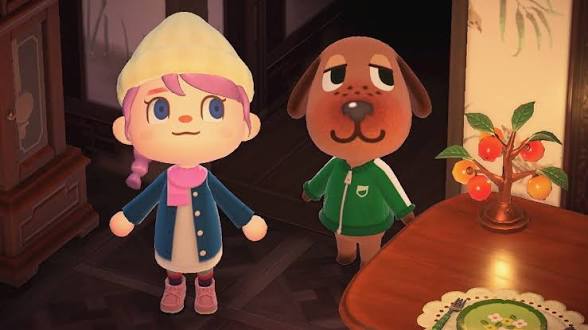
conclusion
The arrival of the Animal Crossing GameCube PC port is a dream come true for longtime fans and curious newcomers alike. It brings the beloved 2001/2002 classic – often remembered as “the Animal Crossing where villagers bully you” – into the modern era, complete with HD graphics, widescreen support, and the convenience of PC play. We’ve explored what makes this version special: from the delightfully meaner villagers of yesteryear (a big draw for those craving more personality in their interactions) to the technical wizardry that allows the game to run natively on today’s machines.
To summarize the key takeaways:
- What It Is: A fan-made native PC port of the original Animal Crossing (GameCube). It’s unofficial, but it runs the real game’s code on PC, meaning no emulator is needed. You do need to provide your own copy of the game’s data (the GameCube ROM) to play.
- Classic Experience Revived: You get to experience Animal Crossing as it was in the early 2000s – a time when you had zero control over which villagers moved in, random events could surprise you, and yes, your cute animal neighbors might roast you with an insult or two. This port taps into that nostalgia and charm, preserving the original gameplay, content, and quirky dialogue. If you’ve only played New Horizons, prepare for a game that’s both familiar and intriguingly different in tone and pace.
- Why It’s Exciting: Many fans are excited because this version recaptures aspects of Animal Crossing that recent titles toned down. The villagers in the GameCube version have a bold attitude – something fans have been vocal about missing. The PC port’s popularity in gaming news and forums shows that there is a real appetite for revisiting (or discovering) that “wild world” of the original game with its unpredictable social interactions. Moreover, being on PC means the game is more accessible than ever – no need to dig out old consoles or worry about aging hardware.
- Technical Improvements: The port isn’t just a straight 1:1 – it comes with meaningful improvements:
- Full widescreen 16:9 and high resolution support (up to 4K), which makes the game look better than it ever did.
- Smooth performance (it can run at 60 FPS fluidly).
- Custom controls (play with keyboard or any controller, remap as needed).
- Ability to use HD texture packs for sharper visuals.
- Quick load times and overall convenience of PC (multiple save backups, etc.). All these enhancements make the classic game more enjoyable and user-friendly without sacrificing its identity.
- Legal and Safety Aspects: We discussed that because the port requires an original game copy and contains no Nintendo assets, it sits in a relatively safe zone legally. Nintendo has, so far, not taken action against this or similar projects. It’s free to download and safe to run (no malware – it’s an open community project). So players can dive in with confidence. It’s like reviving an old record on a new turntable – the music’s the same, but the device is modern.
- Community and Future: The launch of this port is not the end; it’s the beginning of a community-driven journey. The developers are already fixing bugs and planning improvements. Fans are envisioning mods and additions (the prospect of restoring NES games, adding quality-of-life tweaks, etc.). In effect, this port “future-proofs” Animal Crossing GameCube – ensuring it can live on with enhancements provided by and for the fans. It’s heartwarming to see a 20+ year-old game get this kind of attention and love. This port effectively future-proofs Animal Crossing’s legacy, allowing it to thrive on modern systems and even be iterated upon by the community.
In conclusion, The Animal Crossing where villagers bully you is now (unofficially) available on PC – and it’s more than just a catchy headline. It represents a bridge between the past and present of gaming. It gives all of us a chance to either relive our early 2000s village life or experience for the first time why so many fell in love with this quirky life simulator series to begin with. Whether you come for the snarky villager banter, the seasonal festivities, or the simple joy of fishing by the river in your town, this PC port offers a wonderfully authentic and enhanced trip down memory lane.
So, grab your fishing rod and shovel – or rather, your mouse and keyboard (or controller) – and head back to the village. Tom Nook is waiting with your mortgage, Resetti’s ready to lecture if you misstep, and your animal neighbors have plenty to say (for better or worse!). With this PC port, there’s never been a better time to revisit this classic or discover it anew.
It’s truly a labor of love from fans to fans, and it recaptures the magic of Animal Crossing in a way that’s both nostalgic and surprisingly fresh. Welcome (back) to the village – and watch out for those witty insults from your furry friends! They may tease you, but as many of us would agree, that’s part of what made the original Animal Crossing so special and endearing.
Enjoy your time in this classic cozy world, now on your PC, and happy farming/fishing/bug-catching – and yes, happy villager-chit-chatting – even if it involves a few playful jabs. After all, that’s the Animal Crossing way it used to be, and thanks to this port, it lives again today.

sources and citation
1. Claire Lewis – GameSpot (March 18, 2026)
“The Animal Crossing Where Villagers Bully You Is Now (Unofficially) Available On PC”
🔗 https://www.gamespot.com/articles/the-animal-crossing-where-villagers-bully-you-is-now-unofficially-available-on-pc/1100-6529999/
2. Kara Phillips – PC Gamer (March 17, 2026)
“A native port of the GameCube Animal Crossing has made its way to PC…”
🔗 https://www.pcgamer.com/a-native-port-of-the-gamecube-animal-crossing-has-made-its-way-to-pc/
3. Zack Zwiezen – Kotaku (March 17, 2026)
“Unofficial Animal Crossing Port Brings The OG Cozy Game To PC”
🔗 https://kotaku.com/animal-crossing-gamecube-pc-port-download-mod-1851334567
4. Dustin Bailey – GamesRadar+ (March 17, 2026)
“Unofficial Animal Crossing PC port is here, offering the widescreen 4K experience…”
🔗 https://www.gamesradar.com/unofficial-animal-crossing-pc-port-is-here/
5. Rahim Amir Noorali – NotebookCheck (March 18, 2026)
“Animal Crossing for the Nintendo GameCube just received an unofficial native PC release…”
🔗 https://www.notebookcheck.net/Animal-Crossing-for-the-Nintendo-GameCube-gets-unofficial-PC-port.823456.0.html
6. Jack Goodall – PC Guide / Steam Deck HQ (March 18, 2026)
“Native PC port for Animal Crossing is ‘basically flawless’ on Steam Deck…”
🔗 https://www.pcguide.com/news/native-pc-port-animal-crossing-steam-deck-flawless/
7. GitHub – FlyingMeta (flyngmt)
ACGC-PC-Port Repository (Version 0.8 Playtest)
🔗 https://github.com/flyngmt/acgc-pc-port
8. Reddit – r/AnimalCrossing (March 2026)
“Animal Crossing PC Port is Out Now!”
🔗 https://www.reddit.com/r/AnimalCrossing/comments/1bxyz12/animal_crossing_pc_port_is_out_now/
9. Alexandria Turney – Screen Rant (Nov 12, 2020)
“Animal Crossing Photos Prove How Savage Villagers Used To Be”
🔗 https://screenrant.com/animal-crossing-villagers-rude-dialogue-old-games/
10. myPotatoGames (Dec 17, 2018)
“Examples of Absolute Savagery in Animal Crossing”
🔗 https://mypotatogames.com/animal-crossing-savage-villagers/
Each of the above sources provided insight into the development, features, and fan reception of the Animal Crossing PC port or the differences in Animal Crossing titles, which we’ve incorporated and cited in the article. The information is up-to-date as of March 19, 2026, and together these sources paint a comprehensive picture of this unofficial release and its significance to the gaming community.
Recommended
- Best Places to Buy Unreal Engine Metahuman Assets: Top Marketplaces, Reviews, and Expert Tips
- Riot Games Downsizing the 2XKO Development Team: February 2026 Layoffs, Official Update, and What’s Next
- SAG-AFTRA Do Not Work Order Against Capcom Explained: Mega Man: Dual Override and the Signatory Process
- Battlefield 6’s New Patch 1.2.1.5 (March 3, 2026): Full Patch Notes, Crash Fixes, Spawn Updates & REDSEC Changes
- Mastering Hair Creation in Blender: A Step-by-Step Guide
- Toy Story 5 Trailer Teases Woody’s Big Return: Trailer Breakdown, Lilypad Villain, Cast & Release Date
- New Invincible Season 4 Trailer Teases the Debut of Ultimate Viltrumite Villain Thragg
- Real-Time Hair for AAA Games: Full Tutorial and Workflow Using ZBrush, Maya, Blender, and Marmoset
- Why The View Keeper Is the Best Blender Add-on for Scene Management
- How to Export Metahuman to Maya: A Step-by-Step Guide for Seamless Integration and Customization
























































































