





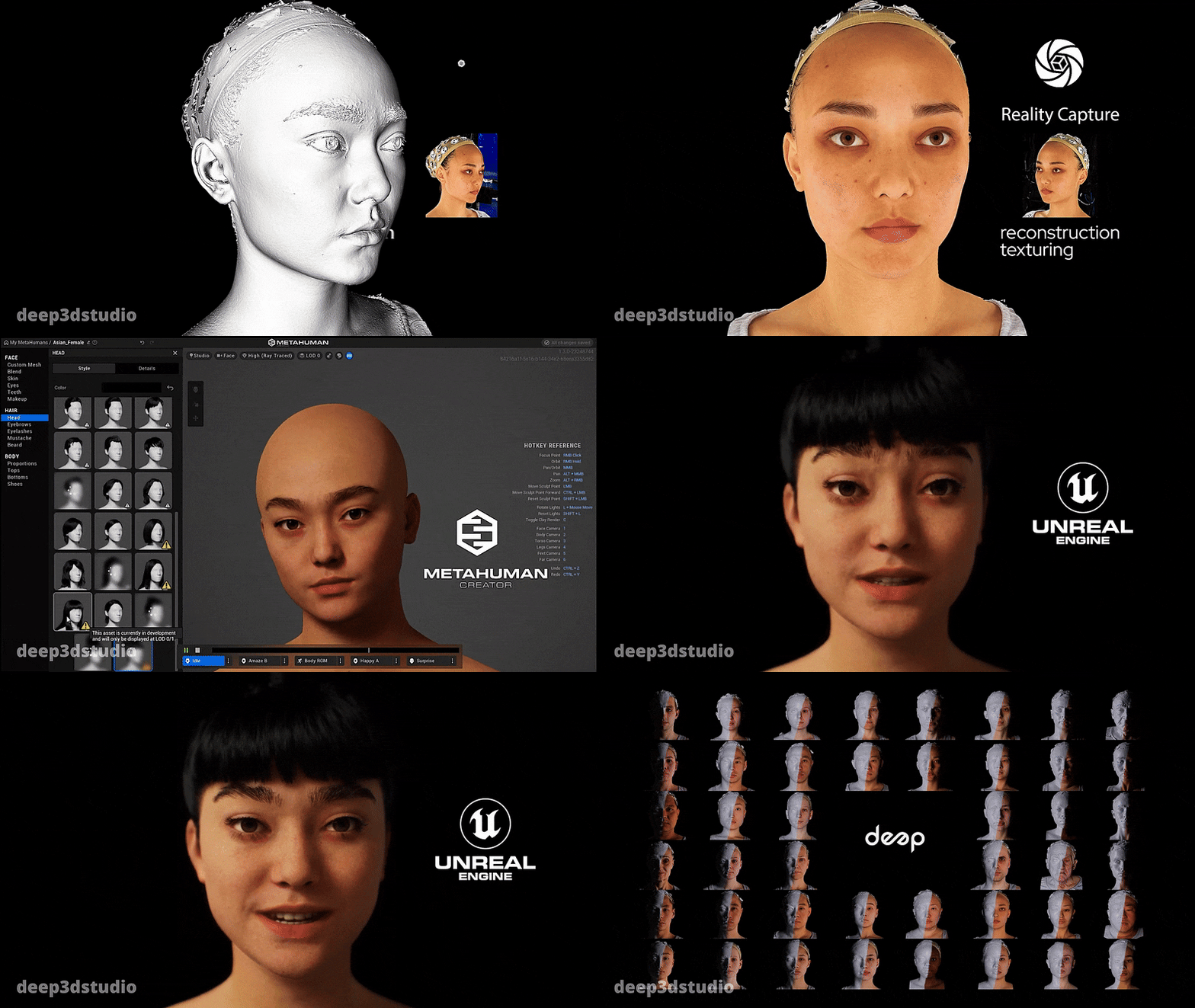



Unreal Engine 5 MetaHuman look at system tutorial (eyes and head)
Creating a cinematic MetaHuman look-at system in Unreal Engine 5 involves combining eye tracking, head rotation, and subtle facial motion to produce believable character focus. MetaHumans are equipped with advanced Control Rigs, making it possible to drive eye and head orientation either manually in Sequencer or procedurally through constraints and Blueprints.
At its core, the system relies on:
- Eye aim controls (for precise gaze direction)
- Head and neck rotation controls (for broader orientation)
- Constraints or Blueprint logic (to follow targets dynamically)
A properly configured look-at system ensures the character appears attentive, grounded, and emotionally connected to the scene.
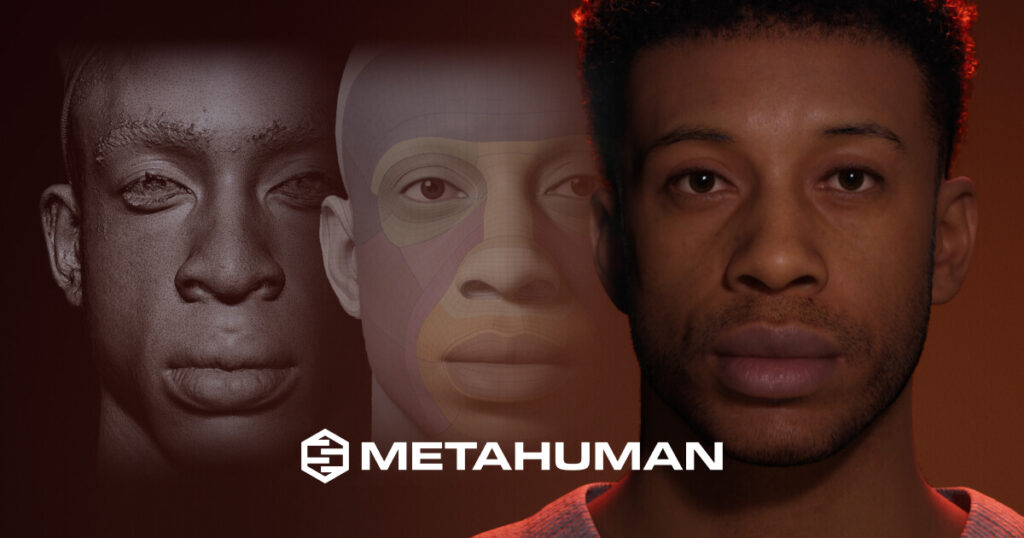
MetaHuman eye aim in Sequencer with Face Control Rig
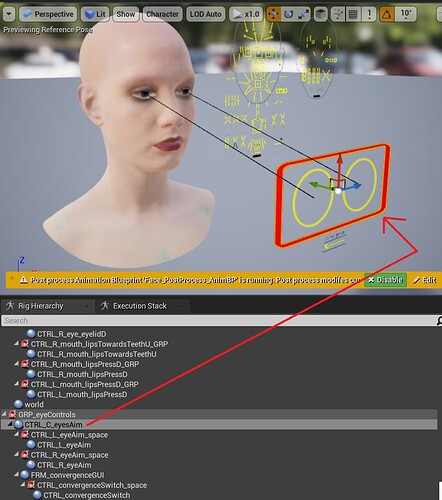
In Sequencer, MetaHuman eye movement is driven through the Face Control Rig. The primary control used is typically the eye aim control, which directs both eyes toward a target.
Steps:
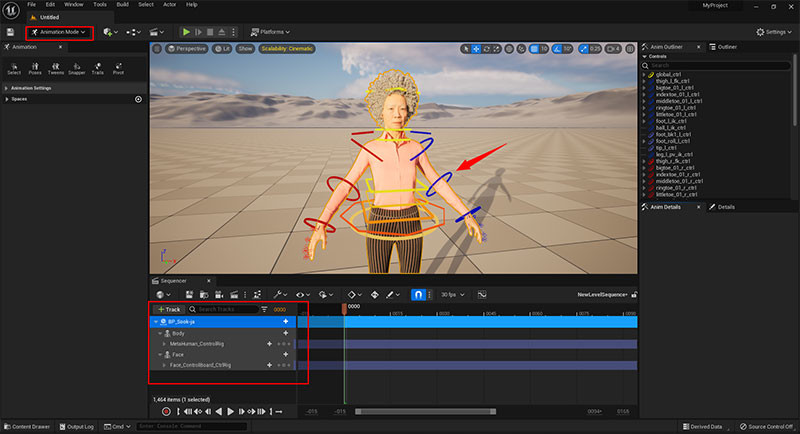
- Add the MetaHuman to Sequencer.
- Enable the Face Control Rig track.
- Locate the eye aim control (commonly labeled as CTRL_C_eyesAim).
- Animate its position in world or local space.
By keyframing this control, you can create precise gaze direction for cinematic shots. This method is ideal for storytelling moments where eye contact timing is critical.
CTRL_C_eyesAim setup for MetaHumans (constraints workflow)
The CTRL_C_eyesAim control can be constrained to a target object for automatic tracking.
Workflow:
- Create a target object (Empty Actor or Null).
- Add an Animation Constraint in Sequencer.
- Assign CTRL_C_eyesAim as the constrained object.
- Set the target actor as the constraint source.
This setup allows the eyes to follow moving objects dynamically without manual keyframing. Constraint blending can be used to transition between targets smoothly.
MetaHuman head and neck look-at Control Rig setup
Head and neck motion complements eye tracking. Without it, eye movement alone appears unnatural.
Setup:
- Use head and neck controls in the Body Control Rig.
- Apply rotation constraints or manually animate rotations.
- Blend head rotation with eye aim to avoid over-rotation.
Best practice:
- Eyes lead the motion.
- Head follows with slight delay.
- Neck provides secondary motion for realism.
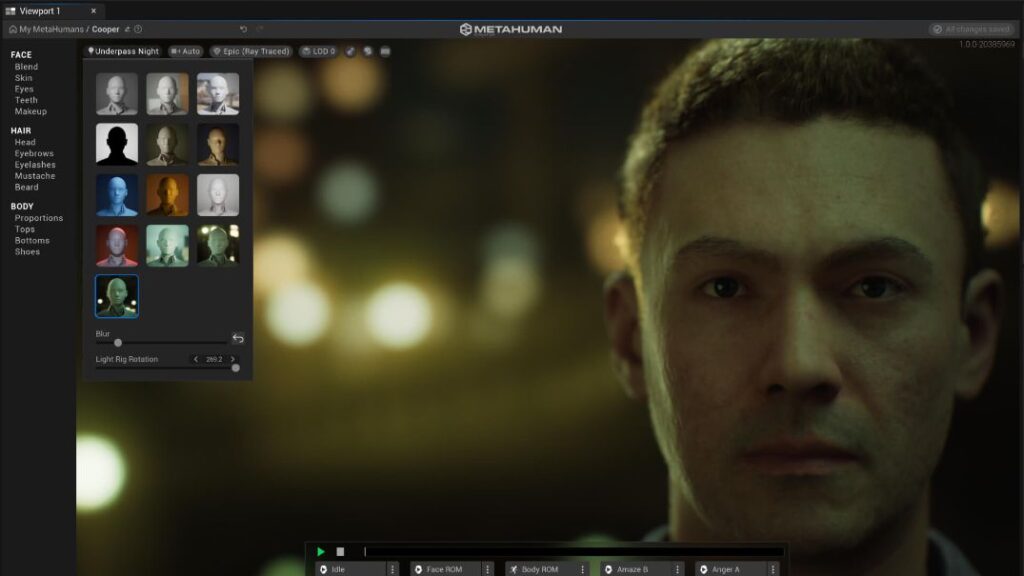
How to make a MetaHuman look at the camera (cinematic shots)
To create direct camera engagement:
- Use the camera actor as the target.
- Constrain CTRL_C_eyesAim to the camera.
- Add slight head rotation toward the camera.
Enhancements:
- Offset the gaze slightly to avoid unnatural staring.
- Add micro eye movement for realism.
- Introduce blink timing during sustained eye contact.
This technique is essential for dialogue scenes and emotional close-ups.
How to make a MetaHuman look at an actor or target object
For character-to-character interaction:
- Assign the target actor’s head or chest as the look-at reference.
- Use constraints for both eyes and head.
- Blend between multiple targets when needed.
Tip:
Switching targets gradually avoids robotic snapping and enhances cinematic quality.
Using Animation Constraint Tools for MetaHuman look-at targets
Animation Constraint Tools in Unreal Engine 5 enable non-destructive look-at setups.
Key features:
- Parent constraints
- Look-at constraints
- Weighted blending between targets
Advantages:
- Real-time adjustments in Sequencer
- Reusable setups across shots
- Cleaner animation workflow
Constraints can be animated to shift focus dynamically between objects or characters.
Smooth MetaHuman eye tracking (damping, lag, interpolation)
Raw look-at motion often appears too sharp. Smoothing is critical.
Techniques:
- Apply damping to eye aim movement
- Use interpolation curves in Sequencer
- Introduce slight lag between eyes and head
Result:
- Natural gaze transitions
- Reduced jitter
- Cinematic fluidity
Natural eye darts and blink timing for cinematic MetaHumans
Human eyes rarely stay perfectly still. Adding micro-movements enhances realism.
Implementation:
- Add subtle random offsets to eye aim
- Animate quick eye darts between points
- Sync blinks with gaze shifts
Blink timing:
- Occurs during gaze changes
- Happens every few seconds naturally
- Can be driven via Control Rig or animation curves
Limit head rotation and eye range for realistic look-at motion
Over-rotation breaks realism.
Guidelines:
- Limit eye rotation to natural anatomical range
- Clamp head rotation angles
- Blend body rotation if target exceeds range
This prevents unnatural “exorcist-style” head turns and maintains believable motion.
MetaHuman look-at offset and focus point for close-up framing
Perfect alignment often looks artificial. Offsets improve composition.
Techniques:
- Offset gaze slightly above or beside the target
- Adjust focus point for framing balance
- Use screen-space composition rules
This creates more cinematic and less mechanical eye contact.
Blueprint MetaHuman look-at system for runtime (NPCs following player)
For gameplay scenarios, a Blueprint-based system is required.
Core setup:
- Get player location
- Calculate direction vector
- Apply rotation to head and eye controls
Enhancements:
- Add smoothing via interpolation nodes
- Limit rotation angles
- Blend idle animations with look-at behavior
This allows NPCs to dynamically follow the player with believable gaze behavior.
Fix MetaHuman eyes not moving when rotating eye bones
Common issue causes:
- Control Rig overrides bone transforms
- Incorrect control being animated
- Constraints not properly assigned
Fixes:
- Use CTRL_C_eyesAim instead of direct bone rotation
- Ensure Control Rig is active
- Check constraint weights and bindings
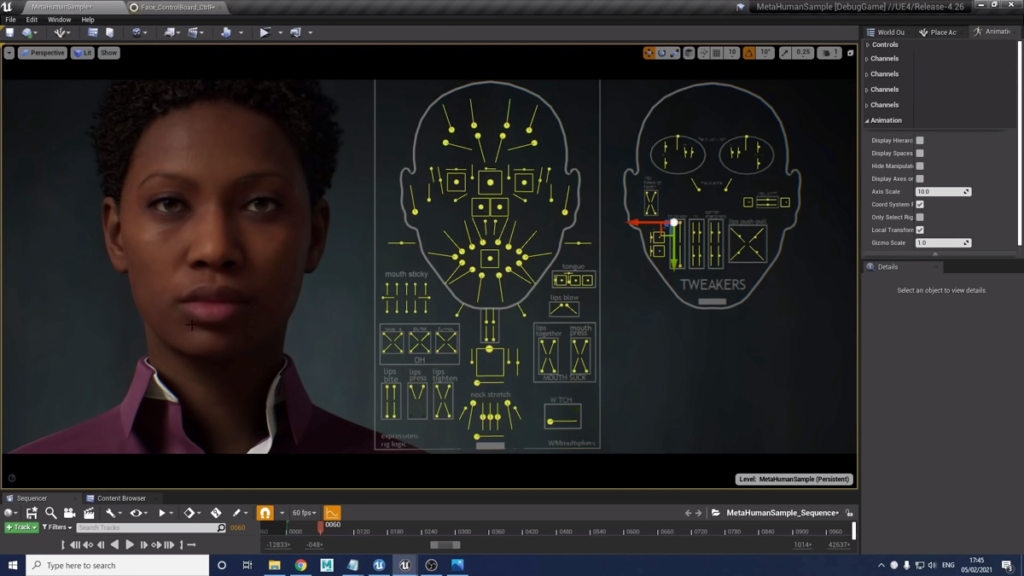
Common MetaHuman look-at problems in Sequencer (troubleshooting)
Typical issues:
- Eyes snapping to target
- Head not following eyes
- Constraints breaking during playback
Solutions:
- Use interpolation curves for smoothing
- Blend constraint weights gradually
- Ensure consistent coordinate space usage
Debugging tip:
Always verify whether controls are in world or local space.
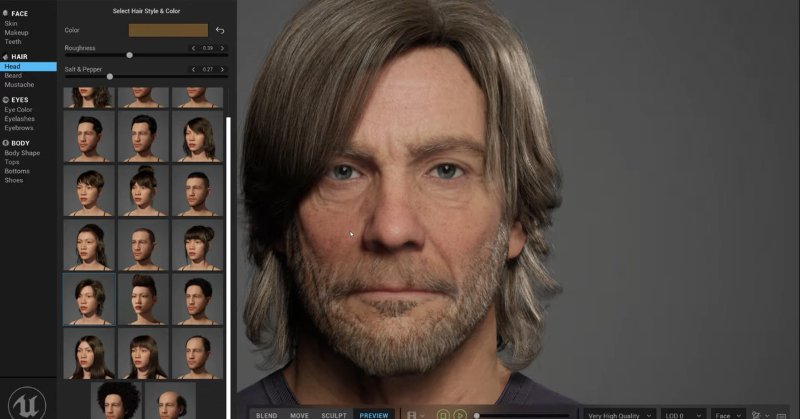
MetaHuman cinematic close-up hair and groom tips (PixelHair workflow)
High-quality hair rendering is essential for cinematic close-ups. Groom assets in MetaHumans can sometimes be heavy or difficult to manage, especially when combined with head movement and lighting.
The PixelHair workflow offers an alternative by providing optimized, ready-made hair assets that integrate well with Unreal Engine. Developed by Yelzkizi (Daniel Isaac), PixelHair focuses on performance and realism, making it suitable for cinematic rendering.
Benefits:
- Optimized strand-based or card-based hair
- Works efficiently with Unreal Engine lighting and shadows
- Reduces setup time compared to custom groom creation
For close-ups:
- Use proper hair LOD settings
- Enable shadow casting for depth
- Adjust groom physics to match head motion
PixelHair can be used as a lightweight substitute for complex groom setups, especially in real-time cinematics.
Frequently Asked Questions (FAQs)
- What is a MetaHuman look-at system?
A system that controls eye and head movement so a character can focus on a target naturally. - How do I control MetaHuman eyes in Unreal Engine 5?
Using the Face Control Rig, specifically the CTRL_C_eyesAim control. - Can MetaHumans track moving objects?
Yes, using Animation Constraints or Blueprint logic. - Why do MetaHuman eyes not move sometimes?
Because Control Rig overrides direct bone animation or constraints are misconfigured. - How do I make eye movement smoother?
By applying interpolation, damping, and slight lag. - Should eyes or head move first?
Eyes should lead, followed by head and neck. - Can I use look-at systems in gameplay?
Yes, with Blueprint implementations for runtime behavior. - How do I avoid unnatural eye movement?
Limit rotation ranges and add micro eye movements. - What is the best way to create cinematic eye contact?
Use camera constraints with slight offsets and natural blinking. - Do I need custom hair for cinematic shots?
Not necessarily; optimized solutions like PixelHair can achieve high-quality results.
Conclusion
A cinematic MetaHuman look-at system in Unreal Engine 5 combines precise eye targeting, controlled head movement, and subtle animation details to achieve realism. By leveraging Control Rigs, Animation Constraints, and Blueprint systems, creators can build both Sequencer-based and real-time solutions. The addition of smoothing, offsets, and natural motion patterns elevates the quality from technical to cinematic. With proper setup and attention to detail, MetaHumans can deliver highly believable performances in both film and interactive experiences.
Sources and citation
- Unreal Engine MetaHuman Documentation
https://docs.unrealengine.com/5.0/en-US/metahumans-in-unreal-engine/ - Unreal Engine Control Rig Documentation
https://docs.unrealengine.com/5.0/en-US/control-rig-in-unreal-engine/ - Unreal Engine Animation Constraints Documentation
https://docs.unrealengine.com/5.0/en-US/animation-constraints-in-unreal-engine/ - Unreal Engine Sequencer Documentation
https://docs.unrealengine.com/5.0/en-US/sequencer-overview-in-unreal-engine/ - RenderHub PixelHair Hairstyle by Yelzkizi
https://www.renderhub.com/yelzkizi/pixelhair-hairstyle
Recommended
- How to Download MetaHuman: The Ultimate Step-by-Step Guide to Accessing Digital Humans
- Just Days Before the Oscars, Netflix Closes Deal for Maggie Kang and Chris Appelhans to Return for KPop Demon Hunters 2
- Devil May Cry Vergil: Complete Guide to Dante’s Iconic Rival, Powers, and Storyline
- Unreal Engine for Beginners: A Step-by-Step Guide to Getting Started
- It Looks Like We’re Finally Getting an Ocarina of Time Remake: Switch 2 Rumors, Release Window, and What We Know
- KPop Demon Hunters Wins Two Oscars for Best Animated Feature & Best Original Song – Full Breakdown, Winners, and Global Impact
- The Devil In Me Game Dev Celebrates Star’s Win At The Oscars: Jessie Buckley’s Best Actress Victory Explained
- Steam Machine (2026): Release Date, Price, Specs, and SteamOS Explained
- What Are the 7 Basic Camera Movements in 3D Animation? A Complete Guide
- Hollywood Is Trying Again To Make A Metal Gear Solid Movie – Everything We Know About The New Film Adaptation




























































































