

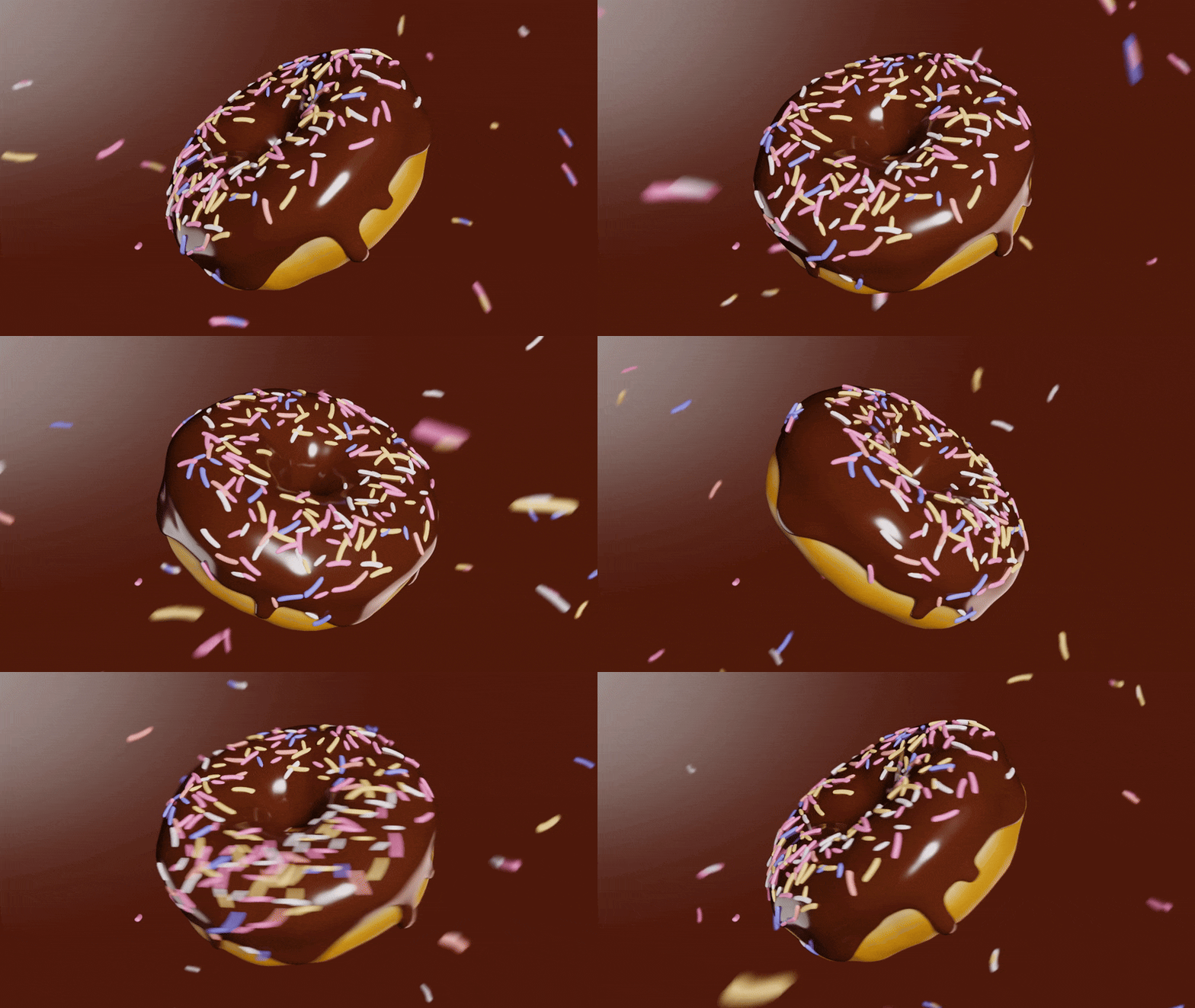



What is Mush3D and what does it do for animated characters
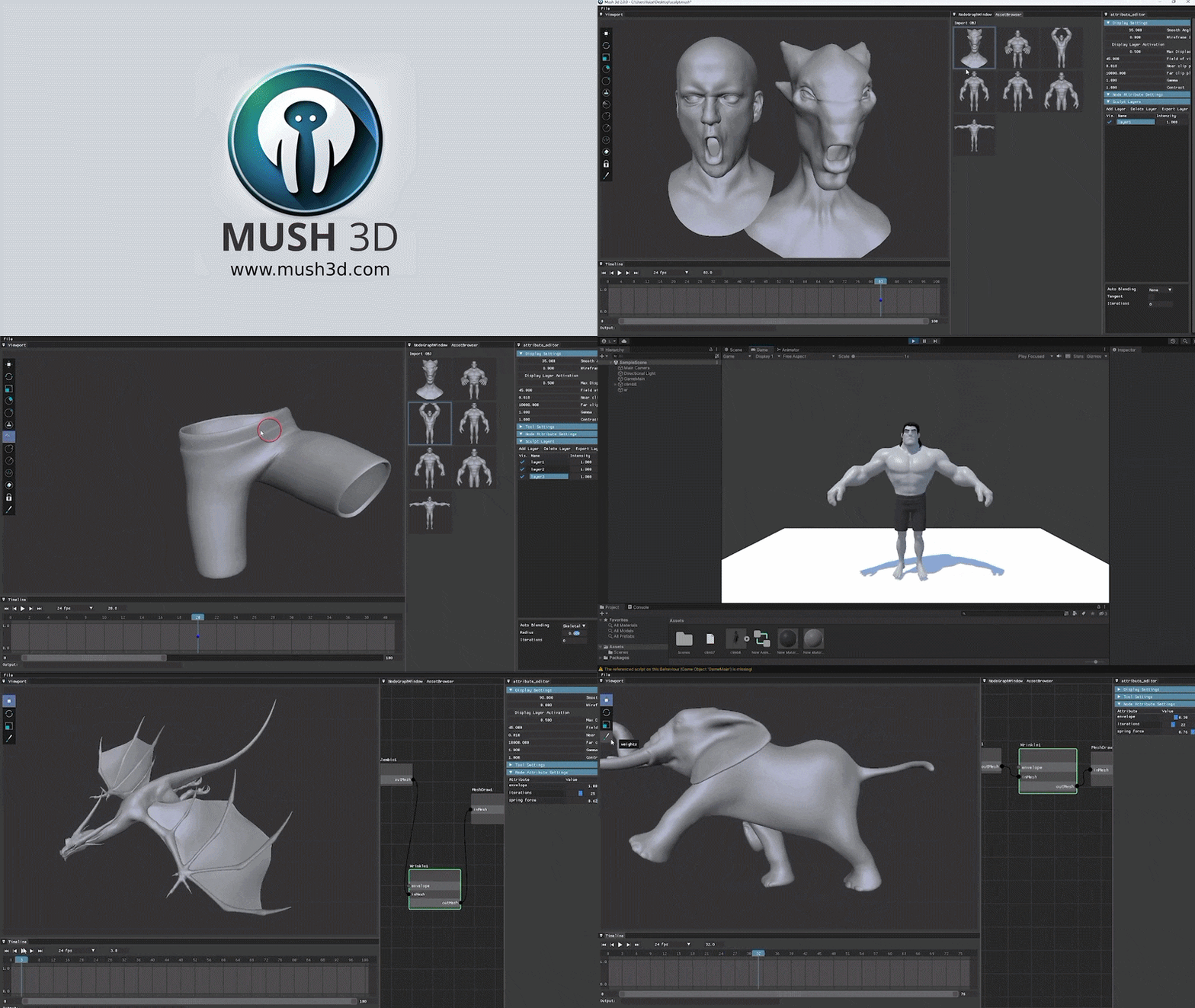
Mush3D is a specialized shot-finishing tool that allows artists to sculpt directly on animated characters while they are in motion. It is used to fix unwanted deformations, refine motion, and add secondary details like dynamic wrinkles or muscle jiggle after the initial animation is complete. The software works on top of live rigs or animation caches, such as Alembic and FBX files, providing an intuitive way to correct artifacts like clipping or collapsing geometry without needing to re-rig or perform complex simulations.
Mush3D for Maya vs Mush3D standalone app
Mush3D is available as both a Maya plugin and a standalone application.
- Mush3D for Maya (Plugin): This version functions as a natural extension of Maya, allowing artists to apply sculpting deformers and manage layers directly within their Maya scenes. It supports Maya’s native sculpting brushes and is ideal for Maya-centric pipelines where keeping the rig, animation, and sculpts in one scene is preferred.
- Mush3D Standalone: This version is DCC-agnostic and features a node-based interface. It is designed for workflows using various software like Blender or Houdini. Users export animation caches to the standalone app for polishing. Version 2.0 of the standalone introduces a node graph for more procedural control over sculpting and jiggle effects.
The choice between them depends on the workflow: the plugin is best for Maya-based shot finishing, while the standalone is better for multi-software pipelines or game engine preparation.
Mush3D features overview
Mush3D includes several tools designed for high-end character deformation:
- Layer-Based Corrective Sculpting: A non-destructive system that allows artists to stack, toggle, and blend multiple sculpting adjustments.
- Dynamic Wrinkles and Creases: Tools to sculpt fine details that appear automatically when skin compresses or characters move.
- Jiggle and Secondary Motion: Features like the Muscle Jiggle node allow for the addition of flesh dynamics and wobbling without full simulations.
- Direct Sculpting on Caches or Rigs: Support for sculpting on Alembic/FBX caches and live Maya rigs, including meshes with changing topology.
- Automatic Blending of Shapes: An Auto-Keyframe Solver that automatically animates the intensity of corrective layers based on the character’s pose.
- Tangent-Space Corrective Sculpting: Stores sculpting edits relative to the surface orientation so they remain accurate as the character moves.
- Multi-Resolution Subdivision Sculpting: Allows for high-detail sculpting on subdivided levels without permanently changing the base mesh topology.
- GPU-Accelerated Performance: Uses the GPU to ensure real-time responsiveness even with dense meshes.
- Delta Mush & Cloth Effects: Includes a Delta Mush deformer for smoothing and a basic cloth simulation effect for secondary motion.
Mush3D download and supported Maya versions
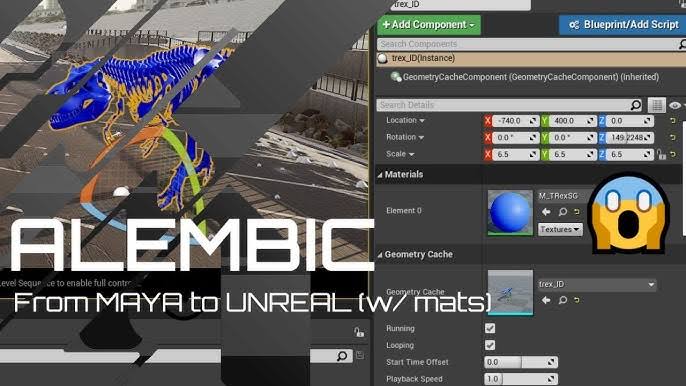
Mush3D is available for Windows and Linux (64-bit), but not macOS. The Maya plugin supports versions 2023 through 2026. The standalone version is currently at version 2.x. A trial mode is available for download; it allows users to test all features, but the export functionality is disabled until a license is purchased.
Mush3D pricing
The software uses a subscription-based licensing model divided into Indie and Enterprise tiers:
- Mush3D for Maya: Indie licenses cost $120 USD per year for individual artists, while Enterprise licenses cost $980 USD per year for larger studios.
- Mush3D 2 Standalone: Indie licenses cost $240 USD per year, and Enterprise licenses cost $980 USD per year.
Indie licenses are typically node-locked for single users, whereas Enterprise licenses offer studio-level features such as floating licensing and priority support. Both tiers provide the full feature set and access to updates during the subscription period.
How to install Mush3D for Maya
To install the plugin, the files must be set up as a Maya module:
- Copy the Files: Extract the downloaded ZIP file and place the
mush3d.modfile and themush3dfolder into the Maya modules directory (e.g.,Documents/maya/<version>/modules/). - Edit the .mod File: Open
mush3d.modin a text editor and replace the placeholder path with the actual full path to themush3dfolder. - Restart Maya: Once Maya is restarted, it will recognize the module and load the plugin.
- Verify Installation: Users can check the Plug-in Manager to ensure
muCorrectiveShape.mllis loaded and set to auto-load.
How to launch Mush3D in Maya
Once installed, Mush3D can be launched using the following methods:
- MEL Command: Type
mush3d;in Maya’s command line or Script Editor and press Enter to open the Mush3D Editor. - Python Method: Run the following snippet in a Python tab of the Script Editor:
python import maya.mel as mel mel.eval('mush3d;') - Shelf Button: Users can save the MEL command as a shelf button for one-click access.
- Troubleshooting: If an error occurs stating the procedure cannot be found, ensure the plugin was installed correctly via the module file setup so that the MEL scripts are in Maya’s script path.

Mush3D Maya workflow for shot sculpting
The general workflow for sculpting on an animated mesh in Maya involves these steps:
- Create a Mush3D Deformer: Select the mesh and click “Add New” in the Mush3D Editor to create a
muCorrectiveShapenode. - Add a Sculpt Layer: Create a layer in the Layer Stack to store specific corrections or details.
- Select a Brush and Sculpt: Choose a brush (e.g., Clay, Move, Wrinkle) and edit the mesh on a specific frame where a deformation issue is visible.
- Adjust Layer Intensity: Use the Intensity slider (0 to 1) to control the layer’s influence. This can be manually keyframed to fade the correction in and out.
- Repeat: Multiple layers can be added for different areas of the character, such as elbows, knees, or facial tweaks.
- Bake or Export: The scene can be rendered directly in Maya, or the deformations can be exported as an Alembic or FBX file for use in other pipelines.
Mush3D non-destructive sculpting layers explained
Mush3D utilizes a layer-based system that offers several advantages:
- Layer Stack Concept: Similar to Photoshop, all sculpting edits are stored in a stack of layers, allowing for organized management of different fixes.
- Non-Destructive Editing: Layers hold vertex offsets without permanently altering the base mesh or rig, making it easy to toggle, adjust, or delete edits at any time.
- Layer Intensity and Blending: Each layer has a weight slider to control its influence, allowing for smooth transitions through keyframing or automated solvers.
- Isolated Work: Selecting a specific layer ensures that sculpting only affects that layer, preventing accidental changes to other corrections.
- Maya Stack Integration: The Mush3D deformer fits into Maya’s history stack and allows artists to use Maya’s native sculpting tools directly on Mush3D layers.
Mush3D brushes explained
The software provides a variety of brushes for different sculpting needs:
- Clay Brush: Used for building up or removing volume gradually.
- Move Brush: Pulls and repositions the mesh surface; includes a topological mode to affect only connected geometry.
- Wrinkle Brush: Specifically designed to create dynamic skin folds and wrinkles based on the difference between the current pose and the rest pose.
- Inflate Brush: Pushes vertices outward along their normals to add radial volume and roundness.
- Crease Brush: Pinches the mesh to create sharp folds, lines, or deep wrinkles.
- Erase Brush: Acts as an “undo” brush for the active layer, restoring the mesh to its original shape.
- Freeze Brush: Masks off specific areas to protect them from being edited by other brushes.
How to sculpt on Alembic caches in Mush3D
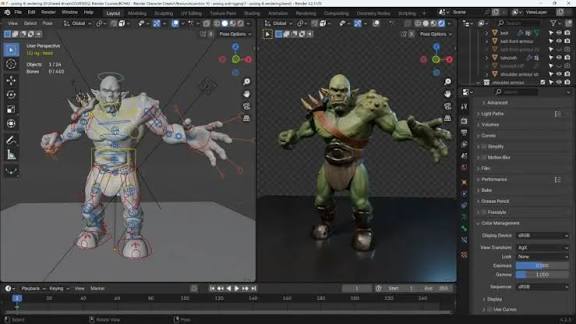
The standalone application is commonly used for editing Alembic caches through a node-based workflow:
- Import the Alembic File: Use an “Import Alembic” node and connect it to a “Mesh Draw” node to view the animation.
- Add a Sculpt Node: Insert a Sculpt node between the Import and Draw nodes and add a sculpt layer.
- Sculpt on a Specific Frame: Navigate to a problem frame on the timeline and use brushes to apply corrections directly to the mesh.
- Playback and Preview: Scrub the timeline to see how the sculpted changes blend with the animation.
- Masking and Advanced Tools: Use Freeze or Show/Hide features to isolate areas, and add nodes like Jiggle or Delta Mush for secondary motion.
- Exporting the Edited Cache: Export the final result as a new Alembic file using
mush.exportAlembic("path")or as an FBX for game engines.
Mush3D auto blend modes explained
Mush3D offers three modes to determine how sculpted layers apply across an animation timeline:
- None: A manual mode where the artist must explicitly set keyframes for the layer’s intensity.
- Skeletal: Intended for FBX skeletal animations; it automatically ties the layer’s intensity to specific skeletal poses or joint rotations.
- 4D Cache: Optimized for facial performance capture and evolving surfaces. It uses UV correspondence and temporal continuity to apply sculpted shapes across the sequence without manual keyframing.
- Usage: These modes use internal solvers to automate the fade-in and fade-out of corrections, which is particularly useful for long sequences or complex character deformations.
Mush3D tangent-space corrective shapes
Mush3D allows for the creation of tangent-space corrective shapes, which are stored relative to the surface’s local orientation (tangents and normals) rather than a fixed object or world space.
- Rigging Benefits: Tangent-space corrections follow the mesh as it moves and deforms, preventing double-transform issues. This is ideal for fixing elbow crimps, armpit collapses, or shoulder deformations.
- Intuitive Sculpting: Because the shape is pose-aware, artists can sculpt corrections directly in the posed state, and the fix will remain accurate even as the character’s orientation changes.
- Pipeline Integration: These shapes can be used within Mush3D via auto-animation or exported as Maya blendshape targets.
Mush3D Auto-Keyframe Solver / Auto Animate
The Auto-Keyframe Solver (Auto Animate) automatically handles the blending of corrective layers based on the character’s motion.
- How it Works: The solver analyzes the sculpted area and creates a
muPointSolvernode to track vertex movement. It captures the sculpted pose as a “feature.” - Automatic Weighting: As the animation plays, the solver compares the current vertex positions to the target “feature” and automatically adjusts the layer’s intensity.
- Efficiency: This removes the need for manual keyframing. If a character repeats a specific pose later in the animation, the solver will automatically trigger the corrective shape again.

Mush3D subdivision levels workflow
Artists can sculpt at multiple subdivision levels to add fine details without changing the underlying base mesh topology or point order.
- Unified Layer System: Edits made at any subdivision level are stored in the same layer. Mush3D manages the data so that broad form changes at low resolution and fine details at high resolution coexist.
- Automatic Propagation: Changes propagate upward and downward between levels automatically.
- Non-Destructive: The base mesh remains unchanged, ensuring compatibility with existing rigs and caches. High-frequency details can be baked out as vector displacement maps if necessary.
Mush3D show and hide polygons
Mush3D provides tools to isolate specific areas of a mesh to improve focus and performance during sculpting.
- Selective Hide (Green Box): Holding Ctrl + Shift and dragging a box keeps the selected area visible while hiding everything else.
- Selective Hide (Red Box): Holding Alt during a Ctrl + Shift drag hides the selected polygons.
- Mesh Isolation: Ctrl + Shift clicking a specific mesh hides all other objects in the scene.
- Performance and Precision: Isolating parts of a mesh makes the viewport more responsive and prevents accidental editing of neighboring geometry. Encompassing the whole mesh or clicking an empty area resets visibility.
Mush3D FBX pipeline for games
The FBX pipeline allows Mush3D deformations to be exported to game engines like Unreal Engine and Unity as blend shapes (morph targets).
- Workflow: Artists add an “Export FBX” node to the graph and create “Sample Keys” at specific frames.
- Compatibility: Engines receive a skeletal mesh and an animation that drives a series of blend shapes to recreate the sculpted deformations.
- Real-Time Efficiency: This approach is more performance-friendly for games than vertex caches and is compatible with LOD systems and retargeting.
Mush3D sample keys for FBX export
Sample keys are snapshots of a deformed mesh used to capture time-varying effects for real-time engines.
- Capturing Motion: Because blend shapes are static, multiple sample keys are needed to represent moving deformations like jiggles or wrinkles.
- Selection: Users should typically key the first frame, last frame, and “hero” poses where deformations are most extreme.
- Interpolation: The game engine cross-fades between these sampled shapes during playback to mimic the continuous motion seen in Mush3D.

Mush3D Python commands for pipeline scripting
Mush3D includes a minimal Python API for automating batch processes and pipeline tasks.
mush.importAlembic(file_path): Programmatically imports an Alembic file and sets up the necessary nodes.mush.replaceAlembic(file_path): Swaps the input geometry cache while preserving existing sculpt layers and nodes, allowing the same fix to be applied to different shots.mush.exportAlembic(file_path): Automatically exports the final deformed mesh to a new Alembic file.
Mush3D license server setup for offline studios
For studios with secure or offline networks, Mush3D offers a floating license server solution.
- Centralized Management: A license server application runs on a local machine to manage a pool of shared licenses.
- Network Requirements: The server machine requires outbound access to
mush3d.comon port 443 for activation, while client workstations only need to connect to the server via port 57321. - Offline Security: This setup allows artist workstations to remain disconnected from the internet while still receiving valid software licenses.
Mush3D troubleshooting
Working with Mush3D can occasionally present challenges related to installation, licensing, or performance. Below are solutions to common issues:
- Plugin not loading in Maya: Ensure you are using the build that matches your specific Maya version (2023–2026). Use the module installation method; placing files manually can result in script errors like “Cannot find procedure ‘mush3dCreateMainWindow’.” Verify that Visual C++ Redistributables are updated and check the Maya Plug-in Manager for
muCorrectiveShape.mll. - Licensing Issues: Trial mode disables exports; full functionality requires activation through the Licensing menu. Node-locked licenses require an internet connection on port 443, while floating licenses require network access to a local server on port 57321. Check expiration dates if the software reverts to trial mode unexpectedly.
- Performance Tips: For dense meshes, use subdivision levels to sculpt on lower resolutions or hide non-active polygons using Ctrl+Shift. Keep GPU drivers updated and ensure your system has enough RAM to load large Alembic caches entirely into memory.
- Scene Management: To avoid “Unknown node” errors when sharing Maya files, ensure all users have the plugin installed or bake deformations before sharing. If you cannot select objects after sculpting, press ‘Q’ or return to Object Mode to exit the sculpt context.
Frequently Asked Questions and Answers
- Does Mush3D work with Blender or other 3D software, or is it only for Maya?
While there is a dedicated Maya plugin, the Mush3D standalone application is DCC-agnostic. It can work with Alembic or FBX caches exported from Blender, Houdini, or 3ds Max, allowing those users to sculpt corrections and export the results back. - What are some alternatives to Mush3D for sculpting on animation caches?
Concepts similar to Mush3D include Sculptron and the now-dated ChronoSculpt. Within Maya, artists sometimes use Delta Mush or native shot-finaling tools, but Mush3D is considered more modern and artist-friendly for complex corrections. - Can Mush3D be used to create or adjust facial expressions?
Yes, it is well-suited for facial cleanup and adding details. The 4D auto-blend mode is specifically designed for facial performance capture, allowing artists to add wrinkles or refine expressions that blend across the entire sequence. - I installed Mush3D but the MEL command “mush3d” isn’t recognized in Maya. What did I do wrong?
This usually indicates a script path issue. Ensure themush3d.modfile and folder are in the Maya modules directory with the correct path defined. If the plugin isn’t loaded in the Plug-in Manager, the command will not be registered. - Can Mush3D’s deformations be baked into my Maya scene as blend shapes?
Yes. You can export the mesh as a new Alembic cache or use the FBX pipeline to bake deformations into animated blend shapes. You can also manually duplicate the deformed mesh at a specific frame to use as a traditional Maya blend shape target. - What is PixelHair and is it related to Mush3D?
PixelHair is a separate library of 3D hair assets for Blender and Unreal Engine created by the same developer. It is an external resource for character creation and is not a feature within the Mush3D software. - What is The View Keeper, and does it tie into Mush3D in any way?
The View Keeper is a separate Blender addon for managing camera views and batch rendering. It does not integrate with Mush3D, though both are tools intended to streamline the 3D production pipeline. - How does Mush3D handle topology changes or changing point count?
Mush3D requires consistent topology. While the 4D cache mode can use UV mapping to correlate frames in some scanning data, the software is generally not intended for meshes that change vertex counts, such as fluid simulations. - I sculpted something in Mush3D but when I scrub the timeline, it seems to disappear until the exact frame I sculpted – why?
This happens when the auto-blend mode is set to “None.” You must either manually animate the layer’s intensity slider with keyframes or enable “Skeletal” or “4D Cache” auto-blending to have the correction persist or fade across the timeline. - What are the system requirements for Mush3D?
It requires Windows 10/11 or Linux (64-bit), a GPU with at least 4GB of VRAM, and enough system RAM to hold your largest Alembic caches. It supports Maya versions 2023 through 2026.

Conclusion
Mush3D serves as a high-end shot-finishing solution that allows artists to refine animated meshes without the need for re-rigging or re-simulating. By offering both a Maya plugin and a standalone application, it provides a non-destructive workflow featuring layered sculpting, dynamic wrinkles, and muscle jiggle.
Its advanced features, such as the Auto-Keyframe Solver and the FBX export pipeline for game engines like Unreal and Unity, make it a versatile tool for both film and real-time production. Ultimately, Mush3D empowers technical directors and animators to add a final layer of polish, ensuring character deformations look their best in every shot.reat shot. By integrating Mush3D, studios can achieve realistic, deformation-rich animations without a heavy overhead, saving time and elevating the final output’s realism. Whether you’re correcting a subtle cloth intersection or adding dramatic muscle flexes, Mush3D provides the control and creative freedom to sculpt your animations to perfection.
Sources and citation
- Mush3D Official Website – Feature Highlights and Description
https://mush3d.com/ - Mush3D Documentation (Maya Plugin) – Installation and Usage Instructions
https://mush3d.com/docs-mush4maya/ - Mush3D Documentation (Standalone v2) – Brushes, Show/Hide, FBX Pipeline, Python Commands
https://mush3d.com/docs-mush2/ - CGChannel News – “Luiz Elias ships Mush 3D 2.0”
https://www.cgchannel.com/2023/06/luiz-elias-releases-mush-3d-2-0/ - CGChannel News – “Neat tool Mush3D lets you sculpt on animation caches” (2018)
https://www.cgchannel.com/2018/08/neat-tool-shot-sculpt-lets-you-sculpt-on-animation-caches/ - RIG-IT.net Resources – Recommendation of Mush3D for shot sculpting vs other tools
https://www.rig-it.net/resources/ - RenderHub – PixelHair Hairstyle description (by YelzKizi) – PixelHair features + Unreal Engine usage
https://www.renderhub.com/yelzkizi/pixelhair-blender-and-unreal-hairstyle-dreads-fade-024 - LinkedIn Post Comments (Luiz Elias – Mush for Maya beta) – “mush3dCreateMainWindow” error comment
https://www.linkedin.com/posts/luizelias_hello-im-releasing-mush-for-maya-for-beta-activity-6873561124655153152-KgBt - Mush3D Documentation – Auto-Keyframe Solver explanation (section within the Maya docs page)
https://mush3d.com/docs-mush4maya/ - Mush3D Documentation – Auto Blend Modes (None, Skeletal, 4D Cache) and usage (section within the v2 docs page)
https://mush3d.com/docs-mush2/
Recommended
- Epic Games Acquires Meshcapade: What the Deal Means for Fortnite, Unreal Engine, and MetaHuman
- Mastering the Arcane Art Style in Blender: A Comprehensive Workflow Guide to Replicating Arcane’s Visual Aesthetics
- What Is Camera Focal Length in Blender?
- inZOI vs The Sims 4: A Comprehensive Comparison of Life Simulation Games
- Real-Time Hair for AAA Games: Full Tutorial and Workflow Using ZBrush, Maya, Blender, and Marmoset
- Cascadeur: The Ultimate AI-Powered 3D Animation Software for Game Developers and Animators
- Why The View Keeper Is the Best Blender Add-on for Scene Management
- Digital Fashion in Blender & Marvelous Designer: A Comprehensive Guide
- Minecraft Movie Cast, Review, Fan Insights, and Box Office Performance: Full Breakdown After Release






















































































